๐ผ๏ธ Print Your Vision, Own the Moment
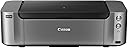
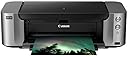
The Canon Pixma Pro-100 is a professional wireless inkjet printer featuring an 8-ink dye-based system including 3 grayscale inks, delivering vibrant, true-to-life colors and deep blacks. It supports large format prints up to 13" x 19" with a high resolution of 4800 x 2400 dpi. Connectivity options include Wi-Fi, Ethernet, AirPrint, and USB, making it ideal for flexible studio or home use. Dual paper trays accommodate various media types, while Canonโs Optimum Image Generating System ensures precise color mixing and tonal gradation for gallery-quality prints.
| ASIN | B0095F5BCS |
| Additional Printer Functions | Print Only |
| B&W Pages per Minute | 1.2 |
| Best Sellers Rank | #402,522 in Office Products ( See Top 100 in Office Products ) #267 in Ink Tank Printers |
| Brand | Canon |
| Built-In Media | Paper Trays, USB Cable |
| Color | Grey |
| Color Depth | 36 bpp |
| Color Pages per Minute | 1.25 |
| Compatible Devices | Printer |
| Connectivity Technology | USB Cable | Wi-Fi | Mobile Memory |
| Control Method | App |
| Controller Type | Android, iOS |
| Customer Reviews | 4.2 out of 5 stars 1,642 Reviews |
| Duplex | No |
| Global Trade Identification Number | 00013803149050, 04960999849751, 04960999849775 |
| Hardware Interface | Ethernet |
| Ink Color | Black |
| Item Dimensions D x W x H | 15.2"D x 27.2"W x 8.5"H |
| Item Weight | 21 pounds |
| Manufacturer | Canon USA Inc. |
| Maximum Copy Resolution Black and White | 4800 x 2400 |
| Maximum Copy Resolution Color | 4800 x 2400 dpi |
| Maximum Copy Speed Black and White | 1.2 pages_per_minute |
| Maximum Media Size | 13 x 19 inch |
| Maximum Print Resolution Black and White | 4800 x 2400 dpi |
| Maximum Sheet Capacity | 150 |
| Maximum print Resolution Color | 4800 x 2400 dpi |
| Model Name | PRO-100 |
| Model Number | 6228B002 |
| Model Series | PIXMA |
| Number of Trays | 2 |
| Other Special Features of the Product | CD-Printing |
| Output sheet capacity | 150 |
| Paper Size | 13 inch x 19 inches |
| Print media | Glossy photo paper |
| Printer Connectivity Type | USB Cable | Wi-Fi | Mobile Memory |
| Printer Output Type | Color |
| Printer Type | Inkjet |
| Printing Technology | Inkjet |
| Resolution | 4800 x 2400 |
| Scanner Type | Flatbed |
| Special Feature | CD-Printing |
| Specific Uses For Product | Printing |
| Total Usb Ports | 2 |
| UPC | 013803149050 |
| Unit Count | 1 Count |
| Warranty Description | 1-year limited warranty with instantexchangeprogram. 1-year toll-free technical phonesupport. |
| Warranty Type | limited warranty |
| Wattage | 19 watts |
G**.
Printer meets my needs well!
*** Update 4/17/2014 *** I've now had this printer for over 1 year. I have a few more updates. Some additional "cons": 1. There are a few quarks to this printer. While this is a network printer, I've noticed that there are many things that *require* you to do from USB exclusively. Examples: Printing directly to disk, printing with Canon's Print Studio Pro (required for using ICC profiles on the Mac with programs light Adobe Lightroom). This appears to be a software limitation. Since the MacBook Pro that I print from is not close enough to the printer, I have to walk it over and connect the USB. Not ideal. 2. The bundled Canon software (such as Image Garden) is not intuitive. It took me quite some time to figure out how to print directly on a disk label. I generally try to avoid using the software. There are other 3rd party programs to print disk labels, but they all cost $$. 3. I was able to successfully connect my printer to Wifi once, but it stopped working shortly after. I didn't have the patience to keep messing with it, so I gave up and ran another Ethernet cable. The Ethernet cable works OK for general printing needs. A few major "pros" to add: 1. The printer continues to do a fantastic job with prints. The printer doesn't waste much ink and I've easily printed hundreds of photos before having to change the cartridges. 2. If you find yourself doing a lot of printing, cartridges get costly. However, there is a very simple and effective way to refill the cartridges (and reset the chips). Do a search for "Precision Colors"- you will still get fantastic results for a fraction of the cost of ink. I find myself printing a lot more now that I don't have to worry about paying a fortune on cartridges all the time. The prints made by refilling have no discernable difference compared to the OEM ink. I still strongly recommend this printer. Make sure you are using a good quality paper and ICC profiles. Otherwise your prints will appear darker than what you have on your screen, and some of the colors (like the blues in the sky) may be off or washed out. ***** Original Review Below ***** The main things I shoot are church events, soccer/sports, indoor dance, landscapes, occasional weddings, home studio as well as personal/family pictures. I utilize a web site that allows me to upload and store my pictures. The web site allows me (and clients) to order prints, but it takes over a week to process and receive them. The shipping costs also tend to be significant. Local stores that do 1 hr processing don't always have the level of quality that I'm happy with and sometimes my photos get cropped in a way that I don't like. Consequently, the primary reason I purchased this printer is because I wanted to be able to print pictures and get a similar or better level of quality that I might get from a professional lab. I am typically printing 4x6 photos but also want to utilize the larger sizes for some of my landscape photography so I can print "fine art". This printer will primarily serve my personal printing needs, but I may occasionally use it to sell prints as well. In fact, prior to purchasing this printer, a profesional photographer was using this same printer "in the field" and selling prints (pictures of kids with the "easter bunny"). That helped me make my decision to go with this printer. After printing a few batches of photos, here are my general thoughts on this printer: Pros 1. The prints are very good when quality is set to "high". When quality was "standard" the pictures appeared noisy/grainy and did not meet my expectations. 2. When comparing to prints I order online, the quality is on par and possibly even better (when using high quality settings). When comparing to local 1 hr photos, the quality of prints seems more vivid. 3. The prints that I get seem to match what my MacBook Pro displays, but they are slightly darker. 4. The speed of the printer seems quite fast. I easily can batch up 20-30 4x6 prints in the tray (which probably doesn't hold much more than that) and before I know it, the prints are ready to go. I primarily use Adobe Light Room (Mac OSX - Mountain Lion) to do the printing. 5. The digital manual for how to use the printer is very helpful, organized, and well written. Kudos to the technical writers. 6. The bundled software, while not overly intuitive, works almost exactly the same way on both the Mac and PC. There is also a program included called "Creative Park" that appears to let you print things like calendars. However, it also says that if you use non-Canon ink you won't be able to use it. While I plan on using the Canon ink, I don't like that Canon is checking before I use a program. 7. I primarily use a Mac, but sometimes need to print from the PC. I have found no difference in quality or functionality when I use the PC to print (windows 8). Cons 1. The printer is quite heavy! It even had a "team lift" sticker on the box. This concern is not significant unless you plan on traveling with the printer (which I don't). 2. Due to the heft, this printer literally shakes the stand when printing. Make sure you have something sturdy to set it on. 3. The bundled software does not seem overly intuitive. The icon that it puts on your desktop is "in your face" and takes up a lot of screen real estate when fully expanded. I would have preferred that icon to live in the system tray. 4. The ink cartridges are expensive. However, after doing research I feel that the Pro 100 was the best fit for me- I probably won't be printing more than a few hundred photos a month and preferred the vibrant colors. If I were planning on printing more, I may have opted for the Pixma 1 or 10, which should have an overall lower price per print. Other 1. The initial set up of the printer took a bit of time. I spent about 20 minutes wondering why I was getting a yellow blinking light- it turns out I didn't have the lever (where the printer head sits) locked down fully. I wasn't able to locate a support phone number which was my first instinct. Fortunately, I went back and double checked everything, and then noticed that the lever was hitting the right hand side of the printer chassis. That prompted me to pull the lever down further. Once I did that, the blinking light went away and I was good to go. 2. It took me a bit to figure out which tray to put the paper in. I encourage you to read the manual, which was very helpful to me. The lower bottom tray on the back is for manual feed, the higher tray toward the top is for auto feed. You also need to make sure you close the feed tray. I keep forgetting to do that, but the print driver is smart enough to know that you didn't close it and will tell you that on your computer screen. 3. I need to read the manual more to figure out how to set up Wifi. I was able to get the printer working on the wired network connection just fine but WiFi configuration seems to be more difficult. Summary While I've only had the printer for a brief amount of time, I am quite happy with it so far. There is definitely a bit of a learning curve and set up time required. My main concern was print quality- and this printer delivers! The quality is on par with professional labs and seems to be better than your average "1 hr print" photography that you might find in the local grocery or superstore locations. I'm glad I made the step up to this printer. I think it will meet my needs for a long time to come. This is a fine quality product from Canon!
S**E
Fantastic large format pro level photo printer.
First of all I want to dispel some myths and answer some questions about the printer. It has two (2) paper feed sections, one that is sort of on top, you can put about ยผ of a ream of paper in there and one that folds open from the back of the printer that is single sheet feeding for products that are thicker and donโt bend well. Next it works fine with Windows 10 and the software runs just fine. It takes it a while to warm up, that is typical of all top end printers, donโt shut it off ever and you will be in good shape and it will save you some ink. Also for those that are unsuspecting this printer is massive, you should expect that with so many ink tanks and 13โ wide feeding, but it is huge if you have never seen it in person. Ok, now down to the nitty gritty. Setup time from box opened to my first print was about 45 min including installing software and so forth. The profiles for canon papers are not that bad depending on the paper, I tried Luster and Platinum Pro from there line. Luster was not that great, Platinum Pro was better. I also tried some Red River papers last night, I like them better than canon paper and there profiles are better. It feeds my 250gsm Aurora Art paper from the back feed with no problems. Print quality its self was better than my local Walgreens print center so long as you set it to fine, about on par if you set it to normal. Colors where great, purples and blues popped nicely when I was printing some MLP stuff for my daughter, reds and organ look nice too. Black and white is much better than a standard inkjet, but yes the Pro-10 and Pro-1 make better black and white prints (had a friend make me a couple from his studio to compare). Print time was not bad for a high end, on fine setting I hit print and go make a cup of tea, by the time Iโm back the page is done. Considering I have some friends with printers that take 5 min a page, Iโm pleased with the speed. The good and bad of what is in the box. Well the power cord is a good length and the documentation is not bad. The USB cord they give you is a joke, it is short, very short, only slightly longer than the printer is wide. I have not tried the tray for printing on a CD. The packaging was good and secure. Ok letโs talk value. When I ordered I was arguing between a good price point and the all-out performance of a Pro-1. I donโt print that much, some photos for my cube at my day job, some of my semi-pro photos that I sell on line and a little here and there for family. As such I did not feel that I could justify the price of a Pro-1 and figured I would try the Pro-100 and see if it met my needs. My needs are more than met. For the price point the Pro-100 cannot be beat. I am more than pleased with the purchase and with the rebate it is even better. Word on the rebate. You need to send a full copy of the receipt (showing order number and that you paid), yes Amazon is an authorized retailer, it is a good idea to pre-register the rebate and send the whole set of bar code and SN on the outside of the box and it runs fairly smooth. DO NOT send the upc on the inner flap, DO NOT peel the label off the cardboard, send the cut out cardboard. Hope that was helpful.
L**S
Canon's rebate lies
I purchased this printer on December 25, 2014. As stated by another customer, the printer is great, but Canon's rebate policy SUCKS! I have read from other customers how they never received their rebate and how Canon gives one excuse after another as to why the person did not receive the rebate. I did all of the right things as others have stated. I even went out to Canon to get the updated form that included all purchases made between November 23, 2014 and January 31, 2015. I sent my rebate form and all the required receipts, UPS codes etc. to Canon on January 30th. When I did not receive my rebate after 8 weeks I looked up the status and it said payment had been approved, so I waited and waited. When nothing came in the mail I emailed Canon to see what was going on and I was told that the payment had been sent on January 30, 2015. I knew this information was wrong as that was the date I sent the rebate to Canon. So I emailed back and told them this. I was then told to confirm my mailing address, so that they could reprocess my rebate and send it to me. Well, that was 4 weeks ago and nothing has arrived in the mail yet. Like another customer that wrote his review, I have just about given up on ever seeing the $250. In my eyes this is a huge black mark against Canon as a company who does not deliver on a promise and finds all sorts of excuses for their lack of commitment. In so many ways I am sorry I ever bought the printer, no matter how much I like the prints I feel I was lied to and that Canon uses their rebates as a come on to sell their product. At this time my husband, who is now looking to buy another Epson printer, and we have also purchased 3 Sony cameras that we are quite happy with, will never buy a Canon product again. It's too bad that a company thinks it is okay to use false advertising to get people to buy their product. Whatever happened to giving the customer a reliable product that they can count on and a company that stands behind that product with quality customer service? It only takes one time to burn me and then you've lost me for good. As the other customers said don't lecture me on not merely reviewing the product. I think there needs to be a place in your review to comment on your purchasing experience. LDS says: Update: I need to let people know that Canon finally issued me my rebate. It took a couple of times contacting them, but within a month of the last contact my rebate was in the mail. I love the printer, so please don't get me wrong. I was a bit upset with Canon and thought that people should know that they might have problems receiving their rebate and not to let that be the only reason for purchasing this printer. It is a wonderful printer and does all that they say it can do. The color prints are true to life, and the black and white prints are fantastic. I did have a minor problem after it sat for a couple of months. When I went to make my first 13x19 print, I had horizontal streaks for about the first half of the print and then they went away. I probably should have gone through a cleaning cycle before I did my print. So I will be aware of this in the future. The second print came out perfect and the color is beautiful. Would I recommend this printer, I would have to say yes!
S**M
This printer makes my job, slower, more difficult and more expensive
UPDATE II (10/25/14): I went ahead and lowered my star rating down to 1. This printer makes my job, slower, more difficult and more expensive. I would say that is a complete failure. The most current issues I have discovered are that 1) this printer prints crooked WAY more than is acceptable. Most people would not notice a 1/8 inch difference between the top and bottom margins on a page but, 99.9% of the time I am printing registration marks which then need to be read by another machine. I cannot tell you how many times I have had my electronic cutter fail to read the registration marks only to find out that the paper has drifted off to one side as it is going through the printer and, as a result, the registration marks are not aligned. That creates garbage. I cannot use that sheet. Waste of time, money and that oh-so-expensive ink. Sometimes I can remedy this by standing there and physically holding the paper straight as it feeds through the printer but I should not have to do that should I???? 2) Before I purchased this printer I made sure that it could print on custom page sizes. Many times I may have weird scrap sizes (like 6" x 12" or 5" x 10") that I want to use. But, if the paper is thick cardstock, I cannot use it because the printer will not accept paper with a side smaller than 7" in the manual feed and the printer will not accept cardstock in the autofeed. So, no to the manual feed and no to the autofeed. I am completely out of luck. Those scrap pages are no longer useable to me at all - another loss to my business. UPDATE I: I had to lower this review to 2-stars. Now that my HP has died and I am using the Canon full time, I DO now find the ink replacement costs to be prohibitive. I literally have to replace the black ink every 3 weeks and have to do a complete ink panel replacement (100.00+) about once every 7-8 weeks. By comparison, I replaced the complete panel on my HP 2-3 times a year for significantly less money each time. This is just not workable! Far, far too much ink consumption and far too expensive to replace cartridges. ORIGINAL REVIEW: I have a small, yet busy, paper crafting business which requires that I print on various sizes of heavy cardstock (80lb cover {216 gsm} is my standard but I need to go up to 100lb or 110lb on occasion). I make tags, invitations, business cards etc. So, mostly text, some graphics. There are not that many consumer printers out there that handle this weight of paper with ease and the vast, vast majority of the ones that do are geared towards photography and pictures which is certainly true for this Canon. Fine. I get it. But, that means there are limitations for my purposes. The dealbreaker for me, that you will not know about unless you read the fine print in the user manual prior to purchase, is that, while the Canon will print on thicker paper, you will have to feed said paper one page at a time through the manual feeder. The auto feed does not accept thicker cardstock and this is just unworkable for me. It is common that I will need to print out 2-3 dozen pages of 12x12 or 12x18 pages nightly and it is immensely time consuming to be chained to the printer to do that one.... slow.... page..... at.....a ..... time. I am replacing an HP machine (after 7 years of use, it finally died) that could autofeed paper of this weight. This Canon cannot do that and it is really disappointing. I have yet to find a printer that is less than $1,600 (the cost of the model Canon's reps recommended to me when I emailed them about this issue) that has these capabilities. The $250.00 HP I replaced has been discontinued. It seems as if, back during the height of the scrapbooking craze more manufacturers were making consumer printers with capabilities closer to what I need but, with that craze having died down, no one does it. But, if one were to search paper crafting on Etsy, the need has evolved, it has not died. Other than that - I find the color output sort of dull most of the time, but that likely has more to do with the paper I am using than the Canon. The printer is quite slow but the end product is solid. No jams or other issues have cropped up although I have already replaced the black ink cartridge more than once and I have had this machine for about 4 months. I don't find the replacement ink costs to be prohibitive though. Overall - solid machine but not what I need. Also, I really, really wish details about the media weight accepted were made clear in the specs (and not referenced in terms of Canon branded paper because I, for one, have NO IDEA what the weight of Canon branded paper is and I should not have to do substantial research on paper I will never own or use in order to figure out what the capabilities of the printer are!)
C**P
Good Printer, But Don't Depend on the Wireless
I've owned this printer for over six months now. I have mixed feelings about it. Pros: Excellent print quality Reasonable ink usage Relatively inexpensive ink Canon came through on the rebate making the end cost very attractive Cons: Huge! Wireless functionality is near useless Paper handling is terrible <---- See Edit Below ****Edited 11/20/2014 It turns out that the paper handling issues I had were apparently a defect in my printer. After putting up with it's paper feed problems for over a year, I finally bought a new one. The print quality and price (after rebate) were so good I was willing to try again. The new one has no paper handling issues. I can't say if the wireless works on this one. Now that I've run the USB cable I don't really care about wireless any more. I guess Huge! is still a Con since it's size made the original one cost prohibitive to return for repair/replacement. I really like this printer. I purchased it again even after being so frustrated with the first one's problems, so that tells you how much. I added a star to my review. Original Review Starts Here.... Print quality is great. I use the printer for AutoCAD line drawings and it is much clearer and better defined than the old Epson it replaced. I can't speak as much for the photo quality, but it looks great to me. It doesn't seem to be too thirsty on the ink. So far I've replaced black and red more than the others - which is true to the type of line drawings I create, so that seems legit. I like that it uses separate tanks for each color, keeping the cost down. But it does have a lot of tanks for those who print more multi-color stuff than I do, so it could get expensive there, I guess. I use this printer with Windows 7 on a home network. The printer wouldn't stay on the network. Six feet away is a Canon MX860 that never misses a beat, so it isn't signal strength. At first, it seemed it was just "sleeping" after periods of non-use and not waking up. But sometimes it would lose connectivity during a print. I have since given up on wireless and attached a USB cable. Solves the problem, but unfortunate that it won't serve the purpose for which it was designed. And the paper-handling is horrendous! I print almost entirely on regular thickness 12" x 18" paper - very rarely on something as thick as photo paper. I can't find any paper thickness adjustment on the printer, and I've set the paper type setting in the printer properties accordingly. Still, it feeds multiple sheets through at a time, sometimes grabbing additional sheet halfway through a print. I can fill the paper tray and be out of paper printing a five page document! If it manages to complete at all, as the extra paper sometimes clogs the feed and requires a manual reset. So what you're left with is a printer that is VERY large and supposed to be able to be put anywhere and accessed by wireless network, but won't work reliably. So you have to have a large space to put it close enough at hand for a USB cable. But you'll want it close by because you'll have to babysit it, watching every printout to add paper or correct it's paper jams. I've found a space near my desk that works for me. And the print quality is so good that I put up with it's Diva personality. Just make sure you are able and willing to be as accommodating before you buy one!
E**B
Excellent Alternative to your Drug Store Print Shop
After significant research and consideration I ordered the PRO-100 due to its compelling rebate and wide format capability. I deliberately waited until I had printed a variety of prints and configurations before writing this review, and I have been pleased in almost every aspect. First things first, the build quality and design of this printer are a cut above what you will find from other printers on most retail shelves. If you are like me you have seen the dozens of "do it all" printers that dominate retail shelves that feel like they are going to fall apart just by opening the paper tray or accessing the ink cartridges. Not this unit. The trays, hinges, etc. are all built of a high quality plastic and the printer feels very solid when operating it. The design is simple and clean; it goes without saying that this printer is considerably large but I think that its clean lines and neutral colors make it less dominating. The printer comes with software/driver discs and a basic instruction sheet. I have an iMac which does not have a CD drive, so I found this to be a bit of an obstacle and perhaps something Canon should consider when writing their instructions. With a bit of hunting I located their software online; and I just connected the printer via USB initially so that OS X could locate the drivers and install them. The wireless connectivity is a huge bonus, and the printer connected flawlessly via WPS. I just hit the button on my router and then the printer, and the two found each other without issue. It was a smooth process and a pleasant surprise. I have done all of my printing from Photoshop and have found that Canon's paper and color profiles have been accurate and easy to integrate with Photoshop's print options. I have found using "Photoshop to manage colors" has been more successful than using "Printer manages colors" and then selecting my paper from the next drop down option. You can also click on "printer settings" access all of your standard choices (paper size, etc). In regards to the actual printing there is a lot to be said. The print quality is superior to your local pharmacy lab. The colors are reproduced accurately and the pictures are unbelievably crisp. Canon makes great paper that pairs well with this machine; I used the luster paper included as a sample and I am impressed by it. A great alternative to the traditional matte/gloss options. One observation made during printing is that the print time is notably slower than some home photo printers that it may be compared to. Even a 4x6 is not a quick print in comparison, but I believe that the quality difference is enough to make up for this. At first I was skeptical of the "top load" design where the paper feeds in from the back. I have had printers of this style in the past with mixed results and typically associate this design with paper jams and misfeeds. Not the case with this unit; the adjustments for varying paper sizes are spring loaded and well designed; I have yet to experience a jam or issue with the paper feed system and have been relieved by the ease of use. I have not printed enough to give a true "cartridge yield", but will say that after printing approximately 20 4x6 prints, 5 8x10 prints, and 1 13x19 print my ink levels still display as "full." I am relieved to see this based on the price tag of an ink set, but if they last as long as they are forecasted to I see no trouble. Overall I am thrilled with this unit and for the price of the system after rebate it is a no-brainer for those who enjoy the convenience of printing their photos from home.
R**C
After installation, Revelation
I have always been, 1) Take picture with my Canon 7D, modify/optimize in Lightroom/NIk/OnOne post on Flickr and get good comments. I felt somewhat incomplete. So I bought the Canon Pixma Pro-100 after much hand wringing on "maybe the Labs would do it better". Well I am here to tell you that MAYBE the mail order labs could do better, but not better than my eye could do. And there is something special, similar to the days of film, where you control the whole process: Take the picture to the complete DIGITAL process of printing. I am holding in my hands some of he first print outs of the Canon Pixma Pro-100 and I am stunned by the quality. They are a bit darker than what I see in Lightroom, but since I have never printed on a quality printer before, nor calibrated my monitor, this is not unexpected, nor displeasing. Really, on the four I printed after the initial setup of the printer, I feel the printer printed them better than I was looking at on Lightroom. Now that I know the behavior of the printer and ICC profiles, I can dial in the final look in Lightroom during my Development Module workflow that I use. (Of course a Spyder monitor calibration never hurts, but I like the artistic process of seeing what I like and adjusting accordingly rather than something telling me, "crank up this dial by 2 get an exact analog of what you see". ) It seems like it takes the artistic control away from me. I digress. Great value with the Amazon rebate. I waited nearly 30 days for the printer to ship, which killed me, but now that I have it, money well spent. The setup was a bit long and I could not get it to setup with a wired connection. It always could not detect the printer. I was thinking that the wired connection would be faster. However, when I did the wireless setup, bam, it setup no problem. And really the the 13 x 19 print started printing almost immediately in any case. I will figure out the wired connection later as it is always more reliable. Wireless connections work great for four months and then for some weird reason, the device is disconnected. Pain. As far as the Pro-10 or Pro-1, they are more money and from what I can read, really the quality is not materially different from the Pro-100. The inks are different, dye vs. pigment, but the Pro-100 has printouts that Pop more than the Pro-10. I guess if you want to hand down pictures to your great grand kids, go for the Pro-10. But really, do you care if the picture does not last at the same quality beyond 200 years? Really? Maybe if the picture is the next Mona Lisa. I doubt it. With Canon papers, you can get 200! years with the Pro-100. Finally, I bought the paper sampler from Red River for about $13 to be able to print on about 15 different papers to see the difference, since this is new to me. I have to say that the Red River Polar Metallic on my B&W photos are stunning with the Pro-100. The Semi-Gloss Canon paper is also stellar.
S**R
Finally a super printer!
So my beloved 14 year old HP Photosmart P1000 finally died, and I went on a search to find something comparable. Without going through all of my experiences, suffice it to say that NO average printer, standalone or the all-in-ones that you find at Best Buy, Sams, Costco, Staples etc are anything near the quality or reliability of my old HP. I don't ask for much, just a large ink cartridge like it had and no paper jams or quirks. All current printers in the usual price range of $69-$299 are JUNK. The name of the game today is pay more for inks than you did for the printer. I mean, just toss the printer when the ink runs out and get a new one for less money - and another set of inks.. RIDICULOUS!!! ALL 3 major mfg's are the same. I could not get past all the bad reviews of printers in this category. Then I found the Pixma Pro 100. People were actually admitting the photos it prints are GOOD! And no horrible reviews of how junky it is! So, while I knew it would be a step up in size (like 3 times the size of a standard printer) I didn't realize how it would make me fall in love with my photoghraphy all over again once I saw the prints. My old HP did absolutely beautiful photo prints, but seeing the ones from the Pro 100 blew me away - they have a "pop" that I am just not used to. Better than photo lab created enlargements like from Adoramapix. Good inkjet is truly different, and being able to print larger that 8-1/2 x 11 is something I think I deserved after all these years! I shoot full frame Canon cameras and the Pixma 100 and my cameras are a match made in heaven. And yes, it will still print out a nice document if you need that! The only warning I want to give is the wifi setup is a little difficult if you choose the wrong route. Save yourself a hernia and choose to set it up using the USB cable (temporarily) as trying to do it wirelessly is a nightmare, trust me. The printer has no screen, so it doesn't walk you through nicely the way the cheaper printers do. So just plug it in to USB, put in the driver disc and follow the instructions. It is very easy this way. Only strange thing was that it found my network, but never asked me for the password. It worked fine without it. Carefully follow the head installation instructions and in the ink installation - VERY IMPORTANT to remove the orange cello strip at the top of each cartridge BEFORE twisting off the orange protective tabs on each. If you don't uncover this air-hole, ink will spray all over as you remove the orange tab because you are squeezing the sides and air forces ink out. Let's just say, I have black fingers right now! This video shows how to install the print head and cartridges fairly well - start at 13:00 for this part: https://www.youtube.com/watch?v=LlV7cqqladQ I got a good price on Amazon, and I couldn't be happier. Well, I'd be happier if it were smaller, so just make sure you have a HUGE area cleared for it before it arrives. I'm still looking for a permanent home in my office that has no room!
S**.
Love
Had this for a little over a year now. It's fantastic, I really love it. Ink is expensive of course, but hey, I'd rather buy ink than shoes, at least I can make it last. Colour quality is beautiful and it's super quiet when printing, but when it's warming up it tends to be a little obnoxious when I'm up at 3am trying to finish my assignments and not wake my partner up. It's a little heavy, don't forget to bend your knees when you pick this sucker up. Oh and it really does turn heads when people come to visit, she's pretty ;)
S**I
Amazing product!
Awesome product. Had to wait for a while for it to get delivered. But prints such amazing colours and quality.
J**S
Awesome print quality
Awesome print quality. Colours are absolutely perfect And correct.
L**S
Exceed my expectations
The printer exceeded my expectations with the quality of colour for various pictures that I was printing and the setup of the printer is relatively simple
G**A
Inks are too costly
Inks are costly and even not available in market. Where Epson L1800 is far better than this
Trustpilot
2 months ago
3 weeks ago