📊 Elevate Your Health Game!
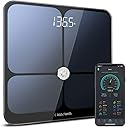
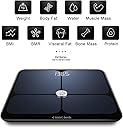
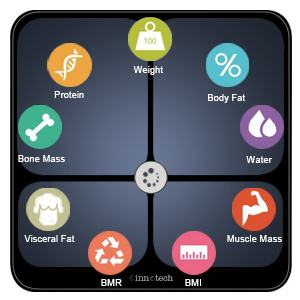
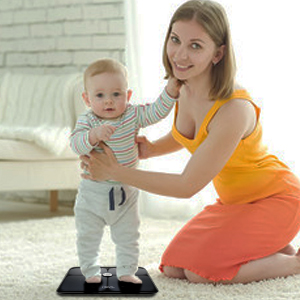
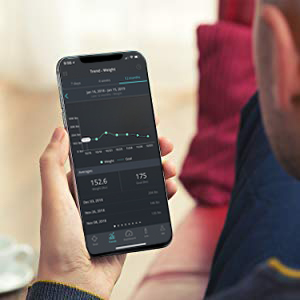
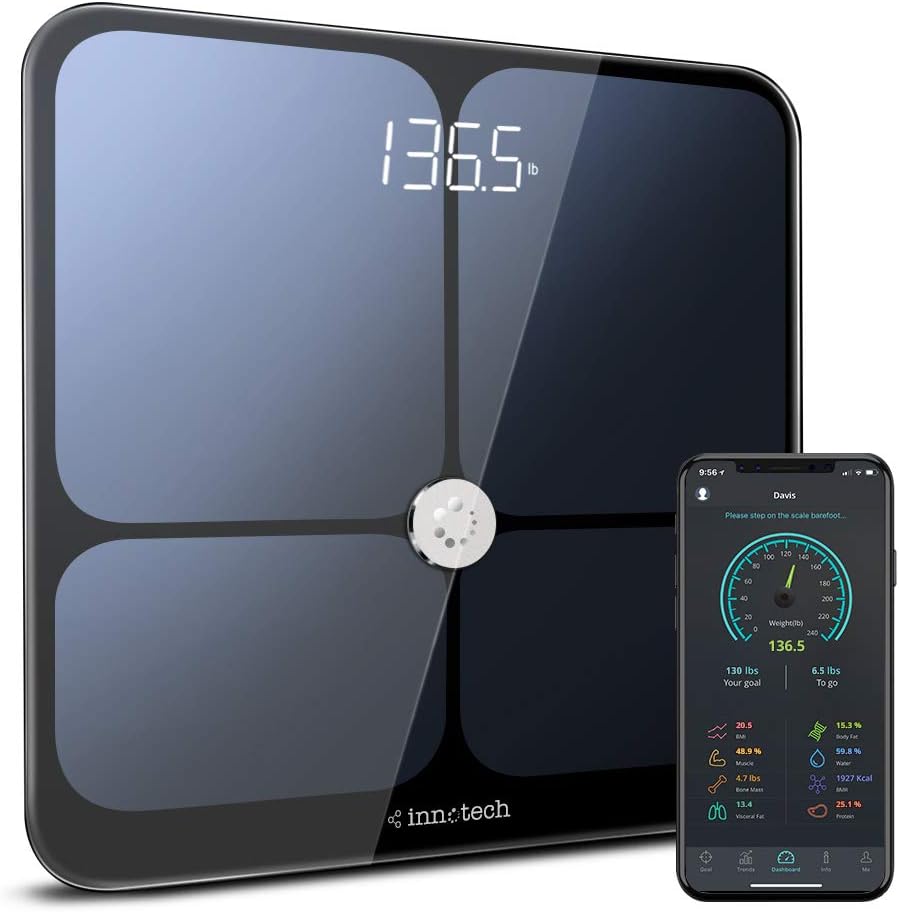
The Innotech Smart Bluetooth Body Fat Scale is a cutting-edge digital weight scale that provides comprehensive body composition analysis, including 9 key metrics. It supports up to 10 users, making it ideal for families and fitness groups. With a user-friendly app for both Android and iPhone, it syncs effortlessly to track your health journey. The scale features precise measurements and a stylish design, ensuring both functionality and aesthetic appeal.


| ASIN | B07M8GXMC1 |
| Best Sellers Rank | #652,057 in Health & Household ( See Top 100 in Health & Household ) #825 in Digital Bathroom Scales |
| Brand | Innotech |
| Brand Name | Innotech |
| Color | Black |
| Customer Reviews | 4.5 out of 5 stars 2,395 Reviews |
| Display Type | LCD |
| Form Factor | Handheld |
| Manufacturer | Innotech |
| Material Type | Tempered Glass |
| Measurement Type | pounds |
| Model | IB-655 |
| Part Number | IB-655 |
| Readout Accuracy | 0.2 Pounds |
| Special Feature | Body Fat, Body Mass Index, Bone Mass, Muscle Mass, Smart |
| Special Features | Body Fat, Body Mass Index, Bone Mass, Muscle Mass, Smart |
| UPC | 657008895956 |
| Unit Count | 1 Count |
| Weigh Scale Type | Floor Scale |
| Weight Capacity Maximum | 397 Pounds |
| Weight Limit | 397 Pounds |
T**D
Great value for the price
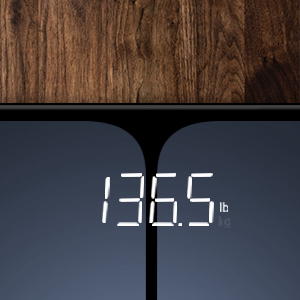
First, this scale is really sleek and looks like something out of Star Trek. It's very cool. Also, the numbers are big, clear, and bright. I compared the Innotech scale against an analog scale and an older digital scale by WD-2003A ("WD"). I was getting differing numbers on all three scales, so I used 80 pounds worth of dumbbells to test each scale. The Innotech was light by .5 pound, the WD was over by about .5, and the analog was light by about a pound. I then weighed a single 35 pound dumbbell and found that both digital scales read it as 33.5 pounds, and the analog read 33. So I think the dumbbell is light! NOTE: Both of my digital scales seem to work more accurately at lower weights. When I weighed myself (naked) on the WD I was 237 pounds. I've been using this scale for 5 years to track my weight loss (I'm down about 40 pounds now). When I weighed on the Innotech, I was 235.7, a difference of 1.3 pounds lighter. I put on my boxers and t-shirt and re-weighed myself on the Innotech and got 236 pounds, exactly 1 pound lighter than the WD. I'm going to recommend if you are a heavier person, perhaps over 200 pounds, weigh-in with boxers and a t-shirt to get a more accurate reading. Never wear socks, as the scale needs to read your bio-metrics through the soles of your feet. All scales where placed in the same spot in my bathroom. Results: Innotech: Mode: Normal (non-athletic. You can select this in your profile.) Weight: 236 pounds/ 43.5% body fat WD 2003A: One mode, no body fat option: 237 pounds Analog scale: One mode, no body fat option: 235 pounds So the Innotech is right in the middle of all my scales when I'm wearing boxers and a t-shirt. Therefore, I'm going to use the weight on the Innotech for my future results. PROBLEM: A problem I ran into with the Innotech is that the first time I weigh-in it often results in a number I know can't be right. For example, if I weigh-in before bed and get 236 pounds, and then weigh-in the following morning, I sometimes see the same 236 pounds, or even a little higher on this scale. After a night of sleep, I know I usually drop 1.5 to 2 pounds, so getting the same result makes no sense. I find it will "fix itself" if I ignore the first weight, let it clear, and then get on a second time. I always weigh-in 3 times and take the last 2, NEVER the first result. I had this exact problem on the WD scale, and could never trust the first weigh-in. Perhaps this is an issue with all digital scales? It makes me wonder if there is a "buffer" that doesn't always clear itself, and locks in a false first result. You have to stay on the scale until the "running lights," big circles that travel left to right after you see your weight, have finished their cycle. Then it will give you your body fat percentage. THE APP: You can weigh-in without using the app, but it won't record any of your stats. I'm happy for that, because I don't always want to take my phone to the bathroom with me. Also, I want the stats weekly, not daily. The App is very informative with a good layout. As others have said, when pairing your phone to the scale be sure your location services are turned on. I don't know why they need that, but everything paired flawlessly for me on the first try. A big "thank you" to the reviewer who suggested that. The app has several sections: GOAL: Allows you to set a target weight and shows you how much you have left to go. The Goal tab displays a number that is off by one pound. If you tell it your goal weight is 215, it will show 216. I'm not sure why it does that. However, on the main screen it shows the correct 215. TRENDS: A graph that tracks your various numbers. DASHBOARD: shows all your info regarding your last weigh in. INFO: Has charts for BMI, Fat%, Visceral Fat, and Water%. Me: Info about yourself, ability to connect to FitBit or Google Fit. I connected to FitBit. It also allows you to add family members so they can track their own statistics, BUT you can only connect the scale to ONE phone. So everyone who wants to track their weight has to use the same phone and select their own profile when weighing in. This can cause confusion, privacy concerns, and erroneous entries if the wrong profile is selected. APP/SCALE PERCENTAGES - ACCURACY: While I found the app to be very informative, I have no way to verify the percentages it displays. Therefore, I'm using them as a baseline since they are consistent within the "universe" of this particular scale. For example, it shows I have 43.4% body fat. That seems like a lot for me, though I AM overweight, 6'1" male, and over 56 years old. My BMI reads 30.9 and my water shows up as 43.4%...exactly the same number as my body fat. Is that a coincidence? I don't know. My visceral fat shows up at 11.5%, which is in the "normal" range but again, I don't know how to verify these numbers. So I'm using the numbers as my baseline so I can track my trends. I may get some calipers and learn how to take a manual reading so that I can at least test for the BMI accuracy. Another reviewer mentioned the birth date range didn't allows dates before 1970. It looks like this has been corrected and goes all the way back to at least 1960 (I didn't look farther than that). OVERALL: I really like this scale. I'm giving it 5 stars because I think it's better than 4 starts, but probably lands at 4.5 overall. If the percentages are accurate, then this is an amazing device at this price-point. At the very least it gives us something to track. GENERALLY SPEAKING/RECOMMENDATIONS FOR ALL DIGITAL SCALES: Why don't digital scales come with a way to calibrate them??? A simple dial with a variable resistor could allow us to calibrate to known weights. And why have every digital scale I've ever owned (4 of them now) given me a false, first weight? It seems like a very simple fix to have a routine on startup that clears all buffers. RECOMMENDATION: Buy it! This is a great scale for the price and I recommend it. I think it's 4.5 stars, but giving them the benefit of any doubts and officially logging 5 stars because of the tremendous value you get with this scale.
K**H
Super Smart Scale!
Okay, so please watch my video for details about how this scale is but overall this is out it works: 1. Comes with 3 tiny batteries that you just neatly place into the back of the scale 2. The scale immediately weighs you but it needs to be paired to your Iphone or Android; I have an android/Samsung Galaxy S8 & I went to my playstore on my phone & simply typed in Innotech Scale; it popped up immediately & then I downloaded it onto my phone. It then shows up as "Innotech" on your phone displays the following: BMI Body Fat Protein Water Bone Mass BMR Visceral fat Muscle I love this scale because it holds you accountable in that it's not just about your weight but your water, muscle & metabolism. I'm currently doing Keto/IF (intermittent fasting) & plan to for the rest of my life because I've had such good results with it. With Keto it's not always about the weight lost but rather the inches, the muscle gained & the fat lost - this scale shows you that even if you're not losing that many lbs; you can be losing fat/water etc. I also love the look of this scale; it's so pretty & sleek. It's also a good size, my feet are small (6.5/7) & there's plenty of room to step on this scale. I will say it's glass so be careful of moving it around & chipping it. The scale has 4 little rubber pads on the bottom of it that keep the scale in place. I actually keep it under my bed & not in my bathroom because 1. I don't want to constantly weigh myself (I would if I saw it in my bathroom) & 2. I am more likely to have my phone with me to check my body measurements in my bedroom than have my phone in the bathroom (we need to separate more from our phones people!). Overall this is a great scale & I'm super happy with it. I actually was able to use a coupon when I bought it so it only came to $40 with Amazon Prime. Well worth the money!
A**Y
Quality scale with useful body composition indices
This is a really nice digital scale that talks to an app on your smart phone, to help you track your weight and several measures of body composition. I've discovered a few little issues that you should be aware of, though. The scale can track several different peoples' body composition - each person in the household just needs to download the Innotech app and set up their own profile with their gender, age, height, personal goals, etc. The scale stays logged into whoever last connected, so before hopping on the scale, be sure to connect your profile to the scale. If you don't, and your roommate was the last one logged in, your weight and body composition will be added to their history. There doesn't seem to be any way to delete your roomie's data accidentally added to your history, either. THAT would be a useful software update. Alternatively, it would be really nice if the scale automatically connected to the profile on whichever smart phone was in closest proximity, but it doesn't work that way. So if you're sharing the scale with others, just be sure to connect your profile to the scale before you hop on. The scale uses some sort of electrical impedance magic to calculate several things, including your body mass index (BMI), muscle mass, bone mass, water, visceral (tummy) fat, protein, recommended calorie intake, etc. It may be useful to track how your measurements change over time, but you definitely don't want to get too hung up on the exact numbers it gives you. Body mass index, for example, is a notoriously poor measure of overall fitness. It's basically a ratio of your weight to height. An obese person with lots of body fat can have the same BMI as a really ripped, muscular jock. So keep that in mind. You might want to Google the other indices that the app calculates, so you understand what they are really telling you. Some of the measurements that I've gotten just seem to be wrong. The app tells me, for instance, that the young lady in the sport bra shown in the attached photo has 28.2 percent body fat, which, according to the app puts her in the "Obese" category. I expect that we can agree that she's a long way from obese. I fear that misclassifications like that could be tragically misunderstood by some users, who will use the bogus information to rationalize their anorexia or other unhealthy activities. In spite of its idiosyncrasies, I really do like this scale. It seems to be well built, and it's easy to use. Use some common sense to interpret what the app is telling you, and you'll probably find it useful, as well. Let me know if you find my review helpful.
C**R
Nice scale, great support, but app could be better
This scale came securely packaged, but I noticed quickly that one of the four rubber feet on the bottom of the scale was missing. I contacted their support via email, and within 30-45 minutes they responded. They could not send a rubber piece to stick onto the bare spot, but they would send a new scale. They said I could discard the scale I had received. The new scale arrived in just a few days. Kudos for the support! I coincidentally received my scale right when my father was struggling with dehydration as a result of some treatments he was getting, and it occurred to me that this would be a good way to monitor the water level in his body. I left it with them for several days to try out. They were pleased with all of the data that was available on the app. It was easy to add my mother as a family member, and it's also easy to switch within the app from one family member to another before stepping on the scale. The time it takes to get a reading on the scale is shorter than I was used to with my old one. I used to have to stand on the scale for about 15 seconds before it was done calculating. This one takes less than 10. The numbers are large enough and bright enough that I can see them without my glasses on while still standing on the scale. I used to have to get off of the scale and bend over to see the readout. To pair a phone with the scale is super simple. There is no need to go to the settings on your phone. You just open the app, and it asks you to press a button to pair your phone to the scale you see listed there. I wonder about the accuracy because it seems to read about 4 pounds heavier than my old digital scale. My old scale also sensed body fat and water, etc., but it did not connect with Bluetooth. My old scale also said that my body fat was about 18.8%, but this one says that it is 38%. That's a huge difference, so I am curious if it is actually measuring the same thing. There is a separate measurement on this new scale for visceral fat, but it says that mine is apparently about 9.5, so that also differs too much from my other scale's body fat measurement to think that they might actually be measuring the same thing. I noticed some other people in their reviews had mentioned the wide range displayed on the trend graphs. Every graph has 0 as the low on the vertical axis, and the greatest value on the vertical axis seems to be about double the highest actual data point that you have. My weight has been around 177, so the high on the vertical axis is 354. My BMI reading started at 27.5, and the high point on the vertical axis is 55. With a range this large, small changes aren't very noticeable. This means that when your weight goes down 1 pound, it's not visible on the graph. I really wish they would update the app so that there is a narrower range--like my Fitbit does. When you are working towards a goal, you like to be encouraged by even little changes. Another interesting thing I have noticed that makes me wonder about accuracy is that there are seemingly random large dips in some values. Weight and BMI have been fairly straight and steady, but with body fat, muscle, water, bone mass, BMR, visceral fat, and protein there are large hills and valleys in the graph. I suspect that one reading is off somewhere, and the others are calculated based on that one which makes them all look crazy. For example, my body fat was 38.3, and the very next day it was 19.2. On the third day, it was back up to 38.5 followed by 38.4 the next day, but then it fell back down to 19.1 the day after that. This can't be accurate. When you set a target weight (goal), there is a red dashed line that appears on the graph so that you can see how far you have to go. The problem is that it appears a lot closer than it is due to the vertical range that I talked about earlier. I like that the app also has an information screen both for males and females which shows normal ranges for BMI, fat%, kcal/day, and water%. You can also add a daily reminder at the time of your choosing and can customize it to say what you want--"It's time to weigh in" is the default, but you could also remind yourself to drink more water, for example. The app syncs nicely with Apple Health and connects to Fitbit, too. So when I weigh on the scale (with the app open), not only does it record my data in the Innotech app, it also syncs to my Fitbit app and adds the weight and body fat data to that graph as well. Therefore, I enjoy looking at my weight and fat changes more on the Fitbit app because it is better at showing my progress; the change is more visible since there the vertical axis goes from 148 to 192 instead of starting at 0 and going so extremely high! When syncing with the Apple Health app, the Innotech app has apparently also been used to calculate my height. I had entered my height in Apple Health as 5'8" quite some time ago, but now it is saying that I am 5'7.32" based on the Innotech app. That's actually very close given what I found out at my physical last year! All in all, I like this scale's sleek look, large numbers, somewhat quick readings, very sturdy feel, and good support when things are not right. I question the accuracy at times, and the app could definitely be improved in its graphs. I definitely love the Bluetooth connection so that I don't have to record my measurements by hand into my Fitbit app.
J**S
I like this scale, and it appears accurate
Note: I was asked to review this product. In the age of everything needing to be "smart," this is not a bad choice to smarten up your bathroom. I tracked my readings on this scale over a week and found the results to be more consistent than I thought I may find by reading prior reviews. There were no issues with multiple users, with my entire family able to track their progress just as advertised. The app was easy to set up, sync, and use. I ran into one issue after 3 days in which it would not sync while standing on the scale. I eventually restarted my phone, which fixed the issues. This created some inconsistencies in my overall results, in that it recorded to the app my weight, but those 3 failed syncs recorded everything else as 0, then averaged the entire day. Naturally, this caused a drastic drop in the graph for the week on that day. Upon investigating what this drop was, I noticed the issue and was able to easily delete the erroneous entries. I liked the explanation of what the readings mean and what is within the "normal" range. However, there are some readings that have no such description and I had to look them up elsewhere, such as muscle, bone mass, and protein. These are all easy fixes and could be updated within the app itself. It should be noted that the app needs to be open before you step on the scale, as it is Bluetooth and not wifi. Otherwise, it functions like any other scale. The overall results and accuracy appeared to be accurate enough, as the changes fluctuated according to my activity and exercise. I cannot say they were 100% accurate without having access to these same readings elsewhere, but the weight synced up perfectly with my "dumb" scale. I would have to say that this was a great product that I would recommend to anyone who wants to track more than just their weight. It is also pleasing to look at.
C**O
Very sleek & easy to use
This scale is terrific! I love how it looks and how it's thin enough to prop up behind my hamper when it's not being used. It's very sleek looking and looks way more expensive than what it is. I love the app that coincides with this scale. It keeps track of your weight, water, BMI, etc. It provides a graph that you can glance at and see your current trends. Great for looking at when you decide to pull into the donut shop and are on the fence as to whether or not you really need that donut for a snack! The app is easy to use and connects automatically to the scale using bluetooth. It's great! The only down side I have about this scale is that it seems to fluctuate on my weight. I have stepped on it and my weight will be 8 lbs heavier than the day before...with no lasagna or donuts! I've had to step back off and give it a couple of minutes to recalculate and it will seem to be more in line with my weight from the previous day. It might just be a glitch, but I was really surprised the first time it happened. Overall, this is a great scale. Combined with the app, it's a great way to keep track of your weight each day and it's easy to use!
S**I
A Body Composition Monitor that is loaded with features and worth the price.
Fist off, this Body Composition Monitor is loaded with features! It measures Weight, BMI, Body Fat, Protein, Muscle, Water, Bone Mass, BMR, and Visceral Fat. Setup is super easy. Load the Body Composition Monitor with the provided three, AAA batteries, set your preferred Weight Units, lbs or kg, download the app from the Google Play Store, or the App Store for iOS. After you download the app, you must register on it. The app is simple to register with, asking basic questions such as your name, height, birth date, e-mail, password for the app, etc... After you register, the app will pair with the Body Composition Monitor, step on the Body Composition Monitor barefoot and walla! It took a matter of 5-10 seconds to tell me all of the above measurements for my body. The app will track your progress, and you can even set goals on it. It can track 10 different people, and keep the readings for each person in the app itself. The app will also let you connect to your Apple Health, Fitbit and/or Google Fit account. The app is super easy to use, and it will help you understand what all of those numbered measurements mean. The Body Composition Monitor itself seems very well made. The LCD display is very easy to read on the front, or you can read your results on the app. The Body Composition Monitor is made of tempered glass, has a 3 inch hidden LED display, and is coated with ITO Electrode Coating, according to the user manual. It feels very sturdy and has little rubber knobs on the bottom corners for stability. As far as accuracy goes for this Body Composition Monitor, I was totally amazed at how close the measurements were compared to two other Body Composition Monitors that my friends have, both different manufacturers. When you can calibrate your readings from three different Body Composition Monitors, all different makes, you know that the accuracy for this Body Composition Monitor is great! Plus, this Body Composition Monitor has four more readings that it takes, that the other two Body Composition Monitors that I tried, do not have. After my friends tried this Body Composition Monitor out, they both agreed that it was superior in make, function, and accuracy. They are now getting ready to both buy this model, and replace the Body Composition Monitors that they have. All in all, I highly recommend this Body Composition Monitor. The price is amazing for what it does, and how well it's made. I can't find one gripe about this Body Composition Monitor, especially after comparing it to two different ones, and seeing the faces of my buddies at how well they liked this Body Composition Monitor compared to theirs. It will definitely help motivate you in becoming a healthier person!!
D**D
A scale so nice you have to weight yourself (at least) twice...and then guess
---UPDATE--- 1) turn on app 2) step on scale so it wakes up but don't get on 3) let scale go back zero and shut down 4) tap scale to wake up and zero 5) step on and weigh as usual This process seems to have cut back on the problems for me. My wife, however, still hates this scale and bought her own. ---- Yes, the scale looks nice and it's really simple to use. Tap it, let it zero out and then step on it and wait a few seconds. Voila! What? You don't like what it shows? No problem!! Just do it all again and the scale will give you a different reading. The 2nd reading is ALWAYS different than the first one. I will give it this, the 2nd and 3rd readings are almost always the same. So which reading do I believe? Do I average the two? Do I take the lowest and subtract the air speed velocity of a swallow? Which type? So many questions. So yes, easy to weigh yourself, impossible to determine how much you actually weigh. Now about that app......First, it often does not connect immediately. I usually open the app and switch between screens a few times while tapping on the scale until I see "Stand still on scale" and then I hop on. The biggest problem is the Trends view. The range of weight on the graph is set at 0 to 400 pounds. This is great if your weight commonly fluctuates between 350 and 75, then you would likely get a useful record of your gains and losses. Instead, the trends graph is utterly useless. There is simply no discernible change unless you've made MAJOR gains or losses. I use my scale to help motivate me to hit and maintain my target weight. This app gives me NO MOTIVATION. You can't see if you've made progress or taken steps backward. Totally useless app. Instead, I have to pull up Google Fit and use the tracker in that app. This could easily be fixed by a programmer. Allow us to set the maximum and minimum readings or automatically set the range by adding and subtracting 20 pounds of the users max and min weight. Avoid this scale........spend a little extra money and buy a reliable scale with a good app.
K**E
The body analysis is good
The machine is looking premium. Quality is very good. Accurate measurement.
S**A
Not accurate
Not accurate at all. You point it to one direction it give you a number you point it at another direction it gives you another number.
W**R
Weight correct, nothing else.
The weight is accurate but that’s it. Body fat etc. algorithms all wrong. Somehow I’m super low visceral fat but then obese when it comes to body fat. Have compared to the scale at the gym which while I don’t expect it to be the same, the readings are so off I would have been better off with a plain scale than buy this supposedly high tech scale. Looks nice, connects easily to my phone, but wouldn’t bother if I had the choice again.
Trustpilot
3 weeks ago
2 months ago