


๐ Elevate Your Storage Game!
The Lexar Professional SL100 Pro 500GB Portable Solid-State Drive offers superior SSD-level performance with impressive speeds of up to 950MB/s for reading and 900MB/s for writing. Its sleek, durable design features a brushed aluminum finish and is built to resist harsh temperatures and vibrations. With versatile USB-C connectivity and included cables, this drive is perfect for professionals on the move. Plus, enjoy peace of mind with DataVault Lite software and a three-year limited warranty.

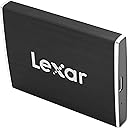


| ASIN | B07P3G9P28 |
| Additional Features | Data Recovery Service |
| Best Sellers Rank | #1,053 in External Solid State Drives |
| Brand | Lexar |
| Built-In Media | USB Type-C to Type-C cable, USB Type-C to standard USB Type-A cable |
| Cache Memory Installed Size | 500 |
| Color | Black |
| Compatible Devices | Gaming Console |
| Connectivity Technology | USB |
| Customer Package Type | Standard Packaging |
| Customer Reviews | 4.1 out of 5 stars 56 Reviews |
| Digital Storage Capacity | 500 GB |
| Enclosure Material | Aluminum |
| Form Factor | Portable |
| Global Trade Identification Number | 00843367108169 |
| Hard Disk Description | Solid State Hard Drive |
| Hard Disk Form Factor | 2.5 Inches |
| Hard Disk Interface | eSATA |
| Hard-Drive Size | 500 GB |
| Hardware Connectivity | USB |
| Installation Type | External Hard Drive |
| Item Type Name | Lexar Professional SL100 Pro 500GB Portable Solid-State Drive (LSL100P-500RBNA) |
| Item Weight | 70.5 Grams |
| Manufacturer | Lexar International |
| Mfr Part Number | LSL100P-500RBNA |
| Model Name | Lexar SL100 |
| Model Number | LSL100P-500RBNA |
| Number of Items | 1 |
| Read Speed | 950 Megabytes Per Second |
| Special Feature | Data Recovery Service |
| Specific Uses For Product | Gaming |
| UPC | 843367108145 843367108169 |
| Warranty Description | 3-year limited |
M**S
Very small and very fast
I was really surprised at how small this drive was. I kinda expected something more like a Western Digital - My Passport or something. It's maybe half that size and MUCH lighter. I'll upload a picture as soon as I can. I wanted to wait to write this review until I had heated it up and really worked it a bit. I started by uploading about 380Gigs of media data onto it from a USB 1.0 port (which took about 16 hours) and then using it as a working reference library for a week. It got a little warm at one point, not hot but warm so that could be an issue if you decide to use it as a working drive. Right now I am transferring all of that data onto another USB3 drive using USB3.0 ports, at the moment (just started) the PC is telling me this will take 8 hours and 30 minutes at about 5-6 MB/s. [UPDATE] right after submitting this review the speed jumped up to about 100MB/s I guess it knew i was talking bad about it ;) [UPDATE] Not to shabby. I guess it can only go as fast as the bus it's connected to. Still after all the abuse I've been giving it the drive seems to be holding up pretty well. I plan to use it as a transfer and storage drive, not as a working drive, so I should get a decent life out of it. Again, very small for it's size. Reasonably fast as well. I can't speak for it's physical durabilty because I've been reasonably gentle on it. It did get bounced around in my rolling PC bag while I drug it across the sidewalks of downtown Chicago but still, it was in a nice little pocket. It feels like it could break pretty easily if you dropped it though. Which I don't plan on doing any time soon. For the price and the size right now I'm not sure I'd call it "Worth It". USB3 is the current standard on most PC's and Laptops and your drive is going to be capped at that speed. At that speed there are much better deals available with massive size differences 4TBs for less than the cost of this 500GB. But the new 3.1, 3.2 and eventually 4.0 standards might make this a super viable little drive. And by the time they become common on your PC's and laptops the prices on these lil guys should have dropped significantly. For now the only real benefit I see is the incredibly small size. This can fit in your pocket with ease and plug into any standard or USBC port. For now THAT is the only real benefit I see. Still, its a csuper cool little drive and it gets me excited for whats coming.
D**S
Unlees your PC is brand new, don't buy this
It only works on my new Laptop, not such a good buy!
M**Z
Fast SSD, Short Cables
Overall, happy with this drive. Got it on sale, so bonus! Faster than my several year old Samsung T5. Seeing read and write speeds in the 650-680Mbps range. Lower than theoretical, but might be due to filesystem format (Apple's APFS Encrypted). Same size as the Samsung T5. Only complaint is that the cables ARE short, but I do have longer cables, so, can use those if/when the need arises.
J**Z
High Capacity SSD from a Company with Proven with Reliability
As a professional photographer I take a large number of photos. When I travel on vacation itโs the same. I still take a large number of photos. Itโs not unusual to return from a photo shoot or even a vacation cruise with five or six thousand images. Obviously, keeping these number of files (RAW images for the most part) on CF or SD cards alone is risky. Cards do fail and they are small enough to become lost. Instead the images are backed up while I am traveling to an SSD. (In reality, the images on the SSD are organized in descriptive file folders and they become the primary images. The cards become the backups.) Based on years of experience, the two brands of cards that I trust the most are Sandisk and Lexar. Therefore, it would make sense that my SSDs would also be manufactured by those same two companies. Ironically, up to now this hasnโt been the case. I have been using a Samsung T5 and a WD My Passport SSDs. I have been completely satisfied with both brands performance. However, with the addition of the Lexar Professional SL100 Pro Portable Solid-State Drive, things are changing. The Lexar Professional SL100 Pro Portable Solid-State Drive that I received is a 500 GB. This matches the capacity of the T5 and My Passport SSDs. It also about the same physical size (cigarette pack size.) It comes with two cables. Both have USB Type-C connectors on one side to match the connectors on the SSD. One cable has a Type-A connector on the other side, the other cable has a Type-C. I did not run any performance tests on the Lexar Professional SL100. I am aware that some other reviewers have felt that the drive tended to be on the slow side in terms of performance. However, given the specific purpose that I have for this SSD, capacity and reliability are the key criteria. And here, so far, there are absolutely no complaints. Just as their Lexar CF and SD counterparts have shown, the SL100 has shown itself in both categories.
K**N
Trash
Do not deal with this product No good
M**S
Big SSD Performance in a Small External Package
I have three criteria when it comes to backing up important computer files and data: redundancy, more redundancy, and even more redundancy. I've been working with computers since the earliest days of personal and home computing, and if I've learned anything over the years it's that you can't have too many back-up copies of your important stuff. No matter how well made your storage medium is, it's going to eventually fail, and the only way to ensure that you will never lose your important files is to make sure you have many copies of them and that those copies are spread across various types of storage devices that, when not in use, are independent of your computer. And don't think you're safe if you rely on the almighty cloud, either, as various natural and man-made catastrophes--not to mention clever hackers--leave that storage option just as vulnerable to failure as any other. With all this in mind (and in spite of the fact that it might make me seem a bit paranoid), I'm always on the lookout for new and better storage media on which I can stash copies of my precious computer files. And given the current atmosphere of the computer industry, it should come as no surprise that I own various types of flash drives, flash cards, and external hard drives. For the most part, external hard drives offer the most bang for the buck and the most convenience. But unlike flash drives and flash cards, traditional hard drives also have moving parts and are thus more prone to failure, especially if they are accessed a lot. Fortunately, the state of the art is changing, and not only have large-capacity solid-state hard drives appeared on the scene relatively recently, but they are also quickly coming down in price and are therefore becoming a financially viable option for everyday folks who, like me, don't believe there is such a thing as too much back-up storage. In my own move toward adding some solid-state drives (or SSDs) to my arsenal of media-storage devices, I had a chance to give Lexar's 500-GB Professional SL100 Pro Portable Solid-State Drive a whirl. And am I glad I did. Compared to all of my mechanical external drives, this unit is the smallest and fastest SSD I've had my hands on so far. Measuring 2" by 3" and being a mere 3/8" thick, it's footprint is less than a tenth of that of my old mechanical iOmega and Western Digital external hard drives, and it's barely half the size of mechanical external hard drives I've made myself using salvaged laptop drives and commercial SATA USB-based HDD enclosures. In fact, it's also about an inch shorter and narrower and more than half as thick as the SanDisk Extreme 900 Portable SSD with which I've also recently experimented. And as for practical speed, the Lexar SL100's performance is breathtaking. It has a bulit-in USB-C interface, and with the unit connected to the Thunderbolt 3 USB-C port on the back of an Alienware m15 laptop, I was able to transfer thirty gigabytes of MP3 files from the computer's internal mechanical hard drive to the Lexar in barely a minute, which is roughly an eighth of the time it took to transfer those same files to my old mechanical 500-GB Western Digital My Book via a USB 3.1 port. But I was also impressed that I was able to transfer that batch of MP3 files from the USB-connected Western Digital HDD to the Lexar--which was still on the Thunderbolt port--in only about two and a half minutes. (Transferring from the Lexar to the other drives was slower, of course, but that was due to bottlenecks caused by the write speed of the mechanical drives and not due to any failures on the part of the Lexar SSD. And for the record, the Lexar's USB-C interface can be connected to a standard USB port via the use of a USB-to-USB-C cable, but keep in mind that such a connection will affect transfer rates.) At the time of this writing, I've only had the Lexar 500-GB Professional SL100 Pro Portable Solid-State Drive for about five days, so I have no firsthand knowledge regarding the potential longevity of the unit. But based on my experience with other Lexar flash devices, I'd bet that I'll be able to use the Lexar SSD as back-up storage for a very long time before I'll need to start worrying about replacing it. In fact, since I only plan to use the Lexar as a place to store back-ups of important files, I imagine some new type of storage technology will come along and supersede the Lexar long before it fails. The only aspect of the Lexar 500-GB Professional SL100 Pro Portable Solid-State Drive that I find disappointing is its retail price. Now, when considering the cost per gigabyte, it is certainly possible to find far more expensive external SSDs out there--the aforementioned SanDisk Extreme 900 Portable SSD is a case in point--but many comparable name-brand 500-GB SSDs on the market right now sell for about twenty-five percent less than this Lexar. Still, the performance of the Lexar drive has proved to be outstanding so far, at least for me. So I don't think anybody who purchases it for back-up storage will ever feel like they didn't get their money's worth. Besides, isn't there a long-standing tenet that says you usually get what you pay for? Why chance it, then? Just get the the Lexar 500-GB Professional SL100 Pro Portable Solid-State Drive, and you'll have yet another tool in the battle to protect your precious files and data from permanent loss.
B**S
My New Favorite Gadget
I'm always losing thumb drives. It doesn't matter if they are securely in my desk or zipped away in my backpack, it is inevitable that somehow they will get lost. Or worse yet, corrupted. I wanted something as portable as a thumb drive that was reliable, fast and offered decent storage. I may have found it in the Lexar Professional SL100. The Lexar Professional SL100 is absolutely plug and play. Just plug and go. My Windows 10 PC immediately found the drive and it works perfectly in the USB-C port. You can also use USBCC to USB-A cables if your device doesn't have a USB-C port. Transfers speeds are very important when using a portable storage device and I'm thrilled to say the speeds are pretty awesome here. Transferring from a C drive on a PC to this device was so much more faster than if I had used a standard jump drive. You will not be spending your time waiting on transfers to complete. The drive itself can get warm, quite warm in fact, even if you aren't transferring data. So be aware of that as I don't know what affect that would have on the longevity of the drive. The drive stores easily in my backpack but also fits well in a pinch if I need to take it long in my pocket. If you want some roomy storage in a small package you need to give this a look over traditional external drives or jump drives.
J**T
Small and very fast
Portable SSD drives are not meant to be used for typical file storage. This 500GB portable SSD drive currently costs $134.99 while a portable external hard drive from Seagate or Western Digital with 4TB of storage costs about $100. Those much cheaper 4TB drives employ mechanical hard drive technology which is fine for storage and offer transfer speeds that are more than adequate for most needs. One big downside is that mechanical drives are comparatively fragile. If you look at the owner reviews for portable external hard drives sold on Amazon you will always find multiple complaints that the drives died without warning or within a relatively short period of time. That's because these mechanical based drives contain layers of rapidly spinning magnetic discs that are easily damaged, not only by dropping the drive (which can destroy it instantly) but also by simply carrying it around in a bag or purse. Portable for this type of drive means it's small and easy to move between your computer and a storage cabinet--not that you should actually be carrying the drive around with you to work or school or a friend's house. If you need to carry around digital files a flash drive (those USB sticks that are often small enough to fit on a keychain) are a much better choice. That brings us to portable SSD drives which are meant for people who need a genuinely portable drive with lightning fast transfer speeds--anybody else is probably wasting their money. This is perfect if you own something along the lines of a Nvidia Shield or PS4 and want a portable drive capable of playing 4K movies or demanding games without a glitch. This particular Lexar Portable Solid-State Drive is capable of read/write speeds that are up to 6x faster than a mechanical type external hard drive from Seagate or Western Digital, up to 7X faster than a USB 3.0 flash drive and 38x faster than a USB 2.0 flash drive. Yes, this thing is lightning fast but it's also quite small and portable as you can see from my picture. Since SSD drives have no moving parts (unlike mechanical drives that utilize those spinning magnetic discs) they are much more durable and a who;e lot safer to carry around. That said, SSD drives can still be damaged and the aluminium casing on this drive feels quite thin so I wouldn't recommend carrying it around loose in a bag where it might get banged around against other stuff or in a trouser pocket. There is pretty much only one thing about this drive that prevents me from giving it five stars. It's normal for this type of drive to get hot and they come in aluminium casing to enable rapid heat dissipation--which is the same reason high-end smartphones typically had aluminium bodies a few years ago. But this drive gets much hotter than my other external SSD drive even though that one has a faster max transfer speed. After using this for about an hour and a half when I disconnected it from my computer the drive was so hot it was very uncomfortable to touch. It does cool down quickly but I was still shocked at just how hot this drive actually got so be careful to place it in an open well-ventilated area when in use and give it a minute or two to cool down before handling it. In terms of accessories, eight inch long USB to USB-C cord and USB-C to USB-C cords are included. There's also a three-year limited warranty but you need to go to the Lexar website for details.
Trustpilot
2 days ago
1 month ago