


💼 Store More, Work Smarter, Backup Better!
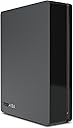
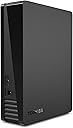
The Toshiba Canvio Desktop External Hard Drive offers a robust 3TB storage capacity in a compact, stylish design. Equipped with USB 3.0 for fast data transfers and preloaded backup software with password protection, it’s perfect for professionals needing reliable, secure, and easy-to-use external storage compatible with both Windows and Mac systems.

| ASIN | B008DW976A |
| Additional Features | Compact |
| Best Sellers Rank | #1,245 in External Hard Drives |
| Brand | TOSHIBA |
| Built-In Media | Backup software, USB cable |
| Cache Memory Installed Size | 32 |
| Color | Black |
| Compatible Devices | Desktop |
| Connectivity Technology | USB |
| Customer Reviews | 4.3 out of 5 stars 1,176 Reviews |
| Data Transfer Rate | 5000 Megabits Per Second |
| Digital Storage Capacity | 3000 GB |
| Enclosure Material | Metal |
| Form Factor | 3.5-inch |
| Global Trade Identification Number | 00022265219065 |
| Hard Disk Description | Desktop |
| Hard Disk Form Factor | 3.5 Inches |
| Hard Disk Interface | USB 3.0 |
| Hard Disk Rotational Speed | 5700 RPM |
| Hard-Drive Size | 3 TB |
| Hardware Connectivity | USB 3.0 |
| Hardware Platform | PC;Mac |
| Installation Type | External Hard Drive |
| Item Weight | 2.2 Pounds |
| Manufacturer | Toshiba |
| Mfr Part Number | HDWC130XK3J1 |
| Model Name | TOSHIBA AMERICA INFORMATION SYSTEMS,INC |
| Model Number | HDWC130XK3J1 |
| Number of Items | 1 |
| Special Feature | Compact |
| Specific Uses For Product | Personal |
| UPC | 012303903025 702422527089 022265219065 151903580974 022265192160 898029721125 168141462122 889661171607 803982800596 |
J**R
Very fast huge chimichanga on a platter..
Fastest hard drive I have used yet close to SSD speeds, this one does 200MB+ read/write and 185MB average sustained seeds. The previous fastest drive I used was the 2TB seagate which had an average sustained speed of 160MB. They both use the 1TB platters but it seems the Toshiba is faster for some reason even though they both spin at 7200 RPM and both have SATA3 interfaces. The thing I mainly liked about the Toshiba was that you could remove the drive from the USB case and connect it to the computer and read the data, you can not do that with the Seagate. The 3TB drive I bought last year will either work in the USB case or on the computer since it uses 4K sectors and you can format it as MBR in the USB case to see the entire drive but moving it to the computer shows an empty drive but you can NOT format it on the computer as MBR to see the entire drive. So it was a GPT setup on the computer or MBR setup on the USB case and that made me nervous that if I kept it in the case in case of trouble I would not be able to use the motherboard to try to read the data and that is imperative as I have found when the drive fails the USB case locks up and stops you from retrieving any data at all but the motherboard controller is easier to work with, I would also need another USB case in case one went bad to even look at the drive. Although the drive will lock up even on the motherboard, you can at least get SOME of the data while the USB case will just lose all your data. The Toshiba does not do translations so it works the same on the mother board or in the USB case but you need to format it as GPT format to see the entire space, so it wont be compatible with some older stuff. I had a hard time with the advanced format translations done by the USB interface as mentioned above and the problems of varying speeds when crossing sector boundaries. I get 100K WRITE speeds on the 3TB Seagate, and 50MB read speeds.. Go figure.. The speeds vary widely for any and all reasons. 50MB means 12 hours to copy a 3Tb drive.. 100MB means it does it in 6 hours.. The drive does come with 128MB cache so that helps but 128MB is smaller than most files but its great when reading a whole bunch of very small files. The drive is also very cool running. It got to 50C in the case after an hour of heavy work so I had a fan blowing on it and it went down to 45C, I could not get the Seagate to lower its temperature like that since the vents are in the back which is blowing air into the USB chip and not the drive itself so the Toshiba will work cooler, inside the computer the drive is running cooler as well, it runs cooler than even the Seagate green drives which was surprising since this is a very fast speedy drive. Although my micron SSD writes at 275MB which is not much faster than the 210MB with the hard drive, it is more than 10 times faster in random access. AS SSD almost took 10 minutes to get through the test but sequential access and copy speeds is almost as fast as lower end SSD's.. You notice how long it takes to load windows with those 250GB hard drives and on lap tops.. And then SSD's blows away those load times, well this hard drive comes in close to that but you start reading a whole bunch of small files and it slows down drastically like if you have 200 windows in opera that opens using 20,000 cached images and icons on the drive. But until that time it seems fast. I love this drive. Its been a long time something lived upto my expectations and did not throw up unseen problems. I was really surprised it came with a 12V 3Amp power supply, all the others come with 1.5A or 2A occasionally.. Even though the drive does not use more power than other hard drives, it might take more juice to start up the 5 platter drive up to speed faster.. I saw they were coming out with the 6TB drive at the end of the month. I thought of waiting but I dont want to test a new design before its debugged by others. It takes weeks to move 6TB of data. A problem and you can spend months trying to get data off. The reliability rating is worth the $20 more than comparable drives and it is faster than the rest as well and runs cooler, all a winning combination.
L**R
Marvelous! Super VALUE! (5TB model)
I bought two of these disks on april 1th 2016. I paid super cheap, $135 for the 5TB model because amazon had a sale. Arrived on time (I do not remember receiving myself a late amazon deliver). Worked fine. The disk is so big that it needs to be connected to an electrical current outlet. An Alternating Current adapter (AC Adapter) comes with this Hard Disk Drive. Its input is 100 - 240 volts 50 - 60 Hz (so it can be used in countries that have 220 volts outlets). The output is 120 Volts 3 Amperes. I think it is better to disconnect it from the AC adapter when it is not in use. I guess the the USB power is not enough for such a big disk Since I am one of those guys that was alive in the 80s I am ultra amazed that they can make such incredible inexpensive drives with such a huge capacity. We are getting fast into the robot age thanks to marvels like these. We all will have enormously more cheap goods, it will be dirt cheap to produce a lost of goods. Almost anyone will be able to start a business with robots, because people will be able to do business without going trough the sadistic hellish nightmare that it is to hire people. We will have enrepreneurs everywhere and wealth that is several times the actual wealth because there will new businesses everywhere and much higher wages because robots will make output grow several fold and there will be much more money to pay hired people. For me this is not just a hard disk a drive: It is marvels like these that will ultimately give us freedom from the hellish nightmare that governments have created and that will give us so much goods that such future wealth today is hard to believe. Just my humble opinion, I backup a lot of photographs: It can take hours to copy 1TB but so far thisHard Disk Drive (HDD) does it with no problems. As far as I understand these high capacity drives have read /write heads that are extremely small, that are very close to the plate. This website [...] said about high capacity HDDs: "Imagine a fighter jet traveling in excess of Mach 5 (nearly 4,000MPH) at less than 1-inch off the ground, and being able to stop on any given blade of grass." In these HDD bits are so small, heads are so precise that I think repairing them may be quite difficult. So I prefer to ALWAYS back anything at least twice since I am very afraid of failures... And these HDD are so dirt cheap that it is better to buy several of them.
K**B
So far, so good -- this drive is pretty fast for the size
This is exactly what I needed to use Time Machine on my iMac. It was incredibly easy to set up and has been functioning as my back-up drive for a month now. I had no problem pairing it with Time Machine on the Mac and my files are there and protected. The drive appears to be pretty fast -- I have it hooked up to a USB 3.0 port -- and it backs up quickly. I've copied some larger files off it to my desktop and it's definitely faster than the 2.0 drive I used to have. I don't have specific speed specs, but it's good enough for me. I've had this drive for about six months now and it still works great. I use it mainly with my Macbook and it shows up on the desktop within a few seconds of plugging it in. I've unplugged it a few times without ejecting it (by accident of course) and it still functions great without any corrupted files. I use it mostly for my photography so I transfer a lot of large files and have been consistently pleased with how fast the transfers are. I also love that this drive doesn't get hot when plugged in all the time and that the cord is nice and short. Sometimes you want longer cables, but this one is the perfect size to connect to my Macbook and have it just sit behind it without a long cord taking up space. Lastly, I have had good luck transferring files between Macs and PCs with this drive. I initially used it on a PC and then ended up reformatting it after transferring all those files to my Mac. I only reformatted it to increase the security in the Mac OS. I've always had good luck with Toshiba drives. Of course, living in Colorado with the dry climate, I'm getting used to hard drives failing so I'll update this review if anything happens. I've had the hard drive in my iMac fail twice in the past year so in addition to this back-up drive, I also have online back-up. I'm a bit obsessed with not losing my files.
R**R
So far, so good
I have only had this 3 TB model in use for about a day but I have a few comments that Mac users in particular might find helpful: 1. Like many other drives it comes formatted as NTFS so for most uses with a Mac you will need to use Disk Utility to reformat it. Make sure you choose the "GUID partition table" (GPT) partition scheme & the "HFS+ (Journaled)" file scheme for the best compatibility with Intel Macs. 2. This drive works great with Time Machine if formatted as above. If your Mac has a USB 3.0 port it will be noticeably faster than anything besides Thunderbolt ones. 3. The drive spins down on its own if it isn't accessed for a while, & a while after that the power/activity light will go out, putting it in a very low energy consumption state -- perfect if you sleep your Mac instead of powering down. When something needs to access it again, it spins up very quickly so there is no annoying delay like there has been with some of my other drives. 4. Even when spun up & copying large files it is very quiet. I copied about 375 GB to it from a USB 2 drive in one continuous 5+ hour operation & it just got a little warm to the touch, cooler than even my fan cooled external drives, so I don't think there is much to worry about in that respect. 5. As USB 3 drives go, it isn't super fast (which is why I didn't give it 5 stars). According to BlackMagic Disk Speed Test, it reads & writes at about 160 MB/sec (note that is Bytes, not bits) which is good but not great. Still, for my purposes it is more than fast enough.
J**Z
So far so good and a 3 year warranty
Update 8/5/2014 I was having some computer issues that couldn't be resolved so I was calling the 800 number for every equipment manufacturer in my configuration. The only call that resulted in useful information was the call to Toshiba. It seems they have will take your call 24 hours a day and actually try to assist with their product. What a novel concept! Try to call any tech support line, either in warranty or out, and its usually a bunch of idiots who just want to get rid of you as quickly as possible. I needed another hard drive and so I bought another Toshiba 3TB drive largely on the strength of that tech support encounter. It turns out this was a good move as the new hard works just as smoothly as the first one. Nary a single problem. And with the 3 year warranty on Toshiba hard drives it is an easy call to buy Toshiba drives. I opened the box, plugged it in, waited about 30 seconds for my machine to recognize the drive and I immediately began to use it. This is what I expect of an external hard drive. Unfortunately other drives simply are not plug and play for Windows 7 64 bit. A handful of files came preloaded on the drive, I will check them out later, but none of the software appears to be of the annoying variety. This model has a small blue light on the front to indicate status but nothing about the light is annoying to me. Right now the light is flashing as I as transfer data to it, but I believe the light is solid when not in use. It comes with what appears to be about a four foot power cable and about a 3 foot USB 3 cable. It is equipped little rubber feet so that it can be placed on your desk in either the portrait or landscape position. The unit is very quiet, I cannot detect any noise other than the fan on my laptop chiller. It does not appear to have an on/off switch but I can live with that. I plan to use the backup software that came with it so the utility of that software could have an impact on my evaluation but right now I am completely satisfied. The previous versions of this drive had pretty good reviews and it appears that this model will be a continuation of the same quality level for this manufacturer. I'm glad I bought it.
P**I
If your looking for some good file backup software
Final Update 8/28/14: Stay away from this drive it is unreliable. If you go to the Toshiba site and read the reviews it only gets 1 1/2 stars. People are experiencing hard disk failures after 1 year at an alarming rate. That is what happened to me. After about 8 months of very light use. I booted up one morning and the drive only clicks. Windows can't find the drive although it was working for 8 months. I gave up on trying to do system backups see the review below I did earlier this year. I am going to try and get Toshiba to give me my Money back. I bought a Plugable sata HDD Docking station and a new 2TB Hitashi Ultrastar HUA723020ALA641 HDD drive to plug into it. I plugged it in and Windows detected the drive, I formatted the drive as a single partition and it's running great. I have confidence that the Hitashi drive will be better as it gets the best reviews for long term reliability by external testers see[ http://www.extremetech.com/extreme/175089-who-makes-the-most-reliable-hard-drives ]. Now I am going to package up the drive and return it to Toshiba as it has a limited 3 year warranty. Save yourself the grief and stay away from this product. My wife has a Toshiba laptop that seems to be reliable so perhaps this was just a bad product for them but you don't have to be part of the grief. PS: I am returning the item and Toshiba will only replace the item or give me a coupon to purchase from their store for a value of $218.33. This is a nice amount and I hope I can find something that I want their. The last thing I want is another replacement drive. Their store has quite a markup and I would rather have a cash refund but it is what it is. ************** I have had this drive since January of 2013 but due to other factors didn't take it out of the box until early 2014. So I have been using the drive for about 8 months. I had hoped to use it to back up my Windows 7 system as well as my personal files and about 100 GB of photographs. I am a fairly serious amateur photographer. At first I was pretty happy about how easily it set up and the drive appeared in the Windows 7 file manager but from then on it was a disappointment. It turns out that Windows doesn't support 3TB drives properly and the system backup would never complete [See below] I finally put a second HDD 500GB I had laying around and used that to back up my system and really only used the Toshiba as a minor storage device. The backup software from Toshiba is terrible, I finally removed it. This drive started running out of room recently and so I needed to upgrade and got the Hitashi described above. ************* I am updating this review after a year and I must confess that I was not using the drive for a long time for reasons having nothing to do with the drive. I started using it with my desktop computer that runs windows 7 and it works fairly reliably for ordinary backup of files but I started using it to backup the windows 7 operating system and it won't complete the backup reporting error code 0x8078002A. On researching this issue online I found that this is a common problem with 3TB drives and windows has updates to download to windows 7. Toshiba has a PAT application to synchronize the sectors on the drive. I applied all these and found that Windows 7 already had the update and that the hard disk sectors were aligned properly. I am still struggling with this problem since I would like to use the drive to save backup information for all the computers in our house along with other files that are important to me. I am not able to do this. Beware if backing up your hard drive is a goal this may cause you problems with windows 7 or 8.1. I am not saying there is no solution but I have spent some due diligence on the problem and it is not resolved yet. If I get a solution I will post and update to this review and raise my review level. I am deducting two stars from my earlier review as the drive works but not for system backups. ************ I am still evaluating whether the Toshiba 3TB Canvio Desk Desktop External Hard Drive will meet my needs but I noticed that some people are unhappy with the backup software included with the Toshiba. Often these products are not very satisfactory for everyone's needs. I found an open source backup software application that works pretty well for me and its free and doesn't come with any annoying junk advertising. It will sync or backup files, folders or directories based on a scheduled basis and works with windows. It's available at [Google/Search for "Dirsynch Pro open source software" on the web]. There are lots of backup software options but this one works for me quite well on using two separate disc drives on one computer. I want to move to a networked storage device so that all the wireless computers in my house can backup onto this external drive and I think this software is pretty good for that application. The Toshiba drive seems like a good choice for the external drive. I will be using the windows workgroup network sharing service to accomplish using one computer as the server for the drive. The 3 Terabytes seems pretty good for this application. I will update this later to let people know how it turned out. ************ To finally top off this review, the hard drive died after about 7 months. I contacted Toshiba and they credited me with a $218 credit in their store. I could get a replacement drive of the same type or get the credit. I took the credit, which would only last 3 months. I tried to find something in the store that I wanted but the only thing I was interested in was a camcorder but it got terrible reviews. I finally settled on a 32" LED TV that got pretty decent reviews and I am now using it for a computer monitor. The whole experience has not been very satisfying to say the least. Toshiba makes pretty good computers and the TV is good but some of their other products I wouldn't trust. They seem to have quality problems that remain unsolved. I finally replaced the Toshiba with a Plugable USB 3.0 SuperSpeed SATA III Vertical Hard Drive Docking Station. This is working great and I like the Pluggable products. This solutions lets you buy the hard drive and plug into the docking station. I have several old hard drives that I am using as external storage devices. Take a look at Pluggable products on Amazon they are well made. The USB 3.0 works great.
S**D
Good Hard Drive for Wii U with one big issue.
I bought this for external storage for the wii u because it only came with 32gb of storage. It works well. Its main problem that ruins it is the fact that it goes into sleep mode or starts to slow down when not written or read from. For example, in virtual console titles, the entire game is loaded into ram because they are so small. When playing that game for a while, the hard drive will enter sleep mode because of inactivity so next time you open the home menu or the virtual console menu, it takes for ever to load. In games that are constantly reading from the disk or writing to it like breath of the wild, its not that big of a deal.Overall, its a decent hard drive for the wii u, the sleep mode is a big problem, but overall, its decent.
M**N
Sorting through the Silly Reviews; Using on Mac
Industry averages say that about 1% of drives are going to fail in the first 3 months, and another 1% are going to fail in the first year of service. So, when people get a drive that fails, and rate it 1-star, it's silly IMO. You were unlucky, that's all. It also makes it clear why you need to back up essential information on two or more drives to ensure you don't lose it. After year 1, failure rates typically climb to about 8%/year when used heavily in servers. As an auxiliary drive on a desktop computer, failure rates are undoubtedly lower, though I haven't seen any numbers for that application. There are differences by brand. The studies I've seen have rated Toshiba as more reliable than the industry average. In one 2010 study Hitachi was most reliable (about 2x the industry average), followed by WD and Fujitsu/Toshiba (each roughly 50% better than average, though WD slightly more reliable). Seagate was the least reliable drive of the major vendors (roughly 2x worse than average). Obviously this study is dated and is rating drives that were sold 3-5 years ago (and a couple of technology generations old). Does this apply specifically to the 3-TB drive? Who knows, but absent any information to the contrary, I use it to shape my preferences. Since I don't see any inexpensive Hitachi-based drives, I'm perfectly happy with either a WD or a Toshiba drive. Currently the Toshiba is a fair amount cheaper, so it's got my business. I've now bought two of these drives and so far they've been great. The drives come formatted NTFS, which is the typical Windows formatting. It takes about 5 minutes to reformat as a Mac drive. Just open Disk Utility and click on the "Erase" tab. Give the drive a name, and select Mac OS Extended (Journaled). The drive will whirl for a couple of minutes and then it's ready to read and write.
P**A
Five Stars
Superb in low Price
A**R
Great way to store information
The drive arrive promptly and was easy to install. A great way to store your back up information and a decent alternative to Cloud. I recommend getting this drive in the largest size you can.
A**N
Excelente disco duro
Excelente capacidad 3TB (como en todos los casos te da libres alrededor de 2.70TB), silencioso, rapidez de escritura y lectura, y funciona perfecto en el Xbox One. Si buscas un disco duro portátil esta no es la mejor opción, ya que necesita de conexión a la luz y la conexión con el cable de datos, pero como yo lo ocupaba para mi Xbox One pues me sirve perfecto ya que no necesito moverlo. Por ultimo… excelente precio, en ningún lado podrás encontrarlo a un precio mejor.
M**O
super precio
que mas puedo pedir funciona excelente en mi xbox one ahora si cero preocupaciones de espacio y el precio el mejor
A**R
Great
Great! Thank you!
Trustpilot
2 months ago
3 weeks ago