Desertcart purchases this item on your behalf and handles shipping, customs, and support to Tunisia.
🔒 Stay sharp, stay secure — 4K clarity meets smart AI protection!
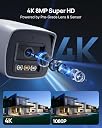
The ANNKE C800 is a professional-grade 8MP 4K PoE IP camera designed for seamless outdoor surveillance. Featuring advanced AI that distinguishes humans and vehicles to minimize false alarms, it delivers ultra HD video with color night vision and built-in audio. Its rugged IP67-rated housing endures extreme weather, while plug-and-play PoE connectivity ensures easy installation. Remote access via ANNKE’s app keeps you connected anywhere, making it the ultimate smart security solution for modern professionals.


| ASIN | B07VHZNBLY |
| Alert Type | Motion Only |
| Antenna Location | Security |
| Batteries are Required | No |
| Best Sellers Rank | 34,842 in Electronics & Photo ( See Top 100 in Electronics & Photo ) 486 in Bullet Cameras |
| Brand | ANNKE |
| Compatible Devices | Tablet |
| Connectivity Protocol | ONVIF |
| Connectivity technology | Wired |
| Control Method | App |
| Controller Type | Sony |
| Country of Origin | China |
| Customer Reviews | 4.1 out of 5 stars 237 Reviews |
| Effective Video Resolution | 1080 Pixels |
| Form Factor | Bullet |
| Indoor Outdoor Usage | Indoor, Outdoor |
| Indoor/Outdoor usage | Indoor, Outdoor |
| Item Dimensions | 22 x 12 x 12 centimetres |
| Material | Metal |
| Model Name | I91DL |
| Model Number | AP-I91BL0102 |
| Model name | I91DL |
| Mount Type | Ceiling Mount, Wall Mount |
| Network Connectivity Technology | Wired |
| Night Vision | Night Color |
| Night Vision Range | 100 Feet |
| Number of IR LEDs | 4 |
| Number of Items | 1 |
| Other Special Features of the Product | Image Sensor, Night Vision |
| Photo Sensor Technology | CMOS |
| Power source | Corded Electric |
| Rear Webcam Resolution | 8 MP |
| Recommended uses for product | Security |
| Room Type | Office |
| Special feature | Image Sensor, Night Vision |
| Unit Count | 1.0 count |
| Video Capture Format | 4k |
| Video Capture Resolution | 4k |
| Voltage | 12 Volts |
| Waterproof Rating | IP67 |
| Wattage | 12 watts |
C**Y
Excellent value, build quality and image.
I bought this Annker C800 and a C500 at the same time, I’ve had a few different Chinese IP cameras over the years and I’d say the C800 is one of the best I’ve seen, especially for the price: - Incredible picture quality - 4k@15fps, then higher FPS for lower resolutions, decent night vision too. - Very wide field of view with minimal fish eye effect - Cleaver, tool free method of positioning the camera... far better then fiddly grub screws. - Premium build quality. - Plug-in free WebUI. HTML/CSS for the menus and HTML5 for the browser steam with no need to install any dubious Active X/browser plug-in’s. - Supports H265 compression, but not H265+ (With Annke firmware). Im using this with Xeoma in a Linux VM, however this camera supports RTSP (again, same URL string as Hikvision) so should work fine with pretty much any NVR. As others have pointed out this is very similar to the Hikvision DS-2CD2085FWD-I, so much so that I’m willing to bet that’s why the firmware upgrade button is hidden in the Web interface 😜 With the Hikvision firmware the main improvement I noticed is you have the option to enable H265+ encoding plus a few other options such as the ability to enable SSH and a few basic ONVIF settings, unless you have a specific use case for H265+ (or you’re a geek) the shipped Annke firmware is perfectly fine for most people. Tl;dr - if you’re looking for a good value, crisp 4k stream with H265 support, excellent night vision, excellent build quality, decent Web interface this is the one I recommend.
M**H
Great system at this price point.
Good: Picture is excellent, night vision is great for night vision (it's never going to as clear as day), and I found setup to be straight forward including getting it going with the phone and iPad app. Everything apart from the cables seem well made. I like the fact you have to set the cameras password so they're not left as default. Motion detection can be zoned so you can set an area on the screen, which reduces unwanted triggers. Not so good: Cables. The outer doesn't seem thick enough to confidently survive being dragged through brickwork and then living outside exposed to the elements, and one of the four didn't even work at all. I prefer to pass through just the network cable and then crimp on the RJ45 plug later so I bought some proper outdoor grade cat6 cable and connectors and did just that. Shame to waste all the cable that comes with this product though - I'd have preferred it if they were decent enough to use then I'd just have to chop an end off. Instruction clarity. Could be made clearer and more comprehensive for the less technical. Not too bad though although some things may benefit from some Googling. Conclusion: a very capable iindustrial grade system slightly let down by the included cables. Overall I'm happy with it so it still gets the 5 stars.
L**P
Good quality system, software needs improvement but happy with the purchase!!
Chose Annke brand based on a recommendation from a work colleague who has the 5MP model. Opted for the 8MP as I’ve got a lot of distance to cover and needed the higher pixel rate for more clarity. Have only just set the system up so still to fine tune it but on first appearance the image quality for both day and night looks really sharp. Have yet to test out the motion detection function but will update this review at a later date. Due to the shape of my property (too many angles and blind spots) I’ve had to mount my cameras on trees looking back towards the house, etc. The quality of the cables supplied with the kit look average at best, not sure how great they’d be for outdoor use but I’m sure if only being run inside the loft to cameras on the exterior of the building they’d be fine. As mentioned in other people’s reviews my only main concern with the whole system is the initial setting up through the NVR’s software. Managed to stumble my way through it and have listed some tips i found along the way to make life easier. Have also listed pros and cons below: Pros: • Good build quality cameras and NVR. • Sharp images for both day and night vision. • Good price for high resolution quality. • Lots of features within the software. • App has a decent layout. Cons: • NVR software takes some getting used to. • Camera ethernet cables not the best quality. • Instruction booklet a little limited, doesn’t appear to be any FAQ or troubleshooting section within it. All in all I would recommend to anyone looking for a CCTV system with a high image quality but it’s not for the faint hearted. If you’re good with computers, etc, you’ll manage, but if you’re a complete novice I’d have someone on hand for assistance. One main issue I had throughout the installation process was getting the cameras to connect to the NVR itself. Didn’t seem to matter what I tried they just wouldn’t talk and always kept seeing the message “detecting” (either on the plug-n-play or manual setting). In the end the one thing that seemed to resolve the issue was on the camera settings page under PoE power tab. When I turned the respective power ports to on and then rebooted the NVR, once powered up again the cameras appeared and worked as expected. I had run my own cat6 cable for the cameras but the length wasn’t any longer than the cables supplied in the box. Maybe this will help if you’re having the same problem. One other thing I discovered is that if you’re using an older HD tv, the HDMI resolution output from the NVR can be too high. When powered on I kept seeing initial Annke logo and then screen went blank. Went and bought a VGA cable and that resolved the problem. But I’d say if you want to review the footage in as high a quality as you can then you’ll need a 4K supported tv. Hope you found this review helpful.
D**P
Good Camera but hard to setup a password
The brilliant camera has a good-quality build, and the night picture is great. It has a good viewing wide-angle Annke Customer service is great, thanks to Mr. Hugo. The camera is not easy to set up a password (frustrating) you need to send a message to China to reset the password. It does not support the ONVIF protocol. If you think of using it with a Symbology NAS then think twice as it is not an easy task to set up also the NAS HDD must be erased in order for the camera to work with the NAS (rubbish).
B**3
Superb video quality, simple setup and very handy App!
I’ve been looking for an IP camera system for a while after having a system that used BNC cables that required a separate power cable. Firstly the setup, the hardest part of setting up the system is the cabling. The actual fixing of the cameras is made as easy with the supplied templates, and the ethernet cable simply clicks in to the socket on the end of the cable attached to the camera. Plan your cabling route very carefully, I have the DVR in our loft, and then fed the cables out of the fascia boards and down some trunking, I then used some weather proof junction boxes to put the connections in. The cameras feel extremely well made, heavy duty and very solid/robust. After tweaking the settings to use the main feed to record, meaning the highest quality recording. The cameras also have a removable panel, that hides a reset button. Should you have any issues with setting up your cameras, hold this when restarting the DVR and the cameras settings reset. The DVR itself seems like a mean bit of kit. The menus, once familiar, are easy to navigate and to set just right. I have set the DVR to record all channels continuously and then overwrite when full. I’ve also set it to set an “alarm” which is essentially a marker that shows up on the timeline when watching playback. The app, Annke Vision, is easily set up using a QR code scan and this enables you to monitor your cameras from your smartphone. At first, it doesn’t seem obvious (or didn’t to me) what to do, but you need to click the + sign on the top right of the app and then click “scan qr code” this then finds your DVR (when it’s connected to the internet) and allows you to check on your cameras/property. The final added little bonus, for me anyway, is the ability to connect it to the Annke Nova. This isn’t something that was advertised, however as soon as the DVR connected to my home network, it found the cameras that we have connected to WiFi. To add these as your IPTV cameras, note the IP address of your Annke Nova in the list and then edit one is the other 8 channels, set it to manual and change the IP address to that of your Nova.
R**W
Very professional camera, a vast improvement from the cheap domestic options.
Very professional unit. Password security required before anything. Usable immediately then, but with many settings available to tweak whatever bits you want to. Very very satisfied. I wanted to use this with ONVIF, which must be enabled. (Configuration - Network Settings - Advanced Settings - Integration protocol tab). After that I could use it with PC software. I use Netcam Studio, I found it the most useful after trying about 6 programs. A few wouldn't pick up my other domestic camera, a couple had long image lag) I found the default video to be slightly blurry, when really I wanted sharp stills for security pictures. There are of course image settings for this (configuration - Image - common/day/night). there are iris (shutter speed) settings from 1/3 of a second to 1/10000 and even 1/100000. I have no clue how well these might work with a lot of light, for my uses a nice 1/500 was perfect for recognising faces at 50 feet. This setting was no good with auto-switch night cam as it just became black. I set it to 'scheduled-switch' and that allowed me to put separate image and exposure settings for day and night. It will mean me going back every month or so to adjust the dawn/dusk times, but this is a small effort for such strong day/night controls. I set my night iris to 1/25, this gives me fairly sharp faces without compromising the image too much. Noise controls helped here too. Overall, a superb, very adjustable camera. No wifi, doesn't come with a PSU or net cable, which suited me fine as I wanted it to replace a failed camera that I already had ethernet cable directly for. I will soon replace all my cameras with these. Update: Just bought another from Annke, version I91BL. Setting scheduled switching day/night for variable iris, is now six optional modes. There is a month by month scheduler to select when you want each mode to be active, max 4 per day. More complex but more flexible.
L**N
I bought this system, now you dont have to...
Where do i begin... Well to kick off with, the picture quality is not bad, although there is a significant ‘bleaching’ in bright sunshine and i couldn’t find any settings that improved it in the slightest. The IR range at night is quite good, and the spread is also good leaving no dark areas on screen. That is pretty much where the praise ends. Now onto the not so good points... The infra red may be quite good at night, but the picture becomes grainy and seems to have a lot of ‘noise’ in the image. The image quality really isnt very good in the dark, there is heavy ghosting and it is significantly worse than the system i bought this to replace and this is 3 times the price. I just expected much better. Licence plates seem clear on a 1080p TV (bought 4k CCTV to future proof) up to a distance of 50+ feet providing the vehicle is travelling slowly or is stationary. At ~30 mph or so and at angles, it becomes blurry and pretty much illegible even at much closer distances of 15-20 feet. This is an improvement over my older 1080p 2mp system, and overall i am quite satisfied with the image quality during daytime, i just wish there was more options for tweaking the image. You are pretty much stuck with colour, contrast and brightness, which is about half the options of my older system. There are no settings for sharpness or anything, which is baffling to me as this system is the same brand as the previous. The NVR itself is noisy. Irritatingly so. My last system was pretty much silent with a very rare click or HD spooling that in itself wasnt noisy enough to be annoying, but this system is forever clicking and whirring every 20 seconds or so, it may not be an issue for some people, but this is in my bedroom and it is already irritating me and it has only been set up a few hours. Again, this is a step backwards from my older system i have had for a couple of years. That was a fraction of the cost... The set-up itself was relatively issue free, it really was plug and play. Now for the absolute worst thing about this system... it is SLOOOOW, and i mean really slow. Yet again another step (and a huge step backwards this time) from my previous setup. Reviewing video is simply unbearable, everytime you seek the video forwards or backwards, it for reasons unknown renders all 8 channels at the bottom of the screen causing a lag of 5 seconds or more. Click forwards again and it renders all 8 channels again. Why? What is the purpose of this? This is simply unnecessary and if i wanted to review more than one camera at a time i will choose to do so. Only you cant... if you select more than one camera on video playback, only one camera feed will work. All the others will just show a black screen with the words ‘No Resource’. This is unacceptable for a system costing £560, and is something my previously system managed with ease. The other thing i dont like is the fact it only runs at 15fps. I ran this in tandem with my 1080p DVR and the difference between 15fps and 25 fps is significant. This is probably something most people can live with, but for me it just felt like yet another step backwards. The final thing is the app. I already had Annke Vision on my phone, and adding this system was a piece of cake, it was simply a case of scanning the QR code and it was done. Or so i thought... I had used my phone to help tweak the camera angles, i had finally finished after almost 3 hours of running cables, installing camera etc, and it was finally time to sit down to have a brew. I had my mother check her phone to see if the camera feed was working fine in her Annke Vision app and it was. For about 30 minutes. After that is suddenly, and for no apparent reason whatsoever simply stopped working and just says ‘Device is offline’. Tried rebooting the app but still doesn’t work. Tried rebooting the NVR several times but nothing will bring it back to life. Tried the Guarding Vision software on the PC (that has been working fine) and that doesnt work either. At this point im done with this system. It is overpriced, underperforming, and temperamental. Im going to get some sleep and when i wake up, i am going to rip the whole thing down, box it back up, and send it back. Very disappointing. I expected more for this price, and it is simply not worth it in my opinion. I would of submitted some images, but my guarding vision app no longer works and the NVR is not capable of taking screenshots... something else i am baffled by.
G**R
Good upgrade from my previous system.
I've had an older Annke system for 7 years monitoring the outside of my house. I also have several TAPO wifi cameras on the inside (for pet monitoring). The old Annke system died recently so I looked for a replacement. I wasn't necessarily looking for the same brand, but having spent ages looking, the Annke system seemed to offer the best performance / features / price balance. I wanted an upgrade to 4K cameras, as there had been times with the old system when the picture wasn't clear enough. So I bought the 4 camera system and added a 5th dome camera for my front door. Installation went smoothly enough. It helped I'd done all this before and am comfortable making my own network cable terminations, as I used my own black exterior cable for some of the cameras (the cable supplied is a grey/beige). Point to note - the cables are obviously supplied with the RJ45 plugs fitted, so bear that in mind when drilling holes/routing the cables. The interface is similar to my old system, so I got on with it fairly easily. I would say that if you haven't installed one of these before, or aren't particularly IT savvy, you might struggle a little. I work in IT and have a lot of experience of these systems and networking in general, so had no issues. I got the 5 new cameras up and running in no time and I've also been able to add in 3 of my interior cameras using the ONVIF protocol (make sure you know the username/password for your other cameras!) and I now have exterior and interior cameras all nicely presented in a 7+1 grid. Very happy about that. One final note - make sure you only have one of your cameras displaying the main (high quality) stream on the live view on the monitor, as it can only handle displaying one 4K stream at a time. I have the front door as the large pane in the 7+1 and that's on 4K. The rest are small anyway surrounding it, so the resolution from the sub-stream is fine.
D**A
Excellent 4K Security Camera with Smart Detection
The ANNKE 4K PoE Camera is an outstanding security solution that delivers sharp and detailed video, reliable motion detection, and easy installation. After using it for a few weeks, I am very satisfied with its performance. Pros: - Crystal-clear 4K resolution provides excellent image quality, even in low-light conditions. The details are sharp, making it easy to identify faces and objects. - Smart person and vehicle detection significantly reduces false alarms. The system accurately differentiates between human movement, vehicles, and other motion. - PoE (Power over Ethernet) makes installation simple with a single cable for both power and data, eliminating the need for extra wiring. - Durable outdoor design with a solid build, resistant to harsh weather conditions. It has held up well in rain and cold temperatures. - Compatible with various NVR systems and supports remote access, allowing me to check footage from anywhere using the ANNKE app. Overall, this camera is an excellent investment for home or business security. The combination of high resolution, smart detection, and easy setup makes it one of the best options in its price range. I highly recommend it.
J**O
Buena cámara pero NO es POE.
La cámara funciona bien, presenta buena calidad de imagen y el micro se escucha perfectamente. Si bien algunos programas de videovigilancia pueden dar problemas a la hora de configurarla por ONVIF, la detectan sin problemas como Hikvision genérica. Pero solo le doy 4 estrellas porque aparece anunciada como cámara POE y sin embargo la unidad que yo he recibido lleva un conector doble de alimentación+datos RJ45. Si solo se conecta mediante el cable de datos, esperando que sea POE, la cámara no enciende, por tanto obliga a poner un adaptador pasivo de POE a datos+alimentación. Una pena...
S**A
Configurazione facile con NVR Dahua
Facile da configurare per NVR Dahua -collegare con alimentatore 12v DC (non fornito e non in dotazione) e cavo LAN al router -scaricare il software dal loro sito per individuare sulla rete la telecamera -registrare telecamera e creare account amministratore -configurare per la vostra LAN -andare sulla pagina web della telecamera e attivare l'account Onvif per poterla aggiungere al NVR -sull'NVR ora compare da poter aggiungere. Una volta terminato scollegare dall' alimentatore e collegare con il cavo LAN Poe.
F**Y
????
Impossible de faire fonctionner la caméra Retour amazon
E**E
Purtroppo
Telecamera ben fatta, purtroppo ho dovuto fare il reso perché incompatibile con il pc. Le istruzioni sono inutili ed anche con il suo programma risulta difficile utilizzarla. Lascio comunque 3 stelle perché probabilmente il problema sta nel pc, quindi controllate bene se compatibile prima di acquistarla.
Trustpilot
2 weeks ago
1 week ago