


🚀 Elevate your productivity and play with the Galaxy Tab S — where power meets portability.
The Samsung Galaxy Tab S 10.5-inch tablet combines a powerful 1.9 GHz octa-core processor with a dazzling Super AMOLED display at 2560x1600 resolution, backed by 3GB RAM and 16GB storage expandable via microSD. Running Android 4.4 KitKat, it supports multi-window multitasking and features a sleek, lightweight design ideal for professionals seeking a versatile laptop alternative. Despite some fingerprint scanner quirks, its vivid screen and efficient performance make it a top-tier choice in the 10-inch tablet category.
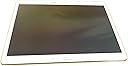
| ASIN | B00KIWWUFI |
| Age Range Description | Kid |
| Battery Average Life | 9 Hours |
| Battery Cell Type | Lithium Ion |
| Brand | Samsung |
| Built-In Media | Headphone for Men |
| CPU Model Speed Maximum | 1.9 GHz |
| Camera Description | Front |
| Cellular Technology | 4G |
| Color | Dazzling White |
| Connectivity Technology | Wireless |
| Customer Reviews | 4.4 out of 5 stars 2,260 Reviews |
| Display Resolution Maximum | 1600x2560 Pixels |
| Display Type | OLED |
| Flash Memory Supported Size Maximum | 16 GB |
| Front Photo Sensor Resolution | 2.1 MP |
| GPS Geotagging Functionality | GPS |
| Generation | Android 4 |
| Global Trade Identification Number | 00887276056197 |
| Graphics Description | Headphone for Men |
| Hard-Drive Size | 16 GB |
| Hardware Interface | USB |
| Human-Interface Input | Touchscreen with Stylus Support |
| Item Weight | 1 Pounds |
| Lithium-Battery Energy Content | 1 Watt Hours |
| Manufacturer | ???? |
| Memory Slots Available | 1 |
| Memory Storage Capacity | 16 GB |
| Mfr Part Number | SM-T800NZWAXAR |
| Model Name | Galaxy Tab S |
| Model Number | SM-T800NZWAXAR |
| Model Year | 2014 |
| Native Resolution | 2560 x 1600 pixels |
| Operating System | Android 4.4 KitKat |
| Operating System Family | Android |
| Other Special Features of the Product | Stereo Speakers |
| Photo Sensor Resolution | 8 MP |
| Processor Brand | Samsung |
| Processor Description | Samsung Exynos |
| Processor Speed | 1.9 GHz |
| RAM Memory Installed | 16 GB |
| RAM Size | 3 GB |
| Rear Facing Camera Photo Sensor Resolution | 8 MP |
| Screen Size | 10.5 Inches |
| Size | 10.1000" l x 7.3000" w x 1.9000" h x |
| Speaker Description | Built-in Stereo Speakers |
| Specific Uses For Product | personal |
| Style Name | Tablet |
| Supported Audio Format | MP3, WAV, AAC |
| Total Usb Ports | 1 |
| UPC | 725033820646 887276056197 803982985774 |
| Video Capture Resolution | 4K UHD 2160p |
| Video Processor | ARM |
| Warranty Description | no |
| Wireless Compability | 802.11bgn |
| Wireless Technology | Wi-Fi, Bluetooth, GPS |
C**R
Super Tab
I bought this tab through Amazon a few weeks ago, so far I am loving it. The look and feel as well as functions exceeded my expectations. 1. Design and appearance: as many review sites already mentioned, it has much better screen (AMOLED HD) than iPad Air, the resolution is about 20% higher. I was very impressed with how good video and pictures look on it. The screen is slightly larger than iPad, but the tab weights less (-0.4 oz off an already light weight). Overall design is slick and well-build - might be too shinny & slick though, it's hard to hold onto it. 2. Interface: initial set up is easy. the tab runs on a full Android system (v4.4), operation is smooth. I have been juggling different programs at the same time, there is no lagging. I tested the tab with Google Play Music, Spotify, Milk Music, HBO Go, You Tube, Netflix, etc. You can also use the "Watch On" app to control your TV and Set Top box (I tested with Att Uverse with great success). It has got 3GB RAM vs. iPad's 1GB, and 8MP rear camera vs. iPad's 5MP. 3. Connectivity: I happen to have a Samsung Smart Blu-ray player, which allows me to "screen mirror" the tab to TV through the BD player. The experience is tons better when you surfing the web, Facebook, YouTube, or other social sites than using the incumbent apps on your smart TV or BD player. The screen mirror does leave black bars on both sides of your TV screen, due to the mis-match of resolution between the tab and your TV. If you are not completely satisfied with this, you can try "pair" your tab with either your Samsung TV or BD player - this works only with some apps (I tested YouTube with success). Alternatively, you can try Google Chromecast to cast everything through HDMI port. The tab also connects well with my Android phone through "sidesync". 4. Expansion: one reason I choose this tab over iPad is that it comes with MicroSD slot. I bought a high speed SanDisk msd with 64G capacity for this tab, which is working well. For years Apple has been ignoring customer request for MicroSD ... they force the customer to choose different hard drive capacity, so they can charge more $$. I like very much Samsung leave the choice and flexibility to its customers. 5. Price: the tab is about :$80 to $120 cheaper than iPad Air (considering the memory expansion). I don't see how iPad can compete since the tab offer all functions and more than iPad. 6. Battery: not bad, but I hope it lasts longer and charge faster, one area for improvement. Overall very satisfied. --------------------------------- March 2016 Update Everything still works well, however, I did find a major issue: with recent update of Android system, the feature of moving apps from internal memory to MicroSD card has been disabled for most apps. This means you will be running out of the 16G memory pretty fast, and makes the MicroSD expansion completely useless. However, based on my research, it is more a restriction implemented by app designers and Google Android, so it is a bit unfair to blame Samsung. Nevertheless, be aware of this issue if you plan to buy this tab.
C**E
Perfect tablet and Laptop replacement even if you are an apple user
I did a research for 2 months about tablets since I don't like to buy things by impulse... Since is a medium/large investment I wanted to be sure that this is what I need it... Currently I have a Samsung Galaxy S4 as a phone and a Macbook as a laptop.. Previously I had an Iphone 4s and an Ipad Retina Display which undoubtedly you can guess I was an apple user... But when I bought the Galaxy S4 I did it because I needed a flexible device with more space and I can't afford paying extra $100 for 16gb more on i-devices when you have android devices with memory card Slots which you can purchase 64gb for $30... Same happened with the tablet... I wanted a device that can replace what I normally do on the computer: - facebook - youtube - email - browsing - downloading torrent - watching movies (all formats mkv, avi, mp4, etc) - watching or editing word docs - listen to music - playing casual games... On the Galaxy Tab S I'm doing all that with plenty space or power to do more things... let me give you my review of the main point of this tablet: Display: nothing more to add that hasn't been said... simply the best display on a tablet.... its look much better than my Ipad retina display (which I gift it to my GF), color on ipad look pale and wash out... people complaint that color on super amoled look over saturated... and even if they do... I don't get how people complaint about it when it just look better than any other devices.. Design: This is something that I don't care that much... since I'm not looking all the time at the back of the device... I'm looking at the screen... but feel like a premium device... is super thin... and lightweight.. Yep.. the Ipad look more premium with the metal cases.. but the Galaxy tab S doesn't feel cheap like other samsung tablets like the galaxy tab 3... Power: The octa core processor work great.. I'm giving this device a very heavy use so far and I haven't felt any major hiccup or lag... yes sometimes It doesn't response right away like when you exit out of an app and want to open other app right away... but is just normal like any other premium android device... unfortunately this is how the OS works... don't get me wrong... is really fast and these so called hiccups or lag are barely noticeable and even if you noticed, its for about 2 secs then the tablet response is normally... It happened sometimes on my retina display Ipad as well... I guess this is normal for any device with... well.. ram... even computers have the same problem for over years... Interface / OS: This has been the main problem with androids.. the ecosystem is not a fancy and good looking as the IOS and samsung touchwiz is not well optimized and look dull... I have to say that by far this is the best touchwiz experience that I had.. I still prefer how IOS look and feel over android, but this is a major improvement comparing it with my Jelly Bean Galaxy S4... kitkat touchwiz is on the right direction... but they are not quite there yet... the black and blue tones are something borring and the menu, settings, contacts, profile, etc.. haven't change since... well.. ever.... just minor touches but still look the same... I'm hoping for a major overhaul with android L... I hope that they change the interface on touchwiz... that since galaxy S1 is very similar to latest version... The magazine interface is good, but is laking of widget and customization.. I'm hoping on future versions that they allow us to select free feeds to add to the widgets since they only have a couple "categories" that I don't care that much like culture, bussiness, living, photos, travel.. etc... I don't see gaming or movies like on flipboard... and they only have twitter as a feed, I don't see facebook or instagram... Apps: IOS has more tablet dedicated apps, but is not noticeable for my usage, email, youtube and browser are tablet friendly and that is what I use the most... facebook and all other work fine... even if they are phone versions... look and feel better than on my galaxy S4... android had the same problem with apps vs the app store a few years back and they catch up... they will do the same shortly with tablets.... Some apps doesn't work on my country like paper garden, milk music and most of the "gift apps" that come with the table... but is not a big deal for me... Camera: haven't use it... I don't care about it.. FingerPrint scanner: This is a feature that I don't care that much but it Work 95% of the time... is a good ratio if you asked me... I heard some bad reviews that It never works... but is working fine for me... Multi-Users: this is great... you can have 2 users on the same tablet like on computers... I'm not sure if there is a feature like this on IOS but is perfect for me, since I can have 2 accounts... one for me and one for my GF.... Multi tasking/ multi windows: Work perfect... this is another thing that IOS is missing... I was considering buying an Ipad Air over this... but even on IOS 8 there is no multi tasking... I use this a lot since I translate some documents... I had the translator app on top and the word app at the bottom and do my work directly from my galaxy tab S without even open my computer... Battery: I head so many great things... but I had to say that battery is average.... I will say same or even a little less than the Ipad... don't get me wrong.. it last the whole day with normal usage... but it drain out the battery fast when I use my torrent app... or when I download anything... Usage: perfect laptop replacement... I download some movies on it.. and watch them on any format... I have some movies and videos on my computer and I don't have to use the stupid itunes and a program to convert my avi movies to mp4 in order to transfer the movies to the tablet... I just simply copy them to my SD card.. and that's it... since I have Tab S I haven't use my computer only to do this review since involve a lot of typing... I'm just waiting for that keyboard case for this tablet and I'll be done. Bottom line, is an excellent device if you plan to replace your laptop or use it less since is more confortable to do it from a tablet... I'm using my phone even less... since I prefer to browse facebook and twitter on the tablet than on the phone... the screen is amazing... better than any laptop/tablet I've ever seen... and the multi tasking and sd card slot are the catch that put me away from other IOS device... more tablet dedicated apps are coming daily on the play store... so is not a deal breaker over the ipad... and the ecosystem is getting in the right direction.. even touchwiz is looking better these days than previous versions....
F**H
Great Tablet -Screen and connectivity is where this tablet really shines.
This tablet is expensive but worth it if you want the best screen you can get. The colors are vivid and the picture is very sharp. The device connects to my new samsung 46" tv and when viewing video on both simultaneously you can really see the difference. I was doing this while viewing parts of the last Craig Ferguson show and wow- his set looked much more colorful and sharp compared to the TV's screen. More contrast on the S too. Also on Christmas eve I shot some aerial go pro video of my cousin's farm. Christmas morning I showed them the video on the Tab S and several commented on how great the picture was. And, I did not tell them it was a new tablet before hand. So if you are buying a tablet for videos and pictures,then the screen is well worth it. The device also has better connectivity than other tablets too. It has software that connects to your desktop/laptop so you can exchange any kind of files between your pc/tablet/cloud service. The tab S sees other devices in my house for connectivity and this was important to me as I don't like tablets/phones that try to limit your access to the outside world. If you can, try to look at the product in a store before you buy so you can see for yourself. I did not do this and bought the Tab S 8.4 at first but after seeing the 10.5 in the store I had Amazon exchange it. The 10.5 size screen is much better for me but look at both and decide for yourself. Also I recommend you get some kind of case right away to protect the Tab S. Here is an inexpensive one that works well and while you may want something fancier later, this will get you going: http://www.amazon.com/gp/product/B00L7GVIBQ/ref=oh_aui_detailpage_o03_s00?ie=UTF8&psc=1 Now if you want to travel with you Tab S, here is a really nice Amazon traveling bag that fits the S well. This bag is of better quality than I expected for the price and I highly recommend it: http://www.amazon.com/gp/product/B00DUGZFA6/ref=oh_aui_detailpage_o01_s00?ie=UTF8&psc=1 To balance this review, I will have to say that Samsung also makes really nice mid line tablets as well. My GF got the Tab 4 8.0 and this is a great tablet at a much cheaper price. If money is an issue, look at these tablets. The screen is not as good, but it is still VERY good (better than the professional reviews will have you believe) and worth a look if you can't spend the money on the S. I just read on the news this morning that Sony is coming out with a slightly larger tablet than the S, but without the nice screen. The price is going to be around $1000. Ouch! Good luck Sony competing at that price , esp with a basic LCD screen. Now I don't feel so bad about the S's price after reading that :)
A**R
Good product - with issues
I purchased this as an upgrade from my Motorola Xoom 2 10" tablet. I decided on this tablet after recently purchasing the Galaxy S5 phone. Both the S5 and Tab S share the Lollipop Android operating system and I was happy with it (mostly) on the phone, so .... The Xoom 2 is (STILL) an awesome, bulletproof tablet and I would have stayed with Motorola but they no longer make tablets. Specs are available everywhere so I won't go into them except for what I really like - or don't. Pros: Gorilla Glass face - just like the Xoom 2 and extremely durable. Dual quad-core processors and 3GB of memory - neither Google nor any of the app developers are EVER going to learn to program efficiently so progressively more bloated resource sucking apps and operating systems is just a fact of life. This is BTW the ONLY reason I retired my Xoom 2. :( Super Amoled Display - amazing, absolutely amazing. I do digital photo processing so I'm used to quality display hardware. This is pretty impressive for a tablet or phone. Power save/ultra power save - actually works (somewhat of a surprise). The Tab S has two CPUs - one is 1.9Ghz and the other is 1.3Ghz. Both modes switch down to only the 1.3Ghz CPU - which makes a significant difference in power consumption. A side note: the 1.3Ghz CPU is still pretty robust. There's almost no difference in performance for me between normal power and power saving modes. Battery life span - pretty decent for a tablet with this much horsepower and screen. Recharge time - is really good compared to my Xoom 2. Not as fast as the S6 phone, but just as fast as the S5. microSD card - which the S5 and Tab S still have a slot for. Both the 64GB Samsung and Lexar ultra cards I use worked great. Cons: The built in, 'hard', buttons - hate them. I like the Xoom 2 'buttons' that were displayed by the OS in the bottom right of screen and followed the orientation of the tablet. So, what if I'm left handed and want it in portrait mode? Or what if some retarded developer decides the 'top' of my tablet is the opposite of the way I want to hold it? This is a big fail for Samsung IMHO. The positioning of the 'buttons' also makes it awkward and irritating to use in portrait orientation. Bloat-ware - which Samsung is notorious for on their devices. I agree with many reviewers - very nice device overall, almost ruined by the ton of useless crap installed at the factory. Some of it is removable by the user, some can be 'disabled', but some you're just stuck with. 5Ghz wireless - busted. In all fairness, this is an Android problem I believe and not Samsung. Lollipop 5.0 has issues in this area. It'll work for some people and not for others and it might work one time and not another. Interestingly it worked perfectly after upgrading from 4.x.x until I rebooted the Tab S. If you really want/need 5Ghz DON'T upgrade to Lollipop until they get this fixed. 5Ghz Hot Spot worked flawlessly on 4.x.x. SSL/TLS security in Lollipop - used to created encrypted connections between the host and client, such as HTTPS, secure SMTP and IMAP. I won't get into the stupidity involved here. Be aware if you are connecting to older mail servers using secure SMTP and/or IMAP that protocols have been removed from the Android operating system - the factory email client WILL NOT work. There are tons of posts from people trying to figure out why they no longer can connect to their mail ("Cannot connect to server") - this is why. There is really only one solution if you're connecting to really old mail servers - don't upgrade to Lollipop. 4.x.x doesn't have this issue. If you're connecting to moderately old mail servers, the K9 mail app will work as it uses its own libraries apparently, and not the OS libraries. Something to note: if you're using a web browser to access old 'out of band' equipment (like HP RILOs), old broad band routers, etc. via HTTPS, removal of 'insecure' protocols will make the devices inaccessible. Android's increasingly obscure system menus - Episode V. Lollipop. Again, not entirely a Samsung issue. If there is ANY way to make it more difficult to find something, it seems Google and Samsung will do it and excel. Can't wait for Episode VI. :( 16GB internal storage AND Lollipop 'save/move to microSD' changes - so its great that it'll accept big microSD cards especially since the 32GB Tab S is insanely expensive. EXCEPT - changes in Lollipop restrict moving a lot of data from internal storage to the microSD card making it almost useless unless you just want a place to put your music, videos and photos. IMHO, nothing but a way to make you pay an inflated price for extra internal memory you otherwise wouldn't need. Hmmmm. Can anyone say S6? On a fresh device with the half a dozen apps I use regularly + Navigon w/ three states, no music, video or pictures, I was down to about 3GB of internal storage. After moving every app I could to the microSD, it was up to just slightly less than 5GB of free storage. Storage aside, this change also affects how apps can store data on the microSD - such as, they can't, or only some, and what happens to that data if the app is uninstalled - in the case of one of my apps, you loose all your saved data if the app is uninstalled. Note: A very large chunk of the internal memory is sucked up by Samsung's bloat-ware. TouchWiz launcher - I figured this out before I read all the complaints on the forums. Resource sucking pig. There are better written, faster and more useful launchers on Play Store and that is a good thing because this one is pretty sad. End of the day, the physical device is very, very nice. The Lollipop operating system, however, is largely more of a pain in the rear end than its worth. Battery life and performance are MODERATELY better under Lollipop but those are the ONLY two upsides to this OS. I would strongly recommend sticking with 4.x.x unless there were pressing reasons to upgrade. For those much more technical, one positive of the Tab S: since this is such a popular device, there's a lot of documentation on 'rooting' the device and the process is simple and relatively painless. While I REALLY had hoped not to have to go through this on another tablet, it turned out to be the only way to get rid of all of Samsung's and Google's bloat-ware and free up internal storage. It took about three weeks of rebuilding, reloading, restoring, uninstalling, installing, a generous amount of rubber chicken waving and a lot of cursing, but what I ended up with as a clean, very fast, very nice tablet that I enjoy using. Which is what Samsung SHOULD have released in the first place. I really WANTED to give this tablet five stars, but there is NO WAY I should have had to go through this much time and effort to finally get a useable product. I gave this four stars because the hardware really is VERY, VERY nice and well worth four stars and went quite a way in making up for - at best - the questionable OS and software.
B**.
Breathtaking Beauty AND Function!
This tablet just blows me away! I love the super-bright display and all the ways I am going to be able to use it! It connects to my desktop so I don't need to store all my files on the tablet! I can see my "scrapbooked" recipe cards while I cook, or read the sewing instructions I've downloaded while I sit at my sewing machine. I have music on a tiny micro SD card, photos of my family, and I can read lots of Kindle e-books that I've downloaded to it. It's my computer, only portable! I can wander all over our neighborhood with it and still surf or send email via Wi-Fi. (Tip: I did buy a new and very powerful combo modem/router to give me extended range - a Motorola Surfboard Extreme). The full screen-width keyboard is easy to use for any size hands. It is extremely fast when loading anything. The battery lasts all day, and the camera is as good as my Canon SD, so it takes great pictures! The beautiful white case looks like expensive art glass. It will soon be my ONLY computer because I'm having reconstructive surgery on my dominant hand, but I'll be able to do everything online that I need to with this delicious device, using only my non-dominant hand. It will keep me happy during an otherwise very frustrating several months of recovery, and then again when I have my other hand surgery. You can even choose to set it up for right or left handed use! It does so much more than I expected, so I am just delighted with my purchase. Be sure to get a nice case/stand to put yours in, because these are a bit slippery. I will not only have a leather case/stand, but I'm making a beautiful tapestry mini brief case with handles to carry it in, because for me, handles will be absolutely necessary, but not everyone will need them. If you have other things to carry, I recommend a case with handles, though.
P**)
Best 10"-range tablet to be found right now
This is probably the best tablet on the market right now, bar none. The 10.5" 2560x1600 screen is vividly bright and sharp, the eight-core Exynos processor cleverly combines high performance with power efficiency, and battery life is good — it'll go all day on a full charge, even watching videos. The smartest thing about this tablet is its processor. It's really two four-core processors in one — an efficient one, and a high-performance one. When it's idling or doing un-demanding tasks like, say, displaying an e-book, it runs on the four low-power CPU cores to maximize its battery life. Ask it to do something demanding like play a game or a high-defniition movie, and it seamlessly switches to the four high-performance cores. You won't even know it's done it. There are larger screens available, like Samsung's 12.1" Galaxy Tab Pro. However, they come burdened down with a lot of faux-business applications that you probably don't want, and they're not enough bigger to justify their price premium. The Galaxy Tab S has a big enough and sharp enough screen to make it a superb e-reader, while still slipping into a jacket pocket. Granted, there's some bloatware on the Tab S as well, starting with "My Magazine" aka Flipboard, the Samsung bloatware app that 90% of Samsung owners learn to love to hate, but which Samsung won't let us remove. But it's not bad, and Flipboard can at least be locked out. To be fair, there is one downside to the Galaxy Tab S, and that is its fingerprint scanner ... which, bluntly, is utterly worthless. It has to scan your fingertip nine or ten times to "learn" it, and every time you swipe it, you have to have the angle, and the pressure, and the speed all just right, or it won't recognize your print. Hand's sweaty? So sorry, try again. And even when you do get it working, it can only recognize one fingertip per user. I tried the fingerprint authentication for about a week, before I gave up on it after the "cool factor" wore out next to the "swipe, swipe, swipe, swipe slower, a bit to the left, slower, now straighter, make sure you swipe the entire fingertip..." ....oh, forget it, it's easier to just type a password. Sorry, Samsung, but this is a terrible fingerprint-scanner implementation that isn't likely to accomplish anything but souring users on fingerprint authentication. Now my Barska biometric safe, by comparison, could show Samsung how it's done. But I digress... Another shortcoming specific to this model is ... look, OK, just spring for the 32GB internal storage, OK? 16GB really isn't enough. It SHOULD be enough; but unfortunately, Android is atrociously bad at managing storage. You SHOULD be able to tell Android "Use the SD card slot for everything possible, use the internal storage only when you have to." But you can't. And that's a shame, because Android, based on Linux, should be able to do much better. This is not a hard problem. But this is really Android's fault, not Samsung's. Samsung has recently released their new Galaxy Tab S2, but it's not clear to me yet what the technical improvements in it are, and it's not available in a 10.5" screen (yet) anyway. If you're looking for a 10"-range touchscreen tablet, look no further. This is the one to buy.
P**A
Good big HD screen but way too much annoyance and confusion
One of the most disappointing devices i have ever owned. CONS: ! enormous amount of bloatware that is UNREMOVABLE!! No device is worth this aggravation 2 too complicated of an interface with for example 4 different categories of settings and some of the placement and terms make no sense. It took so long to figure out and i still dont get it ex.Whatz "dreamware" setting mean? 3If there is an sd card port i cant find it-- or exactly which data device to buy from amazon, 4 Theres so many settings for power savings that i have absolutely no idea why it is using up power so fast...even tho i attempted the max power saving settings. 5 Samsung communication and support is abysmal on weekends. The agent on Live Chat from overseas had no device to see and no information about it at all. Wasted an hour with her and then she tried to transfer me to Smart Tutor but it was way to late at 7 pm Saturday Pacific time! 6 You cannot download itunes via wifi, 7 It is very large and awkward and shuts off easily coz of where the buttons are placed---so one cannot use it w/o buying a cover/holder 8 It takes a special fast charging cord but it gets lost & mixed up in a big household and hard to remember which one it is. Why not make it red or purple to stand out?. 9 the device flipped for a while from desktop to desktop. I dont know why they have three home screens except they were needed to fit on all the bloatware icons! Nothing is explained in writing --just strange logo icons, I use this so rarely i cant remember what each one means .or all the steps to go thru.w/o consulting google search constantly.. When Samsung customer service didnt have a clue how to fix my home screen issue or how to put on a file icon for audio i eventually had to do a total factory reset that took hours due to my music files. I can hardly wait till i will be able to get a pc expert to root this device so i will be able to install and uninstall what i want ! This is so unintuitive and so confusing that i wish sincerely i had not bought it. Its not for non techies like me(smile) PRO:s 1 Great picture! 2Amazing high def camera that is easy to use and makes beautiful photos and nice wallpaper for the homescreen and a great Gallery! 3 There are a number of colorful covers available on amazon that make its huge size easer to handle 4 It has lasted a year with no breakdowns or issues that i needed to go to pc repair shop.for 5Good replacement for a dvd player if you dont have a small laptop and have wifi available 6 Thaere are so many factory apps that some have to be useful-- . such as sVoice. when you figure out the commands to say 7 It seems to have a huge amount of internal data storage space for Kindle audiobooks app and never had to juggle songs or delete apps to install new ones, _______ Conclusions This device is "neither fish nor fowl" You get the approximate size of a small laptop without the flexibility and clear interface . You do get a great camera but w/o the many advantages of a much cheaper cell phone --plus it is crammed with permanent bloatware --so why not just put out the money upfront for a high quality l laptop with windows 7 or 10 and save the annoyance?
B**P
Best of the best.
This is my 4th tablet and by far the best I've owned to date. I've been in the Android ecosystem for a while now, but I do get the opportunity to play with other devices as well and I'm tech savvy. Quite simply, nothing else compares. I bought this mainly for reading, writing, coding, netflix/youtube, and a few games here and there. The first thing that has to be pointed out is just how amazing the screen looks. All the colors are bright and crisp with no discernible pixels, no back-light bleed, no dead pixels, and all the blacks are truly black. Absolutely gorgeous in every respect, it's still stunning me every time I turn it on. Everything I've come to expect from an AMOLED screen. The auto-brightness function works well, it's not blinding at night with the lights off and it's plenty bright during the day. Also, the bezel is a bit smaller than my last tablet (Nexus 10) leading to the Tab S having a larger screen but being smaller overall. I have no troubles holding it without touching the screen, so this change is a welcome one. Battery life has been excellent, far exceeding all my previous tablets. I've got 6 hours of screen on time in the past 6 days and I'm at 34% battery. As with all OLED screens, darker backgrounds and images will increase battery life; I made it a few days with a black background but the gorgeous display looks so much better with a nice vibrant HD wallpaper. Charge times are also quite acceptable. I haven't quite decided if the ultra-power savings mode is a gimmick or actually useful like on the phones. The apps you can use in ultra-power savings mode are very limited, and it's unlikely to be used to contact someone in a real emergency. Only mild amounts of warmth emanate during gaming sessions, the system doesn't seem overworked at all. Thankfully the "Titanium Bronze" color I chose is not garish or gaudy. I would have preferred a black or even gunmetal option, but I was pleasantly surprised by the appearance. Also the tablet feels really nice in my hand. The back is the same texture as the GS 5 phone, grippy enough to keep any accidental drops from happening but not sticky or unpleasant. The weight is also pleasing, light enough to not cause strain after hours of use, but not so light as to invite accidents. Though I wouldn't complain if they had tacked on a bit bigger battery at the cost of more weight. There are a few minor annoyances, depending on your viewpoint. Samsung does not make the best software, luckily being an Android system these problems can be fixed. I read quite a few reports of TouchWiz causing problems, so the first thing I did was install a different launcher (Nova). Because of this I have experienced no lag at all, except some browser lag on some websites which you will see in every single tablet on the market. Every action is snappy and responsive, everything you would expect for a tablet of this price. The menu button is now a recent apps list which I find annoying, yes you can hold it and get the menu button but that only creates confusion with my brand new GS 5 having a menu button and my brand new Tab S having a recent apps button. There is a little bit of bloatware that comes with the tablet, it would be nice if manufacturers would stop including useless apps that are difficult to uninstall, however they have kept it at a minimum compared to a modern smartphone and you can turn most of them off so they stop using system resources. As a quick example, the NY Times app used 5% of my battery and I never opened it once. You will want to clean up the bloat if you want to maximize your battery life. Overall, I can easily recommend this to anyone wanting the best of the best.
N**.
Achat sans carences, transaction impeccable
Modèle quasi-introuvable, en rupture de stock ou à des prix exorbitants, j'ai pourtant fouillé tout le net et les grandes enseignes (Carrefour, Auchan, Darty...). Je voulais à toux prix me procurer la Tab S en version 10"5, qui contrairement à la nouvelle version S2, est équipée d'un flash. Donc ravi d'avoir pu la trouver à prix raisonnable. J'ai eu un doute à cause de la mention "Générique" dans la fiche du produit, mais j'ai bien reçu une tablette authentique sous scellé. Ne négligez pas le bronze, c'est une très belle couleur ! Pas de dysfonctionnement à relever. Très bonne communication avec le vendeur, honnête, attentif et soucieux du client.
C**N
Très bon service après vente et tablette irréprochable je conseil
Je suis très satisfaite de la tablette. Rien à reprocher. Tablette viens avec étui et le service après vente très bon. Le chargeur devenait chaud. J ai écrit le soir et le lendemain matin elle me répondait qu' elle va en envoyer un autre. Je conseil.
A**R
Brilliant display, Sophisticated Design
For over a year I’ve been waiting for the new Samsung Google Nexus to be available – well it never happened and after dropping some hints to my wife that I would really like a Nexus 10 for Christmas, she bought me one. Worst mistake I have made all year (see my poor Nexus review) Anyway having been married for 38 years we know each other well enough to admit our mistakes and come clean. I returned the Nexus and bought a Samsung Galaxy Tab S and having had it for a week I can only say its FAN-TAS-TIC. Its everything I wanted in a 10” tablet: Its light weight and super thin yet seems strong enough to survive the knocks of everyday life. It has a sharp bright display that can be viewed from any angle, the sound is amazing considering the size of the small speakers. I have twinned mine to a Bluetooth wireless headphone and its great to watch movies on. I have also fitted a 64Gb micro SDHC card loaded with 40+ movies which should keep me entertained when I lose WIFI. The Titanium bronze trim looks the business (very smart). Apps all work seamlessly and the speed of downloads and browsing is all very smooth, presumably due to the octa-core processer and the 3Gb Ram. The on-screen keyboard looks sharp and the short vibrate when a key is pressed gives a very nice positive feedback. As far as battery life is concerned mine tends to last a couple of days, before it needs re-charging - but of course it depends very much on usage. I would like to see a 32Gb or even 64Gb model available and I guess that will come in the future. With the ability to be able to fit a 128Gb SHCD card and being able to load (some) Apps onto the SDHC Card perhaps its not too much of a problem. I have bought a MoKo Samsung Galaxy Tab S 10.5 Case which is reasonably priced, fits well, protects the tablet (as expected) and looks very smart. I thoroughly recommend this Samsung Galaxy Tab S Tablet it really is a step up from previous Tablets – buy it and you won’t be disappointed.
R**A
Excelentes prestaciones
La tablet es muy ligera, excelentes prestaciones en pantalla, procesador, versión de Android. Nos encantó! Samsung sigue demostrando su supremacía en dispositivos inteligentes.
P**.
Great for picture taking and reviewing simple to use as ...
It does all we wanted it to do. Great for picture taking and reviewing simple to use as it was for my Mum in her 90's. She is finding she can take pictures on the 10inch screen and view them to. The colour is great as is the clarity. One BUT when I opened it first the screen was all in Japanese and I had no idea how or what to touch to change language. The small document on operating it could have pointed this out. Once over that hurdle by coming to my home and my computer for internet access Very pleased.
Trustpilot
3 days ago
4 days ago