Buy anything from 5,000+ international stores. One checkout price. No surprise fees. Join 2M+ shoppers on Desertcart.
Desertcart purchases this item on your behalf and handles shipping, customs, and support to Tunisia.
📻 Unlock the unseen frequencies—because being in the know is the new power move.
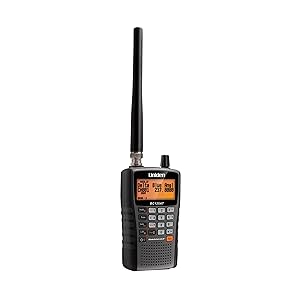
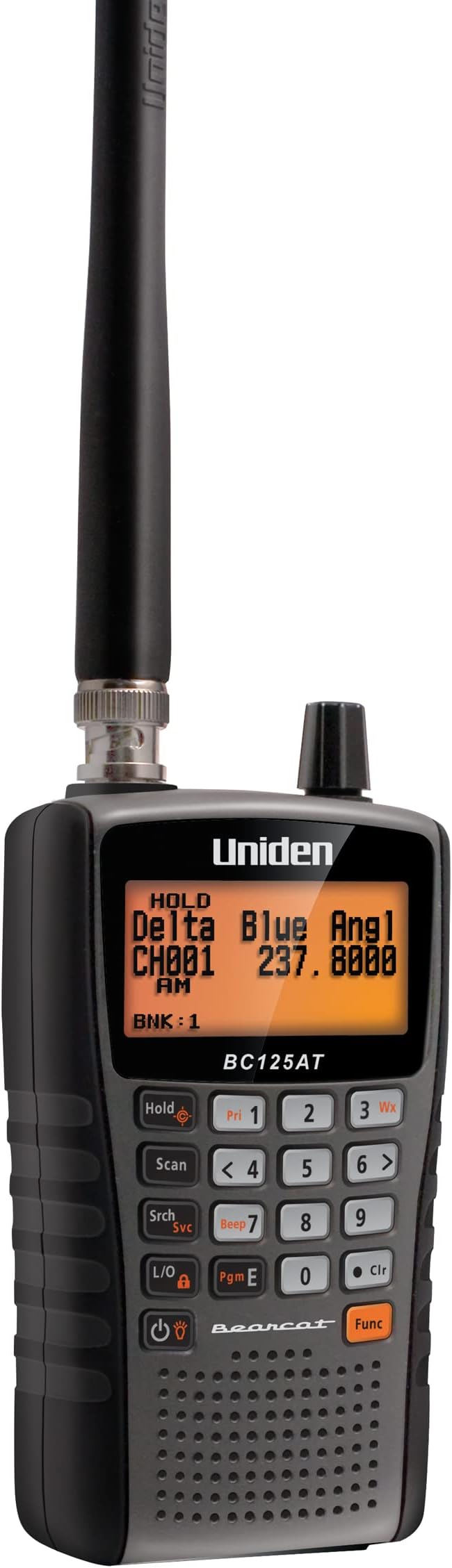
The Uniden Bearcat BC125AT is a high-performance analog handheld scanner featuring 500 alpha-tagged channels across a broad frequency range (25-512 MHz). Designed for professionals and enthusiasts, it offers Close Call RF Capture, Weather Alerts, and pre-set channels for quick access to Police, Fire, Marine, Aviation, and Racing communications. Lightweight and portable with a bright orange backlit display, it supports PC programming for personalized channel management. Ideal for those in rural or analog-only areas seeking reliable, real-time monitoring of non-digital public safety and emergency transmissions.


| ASIN | B00772MR0K |
| Additional Features | Digital Display |
| Battery Average Life | 10 Hours |
| Best Sellers Rank | #2 in Radio Scanners |
| Brand | Uniden |
| Built-In Media | Civil & Military Aircraft Bands, Free Software Available Online, Uniden Bearcat 500 Channel Alpha Numeric Hand Held Radio Scanner, Usb Cable |
| Color | Multicolor |
| Compatible Devices | Personal Computer |
| Customer Reviews | 4.0 out of 5 stars 9,590 Reviews |
| Frequency Range | 25-54 MHz, 108-174 MHz, 225-380 MHz, 400-512 MHz (UHF) |
| Global Trade Identification Number | 00050633650639 |
| Item Dimensions D x W x H | 2.17"D x 4.33"W x 7.28"H |
| Item Type Name | Scanner |
| Item Weight | 0.9 Pounds |
| Manufacturer | Uniden |
| Mfr Part Number | BC125AT |
| Model Number | BC125AT |
| Number of Batteries | 2 AA batteries required. (included) |
| Number of Channels | 500 |
| Special Feature | Digital Display |
| Talking Range Maximum | 50 Kilometer |
| Tuner Type | UHF |
| UPC | 050633650639 650415524259 |
| Unit Count | 1.0 Count |
| Voltage | 3 Volts |
| Warranty Description | 1 Year Liminted |
| Water Resistance Level | Not Water Resistant |
| Waterproof Rating | IP67 |
T**E
Nice unit; limited support
I like this scanner (the BC125AT) better than the SR30 because it has Alpha tagging (that is, readable labels displayed for each channel, in addition to the frequency assigned to the channel). Otherwise, this scanner is very similar to the SR30. I like that it is compact and lightweight, and easy to read when set so that the display backlight comes on automatically when a channel activates (and turns off when the channel clears). Although it is quite cumbersome and time-consuming to program these units manually, the available (free) programming software makes it a breeze to create one or more channel files, and download whichever configuration is desired. Also, the configuration currently stored in the scanner can be uploaded to the software, where it can be edited and/or saved as desired for backup and/or to update the current configuration. It's even POSSIBLE to create a program file for the SR30 using a file for the BC125AT or vice-versa but because the two units have different file formats, it's necessary to "work" the files to make them cross-compatible (unless Bearcat has now created a file converter app, or you write your own converter). In any case, this file conversion was useful for me so that I could "easily" program my SR30 to have the same configuration as my BC125AT - or vice-versa - by creating a template file - or by uploading the configuration from one scanner - and then re-formatting its data to produce a file for the other model scanner. (Of course, any Alpha Tagging (labels) had to be added manually for the BC125AT's version). And, of course, the model-appropriate configuration files can be used to program more than one scanner of the same model to have the same configuration, if desired. As for features, the BC125AT is similar to the SR30, although it seems to scan more slowly than the SR30. I like most aspects of both models, but there are a few things about both that annoy me: - The units cannot scan while recharging the installed batteries. (However, the units CAN scan while connected to external power but the batteries won't be recharged while the unit is on - inconvenient!). - The channel lock-out "mechanism" is cumbersome to activate unless the channel is currently active. - Certain other keyboard operations seem more difficult than they need to be. - The multi-function knob makes it difficult to adjust the volume and particularly the squelch functions. - It is like pulling teeth to find out details of how some of the features are used and/or how they are intended to work, because apparently, they are not fully documented anywhere - and even the support folks don't know how some things work. - To my knowledge, there is no mobile installation kit to allow the scanner to be operated in a vehicle and then easily removed for temporary hand-held use. - There is no compatible (32-ohm) external speaker offered for use with these scanners. Despite the annoyances, these scanners otherwise function well.
J**E
Superb scanner!
This scanner is excellent, I use it for listening to ATC transmissions and they are clear using the stock antenna. Range is also important with the clarity of the transmissions, but with good elevation and minimal vegetation or buildings blocking the signal, I was able to hear transmissions as far as 70 miles away, although not very clear. Close to the airport when planespotting, I am able to hear all transmissions with remarkable clarity. The feature to tag frequencies is also helpful to quickly switch to a different frequency, for example, ground to tower etc. Although it may be a little challenging to understand how to use it at first, but with a bit of practice and reading the manual, it becomes relatively easy to do. Overall, I am very satisfied and impressed with this purchase.
J**N
Works great for Scanning Air frequencies!
For the Price, this is a very good scanner. I've read lots of reviews saying it's hard to program, has poor Reception, and other nit-picky things but honestly, I don't agree. it's an HT (hand-held unit) with a small antenna not designed to pick up distant signals though it does have pretty good range for a "rubber-duck" style antenna. I added a whip antenna and instantly improved range and reception clarity. Connecting it to a roof-top antenna improved reception even more. When at an airport or within a mile or so, i get all air frequencies for that airport with clear reception. I only take one star off because battery life isn't great with the included NiCAD rechargeable batteries. I just upgraded to higher capacity batteries and improved battery life between charges. One thing to note is that this is an ANALOG ONLY scanner. Since most police, fire/emergency use digital or trunked systems, you will not hear those digital transmissions. I bought this scanner solely for AIR Traffic and it works great for that!
J**K
I would rate this 5 stars except for one very serious problem...
My Uniden BC125AT now reads "SCAN MODE ALL LOCKED!" when I turn it on after just one day of pretty decent reception of my local railroads. When pressing the Hold button twice, it then reads "ALL CHANNELS LOCKED OUT!". The owners manual makes no reference to this particular set of problems. I have erased all programmed channels hoping that this would clear it up but it did not fix it. I have a number of frequencies ready to load into it from my PC, but when I attempt to use the "write to scanner" function I get an error, which I presume is related to this problem. The error reads as follows: "See the end of this message for details on invoking just-in-time (JIT) debugging instead of this dialog box. ************** Exception Text ************** System.Configuration.ConfigurationErrorsException: Configuration system failed to initialize ---> System.Configuration.ConfigurationErrorsException: Unrecognized configuration section system.serviceModel. (c:\WINDOWS\Microsoft.NET\Framework\v2.0.50727\Config\machine.config line 134) at System.Configuration.ConfigurationSchemaErrors.ThrowIfErrors(Boolean ignoreLocal) at System.Configuration.BaseConfigurationRecord.ThrowIfParseErrors(ConfigurationSchemaErrors schemaErrors) at System.Configuration.BaseConfigurationRecord.ThrowIfInitErrors() at System.Configuration.ClientConfigurationSystem.EnsureInit(String configKey) --- End of inner exception stack trace --- at System.Configuration.ConfigurationManager.PrepareConfigSystem() at System.Configuration.ConfigurationManager.RefreshSection(String sectionName) at System.Configuration.ClientSettingsStore.ReadSettings(String sectionName, Boolean isUserScoped) at System.Configuration.LocalFileSettingsProvider.GetPropertyValues(SettingsContext context, SettingsPropertyCollection properties) at System.Configuration.SettingsBase.GetPropertiesFromProvider(SettingsProvider provider) at System.Configuration.SettingsBase.GetPropertyValueByName(String propertyName) at System.Configuration.SettingsBase.get_Item(String propertyName) at System.Configuration.ApplicationSettingsBase.GetPropertyValue(String propertyName) at System.Configuration.ApplicationSettingsBase.get_Item(String propertyName) at BC125AT_SS.Properties.Settings.get_ComPort() at BC125AT_SS.Main.writeToScannerToolStripMenuItem_Click(Object sender, EventArgs e) at System.Windows.Forms.ToolStripItem.RaiseEvent(Object key, EventArgs e) at System.Windows.Forms.ToolStripButton.OnClick(EventArgs e) at System.Windows.Forms.ToolStripItem.HandleClick(EventArgs e) at System.Windows.Forms.ToolStripItem.HandleMouseUp(MouseEventArgs e) at System.Windows.Forms.ToolStripItem.FireEventInteractive(EventArgs e, ToolStripItemEventType met) at System.Windows.Forms.ToolStripItem.FireEvent(EventArgs e, ToolStripItemEventType met) at System.Windows.Forms.ToolStrip.OnMouseUp(MouseEventArgs mea) at System.Windows.Forms.Control.WmMouseUp(Message& m, MouseButtons button, Int32 clicks) at System.Windows.Forms.Control.WndProc(Message& m) at System.Windows.Forms.ScrollableControl.WndProc(Message& m) at System.Windows.Forms.ToolStrip.WndProc(Message& m) at System.Windows.Forms.Control.ControlNativeWindow.OnMessage(Message& m) at System.Windows.Forms.Control.ControlNativeWindow.WndProc(Message& m) at System.Windows.Forms.NativeWindow.Callback(IntPtr hWnd, Int32 msg, IntPtr wparam, IntPtr lparam) ************** Loaded Assemblies ************** mscorlib Assembly Version: 2.0.0.0 Win32 Version: 2.0.50727.3649 (GDR.050727-3600) CodeBase: file:///c:/WINDOWS/Microsoft.NET/Framework/v2.0.50727/mscorlib.dll ---------------------------------------- BC125AT_SS Assembly Version: 1.0.0.0 Win32 Version: 1.1.0.0 CodeBase: file:///C:/Program%20Files/Uniden/BC125AT_SS/BC125AT_SS.exe ---------------------------------------- System.Windows.Forms Assembly Version: 2.0.0.0 Win32 Version: 2.0.50727.3645 (GDR.050727-3600) CodeBase: file:///C:/WINDOWS/assembly/GAC_MSIL/System.Windows.Forms/2.0.0.0__b77a5c561934e089/System.Windows.Forms.dll ---------------------------------------- System Assembly Version: 2.0.0.0 Win32 Version: 2.0.50727.3644 (GDR.050727-3600) CodeBase: file:///C:/WINDOWS/assembly/GAC_MSIL/System/2.0.0.0__b77a5c561934e089/System.dll ---------------------------------------- System.Drawing Assembly Version: 2.0.0.0 Win32 Version: 2.0.50727.3644 (GDR.050727-3600) CodeBase: file:///C:/WINDOWS/assembly/GAC_MSIL/System.Drawing/2.0.0.0__b03f5f7f11d50a3a/System.Drawing.dll ---------------------------------------- System.Configuration Assembly Version: 2.0.0.0 Win32 Version: 2.0.50727.3654 (GDR.050727-3600) CodeBase: file:///C:/WINDOWS/assembly/GAC_MSIL/System.Configuration/2.0.0.0__b03f5f7f11d50a3a/System.Configuration.dll ---------------------------------------- System.Xml Assembly Version: 2.0.0.0 Win32 Version: 2.0.50727.3654 (GDR.050727-3600) CodeBase: file:///C:/WINDOWS/assembly/GAC_MSIL/System.Xml/2.0.0.0__b77a5c561934e089/System.Xml.dll ---------------------------------------- ************** JIT Debugging ************** To enable just-in-time (JIT) debugging, the .config file for this application or computer (machine.config) must have the jitDebugging value set in the system.windows.forms section. The application must also be compiled with debugging enabled. For example: <configuration> <system.windows.forms jitDebugging="true" > </configuration> When JIT debugging is enabled, any unhandled exception will be sent to the JIT debugger registered on the computer rather than be handled by this dialog box." My expensive radio scanner is currently useless to me. There is no customer support available.
J**A
Get after market antenna and you have the bet scanner
This is an excellent little scanner. I live in a rural area that wont be upgrading to digital so they can't encrypt their signal either. I can hear everything. I work as a journalist and this is essential for not only covering fire emergency's when they happen but you will know when a fire starts in your area faster than they get the alerts out. This is especially important for safety when you live in wildfire prone areas. This is the second one I have purchased in 5 years. I put my first one through a lot of abuse dropping it while on assignments. It works so good that I am buying it again to replace my old one. Upgrade the antenna with a 843B Remtronix antenna and you have the best possible set up for hand held. Then get a decent magnetic mount for your car and you have absolutely the best possible setup for analog.
C**F
This thing works and finds signals without much effort, but isn't as useful as I had hoped.
I am disappointed with this purchase mainly due to the cost of it. It does work pretty well. Most reviewers of this device that gave it 1 star spoke of problems they had with the device and most of their problems was a result of not reading the user manual. Such as the "All Channels Locked Out!" warning that came up on one user. Scanning channels requires you to first save a frequency on the device then it will scan saved frequencies. There is a "Search" button that will search every individual frequency right out the box. Super easy to use and much faster at scanning than my Baofeng F8HP is. You can even choose if you only want certain bands scanned or all of them if you want to. If you hit "Function then Search" it will do a service search which means it will scan known police, fire/ems, Civ air, military air, ham only bands, and even walkie talkie and CB radio frequencies. FRS/MURS/GMRS. I was able to find a nearby construction site while scanning the FRS bank. It was the 2 people that have hold the Stop and Slow signs to direct traffic. I drove past them to test the Close Call feature and it couldn't pick up their signal as I drove past them while they were visibly talking on the walkie talkie. If I just scan FRS frequencies it will find it very quickly, but the Close Call doesn't find it so fast it needs a much stronger signal to find it. The nice thing about this scanner is it also tells you any tones it detects. So if a walkie talkie is on Channel 2 and Sub-channel 1 it would show a tone of 67Hz. Nifty for repeaters too. The Close Call feature was not as good as I hoped it would be. It hardly picked up any signal. It must be a very close range option. I was hoping it would scan and find any frequency that you can listen to. I could scan frequencies and find various conversations, but with Close Call it would only find really really close signals or a lot of interfering strong signals. Close call was one of the main reasons I bought this. I never bothered programming channels into it, but I know it would be tedious. It could be useful depending on what your needs are, but for me as just a hobbyist it isn't worth it. I compared it's receiving ability side by side with my Baofeng F8HP and my Baofeng could hear a handful more signals than the Uniden could. this tells me the Uniden is probably scanning over frequencies without seeing a signal. It probably isn't the device itself, but likely just the antenna. I'm sure with a good antenna like maybe a discone antenna would help you find a lot more signals. I tried searching HF signals with this device and I could not find one. I live 30 minutes south of Salt Lake City and the Salt Lake Valley here has around 2 million people so I would assume there should be some HF signals out here. This device is probably a lot more useful in bigger cities like Chicago or New York. I did find a conversation on every other band including civilian and military air. t wish the features of this device could be built into a HAM radio without increasing its size. This thing is kind of chunky its much bigger than most HAM handhelds are, so isn't super convenient to carry, but I really don't see anything better an smaller on the market. I thought it would be nice in the backcountry to find signals in case you needed to contact someone to relay for help. It still might be nice for that, but I don't know for sure. I did however find a better stationary scanning option recently called Software Defined Radio (SDR) Here on amazon there is a USB device called the RTL-SDR for $17. It turns your computer into a radio receiver. It lets software do the work of analyzing vs the bulky and expensive hardware would you have to buy otherwise. It doesn't come with an antenna. It needs an SMA Female antenna to work with it. My dad's rubber duckie ICOM antenna worked fine. I got the device set up from their website "Quick Start Guide" in less than 10 minutes and I was able to visually see radio frequencies and signals. It was super easy to tune to any frequency I wanted and easy to see where the spikes were on the software it was either interference or a signal. I quickly found a lot of HAM, Police, and Fire conversations as well as local FM radio. You need the right antenna to listen to HF frequencies though which I plan on getting since this device was so cheap and easy to use. I could listen to anything from 87Mhz-900Mhz with this USB device so far. It is capable of listening up to 18Ghz. Of course nothing really goes up that high, but you can even analyze wifi signals with it. Lots of fun! For a hobbyist that is definitely the more fun and affordable option. If you needed to make it portable then just get a small laptop for it.
J**S
An astounding value
I have been using scanner-type radios for more than 40 years -- I am a newspaper editor whose job requires them. I have also been a ham radio operator since 1958. While I own even a Uniden Homepatrol -- arguably the top of the line, I consider the BC125AT to be the most remarkable value of any radio of this type I have ever seen. The quality of this unit, its performance, the ability to configure it many ways, the scores of features, and the FREE programming software make this an excellent value. WHAT I ESPECIALLY LIKED: * Low price: You get an awful lot for $119 (or whatever the current price is). * Free programming software: It's no-frills, but it does everything I want, include setting tone codes and text tags, without all the fuss of using the keypad and "scroll control." Setting up the drivers confused me a bit, but Uniden's help service responded within two days with very detailed instructions -- that worked. Virtually every other scanner that's programmable requires one to purchase software to program it. This feature alone is a substantial value. * The volume: Many lower-end scanners do not push out much sound. This one is as loud as I would ever need, even in noisy circumstances, such as a fire scene or parade. * Ability to find channels: This unit has several ways of finding active frequencies in your community, including "Close Call" detection for finding nearby activity and scanning predetermined regions of the spectrum (Marine, Air, railroad, ham, etc.) to find more distance channels by checking thousands of channels that have been preprogrammed in. * CTCSS and DCS squelch: Most people may not care about this, but if you have a distant police department using the same frequency as the local police department, and you're using an external antenna, programming in the squelch code will prevent you from hearing the interference from the distant department. You hear only station you have provided a code for on that frequency (codes can be gotten from Radioreference.com or you can scan for them using the radio). * Adjustability: The unit is very configurable, right down to the contrast on the screen. You will need to study the manual, but you will be rewarded doing so. * Manual: It's extensive, it's clear, and it's pocket size. Best of it, it exists! So many things today come without manuals -- you have to download information or read it on a screen. This has a REAL manual, and it is really useful. And it's not written in broken English! * The build: It's sturdy, well-designed. It would be nice if it could be a bit smaller, like some newer transceivers, but it's certainly not chunky like Radio Shack and Uniden scanners of the recent past. * USB rechargeable: The unit uses standard AA nicads (included) that can be charged in the radio with a USB cable (included). Not included is a five-volt USB power supply "brick." However, everyone has those already; they come with cell phones and other gear. Just plug the charger cable into one of these transformer blocks -- or into your computer. Smart move by Uniden because you don't have to pay the added cost of transformer you already have. The unit can also use standard alkaline AAs -- making it very flexible. * Frequency range: It's got just about every frequency range you would want, including CB. WHAT I DON'T LIKE: * One rotary control: One knob, called a scroll control, is used to change channels and to program, adjust volume and adjust squelch. The priority use is channel changing (and other functions requiring scrolling). To me it should be volume first. In the many situations in which I use a scanner, I am always turning up or down the volume. I need quick access; with this unit, you have to push and hold down while turning to adjust volume. One learns to do that, but it's still cumbersome. I believe that volume adjustment is the most frequently used purpose of a rheostat-type control. Even better would be TWO rotary controls, one for volume/squelch and one for channel changing, etc. There is room on the top for a second control. * No digital: Well, for $119, I guess you can't expect digital coverage. (Fortunately for me, most of my local services are still analog.) But it still irks me that when you can walk into a supermarket and buy a throw-away cell phone for $10, you have to pay nearly $500 for a digital portable scanner. That $10 phone is a digital two-way radio transceiver. It's not only a scanner receiver, it's a multichannel transmitter, too! It's time for technology and price to catch up with radio scanners.
J**I
Simple scanner with good performance and a bargain price
This inexpensive (non-trunking non-digital) scanner was a very pleasant surprise to me. I've got a big fancy digital trunking scanner, but using it involves a certain amount of fuss, and a lot of settings and controls that need adjusting. That has become too much bother for me; I just like hearing the local helicopters (medical, news, military), and the occasional train passing nearby. This Bearcat BC125 appeared online to be a popular choice for a simple scanner. After using mine for a few days, I see why. The BC125 is easy to use, and I'm also surprised by the performance--the Bearcat receives signals that aren't audible on my expensive scanner, using the same antenna--the local airport's tower, for instance. The two rechargable AA cells (included) run the scanner for 5-6 hours for me. An external antenna does not seem to overload the front end of the Bearcat. Audio is about average considering the small speaker. About the only complaint I would have is that the programming software Uniden/Bearcat offers as a free download is Windows only. I use linux almost exclusively, but I keep one laptop that can boot win10 when needed, so I have to do that for the radio programming. A native linux solution would be a nice feature. (No, I haven't tried running the Uniden software under "WINE" but I'll try that one day, I suppose--it isn't a very big problem.) So: excellent performance from the BC125, it is indeed simple to use after one browse through the manual, it's physically small enough to be easily portable when you want, and it cost about 20% of what my big fancy scanner cost me a few years ago. The BC125AT has been a pleasant surprise for me, as I said: I have absolutely no significant complaints about any aspect of it. Solid performance at a bargain price!
M**Z
Muy bueno!
Excelente scanner, a pesar de ya tener sus años, sigue captando señales analógicas, muy fácil de usar y programar. La funcionalidad Close Call es super buena. Si quieres mejorar su recepción significativamente cuando lo llevas en mano y quieres pasar desapercibido una antena Diamond RHF10 es un excelente upgrade para bandas de 2m y 70cm.
G**K
Great radio
This is a great radio, easy to program easy to set up and great reception. Since it has an antenna that is designed for aviation, rail, marine and weather and so much more it does a great job picking up signals from a great distance. I can listen to air traffic over a hundred miles away on a clear day and have awesome reception . I used to have a scanner that was just for aviation that I paid over $300 for and for the value of this radio I am better reception and highly recommend it if you're a trainspotter or a plane spotter
P**A
scanner uniden
vendedor ótimo, produto excelente...
雷**雷
割りと感度は良いような
日本語説明書が無いですが日本製の似たような品物を使った事が有れば弄ってれば割りと使い方は判ります(YouTube等の動画もありますし) 米国から出荷だったので時間は掛かりますが配達期限までには届くので問題無しでした 梱包は海外からにしては簡素かな
J**Z
Buen producto
Pro: - Costo - Incluye baterías recargables AA - Diseño - Peso Contra: - No tiene manual en español - la versión de software es del año 2012 (pero es funcional) - Para recargar las baterías es, a través, de equipo - Muchos botones multifunciones (pero es para ahorrar espacio) Conclusión: si lo recomiendo, pero deberán de ver muchos videos de su manejo o pasar algún tiempo traduciendo el manual
Trustpilot
3 weeks ago
2 months ago