Desertcart purchases this item on your behalf and handles shipping, customs, and support to Tunisia.
📻 Never miss a beat—scan smarter, stay ahead.
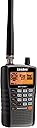
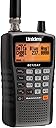
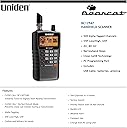
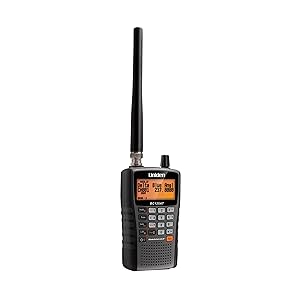
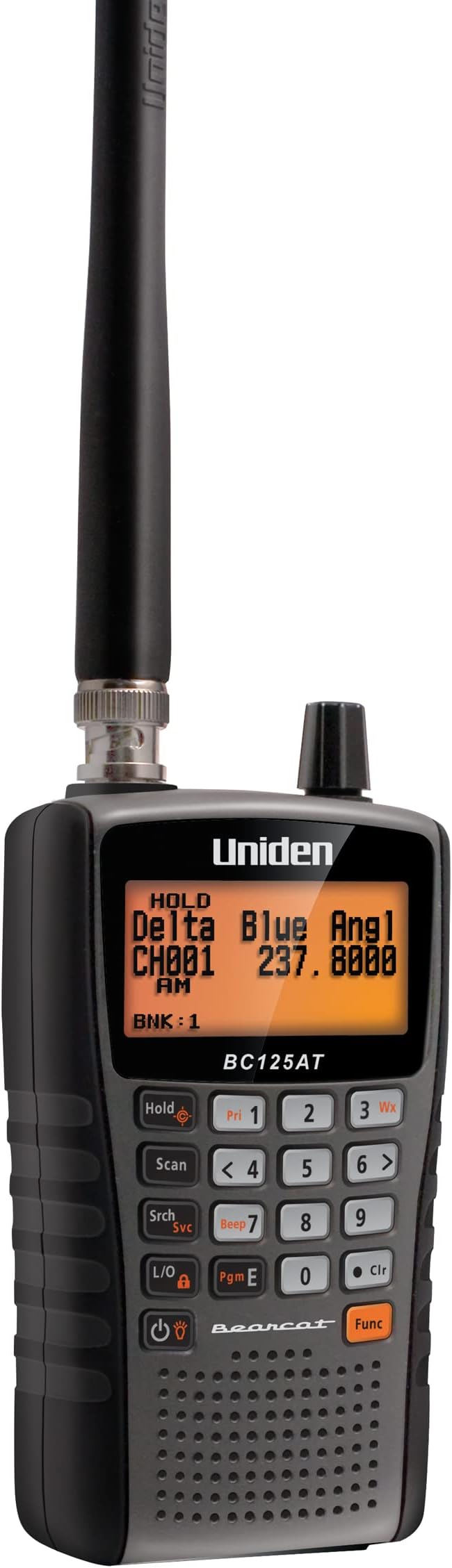
The Uniden Bearcat BC125AT is a high-performance handheld radio scanner featuring 500 alpha-tagged channels, Close Call RF capture technology for instant signal detection, and a compact, portable design with a 10-hour battery life. It supports a wide frequency range across aviation, marine, railroad, and emergency services bands, with pre-set channels for quick access. PC programmability and an easy-to-read backlit display make it ideal for professionals who demand reliable, on-the-move monitoring of non-digital radio transmissions.


| ASIN | B00772MR0K |
| Additional Features | Digital Display |
| Battery Average Life | 10 hours |
| Best Sellers Rank | #2 in Radio Scanners |
| Brand | Uniden |
| Built-In Media | Civil & Military Aircraft Bands, Free Software Available Online, Uniden Bearcat 500 Channel Alpha Numeric Hand Held Radio Scanner, Usb Cable |
| Color | Multicolor |
| Compatible Devices | Personal Computer |
| Customer Reviews | 4.0 out of 5 stars 9,661 Reviews |
| Frequency Range | 25-54 MHz, 108-174 MHz, 225-380 MHz, 400-512 MHz (UHF) |
| Global Trade Identification Number | 00050633650639 |
| Item Dimensions D x W x H | 2.17"D x 4.33"W x 7.28"H |
| Item Type Name | Scanner |
| Item Weight | 14.4 ounces |
| Manufacturer | Uniden |
| Mfr Part Number | BC125AT |
| Model Number | BC125AT |
| Number of Batteries | 2 AA batteries required. (included) |
| Number of Channels | 500 |
| Special Feature | Digital Display |
| Talking Range Maximum | 50 kilometer |
| Tuner Type | UHF |
| UPC | 050633650639 650415524259 |
| Unit Count | 1 Count |
| Voltage | 3 volts |
| Warranty Description | 1 Year Liminted |
| Water Resistance Level | Not Water Resistant |
| Waterproof Rating | IP67 |
C**L
Absolute bargain for an analog scanner.
Have been messing with scanners for 50 years. Watch some of the YT videos on it from seasoned scanner users on the BC125AT. The best scanner for aviation and railfans. In the county i live in, police have switched over to digital P25 which no analog scanner will receive (although I have BCD996P2 and a HomePatrol-II digital scanners for that), but this receives fire/rescue perfectly. Alphanumeric. WORKS WITH PROSCAN!!! The BC125AT is a bargain. Buy it. I'm thinking of buying a 2nd one for backup if mine ever fails. RadioReference for programming makes it easy. I wish Uniden made a SMALL mobile (for vehicle) scanner with the guts from the BC125AT in it.
K**H
Great scanner for the money. You need to have patience, but worth it!
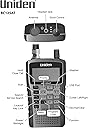
My husband goes to local car races and wanted to be able to listen, well this fits the bill! You do need to READ the manual to understand how to program and use it, be patient because it's worth it. It may look confusing at first but once you understand the different buttons and their purpose he was able to program. If you are looking to turn it and and have it working in minutes then this is not for you. As far as range I can't speak to that as he uses it at the race track, but the connection was flawless and crystal clear. He was able to pre-program the frequency and save it for the different tracks he goes to. It does come with 2 AA 2300mAh NI-MH rechargeable batteries. It does have the charging cable too. It is clearly displayed when it charging and when it's done charging. He was also set up the weather alert so we have another way to be notified of storms. He then got HAM radio on the band. He feel this is a quality unit. Attached a Pic of the different bands you can search. Looking forward to exploring more with this scanner
C**B
Great for weather band updates camping to local aviation traffic!
Great little scanner for a great price. I love listening to local airplane traffic and it does a good job picking up the aircraft! Also works perfect for picking up weather bands when camping out of cell service, has helped me out multiple times already for weather calls while out of cell service. Ease of use, well it isn’t the most user friendly at first for programming but it becomes easier the more you use it.
T**E
Nice unit; limited support
I like this scanner (the BC125AT) better than the SR30 because it has Alpha tagging (that is, readable labels displayed for each channel, in addition to the frequency assigned to the channel). Otherwise, this scanner is very similar to the SR30. I like that it is compact and lightweight, and easy to read when set so that the display backlight comes on automatically when a channel activates (and turns off when the channel clears). Although it is quite cumbersome and time-consuming to program these units manually, the available (free) programming software makes it a breeze to create one or more channel files, and download whichever configuration is desired. Also, the configuration currently stored in the scanner can be uploaded to the software, where it can be edited and/or saved as desired for backup and/or to update the current configuration. It's even POSSIBLE to create a program file for the SR30 using a file for the BC125AT or vice-versa but because the two units have different file formats, it's necessary to "work" the files to make them cross-compatible (unless Bearcat has now created a file converter app, or you write your own converter). In any case, this file conversion was useful for me so that I could "easily" program my SR30 to have the same configuration as my BC125AT - or vice-versa - by creating a template file - or by uploading the configuration from one scanner - and then re-formatting its data to produce a file for the other model scanner. (Of course, any Alpha Tagging (labels) had to be added manually for the BC125AT's version). And, of course, the model-appropriate configuration files can be used to program more than one scanner of the same model to have the same configuration, if desired. As for features, the BC125AT is similar to the SR30, although it seems to scan more slowly than the SR30. I like most aspects of both models, but there are a few things about both that annoy me: - The units cannot scan while recharging the installed batteries. (However, the units CAN scan while connected to external power but the batteries won't be recharged while the unit is on - inconvenient!). - The channel lock-out "mechanism" is cumbersome to activate unless the channel is currently active. - Certain other keyboard operations seem more difficult than they need to be. - The multi-function knob makes it difficult to adjust the volume and particularly the squelch functions. - It is like pulling teeth to find out details of how some of the features are used and/or how they are intended to work, because apparently, they are not fully documented anywhere - and even the support folks don't know how some things work. - To my knowledge, there is no mobile installation kit to allow the scanner to be operated in a vehicle and then easily removed for temporary hand-held use. - There is no compatible (32-ohm) external speaker offered for use with these scanners. Despite the annoyances, these scanners otherwise function well.
J**K
I would rate this 5 stars except for one very serious problem...
My Uniden BC125AT now reads "SCAN MODE ALL LOCKED!" when I turn it on after just one day of pretty decent reception of my local railroads. When pressing the Hold button twice, it then reads "ALL CHANNELS LOCKED OUT!". The owners manual makes no reference to this particular set of problems. I have erased all programmed channels hoping that this would clear it up but it did not fix it. I have a number of frequencies ready to load into it from my PC, but when I attempt to use the "write to scanner" function I get an error, which I presume is related to this problem. The error reads as follows: "See the end of this message for details on invoking just-in-time (JIT) debugging instead of this dialog box. ************** Exception Text ************** System.Configuration.ConfigurationErrorsException: Configuration system failed to initialize ---> System.Configuration.ConfigurationErrorsException: Unrecognized configuration section system.serviceModel. (c:\WINDOWS\Microsoft.NET\Framework\v2.0.50727\Config\machine.config line 134) at System.Configuration.ConfigurationSchemaErrors.ThrowIfErrors(Boolean ignoreLocal) at System.Configuration.BaseConfigurationRecord.ThrowIfParseErrors(ConfigurationSchemaErrors schemaErrors) at System.Configuration.BaseConfigurationRecord.ThrowIfInitErrors() at System.Configuration.ClientConfigurationSystem.EnsureInit(String configKey) --- End of inner exception stack trace --- at System.Configuration.ConfigurationManager.PrepareConfigSystem() at System.Configuration.ConfigurationManager.RefreshSection(String sectionName) at System.Configuration.ClientSettingsStore.ReadSettings(String sectionName, Boolean isUserScoped) at System.Configuration.LocalFileSettingsProvider.GetPropertyValues(SettingsContext context, SettingsPropertyCollection properties) at System.Configuration.SettingsBase.GetPropertiesFromProvider(SettingsProvider provider) at System.Configuration.SettingsBase.GetPropertyValueByName(String propertyName) at System.Configuration.SettingsBase.get_Item(String propertyName) at System.Configuration.ApplicationSettingsBase.GetPropertyValue(String propertyName) at System.Configuration.ApplicationSettingsBase.get_Item(String propertyName) at BC125AT_SS.Properties.Settings.get_ComPort() at BC125AT_SS.Main.writeToScannerToolStripMenuItem_Click(Object sender, EventArgs e) at System.Windows.Forms.ToolStripItem.RaiseEvent(Object key, EventArgs e) at System.Windows.Forms.ToolStripButton.OnClick(EventArgs e) at System.Windows.Forms.ToolStripItem.HandleClick(EventArgs e) at System.Windows.Forms.ToolStripItem.HandleMouseUp(MouseEventArgs e) at System.Windows.Forms.ToolStripItem.FireEventInteractive(EventArgs e, ToolStripItemEventType met) at System.Windows.Forms.ToolStripItem.FireEvent(EventArgs e, ToolStripItemEventType met) at System.Windows.Forms.ToolStrip.OnMouseUp(MouseEventArgs mea) at System.Windows.Forms.Control.WmMouseUp(Message& m, MouseButtons button, Int32 clicks) at System.Windows.Forms.Control.WndProc(Message& m) at System.Windows.Forms.ScrollableControl.WndProc(Message& m) at System.Windows.Forms.ToolStrip.WndProc(Message& m) at System.Windows.Forms.Control.ControlNativeWindow.OnMessage(Message& m) at System.Windows.Forms.Control.ControlNativeWindow.WndProc(Message& m) at System.Windows.Forms.NativeWindow.Callback(IntPtr hWnd, Int32 msg, IntPtr wparam, IntPtr lparam) ************** Loaded Assemblies ************** mscorlib Assembly Version: 2.0.0.0 Win32 Version: 2.0.50727.3649 (GDR.050727-3600) CodeBase: file:///c:/WINDOWS/Microsoft.NET/Framework/v2.0.50727/mscorlib.dll ---------------------------------------- BC125AT_SS Assembly Version: 1.0.0.0 Win32 Version: 1.1.0.0 CodeBase: file:///C:/Program%20Files/Uniden/BC125AT_SS/BC125AT_SS.exe ---------------------------------------- System.Windows.Forms Assembly Version: 2.0.0.0 Win32 Version: 2.0.50727.3645 (GDR.050727-3600) CodeBase: file:///C:/WINDOWS/assembly/GAC_MSIL/System.Windows.Forms/2.0.0.0__b77a5c561934e089/System.Windows.Forms.dll ---------------------------------------- System Assembly Version: 2.0.0.0 Win32 Version: 2.0.50727.3644 (GDR.050727-3600) CodeBase: file:///C:/WINDOWS/assembly/GAC_MSIL/System/2.0.0.0__b77a5c561934e089/System.dll ---------------------------------------- System.Drawing Assembly Version: 2.0.0.0 Win32 Version: 2.0.50727.3644 (GDR.050727-3600) CodeBase: file:///C:/WINDOWS/assembly/GAC_MSIL/System.Drawing/2.0.0.0__b03f5f7f11d50a3a/System.Drawing.dll ---------------------------------------- System.Configuration Assembly Version: 2.0.0.0 Win32 Version: 2.0.50727.3654 (GDR.050727-3600) CodeBase: file:///C:/WINDOWS/assembly/GAC_MSIL/System.Configuration/2.0.0.0__b03f5f7f11d50a3a/System.Configuration.dll ---------------------------------------- System.Xml Assembly Version: 2.0.0.0 Win32 Version: 2.0.50727.3654 (GDR.050727-3600) CodeBase: file:///C:/WINDOWS/assembly/GAC_MSIL/System.Xml/2.0.0.0__b77a5c561934e089/System.Xml.dll ---------------------------------------- ************** JIT Debugging ************** To enable just-in-time (JIT) debugging, the .config file for this application or computer (machine.config) must have the jitDebugging value set in the system.windows.forms section. The application must also be compiled with debugging enabled. For example: <configuration> <system.windows.forms jitDebugging="true" > </configuration> When JIT debugging is enabled, any unhandled exception will be sent to the JIT debugger registered on the computer rather than be handled by this dialog box." My expensive radio scanner is currently useless to me. There is no customer support available.
C**F
This thing works and finds signals without much effort, but isn't as useful as I had hoped.
I am disappointed with this purchase mainly due to the cost of it. It does work pretty well. Most reviewers of this device that gave it 1 star spoke of problems they had with the device and most of their problems was a result of not reading the user manual. Such as the "All Channels Locked Out!" warning that came up on one user. Scanning channels requires you to first save a frequency on the device then it will scan saved frequencies. There is a "Search" button that will search every individual frequency right out the box. Super easy to use and much faster at scanning than my Baofeng F8HP is. You can even choose if you only want certain bands scanned or all of them if you want to. If you hit "Function then Search" it will do a service search which means it will scan known police, fire/ems, Civ air, military air, ham only bands, and even walkie talkie and CB radio frequencies. FRS/MURS/GMRS. I was able to find a nearby construction site while scanning the FRS bank. It was the 2 people that have hold the Stop and Slow signs to direct traffic. I drove past them to test the Close Call feature and it couldn't pick up their signal as I drove past them while they were visibly talking on the walkie talkie. If I just scan FRS frequencies it will find it very quickly, but the Close Call doesn't find it so fast it needs a much stronger signal to find it. The nice thing about this scanner is it also tells you any tones it detects. So if a walkie talkie is on Channel 2 and Sub-channel 1 it would show a tone of 67Hz. Nifty for repeaters too. The Close Call feature was not as good as I hoped it would be. It hardly picked up any signal. It must be a very close range option. I was hoping it would scan and find any frequency that you can listen to. I could scan frequencies and find various conversations, but with Close Call it would only find really really close signals or a lot of interfering strong signals. Close call was one of the main reasons I bought this. I never bothered programming channels into it, but I know it would be tedious. It could be useful depending on what your needs are, but for me as just a hobbyist it isn't worth it. I compared it's receiving ability side by side with my Baofeng F8HP and my Baofeng could hear a handful more signals than the Uniden could. this tells me the Uniden is probably scanning over frequencies without seeing a signal. It probably isn't the device itself, but likely just the antenna. I'm sure with a good antenna like maybe a discone antenna would help you find a lot more signals. I tried searching HF signals with this device and I could not find one. I live 30 minutes south of Salt Lake City and the Salt Lake Valley here has around 2 million people so I would assume there should be some HF signals out here. This device is probably a lot more useful in bigger cities like Chicago or New York. I did find a conversation on every other band including civilian and military air. t wish the features of this device could be built into a HAM radio without increasing its size. This thing is kind of chunky its much bigger than most HAM handhelds are, so isn't super convenient to carry, but I really don't see anything better an smaller on the market. I thought it would be nice in the backcountry to find signals in case you needed to contact someone to relay for help. It still might be nice for that, but I don't know for sure. I did however find a better stationary scanning option recently called Software Defined Radio (SDR) Here on amazon there is a USB device called the RTL-SDR for $17. It turns your computer into a radio receiver. It lets software do the work of analyzing vs the bulky and expensive hardware would you have to buy otherwise. It doesn't come with an antenna. It needs an SMA Female antenna to work with it. My dad's rubber duckie ICOM antenna worked fine. I got the device set up from their website "Quick Start Guide" in less than 10 minutes and I was able to visually see radio frequencies and signals. It was super easy to tune to any frequency I wanted and easy to see where the spikes were on the software it was either interference or a signal. I quickly found a lot of HAM, Police, and Fire conversations as well as local FM radio. You need the right antenna to listen to HF frequencies though which I plan on getting since this device was so cheap and easy to use. I could listen to anything from 87Mhz-900Mhz with this USB device so far. It is capable of listening up to 18Ghz. Of course nothing really goes up that high, but you can even analyze wifi signals with it. Lots of fun! For a hobbyist that is definitely the more fun and affordable option. If you needed to make it portable then just get a small laptop for it.
E**S
Excellent Starter Scanner
As a lifelong rail fan, I am always looking for ways to improve my rail fan experience. One thing that I thought would advance my experience trackside was a scanner, which would allow me to listen to railroad operations in real time. When deciding on a scanner, I chose the Uniden Bearcat BC125AT because it was within my price range and had a good amount of useful features. I use my scanner almost exclusively to listen to railroad activity, but there are many other uses for the BC125AT. A scanner can be used to receive many different bands and activities; therefore, this product would be ideal for someone who is interested in listening to a variety of radio transmissions. The BC125AT is particularly good for those who are interested in storing their commonly used frequencies and taking their scanner into the field. Many Ways To Listen The BC125AT offers many different options to scan and listen to your desired channels and frequencies. There are nine channel banks with 50 presets each, which means you have the ability to store 450 channels in the scanner’s memory for later use. The BC125AT also comes with Uniden Bearcat programming software, which allows each channel to have an alpha tag or name so memorization of channels is not necessary. You are able to scan your saved channels to check for activity or scan all frequencies. Scanning all frequencies can be done by bank (in order of frequency) or by service. The BC125AT includes Police, Fire, HAM, Marine, Railroad, Civil Air, Military Air, CB, RRS/GMRS/MURS, and Racing frequencies, organized into banks. The BC125AT allows you to turn each bank of frequencies on and off individually, allowing for a very narrow scan if needed. I have found this very helpful, as I can scan only railroad frequencies when I am in unfamiliar territory. The only downside is that one knob controls almost all of the scrolling features, as well as the volume. This sometimes makes it difficult to adjust the volume or proper channel. The BC125AT also comes with a separate NOAA weather radio scanner and can be programmed to turn on in an emergency. Excellent Range For Size The range of the BC125AT is very good for the size of the antenna. Like most scanners, its range depends upon the strength of the output signal. In my current location with my scanner on the railroad frequency, I can listen to transmissions coming from locomotives about a mile away in either direction. I can always hear the dispatcher, due to repeaters along the tracks and a stronger signal. However, I have been able to receive spotty railroad transmissions from about 30 miles away in other locations, and I can receive a very strong signal from a police department in a county at least 30 miles away. Given the BC125AT’s size and large range of channels, the range is excellent and better than I expected. The range of the NOAA weather radio scanner is excellent. My previous weather radio only picked up weather in towns or locations that are at very high elevations. The BC125AT picked up a weather station in every single location I have tried it in, including some very remote canyons. Be Ready To Take Your Scanner Anywhere You Want The BC125AT is a very portable scanner. I have no problem taking it trackside or anywhere else. It is already a very small scanner, but the secret to its success is its detachable antenna. Once the antenna is detached, the size is comparable to that of a digital camera. The BC125AT can easily fit in any standard-sized pocket, and I routinely put my scanner in my pants pocket while riding the bus or shopping. The BC125AT fits comfortably in your hand or on your belt. It also comes with a headphone port, so it is possible to listen to your scanner in public areas without others knowing. Overall, the BC125AT is a great starter scanner for anyone who is interested in listening to radio traffic, whether that is railroad, police, HAM, or something else. It is an excellent portable scanner with ample range and options to make your scanning experience more enjoyable. Please reply to this review if you have questions about my experience with the BC125AT.
S**S
It was recommended for a reason!
Bought primarily for railfanning and is a sturdy little bugger. There is a learning curve to the controls but once you get the hang of it it’s pretty straightforward. Reception seems good. Rechargeable batteries are good, there’s a USB-A charger that came with it (and you can use it while it’s charging) or you can pop em out and use your own AA batteries. If using it as a scanner, the batteries don’t last as long but if you’re only tuning in to 1 thing at a time I’ve gone several days without needing to charge it.
M**Z
Muy bueno!
Excelente scanner, a pesar de ya tener sus años, sigue captando señales analógicas, muy fácil de usar y programar. La funcionalidad Close Call es super buena. Si quieres mejorar su recepción significativamente cuando lo llevas en mano y quieres pasar desapercibido una antena Diamond RHF10 es un excelente upgrade para bandas de 2m y 70cm.
P**A
scanner uniden
vendedor ótimo, produto excelente...
W**L
Great Quality + Performance
Great quality and works perfect. Easily programable with free computer software online. Works well with provided antenna, however, if you’re looking for longer range. Recommend an external antenna connection.
雷**雷
割りと感度は良いような
日本語説明書が無いですが日本製の似たような品物を使った事が有れば弄ってれば割りと使い方は判ります(YouTube等の動画もありますし) 米国から出荷だったので時間は掛かりますが配達期限までには届くので問題無しでした 梱包は海外からにしては簡素かな
J**Z
Buen producto
Pro: - Costo - Incluye baterías recargables AA - Diseño - Peso Contra: - No tiene manual en español - la versión de software es del año 2012 (pero es funcional) - Para recargar las baterías es, a través, de equipo - Muchos botones multifunciones (pero es para ahorrar espacio) Conclusión: si lo recomiendo, pero deberán de ver muchos videos de su manejo o pasar algún tiempo traduciendo el manual
Trustpilot
3 weeks ago
2 weeks ago