Desertcart purchases this item on your behalf and handles shipping, customs, and support to Tunisia.
🎨 Elevate your art game—where precision meets portability!
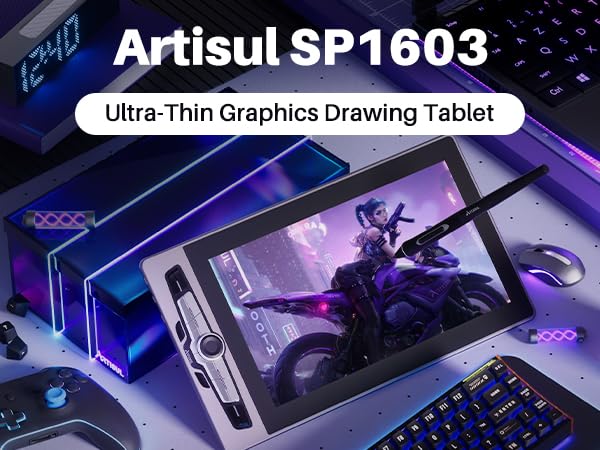
The Artisul M0610Pro is a professional-grade drawing tablet featuring a large 10x6.25 inch active area, 8192 levels of pen pressure sensitivity with tilt support, and an ultra-responsive 300PPS report rate. Its slim 9mm profile and USB-C connectivity make it highly portable and easy to set up. Equipped with 7 customizable hotkeys and a dial controller, it streamlines your workflow across Windows, macOS, and Android platforms. Perfect for artists, students, and professionals seeking a versatile, battery-free pen tablet compatible with top creative software.


| Active Surface Area | 10 inches x 6.25 inches |
| Additional Features | Dail Controller, 60° Tilt Support, 7 Shortcut Keys, Report Rate 300PPS |
| Asin | B07Z1JMQRR |
| Best Sellers Rank | #189 in Computer Graphics Tablets |
| Brand | Artisul |
| Built In Media | Artisul M0610PRO Graphic Tablet P58B battery-free pen Pen bag Pen nib clip Pen nib x10 OTG adapter x2 Glove USB cable Quick start guide |
| Color | Black |
| Compatible Devices | Windows 7/8/8.1/10/11 or later, Mac OS 10.12 or later, Android 6.0 or later |
| Connectivity Technology | USB |
| Customer Reviews | 4.3 4.3 out of 5 stars (1,280) 4.3 out of 5 stars |
| Display Type | LCD |
| Item Dimensions L X W | 13.78"L x 8.19"W |
| Item Type Name | Drawing Tablet |
| Item Weight | 1.3 pounds |
| Manufacturer | Artisul |
| Mfr Part Number | Artisul M0610 PRO |
| Model Name | M0610 Pro |
| Model Number | M0610Pro |
| Native Resolution | 1920x1080 |
| Number Of Items | 1 |
| Operating System | Windows 7/8/8.1/10 or later, Mac OS 10.12 or later, Android 6.0 or later |
| Pressure Sensitivity | 8192 levels |
| Screen Size | 12 inches |
| Specific Uses For Product | Drawing, 3D Modelling, Animation, Designing, E-Signature, Editing, Online Education, Painting, Remote Work, Teaching, Writing, etc |
| Target Audience | Creators, artists, illustrator, Student, Teacher, ... |
User
Love my first graphics tablet!
I have wanted a graphics tablet for over 10 years and I got this one from my mom for Christmas. I plugged it into my pc briefly and it worked great with photoshop and no driver issues but my workspace isn't big enough at the moment to use it comfortably. So I decided to try and use it with my old nextbook running lollipop. I installed sketch book by artdeco plugged everything in enabled the pen input and everything worked wonderfully! I am completely new to using a graphics tablet so there's a lot I need to experiment with and learn but as a first use it was great! Comfortable to use, easy to use and adjust different things. This will be a great tool for me to work on my art skills and I'm looking to that :-)
User
Best Beginner Drawing Tablet
As an absolute beginner with no prior knowledge of drawing tablets or programs, this has made it very easy to begin creating digital art/videos. The buttons on the side and the pen itself has customizable macros that assist you when drawing. Like I said, I highly recommend reading the manual online to tweak it to your computer settings to help you, overall once again a very good beginner drawing tablet. Also a lot bigger than I expected lol
User
Off to a Good Start...With Qualifiers
I've been doing more and more graphics work, developing and learning to digitize embroidery designs. I've also been curious to work on my digital drawing skills which are, at this point, relatively non-existent. After doing a bit of research and budgeting, I decided to give the Artisul a try.Overall, I'm fairly happy with the purchase. It's relatively easy to install and use, and has shown that it works fine with my embroidery program (Wilcom Hatch). No lag, and it has been easy enough to program the shortcut keys as I discover what functions I need quicker access to. There's a bit of a learning curve, but it's progressing.For drawing, I have tested three different programs: Corel PaintShop 2019, Corel Painter 2020, and Clip Studio Paint (Pro). There was noticeable lag when using PaintShop. Doing research, this appears to be a consistent problem with most tablets in PaintShop, and not just this one. Lag aside, it was a relatively smooth experience, and could probably be dealt with, if that was the program of choice.Corel Painter has been a bit of an odd one. When I first booted up the software, I had difficulty in getting the pressure settings regulated; I had to bear down much harder than is healthy to get anything to show up on screen -- it didn't matter how I fine tuned the settings. Unable to get it sorted with some additional troubleshooting, I uninstalled and reinstalled the driver. That seemed to fix the issue. Now, however, I will get random straight lines that sweep down from the cursor. Research shows me that this was an issue at one point with Wacom, and one that was remedied in a driver update. The Artisul update earlier this year apparently fixed a lot of problems. I hope this may be one for the next update.So far, the smoothest experience has been with Clip Studio Paint (Pro). No issues with lagging or pressure; no random lines, or anything else. Just... smooth as silk and easy to work with.Thus, relatively happy with the purchase and results. For my embroidery, it does exactly what I wanted it to do. For digital artsing, it's a mixed bag for me. Because I am more accustomed to the Corel products -- and have active licenses for them -- they are my preferred programs, so the issues there are a bit disappointing. Some, I'm sure, can be mitigated a bit, and I'll have to learn my way through them. Others, I'm afraid, are down to driver issues, and I'm not certain how responsive the parent company will be. If, however, you rely on Clip Studio Paint, I'm sure you'd find this an excellent budget solution.
User
For a beginners tablet; this is EXCELLENT
Greetings choom, so I'm not *entirely* new to tablets. I've owned at least one before but I was looking for a better experience for a limited amount of money. It was my birthday; I'm browsing the 'Zon for some new artistic tech piece to make picture editing a snore. I had found some good ones but for the amount of money that was available and the offerings; I'd have to pick what I considered the absolute best per value. The Artisul M01610 Pro was that selection. I won't bore you with the ease of use, the responsiveness, the utility or the cool led lights and dope rotary dial. I won't dull your sensorium with the usual lag about about how accurate it is or the use of batteryless pens being the future; nope none of that here. Instead I'm gonna say that this was a preem purchase of incalculable magnitude (maybe layering it on thick but I'm more than pleased) If you're looking for a USB-C, led, smooth working out the box, works with mobile, tested with gimp, blender and photoshop, with built in autosleep) there are far worse ways to spend you credits; this is not one of those worse things. -Out
User
Great product, great price.
Works very well and was a great value for the money.
User
Drivers still need work
Bought this to replace my previous tablet from a competitor's brand.After installing the proper driver (following the instructions depending on your tablet's serial number) On Windows 10, I only got it to work on Clip Studio.For my other art programs (Photoshop, Krita, Affinity Photo, FireAlpaca) the tablet only worked on half of my monitor, and the cursor squiggled a lot.My previous tablets(XP pen and Huion) were pretty straightforward and working almost out of the box, so unfortunately I will have to put this one in storage until a driver update is released. The dial button and the RGB are pretty cool, though.
User
Novice Drawing, High-skilled Techie
Second Review, After Use:So far, this has been great. Once setup, I was able to experiment with drawing effects, but more importantly, I incorporated the tablet into my work and planning. I had just recently started using erasable Rocketbooks, which are way better than paper, but with this, I can take meeting notes, draw informal architectural diagrams for software, and make lists of To Do's and ideas. Because of this, I might jettison my new Rocketbooks and use my graphic tablet at home, and either my iPad or Rocketbooks when out.If I was a better graphic artist, I could spend the money on something more significant, but at this price, with this level of functioning, this product is fantastic.Initial Review:Initially, I could not get this to work on my iMac. The installation instructions did not match the S/N of my device, and even installing the packages did not do what was necessary to get it to work. At some point, after emailing support, I got some directions that solved everything.I've also attached their video, and while it might be accurate, did not work as expected for meOn a Mac:1 - Go to Mac System Preferences> Security & Privacy> Privacy> Accessibility, make sure the corresponding items "PenTabletDriver" and "TabletDriverAgent" are ticked in these sections.2 - Unplug and plug the USB cable back in and wait for several seconds;3 - Check if you can find Artisul Tablet in the agent.
User
Excelente producto.
Excelente sensación, súper recomendado.
User
初心者でもわかりやすく書ける
使い勝手とコスパがいい
User
Una buena tableta para principiantes
Soy una novata para esto del dibujo digital, así que estuve investigando por un buen tiempo que tableta comprar y descubrí esta. La parte del pedido fue lo único tardado, aunque de ahí en fuera todo fue rápido (el envío terminó llegando antes de lo esperado) y llegó protegido.Trae una guía rápida de instalación tanto para computadora como tableta y celular, así que es importante que las lean si es que perciben un error como que no encienden los LEDS (que es cuando se sabe que está conectada). La instalación muy sencilla y hasta el momento lo he estado usando en mi computadora (con el celular tuve varios fallos de conexión la primera vez que lo use, no he vuelto a usarlo desde entonces, pero ahí después comento mi experiencia), lo he estado usando con FireAlpaca y MediBang y los botones funcionan muy bien; desde la aplicación de Artisul he modificado varios accesos rápidos y todo bien.Lo que he notado con el uso es que obviamente puede llegar a rayarse, me ha pasado que la punta del lápiz tenía un pequeño rasgadito (la verdad no sé cómo decirlo), aunque de todas formas se llega a sentir cuando hay algo en la punta, ya sea con el ruido o con la manera que te puede a llegar a interrumpir en un trazo. Pese a eso, los rayoncitos son muuuuy imperceptibles y bastantes superficiales, que con una limpia con su trapo original queda como nuevo.Si acaso lo que puede causar un poco de molestia y hasta preocupación es la textura y el ruido que llega a provocar a la hora de dibujar, aunque yo como soy dibujante de papel no distingo diferencia.Otro punto que les recomiendo antes de usar la tableta por completo es que se lean el manual de usuario que hay en la página donde se descargan el controlador, hasta hoy me enteré que podía cambiar el color estacionario y subir/bajar el brillo con los puros botones, lmao.Definitivamente recomendado (especialmente si tiene descuentos de 40~55%)
User
in this price with all the accessories its great to have this.
Everything is perfect, The packaging was nice, the main pen tablet board is perfect ( Vibes of the artist ), and the pen tab is nice, but seems a bit, not a proper circular motion of detail ( not noticeable while working ), but the rest is perfect. the wire is not barbered but works perfectly, the Pentab key works light insane thing, Dail is mechanical btw, and you can feel the rotation its so satisfying and the case for the pen, and other accessories is feel bit cheap but good to have this, I didn't use this on mobile until so no idea about OTG and connection, but Overall its insane product.
User
Great Product!
The product works great out of the box!!Great build quality! and looking forward to create great pieces!Thank you Artisul!
User
جميل
حلو لكن انا ما حبيته وخصوصا اني مو رسامه حبيت اتعلم وفشلت او كانت هبة براسي الصراحة بالدرج اتمنى احد قريب مني اعطيه اياه بلاش
Trustpilot
1 week ago
4 days ago