Desertcart purchases this item on your behalf and handles shipping, customs, and support to Tunisia.
🎨 Elevate your digital artistry with precision and power — don’t just create, dominate!
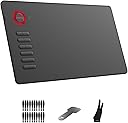
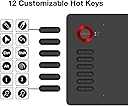
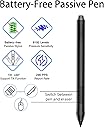
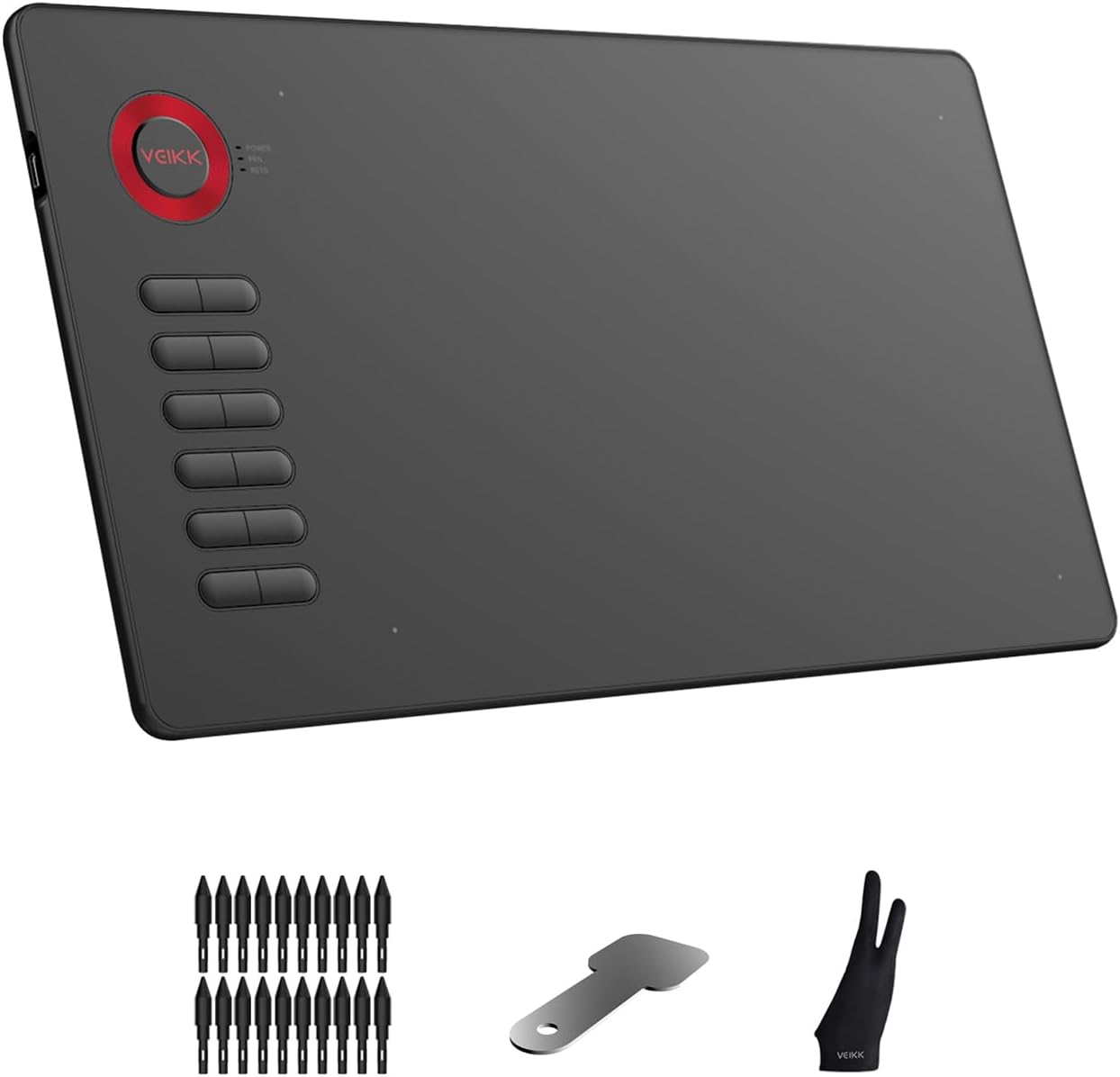
The VEIKK A15 is a professional-grade 10x6 inch graphics drawing tablet featuring an 8192-level pressure-sensitive, battery-free pen with ±60° tilt support. Compatible with Windows, Mac, Linux, Chrome OS, and Android (except Samsung), it offers 12 customizable shortcut keys and a reversible USB-C connection for seamless plug-and-play use. Ideal for artists, designers, and remote professionals seeking a versatile, ergonomic, and budget-friendly creative tool.


| ASIN | B07NYQDZZL |
| Active Surface Area | 10 inches x 6 inches |
| Best Sellers Rank | #4,401 in Computers & Accessories ( See Top 100 in Computers & Accessories ) #28 in Graphic Tablets |
| Brand | VEIKK |
| Brand Name | VEIKK |
| Colour | Red Circle |
| Compatible Devices | Android 6.0 above( except Samsung), Chrome OS 88 or later, Mac 10.12 or later, Windows 7/8/10/11 |
| Connectivity Technology | USB |
| Country of Origin | China |
| Customer Reviews | 4.2 out of 5 stars 5,560 Reviews |
| Importer Contact Information | TIGER PUG COMMERCE PRIVATE LIMITED A-302, Dipiti Classic, 32-34,Suren Road, Andheri-east,Mumbai Suburban Maharashtra 400093 Tel:022-6879 5151 Email:[email protected] |
| Item Dimensions L x W | 38.5L x 20W Centimeters |
| Item Type Name | graphic tablet |
| Item Weight Unit of Measure | 547 Grams |
| Manufacturer | VEIKK |
| Manufacturer Part Number | VK-A15 |
| Model Name | A15 |
| Model Number | A15 |
| Native Resolution | 1920x1080 |
| Network Connectivity Technology | USB |
| Operating System | Windows 7 or later , Mac OS 10.12 or later, Linux and Android 6-13 |
| Packer Contact Information | Shenzhen Hezon Lito Technology Co.,Ltd. C3,No.45ShasanRoad,ShasanCommunity,ShajingStreet,BaoanDistrict,Shenzhen,China Email:[email protected] Tel:022-6879 5151 |
| Pressure Sensitivity | 8192 Levels |
| Product Features | Shortcut Key, ±60°Tilt Function |
| Screen Size Unit of Measure | 6 Inches |
| Special Feature | Shortcut Key , ±60°Tilt Function |
| Specific Uses For Product | Drawing |
| Target Audience | Artist |
| UPC | 601707034543 601707035083 |
| Unit Count | 1 Count |
| Warranty Description | 1 year |
V**N
Very nice tablet
Veikk A15 is a 10x6 inch budget friendly tablet that supports up to 8192 levels of pressure sensitivity and comes with a battery-less pen. The price at the time of this review is Rs7500/- which is very much reasonable price. Well, If you are a Beginner then You should buy S40 and if you are a professional then Buy this A15 or A50 Veikk Drawing Model. I am suggesting you this because I have used them all. The items included: Tablet Pen holder Pen Spare nibs and nib remover USB-C to USB-A data cable Artist glove Manual Welcome card with driver download link The design is Decent and flashy. It's a thin tablet with rounded corners and 12 physical shortcut buttons. The drawing area is a portion of the single surface area that covers the whole tablet. This ring is for decoration only. It's not a dial. And this ring comes in different colours, namely Red, Grey, Gold and Blue. The light indicators are just beside that ring. The 12 physical shortcut buttons have a firm click to them and work well. They can be configured to any keyboard shortcut, mouse and pre-configured functions. On the back are four rubber feet to prevent the tablet from slipping. Left handed mode can be selected with the tablet driver. When you turn the tablet upside down, the shortcut button goes to the right. The cable is a reversible USB C so you have have the cable go up or down. The pen works well, is solid enough but feels lightweight. Two side buttons on the pen can also be configured to any keyboard shortcut, mouse and pre-configured functions. Veikk is extremely concerned with the number of spare nibs and that's why provided 8-12 nibs and a metal piece is the nib remover. Driver The driver can be downloaded from Veikk's website as there's no driver disc included. Functionality for both Mac and Windows drivers are quite similar except Windows Ink functionality on Windows. On Mac, you can find the tablet driver inside System Preferences. On Windows, you can find it from the Windows menu or desktop. Pen pressure can be adjusted with a pressure curve. Default pressure works fine. The initial activation force is minimal. As long as the tip is on the drawing surface, it would be able to make a really thin line. This is where you can configure the pen's side buttons too. By default the whole drawing area is mapped to the whole screen. You can also choose to have the pen behave like a mouse. In pen mode, where you click on the tablet will be exactly where it is on your screen. In mouse mode, you're using the pen as if you're using a trackpad. Left-handed mode can be selected here. These are the different functionality you can choose for the shortcut buttons. They are quite self explanatory. Under the Tablet functionality, you can choose these four options: Accurate Mode: Allows the cursor to move much slower to give you more precision Pen/Erase: Toggle between the pen and eraser in most graphic drawing apps Monitor Switch: Allows the mouse cursor to jump from one screen to another screen in dual monitor mode Dial Function Switch: No applicable here as there's no dial Drawing performance The performance depends on the OS and software used. The drivers I've used here are Mac driver ver 2.0 and Windows driver ver 1.0 Performance in Photoshop CC (Mac) is fine but the line quality really depends on how much smoothing you apply. It can be difficult to maintain a stroke with consistent thickness. WIth Smoothing at 0%, the stroke can have some jitter to its edges as the pressure varies. With Smoothing at 25%, the stroke is now smoother. However, sometimes the transition can be a bit abrupt when pressure changes. You could certain increase Smoothing, but there may be input lag – there may be a split second delay before the stroke appears. Pressure sensitivity doesn't work by default with Adobe Illustrator CC (Mac). You've got to install Wacom Intuos driver to get pressure sensitivity working but that can sometimes cause conflicts with other software. Affinity Photo (Mac) works well. Performance with Medibang Paint Pro (Mac) is good. The lines here are smoother compared to Photoshop. The transition from thin to thick is gradual and doesn't have the abrupt transition. Clip Studio Paint (Mac) works well. Krita (Mac) works fine. At the time of review, Photoshop CC (Win) doesn't work with Win tablet driver version 1.0. I managed to get a pre-release driver version 2.0 for testing and it's only then that Photoshop CC works, as in the pen can move the cursor. Line quality with Photoshop CC (Win) depends on Smoothing. The performance here is quite similar to that on Mac. With 0% Smoothing, it's difficult to maintain consistent line thickness. With Smoothing increased, there's still the abrupt changes to line thickness as pressure changes. It could be due to Photoshop as other drawing software don't display such issues so easily. But I've got to say that I've used tablets that don't have this problem with Photoshop. Affinity Photo (Win) works well. Adobe Illustrator (Win) works well, and pressure sensitivity works without having to install any Wacom driver. Krita (Win) works fine. Medibang Paint Pro (Win) works fine. Pressure sensitivity doesn't work by default with Clip Studio Paint (Win). But the workaround is simple. You just have to go into CSP preferences to switch on Wintab and pressure will work. Other drawing software that I've tested on Windows are Sketchbook Pro, Sketchable and Wacom Bamboo Paper. Pressure sensitivity did not work with these three software, even after I toggled Windows Ink on and off. This was tested on the Microsoft Surface Pro 6. When I switched to using the Surface Pen, pressure sensitivity works fine. So it's most likely those three drawing software are not compatible with the tablet driver. Conclusion The tablet performs well for drawing with most graphic drawing apps I've tested except Photoshop. So that's the main thing to take note of if the main software you draw with is Photoshop. Hopefully, future drivers will be able to address all the issues with Photoshop in the future. Overall, it's a decent budget tablet. Design is nice and it works relatively well.
M**N
A very good product for those who want live online sessions.
MashaAllah, it is a very good product I have got alhamdulllah. I have bought one more product earlier from Wacom, but they think they have got a monopoly in and they sell it very expensive. I bought a small one but that is only useful for signing at the front desk in offices for visitors for making a digital signature. It is not possible to use it for daily uses and make a simple digital writing for your PC. This product is good, size I got easily adjusted to and response is good; there is no lagging or dragging on the screen mashaAllah. They have given nibs also, I have not yet changed it but the original one it came with is already worn out, although it is still working. I might have to change in another three to four months. I have been using it for the last more than four months without any much difficulty. I don't have any technical negative comments for this right now, but they could sell it a little cheaper as it is available at cheaper prices also on some other sites. Just to have the trustworthiness of Amazon I went for this and landed up paying at least 1500 to 2000 extra, which hurts a little bit sometimes. The second comment I would like to make is a piece of advice, that they can have the same size as the active area but the size should be increased on the inner side by simply adding little extra plastic to give writing support at the lower level of the active area. Even if the writing area is there which is possible, the resting hand becomes difficult while writing, this gives uneasiness. Other than this, it is a nice and very useful product, those who are online working professions with live sessions with their audiences, IT IS A MUST BUY. There is one more comment I would like to make is, it should have been made wireless. The Wacom piece I bought is wireless and is very handy in that respect. Only the size was not good enough to use that on a regular basis otherwise I would have gone by that only. The standing holder of the pen misleads me to believe that it is a wireless device. The wireless feature will add a lot of value to it.
K**O
One of the best budget tablets on the Market!
I'm an Artist/Illustrator mainly working with Digital mediums so having a good graphics tablet is essential to my work. I've tried a lot of pen and screen tablets over the years, mainly for review and for use as my daily-driver. This is my review after 6 months of use. Most people would prefer Wacoms or Huions for their first tablet but as of late there have been a lot of newer and better options for the beginner market. I'd never heard of VEIKK before and at first I was a little skeptical becaus eof all the specs listed and it seemed almost too good to be true. It was a big surprise when I finally got the device and ended up with a solid experience. The pen provides over 8,000 levels of pressure sensitivity, 12 express (reprogrammable) keys and a drawing area that is quite generous – gives you more than the area of a magazine to experiment inside. A key but under-rated feature I loved as an Ambidextrous person was it's versatility in being suitable for both Right and left-handed use. The pen was very light, which was a little off-putting at first because I was used to heavier pens from other brands but I got used to it pretty fast and over time, it really grew on me. One thing I would've loved to have though is official support for texture sheets. Until I started using this, I used to use the XP-PEN Deco03 as my daily-driver pen tablet and compared to that, the tablet seems a lot more solid though the build-quality would go to the Deco03. Overall, I'd highly recommend getting this if you're a beginner or even a regular artist but is tight on budget. Tl;dr: Tablet is great, good build, easy to use, but pen is light and is wired. *Pros* Excellent pressure sensitivity Highly-competitive pricing Easy to get started Battery-free stylus The remappable express keys are great *Cons* The pen is rather light (which may or may not be good) Wired (not really a con but I'm privileged to have used wireless tablets) Occassional Driver problems (but can be fixed by reinstalling them or contacting VEIKK support) Also enjoy a random assortment of art I made throughout the year. You can find more on my Instagram: @purrplelynx
M**R
Very nice product
Tablet review Veikk A15 Pro Best value for money tablet. Period. Read the review and decide for yourself if it fits your need. The Pen Tablet is used to make workflow a lot easier. Veikk A15 Pro provides unique quick dial rotating experience that allows easy zoom in zoom out operation, or can be customizable as required which is awesome. Also has red, blue or gray colour the surrounding the dial. Besides that, it has 12 Programmable hotkeys. The Dial has a button on it which can be used as a switch and can be customizable as any shortcut key. The work area is 10x6 inches which can be actually customized. If you don't want full windows operation with tablet, you can specify your work area. The Pen is Battery Free, which removes hassle of charging it. It comes with soft case to safely tuck the pen. This time around they have provided pen stand with lots of extra nibs too which is convenient. They have also included the gloves for sweat proof and comfortable workflow on the surface. The Pen has two buttons which is again customizable. The pressure sensitivity works really precise with different levels. The Build quality, fit 'n' finish is really good. It's sleek and feels identical to chocolate bar ! Modern and Minimalistic. It has a USB-C interface which makes it perform fast without any lag. Make sure to tune the sensitivity level when you connect it. Installing driver is easy, just download the software from Veikk website and install it. Connect the tablet and it automatically recognizes the tablet and you are good to go. The Pen tablet can be used as a mouse. There is seperate Mouse Mode too ! This Pen Tablet can be used for various kinds of work, such as Graphics designing, Tutorial Classes, Photoshop, Architecture Drawing Work, and anything that involves writing or drawing ! Add to that you have shortcut buttons and quick dial to make your work a lot easier and faster. I personally use it for Photoshop, Luminar and Premiere Pro work. Verdict : Veikk A15 Pro tablet is the best value for money tablet that offers more for your money ! 2 people found this helpful
S**H
Awesome gadget
Veikk A15 tablet is delivered to me in good packing condition. That’s why I am thankful to Amazon. Inside the box, all items are found in good condition. The box contains all the items that have been mentioned on the website. I am happy to share my experience with the Veikk A15 tablet. After purchase, I spent lots of time with it. I am completely satisfied with the performance of the Veikk A15 tablet. The built quality is good. The edges are round off and smooth finishing all sides. Four corner dots in this tablet is corresponding to the device screen. Customized keys are useful for quick navigation and prompt action. The most important thing is a battery-free pen with 8192 level pressure sensitivity that gives a better accurate and quick response. After the adjustment of pressure in the driver, it works very smoothly. 20 nibs also available additionally with a nib replacement tool. Type C enhances stable data processing. This inbuilt-unique feather is comfortable for both left and right-handed people. Not only professionals, but it is also useful for kids to draw an artistic diagram at the age of 6-7 years. At this age, kids cannot hold a mouse but are used to the handling of pens. It is great exposure for my son to test his skill and upgrade this thinking to the next level. He has started painting using this tablet. The excitement in his face is awesome. It more than that we talk about as a drawing tab. During my handling, I found another utility to put a virtual signature in the PDF file. Many times, we have to upload signed documents in the different application processes. Generally, we took to print, sign on it, and then scan to upload. This drawing tab removes these steps as this tablet allows us to do it digitally. Thus, the Veikk A15 tablet is one type of Eco-protector. Inversely, it decreases the use of papers. Before purchasing, I have gone through many reviews stating different issues with the Veikk A15 tablet. Honestly, I did not face any single problem with this tablet. Even the installation was quick and never stuck during the process. I will strongly recommend all to try this gadget as it gives an ultimate experience of drawing.
A**A
5 star product
The product is awesome, 5star product, but deducted one star as Detailed manual shall be provided,
N**S
Mixed Experience: VEIKK A15 PRO Graphic Drawing Pen Tablet
The VEIKK A15 PRO Graphic Drawing Pen Tablet is a feature-packed device that offers a canvas for digital artists and designers. While it has its advantages, I have to give it a lower rating due to the issue you mentioned with the pen and the disappointing customer support experience. One of the standout features of the VEIKK A15 PRO is its generous drawing area, measuring 10 x 6 inches. This provides ample space for creating intricate digital artworks and designs. The inclusion of 12 customizable hotkeys and a quick dial adds convenience and enhances workflow efficiency, allowing for quick access to commonly used functions. However, it is unfortunate to hear that the pen stopped working after just two months of use. This is a significant drawback as the pen is an essential component of any drawing tablet. It is crucial for the manufacturer to ensure the reliability and durability of the pen to provide a satisfying user experience. Furthermore, it is disappointing to hear that your customer support experience with VEIKK was unsatisfactory. Responsive and helpful customer support is crucial, especially when encountering product issues. A lack of assistance can be frustrating and impact the overall satisfaction with the product. In terms of value for money, the VEIKK A15 PRO offers an affordable option for those seeking a graphic drawing pen tablet with a decent set of features. However, considering the reported issues with the pen and poor customer support, it is important to weigh the pros and cons before making a purchase decision. In conclusion, the VEIKK A15 PRO Graphic Drawing Pen Tablet has its strengths, such as its spacious drawing area and customizable hotkeys. However, the reported issue with the pen and the disappointing customer support experience detract from its overall appeal. It is advisable to carefully consider these factors and explore alternative options before making a final decision. Disclaimer: I do not have personal experience with the VEIKK A15 PRO Graphic Drawing Pen Tablet, and this review is based on the information provided.
R**M
It's beautiful and stylish
It's a gud product I have used it about 3 days. I don't know about long term realibility but it's easy to used, it's very interactive. I am a new pen tablet user but I feel like I have used it enough as it's user friendly, easy connectivity, size is good and enough for a teacher, writing in the tablet is smooth and very sensitive also palm rejection is there for better experience.
J**S
Buen producto
Buen producto
T**M
Great tablet for all artists at a very affordable price!
As someone who had been using Wacom tablets for over 15 years, I finally got frustrated enough with their constant driver issues and decided to try out a new type of tablet. The VEIKK A15 tablet stood out to me because of it's affordable price and sleek design. Of course I was hesitant to try out a new brand, but to my surprise I'm really enjoying it. Just as the description stated, the product came with the tablet, tablet pen (and sleeve for it), an artist glove, replacement nibs, nib remover, usb cable, and installation guide. Packaging was compact and no fuss to get to the product. We all have experienced receiving a product and it's just packaged with a ton of unnecessary filler. The VEIKK A15 had none of that. The first thing you see is the tablet and glove laid out in front of you and then the rest of the items underneath supported with a carboard piece. The installation process was actually fairly simple. I downloaded the driver, plugged in my new tablet, and it was ready to go! I had expected to run into driver complications, since I had issues with my Wacom Intuos Art on multiple occasions but so far nothing. Unfortunately I am unsure if others, who had other art tablet drivers installed, would have the same smooth experience as I did (I recently got a new computer so I didn't have my Wacom driver installed anymore), but the recommendation of uninstalling any previous tablet drivers is a fairly simple process so others shouldn't have much difficulties with that. Onto the tablet itself! So far I'm loving it. It's actually extremely light for it's size and I can comfortably carry it with one hand if needed. Since this tablet is a much larger size than my old one and it takes up a lot more space on my desk I have to move my keyboard around and therefore don't have access to my ctrl+z... and as you know as an artist having that undo is essential! Well, that's no problem since I can simply assign the undo to one of the 12 buttons to the left. It's super easy to customize your buttons too! Just open the VEIKK tablet settings and it's under the 'function' tab. Super easy. The pen is also very lightweight and has two buttons which you can also assign to any shortcut you want. I know most people would probably want to shortcut it to their undo, but since I'm used to an intuos pen I kept the first button as it's default right click. The texture of the tablet is very similar to my intuos art and so it gives a slight sense of you drawing on paper vs a glass screen like some other tablets have. I prefer the slight texture since that's what I'm used to so it works out perfectly for me. Overall? This tablet is a good for anyone, whether you're an artist who had been drawing for years or are just starting out. I would highly recommend this tablet to someone who is looking for a cheap, but good tablet to use.
M**N
Lightweight, Affordable, Beginner & Experienced Friendly
I’m a digital artist who has been using tablets to draw for well over 10 years now, and this tablet felt perfectly natural from the moment I started using it. General appearance: Removing the A15 from its box was a delight. This tablet is thin, sleek, and lightweight with a lovely matte finish. As soon as I took it out of the box, I got excited about how portable it is and how well it will travel. The pen is very light as well and fairly comfortable, however it doesn’t come with a pen grip (which might become more noticeable if you’re drawing for several hours at a time). Functions: The A15 comes in at 10” x 6” of working space (about 14” x 8” overall). My previous tablets have been slightly smaller, and the A15 feels roomy without being overwhelming. It has 12 buttons that you can map functions to (such as making your brush size larger or smaller, an undo button, or a shortcut to your favourite brush). In addition to the tablet being lightweight, the pen is also very light and has given me no issues with lag or slow responses. The tablet took about 2 minutes to install, and I haven’t yet encountered any performance issues with the pressure or connectivity. (One note: I personally have never used an “erase” function at the top of a tablet pen or a tablet wheel to adjust my brush sizes, so the lack thereof on the VEIKK was not a deal breaker - but it’s worth mentioning for the folks who do use them!) Price: This is the aspect I’m most impressed by. For the quality of the tablet, the A15 comes in at a fraction of the cost of competitors (with a glove AND 20 extra pen nibs). Particular name-brand companies will charge upwards of $200-400 USD for a similar sized, similar functioning tablet. I’m extremely supportive of more accessible tablets, and this one is a fantastic, affordable alternative. Overall, I’m incredibly pleased. I would highly recommend this as a solid quality tablet for starting artists, or a very wallet-friendly alternative for experienced artists.
S**R
Highly recommended
I love this tablet, easy to manage, pen sensitivity is impressive given the price, as a digital artist i find it handy and efficient.
J**R
Muy util
Muy buena para escribir rápido y ahorrar libretas
Trustpilot
1 month ago
2 months ago