Desertcart purchases this item on your behalf and handles shipping, customs, and support to Tunisia.
⚡ Empower your home with real-time energy insights—because knowledge is the new power!
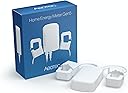
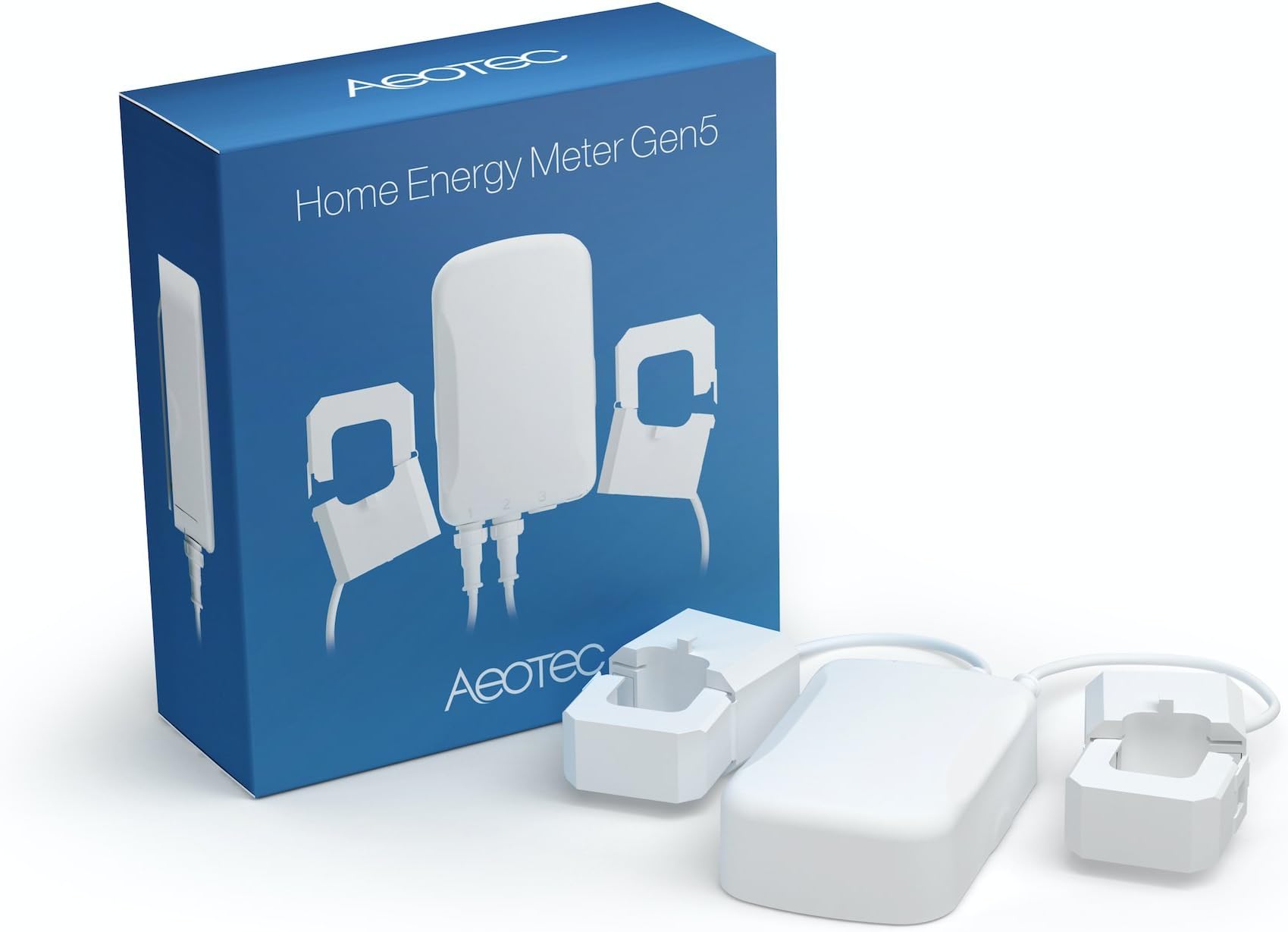
The Aeotec ZW095 Home Energy Meter Gen5 is a compact, highly accurate Z-Wave Plus energy monitor that wirelessly tracks real-time electricity usage with 99% precision. Featuring dual 200A clamps and up to 490 feet wireless range, it integrates seamlessly with leading smart home hubs to help you optimize energy consumption indoors or outdoors with IP43 weather resistance.


| Asin | B00XD8WZX6 |
| Best Sellers Rank | #817,513 in Tools & Home Improvement (See Top 100 in Tools & Home Improvement) #1,333 in Multi Testers |
| Color | White |
| Customer Reviews | 3.8 3.8 out of 5 stars (215) 3.8 out of 5 stars |
| Date First Available | May 8, 2015 |
| Included Components | Home Energy Meter main unit, clamps(2) |
| Item Model Number | ZW095 |
| Item Package Quantity | 1 |
| Item Weight | 1.3 pounds |
| Manufacturer | Aeon Labs |
| Material | Plastic |
| Measurement Accuracy | 99% |
| Mounting Type | Wall Mount |
| Number Of Pieces | 1 |
| Part Number | ZW095 |
| Power Source | Corded Electric |
| Product Dimensions | 2.5 x 1.5 x 5.7 inches |
| Size | Small |
| Style | Modern |
| Usage | IP46 for indoor and outdoor use |
| Warranty Description | 1 year warranty against manufacturer defects |
User
Needs custom work. Works great.
Accurate results. Needs manual setup in smartthings. Custom device handler required. Copy current handler and modify refresh time to something small if you want instant results. I use 3 secs and it does not hog the zwave network.Needs working with direct electric. Only get if you know what you are doing. Not the quick project, or for someone who does not do serious electric work.
User
Not ready for prime-time..
Bought this Feb of 2018. It worked great for several months w/ST. Then issues started. This is definitely NOT a hardware issue. Any time power is lost I have to re-pair. Its not as simple as that. Disappointed with this. Wasted my money. Just threw it in the trash..
User
Awesome source of home energy information!
I just installed the Aeotec Home Energy Meter Gen5 this past weekend, so far I am impressed. Easy to install if you are comfortable with opening your electrical panel. I have it connected to HomeSeer and it works perfectly fine, with the exception of reporting total watts, amps, and kWH, but I believe that is a limitation of HomeSeer and not this device (although if someone figures this out let me know!) Updates about every 10 seconds and seems quite accurate compared to my utility meter. It's great to see what items in the house use as far as watts/amps go. We have a 100 amp service with an electric stove, drier, AC, and EV charger. I realized that I have to be careful at what I use at any given time. With the dryer on high and an EV charger charging at full capacity I hit 92 amps (which slowly decreased after the dryer heated up). If I had turned on the stove I would have exceeded our service capacity. We usually charge the EV at night to take advantage of EV rates, so this has never been an issue. I have HomeSeer connected to my iPhone using HomeBridge, and set up all my power sensors as light sensors. They show up as LUX, but I can tell what they are by their names (such as total watts). I am easily able to tell if someone at home is making lunch just by the wattage and amperage, which is kind of cool. I turned on every light in the house and was surprised to see the amperage pulled even when everything is LEDs. This has definitely made me more energy conscious, and I'm setting up alerts to reduce power consumption during peak hours. I may buy another one or two of these to monitor specific items such as the dryer, stove, and EV charger. Mainly so I can get an exact kWH per major appliance.
User
This is working great with Homeseer 3 Pro (HS3) - the device installed ...
This is working great with Homeseer 3 Pro (HS3) - the device installed without issue and created the needed children. Data started streaming immediately. I did have to add Volts and Amps the to Root "group" under settings, but then those started flowing as well. I turned off logging to the log file as it flooded the log file with very frequent updates.I was concerned about the orientation of the magnetic pickups and which outlet the z-wave device was plugged into - Aeotec support quickly answered my question that for a basic install, it won't matter. Seem the orientation really matter when you have solar and send electricity back to the Utility.Too soon to say anything about accuracy, but others indicate it is very close to the Utility. The standard HS3 Energy graph works well.Overall, very happy with this and integration with HS3
User
This meter was easier to install than a three-way switch! Lots of numbers and graphs!
The meter installs in less than 5 minutes, if you have an outlet close enough to the main breaker panel (which I did). The only tool I needed was a screwdriver to remove the front cover of the breaker box, and to attach the meters back plate to the wall. The two clamps require no tools to snap over the incoming live wires (they are insulated, so technically there is no need to through the main breaker, although I did it anyway), then feed the two wires through the side of the panel and plug them into the corresponding jacks. Two screws to attach the back plate to the wall then plug the meter into an outlet and installation is done. Connecting to the VeraEdge controller was even smoother, on my iPhone clicked devices, hit the + icon tapped, Energy then selected Aeotec Meter Gen5, (note: I had the latest version of Firmware v1.7.35 & had the ERGY plugin already installed on my controller) then pushed the button on the device and snapped it onto the backplate. It took less than 30 seconds, to be paired and have 3 new devices with power readings. From my desktop I went to the home.getvera.com user login then logged-in and connected to my controller. One of the new devices just adds the other two (which are the two clamps installed around the two live leads from the meater), I renamed that one Main to be easier to remember. Then clicked on Energy from the left sidebar and Energy Profile from the accordiaon. I selected Main from the drop-down under 'Please select a device for total consumption, if applicable' then went to User & Account Info --!> Unit Settings and added a value to 'Cost per KWH (in my case $0.1125) and selected US$. When I returned to the dashbaord the Energy 'widget was populated and under Energy there are some neat charts and data summaries. waiting a few days, weeks, or months and the data will aggregate and become more meaningful.Great little devices, that was really easy to install and setup. Honestly, I know opening the main breaker seems complicated and scary but if you can install a three-way z-wave switch, then installing this meter is easier. Overtime a great deal of data is accumulated and aggregated, which can be useful in conserving energy and reducing utilities. I should note that visiting ERGY's website indicates that at somepoint they plan on charging for the data aggregation but that they are still working on UI7, so while right now all the data collection, etc. is free in the future that could change.
User
... running about a year now and I am really happy with it
I've had this running about a year now and I am really happy with it. I have the 120V version wired into my main panel and reporting real time watts, amps, volts, and KWH into SmartThings. I modified @DuncanIdahoCT's excellent device handler to support NVEnergy's variable TOU electricity rates which change throughout the day, so now I know exactly how much electricity costs in real time. I also feed this data into an InfluxDB so I can graph it over time with Grafana, which was useful when I noticed NVEnergy sending abnormally high voltage (129.3V) in the middle of the night. Very happy with this meter, the SmartThings ecosystem, and the community of apps and software that made all this work. Attached are screenshots of the SmartThings Device Handler written by DuncanIdahoCT modified by me to show TOU rates, as well as 2 screenshots from Grafana showing 24 hours of electricity usage.
User
Doesn't work using Smartthings hub and there is no code ...
Original review: Doesn't work using Smartthings hub and there is no code to support this version. Used Hem V2 from gitbhub, it does connect but does not report anything (not even 0 value). I am wondering how a company sells stuff with no clear support, e.g. work with this, but not with that, here is the link to this code, etc. Stay away using this device and Smartthings unless you know how to program it.Edited Review: finally found code that made it work : Thanks Duncan for writing it.Copy the code from here, then go to the smartthings web interface, click on "create device handler" and then paste this code. Then select the device -> edit and for device type select the gen5. Can't put the link here but google for "Aeon HEM Gen5 (zw095-a).groovy" and select the github repo link.[...]The hardware is good. It refreshes every 5 seconds and it seems to be accurate (~5%).Still, with Aeon should have better links, instructions, documents if they want to make this useful for everybody (not only the tech savvy)....I wasted hours trying to make it work. That time lost I will never get it back. 3 stars for the lack of information and making me waste precious time. Still need to figure out way to log data points, more time to waste.....Price, its to expensive at ~90 .... , I believe it should be more around ~45 .......
User
Failed in 18 months.
Today I noticed that my power readings were about half what they should be, and I found the problem: One of the current clamp channels on the unit is dead. The clamps are OK. Either clamp plugged into the good channel will give me a reading. However, with the other channel out, I'm only measuring power through one leg.This is a rather expensive device, and its sole use is to cross-check my utility company's power bills to make certain they are accurate. (As a solar producer, I sometimes get erroneous bills.) I don't know that I've gotten $115 of benefit out of the 18 months the device was working. Unfortunately the warranty period is only 1 year. I'm not happy.I have ordered a replacement. Unfortunately there are no competitor products that will interface with my solar inverter system. If the next unit last only 18 months, I won't be ordering another one. Instead, I will order a product that doesn't seamlessly integrate with my solar system, but which hopefully will last longer.
User
Exactly what I wanted
Exactly what I wanted. Works great
User
Installation conviviale, facile.
Bien sûr jouer dans un panneau de distribution électrique demande de la connaissance et une licence de maître électricien. Mais le tout est très simple à faire.Je l’ai inclus dans mon installation Samsung SmartThing. Cela fonctionne bien mais indique de la consommation en watts avec un historique de base. Il n’y a pas de graphique. Peut avec une autre plate-forme de domotique??? J’aurais aimé voir les monté brutales d’amperage.
User
100% satisfait
Bon produit.Seul point à faire attention. Le produit est parfois un peut compliqué à installer sur un bridge vera m’a s cela ce fait avec un peu de patience
User
2gig on Alarm.com this device fails to stay connected
Easy to install and connect. I'm running a 2gig panel with Alarm.com integration. Was looking for a device that could be added to monitor our electricity. This was 1 of 2 compatible devices alarm.com recommended. Installed by certified electrician, but works occasionally when I try to get a current reading it fails. Unplug the device and try again before it works. As for accuracy I won't know until my energy bill arrives. But for headaches this is for sure my biggest. I like the convenience of everything in one app. At some point after done testing a few more devices, I will get the Aeon software and gateway to see how that works. Upon several phone calls to 2gig we discovered that this isn't a stand along zwave. They have several models and the model I have isn't compatible with 2gig.
Trustpilot
2 weeks ago
3 weeks ago