Buy anything from 5,000+ international stores. One checkout price. No surprise fees. Join 2M+ shoppers on Desertcart.
Desertcart purchases this item on your behalf and handles shipping, customs, and support to Tunisia.
❄️ Stay Cool, Work Smarter: The Ultimate Laptop Chill Mat for Power Users
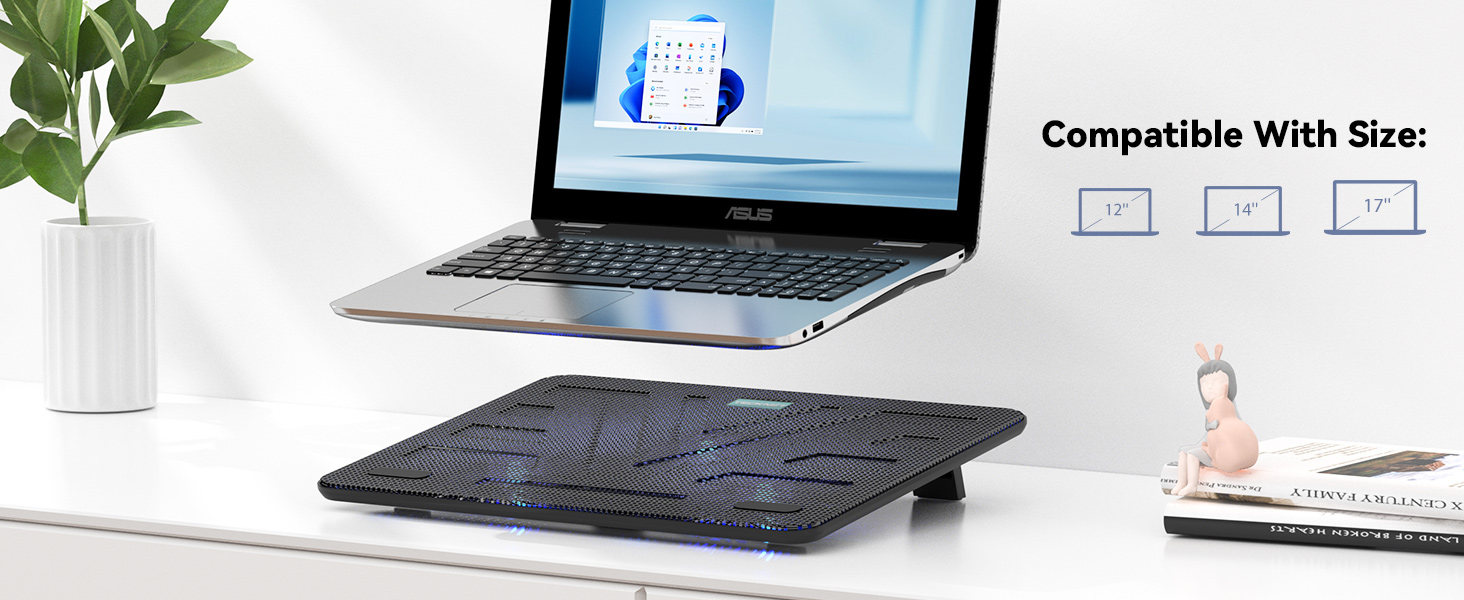
The TECKNET Laptop Cooling Pad features three quiet 1200 RPM fans powered via USB, designed to prevent overheating for laptops sized 12 to 17 inches. With dual USB ports, adjustable height settings, and a slim, portable design, it enhances comfort and performance for professionals and gamers alike. Its blue LED fans add a stylish touch while lifetime support ensures lasting reliability.


| ASIN | B016CL2DE6 |
| Best Sellers Rank | #3,694 in Electronics ( See Top 100 in Electronics ) #15 in Laptop Cooling Pads |
| Brand | TECKNET |
| Color | Black |
| Cooling Method | Air |
| Customer Reviews | 4.5 out of 5 stars 7,591 Reviews |
| Enclosure Material | Acrylonitrile Butadiene Styrene (ABS), Composite, Metal, Rubber |
| Item Dimensions L x W x H | 15"L x 1.1"W x 11"H |
| Item Weight | 1.4 Pounds |
| Manufacturer | TECKNET |
| Material | Acrylonitrile Butadiene Styrene (ABS), Composite, Metal, Rubber |
| Mfr Part Number | FBA_841294 |
| Model Number | FBA_841294 |
| Number of Fans | 3 |
| Product Dimensions | 15"L x 1.1"W x 11"H |
| Unit Count | 1.0 Count |
| Warranty Description | 1 |
L**L
Though not expensive, performs very well!
My 2015 MacBook had been running quite warm for the past year. I positioned a small fan behind the laptop, and put it on a metal platform that allowed air to circulate under it, which helped to cool it down for awhile. When the weather here started creeping up into the 80s, despite the little box fan running behind it, the laptop again started to become uncomfortably warm. I should state here that am not a gamer (on my laptop, anyway) and just use it for the usual- surfing, email, writing, some streaming. A basic casual computer user. I am on the laptop for five or six hours a day, running multiple applications. After the desk fan was proving inadequate to cool off the laptop, I started researching “computer cooling fans” on Amazon, and discovered these under-computer fans. I must confess that this whole world of under-computer fan platform arrays was unknown to me. I found that this particular model kept coming up during Google searches for “best fans to cool down your computer.” It also had quite a few positive reviews on Amazon. That surprised me, as it was consistently the lowest-priced of all of the recommended fans on many of the lists I found. After about three days of research, I decided to order this TECKNET Cooling Pad. The positive reviews are right on. I’ve only had it for about a week, but it’s working great to keep my overheating older laptop cool. The computer rarely- every now and then- does get a bit warm, especially when the weather is hot. However, the Cooling Pad brings its temperature down fast. When I came out to the computer desk about a half hour ago to check my emails- it’s in the 80s here today, and the portable air conditioner in the living room hadn’t been running all morning- the laptop was quite warm, despite the fan running behind it. About two minutes after turning on this TEKNET Cooling Platform, it cooled down precipitously right away. I’m checking it, and the part that gets the warmest- the area around the keyboard- is now totally cool to the touch. That’s an impressive drop in temperature. I wish I had the ability to measure this difference in temperature of the computer, before and after turning on this fan unit as some reviewers did, to demonstrate the efficiency of this product. But believe me- the quick change from uncomfortably warm to nice and cool is impressive. When I picked up the box this item was in after Amazon dropped it off, I was kind of shocked at how light it was. I took the TECKNET Cooling Pad out of its box, and it felt sort of cheap and flimsy. Truthfully, its construction *is* a bit on the flimsy side. It’s not giving the impression its going to break into pieces without warning or anything like that, but I’m glad my laptop always stays on the desk, so I don’t have to move the Cooling Pad around too much. When I initially plugged the Pad in to my computer and turned it on, just to check it out, the fans appeared wimpy as far as their power to move air effectively. But, despite my initial impressions, this Cooling Pad is performing very well. It is surpassing all of my expectations. It's also *really* quiet. I never hear it. There are a few fans running near me in the apartment along with the a/c, and these easily drown out any possible sounds from the Pad running. However, I do get up late at night to work on the computer. When I turn the Cooling Pad on, I can barely hear it. The blue lights are also a nice touch. I’ve had my laptop on that metal frame that elevates it at an angle about an inch above the desk’s surface for at least six months. So I am very used to the height and angle of that platform. The Cooling Pad, with the little feet at the back deployed, is holding it at a different angle now. So far, typing hasn’t been too uncomfortable, but it is a bit awkward. The longer I type on the laptop at this new angle, the easier it will become, as I will get used to it. There is a caveat. Although the Cooling Pad has a textured surface, with two little rubber things embedded in it toward the bottom that I think are meant for keeping laptops on the Pad from slipping down its surface, my laptop has slipped down a few times now. Were I not sitting right in front of it to stop it as it moved, the computer might have slid off of the Cooling Pad and fallen to the floor. So I have to make sure if I step away from the laptop that I close it up, take it off of the Cooling Pad, and put it somewhere stable on the desk until I can get back to it. I might install some velcro underneath the laptop to hold it to the Pad, but for now, moving it to where it is safe is not a problem. Just be aware that while your computer feels like it is sitting securely on top of the Cooling Pad, that may not be the case. (There are slight depressions in the surface of the Cooling Pad- like a sort of a “trough-” that the bottom of my laptop fits into. This “trough” is shallow, but it is there to hold the computer in place. I’m just not going to take the chance that the laptop won’t slide.) Pros: inexpensive; quiet; very effective at cooling; the glowing blue color is fun. Cons: computer does occasionally still get a bit warm (though it cools down fast); I’m not used to the new typing angle; laptop has proved prone to slipping forward. But those cons in no way are enough to inspire me to tell you not to buy this device. Other than those minor concerns, I totally recommend it! I also, as per the card enclosed with the unit recommends, registered my new Cooling Pad with TECKNET. (If you register your product, the company extends the warranty for 36 months.) I never got a confirmation email that my registration was successful (it had been.) I emailed TECKNET to check what had happened, and got a reply from them within an hour. That’s a good sign that TECKNET gives good customer service, and is responsive to their customer’s questions. I’m very glad I decided to go with this less expensive, but highly recommended, Cooling Pad. While it was inexpensive, and it’s not the most robust device, it is fantastic at doing its job.
S**J
This actually is very effective
I am totally 180-ing on this laptop cooler. I’ll leave the original review for reference, but it was very wrong. Apologies to the makers of this because much to my amazement, it actually does work. I use my M4 MacBook Air for streaming with OBS and what I’ve found is if I don’t use this cooler, the laptop heats up and then throttles to prevent overheating (the Air does not have a fan). With the cooler on that doesn’t happen. Sometimes I forget to turn it on and before long I start getting lower frame rates/frame drops. I switch it on and that goes away after a minute or two. And the laptop doesn’t overheat, so the cooling actually works. Plus it’s pretty quiet. This is an effective low-cost solution to the problem. Old and very wrong review for left for reference: I will be shocked if this has any real effect. The fans barely blow air at all. It seems more like a novelty item than a real product. Maybe it helps slightly? I’ll give it the 2nd star because it does in fact blow air, but it could certainly be dropped to 1.
I**.
It is great, but noisy
I just got mine, the size is accurate and it works very well, you can feel the cooling coming out from the fan, the only thing I didn’t like that much is that it is very noisy, I work from home in a call service so low noise will be better, however the price is good and it does the job.
F**E
It is very good, delivers on keeping my Alienware Laptops Cooled and that is awesome
I have 7 alienware with 4090 16 gig video and 64 g memory. I play everquest and develop my own games and I have my own 3D engine. I burned these systems like crazy and even my dell workstations I got them for. Here is what i love 1) its got large fans 2) I can feel the airflow moving easily 3) they are QUIET honest here is my reality: --Wife was like wow why is your sitting chair alienware going crazy all the time. I explain to her the reasons. and she says would a cooler help. Im like I honestly and not sure. I got this and put it under the moment it arrived, 2 minutes later my Alienware automatically fell into quiet mode on its own (from cooling) and bingo silence... even with the lid closed, which always made it sound like a jet engine, not anymore. Now, are the fans as strong as some others.. no, I have had others that pushed more air, but Alienware (Dell) told me flat out I simply needed to move a large amount of air, NOT blast my system. And to make sure I ad space between the air flow and the desk. This has that with the back propups and I love the USB. I know people say the Cable length is bad and honestly its NOT great. I prefer to power it from a USB hub, so I definitely recommend if you want that, buy yourself a cheap usb cable. But for me it does everything I need and more with the extra USB.
A**X
Quiet, Effective, and Great for Daily Use
This laptop cooling pad has been great. It keeps my laptop cool even during long work sessions, and the fans are actually quiet, which was important to me. No annoying humming or distracting noise while working. The adjustable tilt is a really nice feature as well. It makes typing more comfortable and improves airflow at the same time. I use it daily in my office setup, and it’s been reliable and consistent. Overall, a solid cooling pad that does exactly what it’s supposed to do. Highly recommend!
A**.
Cool, Quiet, Aesthetically Pleasing & Does the Job Well!
I was a little apprehensive about using a laptop cooling pad (being too bulky, etc.) and to be honest, I really never heard of them. That said, I'm really happy I decided to try the TECKNET Laptop Cooling Pad. It's not very bulky at all, I bought the 3-fan model since I think 5 or 6 fans is a little overkill other companies are selling. The TECKNET Cooling Pad was super-easy to set up -- all that was needed is to plug in the supplied USB cable (you need to supply your own USB adapter), turn on the switch at the back of the unit and your laptop will be chilling in no time. There is very much adequate airflow to cool my Lenovo laptop. This cooling pad is lightweight and seems pretty durable so far. The top grate is made of metal, and the bottom is plastic. It's also comfortable to type as it does not sit up too high which is another reason why I chose a cooling pad design that was a lower profile. There are adjustable feet at the back of the unit if you want it set up on an incline (plus there will be even more airflow). All-in-all, I'm very pleased with my purchase and having peace of mind that my laptop is working at an optimum level is well worth it!
D**P
Quiet and Effective
Highly recommend this cooling pad. It's fans are quiet and this is great for daily use. I have a 17 inch laptop and it fits perfectly. I use my computer for general use - no gaming and love that it tilts.
H**N
Cools enough but vibrates, and now makes noise after 3 months
I bought this cooling pad a little over 3 months ago. It does cool my laptop to a point that the temperature doesn't bother me. It might even be slightly more efficient than some other cooling pads of similar prices that I tried, but this maybe just because one of the fan happens to be directly under the hot spot of my laptop. My problem with this cooling pad is that it has a pretty noticeable vibration that I can feel even just putting my hands on the table top without touching the laptop. This might also because my desk is pretty flimsy, and I tried to get used to it, but it gets distracting sometimes. So far I might still give this cooling pad 4 stars, but a week or so ago, one of the fan started making a kind of clicking noise. I took the mesh apart to tried to fix it, but couldn't see what was wrong without risking breaking it even more.
R**V
Rv
Quality product, nice one
H**E
Solider Kühler!
Ich benutze diesen Kühler für meinen Laptop nun schon seit mehreren Monaten und bin damit insgesamt sehr zufrieden! Hintergrund: Anlass des Kaufs war dass sich mein Laptop bei sehr intensiver Leistung (und dazu noch warmen Außentemperaturen) derart erhitzt hat, dass er sich – wohl zum eigenen Schutz – von selbst heruntergefahren hat. Mir war schon klar, dass diese Temperaturen nichts Gutes bedeuten können. Deshalb habe ich mich auf die Suche nach einer Lösung für dieses Problem gemacht und bin auf dieses Kühlpad gestoßen. Beschaffenheit: Robust und leicht. Oben ein leichtes metallisches Gitter mit Gummiuntersetzer, unten Plastik. Auch zwei Standfüße sind an der Hinterseite vorhanden, um das ganze Konstrukt nochmal etwas anzuheben. Insgesamt bemerkenswert leicht und dünn – und auf meinen eigenen Laptop von der Größe ziemlich gut abgestimmt, sodass ich alles in meiner Laptoptasche verstauen und mitnehmen kann. Sehr praktisch! Leistung: Nachdem ich den Kühler als Unterstützung für den Laptop hinzugezogen habe, haben sich die Temperaturen DEUTLICH verbessert. Die Belüftung – gerade an den heißesten Stellen des Geräts – war schlichtweg um Meilen überlegen, verglichen mit dem bloßen Hinstellen des Laptops auf einen festen Tisch. Macht ja auch sinn. Alleine schon, dass überhaupt ein Luftpuffer unter dem Laptop da ist, macht bereits einen Unterschied. Mein Gerät hat sich letztlich spürbar kühler angefühlt und ich hatte seitdem keine unerwarteten Shutdowns mehr. Lautstärke: Äußerst leise. Man hört den Lüfter prinzipiell nur dann, wenn der Rechner unter minimaler Last arbeitet (bspw. beim Surfen im Internet). Natürlich ist in diesem Anwendungsfall die Belüftung eher wenig sinnvoll und man kann das Kühlpad dann einfach per Schalter an der Rückseite ausschalten. Die Lüftungsleistung ist aber immer gleich und kann nicht geregelt werden. Bei intensiveren Anwendungen wird normalerweise ohnehin der Kühler am Laptop deutlich lauter als das Kühlpad. Und wer Kopfhörer benutzt, der wird das Kühlpad grundsätzlich nicht hören. Praxistipp: Das Kühlpad hat drei Ventilatoren. Nicht jeder Laptop – so auch bei mir – hat seine heißesten Stellen genau dort, wo die Ventilatoren auch hinkommen. Deswegen bietet es sich dabei an, den Rechner nicht absolut ordentlich, sondern etwas gedreht aufzustellen, sodass die Kühlwirkung maximiert werden kann. Fazit: Eigentlich braucht nicht jeder ein Kühlpad für seinen Laptop. Die Kühlung durch laptopeigene Lüfter muss normalerweise ausreichen. Ich rate zu so etwas nur dann, wenn sich die Hitze am Gerät – etwa durch besonders intensive Nutzung wie z.B. High-End Gaming – zu sehr bemerkbar macht oder es sich dadurch von selbst herunterfährt. In diesen Fällen kann ein Kühlpad definitiv sinnvoll sein. Wer sich selbst in einer solchen Situation sieht, dem kann ich den Kauf empfehlen!
S**U
THE FIRST TRUTH aka FIRST IMPRESSION.
GENERAL TRUTH- Tecknet is one among the popular companies in UK.Most of the people don't know much about them in India.If u want to see more reviews just check amazon.uk(rating 4.3/5). UPSIDE TRUTH: *The cooling pad with 3 fans ,we may think of getting lot of noise but its not true here,the fans are very silent infact its much quieter than pads with single fans from other companies like deep cool,tarkan ..... *on/off switch is a great deal for these price which the competition pads lack. *2yrs warranty is another deal,others only give 1yr. *blue light gives a more standard look. *Perfect fit for a 15.6 laptop. *weightless *two usb ports ,1 for connecting with laptop & other for extra peripherals. *360 degree air flow,it really cools your laptop ,u can feel the cool air around ur laptop & the legs can be adjusted. DOWNSIDE TRUTH: *Some may say the fan speed is bit low but the thing is their are 3 fans running which is more than enough for providing cool air to ur laptop surface. *During sleep mode ,the pad just turns off but its not a problem with the pad ,its made like that so no worries. *The battery consumption is good,it will not kill ur laptop. FINAL VERDICT:I am really satisfied with my first day with these pad,i searched around 2 months for a cooling pad & finally made a good decision buying these pad,coolindg pads are not a gimmick,they are really important for ur laptop.TECKNET SHOULD TRY TO DO SOME MORE MARKETING & PROMOTION TO INCREASE THEIR STAND IN INDIA. FINAL TRUTH WILL BE UPLOADED AFTER 1 MONTH OF USAGE. IF U HAVE ANY DOUBTS PLEASE ASK UR QUESTIONS ON PRODUCT PAGE.
N**H
This product is worth buying. It really works. ...
This product is worth buying. It really works. I use to mine crypto coins using my gpu. Even after 6-7 hrs of continuos usage very little heat at back of my laptop. Go for it.
L**I
Preis/Leistung Top
Macht was er soll und Funktioniert wunderbar. Positiv: -CPU und GPU konnten um ca 5-10 Grad gesenkt werden was die Performance positiv beinflusst. - Ein USB Kabel ist im Lieferumfang mit enthalten. - Durch einen zusätzlichen USB-Port am Kühler verliert man technisch gesehen keinen USB-Port am Laptop. - Einen Ein/Aus Schalter am Kühler falls er nicht benötigt wird ohne den Kühler abbauen zu müssen- - Höhenverstellbare Füße an der Unterseite - Preis/Leistung Negativ: -Lüfter laufen immer unter Volllast was wenn man ein Headset auf hat kein Problem ist. -Kein direkter Negativ Punkt aber wichtig zu erwähnen, die LED Beleuchtung kann nicht geänder werden somit leuchtet der Kühler immer Blau, was aber ebenfalls nicht stört wenn ein Laptop drauf steht. Fazit: Wer einen guten Kühler für seinen Gaming-Laptop sucht und Wert auf Performance legt macht hier absolut nichts Falsch.
Trustpilot
2 weeks ago
3 weeks ago