🖋️ Analog feel, digital power — never miss a stroke!
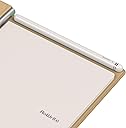
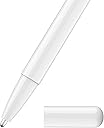
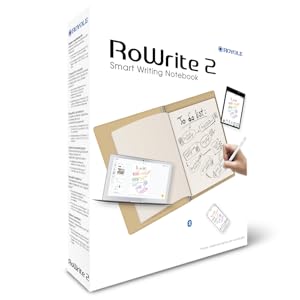
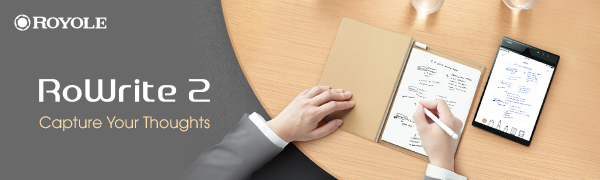
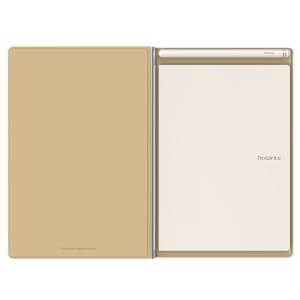
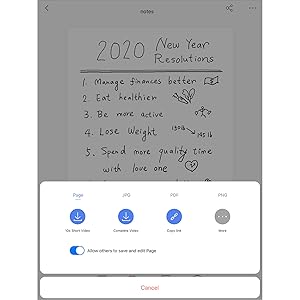
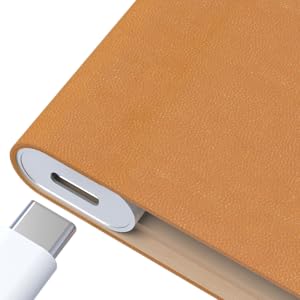
The Royole RoWrite 2 is a smart writing notebook that captures your handwritten notes and sketches on real paper, converting them instantly into digital files via Bluetooth. Compatible with major operating systems, it features a premium synthetic leather and aluminum design, a magnetically charging pen, and a versatile app for editing and sharing your work in multiple formats. Perfect for professionals who crave the tactile joy of pen on paper but demand seamless digital integration.


| ASIN | B08JZ1DCPZ |
| Batteries | 1 Lithium Ion batteries required. (included) |
| Best Sellers Rank | #1,050,365 in Office Products ( See Top 100 in Office Products ) #6,805 in Memo & Scratch Pads #11,826 in Hardcover Executive Notebooks |
| Brand | Royole |
| Color | Brown |
| Customer Reviews | 3.6 3.6 out of 5 stars (374) |
| Date First Available | September 24, 2020 |
| Item Weight | 1.54 pounds |
| Item model number | RY0202 |
| Manufacturer | Royole Corporation |
| Manufacturer Part Number | RY0202 |
| Number of Items | 1 |
| Product Dimensions | 5.83 x 8.27 x 0.04 inches |
| Sheet Size | A5 |
K**H
It really works!
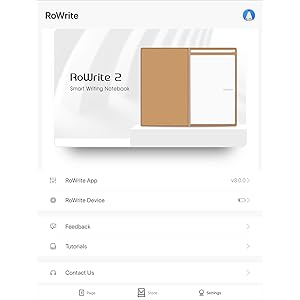
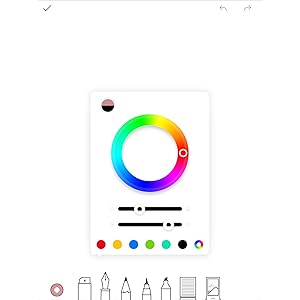
The RoWrite 2 is great for anyone who wants to have digital versions of their notes or to draw shapes/pictures by hand for digital use. In case it isn’t quite clear what the product is, it is just a notebook that tracks what you are writing and automatically makes a digital version of it. No need to snap pictures, like the rocketbook. It will automatically generate files of your notes. To use it, you just download the app to your phone or tablet and connect it via bluetooth. So long as the RoWrite is on and the app is open, it will automatically make digital copies of everything you write. This will allow you to have both physical and digital copies of your notes. The app is snappy and responsive, with almost no delay between writing something in the notebook and it showing up in the app. You can select different colors and brushtyles in the app. The hardware effectively captures the shape of your handwriting, so long as you are using an appropriate brushstyle to do so. As you can see in my attached picture, when I used a very thick brush for my cursive writing, it didn’t make for very legible text. But so long as I used a brush style that was thin like the tip of the RoWrite pen, it captured my handwriting just like it was on the physical page. That said, there are times where that thick brush is going to come in handy. So it’s great to have the option. It is just worth noting that you have to be cognizant of which options you are using in order to get the results you want. The RoWrite pen is pretty snazzy. It is magnetically connected to the RoWrite when not in use and charges there, much like the pen on the upper tier iPads. The writing experience is perfectly fine. That said, it seems like a missed opportunity on RoWrite’s part not to include a pen that would give users the experience of writing with a much higher quality pen. I suspect doing so would greatly improve users’ experience and appreciation of the device. I suppose there's always hope for this in future iterations of the device. While the app works great, it is worth noting that the company is shifting resources away from computer versions of the app, focusing on phone and tablet versions. While PC and Mac versions do exist and are available from the company’s webpage, they will not work on many computers. This too seems like a missed opportunity on Royole’s part. In the age of COVID, with all teaching online, having an inexpensive device that you can write on by hand and have it come up on the screen to share with students would be a great thing. Most of us who teach miss having a blackboard to write on in live sessions and have found no great alternative in the digital marketplace for teaching over Zoom. But, all the same, this is a great device and well worth the purchase price. Just being able to draw things by hand with a pen and have them available for digital use is by itself a huge boon for anyone creating lessons or presentations. Being able to have your notes digitally saved is also great. I can’t tell you how many times I wish I still had my old notes from some lecture or presentation. So it is nice to know that won’t be a problem going forward. I hope in future iterations of the device, we’ll see a nicer pen (in terms of writing experience—the tech aspects of the pen are already great), a larger size for the notebook, and more support for PC and Mac versions of the software. If those three conditions were satisfied for the RoWrite3, I’d buy it in heartbeat. These are seriously great devices to have.
P**S
The Product is Dead or Going to Be
I really wanted to like this product. I saw some great Youtube videos that made me excited about this purchase. When I received the product I could not make the OCR work at all. I was using an Apple iphone. I called the support number in California. Each time I called the IVR would answer by saying thank you for calling, and then it would hang up. That happened for both Tech Support and Sales. That is a bad sign when the sales calls do not route correctly. The notebook and pen looked beautiful, and captured my hand writig really nicely, but the functionality of the OCR not working was a deal breaker for me. Amazon was awesome on the return! I think there is still a large inventory of these items that need to be purchased, but Royale does not seem to have the capability to support them. Lesson learned here is that sometimes you have to believe the negative reviews. When looking at reviews try to find the dates associated with them. In this case the bad reviews started recently, and I believe this is because Royale is getting out of this product line. I found a much cheaper product that meets all of my needs. Take a look at the RocketBook line of products. I don't like the Wave (microwave erasing) but the other notebooks are great and work as advertised. Also, OCR is amazing despite my handwriting.
S**.
This is the tech/analog hybrid I've been long for
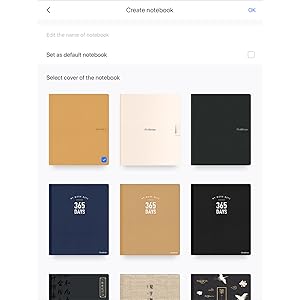
I write, design, and sketch daily. It becomes a logistics challenge to carry a notebook containing previous work... So far I'm at 350+ pages in this thing in half a year. Wouldn't be able to carry that around with me! But now I can, and more. I'm old school with writing manually, but love to have a digital copy. The RoWrite 2 is the answer to how I work. I can move from writing to drawing designs to parts of other projects and then sort and file the pages on my phone. If I need to edit a page using the app, I open it on my phone, open the paper notebook, and add whatever comes next. Or, I can change only the digital version within the app, leaving the paper out of the revision. The size is perfect, about the same outside dimension as generic composition notebooks, or a sheet of printer paper folded in half. The pages themselves are slightly smaller. I have used folded printer paper, watercolor paper, and recipe cards instead of the notebook sheets. I simply rest alternative surface on the paper notebook. I've been completely happy with this product from the start, which is disorienting for someone who has lived on the bleeding edge of technology. This is really something I use. It does have Optical Character Recognition (OCR) which means it can change your handwriting to typewritten if you want that. Also, their customer support is very kind and friendly. I feel sure that if a problem were to arise, they would be helpful. ___________________ Follow up review, six months later: Customer service is above and beyond. I can in good conscience recommend this notebook knowing that they stand by their product. Here are some of the uses I've found for my RoWrite: Notetaking Image tracing (using a photo on my phone that I upload using the app) Drawing List keeping Idea development Recipes Handwritten notes to share with others digitally Notetaking on photos Writing notes onto article-clippings of interest Daily journaling This is a digital form of "commonplace book" where, before easy access to the printed word, people would fill a blank book with random notes from a variety of sources. This one has the advantage of being able to sort the random entries and of limitless pages that can be carried with you on your phone. The app needs a little work (May we make sub-sections within notebooks, please? Better UI for creating new notebooks. Usually have to sign in again when uploading saved pages... More notebook covers would be helpful.) Also, I tapped a satin ribbon onto the pen cap for a page marker, since the cap stays magnetically in place anyway. Great for flipping straight to the blank or current page without the distraction of flipping through to get there. Some tips: If you're writing on the tablet without the app open, be sure to press the power button for every new page. Otherwise it will be a piled up tangle of writing that you later upload. I have found no solution for untangling. Therefore, if you're uncertain whether or not you started a new page, press the new page button anyway. Then you can merge partial pages in the app. In that same way, if you're going back to add to a page that is not the current page you're working on (without the app open), be sure to press the new page button before making any changes to existing pages. Then later merge the pages on the app even though the changes are already all on one page in the paper version. Basically, if in doubt, start a new page. Merge later. Excellent sketching practice can be had by opening the app, inserting a photo into a new digital page, and then using the paper and pen while mostly looking at the digital photo to "trace" the image. I've done this on watercolor paper with the pen which I later paint with gouache. I carry this notebook with me everywhere. It is the perfect tool for Renaissance People.
F**S
je l'utilise personnellement pur prendre de notes et je le trouve très pratique;tout est sous la main, pas besoin de courir chaque fois pour trouver un petit cahier et après ne plus savoir on a l'a mis je suis satisfait de la qualité du produit .tres sim^el a utiliser
I**B
Funziona molto bene, facile da installare e usare. Utile per prendere appunti ovunque senza timore di perdere fogli. Consigliatissimo per chi si muove spesso.
S**N
🛍 Cuando no sabes que regalar par ale día del padre me pareció un regalo original 🛍 Libreta digital para que tenga las notas en el teléfono 🛍 Incluye el bolígrafo y el cargador 🛍 Estilo elegante 🛍 Compatible con iOS y androi Es de tamaño A5, compatible con todo papel del mismo tamaño debido a los sensores que tiene Se enviará la información en distintos formatos PDF MP$ y JPG El tacto exterior es suave y elegante No se escurre Yo tengo dos telefotos , uno de trabajo y otro personal , es decir que he probado la apliaciaocn con ambos sistemas operativos y es ideoneo para ambos
M**H
Ich bin von dem Gerät restlos begeistert. Also vor allem im Vergleich mit schon großen und etablierten Herstellern, bekommt man eine Menge fürs Geld geboten. Der Rowrite 2 war hier im Angebot und ein paar Euro günstiger als die Version 1. Ich bin viel unterwegs und mache mir handschriftliche Notizen und hier kommt der Rowrite ins Spiel. Die Erkennunz funktioniert unglaublich gut, ich war als Galaxy Note User fast schon schockiert wir genau meine Schrift abgebildet wird. Auch Zeichnungen, alles wunderbar. Er erkennt natürlich nicht wie fest ich aufdrücke, aber das war hier auch nicht der Anspruch. Das Auspacken alleine war schon ein Genuss und die Wertigkeit des Stiftes, des Leder Covers und der Metallschiene mit der Technik und Akku sind für den Preis phänomenal. Kein Kratzer, keine Macken, alles verklebt und wertig, ich bin restlos begeistert. In allen Belangen 5 Sterne.
M**E
Surprised at the quality, even the packaging feels like some high end product that you find in a posh shop. I have the app installed on my iPhone and have not had any issues as yet like some of the reviews here mention (touch wood, lol). In the app the writing looks thicker than on paper so I changed the default pen setting in the app. It is fine now. I still have to play with all the options but my daughter already made a drawing on it with a bunch of colours like a painting. She's now bugging me that she wants one of her own. For me it's just handy for presentations and note taking. Write and send right away. Tip: go to their website for the video, much easier than the little paper in the box.
Trustpilot
2 days ago
3 weeks ago