Desertcart purchases this item on your behalf and handles shipping, customs, and support to Tunisia.
🚀 Dock, Store, Charge — Dominate Your Creative Workflow
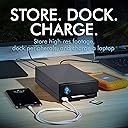
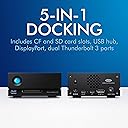
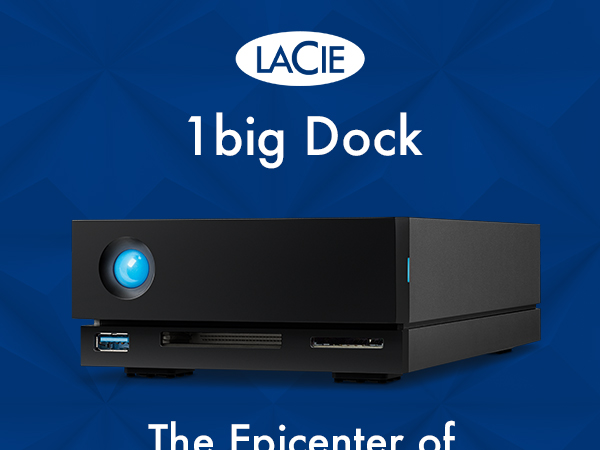
The LaCie 10TB 1big Dock combines a high-capacity Seagate IronWolf Pro HDD with a versatile 5-in-1 docking station featuring Thunderbolt 3, USB hub, CF/SD card readers, and DisplayPort 1.4. Designed for filmmakers and creative professionals, it offers ultra-fast 40Gbps data transfer, up to 80W laptop charging pass-through, and a robust 5-year warranty with data recovery services, making it the ultimate all-in-one desktop hub for demanding multimedia workflows.


| ASIN | B08LPNH4GP |
| Best Sellers Rank | 101,419 in Computers & Accessories ( See Top 100 in Computers & Accessories ) 323 in External Hard Drives |
| Box Contents | 1Big HDD 10TB, USB cable, The actual capacity may vary. |
| Brand | Seagate |
| Brand Name | Seagate |
| Cache Memory Installed Size | 10 |
| Color | 1big Dock |
| Compatible Devices | Devices with Thunderbolt 3, USB 3.0 Type-A, DisplayPort 1.4, SD card, or CompactFlash card interfaces |
| Connectivity technology | USB |
| Customer Package Type | Standard Packaging |
| Customer Reviews | 4.3 out of 5 stars 114 Reviews |
| Data Transfer Rate | 5 Gigabits Per Second |
| Digital Storage Capacity | 10 TB |
| Digital storage capacity | 10 TB |
| EU Spare Part Availability Duration | 5 Years |
| Enclosure Material | Aluminium |
| Form Factor | Portable. |
| Global Trade Identification Number | 00763649150320, 03660619410231, 10763649150327 |
| Hard Disk Description | Mechanical Hard Disk |
| Hard Disk Form Factor | 2.5 Inches |
| Hard Disk Interface | USB 1.1 |
| Hard Disk Rotational Speed | 7200 RPM |
| Hard disk form factor | 2.5 Inches |
| Hard disk interface | USB 1.1 |
| Hard-Drive Size | 10 TB |
| Hardware Connectivity | DisplayPort, Thunderbolt, USB, USB Type C |
| Hardware Platform | Mac, Personal computer, Windows |
| Installation Type | External Hard Drive |
| Item Length | 118 Millimetres |
| Item Weight | 1700 Grams |
| Item Width | 56.3 Millimetres |
| Manufacturer | 394HB |
| Manufacturer Part Number | STHS10000800 |
| Model Name | Seagate IronWolf Pro |
| Model Number | STHS10000800 |
| Network Connectivity Technology | USB |
| Number of Items | 1 |
| Product Features | Data Recovery Service |
| Product Warranty | 2 year manufacturer |
| Read Speed | 240 Megabytes Per Second |
| Special feature | Data Recovery Service |
| Specific Uses For Product | Multimedia, High-Performance Computing |
| UPC | 763649150320 |
| Unit Count | 1.0 count |
R**M
It. Never. Sleeps. (Oh yes it does!)
There's a constant whine from the unit when idle, that I think is mostly from the cooling fan, but may be the hard drive itself spinning, or quite possibly both. It never sleeps. It never spins down and shuts the **** up. The usage pattern I have is that I may be using the computer it's connected to for hours without needing it, but then I go away and that computer becomes a server where I'm using content on that drive remotely. So, having it shut up when not being used would be nice. It may be macOS (Monterey)'s fault. I've told Spotlight to not index it, I've told it it can put idle disks to sleep, I've made sure nothing user-visible is looking at it. And yet, every few seconds, there's an access (by the sounds of it), and that's probably keeping it awake. If it is the fan, it's not as automatic as it's made out to be, as even when the drive is idle and the room it's in is frankly chilly, it keeps going. The only option is to actually eject the volume; that works, but then must be manually remounted using disk utility when I want it to be available for use. Apart from that it works great. It's just that it's almost as insomniac as I am. (I don't have an eject icon.) Edit: Naturally minutes after posting I figured it out. Clearly I needed to embarrass myself by making a public complaint first. Edited review in case it helps someone coming after: It does sleep. The thing that was preventing it sleeping, in my case, was CleanMyMacX, which generally speaking is a good thing, but either its menubar utility or the health monitor daemon was prodding the disk frequently enough to keep it awake. I'd forgotten about it until I ejected then remounted the disk and it offered to delete the trash on it. Disable background monitoring and quit all CleanMyMacX processes, and after a reasonable delay, the drive went to sleep just fine. Watch out for other similar utilities/processes that might be doing that kind of background monitoring, like antivirus tools, etc. At some point I'll get back to trying to figure out how to have CMMX working but not keeping that drive awake, for the time being, it's just disabled entirely. As that was the only problem I was having, added a star to the rating.
S**O
Excellent
Excellent so far. Doing its job at the moment. I hope it continues, and if it does, I will be over the moon.
J**D
Working well
Plus points- it works well, connected to a 27 inch imac (2019), has a 6TB Lacie pro drive attached to its daisy chain thunderbolt connector, and a 4TB drive attached to the USB connection. Given the constraints of a mechanical drive works with reasonable haste. Minus points- much as the 10TB Iron Wolf Nas Pro hard disc it comes with is really good, it's quite loud. Some people point out that access to the hard drive is a bit too easy and can be removed by accident, but I think that as long as you are careful its ok. You have to decide if it is worth the premium over the D2 style but prices on this model were low when I made my purchase.
B**S
It works
NOT enough paperwork to explain how to use or install it, Could have more information on it's ports too.
G**.
Great!
Works perfectly, I’m having to use an adapter to Thunderbolt 2 with an iMac that’s only a few years old!
P**R
Failed within a year
This product worked well nut failed within a year and was only offered a refund.
R**W
Big capacity but that noise!
Does modern technology have to be this noisy? Make sure it’s not next to you all day!
Y**E
I see LaCie, LaCie sees me
I have used LaCie drives for many years. This is easy to set up with my iMac. Enough space to partition for external folders and a full backup of the computer's hard drive. Very quiet. Fit and forget. It runs 24/7 so that all backups happen during the night. Keep it under the desk on a vegetable trolley for air circulation - https://www.amazon.co.uk/gp/product/B015Q9BWHO/ref=ppx_yo_dt_b_search_asin_title?ie=UTF8&psc=1 Although not currently available, others can be found.
S**E
Great Size, Excellent Quality
The size of the dock is perfect, 20TB and it was easy to set up. My only 'complaint' is that they included in the box, connectors for a variety of countries electrical systems. And, they are big, heavy, cables and plug. Seems like a big waste. I realize we have a global economy, but an efficient company would not waste like this.
A**A
HD
Dispositivo super!
A**O
Lacie una garanzia
E' il sesto Hard Disc Lacie che prendo per lavoro. Durati tutti parecchi anni, li aggiungo per motivi di capienza e per esser sicuro di evitar rotture, ma per ora nessuno mi ha mai dato problemi nonostante rimangano accesi h24 per anni!
M**4
Bello ma...
Se vi serve un disco di grande capacità, semplicissimo da installare e bello da vedere allora questo LaCie fa per voi! Lo stile è il classico di LaCie, il collegamento Thunderbolt (anche a catena e con possibilità di alimentare il computer) è ottimo ma la velocità del disco purtroppo lascia a desiderare e l'utilizzo per montare video in 4K è praticamente impossibile.
B**N
90 th
es ist nicht die ERSTE. SCSI mit Apple in den 90th. …und dazwischen. Neu ist die i.d. 90th 20 MB und heute 30 TB. …mein Arbeitsspeicher hatte 1 MB … . LaCie war und ist wohl immer noch gut. …was soll ich schreiben : reinstöpseln und los . …wie Anfang der 90th Ciao
Trustpilot
3 weeks ago
1 month ago