Desertcart purchases this item on your behalf and handles shipping, customs, and support to Tunisia.
🚀 Flip Your Productivity Into High Gear!
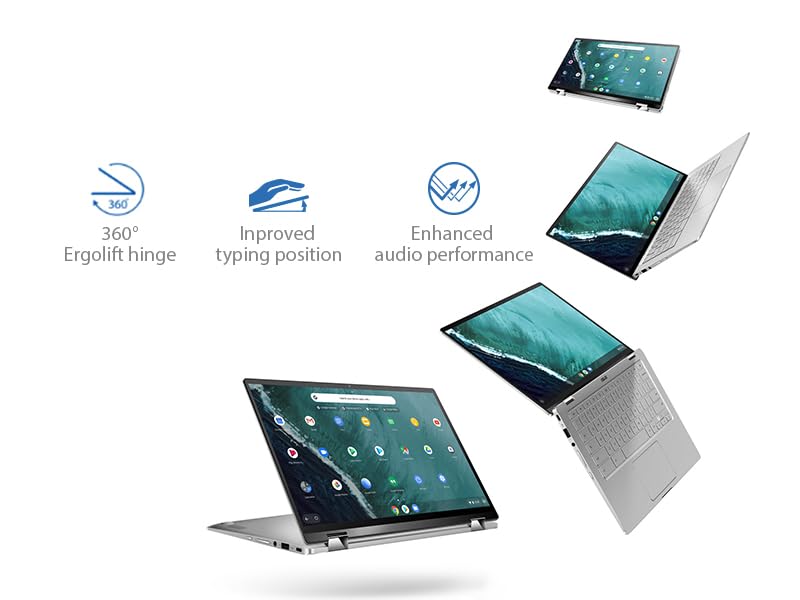
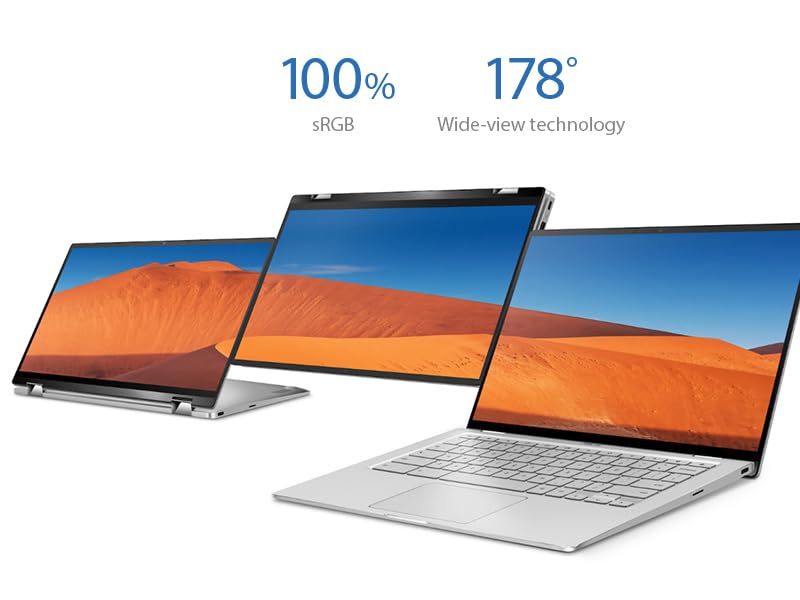
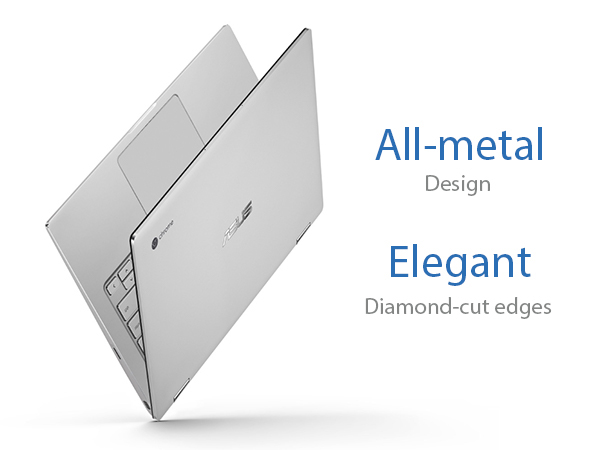
The ASUS Chromebook Flip C434 is a premium 14-inch Full HD touchscreen laptop featuring a 4-way NanoEdge display with ultra-thin bezels, powered by an Intel Core m3-8100Y processor and 4GB RAM. Its all-metal body weighs just 3 pounds and includes a 360-degree hinge for versatile use modes. With a backlit keyboard, dual USB-C ports, and up to 10 hours of battery life, it’s designed for professionals seeking a stylish, portable, and efficient Chrome OS device that keeps pace with demanding multitasking and modern workflows.


| ASIN | B07Q2RB6BY |
| Audio Output Type | Headphone/Microphone Combo Jack |
| Audio Recording | No |
| Audio features | Basic built-in speaker and headphone/microphone combo jack |
| Automatic Backup Software Included | 1-Year Free Google 100GB Cloud Storage |
| Available M2 Slot Count | 1 |
| Battery Cell Type | Lithium Ion |
| Battery Life | 10 Hours |
| Best Sellers Rank | #144,776 in Computers ( See Top 100 in Computers ) #5,754 in Traditional Laptops |
| Biometric Security Feature | Fingerprint Recognition |
| Bluetooth Version | 4 |
| Bluetooth support? | Yes |
| Brand | ASUS |
| Built-In Media | C434TA-DSM4T Chromebook Laptop, Power Adapter & Cord, User Guide, Warranty Card |
| CPU Codename | Amber Lake-Y |
| CPU L3 Cache | 4 MB |
| CPU Model Generation | 8th Generation |
| CPU Model Number | Core M3-8100y |
| CPU Model Speed Maximum | 3.4 GHz |
| CPU model | Core M Family |
| Cache Memory Installed Size | 4 |
| Camera Description | Front |
| Cellular Technology | 4G |
| Color | Silver |
| Colour | Silver |
| Compatible Devices | Keyboard |
| Connectivity Technology | USB |
| Control Method | Touch |
| Customer Reviews | 4.1 out of 5 stars 1,613 Reviews |
| Display Resolution Maximum | 1920x1080 Pixels |
| Display Technology | IPS LCD |
| Display Type | FHD |
| Form Factor | Chromebook |
| Global Trade Identification Number | 00192876215647 |
| Graphics Card Ram | 1 GB |
| Graphics Coprocessor | Intel HD Graphics 615 |
| Graphics Description | Integrated |
| Graphics Ram Type | Shared |
| Hard Disk Description | solid_state_drive |
| Hard Disk Interface | Solid State |
| Hard Disk Rotational Speed | 10000 RPM |
| Hard disk size | 64 GB |
| Hard-Drive Size | 64 GB |
| Hardware Interface | USB |
| Has Color Screen | Yes |
| Human-Interface Input | Touchscreen |
| Item Dimensions L x W x Thickness | 32L x 20.8W x 1.8Th centimeters |
| Item Type Name | Chromebook Flip |
| Item Weight | 2.9 Pounds |
| Keyboard Description | Premium flagship keyboard |
| Keyboard Layout | QWERTY |
| Lithium-Battery Energy Content | 48 Watt Hours |
| Manufacturer | Asus |
| Maximum Display Brightness | 300 Nit |
| Memory Clock Speed | 1 GHz |
| Memory Slots Available | 1 |
| Memory Speed | 1 MHz |
| Microphone Form Factor | Boundary |
| Model Name | ASUS Chromebook Flip C434 |
| Model Number | C434TA-DSM4T |
| Model Year | 2019 |
| Model name | ASUS Chromebook Flip C434 |
| Native Resolution | 1920 x 1080 pixels |
| Notebook Pointing Device Description | Touchpad |
| Number Of Cells | 3 |
| Number of Drivers | 1 |
| Number of Ports | 6 |
| Operating System | Chrome OS |
| Optical Storage Device | No Optical Drive |
| Other Special Features of the Product | Backlit Kb |
| Power Device | AC adapter |
| Processor Brand | Intel |
| Processor Count | 2 |
| Processor Series | Core M Family |
| Processor Speed | 3.4 GHz |
| RAM Memory Installed | 4 GB |
| RAM Memory Slot Total Count | 1 |
| RAM Memory Technology | DDR3 |
| RAM Type | DDR3 SDRAM |
| Ram Memory Maximum Size | 4 GB |
| Resolution | 1080p |
| Screen Size | 14 Inches |
| Screen size | 14 Inches |
| Series Number | 434 |
| Speaker Description | Basic built-in speaker |
| Specific Uses For Product | Business, Multimedia, Personal |
| Supported Monitor Maximum Quantity | 1 |
| Total PCIe Ports | 5 |
| Total Usb Ports | 3 |
| Touch Screen Type | capacitive |
| Touchpad Feature | Touch |
| UPC | 192876215647 |
| Unit Count | 1 Count |
| Video Output | USB-C |
| Video Processor | Intel |
| Voltage | 7.7 Volts |
| Webcam Capability | Yes |
| Wireless Compability | 802.11b/n/ac |
| Wireless Technology | Bluetooth |
D**D
Nice machine, worth the price
Have had this now for a few weeks and hasn't disappointed! Once the initial charge was done that took 3hrs as recommended it was ready to use, no extra set up required. Couple minor issues-no number keypad, and its smaller size takes some getting use to the keyboard. Battery lasts me about 3 days, very light user, don't play games or stream music so that may vary with the usage. It starts up quick as well as opening webpages. Touch pad is very sensitive, however, I like using a mouse so purchased one; do use both. Had some difficulty setting up to print though, unless you have a cloud ready printer that will pick up automatically it still is possible. I found some helpful videos and use our current laptop as a printer server, very easy to set up. Overall very happy with it.
N**A
I love this laptop!!!
I’m not a tech person so bear with me on this review.. I love this laptop! I had done some research on chromebooks after I decided to not spend tons of money on a MacBook. I am a grad student and need a laptop that would be good for word processing (I only use google docs anyways) and watching Hulu and Netflix. This laptop totally met and exceeded all my expectations and I love it. It’s very light and thin, and fits perfectly in my backpack. I am obsessed with how there are charger ports on either side!!! I don’t use the ‘flip’ that much, but it is nice sometimes. I kind of forget that it’s an option but I often have to read long PDF articles and turning it into a tablet and using a stylus to highlight is pretty nice. Also, the speakers are on the very bottom which is not the best sound so if I’m really trying to zone out and watch a movie I will flip it so the speakers are up and the keyboard isn’t between me and the screen. it sounds great like that! The speakers are actually decently loud. The battery life thing on this is amazing. It can last me all 8 hours while I’m at school and usually can charge my phone as well. I’ve had it for about 6 months and have lately started noticing the battery life is maybe not quite as long lasting as it was when I got it, but I’m still really impressed. Again I’m not a tech person. I chose this laptop because of Wirecutter’s review and because my fiancée said the specs looked good compared to other chromebooks I was considering. For my purposes, it works great. It’s fast loading webpages, fast downloads, never have a problem streaming anything. Performance wise it is excellent. The only time I get slightly annoyed with it is that sometimes it drops to WiFi signal for no apparent reason. I can’t absolutely guarantee that this is because of the laptop and not my router, but it happens other places as well. It’s not a constant problem but sometimes I’ll be doing something and all the sudden I will have no internet and i will have to click to the network settings and then it suddenly will be reconnecting to the network. It only happens maybe a couple times a week and it didn’t happen at the beginning. It should be said that with a chromebook there are a few drawbacks. There are sometimes when it’s frustrating to not be able to get the “desktop” version of an app/website, like Spotify. You can either use Spotify web or get the android app for Spotify, and both of these have slightly less functionality than the desktop app that you could install on a windows or PC. That’s just an example but yeah sometimes there are slightly annoying things about running chrome OS but overall I can do everything I need to do and I’m super happy with this purchase. I recommend this laptop to everyone!!! Cons Speakers on the bottom, slightly muffle the sound unless you flip it. Battery life slightly diminished after 6 months of regular use Sometimes dropped WiFi signal for a couple seconds and needs to reconnect Pros Speakers are lOud Excellent battery life Touch screen works great Nice keyboard Very fast loading webpages, streaming, etc.
M**4
No power adapter for outside US
I purchased this laptop through Amazon Australia, and it shipped from the US with a US power adapter, which is useless in Australia. This should be on the listing somewhere to state that it is a US power adapter only, or there should be an adapter included with the unit.
R**Y
Very Good, not great
This is a very solid and well built chromebook, the screen is great and the keyborad travel is also very good and feels great to type on, having said it's not without its issues. 1: the USB-C on the right side stopped working after 2 mothns, ASUS customer service in Canada is atrocious, I will have to send it do the US for Warranty repair and be without the unit for up to a month, also, I have to pay for shipping and shiupping labels, I might just pay the $90 for a local repair 2: The track pad is not glass and thefore not great, it just seems unreponsive sometimes or not sensitve enough it's ok but not up to par. 3: The micro SD card sticks out too much when inserted and often gets inadverntley dismounted and I get a warning notification. You learn to be careful with it.
B**O
Great replacement for my 2015 Chromebook Pixel
Afte purchasing the Chromebook Pixel in 2015 for years I did not feel any urge to replace it; it just did everything fine, no complaints up till today, at all. However, when I read the reviews over the C434 I have convinced myself to upgrade; keywords are for me: fast laptop, enlighted keyboard (not many chromebooks have it!), good design. One more feature to move me to buy this laptop was the tablet modus -something I have always missed with my Chromebook, especially at work, when I sometimes need to use the laptop in tablet modus, doing my rounds in the clinic. My 11 inch Asus chromebook flip did the trick -but was too small, too slow to get my primary PC. The C434 delivers all the expectations; tablet mode is a bit heavy, I have found myself using it as a tablet, but in landscape mode. C343 is a bit less snappy, than my Chromebook Pixel 2015 -maybe due to less memory? However, addition of Linux apps is a great bonus; I have installed Thunderbird (as my daily mail program, also for my Exchange accounts!), Libre Office (for offline text editing and presentations) and NixNote 2 as my Evernote program (much better, than the corresponding Android apps). On the minus side: illuminated keyboard (as many time written here): too little contrast between key and enlighted space, hard to read; turning down illumination in bright spaces helps - but this is definitevely worse, than on the Chromebook Pixel 2015. All together: I have found a good replacement for my Chromebook Pixel 2015, stylish, real workhorse, tablet mode -and at an very exceptable price.
Trustpilot
2 weeks ago
1 day ago