๐ฅ Elevate Your Streaming Game!
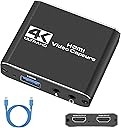
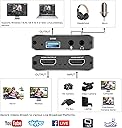
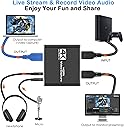
The TKHIN Audio Video Capture Card is a high-performance device designed for gamers and content creators, offering 4K HDMI input at 60fps, 1080p output, and versatile compatibility with various systems. It features a 3.5mm audio input/output for seamless audio integration, making it ideal for live streaming, gaming broadcasts, and video conferencing.


| ASIN | B08SBTK4QH |
| AV Output | HDMI, USB |
| Best Sellers Rank | #118 in Internal TV Tuner & Video Capture Cards |
| Brand | TKHIN |
| Compatible Devices | Camera, Gaming Console, Personal Computer |
| Customer Reviews | 4.2 4.2 out of 5 stars (3,609) |
| Hardware Interface | USB 2.0 |
| Item Weight | 0.1 Kilograms |
| Manufacturer | TKHIN |
| Mfr Part Number | DE16 |
| Minimum System Requirements | Operating System: Windows / Linux / Unix; USB Port: USB 2.0 or higher |
| Model Name | OZC4 |
| Model Number | OZC4 |
| Operating System | Linux, Windows 7 |
| Platform | Nintendo Switch, PlayStation 4, Xbox |
| Tuner Type | Digital |
| UPC | 738634438134 |
| Unit Count | 1 Count |
| Video Capture Resolution | 1080p |
G**2
Does what I need and a little more!
It runs perfectly, setup is easy, and I rarely have to reconnect it. It DOES NOT OUTPUT 4K. It CAN input 4k but outputs a max of 720p. This is perfect for discord streaming if you're like me and refuse to pay for the overpriced subscription. It works with my everything that can output HDMI! Even my Nintendo 64 (with an HDMI adapter of course)! It's perfect for what I wanted and the price is reasonable. It's reliable and it still works after over a year of constant use. TL;DR: If you want a reliable, durable capture card but don't care for recording/streaming at 1080p or higher, and don't wanna pay through the nose, then this card is for you!
J**W
One of the Best Cap Cards on the Market for the Price
A decade or less ago, the idea of using a cap card for new streamers and video game content creators was both intimidating and often times associated with the necessity to acquire a large piece of a equipment that required a moderate to extensive process to set the equipment up. When "cap cards" were first introduced on the market, there was a relatively slim selection of products to choose from with the Hauppauge device being one of the premier devices on the market; not exactly a massive piece of equipment, but about half the size of a laptop when closed with some additional thickness. The Hauppauge worked well, despite some minor inconveniences, and had its own user interface where you were able to record, stream, and screenshot gameplay footage. The particular capture card being reviewed in this text does not have its own user interface, which means you need to download one. There's not much of a hassle in doing so since, some of the best in the business, like OBS, are entirely free to download and work perfectly with this particular capture card. This particular capture card is so tiny that it can fit in your pocket, but everything required to stream from just about any video gaming console imaginable is contained right within that tiny device. And to be clear, the physical capture card device itself is not flimsy and is made out of downright hardened metallic material, and despite the fact that I would recommend small children using and or dropping the device itself; the device certainly seems like it is strong enough to withstand a bump or two. Setting the device up may require different techniques for different users, depending on the video game console (in question) they seek to stream, as well as what headsets they're using, and what PC they intend to use the capture card with. I personally had a relatively easy time hooking the device up, and I tried to upload some pictures DIRECTLY from the capture card themselves to show how great the quality is, but for whatever reason the pictures did not upload despite about 10 separate attempts. All in all this is one of the best capture cards on the market for the price, particularly if combined with OBS; which is free.
K**M
Works For Only Modern Consoles
So I thought the capture card couldn't capture on my Wii cause article after article everything and everyone telling me I needed something more, something more expensive etc for the best quality etc. And sadly for a time i believed them. Only for one person on reddit to tell me "no you don't use Game Capture, you use Video Capture Device because it counts as a device being plugged in" ..now don't be an idiot like me, if you're using OBS use that....cause I tried everything. And funny enough I did go to video capture device twice, but all I saw was my webcam I didn't even take notice of the one that says "USB device" cause I was strictly looking for like "Wii" for some reason lol. So good news, it can work on older game consoles and newer ones. You don't have to spend penny out of pocket like these idiots did to record and do more cause these guys, the ones I saw hooking it up. bought 2 types of different Wii hook ups, a big arse hub and a thumbdrive to put it on. and that was just a year ago. apparently they didn't even bother doing what I was doing I knew it had to work in a way since it worked fine on my Switch and I was wondering what the real problem was. so good news to those who buy it, it is compatible with most older consoles. Like the Wii. Just uh if you go to record it on OBS don't be an idiot box and do what I did lol Unless you already knew that then congratz you're smarter than me lol but great product though, it really lives up to the 4k since the quality is great! And easy to hook up the audio as well.
E**A
The Versatile Audio Video Capture Card - A Game-Changer for Content Creators!
The Audio Video Capture Card with Microphone is a game-changer for content creators like me! This little device has revolutionized the way I capture and share my content, providing me with endless possibilities and exceptional quality. The 4K HDMI loop-out feature ensures I can record high-resolution videos at 1080p 60fps, guaranteeing stunning visuals that captivate my audience. What sets this capture card apart is its seamless integration with various devices. Whether I'm using a gaming console, DSLR camera, or even my smartphone, the capture card effortlessly connects and delivers top-notch performance. The inclusion of a microphone input is an added bonus, enabling me to record crystal-clear audio along with my videos. The setup is simple and user-friendly, making it ideal for both beginners and seasoned creators. Whether I'm live-streaming my gaming sessions, creating YouTube videos, or conducting online tutorials, the Audio Video Capture Card with Microphone has become an essential tool in my content creation arsenal. If you're serious about elevating your content and delivering professional-grade videos, this capture card is a must-have investment that will elevate your creative journey to new heights!
T**I
worth the price
I recently purchased this video capture card for my Switch and I'm incredibly impressed with its performance. One of the best things about this capture card is how easy it is to use. It's simple to set up and requires no complicated software installation. All you need to do is plug in the device and start recording. It's a great solution for anyone who wants to capture gameplay footage without the hassle of complex equipment. The design of this capture card is also worth noting. The device itself is small and sleek, making it easy to transport and use on the go. It's also very user-friendly, with intuitive controls that are easy to understand even for those who are new to video capture. But what really sets this capture card apart is its price. It's an affordable option that doesn't compromise on quality. Despite its low price, the video and audio quality are both excellent, and there's no lag or stuttering in the recordings. Overall, I highly recommend this video capture card to anyone who wants to record and stream their Switch gameplay. It's a simple, easy-to-use device with a great design and an unbeatable price. Whether you're a seasoned streamer or just starting out, this capture card is definitely worth considering.
M**S
Never Worked - Got About 2 Minutes Before Device Disappared in OBS and is Not Well Supported
Did not work - could not setup. This product has ZERO documentation so you are on your own to figure out how to make it work. First, you have to have a video capture software such as OBS. No problem as this is public software and easy to install. This is where the experience ends. There are very very few videos or instructions on how to use this product with OBS or any other software. In fact after extensive search, I found exactly 2 videos. Both videos with in the first minute or so said to plug the capture device into the computer, start OBS and you are ready to go. BAM! this is where it stops working all together. The few instructions say to select USB Video Device in OSB. Well there is no USB Video Device to be selected. I tried dozens of ways and without any specific step-by-step instructions there is nowhere to go from here (see update below). In truth, the USB Video Device appeared briefly after an hour of fiddling around in OBS. I got about 2 minutes of time trying to sync resolution before the device dropped off the menu in OBS never to be seen again. I have no idea if the device failed, OBS failed or if something else is wrong. There is no direction on how to troubleshoot or where to look. I would have easily paid three times the cost for troubleshooting tips to get this device to work but we live in a world where documentation and customer support is a mythical creature. Update: I spent several more hours working on getting the HDMI capture device to work. - It may capture for a little while after many cold reboots of computer and capture device. However the second you change any settings in OBS the device disappears in OBS requiring several more cold reboots. - I have tried uninstalling and reinstalling device driver which made no difference. - I was able to get OBS to work with other sources and was stable. It seems this device or its driver corrupted OBS requiring reboots. - On the few occasion OBS saw the device it did captured video and looked good but it never captured any audio. - VLC will play audio directly from capture device but not any video. It says the video device is "is not supported" although the device documentation says VLC is supported. My conclusion: Not a good product - not well supported.
B**E
Just okay, good enough for a beginner.
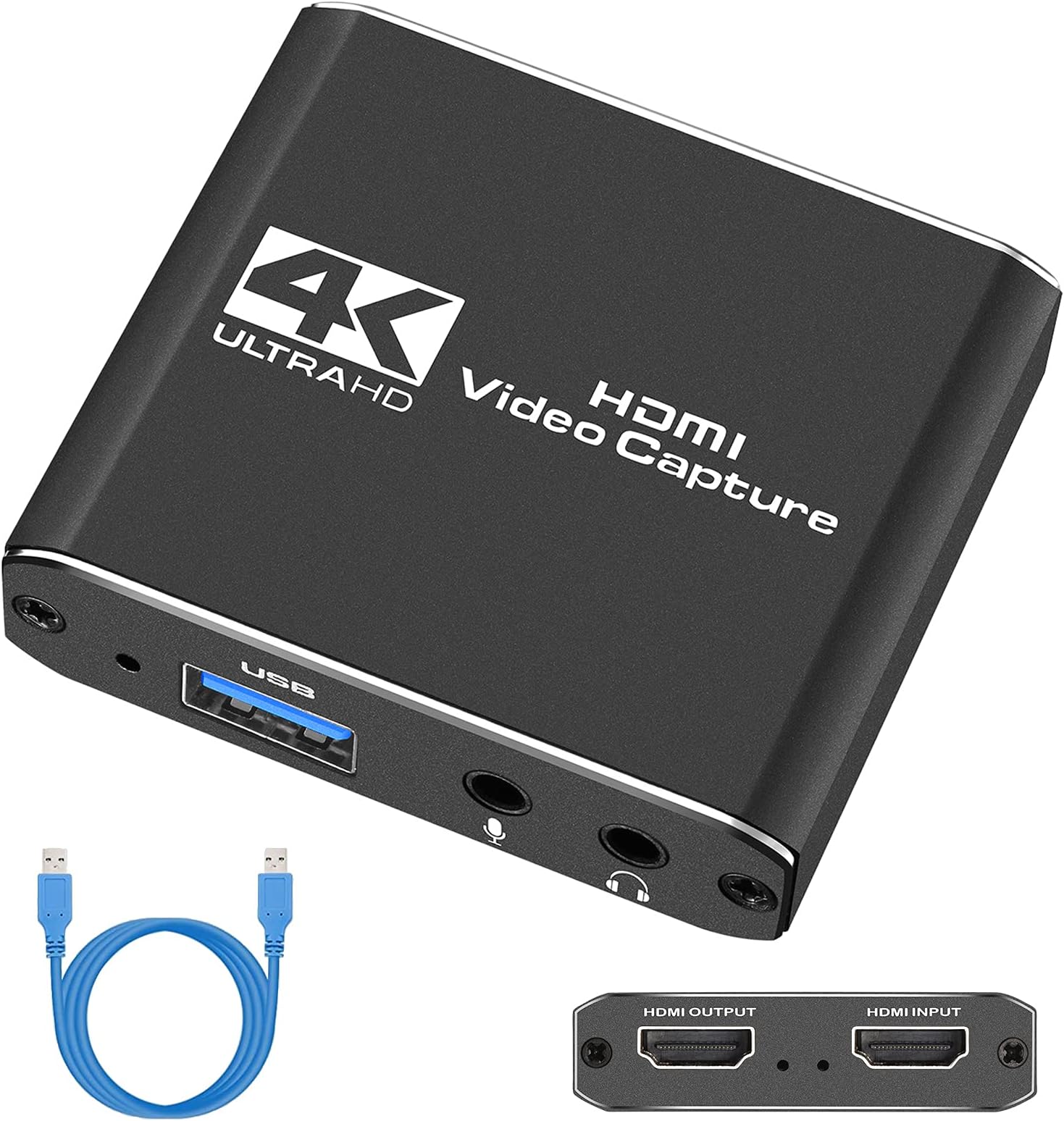
I wanted to try streaming on Twitch, and I only play on Nintendo Switch so I needed a capture card. Because I'm new to all this, I didn't want to spend a lot of money going into it so I searched on Amazon and found this. Most of the off brand capture cards have iffy reviews and this one was no exception, so to stick with the program here's another iffy review. So, it does work. I've streamed on Twitch twice with it so far and all went mostly fine... once I actually got it set up. The instructions are decent about telling you where to plug everything in, but I had a bit of trouble actually getting everything to show up in OBS, and even more trouble trying to get the game audio to capture. I went round and round in my computer settings to try and figure out what the problem was, until finally I just unplugged the capture card and plugged it back in again, and that worked. However, I have to do this every time now and that's kind of annoying. I use OBS on my MacBook Air, so my streaming stuff isn't something I leave hooked up all the time. That means I have to do all this hooking up/unplugging/plugging back in like 2 or 3 times whenever I want to get on Twitch. Maybe a more high end capture card would just work on the first try, idk. As far as stream quality goes, that works alright too. I watched a bit of my stream back after the fact and noticed that it was laggy/skippy at times, but I'm not sure if that's the card or my internet. I think it's the card though because I did several bandwidth tests and everything came back pretty much perfect. It also puts kind of a weird yellowy tone over the video, which I saw another reviewer mention as well. There's a headphone jack on the card, but do not and I repeat do NOT plug headphones into it unless you want to blow your eardrums out. I tried it because, well... it's there, and WHEW. I swear I almost went deaf, and as far as I could tell there's no way to adjust it. The volume buttons on my headphones didn't do anything, the volume buttons on my computer didn't do anything, and I even tried turning the audio slider way down in OBS and that didn't do anything either. Now, I know I can just use the headphones hooked up to my computer, but then why is there a headphone jack on the capture card?? Seems like an odd feature if there's no way to control the output volume. It does run hot when it's in use so just be mindful of where you place it. It's really small though, so it's easy to find a spot. Oh, and you'll need your own HDMI cord. I think we all have spares laying around these days, but just in case you don't, this product doesn't come with one. Soooo overall, I'd say this is a decent budget option for a beginner at streaming. It gave me a sense of how everything works for only $30, so that's nice. I haven't decided if I want to keep it yet, because idk if I'm going to keep streaming at all, but if I do I'll probably look into a better quality option going forward. If you're like me though and just want to see what it's all about, go ahead and try this one or something similar! Maybe it won't be as seamless as a fancy name brand, but you'll get the gist and save some cash.
F**S
Works great but gets concerningly hot.
This capture card works great! It's easy to set up and use, and I've had no issues connecting it to anything. I don't usually push the capture card's quality, but I have not noticed any issues. My one concern is just how hot it gets. The card will heat up within minutes and although I have not had problems when it gets hot, it is concerning.
Trustpilot
1 day ago
2 weeks ago