⌨️ Elevate your workspace, protect your wrists, and stay effortlessly connected.
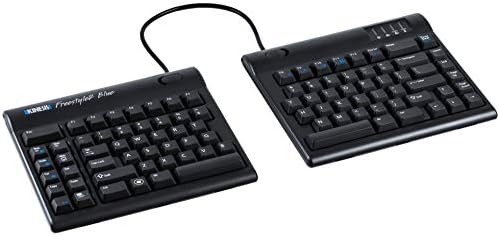
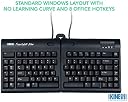
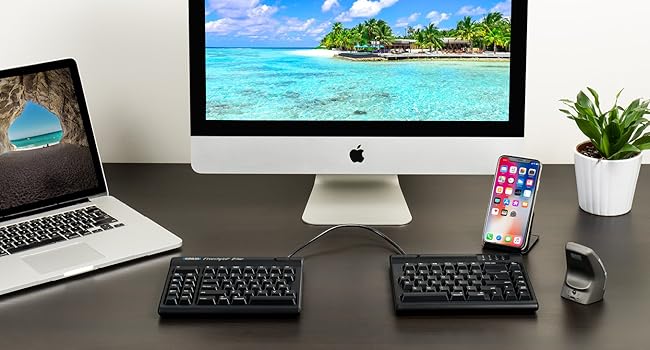
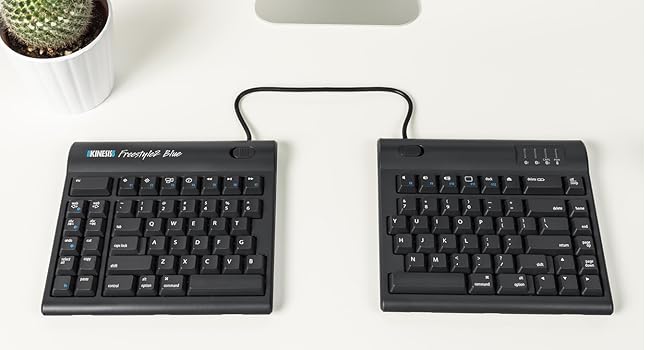
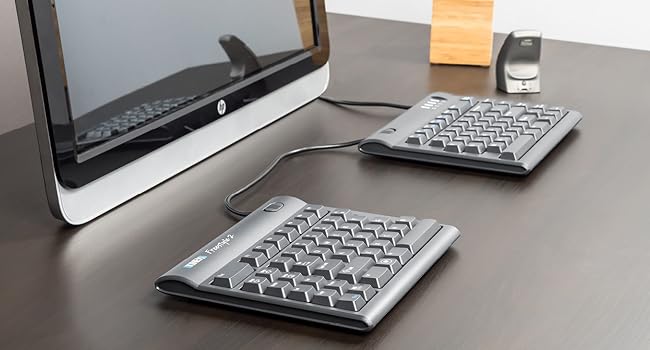
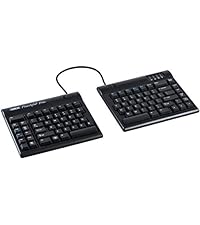
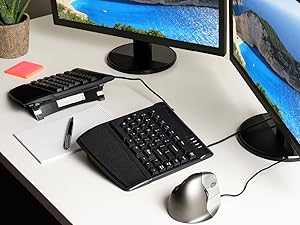
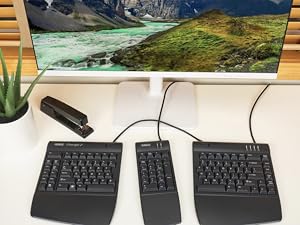
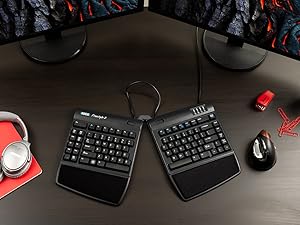
The Kinesis Freestyle2 Blue is a premium split ergonomic keyboard designed for professionals seeking customizable comfort and wireless versatility. Featuring a 9-inch adjustable split design, multi-channel Bluetooth connectivity for up to three devices, and low-force tactile keyswitches, it reduces typing strain while boosting productivity. Compatible with Windows, Linux, and Android, it offers driverless hotkeys and a rechargeable battery lasting up to 6 months, making it ideal for modern, flexible work environments.


| ASIN | B00NMVJZ1E |
| Are Batteries Included | No |
| Best Sellers Rank | #139,271 in Computers & Accessories ( See Top 100 in Computers & Accessories ) #1,232 in Keyboards |
| Brand | KINESIS |
| Country of Origin | China |
| Customer Reviews | 3.8 3.8 out of 5 stars (291) |
| Date First Available | 18 September 2014 |
| Generic Name | keyboard |
| Hardware Platform | Laptop |
| Included Components | USB Cable |
| Item Dimensions LxWxH | 41.7 x 23.9 x 2.5 Centimeters |
| Item Height | 1 Inches |
| Item Weight | 907 g |
| Item Width | 9.4 Inches |
| Item model number | KB800PBBT |
| Manufacturer | KINESIS |
| Operating System | Android,Linux,Windows 7 |
| Power Source | Battery Powered |
| Product Dimensions | 41.66 x 23.88 x 2.54 cm; 907.18 g |
S**T
It draws a lot of attention
Everyone I meet likes the design concept. I did not buy the accessories yet and just have the base model. I find it very convenient compared to regular keyboards and keeping my hands further apart does help reduce strain. It works with Windows 10. I liked the concept of multiple bluetooth channels. It did not pair with my Samsung Galaxy 5 and I have yet to try it out with other versions. I have trouble with the placement of delete and backspace which causes me to accidentally swap the operations. I gave it only 4 stars because of the price. I would like to purchase the accessories to test them out buy am unhappy having to pay so much for plastic accessories that may or may not help. I was very happy with the Seller
N**C
Bought: Mar 2, 2021. Review: June 14, 2021 Use: daily (9-5pm + 7pm-11pm = 12hrs per day, almost every weekday + occasionally on weekends). This is it everyone! I have tried over 10 "ergonomic" keyboards over past few years at various jobs + purchases of my own. I will never go back to a 1 piece keyboard again!! split keyboards are the way of the future and also the way to save your body from the stress of typing all day. the pain I experience in my hands, wrists, arms, shoulders neck and back have dramatically improved. Is it gone completely? no. but I didn't expect this since I have chronic conditions that are likely to be a part of my life ongoing. But this keyboard was a huge help to keep me working and help with pain mitigation/pain management in a non-invasive and also non-pharmaceutical way. I love this thing. the reason I decided to write this review today was because today was the first time I actually had to charge my keyboard after the initital charge required when it arrived the first day. So it has been going strong for just over 3 months. AMAZING! I also absolutely adore the shortcut keys on the left hand side. the Bluetooth connection has lost connectivity to my PC only a few times (2-3), and it is super simple to reconnect. A non-issue for me. DON'T WORRY ABOUT HOW HARD IT WILL BE TO GET USED TO THE SPLIT KEYBOARD!!!I ITS NOT HARD AT ALL!!! You will find you have adapted to it within the first few days, and for me it was a breeze, barely experienced any "culture shock" moving to the split keyboard. I have zero affiliation with this brand. I just want them to succeed! My only wish is for there to be zero cord connecting the two keyboards. Otherwise it is an incredible keyboard which has been a major investment in my health. Absolutely adore it. Will never go back to the others!!
A**R
execelente
M**R
Not really up to expectation for Kinesis. The parts are not good quality at all, especially the Pivot Tether. The keys are not as good as the Advantage2 neither is the lay out. howeve, the ability to adjust the distance of the key pad is great. Can feel my body is more at ease when using this keyboard. Still worth the buy, but Kinesis can do better and have done better.
T**K
I love that this keyboard enables me to position it as I need to ensure proper alignment of my wrists. Significantly decreases discomfort in my left wrist comparted to when I use a regular keyboards. I have used other ergonomic keyboards, but the split design of this keyboard allows me to tailor the angles to meet my needs. The keyboard was easy to connect to both my computer and my cell phone. The directions for using Bluetooth were easy to follow. Additionally, the company provides top-notch customer service. I had an issue with the power port. The company quickly replied and help me resolve the issue, and went above and beyond to ensure I was happy with the outcome. I would highly recommend this keyboard.
J**S
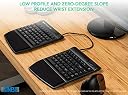
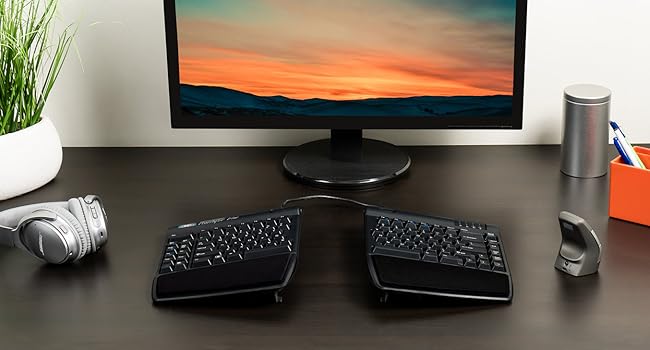
Okay... I fought the trend to go for a split keyboard for well over 20 years... But not only were people yelling at me for using a traditional Ergonomic Keyboard, in the past 20 years, they made HUGE leaps into these new split keyboards. I LOVED My Microsoft Wireless Ergonomic Multimedia Keyboard 1.0. But then I did the research, and I found Kinesis keyboards. THEN I found THIS MODEL. The Freestyle2 Blue for PC. Let's not mince words... There's a tiny bit of a lie in the name. "For PC" doesn't cover what this model does. There are 3 hot keys, activated by a Function Key. It lets you switch between THREE SEPARATE Bluetooth Devices. Not just PC, but Linux, Android, Amazon FireTV Sticks... If it can be paired with Bluetooth, this puppy will pair with it. Period. GREAT Parts: Honestly, it's relatively new to me right now, but I've never seen such an easy keyboard to adapt to. It got very comfortable, very quickly. And when you're just not hitting the keys, it's often because you've forgotten to angle one side or the other into the comfortable position. And being able to operate my Phone, Xubuntu Linux PC, AND my Samsung Tablet, all at the same time? That's awesome. You can be VERY productive if you need it. Downside: If you ARE used to traditional split keys (not split keyBOARDs, just the Keys on a single board) Ergonomic wave-style Keyboards... This is a weird experience. Because, for one, unless you also buy the VIP3 lift kit from Kinesis, this is just two flat, non-ergonomic keyboards. You really need that lift kit, with the palm rests and the tenting adjustment, or this keyboard won't do any good for you. it's an extra cost, but also worthwhile, to protect your hands. Also... The layout is VERY weird for anyone who has been physically typing for more than a decade... for me it's nearly 3 decades... There's no number pad (if you do calculations, spreadsheets, or dialing, I suggest buying the Freestyle2 USB Keypad separate, otherwise, you'll survive.) so to save space, they've squished the cluster of 6 keys we normally reach for above the arrows, home, end, page up and down, pause/break, and delete, right up next to the edge of the regular cluster of keys. They've also slid the ARROWS right up close. True... No annoying "Menu Popup" Windows key on the right side anymore, the arrows are right up under the Enter and Shift keys... But you know what? You're going to have to slow down a bit when you want the Enter key. Or Backspace for that matter. They're in the same spot for distance from your home row, but you can't feel for the edge of the board anymore... Home, End, Page Up, and Page Down are lined up right there. You'll end up hitting one of them instead of Backspace or Enter. Just... ADAPT to this. Also... There's TWO Delete Keys now... And a cluster of Office/Program shortcut keys, along with the magical Function key, on the left hand side, in a cluster. Directly next to that Function (Fn) Key, is the dreaded Floating Menu key that used to be on the right, and annoyed us. Y'know what? It's barely noticeable on the left there. Instead, there's a VERY handy cluster of Internet and Program shortcuts in that new cluster. Cut, Copy, Paste, Delete, Undo, and a "Home"/Web Browser button, as well as Web Back and Forward page buttons, all in that cluster. Hold Fn, and hit Page Back, you tell the keyboard to connect to Bluetooth device 1. Below that, Fn+Undo is BT2, and Fn+Cut is BT3... It's so swift and efficient it makes my heart sing! But, it WILL take some memorization, because the layout changes the sizes of some keys. ESC is a HUGE bar at the top left of the left keyboard now, not some tiny little nothing you can accidentally hit. Pause/Break is now regular sized and squeezed up to the top right of the Right keyboard, still out of the way. And, right next to it? A nice BIG Delete key. These changes, like having things squished in, or moved to new places, is just something you will have to get used to. They make a LOT of sense. And there are STILL more functions to use as shortcuts, like a link to pull up your Calculator app, or to control your Volume, and these are highlighted by the Fn key markings. And unlike MOST Bluetooth Keyboards, this thing has a FULL set of 12 F-Keys. F1-F12 are right there, ready to be mapped for Macros, or do whatever they gotta do. It's actually rather cool. One thing to note though... There MIGHT be some mapping issues in mobile devices. I've already noticed that the @ and " symbols are switched in Android typing. Maybe there's a mapping setting, I don't know. I'm still having a ton of fun working with this keyboard, and my hands and wrists have never been so comfortable. Overall: GET ONE. I don't care about your excuses, looking at the price and rolling your eyes, none of it. This is THE KEYBOARD you need if you're really a power user for life. This is no toy, this is for people who make things happen for what they do.
Trustpilot
3 weeks ago
2 weeks ago