Desertcart purchases this item on your behalf and handles shipping, customs, and support to Tunisia.
🖼️ Elevate your creative space with vibrant, cartridge-free wide-format printing!
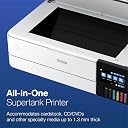
The Epson EcoTank Photo ET-8550 is a wireless all-in-one inkjet printer designed for creators and home studios. It features a cartridge-free 6-color Claria ET Premium ink system delivering lab-quality, wide-format prints up to 13 x 19 inches. With ultra-low cost per photo (4¢) and up to 2 years of ink supply per refill set, it minimizes interruptions and waste. The printer supports scanning and copying, offers auto duplex printing, and connects seamlessly via USB or mobile apps, making it ideal for professional-quality photo and creative project printing at home.


| Additional Printer Functions | Copy, Scan |
| Asin | B08R5M2HDH |
| B W Pages Per Minute | 16 pages_per_minute |
| Best Sellers Rank | #2,996 in Office Products (See Top 100 in Office Products) #6 in Ink Tank Printers |
| Brand | Epson |
| Built In Media | EcoTank Photo ET-8550 all-in-one, Quick Setup Guide, Power Cable, CD-ROM (User Guide, software), 1 bottle of 552 Photo Black (70 mL), 1 bottle of 552 Black (70 mL) and 1 bottle each of 552 Cyan, Magenta, Yellow, Gray (70 mL) (4) |
| Color | White |
| Color Depth | 48 bits |
| Color Pages Per Minute | 12 pages_per_minute |
| Compatible Devices | PC, Smartphones |
| Control Method | App, Touch |
| Controller Type | iOS, Android |
| Customer Reviews | 4.0 4.0 out of 5 stars (2,584) 4.0 out of 5 stars |
| Duplex | auto |
| Hardware Interface | USB |
| Ink Color | White |
| Item Dimensions D X W X H | 29.8"D x 20.6"W x 16.9"H |
| Item Type Name | Inkjet Printer |
| Item Weight | 24.5 pounds |
| Manufacturer | Epson |
| Maximum Copy Resolution Black And White | 1200 x 4800 DPI |
| Maximum Copy Resolution Color | 5760 x 1440 dpi |
| Maximum Copy Speed Black And White | 16 pages_per_minute |
| Maximum Media Size | 13 x 19 inch |
| Maximum Print Resolution Black And White | 5760 x 1440 dots_per_inch |
| Maximum Print Resolution Color | 1440 dots_per_inch |
| Maximum Sheet Capacity | 100 |
| Model Name | ET(EcoTank) Photo ET-8550 |
| Model Number | ET-8550 |
| Model Series | ET |
| Other Special Features Of The Product | Refillable Ink Tank |
| Output Sheet Capacity | 50 |
| Paper Size | 13 x 19 inches,11 x 17 inches, 8 x 10 inches, 5 x 7 inches, 4 x 6 inches, 3.5 x 5 inches,A3,A4,Legal,Letter,Executive,A6,Half Letter |
| Power Consumption | 150 watts |
| Print Media | Glossy photo paper |
| Printer Connectivity Type | USB |
| Printer Output Type | Color |
| Printer Type | Inkjet |
| Scanner Type | Photo |
| Specific Uses For Product | Home |
| Unit Count | 1 Count |
| Upc | 010343952492 |
| Warranty Description | 1-year limited warranty |
| Warranty Type | Limited Warranty |
User
★★★★★ Excellent Photo Printer with Professional Quality
★★★★★ Excellent Photo Printer with Professional QualityI am very impressed with this Epson photo printer. The print quality is outstanding, with beautiful colors, sharp details, and a professional look for photos and creative projects. It is easy to use, and the results are much better than standard printers.The setup process is simple, and the wireless features make printing from different devices very convenient. It is a great choice for photography, crafts, documents, and anyone who wants high-quality prints at home.The ink efficiency and overall performance make it a great investment. I highly recommend this printer to anyone looking for excellent photo quality and reliable results.
User
Epson finally did inkjet printing right
Congratulations Epson I don't hate you anymore.I have had Epson inkjet printers for about 30 years. For my work as an artist I usually buy this size wide carriage 13x19. However I have never ever advised that anyone else I know buy a color inkjet printer unless they absolutely need one. I have two black and white laser printers that I adore because they just work, lightning fast, the toner is cheap, the print quality is excellent. My parents for instance have against my advice had a couple of color inkjets because they very occasionally want to print in color. Misery. The ink cartridges are always empty the heads are always clogged and the thing just refuses to print in black and white even though the black cartridge is full but one of the color cartridges is empty. My old Epson r2880 has eight tiny little cartridges and one or two of them are ALWAYS low or empty and they are crazy expensive. The cartridges are also chipped so that you can't use anyone else's aftermarket cartridges, and there's a whole industry dedicated to getting around these issues. In my opinion it's a terrible business model for a printer company because you make your customers hate you, go to great lengths to buy cheaper ink from other companies, and it all discourages them from using the printer and doing a lot of printing and buying your other supplies like paper.Well I read an awful lot about these new tank style printers and how they could potentially solve most of these issues. And I have to say I think they have nailed it. This printer is an absolute joy to use and you just look for excuses to print anything. The gloss prints on Epson ultra premium paper are simply the finest gloss prints I've ever seen. The ink tanks are huge and transparent so you can tell how much ink is in them and the ink lasts a way long time and it's really not that expensive. The ink bottles are actually kind of brilliant you can't put the wrong ink in the wrong tank cuz the nozzles are different shapes and they don't drip ink at all or anything. You can top them up at any time it's beautiful. Turns out you really don't need 8 or 10 colors to print gorgeous luminous prints. I am happy to buy Epson brand ink under these conditions. I mean I could still buy a different company's ink and put it in these tanks but why would you?I've always liked Epson photo paper and use it almost exclusively. I actually tell my kids to go and use the printer all they want. My neighbors too. If there's a print you think you might like print it for goodness sake! Print it larger! Now see Epson: THAT is a business model.I had trepidations as this is a die ink printer. Everyone says artists should "use pigment inks for archival longevity". I've decided I just don't care. Pigment inks tend to clog. They actually don't look that good on glossy paper did anyone ever tell you that? They need a special varnish coat in order for the gloss to pop. If one of these dye prints fades in 20 years you know what it's digital files, I'll just go print the darn thing again it's not that expensive on a printer like this.I even kind of like the Epson print layout software, even though it looks like it was designed in the Windows XP era, and the scanner and it's software work quite well. I've had Epson flatbed scanners also for years and this one being built directly into the printer is just very useful. The touch screen also works well and you can quickly run off a copy which I've never really been able to do before, because I've had a separate printer and scanner and it's just too much of a pain to fire them both up and get on the computer. Also the wireless print function is really great. I can print a 4x6 from my phone in a few clicks, or a PDF from my tablet, what have you. There's even a special paper slot just to hold 4x6s in addition to other paper, gloss full sheets in the rear feed, plain paper in the bottom tray. They really have kind of thought of everything with this printer.If I need to do some serious black and white printing of text I will still use the laser. On cheap copy paper the inkjet looks a little fuzzy and is actually not waterproof. But if I didn't have a laser I wouldn't go out and buy one because one printer is better than two. Just use inkjet plain paper and you'll be setThis is a printer I can happily recommend to basically anyone, and I have never been able to say that about a color ink jet before.
User
Carefully consider these issues before buying
I have purchased and returned 3 of these printers in the last 2 months. Each one was defective. One had a malfunctioning feeder tray. One was missing the light that is positioned directly over the output tray. But the real trouble was with the printing process. Every 2-3 prints would stall in the middle and spit out a wasted sheet of premium photo paper. My mother has the same printer, with the same issue of half prints. When it does decide to print the images they were grayed-out and half the brightness and the last 3 inches were blurred. I spent, all together over 4 hours on the phone with tech support. The last epson tech told me it was defective roller wheels causing the blurring and to return it. Despite being told this, Amazon’s seller penalized me over $200 to restock it. I then purchased a new one directly from Epson. This one is working. I truly believe that Amazon sold me returned units. How can 3 in a row be defective? And why financially penalize me? I’m a very disgruntled customer. Despite the great print quality, I think you should carefully consider these issues if you purchase this from Amazon. I recommend buying directly from Epson.
User
Large Format
It is a nice, large format printer. As others have said, it does take quite a bit of setting up. You have to go hunting for blue tape to remove all over the unit. Nooks and crevices. Instructions don’t help much in this regard.Filling the ink reservoirs is easy, don’t try to help, just let gravity do its job. The ink automatically stops filling when the reservoir is full. There seems to be about a third of the bottle left after filling.I like the motorized output tray that stores inside the printer on the push of a button, and emerges when you’re printing.I have not got it to fill a 11 x 17 photo sheet with image. It seems to limit the image size with excessive borders.Strangely Tray2 is the main tray. Tray 1 is for 4 by 6 photo paper. Tray 1 only holds about 50 sheets of paper.That it has a dedicated CD tray is unusual these days, but I like it.It is quiet, has a significantly smaller footprint than my old large format printer.Photo imagery is excellent.Display is very good.The flatbed scanner does not have a feeder, nor does it scan 11x17 originals. Something bigger than a 8.5 by 11, but not by much.Software app on my PC seems fairly robust.My iPhone had no trouble finding it once it was wirelessly connected to my network.Rear tray feeder for 11 by 17 sheets, and apparently longer paper for those inclined.That it is not much more expensive that the standard format printer available in the series is impressive.
User
The most satisfying ink jet printer I've ever used {w/Update}
The TLDR for this is the review title. {UPDATE}. It's still satisfying!It cost about $200 US more than I wanted to pay, and I tried mightily to find something else that was cheaper! But in the end, this was the only printer that I could actually say met my needs to support my serious "artsy" amateur photographer large print habit. I am pleased to say that it is worth every cent.I've had it about a week, and I've printed a LOT of photos (Maybe 30, or so), just to test it out. And the ink tanks aren't even down to the 25% used level. All printer Ink is expensive, but the way the Epson Ink is packaged and sold, it is projected to save the typical user about 80% in ink costs over the life of the printer. I believe this is a reasonable estimate based on my current usage, and I haven't even started my real printing yet.The print quality is excellent. Is it as good as one of those giant commercial grade printers? Probably not. But when I used good Epson and Canon printer paper, I thought it was as close as I could reasonably get for something that costs less than $1000 US. To be honest, I also printed on cheap Kodak paper, and while it wasn't quite as sharp and the color wasn't quite as accurate as the premium paper, it was still more than adequate, GOOD, even. Certainly good enough that Granny, Gramps, and Mom are not likely to notice. So cheap paper is not off the table for some print jobs.It's reasonably quiet and well built. My office area is right below my bedroom and I have no fear of it being heard up there. It's big and heavy and doesn't make the table it sits on wobble; it's rock solid. I like the large color LCD screen. I haven't had to clear any paper jams yet but access for clearing them is from the back and very easy to get to.The only negative I've encountered is that the auto select for which paper tray to use is unreliable. I've found that manually selecting the paper tray reduces the amount os swear words I use during the day! Go with the manual tray selection, or your kids will learn words you don't want them to know.I tried the scanner once, it works well, but is no better than any other all-in-one printer. I suspect all the printers of this type use the same type of scanner, possibly from the same manufacturer. You won't hate the scanner, but it's not going to stand out in your mind either.This is the perfect All-In-One printer for serious photographers on a budget who need to use paper that is 13 inches wide. If you can get by with standard letter size printer paper there is an almost identical printer that is a bit cheaper, but delivers all the other features of this one. (ET-8500)I am VERY happy with this printer, and I would buy it again, and I would recommend it to a friend.{Update}. 1 year after purchase. I'm still on my first set of ink bottles. After my initial rush of printing, I calmed down some, and I now print a photo, say, once every week or so. My wife will print a few color spreadsheets and documents with it roughly every two weeks or so. I will probably use OEM ink when I do need to buy more ink. I'm not sure how to tell if the maintenance/overflow tank is full though. I hope the printer will tell me when it needs to be replaced. My problem with auto tray selection has been resolved, not sure why, or how, but I've gotten used to manual tray selection, and don't feel like changing my workflow. {END Update}
User
Just about everyone will agree this is the GOAT
Read the long reviews on line. Watch the YouTube videos. This is THE best home photo printer. Would obviously work for a small business. Cons? Nothing of substance. Lots of tape and packing material to remove. I thought I got all of the blue tape off the printer. Then I put a sheet into the back feed and discovered two more chunks of tape. So that's a good thing as everything is secured for shipping. And the packing etc is excellent. I am using it with a MacBook Pro M-series, an ipad, a Linux desktop and once with my Galaxy phone! Prints are amazing. Huge bonus is that it utilizes refillable ink bottles rather than ink cartridges. And you do not have to use the Epson inks. There are some very very good (every bit as good as the OEM stuff) aftermarket brands for at least 50% less - if not more.
User
Updated Review – Epson EcoTank ET-8550
I would like to update my previous review of the Epson EcoTank ET-8550. After further troubleshooting, I realized that some of the issues I experienced were not caused by the printer itself.The print quality on this printer is absolutely top tier. The colors are vibrant, photos look amazing, and the overall quality of the prints is outstanding. After switching to original Epson photo paper, I noticed a major improvement. The ink bleeding issue I was experiencing stopped completely, and the printer is now producing beautiful, professional-quality prints.I also discovered that the paper tray issue was due to my settings. The printer was set to Tray 1 instead of Tray 2, which caused it to incorrectly report that the paper tray was empty even when paper was loaded.I sincerely apologize for any confusion caused by my earlier concerns. After using the correct settings and high-quality Epson paper, I can say that this printer performs exceptionally well. The Epson EcoTank ET-8550 is a fantastic printer, and the print quality is definitely worth it.
User
First Bad Review I've Ever Left...On Anything
I make a point to never leave bad reviews. I don't like the idea of putting negativity out in the world. BUT MY GOD I HATE THIS PRINTER. Before purchasing I read (and still see) so many great reviews, so I'm willing to concede that maybe I just got a total lemon. But if I hadn’t spent $800 on this printer, I would've chucked it on week one. Printers can be fussy, but I've never experienced so many different issues that I can't even pinpoint a potential problem. I'm going to allow myself one glorious meltdown venting session. Bc this printer is worth it.The manual feed on the back works about 1/10 attempts. At best. Error after error message even though everything was completed 100% to spec. I've stopped using the manual feed completely, and have conceded that even though I purchased this printer SPECIFICALLY for the ability to print on cardstock and other thick paper stocks, this is simply not a feature I get to use. Ever.I am not a stupid woman, nor am I technologically challenged. * This is not user error. *When I use the top paper feed, anything above basic print quality produces lines. When I try to realign the print heads to fix this, it will only select from one particular print cartridge for this, and the paper folds and crumbles in the interior (even though all the back manual feed equipment is properly reinstalled) and has to be carefully pried out by hand, so bc it only accepts paper for print head alignment, etc, through THIS ONE paper feed, I have not been able to realign the print heads. I get decent enough prints from the basic print setting, but I'm prevented from printing higher quality. As a professional artist, this is not okay.As I sit here venting on Amazon for the first time ever, the printer sits beside me, refusing to accept print commands from my computer wirelessly even though it says it's connected. So I transferred my 12x18" image to an SD card to print directly from the unit, but for some reason, the printer tells me that 12x18" is not a valid paper size and refuses to print, even though it has (in the past) via wireless connection. My only other option was to connect the printer directly to the computer (with a wire that is NOT included with purchase).Right now, it's pretending to print. It's a liar. I hear a single print line being created once every 30-45 seconds. It's been doing this for about 15 minutes, and I'm guessing I have about half an inch of my image completed in that 15 minutes.Have I mentioned the weird chugging sound it makes...all the time?This MUST be an anomaly. Maybe everyone else received a perfect printer and I got a factory reject that slipped through inspection.I am a professional artist and photographer, and rely on the sale of prints to help support my work. I have an event this weekend and at this point I am quite screwed. Could I go back in time, I'd purchase anything else.I hate this printer more than I hate any other item in my studio/office...and I sit next to a litter box.
User
Não compraria novamente
A impressora parou de funcionar com 3x de uso. Simplesmente não liga. A impressão da foto é excelente mas não volto a comprar a marca.
User
110 only
110 volts, not compatible with Saudi Arabia’s electric outlets
User
La mejor impresora fotográfica de inyección de tinta
Cumplió más allá de lo que esperaba, la calidad de la impresión es muy buena, fácil de instalar y usar, la app para celular es muy intuitiva así como su manejo desde la pcLa calidad de las impresiones es muy nítida y viva, ideal para fotografía sobre todo si vas a imprimir un volumen mediano de fotos, ya que en cuanto a su costo beneficio sin duda alguna es de lo mejor que encontrarán
User
White screen after selecting the language and manual set up..
Followed the instructions to the T for setting up.. LCD asked if I wanted to set up via mobile App which I ignored. LCD just turned white… switch On Switched Off Many times.. plugged unplugged many times … nothing moves on LCD….Filled the Ink Tanks … still nothing appeared on LCD.. after few minutes everything switched off… Inks haven’t been charged…Dont know what to do? Any help here?
User
Great Printer Poor Delivery
The Printer is excellent. Beautiful colour prints. Easy to use and the Eco Tank system is really slick. Only one complaint that has nothing to do with the printer. Try to avoid using CanPar. They held the delivery for about 7 days in a warehouse, before delivering it. The warehouse was the final stop where it should have been assigned to a driver for final delivery to my door. No good reason given no notification when it was finally delivered and no knock on door. Just dropped on porch and ran. NOT GOOD..
Trustpilot
1 week ago
3 weeks ago