Desertcart purchases this item on your behalf and handles shipping, customs, and support to Tunisia.
🌍 Stay connected everywhere, because your network should travel as fast as you do!
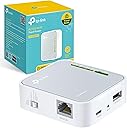
The TP-Link AC750 Dual Band Wi-Fi Travel Router (TL-WR902AC) is a compact, lightweight device designed for professionals on the move. Supporting dual-band AC750 Wi-Fi and multiple operation modes, it ensures fast, reliable internet access via Ethernet, 3G/4G USB modem, or wireless. With a versatile USB port, WPS security, and a UK plug, it’s the perfect travel companion for seamless connectivity in hotels, homes, or remote locations.
| ASIN | B01NAYG15H |
| Antenna Location | Home, Travel |
| Antenna Type | Internal |
| Best Sellers Rank | #25,224 in Computers ( See Top 100 in Computers ) #442 in Routers |
| Brand | TP-Link |
| Built-In Media | Ethernet Cable |
| Color | white with black accents |
| Compatible Devices | Laptop, Personal Computer, Smartphone, Tablet |
| Compatible devices | Laptop, Personal Computer, Smartphone, Tablet |
| Connectivity Protocol | Wi-Fi |
| Connectivity Technology | Ethernet |
| Control Method | Touch |
| Controller Type | Switch |
| Coverage | For personal use |
| Customer Reviews | 4.2 out of 5 stars 910 Reviews |
| Data Transfer Rate | 150 Megabits Per Second |
| Frequency | 5 GHz |
| Frequency Band Class | Dual-Band |
| Frequency band class | Dual-Band |
| Global Trade Identification Number | 06935364095673 |
| Has Internet Connectivity | Yes |
| Has Security Updates | No |
| Is Modem Compatible | Yes |
| Item Dimensions L x W x H | 6.7L x 2.2W x 7.4H centimeters |
| Item Weight | 2.12 Ounces |
| LAN Port Bandwidth | 150 megabits_per_second |
| Manufacturer | TP Link |
| Maximum Upstream Data Transfer Rate | 150 Megabits Per Second |
| Mfr Part Number | TL-WR902AC |
| Model Name | TL-WR902AC(UK) |
| Model Number | TL-WR902AC |
| Model name | TL-WR902AC(UK) |
| Number of Antennas | 3 |
| Number of Ports | 1 |
| Operating System | Linux |
| Other Special Features of the Product | WPS |
| Router Network Type | hybrid |
| Security Protocol | WPS |
| Special features | WPS |
| Unit Count | 1.0 Count |
| Wi-Fi Generation | Wi-Fi 5 |
| Wireless Compability | 2.4 GHz Radio Frequency, 5 GHz Radio Frequency, 802.11ac, 802.11b |
| Wireless communication standard | 2.4 GHz Radio Frequency , 5 GHz Radio Frequency , 802.11ac, 802.11b |
A**A
Good as Expected!
This gadget as its described!, perfect!
F**S
Fonctionne
Utilisé de manière efficace pour réaliser une passerelle internet entre un réseau "guest" d'une maison de retraite et un cadre image dont l'interface ne permettait pas une connexion au réseau "guest". Si l'appareil fait le job, l'application dédiée ne m'a été d'aucun secours. J'ai dû me faire aider par l'IA Gemini pour réussir à configurer la connexion (et par une tablette Android)
P**A
Funktioniert
Macht was es soll.
A**N
Versatile little travel WiFi router
For its size this little travel WiFi router is great. It support both 2.4G and 5G WiFi bands and different usage scenarios which are easy to switch between using a physical button on the side of the device. The device is tiny for what it can do and low power enough that it could be run from a reasonable sized power bank instead of the supplied mains AC adapter. Configuration in router mode (with the switch set to Share ETH) was a breeze using TP-Link's Tether app. In the other modes you have to resort to using the admin console on a web browser which is a shame as being able to do it all from Tether would simplify things. Also your configuration from router mode isn't retained when switching modes and when you switch back any custom WiFi network changes mat be undone by switching modes and using the admin console in the web browser session. The device only supports a single web admin session too, so changing WiFi settings means you then have to power cycle the device to be able to log in to the admin console again. The device also supports a guest WiFi network, so you can create a private wireless network for your trusted devices on the main WiFi, and selectively share internet access with others via guest WiFi without them having access to your private network. It does NOT include any direct way of connecting to the internet itself. To do that you need an internet router you can connect to it using the wired ethernet port, or you need to buy a USB modem (aka a dongle) to plug into its USB port (i.e. with SIM slot and mobile data contract). USB modems aren't that plentiful either and most only work on 3G/4G mobile networks (I haven't found a 5G one at all at the time of writing). It can also work in shared hotspot mode, where all your devices are connected to the device and it connects to public WiFi or a mobile data WiFi router. This can significantly simplify connecting your devices up when travelling, but be aware that it may open your WiFi data to snooping if ultimately going through a public WiFi without using a VPN as well. My one real gripe about the device, and hence it losing a star, is speed. Despite saying it supports fast WiFi, my tests showed it topping out at 50Mbps on 2.4G WiFi and at 95Mbps on 5G WiFi connections. As more devices are added the speeds drop further too.
P**F
Brilliant for accessing captive portals on public networks
Bought this for my mum to use during her long term stay in hospital at the moment. The 'Patient Wifi' doesn’t quite reach her room, so I bought this to extend the wifi so she can access the internet on her phone and tablet. It’s brilliant! The beauty with this Router - and the primary reason I bought it - so it can access captive portals on the web browser in order to get online. I initially tried using my own home-use wifi repeater, but for whatever reason, it can’t access the captive portals on public wifi networks, but the TP Link Travel Router does! Once the parameters of the Travel Router are set up on the TP Link Settings Page ( http://192.168.0.1/ ), it’s a brilliant wee box of tricks and works super on public wifi points. I left a sticky note on my Router, so if it’s discovered by patients/ staff, they know what it is and who it belongs to. Mum now has superb internet access and can communicate with family online etc as much as she wants now. Happy Bunny. Recommend. ------- UPDATE 27th April 2022 Router still going strong 👍 Bought a second one for myself to use when travelling and tried out the different functions (AP, client, Repeater). They all do their job well once you set up the correct parameters on the settings page through your browser. TP Link makes it easy for any person to use, whether you're super tech savvy or a luddite. The settings interface guides you through setting up your router, step by step, or of you're an advanced user, you can set it up manually. All the information you need about the router is there on the screen.
A**B
Easy to set up and 'Client Mode' disables WiFi Repeater as I wanted.
This device, TP-Link AC750 WR902AC Travel Router, does exactly what I want: a WiFi to Ethernet Bridge ONLY. When set up in "Client Mode", functioning as a WiFi to Ethernet adapter, it will not be broadcasting WiFi as a repeater. This is unlike several other TP-Link devices that combine WiFi Repeater/Extender functions with that of a WiFi to Ethernet Bridge/Adapter. On those, such as the RE450 (and all others in the series) the WiFi broadcasting (i.e. the Repeater function) cannot be turned off, which can cause interference issues that can quite severely slow down the WiFi throughput. This little Travel Router does actually work purely as a WiFi to Ethernet bridge/adapter when set to Client Mode, and thus is a perfect choice if that is all you want to do and you are doing that well within the range of the main router so you need to avoid WiFi interference/contention. This little device is providing exactly what I want: a WiFi to Ethernet Bridge with no WiFi Repeater/Extender function active. My Ethernet-only devices are now connected via this WR902AC to the home wifi network with no unnecessary wifi signals causing trouble. I have read one or two reports here of failure after a few months of constant 24/7 use, and it does get rather warm, a bit more than I think it should, so I will watch out for any issues (this one can be switched off from time to time but I need a second one which will not be - we will see). At the moment I am very happy.
Trustpilot
4 days ago
3 weeks ago