Desertcart purchases this item on your behalf and handles shipping, customs, and support to Tunisia.
🚀 Upgrade Your Home Network to Pro-Level Speed & Security
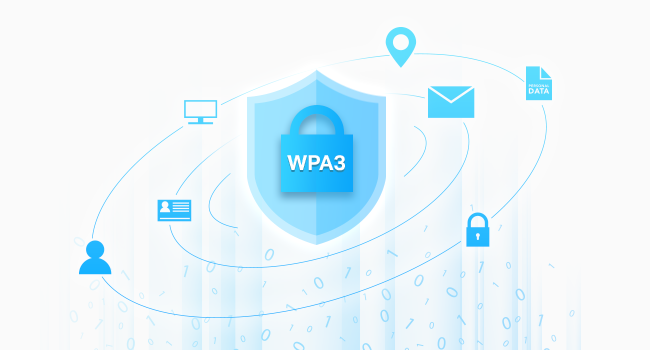
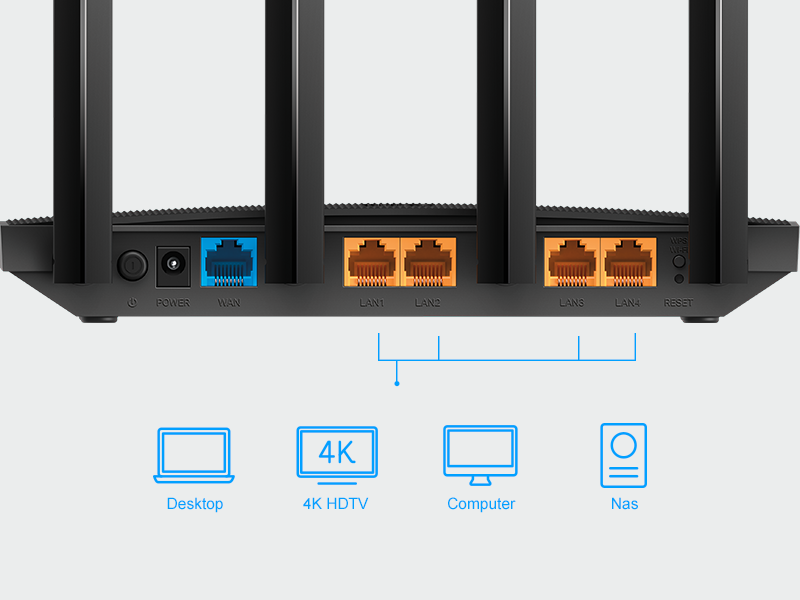
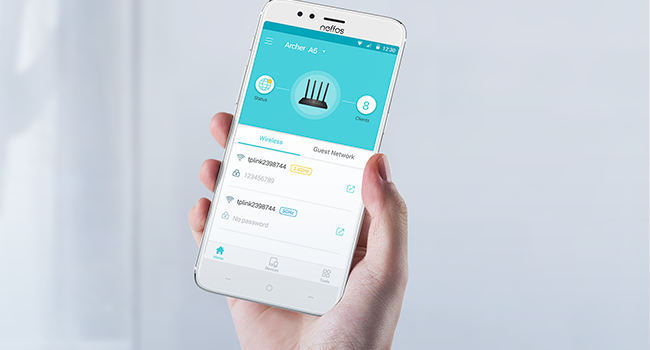
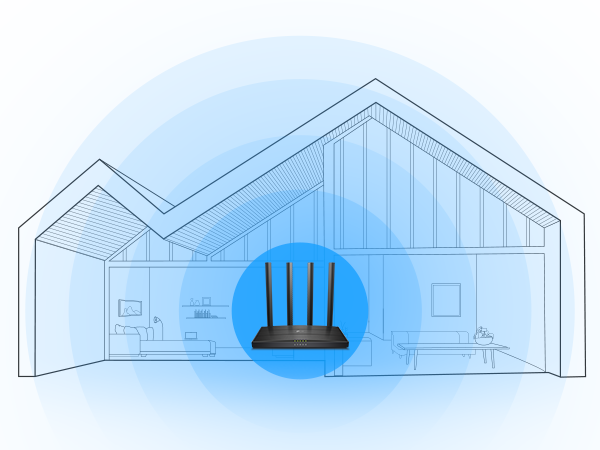
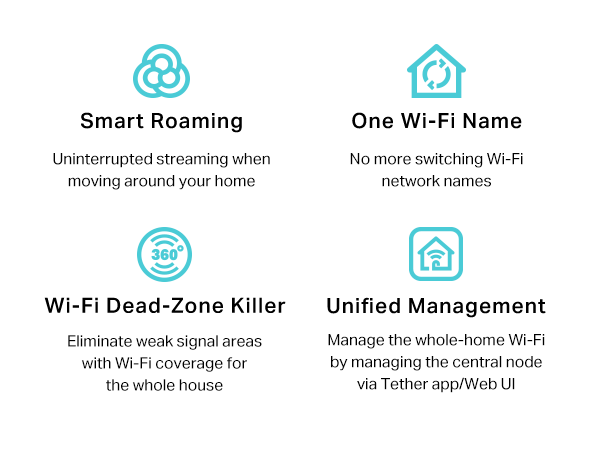
The TP-Link Archer A6 AC1200 Gigabit Dual Band WiFi Router delivers combined speeds up to 1200 Mbps with advanced Beamforming antennas and MU-MIMO technology for smooth streaming and gaming. Equipped with 4 Gigabit LAN ports and WPA3 security, it supports seamless whole-home coverage via OneMesh and easy management through the Tether app. Ideal for modern homes needing reliable, high-speed internet with robust security.


| ASIN | B08KJF5BS7 |
| Antenna Location | Security |
| Antenna Type | Fixed |
| Best Sellers Rank | #99 in Computers & Accessories ( See Top 100 in Computers & Accessories ) #10 in Computer Routers |
| Brand | TP-Link |
| Built-In Media | Power Adapter, Quick Installation Guide, RJ45 Ethernet Cable, Wi-Fi Router Archer A6 |
| Color | black |
| Compatible Devices | Gaming Console, Personal Computer, Security Camera, Smart Thermostat, Smartphone, Tablet |
| Connectivity Protocol | Wi-Fi |
| Connectivity Technology | Ethernet, Wi-Fi |
| Control Method | App |
| Controller Type | iOS |
| Coverage | Wide coverage |
| Customer Reviews | 4.5 out of 5 stars 4,320 Reviews |
| Data Transfer Rate | 1167 megabits_per_second |
| Frequency | 5 GHz |
| Frequency Band Class | Dual-Band |
| Item Dimensions L x W x H | 8.46"L x 4.92"W x 1.81"H |
| Item Weight | 11.36 ounces |
| LAN Port Bandwidth | 10/100/1000 Mbps |
| Manufacturer | TP-Link |
| Maximum Upstream Data Transfer Rate | 867 megabits_per_second |
| Mfr Part Number | Archer A6 |
| Model Name | Archer A6 V4.6 |
| Model Number | Archer A6 |
| Number of Items | 1 |
| Number of Packs | 1 |
| Number of Ports | 5 |
| Operating System | TP-Link custom firmware |
| Other Special Features of the Product | Beamforming, Guest Mode, Internet Security, LED Indicator, Parental Control, Access Point Mode, QoS, WPS |
| Router Firewall Security Level | Advanced |
| Router Network Type | hybrid |
| Security Protocol | WPA3 |
| Special Feature | Beamforming, Guest Mode, Internet Security, LED Indicator, Parental Control, Access Point Mode, QoS, WPS Special Feature Beamforming, Guest Mode, Internet Security, LED Indicator, Parental Control, Access Point Mode, QoS, WPS See more |
| UPC | 840460602099 845973088910 |
| Unit Count | 1 Count |
| Voltage | 12 volts |
| Warranty Description | 2 year manufacturer |
| Wi-Fi Generation | Wi-Fi 5 |
| Wireless Communication Standard | 802.11a, 802.11ac, 802.11b, 802.11g, 802.11n |
| Wireless Compability | 802.11a, 802.11ac, 802.11b, 802.11g, 802.11n |
D**X
Super Smooth Setup & Excellent Performance
Pros: - Price - Performance - Features Cons: - Range ( for homes 2000sqft or smaller) I purchased this router as an Xmas gift for my father a few months back when it was on sale for 39.99. I figured for my parents modest needs this little thing should fit the bill quite nicely. My parents are basic users by every metric. Not big streamers, some Youtube, email, and mostly searches for news & local events. No security cameras, automated lights or IoT devices. So I can't provide feedback on really putting this router through it's paces with a typical family load. But what I can say is that upgrading them from my old Buffalo AirStation Extreme AC 1750 (10 year old router) was a huge improvement. Setup was smooth & quick. Literally up and running in 10 minutes. No kidding! - Unplugged the old router - Plugged in the new router - From the Desktop PC navigated to tplinkwifi.net where it walks you through the entire process - Downloaded new firmware, rebooted... done. Other manufactures could learn a thing or two from this simple setup process. LOOKING AT YOU NETGEAR! Performance was greatly improved. Last time I went home to visit I remember running a speed test and seeing 50mbps / 3mbps up on the desktop, lower over wifi. 13ish mbps! I figured since my parents don't need much I figured that was the package they opted for. So I was surprised to install the new router, rerun the test and see 500Mbps / 11mbps up (Spectrum). That old Buffalo was holding them back that much! Router is upstairs in dad's office. Downstairs I saw -59dbm in the main sunroom area which isn't all that far but several walls in between. Will it be enough for them? Absolutely. Again... my parents needs are quite modest. Signal seemed to reach throughout the entire house (2800sqft) 2 story home. I'm giving this thing a A-. For gamers, large families always online, lots of streaming... you may want to look to setup up a few levels from this. But for the basics this really can't be beat. Very very impressed.
P**E
Got it as a sub Wifi router for VR, but might be overkill for that, but at a great price.
I got this to improve my VR Wifi connection with Quest 2-3 headset. Setting it to 5g only, making a secondary wifi router to my home's wifi, and plugging my pc directly into it, I was able to get that smooth, gigabit connection for high quality VR play. Price was right, features were decent, and setting it to 5G meant it wasn't polluting the wifi of anyone outside my room as 5G doesn't pierce walls, but gave me high speed within my room. Also turned out to be great to lock in my smart devices, nobody can randomly pause my youtube tv now! But for the features, it's got a lot going for it, runs fairly cool in summer, and its 5G is strong enough that I can pick it up outside my house, so I can only imagine the 3G must go very far. Setup was easy, especially when you've already got a TP-Link app, and it works with most devices- though you'll need, unlike me, to turn on 3G for it to talk to IoT devices like smart stuff.
A**S
Top notch WiFi router!
I got my package and I was impressed with how well it was packaged coming in a box and then wrapped in plastic. I opened it and everything was nicely wrapped. The size made it perfect for us to put our WiFi router in great location and it’s very durable. I was able to get it connected and connection speed is excellent. This WiFi router has been keeping up compatibility with all my devices. Strongly recommend!
C**X
Amazing in certain applications, not so good in others
I bought this to extend the WiFi range in my household, one end of the house has Gigabyte internet with Frontier router 1000mbps up and 1000mbps down. WiFi however, the speeds get turned down to about 500mbps if near the router, and only a mere 20mbps on the other side of the house. I originally tested this router as a replacement to the one issued by the internet company. The results were not amazing (as expected) it performed on the same level as my original router with little to no increase on the other side of the house. On my second test, I ran a internet cable from one end of the house to the other and connecting this router to the original one from my internet provider. After setting it up as an access point for it. I now receive constant speeds all around the house. One router handling traffic of one side of the house. While this one manages the other side. Set up was relatively easy, and have not had to manage it since it was set up. For the price, functionally is good, and rage was as expected. I would definitely recommend. However, if you are looking to cover a big house with this router I would look elsewhere, or investing in their mesh network. It allows for you to hook up various routers into one single mesh network which can operate seamlessly.
M**.
Works Great!
Works great. quick shipping. easy to set up. Good price. well packaged.
R**.
Great router to extend or link to your current system
I installed this to extend my wifi thru out my home it was easy to set up and affordable and linked with my system perfectly
T**G
Device works great.
Easy to set up right out of the box, and has worked flawlessly for 11 months now. I get a full signal inside all rooms of my apartment, and outside nearby as well. One thing to note is that the Reset Button lies inside a small hole, and is not either of the two actual buttons on the back of the router.
G**1
Definitely would buy another one and half for a friend of mine and set it up. He loves it as well.
Absolutely love this router. I set it up as a dedicated wireless extension hardline from my modem for my VR headset to my PC. Just my PC and headset are linked to it through the Wi-Fi even though my computer is hardlined yes but the signal needs to be to both and it works phenomenal on one gig Cox communications connection. I’m pulling out 800 to 900 mag‘s wireless to the headset and can run absolutely phenomenal quality.
L**Y
Still excellent value for legacy 2.4g WiFi needs.
TP-Link AC1200 Gigabit WiFi Router (Archer A6) - Dual Band MU-MIMO Wireless Internet Router, 4 x Antennas, OneMesh and AP mode, Long Range Coverage This is an older unit but it's still a good one. I bought this to create a separate 2.4g WiFi legacy network just for IoT devices. Most IoT devices are 2.4g. Like smart switches and even security cams. My current Wi-Fi setup has 2.4g but it's miserable and doesn't work well at all so I wanted a decent 2.4g setup that is completely separate from my main network. This is dirt cheap with pricing and I picked it up. Works amazing. Excellent 2.4g network. Speedy too (for legacy WiFi) covers a huge range in my 4000sqft home. I disabled 5ghz (yes there's a setting to do this ) The setup was really wonky. It has so many issues with the setup phase. Didn't connect. Made you reboot the device but it failed to reconnect. Really bad confusing setup that simply didn't work. I ended up "forgetting " all my wifi SSID and disabling mobile network. Then forcing it to get on the Archer a6 setup ssid and manually getting thru the setup. It worked finally. Once it is set up properly, the tp link connect app works amazingly via cloud. Without needing to go thru local wifi. Can be remotely controlled and accessed setting via cloud when you're not home even. For my specific purposes it's a fantastic value device. It's an older model but works great still.
Z**Z
Calidad Precio, Gigabit Real como lo dice la caja
El producto es muy bueno, compre por medio del vendedor Zegucom y la verdad me lleve muy buena experiencia el paquete llego antes de lo esperado y además cumple con su prometido, el mejor en este rango de precios!
F**L
Excelent perfomance
High speed and range
A**D
Boost Your Home Network with the TP-Link Archer A6
The TP-Link AC1200 Gigabit WiFi Router (Archer A6) is an impressive choice for anyone looking to upgrade their home network. With its dual-band technology, it offers reliable and speedy connections on both 2.4 GHz and 5 GHz frequencies, making it ideal for streaming, gaming, and everyday browsing. The router's MU-MIMO technology ensures that multiple devices can connect simultaneously without a noticeable drop in performance, enhancing the overall user experience. One of the standout features of the Archer A6 is its long-range coverage. Equipped with four external antennas, this router delivers a strong and stable signal throughout your home, minimizing dead zones and improving connectivity in hard-to-reach areas. The addition of OneMesh support allows for seamless integration with other TP-Link devices to create a unified network, eliminating the hassle of switching between different networks as you move around your home. The router also boasts an Access Point (AP) mode, which can be a game-changer if you need to convert a wired connection into a wireless one. This feature adds to the versatility of the Archer A6, making it a flexible option for various networking needs. Additionally, the setup process is straightforward, thanks to the intuitive TP-Link Tether app, which guides you through the installation and configuration with ease. Overall, the TP-Link AC1200 Archer A6 is a solid investment for anyone seeking a reliable, high-performance router that offers excellent range and flexibility. Its combination of dual-band support, MU-MIMO technology, and OneMesh compatibility make it a standout choice in its price range.
D**S
Broken after 2 months
Router stopped working after 2 months. Waste of money.
Trustpilot
1 month ago
1 month ago