🚀 Elevate your workspace with ultra-high-def power and rock-solid connections!
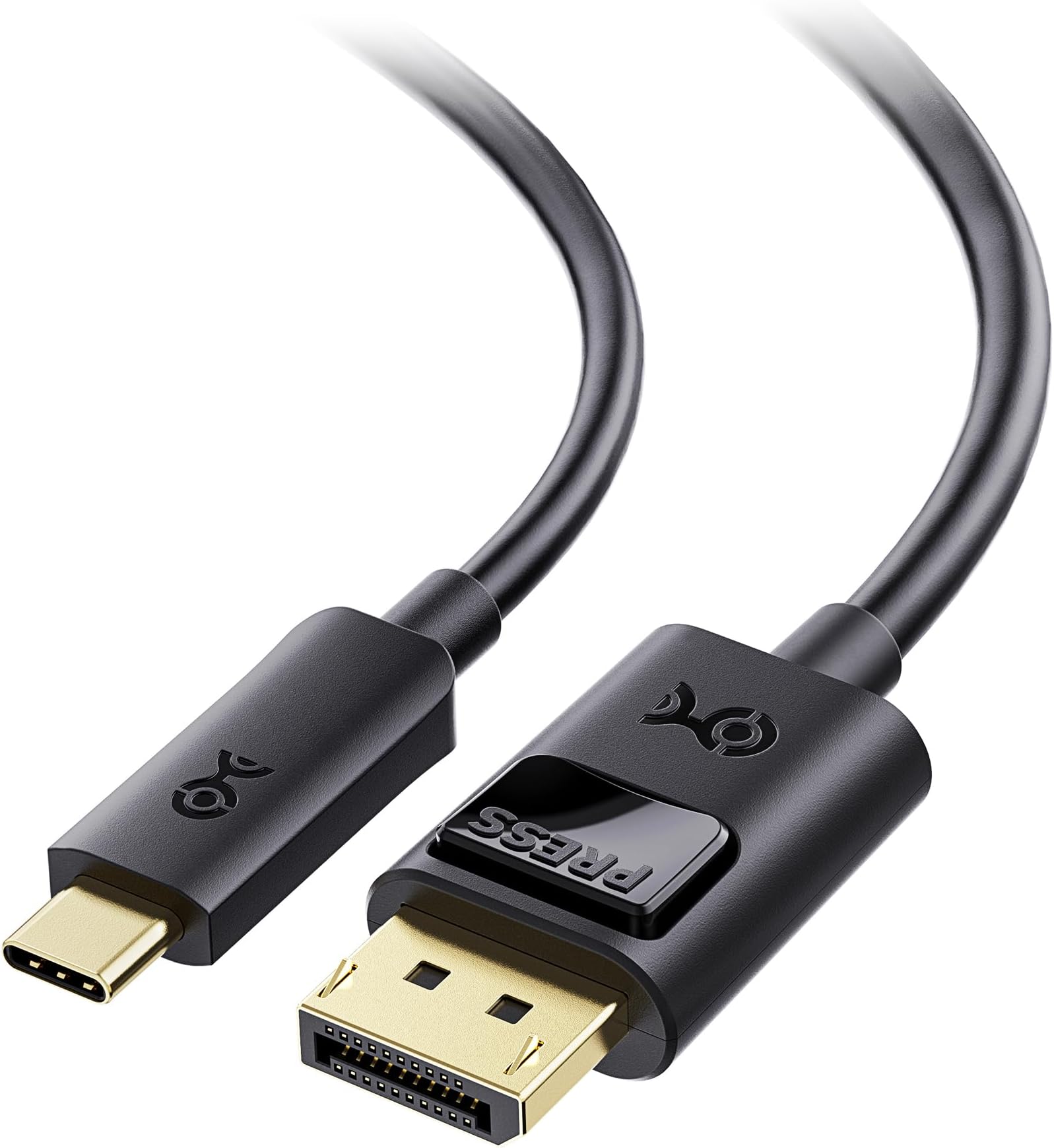
The Cable Matters Unidirectional USB-C to DisplayPort 1.4 Cable delivers premium video output up to 8K@60Hz and 4K@240Hz, optimized for Thunderbolt 4/5 and USB-C devices. Featuring a locking DisplayPort latch and MST support, it ensures secure, high-performance connections for professional-grade multi-monitor setups and immersive audio-visual experiences.


| ASIN | B01J6DT070 |
| Best Sellers Rank | #6 in Thunderbolt Cables |
| Brand | Cable Matters |
| Cable Type | USB |
| Color | Black |
| Compatible Devices | Laptop |
| Compatible Phone Models | Iphone |
| Connector Gender | Male-to-Male |
| Connector Type | Usb Type C, Displayport |
| Customer Package Type | FFP |
| Data Transfer Rate | 1.5 Gigabits Per Second |
| Date First Available | July 27, 2016 |
| Frequency | 60 Hz |
| Global Trade Identification Number | 00682017352923 |
| Indoor/Outdoor Usage | Indoor, Outdoor |
| Is Discontinued By Manufacturer | No |
| Item Weight | 1.6 ounces |
| Item model number | 201036-BLK-1.8m |
| Manufacturer | Cable Matters |
| Model Name | USB-C to DisplayPort Cable |
| Number of Items | 1 |
| Number of Pins | 44 |
| Outer Material | Rubber or Plastic |
| Product Dimensions | 9 x 6.25 x 0.3 inches |
| Recommended Uses For Product | Connecting computers to monitors or projectors, high-resolution video output, audio output, daisy-chaining multiple monitors |
| Shape | Round |
| Special Feature | Data Transfer, High Speed |
| Specification Met | Industry Standards |
| UPC | 682017352923 |
| Unit Count | 6.0 Feet |
| Wattage | 20 watts |
D**N
Good cable
Cable Matters has never disappointed and this is no exception. Works perfectly for my ultra wide to dock connection.
A**R
Works great!
This fixed my resolution problems with my Samsung Odyssey Neo G9.
C**N
Reliable QHD 165Hz Output—2-Way Testing Not Feasible
I’ve been using the Cable Matters USB-C to DisplayPort 1.4 Cable with my 16-inch M4 Pro MacBook Pro and Samsung LC34G55T ultra-wide monitor, and here’s my experience: System Setup: My MacBook Pro has the following configuration: Apple M4 Pro chip with 14-core CPU, 20-core GPU, and 16-core Neural Engine. 24GB unified memory and 1TB SSD storage. Three Thunderbolt 5 (USB-C) ports, HDMI port, SDXC card slot, MagSafe 3 port, and Liquid Retina XDR display. My monitor is a Samsung LC34G55T ultra-wide, with a resolution of 3440 x 1440 and refresh rate of 165Hz, which I used for this review. Performance: The cable works as advertised. It successfully achieved the full 3440 x 1440 @ 165Hz refresh rate on my Samsung monitor, something HDMI couldn’t handle. It provides reliable video output via DisplayPort Alt Mode from my MacBook Pro’s Thunderbolt 5 ports. 2-Way Operation: I cannot confirm the cable’s 2-way operation, as I don’t own a USB-C input monitor to test it. I use the cable solely for my Samsung LC34G55T monitor, and it has performed exactly as expected. Final Thoughts: This cable does exactly what it promises. It provides reliable and consistent video output for high-refresh-rate monitors. It’s a solid choice, and I recommend it to anyone whose needs are similar.
C**A
MUST BUY FOR CONNECTING LAPTOP TO MONITOR WITH HIGH Hz like 240 Hz!!!
I couldn't find any reliable HDMI 2.0 to Display Port 1.4 adapters or cables to connect my Lenovo laptop to a bigger monitor that could handle 240 Hz. Sadly with HDMI the max limit was 144 Hz so I decided to give this one a chance and I'm glad I did!! Was worried at first because of the reviews, but they probably got lemons since this is working exactly as intended!! It allowed me to go to the max Hz of 240 right away. So far no issues or flickering, it is a solid cable might want to be careful of how much you bend it though. If I notice anything bad with time or something does occur or it stops working completely I will update this review. In the meantime THIS IS THE CABLE TO BUY FOR MY LAPTOP PEOPLE!
J**D
Works with Lenovo Yoga 900 ultrawide monitor @ 5120x1440 60Hz
I have a Lenovo Yoga 900-13isk2 that I purchased in 2016. I wanted to replace the multiple monitor setup I had been using with a single 49-inch ultrawide monitor, but I could not determine whether the graphics interface would support it or not. I had the Lenovo USB-C to HDMI adapter which I tried with an LG 38-inch (3840x1600) and it worked with the refresh set to 75 Hz. However, the monitor I really wanted was the Samsung Odyssey G9, which has a native resolution of 5120x1440. According to some support documentation I found (with the help of the Intel community board), the graphics interface (Intel HD Graphics 520) is capable of 5120x1440, but each laptop manufacturer's implementation may or may not support it. Lenovo support was less than helpful, so I took a chance and bought the monitor (for $999 for Black Friday). It would not work with the HDMI adapter. The computer would go into a connect/disconnect loop, never showing an image on the new monitor. So, I started looking for another adapter, thinking that a DisplayPort-specific adapter might work. That's when I noticed this one. It worked immediately! Interestingly, it displays 3840x1080 as the "recommended" setting, but it also offers 5120x1440, which works great! With the new monitor connected, my laptop is driving it at 5120x1440 at 60Hz, and simultaneously driving the built-in display at 3200x1800 at 60Hz. Not only is this a cleaner physical layout than three 24-inch monitors, it is also much faster than the individual monitors because a docking station using DisplayLink is not required. (DisplayLink uninstalled, thank goodness ;-)
C**A
Cable works fine, but it is NOT bi-directional.
This USB-C to DisplayPort 1.4 works great when the USB-C connector is connected to the host device and the standard DisplayPort 1.4 connector goes into the monitor, however it does not work at all when in reverse. This has been tested on two portable USB-C monitors (CASKING 1080p 240Hz/300Hz 15.6" and UPERFECT 1600p 144Hz 18") and a Samsung OLED G8 which has two USB-C inputs. USB-C on the monitor, DisplayPort as the video source = No go DisplayPort on the monitor, USB-C as the video source = Works really well 1 star off because of the wrong advertising that it is bi-directional cable when it is not. 4 stars because the cable works great as long as the source host has a USB-C output (DP Alt Mode), which most modern laptops do now.
K**L
Great Quality Cable, Solved My Connection Issue
Works great. I’m running a 45" LG gaming monitor with both a Mac Mini and an HP ZBook. I couldn’t get both to play nicely with the ports on the back, but this cable fixed the problem right away. The build quality feels solid, and so far it’s been reliable. Definitely a good pick if you’re trying to run a similar setup.
A**N
This cable is SPEEEED... and it's reliable too.
Perfectly reliable, I'm using it to connect my laptops to my OLED G9 through a Thunderbolt 4 dock. I get the full 5120x1440@240hz with VRR & HDR using my MSI Prestige 13 Evo and 5120x1440@120hz with VRR & HDR using an M1 MacBook Air
A**R
"Flawless 5K Clarity: The Cable Matters USB C to DisplayPort 1.4 Cable delivered beyond my expectations. Crystal-clear 5K resolution with vibrant colors makes every viewing experience breathtaking." "Seamless Connection: This cable is a true plug-and-play marvel. Instant and steady connectivity between my USB C device and DisplayPort monitor, no hiccups whatsoever." "Robust Build: The Cable Matters cable boasts durability. Reinforced connectors and sturdy construction reassure me of its long-term reliability." "Versatility at Its Best: With support for audio and video, this cable is a versatile powerhouse. Whether for work presentations or gaming, it handles every task impeccably." "Future-Proof Investment: With DisplayPort 1.4 capabilities, I'm ready for the future of high-res content. This cable ensures I stay ahead in the tech game."
N**0
Service client particulièrement réactif et produit d’une qualité exemplaire. Une recommandation sans réserve.
M**.
Funciona perfectamente sin problema en monitor asus rog 360hz conectado desde mi laptop.
D**O
Overall, it's a great cable. Thus, white connecting from RTX 4080 to LG Ultrafine 5k monitor, I got only 4k. So I have to return. But the quality is great!
V**R
Cabo funciona perfeitamente.
Trustpilot
3 days ago
1 month ago