Buy anything from 5,000+ international stores. One checkout price. No surprise fees. Join 2M+ shoppers on Desertcart.
Desertcart purchases this item on your behalf and handles shipping, customs, and support to Tunisia.
🕶️ Stay sharp, stay private — your screen’s best-kept secret.
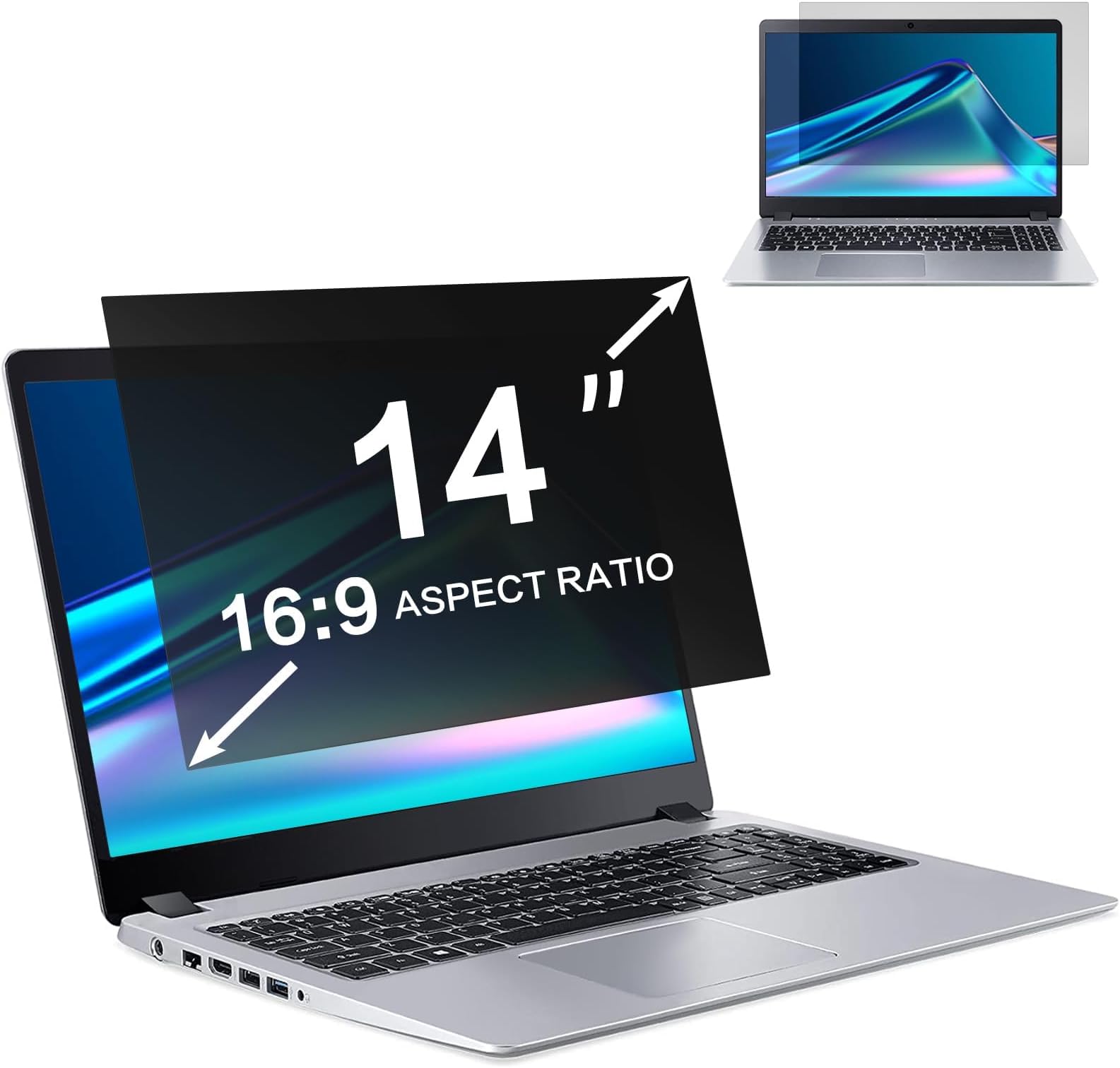
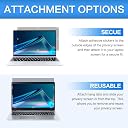
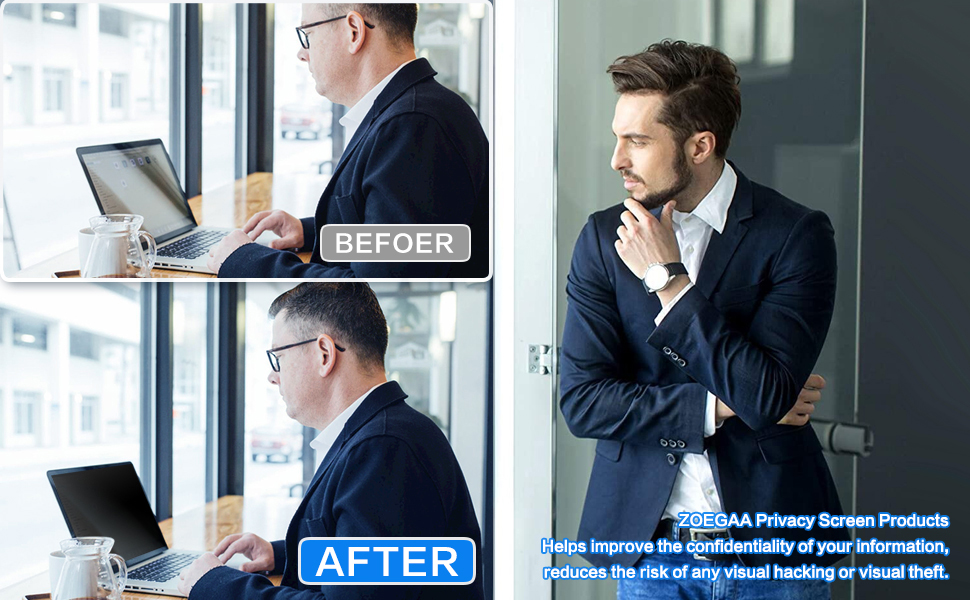
The ZOEGAA 13.3 Inch Laptop Privacy Screen Filter offers precise 16:9 widescreen compatibility with top laptop brands, featuring advanced multi-layer technology that blacks out side views while maintaining crystal-clear front visibility. Lightweight and easy to install with dual mounting options, it also reduces glare and harmful blue light, making it perfect for professionals safeguarding sensitive data in public or open workspaces.


| ASIN | B098P1G6KZ |
| Best Sellers Rank | #2,005 in Computers & Accessories ( See Top 100 in Computers & Accessories ) #32 in Laptop Screen Filters |
| Brand | ZOEGAA |
| Brand Name | ZOEGAA |
| Clarity | 10 |
| Color | Black |
| Compatible Devices | Laptop |
| Compatible Phone Models | 14 inch laptop privacy screen, laptop privacy screen, laptop privacy screen 14 inch |
| Customer Reviews | 4.2 out of 5 stars 838 Reviews |
| Finish Type | Glossy |
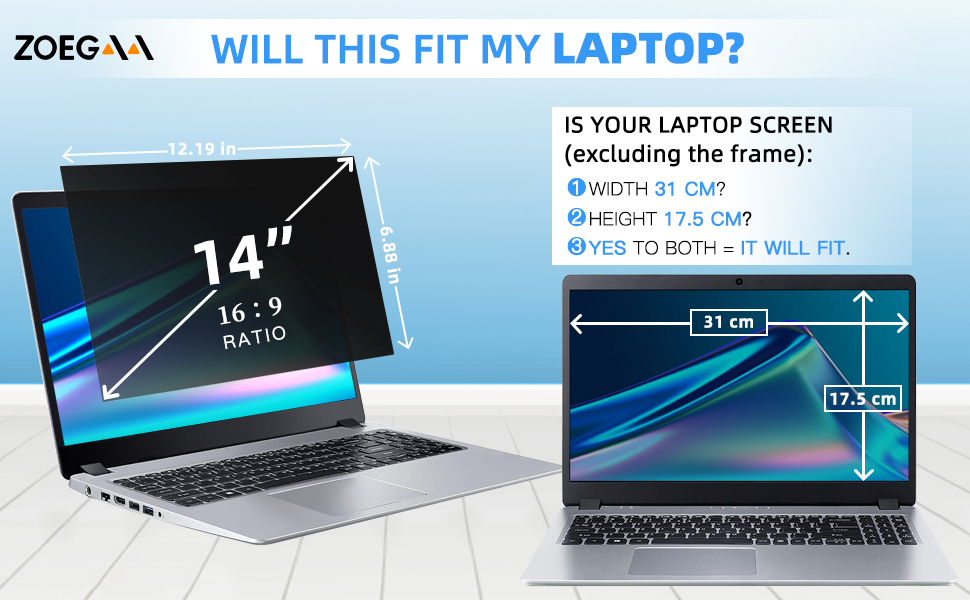
| Item Dimensions L x W | 12.19"L x 6.88"W |
| Item Hardness | 5H |
| Item Weight | 33 Grams |
| Manufacturer | ZOEGAA |
| Material | Plastic |
| Model Name | laptop privacy screen 14 inch |
| Model Number | 14 inch laptop privacy screen |
| Number of Items | 1 |
| Part Number | 14 inch laptop privacy screen |
| Product Dimensions | 12.19"L x 6.88"W |
| Screen Size | 14 Inches |
| Screen Surface Description | Matte |
| Special Features | Anti Glare |
| Unit Count | 1.0 Count |
| Water Resistance Level | Water Resistant |
J**N
Surprisingly Effective at Complete Privacy Black-out
This privacy screen filter works unimaginably well. It's practically impossible to see anything on the screen without looking dead-on straight at it while this is on. I feel perfectly comfortable sitting next to somebody while reviewing private or proprietary information. It accompanies my work computer everywhere I go now, and is especially useful in an environment where you sit among customers and suppliers regularly. The installation is simple and it allows you to easily slide this in place or remove it when you're trying to share your screen with others. It isn't a brittle material, rather flexible in fact, so I see it lasting quite a long time.
N**T
It works great protecting your eyesight
Loved it! My eyes don’t hurt anymore. Thanks!
C**T
Fits the HP 845 G7 cleanly
Just got this 14" screen protector and after following the instructions the screen fits the HP 845 G7 perfectly with no overlap. I don't normally review items, but after seeing the problems people stated, I can tell a lot of people haven't used these before. The plastic tabs are pretty standard fair and allow you to quickly remove and replace the screen with a little practice, I recommend them, but to each their own. The tabs definitely stick better when the alcohol swab is used in advance and shouldn't pop off if care is used not to touch the glue when installing them. Finally a note to other reviewers: If you have a different model, PLEASE include your model number in the title so people can tell if this will fit their specific machine! This is not the place for a generic review.
J**A
Best purchase I've made this year.
I bought this to give me some privacy at work. I have a front desk job and I need to make sure no information can be seen by guests when I'm entering it into the laptop. I tested it with my coworkers and unless they are literally standing behind my chair looking over my shoulder the screen looks like it is off. Amazing quality, easy instructions with multiple options for touch screen vs no touch screen (apply directly to the laptop screen, or apply to the laptop frame for non touchscreen). I don't use my touch screen but I still applied it directly to the screen because I liked that option better. The instructions were clear with a video option if you had difficulty with the booklet and came with two different sets of applicators and supplies to clean your laptop screen beforehand. I am never going without this again.
J**N
Blurry around the edges and too dim overall on 4k 32in Samsung
We've recently had to convert a section of the living room into an office space for my wife and I so the kids could have their own rooms. Her system is provided by her job and has nothing the kids would understand or worry about displayed. She doesn't play games or view any questionable content. My system on the other hand is another story. Gaming, graphics, programming, and just the odd-ball very close to adult content that FB or another site might throw my way are not things I want my kids exposed to at this point if I can help it so I was searching for a solution that would give me at least a longer delay to ALT-TAB out of something if I needed to. Note: I am near sighted and do not wear corrective lenses to read or work on the computer. I also have light sensitivity and migraines. Pros: - Light weight - Text in the middle is sharp and very clear. - Reasonably easy install - includes options for a slide in mounting and also good quality double sided tape tabs. (I judge both on adhesion and how well the backing removes so the item to be stuck can attach. This was good for both.) - Matte side provides even better glare reduction that the monitor's built in surface. - Seems to hide a tiny dot of surface damage from an pin point impact of something that hit my monitor when I was working on a project. This normally appears white on black screens or black on white screens. I can barely distinguish it with the cover on. - No sparkly "rainbow" halo effects like I have seen on some phone screen protectors. Color reproduction actually looked pretty good. Cons: - Sizing. I measured and I figured I would have had about 1/8th inch all around when this came. I was right on the sides but the top to bottom is a few hair widths from simply slipping into bezel recess. Currently it is being held by the sides which is working just fine. A tiny bit more border all around would be perfect. - Dead center front on viewing still leaves text at the edges blurry and with reflective ghosting. - Dim overall. I usually run my monitor at 75-80% and though it is a few years old and you can see some areas where the backlighting LEDs have given up. At 100% I find it too bright unless it is a bright summer day with light pouring in from the windows. With the screen protector installed it is just too dim and I can feel it in my eyes even with the brightness up to 100%. It is like a pressure of struggling to see. - Dims the edges. You can see the outside areas of the monitor are vignetted from the polarization and the pic was taken at my usual and recommended ~32 inches away from the monitor. Doubling the distance greatly reduces this dimming but then who can use a 32 inch screen from over 5 feet away? -Off angle viewing is not as dark as I would like. See my pics and you can clearly see the test pattern is a test pattern. Note it IS darker in person versus the camera image but not enough to make a difference. I took the pic where moving didn't increase the dimming effect any more. Other thoughts: - The manual says you can use either side but the glossy is so shiny it was like looking into a dark mirror and incredibly distracting. - I might be able to use it if I was in my own office with the lights down all the time so my eyes could fully adjust to the lower light level but in the living room I just don't have that level of control. - I considered doing the wet towel trick to remove the Samsung's built in matte surface (I have done it before on other monitors) since mine has the tiny spot of damage anyhow since that would brighten it and this would be able to return it to a matte surface but I am not willing to risk being left with a glossy only screen if it still didn't work out. Conclusion: This review was written while using the cover. I want to like this thing but for the price and my list of cons it is just not good enough. If it was $20 I could call it a throw away item but at nearly $80 it is way too much to do that. It needs better clarity at the edges for a big monitor and better brightness overall. (Or LCD manufacturers need to start pushing more brightness well beyond 400nits.)
N**.
This 14" 16:10 privacy screen fits perfectly on my Lenovo X1 carbon Gen 13
I purchased the 14" 16:10 screen for my device. Works better than having no privacy at all. Doesn't give that full FULL coverage if your screen brightness is fairly high but overall, it works for my Lenovo ThinkPad X1 carbon Gen 13 laptop! Must check your screen size upon purchasing. I'm glad I did, otherwise I would've bought a 14", 16:9 screen and it wouldn't have fitted. Oh. And it also has a nice matte finish which is awesome because I can't stand the glares with a glossy screen.
A**O
Llegó rapido
Tuve problemas con el tamaño pero el producto es bueno
U**Y
Visually degrading and functionally flawed - avoid for high-resolution displays
I purchased this 17" privacy screen with the intention of protecting sensitive work data in shared environments. Unfortunately, this product is both optically and functionally substandard, and I cannot recommend it for anyone using a modern high-resolution laptop. 1. Unacceptable image degradation on high-resolution displays As clearly visible in the first image I’ve shared, the screen introduces a distinct grainy texture that overlays the entire display. This is not subtle - the pixel-level interference is so intense that even plain backgrounds exhibit color fringing and visual noise. For those working with 1080p or 4K screens, this ruins the native sharpness and fine text rendering. It's akin to placing a layer of frosted plastic over your screen. 2. Glare and light diffusion Despite the product's claim to be anti-glare, it performs poorly under regular lighting conditions. You can see in the second image that reflections from ambient light sources are clearly visible, creating hot spots and making it difficult to focus on content. Rather than absorbing glare, it scatters light unevenly across the surface; a classic sign of poor optical coating. 3. Inadequate privacy protection - critical flaw Most concerning is the ineffective viewing angle concealment. A proper privacy screen should begin obscuring content around 30° from center and fully black out the screen at wider angles. However, as shown in the photo, more than half the screen remains visible from an off-angle. This defeats the entire purpose of a privacy filter. If you’re using this in cafés, on airplanes, or in meetings, don’t count on it to protect your information. 4. Eye strain and viewing fatigue The grain, blur, and glare collectively increase eye fatigue significantly. After a short period of working with this filter installed, I experienced noticeable eye strain; a sharp contrast from the clarity and comfort of my native laptop screen. What a high-quality privacy screen should deliver: • Micro-louver technology that ensures sharp front-facing clarity and full side-view blackout beyond 30° • Optical-grade material that preserves resolution, color balance, and contrast • True anti-glare coating to reduce reflections in variable lighting • Neutral matte finish without grain or diffusion artifacts • Robust adhesion or magnetic mounting with minimal gap to screen This product meets none of these standards. It feels like a generic, low-cost implementation that may suffice on an older, low-resolution monitor, but not on modern laptops where display fidelity and visual comfort matter. Conclusion: The grainy distortion, ineffective glare reduction, and deeply flawed privacy angle performance make this a failed product for serious users. It compromises both screen quality and information security - the very two things it's supposed to protect. Verdict: Look elsewhere. Your eyes and your data deserve better.
J**L
Easy to fit and works well
I installed this easily onto my laptop, and the instructions were easy to follow. Extra sticky pads were included.
M**D
Excelente compra
Es increíble el nivel de privacidad, para los que no están frente a la pantalla literal les aparece apagada.
T**C
Good quality. Super fast delivery.
E**S
Exactly as described.
Works well and easy to install
S**.
Effective Privacy & Eye Protection for Everyday Use
This privacy screen filter works well to reduce side visibility while also cutting down glare and blue light for more comfortable viewing. It fits securely on widescreen laptops and helps improve privacy in public or shared environments.
Trustpilot
3 weeks ago
1 week ago