⚡ Unlock lightning-fast media transfers—because your creativity can’t wait!
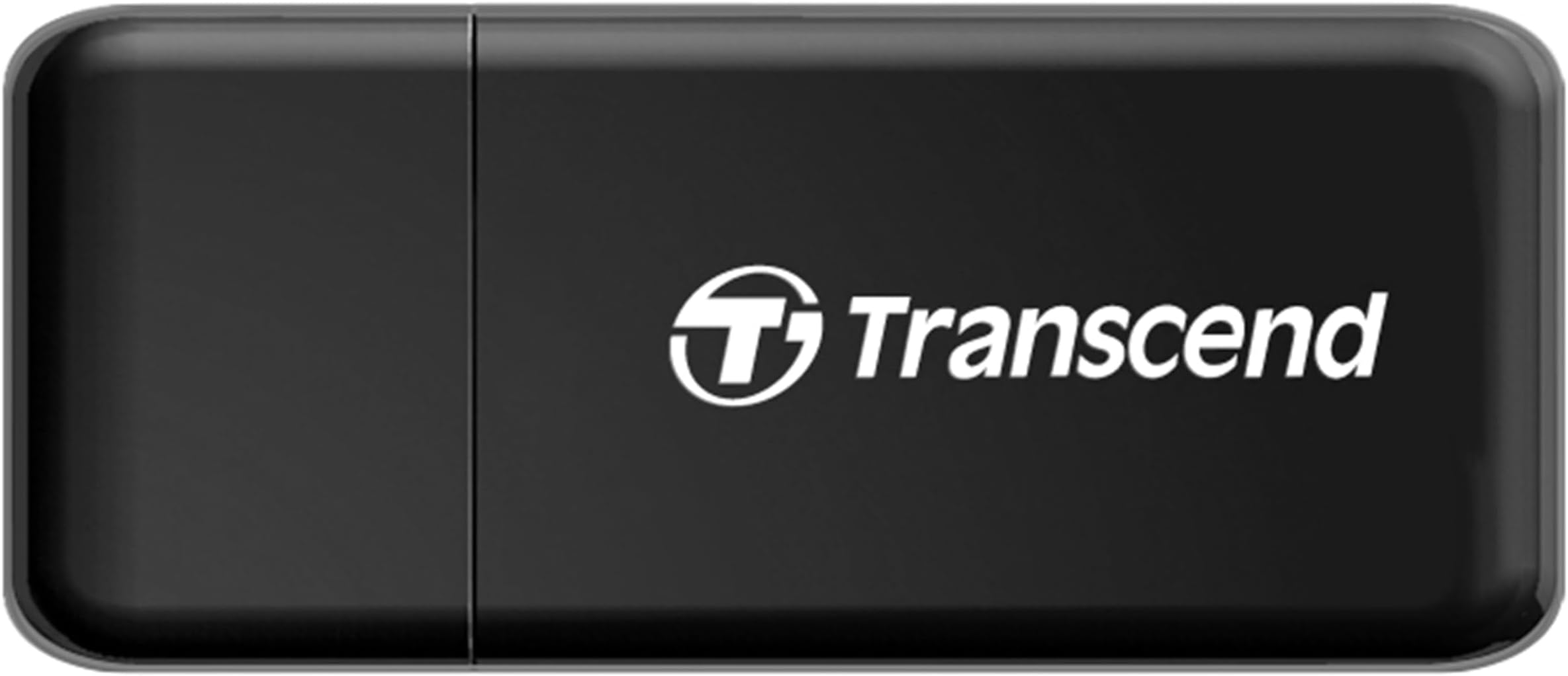
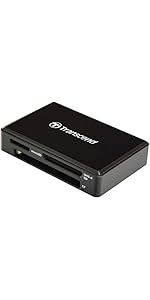
The Transcend RDF5 USB 3.1 Type-A card reader delivers ultra-fast 12 Gbps data transfer speeds with dual SD and microSD slots, supporting SDHC, SDXC, and UHS-I cards. Compatible across Windows, Mac, and Linux, it features a handy LED indicator and plug-and-play setup, making it the perfect portable accessory for professionals needing quick, reliable media offloads. Plus, it comes with free data recovery software for added peace of mind.


| ASIN | B009D79VH4 |
| Additional Features | Easy Setup, Plug & Play, Portable |
| Best Sellers Rank | #156 in Computer Memory Card Readers |
| Brand | Transcend |
| Color | Black |
| Compatible Devices | Desktop, Laptop |
| Connectivity Technology | USB Type A |
| Customer Reviews | 4.6 out of 5 stars 28,982 Reviews |
| Data Transfer Rate | 12 Gigabits Per Second |
| Global Trade Identification Number | 00760557823483, 00809390017632 |
| Hardware Interface | USB, USB 2.0, USB 3.0 |
| Item Dimensions L x W x H | 2.2"L x 0.35"W x 0.94"H |
| Item Height | 0.94 inches |
| Item Weight | 18.14 g |
| Manufacturer | Transcend Information |
| Media Type | SD Card, SDXC, UHS-1, microSD, microSDXC |
| Model Name | TS-RDF5K |
| Operating System | Linux, Mac OS, Windows |
| Special Feature | Easy Setup, Plug & Play, Portable |
| UPC | 760557823483 |
| Unit Count | 1.0 Count |
| Warranty Description | 2 year limited warranty |
B**.
A Life Saver!
Great, cheap card reader! When I built my mid-high end machine in August, I was planning on getting a card reader for one of the slots in the front, just under the Blu-Ray drive I decided to put in... However, it would have put me just above my budget, and internal cables may have been problematic... So, with the several USB 3.0 ports I had available, I figured I'd find a USB card reader. I wasn't expecting a 3.0 device to be so cheap, but I guess I was wrong! Speeds are fast. I want to say... 50-60 MBps. That's with the Sandisk Class 10 card I have in my point and shoot camera... I'm just ballparking it. But it's running at actual USB 3.0 speeds, and not the 10-20 MBps I would normally get when transferring something via USB 2.0, especially when using a USB cable to transfer directly from the camera. But that in itself is another plus. You don't waste battery doing transfers from your card to your computer when using a card reader. So what's bad about it? Not much at all. However, some things to mention... The card doesn't spring/lock into place. It's a friction fit. For someone who is going to be transferring every day, the fit may become really loose on the part of both the card, and this card reader... However, I usually do transfers a couple times a month, sometimes more, depending on what I've just used my cameras for. And that is my primary use. Transferring my videos and pictures from my cameras. So for a hardcore photographer, this may not be the best option... However, for someone who is simply looking for an easy way to transfer their casual pics and videos to their computer, this may very well be the solution you're looking for... Another thing to know... After transferring a ton of files, this thing will get fairly hot. It's not something I would use to transfer files, and then use it to watch the videos directly from the card. When doing that, it gets hotter than I'm comfortable with. I'm sure it's not even a concern, but it is something worth noting. Don't play a bunch of files off of it, and do large transfers. I personally don't trust the heat. Bottom line... If you're a moderate SD card user (or micro SD as well), and want something cheap, fast, and compact, then this may very well be what you're looking for! It MAY have potential downsides, but I haven't run into any problems. If I do, I will try to remember to report back. But for the last several months, it's been a great little accessory that replaces a whole card reader drive-thing to take up a slot in my computer. Not to mention, it does it's job and it's cheaper. Definitely give it a try! P.S., I lost the cap. It was hard to get off anyway, so I'm sure I just threw it somewhere... No worries, though!
D**Y
Great SD card adapter
I bought this to have an SD card reader (and micro SD card reader) on a new laptop which did not have a card reader port. So far it has worked perfectly and allowed my new laptop to read my camera's SD card, etc. The price is right and the dual card reading format is appreciated. It seems study enough for the light use I intend to put it through.
J**Y
Great Laptop USB 3.0 And HDTV Video Playback Results
This worked very well for the USB 3.0 results I was looking for. I bought this to use in conjunction with a (Class 10) 64GB SD XC card. The laptop I have has both an SD card reader and a USB 3.0 slot. By mounting the SD card in this Transcend Card Reader (and plugging it into a USB 3.0 port) I saw a noticeable improvement in speed when reading and writing (2GB to 4GB) files over using the built-in SD card reader. I also used this Transcend Card Reader to play MKV and MP4 video files from the SD card on my Samsung (Smart) HDTV. Excellent alternative to using just a USB thumb (flash) drive. I also have read some of the other positive reviews. Please read them as well. I will agree that the SD cards get a little warm to the touch when in use. I will also agree with some claims witnessing increases in transfer speeds that almost double alternate or previous methods. There are many variables that come into play (buffering, channels, IO, controllers, etc.), so I'll just say that the increase in speed is quite noticeable over all the alternate methods I've explored. Yes, I will agree that this card reader takes up some of the space around the USB port and the purchaser should take that into consideration, as with any USB device, the dimensions and product usage. I've purchased a couple of USB "pigtails" and have them on-hand for dealing with USB "real estate" issues. Reading reviews is a great way to learn more about a product, it's pros & cons, it's limitations, and features. When I put an SD card in the reader and plug it into the USB port on the back of my HDTV, it's very snug. Attached is a picture demonstrating how the card reader can interfere with a laptop's DVD RW drive's tray. But all I have to do is attach a USB "pigtail" and problem is solved. This card reader outperforms the other card readers I own and have used. I like it, even if I have to use an USB extension cable. I still give this product the max, 5 stars. I hope this review was helpful. The SD XC card I used (formatted as "exFAT"): o) 64GB SD XC Class 10 SCT Secure Digital Ultimate Extreme High Speed SDXC Flash Memory Card o) Amazon Link: http://www.amazon.com/gp/product/B008YL8GLW The Samsung Smart HDTV: o) Link: http://www.samsung.com/us/video/tvs/UN32F5500AFXZA
K**B
Portable and works great.
This works great and has lasted more than six months. I love that it is so tiny and portable and has a cap for the USB connector -- less of a chance of damaging it and I can keep it with me all the time. I might even buy another one because I like to keep this one with my small camera so that if I'm at an event such as a birthday party, I can immediately give someone copies of the photos before I leave. I don't like to keep the camera cable with me -- I prefer a card reader. I use this with SD cards and it's pretty fast if you are connecting it to a USB 3.0 port. I still don't understand why card readers aren't automatically part of every new computer made, but until then I'll keep buying these. I was happy to see that my new Macbook has an SD card reader, but my iMac doesn't and this reader works great when transferring large amounts of photos to that computer. I haven't had any errors with reading cards in this, which I have with other readers. Sometimes they stop in the middle of transferring a file and end up corrupting the file, but this one has been great in that respect. I try to give thorough and honest reviews that help others decide whether or not a product will work for them. If you have found my review helpful, please vote yes. Thanks!
R**S
Great Card Reader Even on USB 2.0, But a Fingerprint and Scratch Magnet
I bought this card reader based on NLee the Engineer's review (by the way, if you haven't read any of his reviews, do so; they're extremely informative and technical). I recently bought a few new memory cards to use with my digital cameras ( SanDisk Extreme 32 GB SDHC Class 10 UHS-1 Flash Memory Card 45MB/s (SDSDX-032G-X46) ) and wanted to take advantage of the advertised speeds on the cards (up to 45MB/s). I knew I wouldn't get the maximum speed since my laptop doesn't have USB 3.0, but the built in card reader maxes out at 20MB/s read/write. Once I received the card reader I tested my cards again using CrystalDIskMark 3.0.2 x64. I'm now getting speeds of around 36MB/s read and 27MB/s write. Good enough for me until I upgrade my computer to one that has USB 3.0. Regarding the card reader itself, it's a very nice design. I love how compact it is. It's made entirely of plastic but doesn't feel flimsy. The cover snaps on very securely, but has no lanyard loop so it may eventually be lost. Not a big deal as the USB connector is very solid and doesn't wiggle at all, so I think it'll be fine over time. The card slots have a snug fit, but not too tight. Cards are easily inserted or removed. I have no doubt that the card reader will last a very long time. Cards insert from the side, which may be a problem on some laptops with the USB ports close to other connections, but for me it hasn't been an issue. I've used the card reader on my laptop, USB hub and PS3, all with no problems. Only one card can be used at a time (only an SD or Micro SD, not both) but this isn't an issue for me wither. The latest version of the card reader has a glossy black front and back with matte black edges and white/silver writing. The previous version had gold writing, but I'm not sure of the finish on that one. The glossy black on the current version is a fingerprint and scratch magnet. Not a big deal, but certainly not preferable for something that will get handled a lot. I'm extremely pleased with performance and build quality of this reader, and will be buying a few more so I can have one at the pc, one in the camera bag, one at the PS3, etc. Money well spent.
E**O
Described as is
Works perfectly
L**Z
Great performance and good price.
I bought this adapter in order to benchmark a Samsung Evo micro SD (details about the memory below). However, I'm also adding some other memories to compare results. The full review on the Samsung micro SD card Some PC specs: MB: Asus Z87-Plus uP: Intel i7-4770k (O.C. to 4.4 GHz) (http://www.amazon.com/gp/product/B00CO8TBQ0) RAM: Kingston 16 GB 1600 MHz (http://www.amazon.com/gp/product/B007TTEHMW) Main SSD: Samsung Evo 850 250 GB (http://www.amazon.com/gp/product/B00OAJ412U) HDD: Western Digital Green 4 TB (http://www.amazon.com/gp/product/B00EHBEUZO) The rest I believe it's not that important, but if needed, I can share them. Memories tested : 1.- Samsung Evo 32 GB Class 10 (http://www.amazon.com/gp/product/B00IVPU786) 2.- SanDisk Ultra 64 GB Class 10 (http://www.amazon.com/gp/product/B007WTAJTO) 3.- SanDisk 32 GB Class 4 (http://www.amazon.com/gp/product/B004G60AD6) 4.- Kingston 8 GB class 4 5.- Nokia 2 GB class ? 6.- Toshiba SD 2 GB class 2 (Stock SD memory in a 3DS) 7.- Panasonic SD 1 GB class ? Note: Numbers 6 and 7 are not micro SD, but SD. The use of an adapter or not, does NOT affect performance. So they were tested without adapters. To test them I used Samsung Magician (Which supports SSD's as well) The results I get are Random Read (RR), Rendom Write (RW), Sequential Read (SR) and Sequential Write (SW). The units are IOPS, IOPS, MB/s and MB/s, respectively. Parameter: SR SW RR RW 1.- 48 - 36 - 1790 - 732 2.- 48 - 19 - 1392 - 302 3.- 24 - 06 - 1293 - 217 4.- 24 - 11 - 1216 - 016 5.- 12 - 04 - 0997 - 010 6.- 22 - 10 - 1111 - 019 7.- 10 - 04 - 0955 - 010 Conclusion: Since I was able to reach the max read speed from the Samsung memory as advertised (Samsung 32 GB EVO Class 10 Micro SDHC **UP TO** 48 MB/s), I'm assuming the adapter is working correctly and it's not creating a bottleneck, as what happened with USB 2.0 adapters. This is a cheap adapter, yet, it shows good performance. Cons: When you plug the adapter into the PC there's not a specific place to put the cap, so careless people might lose it easily. (Some other memories and adapters let you put the cap in the back part) The official dimensions are (mm): 56 x 24 x 8.9. Assuming this is width, length and depth, the length is large enough so you cannot place two of those readers one next to the other if the ports are close (Applies for horizontal USB). However, if they are placed vertically, this won't be an issue. L8er!
T**N
CONTENT CREATORS - GET THIS
Plug and play, speed, & quality are all a 10/10. I like the material as well. Thank you.
Trustpilot
2 months ago
1 week ago