Desertcart purchases this item on your behalf and handles shipping, customs, and support to Tunisia.
🔥 Stay cool, save green, and keep your data clean! 🔒
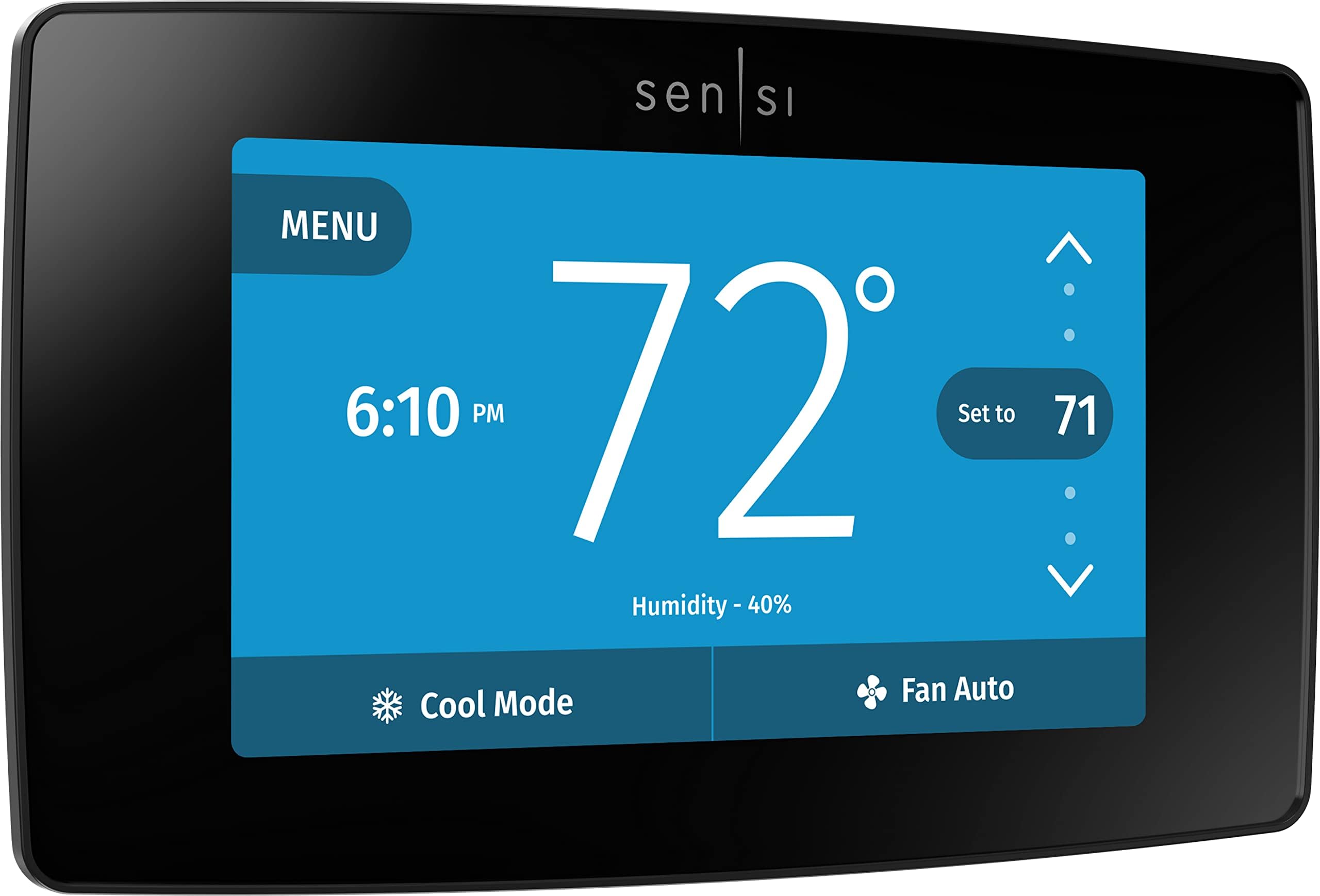
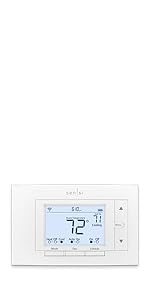
The Sensi Touch Smart Thermostat by Emerson combines advanced Wi-Fi connectivity, a vibrant 4.3-inch touchscreen, and Energy Star certification to deliver up to 23% HVAC energy savings. Designed for easy DIY installation with illuminated terminals and a built-in level, it offers seamless control via a top-rated mobile app compatible with Alexa and other smart home platforms. Prioritizing user privacy, Sensi ensures your data is never sold, while smart maintenance alerts help optimize HVAC performance. A sleek, modern addition to any home, it’s the perfect upgrade for millennial professionals seeking efficiency, convenience, and peace of mind.


| ASIN | B01N3CEUDH |
| Additional Features | Auto Changeover, Daylight Savings Time Ready, Filter Indicator, Geofence Technology, Programmable |
| Best Sellers Rank | #41,193 in Tools & Home Improvement ( See Top 100 in Tools & Home Improvement ) #48 in Home Programmable Thermostats |
| Brand | Sensi |
| Brand Name | Sensi |
| Color | Black |
| Connectivity Protocol | Wi-Fi |
| Connectivity Technology | Wi-Fi |
| Control Method | App, Touch, Voice |
| Control Type | App Control |
| Controller Type | Amazon Alexa, Apple HomeKit, Google Assistant, SmartThings, Vera |
| Customer Reviews | 4.5 out of 5 stars 14,218 Reviews |
| Display Type | LCD |
| Finish Types | Glossy |
| Global Trade Identification Number | 00786710554841 |
| Included Components | Installation Guide, Mounting Hardware, Owner's Manual, Thermostat, Warranty Booklet |
| Item Dimensions D x W x H | 1.17"D x 5.63"W x 3.2"H |
| Item Type Name | with Touchscreen Color Display, Works with Alexa, Black, Energy Star Certified, 5.625" x 3.4" x 1.17", Black |
| Item Weight | 13.6 ounces |
| Manufacturer | White-Rodgers |
| Manufacturer Part Number | ST75 |
| Manufacturer Warranty Description | 3 years. |
| Material Type | Plastic |
| Model Name | Sensi Touch |
| Model Number | ST75 |
| Mounting Type | Wall Mount |
| Number of Batteries | AA batteries required. |
| Number of Items | 1 |
| Power Source | AC/DC |
| Product Dimensions | 1.17"D x 5.63"W x 3.2"H |
| Product Style | DIY |
| Screen Size | 4.3 inches |
| Shape | Rectangular |
| Special Feature | Auto Changeover, Daylight Savings Time Ready, Filter Indicator, Geofence Technology, Programmable |
| Specific Uses For Product | Air Conditioner, Boiler, Furnace, Heat Pump |
| Specification Met | Energy Star |
| Temperature Control Type | programmable |
| UPC | 786710554841 |
| Unit Count | 1 Count |
| Voltage | 30 volts |
J**N
This is the one to get
This is the thermostat I wished I would have had all along. Easy to install, easy to read and good looking. The app is great and has a lot of features that I haven’t seen on other thermostats I’ve owned. The temperature settings are right on out of the box but you could do some minor tweaking if necessary. I find it very attractive, I bought the brushed metal unit. I installed it a month ago and not once have I had any connectivity issues; rock solid app. My wife and I have the app on our phones and they both work fine; you just need to share the same user and password is all. I like that the display dims down enough to be able to see it ok without it keeping you up at night because it’s too bright. One of the features I really like is when the furnace is actually running the display background turns orange on the unit and the app. I think it turns blue when the ac is running. I’m really impressed with this unit and recommend it to anyone. The directions are very clear and easy to follow so pretty much anyone should be able to do the install.
H**9
Great Features and Amazing Value
⭐⭐⭐⭐⭐ Excellent smart thermostat for the price! Installation was straightforward, and the touchscreen is responsive and easy to use. The Wi-Fi connectivity works reliably, allowing me to control the temperature from anywhere through the app. It has plenty of useful features, helps keep the home comfortable, and looks great on the wall. Compared to similar smart thermostats, this offers great value for the money. Highly recommended for anyone looking for a feature-rich thermostat at an affordable price.
S**M
Good Solid Purchase
I really enjoy this thermostat and its features. It was easy to install and works well with my Lennox furnace. (The furnace is setup to handle the two stage heating as it already had a conventional thermostat. This didn't require me to get involved in any special wiring or changes at the furnace itself.) I took advantage of adding a power humidifier onto the furnace and had it installed by the local HVAC company. They tied the humidifier into the heating cycle which allowed me to control humidity levels via this thermostat. (Again no special wiring but it did require a techs knowledge of the furnace to connect the humidifier correctly.) Everything worked thru the winter months and into this year where cooling with A/C was needed. I have had zero issues and find the Android app always stays connected and in communication with the thermostat. I did find a couple features in the app which allow some additional setting changes on the thermostat which are sometimes easier than going through the thermostats touch screen menu tree. I find the thermostat easy to read, use and is wife friendly. I leave the built in night lite feature on as we have a dark hallway where it is located.
B**E
5 Stars, BUT................
Yes, I give it 5 stars. I love the thing. It was easy to set up, and I've had no issues at all with the software. I love finding my bedroom getting too hot at 1 AM and being able to simply roll over and reset the temp with my phone. Also, as I have an exotic bird, I don't use the geo fencing, as it needs to stay warm enough for her, or cool enough. But, I can see the temp when away from home and adjust it, if necessary. So, why the BUT....? Well, before you buy it, you should understand that this needs a 'C' wire to function on ANY level. Many similar thermostats that require a 'C' wire, also accept batteries. With batteries installed in them, they can control the system, like any normal thermostat. All that they are missing without the 'C' wire, is the wireless functions. But, this Sensi model doesn't accept batteries, at least I sure couldn't find any place for them. Also, in a response to a customer's question, the seller mentioned that this model requires the 'C' wire for ALL functions. In spite of this, if you look above, at the product specs, it states that it requires 2 'AA' batteries! But, the thing is a sealed assembly with no place to install any batteries. So, if you buy this and think you'll go ahead and install it and use it without wireless until you can solve the 'C' wire problem, DON"T! Have everything ready, including either a 'C' wire (which in some cases can be added, running directly from your HVAC unit to the Sensi thermostat), or a supplemental transformer to replace the 'C' wire, BEFORE you remove your old thermostat. I saw this battery issue when I received my Sensi, so I ordered a supplemental transformer from Amazon, that was to arrive the next day by 9:00 PM. The next afternoon, expecting to have the transformer by 9, I installed the thermostat. The carrier that was to deliver the transformer lost it! I got an email at around 4 PM telling me so. So, in order to be able to have AC in my bedroom that night, I had to drive to Home Depot and buy one, and it cost me $4 more than the Amazon unit, which I returned to Amazon. But, they paid the shipping for me. So, if your system doesn't have the 'C' wire, learn what it is going to take for you to add it with a supplemental transformer. Be sure you're up to the job (it really is easy), and order both the Sensi, and the supplemental transformer, together. Don't let the 'C' wire intimidate you. It's not that hard to install the supplemental transformer, and you can make it look better if you use surface mounted wire races (available on Amazon) between the thermostat and the supplemental transformer, to hide its wires. The supplemental transformer has 2 wires, but it's AC (alternating current), so it isn't necessary to observe polarity. You simply hook one wire to the same terminal as the red 'R' wire in the thermostat, and the other wire connects to the thermostat's terminal labeled, 'C'. Simple! Also, you do have the option of using any 24 VAC transformer with a MINIMUM of 300 milliamps of current available at its output. Transformers sold for this purpose have exactly that voltage and current. But, it's acceptable to go higher in current output. Doing so simply gives you headroom, and lets the transformer run cooler. But, NEVER go LOWER than 300 ma. Voltage is another matter. You can go up, but only about a volt, or 2, which is what I did, as all I could find was a power adaptor for a Rain Bird sprinkler system that was 25.5 volts AC at 750 milliamps & cut the plug off the end of the wires, so I could hook them to my Sensi. So, if you can use a screw driver & some wire cutters, or sharp scissors, buy one and enjoy!!
E**E
EASY physical install and wire placement guidance. However, WIFI is tricky to set up.
I so wanted to give this a FULL FIVE stars as the step by step directions on the phone app were fantastic!! Simple. very accurate, descriptive, with extra videos for additional info if you needed more guidance on more involved steps. Back cover during install even came with stickers for wire ID, and a LEVEL built in to the back frame! Crazy. Someone thought of everything. Just great set up. My glitch came with the wifi connection acceptance. Tried again, again, again. Toggled back in directions, then forward. tried during off mobile data to force wifi connect. At one point a low longe black and white caution banner displayed "wifi connection failed" ...blocking me from inputting my wifi password. (It failed because I needed to put the damn wifi password in... BUT, I could not move the banner, or delete it, no matter where I went or what I did. I had to use voice activated typing in the password box to bypass the low banner which BLOCKED the keyboard even when using other screens or apps on the phone. Somehow I worked around it. After getting the wifi password in, I could see that the wifi WAS WORKING now and DID connect. BUT that damn banner wouldn't go away. I had to restart the phone to get rid of it. LUCKILY, it all worked after restart and the banner went away.. Sensi was SO EASY to hook up to Alexa (VS Honeywell which was very challenging). Again, easy step by step instructions on the app. BTW, Sensi was QUICK to accept commands from the phone app, AND Alexa - Sensi easily changes heart, cool, fan, off, and other modes. Simple. Easy. Intuitive. Again, Honeywell only accepted VERY BASIC voice commands - "Alexa, temp 75." (OK). "OK, Temp set to 75" BUT, when I tried to switch to heating mode from cooling mode. It would go like this - Alexa set Temp to Heat. "OK, setting temp to 75 degrees." Huh? Anyway, it was really fustrating. Never could fix the issue?? Nightmare. with Honeywell. Sensi is a dream compared to that. Works as it should. Display is also a dream with Sensi. Spending an extra 10 minutes with the wifi set up was worth the pain. Everything else works great and easy instal
A**R
Excellent choice in WIFI thermostats.
I love this Thermostat, it took five minutes to wire and about ten minutes to get connected through the app, the app is another five star thing about this thermostat. Excellent product.
D**I
Great quality
Outstanding quality and easy to install
R**R
Can be very difficult, if not impossible, to get it to connect to your home wireless router
Can be very difficult, if not impossible, to get it to connect to your home wireless router. After spending 2 hours trying to get this thermostat to connect to my router, I finally caved and tried to get support. The AI support did not address my issue so I called their support phone number. I was on hold for 1.25 hours waiting for a person. We spent about 2 more hours trying everything possible to get it to connect. The support person acknowledged that the thermostat was not compatible with my router and told me to send the thermostat back. I almost did. I did extensive searches on the internet for this problem and finally began to piece the puzzle together. The thermostat only runs over 2.4g. I and the tech knew that. My phone could see their thermostat on 2.4g. However, little did I know that the thermostat has it's own mini-router (network) built in and our phones can see it as an independent network. We are supposed to tell the phone to connect to it. The reason why, I finally discovered, is that is the only way to set the home wireless parameters in the thermostat. However, it didn't work because the thermostat could not connect to the router to attach to the home network to get the parameter prompts, therefore, the phone never got a prompt for the parameters. The tech support couldn't figure that out. He said my phone was the problem. It wasn't. When I finally figured out the real problem, I knew that the router would need to be reconfigured. Google searches returned info back to me that this thermostat has serious issues with routers running in smart mode. Smart mode uses one SSID and password to activate 5g and 2.4g simultaneously. That was one problem. The other is that routers also have guest configurations with other SSID and passwords. However, to use this thermostat, you would need to configure the guest network to see other devices on the local network. That defeats the purpose. Therefore, the only way to get this thermostat to work was to turn off smart mode and configure 2.4g and 5g separately with different SSID and passwords on the router. But that isn't the only problem. You now need to add those two networks to your phone and other devices. And there is more. You need to configure your phone to be on the 2.4g network before running their app to configure the thermostat's network configuration. The phone must be on the same network that the thermostat will ultimately be on. Also, turn off the guest network so it cannot see the 2.4g there. Now you will need to reset the thermostat to begin the process over again to setup the wireless connection. If all goes well, their app on the phone will ask for the 2.4g network name (SSID), password, and other specs that you configured for that wireless network name. If this sound like a nightmare, it really was. I'm a tech person. I'm sure many others failed because they simply gave up. Hopefully this review will help you if you have problems. After the router and thermostat are configured, you can enable your guest network and change your phone back to 5g if that is what you were using. The reason is that the thermostat is now configured with parameters for your router. However, if you factory reset this thermostat, you will need to do this all over again. To make this configuration a whole lot easier, this company should have Bluetooth to connect to the phone to give it your router parameters. A far as the thermostat goes, it works fine. I like it. I will only use the app when I am away so I disabled the app and keep the thermostat's wireless turned off. If you do that and then turn both back on, the app will say that you need to go through the configuration process all over again. That is not true. Simply give it 5 minutes to reconnect. If I was rating for ease of configuration, I would rate it a 1 star (0 if it was possible). Because I like the thermostat and it works fine once connected (so far), I only took one star off. that could change in the future once I use it more. I like that the screen color changes based on if the furnace is running or not running. The display is good and the brightness is very good but not too bright. Ease of use is good as well. I haven't tested the app away from the house yet so I cannot comment on that functionality. Update to review: Since my review I have been able to test its remote functionality. It works. I have also tested cutting power to the furnace to simulate a power outage. When I restored power a half hour later the thermostat came up fine and reconnected to the wireless. With that being said, I did not test cutting power to the router at the same time to see if they would sync, as the router comes up slower than the thermostat. When I select the option to turn off wireless on the thermostat and then turn it back on, it takes about a minute to re-attach to the wireless, not the 5 minutes I suggested in the above review. I disable the app on my phone when I am not away from the house and it works fine that way. If I open the app afterwards, all I need to do is to login to Sensi and all is good, provided that I have the thermostat's wireless feature turned on.
B**X
Easy Install
I installed this today by myself. I took a pic of my old thermostat configuration to show you all. Took maybe 15 mins for everything except the WiFi. I followed the instructions on the app which was a very helpful tool. I can't say enough good things about that bc whenever I install a new thermostat I am puzzled when the letters don't matchy matchy. This app took that guesswork out for me. Thank you Emerson. The wifi I was stumped on for a but bc it said my password didn't work. I figured out either me or the app was adding a space at the end of the password... So just be aware of that. This thing works amazing. If it blows up or stops working down the road, I'll update my post but so far, so good. Both the touch screen on the device and the app work great. I love that you can lock the touch screen so your kids can't increase the temperature. Installed my second one in the house where I only had R W G wires. Followed tutorial on changing G to C wire and I got it up and running. Wasn't a problem. Added 10 mins onto the job. Easy peasy.
H**U
Niet geschikt voor gebruik binnen de EU
Dit product is niet geschikt voor gebruik in de EU. Probleem begint al bij het registratie proces, daar loop je vast omdat registratie alleen voor USA en Canada mogelijk is. Het alternatief (Apple home) beschikt niet over alle functies voor optimaal gebruik en functionaliteit. Programma’s (schedules) maken is onmogelijk. Door registratie problemen werkt deze thermostaat (zonder schedules) alleen binnen je eigen netwerk omgeving en niet buitenshuis. (Middels Apple apparatuur geprobeerd het draaiende te krijgen)
D**D
There are other countries on this planet other than the US
Great functional controller that does the basic job expected from a controller. However.... YOU CANNOT USE THE WIFI ABILITY UNLESS YOU REGISTER THE PRODUCT, BUT BUT BUT YOU CAN ONLY USE A USA TIMEZONE.!!! How hard is it in this day and age to include the rest of the world???
M**D
Smart
👌
T**K
Stylish with smarts
I already had a non-smart programmable theromostat, which worked fine, but was nearly impossible to read unless you were inches away, with the room light on. I like that this one is easy to read from across the room (with brightness controls), or right on my phone. Also very convenient to be able to adjust the temp from anywhere and set a reminder to change the furnace filter. Excellent installation instructions! Overall….very happy and would recommend.
Trustpilot
2 months ago
1 month ago