


Desertcart purchases this item on your behalf and handles shipping, customs, and support to Tunisia.
🖼️ Bring your past to life with a single scan!
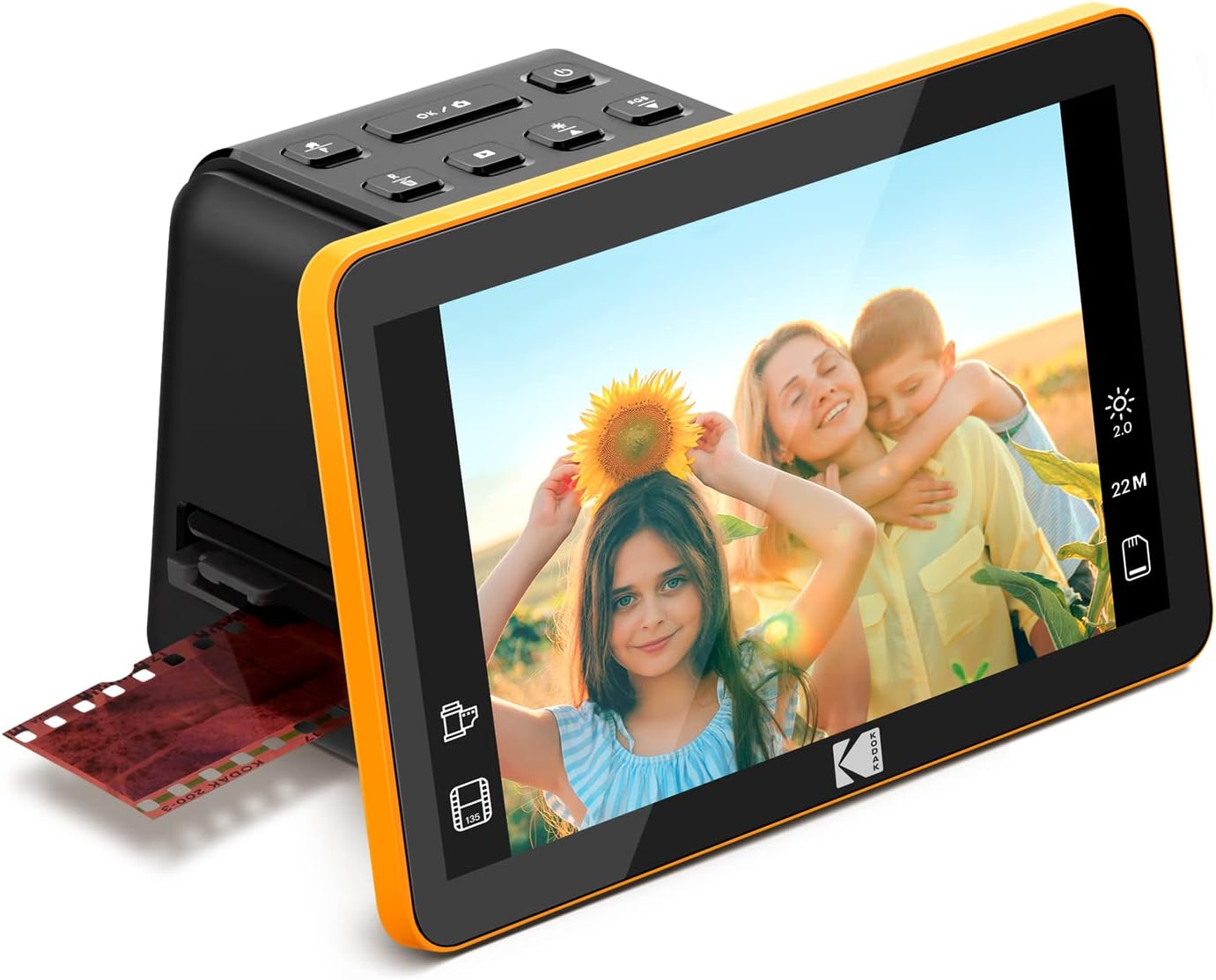
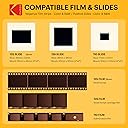
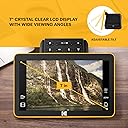
The KODAK SLIDE N SCAN Max is a sleek, user-friendly digital film scanner featuring a 22MP CMOS sensor and a large 7-inch LCD for instant preview. It supports multiple film formats (135, 110, 126, and 50mm slides/negatives), offers continuous quick-feed scanning, and saves images directly to SD cards (up to 32GB). With one-touch editing and USB-C connectivity, it’s designed for effortless digitization and sharing of your vintage photo archives.



| ASIN | B0B3F6KJJ2 |
| Best Sellers Rank | 4,331 in Computers & Accessories ( See Top 100 in Computers & Accessories ) 2 in Film Scanners |
| Brand | KODAK |
| Brand Name | KODAK |
| Color Depth | 24 bits |
| Connectivity technology | USB |
| Customer Reviews | 4.4 out of 5 stars 1,784 Reviews |
| Item Dimensions D x W x H | 17D x 13.6W x 11.3H centimetres |
| Item Weight | 454 g |
| Light Source Type | LED |
| Manufacturer | Kodak |
| Media Type | ['Film', 'ScannedImage'] |
| Minimum System Requirements | Windows 7 |
| Model Name | SLIDE N SCAN |
| Model name | SLIDE N SCAN |
| Network Connectivity Technology | USB |
| Optical Sensor Technology | CMOS |
| Product Warranty | 1 Year Limited |
| Product dimensions | 17D x 13.6W x 11.3H centimetres |
| Resolution | 22MP |
| Scanner Type | Film |
| Scanner type | Film |
| Standard Sheet Capacity | 100 |
| UPC | 843812167529 |
| Unit Count | 1.0 count |
| Wattage | 50 watts |
B**N
Ease of use - Great results
Good scanner, easy to use , just put in an SD card and scan one frame at a time, each frame only takes a few seconds. iI have now scanned and digitised, in JPG format, hundreds of 40 year old black & white and colour negatives. Afterwards I just transferred them from the SD card to my PC. Amazing results, good enough to print a good photo up to A4. As they are digitised into JPG format you can edit them afterwards using a photo editing software. I can recommend it.
R**N
Does the job
Just right for making those old slides accessible. The process is easy enough and speedy once you get a rhythm going. Annoying that it can't handle portrait orientation but I just rotated in photo editing. I had 1500 1960's slides to preserve and it took me 4 sessions to do them all, onto a 32gb SD card. Then put the card in a card reader, connected to my phone and uploaded to Google photos, in batches of 100, at 5 minutes per batch. Then a quick bit of rotating/cropping/filter editing and I shared the album with my family. They were delighted with the quality and memories. Quality wise, they were fine for viewing on phones/monitors but to be honest, we were more interested in the memory than in the sharpness. Overall, an excellent purchase and would definitely recommend for use as a way of preserving what might be lost - I doubt it would meet the needs of a serious photographer, but I don't think that's it's market.
S**H
Poorly positioned screen makes operation awkward but otherwise does a decent job of copying.
Just copied over 3000 negatives to SDcard, simple to use and transfer to computer. Screen is situated in front which means one is reaching behind to locate the slot for negative strips, it gave me terrible back ache constantly leaning and twisting for access !! Screen ideally should be situated higher and further back to allow access to controls and film carrier. But hey ho it is done now and I will recover!!
H**L
Simple to use, good results, great value for all the memories it brings to life
Worth purchasing. Really read around before selecting this Kodak slide scanner over other makes or the alternative of sending off slides to a professional service. The largest Kodak Slide & Scan screen allowed my father (late 80s) to be actively involved in the scanning of over 1000 of his slides dating back over 50yrs. We had a wonderful time together looking through them all - I wouldn’t have swapped that for anything. The adjustments you can make to the scans is basic, but enough to enable further tweaking later on any phone or laptop. The big enemy is dust - make sure you are diligent to watch out for dust & filaments, it will save you a lot of post-scanning touch ups. We used a makeup brush to remove anything obvious on the slides themselves before feeding them into the machine for scanning & fortunately the Kodak Slide & Scan comes with a nifty slim brushing device to ensure it’s scanning surface is kept clean.
I**N
great bit of kit well worth the effort
This a great bit of kit, very easy to set up. gives easy to follow instructions. Copies the negatives perfectly which you can store on to a card or straight to the computer. Brought some fun memories back, found it relaxing to spend time looking at the negatives once again.
B**R
Quick and easy to use
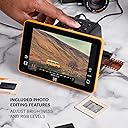
I bought the scanner to digitise my old colour transparency slides. I have a few thousand to do and so far have completed about 400. The scanner is very easy to use and quick. Slides are inserted one at a time and buttons can be used to alter the brightness or colour or simply just scan. No software is required as the scans are stored on an SD card (not supplied). It is powered from a usb port on your computer and the scans can be transferred to computer at any time by choosing the upload option on the simple menu. The only very slight niggle is that it is necessary to slide out the mounting rack in order to tip out the last slide, but that only takes a second or two. Overall I am very pleased with it and can recomend it, especially if you are not very computer savy.
W**M
Easy to use
So far so good. I like the fact slides can be entered singly, with a clear screen. If you have old Kodachrome slides in cardboard mounts, they can be a bit fiddly. One thing that puzzles me is that once pictures are on an SD card they don’t load in order to my PC.
F**E
Expensive, limited functionality, but easy to use.
Easy to use as it actually has very limited functionality. The UI is very basic, but I suppose that can be seen as plus as my 80 year old mum got to grips with it very quickly. Well built with a clear screen, but probably only worth £80, not £180 rrp. It does the job, but I wouldn’t buy again, or recommend. This will now do the rounds with the family so that we can all digitise negatives and slides.
C**G
Ideal pour revoir et sauvegarder les vieilles diapos oubliées
Un scanner simple, efficace et rapide, largement suffisant pour redonner vie aux souvenirs de vacances. Certes ce n'est pas un équipement professionnel mais la définition est suffisante pour des diapos d'amateur pas toujours parfaites et les fichiers générés sont de taille raisonnable (3 à 4 Mo). Le paramétrage à 22 Mp n'apporte rien de plus (interpolation). L'image est légèrement recadrée latéralement mais ce n'est pas gênant car les bords de diapo sont souvent pas très nets et on peut choisir le coté qui est supprimé en déplaçant légèrement la diapo sur le support. La mise en place des diapos est plutôt aisée (chaque nouvelle diapo pousse l'ancienne) et le scan est quasiment instantané (1 à 2 secondes). Possibilité de réglage manuel de la luminosité et des couleurs (RGB) pour corriger les diapos mal exposées mais le réglage automatique est généralement correct. Pas de réglage de la mise au point. L'écran de 7" est suffisant pour ajuster le cadrage, apprécier le résultat et effectuer les éventuels réglages. Il est possible de raccorder un écran plus grand en HDMI mais ce n'est pas indispensable. Le transfert des fichiers se fait par le câble USB fourni mais il est indispensable d'insérer une carte SD (max 32 Go) dans le scanner. En conclusion : cet appareil permet de scanner rapidement une grande quantité de diapos pour un prix raisonnable et ensuite de sélectionner les meilleures pour les faire scanner par un professionnel.
L**R
A great scanner, especially at the price!
I used this scanner to scan about 1500 slides over about four months. I found it to be fast, reliable, accurate and easy to use. I was eventually able to scan 150 to 175 slides an hour. I would start with three slides loaded into the scanning carrier, push the scan button and wait for the scan to finish. I would advance the slides manually and once the new slide was positioned add a new slide to the right side of the carrier, pushing a finished slide out the left slide. I barely glanced at the scanned slide, instead I concentrated on keeping the workflow going. One warning I would give is that this is strictly a WYSIWYG operation. The slides I was scanning were 50+ year old and had degenerated from age and bad storage conditions. The scanner did nothing to improve the quality, but it did give me a decent image to start with when I got to Photoshop Elements. The scanner is OUTSTANDING. Scanner was priced right, shipped quickly and arrived in perfect shape. The scanner is OUTSTANDING. Easy to set up, easy to use. produces great scans. It took me a few minutes to get in to a work flow rhythm but I was doing about 2 scans a minute once I got rolling. I suspect this will get up to at least 3 scans a minute.
J**A
Prosty szybki w obsłudze
Prosty i szybki w obsłudze. Zdjęcie po obróbce dobra jakość cyfrowa . Polecam
Y**A
a marca já é consagrada.
excelente
Y**Z
Escaneo rápido de negativos para fotógrafos para mostrarlos en las redes sociales.
Es un escáner útil para las fotos familiares y también para un escaneo rápido de negativos para fotógrafos para mostrarlos en las redes sociales.
Trustpilot
2 weeks ago
1 month ago