Desertcart purchases this item on your behalf and handles shipping, customs, and support to Tunisia.
⌨️ Elevate your mobile typing game—wireless, sleek, and built for pros on the move!
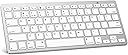
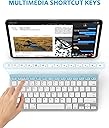
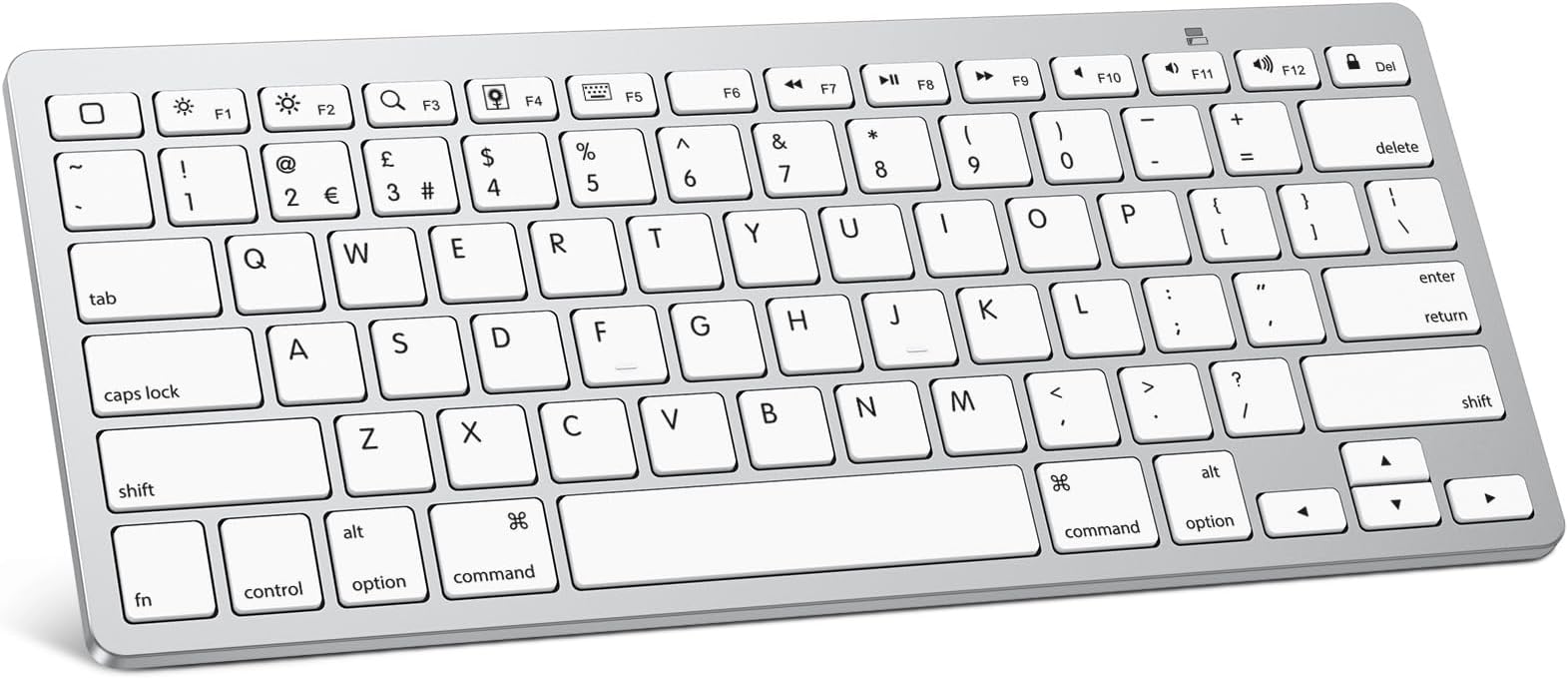
The OMOTON Bluetooth Wireless Keyboard offers a compact, lightweight design with a 78-key UK QWERTY layout optimized for iOS devices. Featuring Bluetooth 3.0 connectivity with a 10-meter range and an impressive 6-month battery life powered by 2 AAA batteries, it delivers convenience and long-lasting performance. Custom hotkeys enhance control over volume, brightness, and media, making it an ideal companion for iPad Pro, Air, Mini, iPhone, and other Bluetooth-enabled devices.


| ASIN | B019O1R4DQ |
| Antenna Location | Office |
| Best Sellers Rank | 2,262 in Computers & Accessories ( See Top 100 in Computers & Accessories ) 9 in Tablet Keyboards |
| Box Contents | mini keyboard |
| Brand | OMOTON |
| Brand Name | OMOTON |
| Button Quantity | 78 |
| Colour | Silver |
| Compatible Devices | iPad 10th Generation, 10.2 (9th/8th/7th Generation), Pro 13/12.9/11 inch, Air 13/11 10.9 inch (5th/4th Gen), Mini 6/5, Phone Pro/ SE, other Bluetooth-enabled tablets, laptops, mobile phones |
| Compatible Operating System Family | MacOS |
| Compatible Tablet Computer Models | Apple iPad (10th generation) |
| Compatible devices | iPad 10th Generation, 10.2 (9th/8th/7th Generation), Pro 13/12.9/11 inch, Air 13/11 10.9 inch (5th/4th Gen), Mini 6/5, Phone Pro/ SE, other Bluetooth-enabled tablets, laptops, mobile phones Compatible devices iPad 10th Generation, 10.2 (9th/8th/7th Generation), Pro 13/12.9/11 inch, Air 13/11 10.9 inch (5th/4th Gen), Mini 6/5, Phone Pro/ SE, other Bluetooth-enabled tablets, laptops, mobile phones See more |
| Connectivity Technology | Bluetooth |
| Connectivity technology | Bluetooth |
| Customer Reviews | 4.4 out of 5 stars 6,615 Reviews |
| Enclosure Material | Plastic |
| Generation | 10th Generation |
| Hand Orientation | Ambidextrous |
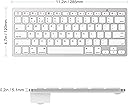
| Item Dimensions L x W x H | 28.4L x 11.9W x 0.5H centimetres |
| Item Weight | 282 Grams |
| Keyboard Backlighting Color Support | Single Color |
| Keyboard Description | Multi Functional |
| Keyboard Layout | QWERTY |
| Keyboard description | Multi Functional |
| Manufacturer | OMOTON |
| Manufacturer Part Number | KB-APWhite |
| Mechanical Keyboard Switch Model | Membrane |
| Minimum Required Operating System Version | Android 3.0 Honeycomb |
| Model Number | KB-APWhite |
| Number of Batteries | 2 |
| Number of Keys | 78 |
| Number of Sections | 3 |
| Power Source | Battery Powered |
| Product Features | Ergonomic design, hotkeys and Bluetooth connection |
| Product Warranty | 1 |
| Recommended uses for product | Office |
| Special feature | Ergonomic design, hotkeys and Bluetooth connection |
| Style Name | Modern |
| Switch Type | Membrane |
| Theme | Apple Accessories |
| UPC | 736950123093 |
| Unit Count | 1.0 count |
Y**N
Great keyboard
Great item works well and decent battery life love the purple colour worked with my iPad
M**G
Light, Inexpensive and Well Designed
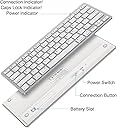
The OMOTON Ultra-Slim Bluetooth Keyboard, is the perfect companion for those who want a lightweight, easily transportable and well functioning keyboard to accompany their tablet or laptop. I travel with my iPad Pro everywhere. It's replaced my laptop in terms of portability, However, one thing I always decided against was the Apple Smart Keyboard Case for my iPad. It was a ludicrous price, not to mention I wasn't too sure on the aesthetics of the keyboard itself. But, I needed a keyboard to accompany the day-to-day tasks I was using my iPad for. The OMOTON Ultra-Slim Bluetooth Keyboard has certainly ticked all the boxes I needed from it. This keyboard looks like an exact replica of a Macbook keyboard (layout-wise of course, don't remember seeing white keys on a Macbook?!), so for those familiar with this keyboard layout, you will feel right at home. Not to deter non-Mac users however, this keyboard is very ergonomic. If you're not familiar with Mac keyboards/functions however, there are a few little quirks to be aware of. Such as the '@' symbol is actually Shift+2, not Shift+(@/' key). You'll also have to contend with the Command (CMD) instead of Ctrl, but for the most part these function EXACTLY the same as a normal PC keyboard. The keyboard is very lightweight, powered by 2 AAA batteries. It's non-adjustable, with it being propped up by about an inch at the very back by the battery housing, which suits myself as I prefer a keyboard to be 'propped up'. The connectivity couldn't be simpler. There is a on/off switch behind the keyboard. Simply flick on and connect your keyboard, much like you would a pair of wireless headphones or speakers and you're ready to go. The keyboard is very responsive and works on an iPad just as I would expect it to, allowing me to further utilise the iPad's potential.
N**E
Works but not British standard
Nice keyboard but unfortunately is not a UK format so the @ and " keys are in weird places. Works well though, connected with no issues and is a cute colour.
P**H
Well designed compact keyboard at a reasonable price
Unboxing this keyboard and slipping in two batteries (careful about direction) and pairing took a couple of minutes. Take time to read the instructions - few as they are - and you can't go wrong. Worth noting is that on my tablet you can pull down a menu and turn on and off the virtual keyboard or you can have both if you so desire. The keyboard is ultra compact, thin and light. Yes this is a compromise and you will have to do a bit of practising and adjusting from your normal keyboard. You can feel the keys and that is important if you touch type. Not just an indistinct rubber squish which I was fearing. You can jump around and return to home screen (square button), but there is no guarantee that all applications will be fully controllable via the arrow keys. Found it pretty hit and miss on my most popular apps. Always can add the text though the keyboard on all of them. Might need to queue the box by hand or pen. Very pleased. Lots of thought has gone in to this and you could easily do a day's work in the field. Worth always having a couple of spare penlights handy (not included in the price) because you never know when this might run out of juice. The keyboard turns off after ten minutes of non activity. Comes to life when you start again, but it takes a moment to wake. Turn it on and off via a rear switch if you want a hard off. Also worth noting is that Bluetooth (alone) can drain battery if you are in the field. Also you might want to purchase a lightweight portable stand to complete the set. Tested on a Huawei Mediapad T3.
C**Y
Better quality than I was expecting, and also cute
It’s so Cute! Just what I was looking for. Connected perfectly with my iPad. Looks more expensive than it actually was, so a win in my eyes
R**B
Great Bluetooth keyboard for ipad
Buying a Bluetooth keyboard for my ipad was a spur of the moment purchase. Daughter had to borrow my MacBook for home-schooling and so using the ipad was my only alternative - but not very efficient using the touch-screen keyboard for extended use so decided to find a solution. Subsequently found the Omoton keyboard. Firstly at £18 this is a very cost-effective option! As a standalone keyboard (rather than an iPad cover with built-in keyboard) it has the feel of using a laptop keyboard and is well-sized - large enough to have decent keys, but small enough to tuck out of the way when not in use, or carry in a briefcase/bag if taking out of the home. Very quick to set up - two AAA batteries inserted, press the connect button, pair on the iPad Bluetooth menu and you’re off! No additional software/apps needed. I also have a lightning to HDMI cable (bought separately), so have been able to connect the ipad to a monitor and use the Omoton keyboard to help the ipad act more like a laptop. Overall very pleased with quality of the keyboard, price and ease of use...have just typed this review on the keyboard and significantly easier than using the ipad touch keypad!
S**V
Not really for Mac
Flipping keys. Layout is not completely for Mac. Some keys are missing, others on wrong places
R**E
Great!
Great value, quality condition, appearance as described. Fast delivery.
A**S
Good for the price and easy to use with a MacBook Pro!
The item is very good for the price, easy to connect and get it running, very user friendly and it os working perfectly good with an MacBook Pro! The keyboard needs 2 batteries which do not come in the package. I recommend it anyways!
J**G
Nice little keyboard for iPad
This keyboard made it much easier for doing email and other apps like Zoom meetings. having keyboard shortcuts to muting and video using Zoom avoided my reaching for the iPad to do those functions. Only minor drawback is that the first time you press a key, nothing happens. Probably due to Bluetooth, After the initial lag, everything works fine. Had it for a couple of months and very happy. Good value.
M**K
Works with MacBook Pro M1
I almost cancelled this item after reading that it won’t work with MacBook and that there is no ESC key. It works flawlessly with my MacBook Pro and the ESC key works too! You just need to press fn + the square button on the to left corner to trigger the ESC. Great value for money!
A**.
Great little keyboard!
I've been using this keyboard for about a week and so far it is great. It works with my first generation iPad Pro (12,9" 2015 model) and also works with my MacBook Pro (2017 model). I love that I can switch keyboard languages easily on my MacBook Pro because the same keyboard shortcuts that I was using with my Apple keyboard also work with this one. Two switch keyboard languages on the iPad, you just need to hit the F5 button to reveal the virtual keyboard on the iPad screen, click the language button on the virtual keyboard, then hide it again by hitting the F5 button on the bluetooth keyboard. It is pretty fast. To switch between using the the keyboard with my iPad and MacBook Pro, I turn off the keyboard, then restart it, hold the connect button for a couple of seconds until the keyboard shows in the bluetooth items, then enter the passcode provided. It is also pretty fast. I haven't needed to use the keyboard with my iPhone yet, but I am confident it will work also. They keys are not quite as smooth as with my older Apple keyboard, but this one is far more convenient and I love, love love not having to deal with cables. I also got the Omotion mouse and it works great too (except that my desk surface is too smooth, so I need to put paper under it so that it works smoothly). I recommend both items. Great value for the money if you are on a budget, especially when compared to the price for an Apple wireless keyboard.
R**S
⭐️⭐️⭐️⭐️⭐️
Parfait!
Trustpilot
1 month ago
2 days ago