


๐ Power your productivity with ASUS Prime B650M-A AX โ where speed meets style.
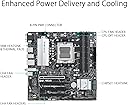
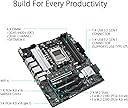
The ASUS Prime B650M-A AX is a Micro-ATX motherboard engineered for AMD Ryzen 7000 series processors, featuring DDR5 memory support, PCIe 5.0 M.2 slots, 2.5Gb Ethernet, Wi-Fi 6, and advanced cooling solutions. Designed for professionals and DIY enthusiasts, it offers robust performance tuning, comprehensive connectivity, and customizable RGB lighting, ensuring a reliable, future-ready foundation for high-performance PC builds.






| ASIN | B0BHMVFS77 |
| Best Sellers Rank | #896 in Computer Motherboards |
| Brand | ASUS |
| CPU Socket | Socket AM5 |
| Chipset Type | AMD B650 |
| Compatible Devices | Personal Computer |
| Compatible Processors | AMD Ryzen 7000 series |
| Customer Reviews | 3.6 out of 5 stars 54 Reviews |
| Graphics Card Interface | PCI Express |
| Item Type Name | Desktop Motherboard |
| Item Weight | 2.9 Pounds |
| Main Power Connector Type | 24-Pin |
| Manufacturer | ASUS |
| Memory Clock Speed | 6400 MHz |
| Memory Slots Available | 4 |
| Memory Storage Capacity | 128 GB |
| Mfr Part Number | PRIME B650M-A AX |
| Model Name | PRIME B650M-A AX |
| Model Number | PRIME B650M-A AX |
| Number of Ethernet Ports | 1 |
| Number of Ports | 22 |
| Platform | Windows 10 |
| Processor Socket | Socket AM5 |
| RAM Memory Technology | DDR5 |
| Ram Memory Maximum Size | 128 GB |
| S/PDIF Connector Type | Optical |
| System Bus Standard Supported | Serial ATA/600 |
| Total Number of HDMI Ports | 1 |
| Total PCIe Ports | 4 |
| Total SATA Ports | 8 |
| Total Usb Ports | 8 |
| UPC | 195553922616 |
| Warranty Description | 3 years |
C**R
Everything Just Works
I usually get the less-featured asus board and have for years. I read reviews on this one and folks said it wouldn't run memory at 6000. It's running my expo ram at 6000 cl30 just fine. I put a 7950X in it. No issues there either. The bios let me set the TDP so I dropped it to 120W. It was nice to have a granular setting for this and not a stupid "eco mode" setting. Phoronix unigine-heaven says I'm tied for the best result with my video card (7900XT) at 2K. You really can't ask for anything more than that on a system with reduced TDP. Nothing gets hot. The onboard RGB was picked up by Linux just fine and worked with OpenRGB. I don't use the wifi or blutooth but I'm sure they are fine. Plenty of room for a huge Noctua cpu cooler. Benchmarks are fantastic. I didn't even have to update the bios. It had the most recent. The only thing I had to do in bios after turning off wifi and blutooth and setting TDP was turn on Resize Bar. For some reason it wasn't on by default. Oh, and I had to turn on EXPO for my ram. But that was it. Boom, saw the ram, overclocked it. Rarely do I build a system and it's just working the first time I hit the power button. That's how it was this time. Save your money on an AM5 build. Use this board.
H**N
ASUS Prime B650M-A AX AMD B650(Ryzen 7000) Micro-ATX Motherboard
Great motherboard. Paired it with a Ryzen 16 core processor, 64 gig ram, & SSD hard drive.
S**E
Worst AM5 mobo
With an installed Corsair Vengeance DDR5 5600MHz RAM, running at either at the rated speed or at 4800MHz this mobo restarts and freezes randomly. The same memory (purchased new from Amazon) works at its rated speed in a MSI motherboard. I downloaded the ASUS BIOS updates hoping that at least one of these will be able to solve the issues (excluding the betas, there are currently 3 BIOS updates on their web site - the latest being v. 1616). It is impossible to update the BIOS using Asus EZ Flash 3 - it reads the file and after the progress bar shows up it restarts immediately without even starting the process. As a last resort I tried the Flashback option - it blinks a couple of times and then the light stayed solid green for more than an hour. No update was performed and YES, the BIOS image was renamed as per the ASUS recommendation. I used a Noctua NH-D15, which kept the CPU temperature in the low 50C (~120F). Never in my life have I ever experienced such a level of frustration with any computer related product/part.
T**S
This Motherboard has problems with Stability on install
I purchased this motherboard, along with other components, to build a gaming PC for my house hold. I have used Asus motherboards in the past building PCs and felt pretty confident in the quality of the brand given previous experience. I was foolish to not do more research prior to my purchase and just considered the brand. I built the computer this past weekend and on start up things went poorly. I tried to install Windows and got it to install initially. Then the computer became wildly unstable and bricked. I flashed the hard drive and started over. It bricked again. I flashed the hard drive and downloaded the MS Windows Media file on a new USB from a different computer. Bricked again. I first thought that I may have a faulty hard drive. I stopped working on the computer and went to purchase a new hard drive. A few days later. with a new hard drive installed, I tried to install windows again and again the computer bricked. I took some time to review all of the different components I purchased. Everything was VERY highly rates and well received, with the exception of the motherboard. I saw multiple posts suggesting that the split memory was the concern. I had 2 sticks of 16GB ram installed as instructed in the manual. I was very skeptical that removing one would correct the issue. Still, I removed one of the two sticks of ram and the computer became very stable. I installed windows and all of the drives needed for the computer. I contacted ASUS about the issue and asked why the had not compensated for the known issues of the Motherboard. While the tech support was friendly, they were not helpful. The discussed having me send the Motherboard back for repair or replacement. This process would very likely take weeks. I decided to instead update the BIOS and reset the CMOS to see if that would correct the issue and allow for me to install the second stick of ram. My efforts were rewarded and the computer is now fully functional. TLDR - Find a different motherboard to purchase. I have this one working, but the amount of effort it required to get it stable was frustrating. The lack of quality control from Asus is surprising. I will not purchase their equipment moving forward.
R**G
Mothboard
I am using this one in a small server without problems
R**Z
Works well
Been using for 2 months for gaming and school and so far been working pretty well. Took a few days to realize I had to go to motherboard website to download WiFi drivers.
S**I
DRIVERS!!!!
Not a fault of the board, just a heads up if you're gonna use this board with a new amd graphics card it doesn't have the up to date amd board drivers preloaded so just be sure to download those
J**E
Costly RMA process, two of two boards purchased had failed in less than 3 years
Bought two of these boards from two different sellers over a years' time, both failed. The first board lasted less than a month and fried my Seasonic power supply with it. The second board lasted just under 2.5 years but was not used daily, took it to the local Micro Center who confirmed it was dead $80 later and refused to assist with RMA (thought they were a licensed Asus technician?). The first board's RMA was denied after one of the pins was bent in transit. Asus has you pay the shipping cost of RMA. Given how much the price has gone down, I think I'm ready to cut my losses and move on to a different brand, no more Asus for me!
Trustpilot
1 month ago
3 days ago