Buy anything from 5,000+ international stores. One checkout price. No surprise fees. Join 2M+ shoppers on Desertcart.
Desertcart purchases this item on your behalf and handles shipping, customs, and support to Tunisia.
🚀 Elevate your Wi-Fi game—fast, secure, and hassle-free connectivity!
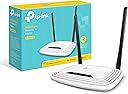
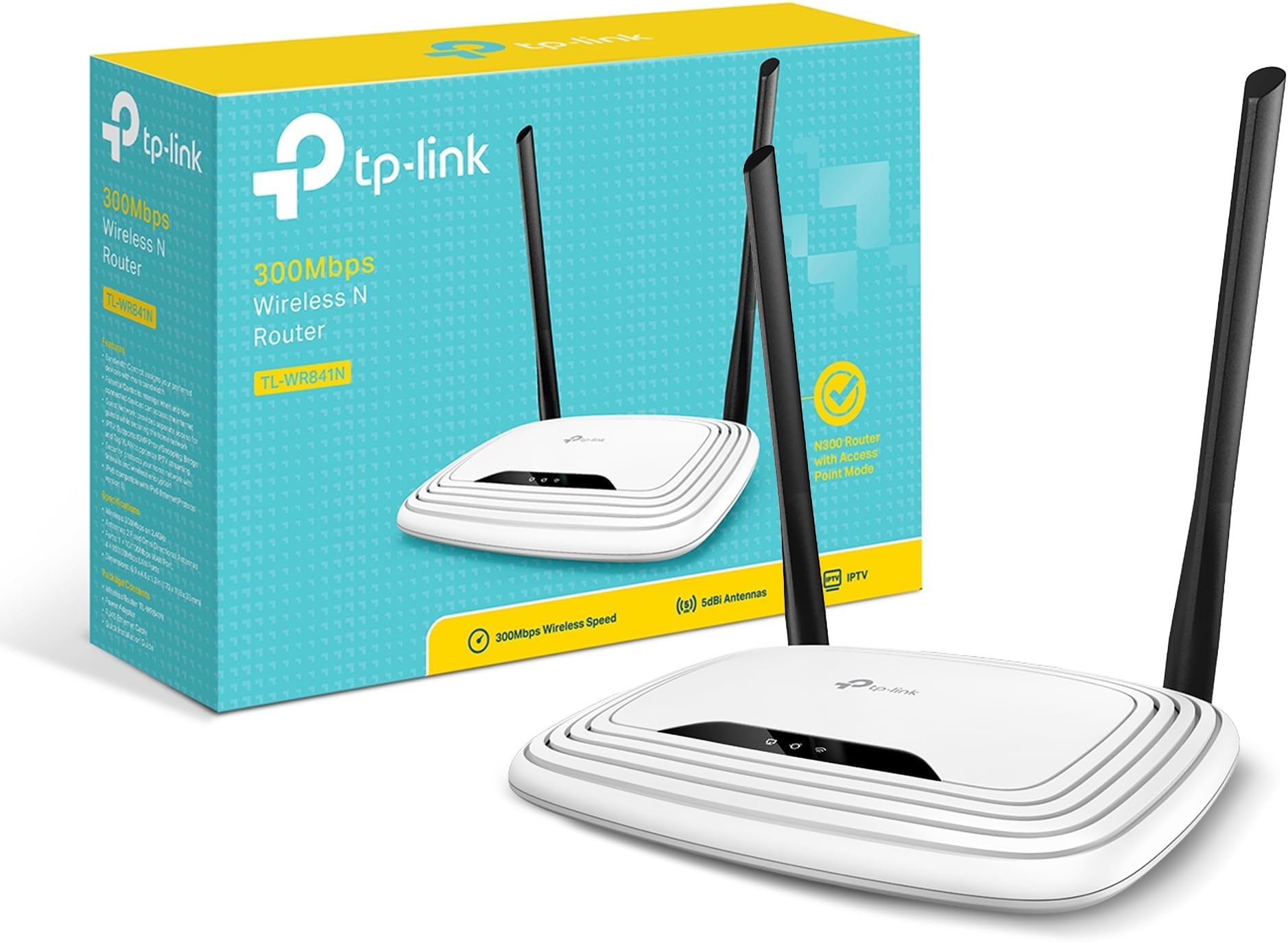
The TP-Link TL-WR841N is a Wi-Fi 4 router delivering up to 300Mbps on a 2.4 GHz single band, equipped with two fixed antennas for enhanced coverage up to 50m². It supports easy wireless security via WPS, offers 5 Ethernet ports with 100 Mbps LAN bandwidth, and is compatible with all major browsers for straightforward setup. Ideal for HD streaming, gaming, and multi-device households, it combines affordability with reliable performance and a 3-year warranty.


| ASIN | B001FWYGJS |
| Antenna Location | Home, Commercial, Public |
| Antenna Type | Fixed |
| Best Sellers Rank | 424 in Computers & Accessories ( See Top 100 in Computers & Accessories ) 1 in Routers |
| Box Contents | Wireless N Router TL-WR841N, Voltage Adapter, CD, Quick Installation Guide |
| Brand | TP-Link |
| Brand Name | TP-Link |
| Colour | White |
| Compatible Devices | Not |
| Compatible devices | Not |
| Connectivity Protocol | wireless |
| Connectivity Range | 50 Square Metres |
| Connectivity Technology | Ethernet, Wi-Fi |
| Control Method | App |
| Controller Type | App Control |
| Country of Origin | China |
| Coverage | 50 m² |
| Customer Reviews | 4.3 out of 5 stars 77,618 Reviews |
| Data Transfer Rate | 300 Megabits Per Second |
| Frequency | 2.4 GHz |
| Frequency Band Class | Single-Band |
| Frequency band class | Single-Band |
| Has Internet Connectivity | Yes |
| Is Electric | No |
| Is Modem Compatible | Yes |
| Item Dimensions L x W x H | 17.5L x 11.7W x 3.3H centimetres |
| Item Part Number | TL-WR841N |
| Item Weight | 8.82 Ounces |
| LAN Port Bandwidth | 100 Mbps |
| Manufacturer | TP-Link |
| Manufacturer Part Number | TL-WR841N (UK) |
| Maximum Upstream Data Transfer Rate | 300 Megabits Per Second |
| Model Name | TP-link N300 |
| Model Number | TL-WR841N |
| Model name | TP-link N300 |
| Number of Antennas | 2 |
| Number of Ports | 5 |
| Operating System | Ja |
| Other Special Features of the Product | Maximum temperature 0 - 40 °C, QoS, Removable antennas, Reset button, Security algorithm: 128-bit WEP, 152-bit WEP, 64-bit WEP, SSID, WPA, WPA-PSK, WPA2, WPA2-PSK, WPS, VPN Support (PPTP, L2TP, IPSec), Web-based management |
| Product Warranty | 3 year Manufacturer |
| Router Network Type | Wireless |
| Security Protocol | WPS |
| Smart Home Compatibility | Not Smart Home Compatible |
| Special feature | Maximum temperature 0 - 40 °C, QoS, Removable antennas, Reset button, Security algorithm: 128-bit WEP, 152-bit WEP, 64-bit WEP, SSID, WPA, WPA-PSK, WPA2, WPA2-PSK, WPS, VPN Support (PPTP, L2TP, IPSec), Web-based management Special feature Maximum temperature 0 - 40 °C, QoS, Removable antennas, Reset button, Security algorithm: 128-bit WEP, 152-bit WEP, 64-bit WEP, SSID, WPA, WPA-PSK, WPA2, WPA2-PSK, WPS, VPN Support (PPTP, L2TP, IPSec), Web-based management See more |
| UPC | 845973051242 |
| Unit Count | 1.0 count |
| Wi-Fi Generation | Wi-Fi 4 |
| Wireless Compability | 802.11b, 802.11g, 802.11n |
| Wireless communication standard | 802.11b, 802.11g, 802.11n |
M**R
Affordable and great!
I'd suffered and endured the dubious Virgin Media "Superhub" long enough. I decided I'd try a new router after reading all the similar problems on the Virgin Media forums. I didn't want to spend too much money, so reading the generally positive reviews of this router, and that others had even used it for the same reason, I went for it. Setting it up was incredibly simple, although I have had previous experience. But honestly the hardest part was probably setting the old VM box to "Modem" mode.. Anyway! Afterwards I wired in this new router, logged on to it wirelessly, went into its admin menu, clicked the automatic setup wizard and.... Bosh. Done! I didn't bother with the enclosed CD, I guess it would've installed unnecessary gunk on my PC, I have no idea what's on it. So setup took literally a couple of minutes, including untangling wires. Really easy. Performance has been fantastic. I immediately noticed a dramatic improvement over the old VM box. Before I'd have to click on a link on my wirelessly connected PC, and wait. Then perhaps click again. Same with all other devices. It was like the router just wasn't bothering to connect to the internet. Now it works properly. Ping and download speeds are epic. Before the ping could be pretty high, and download speeds could sometimes be fast, but somewhat variable and inconsistent. Now downloads are fast and rock steady. We have an xbox hooked up via wireless, in a bedroom the opposite end of the flat (It's a late 70s build with some pretty thick concrete walls to get through). It used to hover around the 1 bar of signal on the xbox "Find Wireless" section. Now it hovers around the Maximum point, occasionally dropping only by 1 bar. Playing games had gotten to the impossible point, and party chat was a stuttering mess of choppy voices and impossible to understand. Now, perfect. So signal is strong and very dependable. I stream media to a wireless radio, xbox etc. Worked perfectly out of the box. My wireless printer that had seemed very temperamental before is now fully co-operating. I read a couple of reviews where people said they had to reset... Mines been on permanently for a few weeks now without a single issue. I did ensure that I had the latest firmware on the TP-Link website, turns out it already had it installed. Maybe that helps? Anyway its behaved perfectly for me. So overall I rate this a fantastic router for my pretty basic needs. £20 for this is a bargain. It made my Virgin Media internet work how it was supposed to be. How Virgin who had such a fantastic reputation for speed could then couple that with such a poor piece of equipment is unbelievable. But this solves it. It's just a shame that I have to keep my stupid, large "Superhub" hooked up in modem mode alongside this great router. Buy it. It's great.
C**R
Fabulous router at a bargain price!
I'm not very computer-savvy but now we have 2 wi-fi enabled phones in the house and I'm shortly buying a chromebook, I thought it's about time I had wi-fi. Basically I bought the TP-Link due to the high number of excellent reviews. I was dreading fiddling around with my PC but once I had pulled the computer desk (and vacuumed behind it!) I plugged in all the wires as per the instructions and bingo, my iPhone was connected via wi-fi. It took all of 5 minutes. However, my PC said that it had no internet connection so I put in the CD supplied with the router and followed the simple instructions. I did it 3 times and eventually got it working by unplugging everything, plugging back in and re-starting. All in all it took 20 minutes (but another hour to sort out the wife's junk in and on the desk! I'd highly recommend this unit - it was simple to set up, is small and unobtrusive and works like a dream. In fact, upon returning home, my phone connected to my wi-fi some distance away. I'll review my review in a few months and let you know if there are any problems. Oh, by the way, I'm on Virgin cable if that assists you in making a purchase. TP-Link - many thanks for a fab purchase - I'm very happy!! Updated review:- 31/12/2013 I have owned this router for over a year now and I am VERY happy with its performance. We now have no less than 8 wi-fi-enabled gadgets regularly sucking internet through it and giving our phones, tablets and chrome-books excellent service. It sits on the computer desk flashing away 24 hours a day and doesn't even get warm. The reception is excellent downstairs (where the router is sited) and the signal strength is indicated as high upstairs in the bedrooms but its very hard to get phones/tablets etc working at full speed upstairs. I'll probably buy a wifi repeater for upstairs and see how that goes. However, its not a major problem and, as I said, we get great sevice downstairs and even in the garden. This is probably one of my best purchases on amazon. You don't need to have a large data bundle from your phone provider when you can use the wifi at home. For info we are still on Virgin cable and these are the products we use on wifi:- 1 iPhone 3GS (yes I know very old!) 2 ipad minis 2 Hudls 1 Samsung Galaxy S2 phone Samsung Chromebook Desktop Dell PC
M**.
Easy to setup WiFi router (Virgin Media cable ISP)
From messing around with MS ICS (internet connection sharing) from the PC's motherboard gigiabit LAN to share internet with the onbaord 54g WiFi AP was getting silly. Its an older Win XP thing, and new firewalls are kinda leaving it out, because it's a pain. Anyway, I did get that to work after a few days of messing about, and I learnt a few things. I needed a WiFi router! **This came delivered in retail box, wrapped in clear shrink wrap plastic (manufacturer packaging) with "documents enclosed" clear window and Amazon's stickers attached. It wasn't what I was expecting from frustration free packaging. I'm kinda pleased I received a retail box, but at the same time disappointed Amazon spent no effort to conceal the item from the postal service or anyone else. It's just to let people know, and is no reflection on the product review** OK, it's got a UK 3 pin power supply (I read the lower end models may not??). A short RJ45 CAT5 cable is included. The antennas can be bent straight out of the back, for vertical mounting. They feel sturdy enough I guess (how often are you gonna move them?). It can be mounted vertically either way up thanks to the slots on the rear that slip over screw heads. Setup was really simple. The guide gives simple easy to follow hookup instructions, for "ADSL modem" read "any modem ADSL or cable" - it doesn't have its own modem in built, you need to use your ISP modem or ADSL modem. Don't bother with the mini CD, just open your browser and login to [...], and you have access to the different settings that the modem can offer. Click the "quick setup" option, follow the instructions, and choose "dynamic IP" as that is most likely (it says that in the pamphlet). Clone your MAC address, and that's the wired side done (assuming connecting main PC via Ethernet). WiFi network setup is really simple too, foolow instructions, use WPA2-PSK, enter an 8 digit multi character password (letters, numbers, and symbols @:£& etc), change the network name (SSID) if you like. That's done. Security settings were surprisingly straight forward to adjust. I wanted to Hide the name of the network, so people don't see it when scanning. This is called "disabling SSID broadcast" and there's a check box next to "broadcast SSID" - easy? I wanted to stop other devices from using the network (if they did manage to find it) so needed MAC filtering, which blocks all machine access codes (identifying numbers of all devices (network cards, dongles, PCs etc) except for ones on your allow list. Add new, enter the MAC address (you can find it in WiFi stats if its connected to your WiFi network), give it a name, and allow it - done. So yeah, it's password encrypted with one of the better encryption methods, the network name is hidden, and it denies access to any machine/device except for the ones I have listed. Of course these things *can* be broken, but only by someone trying really hard and being particularly determined. I also specified that only my main PC has access to change any router settings, and that is actually always wired to the router - so another good security point. There's some parental controls and stuff like that, whereby certain sites can be blocked at certain times from certain users - all seemingly advanced but easy to setup - there's a pattern here! Took me about 5mins to bounce through all the settings and have the internet radio playing on a netbook in one room, whilst surfing on the main pc in the bedroom. In use (1x wired PC + 1x netbook wifi) it's 2.7watts consumption, that's a lot lower than that Virgin superhub thing (from what I've heard its over 12watts!). Of course you have to add the 6watts or whatever that your modem uses to the total bill from running the network. There's no real impact on a 10mbps cable connection, maybe 0.2mbps drop but maybe not. It's not noticeable. I'm still having a trouble setting up a Local network (LAN) between the WinXPhome PC and Win7Starter netbook, but thats because the 2 OS's are network crippled to some extent, and I don't know quite what I am doing. I did it once using my Motherboard Wifi, but wasn't sharing internet then. It's definitely possible, I just need to find the right settings. In summary, yes very easy to get up and running. Everything is included to pop it in between your existing modem and the PC you were using (connected via Ethernet RJ45). Low power consumption. OK, it's a bit flimsy feeling, but it's not something you are gonna be carrying around a lot! ==I always buy from Amazon, not a merchant. Speedy free saver delivery, ordered Friday gone 10pm, arrived Monday==
J**N
Inexpensive, easy to configure and has proved reliable - a great product!
I bought this to use as a replacement for our Virgin Media Super Hub as, when our housing estate was built a couple of years ago, most people took on Virgin Media for their broadband services as they had a special offer for all new owners at the time. This now means that within a few hundred feet there are countless Super Hub ID's and our connection has become more and more unreliable. We have had a couple of replacement Hubs from VM but they haven't really cured the problem so I decided to change tack. Having read some of the reviews for TP-Link Cable WiFi Router and looking at how other people solved poor VM WiFi problems I decided to purchase for installation our loft space with a view to making the WiFi signal in our home more robust. One the router arrived and was out of the box I switched the Super Hub into Modem mode, ran a CAT5 cable from the Modem port up into the loft space, plugged it into the TP-Link Router and turned on. For first time use I used a wired connection with the laptop to log into the TP-Link Admin page and within a couple of clicks of a mouse the router had found the cable model and the connection was live. A few more clicks later and I had configured the WiFi as we would want it and all of our devices found the new SSID quickly. I then reviewed the basic security setting and made a few simple changes to make sure the router was as secure as I needed to be and, after a quick reboot, we were ready to go. The total installation time was no more than fifteen minutes and that included putting a couple of screws into a joist to mount the router for best signal strength. The router has been in place for about a month now and so far it has been excellent. Unlike the previous Super Hub there has been no drop out or no need to reboot (albeit I believe there is a setting where you can do this on a daily basis at a set time) and the connection has been very stable. We run 2 PC's, 1 Laptop, 2 FireTV's, 3 Mobile Phones and a CCTV system that can be viewed live and the router is dealing with all of this in it's stride. It not unusual for both Fire TV's to be streaming at the same time without an issue and our work laptop can be quite heavy on data when using a VPN connection and, again, the router has been trouble-free. There are lots of other features of the product such as Guest WiFi, Bridges, DMZ's etc. which are all over and above what we really need but am pleased the features could be used should our requirements change. All in all, for the price we paid and the issues we were having with a Super Hub, this is an excellent piece of kit for a home WiFi setup. It was quick and simple to set up, provided a good level of security for our devices and so far has been faultless.
O**E
Cheap as chips. Fast stable strong WiFi signal. Sets up in less than 5 mins
Using this in conjunction with a Netgear power line to create a second WiFi network in our home. Our Victorian town house has a complete WiFi dead zone at the rear of the property, which is where my home office currently is - on the third floor loft extension. The kitchen and garden also fall in this dead zone. We don't need high power usage in these areas, just enough stable internet to run smart speakers, stream music, access printer and Run work based video conferencing - Skype, zoom, teams. For less than £15 the back of the House now has WiFi and even in the garden I'm getting 15-20 Mbps download and strong signal. That's three floors below where the router is located. My office laptop is rock solid and connected to this via the power line - which takes the main broadband connection to the spare bedroom. The router then beams that over the secondary network giving whole house WiFi for a total cost of £60.00. see speed test picture. There is a drop in speed from the main router and this router is only a 2.5 GHz not 5. But I don't need all the toys for this network. Speeds I'm getting are more than adequate and then some. I streamed HD video content without issue - so it even copes with that. Yes you can buy a better router, yes I'm sure you can spend £100s on mesh networks and get better performance, but this combination has delivered whole house stable WiFi at plenty enough speed and capacity for £60.00. This router is plug and play. You can just use the SSID network name and passcode on the bottom of the router. You'd be up and running in less than a minute. Or you can go into the settings and configure it in different ways or change the network name and password. To keep it simple, I just ran it as a separate network - I changed the SSID to the same name and password as the rest of the House - just labeled it as"zone two" so it was clear which network we were connecting too. Necessary because some rooms now receive both network signals. This one is less fast than the main one and this router is less capable than the "nighthawk" running the main system, so smart TV and high demand connections should be managed through the main network connection. That said, this router is more than capable of delivering strong and stable 40 Mbps downloads and uploads. That's perfectly good enough for most users very happy.
K**L
WORKS WELL BUT CANNOT PLAY SKY CHANNELS ON TALK TALK YOUVIEW BOX
I recently purchased the TP-Link TL-WR841N Wireless N Router to upgrade the router used with my Talk Talk Youview box. I have previously used a Netgear router and a BT Home Hub 3 router without any problems, using the internet to watch programmes on BBC Iplayer and Netflix and also the 6 Sky Channels that come with the Talk talk Youview box. Both were converted into access points, by disabling DHCP and changing their IP addresses and then connected to my main Talk Talk router via an ethernet cable. The TP-Link TL-WR841N works well with BBC Iplayer and Netflix but cannot play any of the 6 Sky Channels. The Youview box gives an error message saying that the internet speed is insufficient but we have Fibre Optic Large and currently have 45 Mbps off the TP-Link TL-WR841N over wifi and over LAN. The TP-Link TL-WR841N works perfectly except it cannot play any of the 6 Sky Channels. On the TP-Link TL-WR841N I have disabled DHCP, Disabled the firewall, Changed the IP Address and have checked that IMGP is enabled. Unless I can fix this problem – sorry only 3 stars
T**V
Fantastic Router - But Not From Amazon !!!
THIS REVIEW COMES IN 2 PARTS - ONE FOR THE ROUTER AND ONE FOR AMAZON Firstly, the router itself is a little belter and an absolute skoosh to set up. I bought it to replace an older Belkin G11 router that sadly began to drop its connection several times in a day which necessitated it to be switched off/on every time it froze. I followed the instructions that came with it and by doing this I was up and running in literally 10 - 15 mins. Just bung in the mini CD that comes with it and follow the on screen instructions and you will have no problem. There is also a quick installation guide enclosed. Read this before placing the cd in the disc drive. It comes with a power plug and a short ethernet cable to link it with your modem. It has been up and running now for over a week and not dropped out once and for this I give it a full 5 stars. I would also have no hesitation in recommending this router and at such a low price (Just under £20) is an absolute bargain. SADLY THE SAME CANNOT BE SAID ABOUT AMAZON I had to buy two of these routers. My first one was purchased via Amazon but when it arrived it was simply in an unsealed box, with no outer packaging and no bubble wrap. When I opened the box, the mains plug did not have a tie wrap around it and was just loose. The Ethernet cable that came with it had a couple of bends/kinks in it and I just knew this unit had been somewhere else before it came to my house. IT WAS NOT NEW but was being sold as new!!! I sent it straight back to Amazon for a full refund stating why I was returning it but sadly there was very little concern on their part. I then looked on line for the same router and found one at DABS. It arrived within a couple of days sealed and also came protected in an outer box, so I knew this was a new item. WELL DONE DABS BUT SHAME ON YOU AMAZON !!! For your dishonesty I wouldn't even give you 1 star.
G**T
Cuts out frequently, DO NOT BUY.
Cuts out frequently under moderate use. I have Virgin Media and the router they provider was absolute s**t (I'm being honest here). So I was looking for a router that wasn't too expensive as I wasn't looking for something amazing, after all anything would have been better. If you live by yourself I'd say that this router is fine, it is very consistent and does not drop. However with anymore than 2 users using the internet for gaming, streaming, etc the router simply cannot handle it. Setting up was easy and took no time at all, I was able to customise it with ease. I had everything on default as my usual settings would cause it to drop every 5 minutes. Despite this, if 3 people use the internet vis this router it will not be able to handle it. I'm not a qualified network technician but I do know a fair share when it comes to networks and would not recommend this product. Every day I experience a drop or three which then requires you to reboot the router. This is a complete pain. During hours after 11pm/12am it cuts out completely, you cannot reconnect to it despite it showing up in the nearby wifi signals. You have to physically get up and unplug it for a bit then plug it back it. The only good thing about it is the increased wifi range and speeds when it actually works. The settings do allow me to remotely reboot the router when I cannot access the internet but sometimes even this is impossible. As of now I'm currently using the Virgin Media router after 4 months of use with the TP Link router. I'd avoid this by all means necessary and would advise spending it a bit more money on a better router.
S**H
Very good
Very good
T**M
Billig men bra
Gör det den ska utan problem. Och - vilket var viktigt för mig: den gick fint att väggmontera!
H**1
Inmejorable
Este router neutro TP-Link TL-WR841N es perfecto para usarlo en casa. Dado el precio y el público al que va dirigido, tengo que decir que es un equipo inmejorable tanto en precio como en prestaciones. Mención especial al Wi-Fi, pues ofrece una señal inalámbrica de gran alcance. Pasando a analizar el firmware, diría que el que viene de origen ya ofrece muchísimas más opciones que cualquiera de los routers que ofrecen habitualmente las compañías de telecomunicaciones. Al parecer, para un uso más profesional, quizás este firmware se queda algo corto. Según he leído por internet este router cuenta con un hardware estupendo que de cierta manera queda un poco desaprovechado por el firmware que lleva instalado de origen. Así que podría llegar a considerarse casi obligatoria la instalación de alguna versión del famoso firmware de DD-WRT que es completamente compatible y amplia muchas de las posibilidades de este router. Pros: - Fácilmente configurable. - Señal inalámbrica de gran alcance. - Económico. Realmente es un precio de derribo. - Soporta OpenWRT y DDWRT. Ideal para aquellos a los que les gusta trastear. Contras: - No lleva ningún puerto USB, por lo que no podremos crear un NAS o compartir una impresora. - Tanto los cuatro puertos ethernet para LAN como el puerto WAN, son 10/100Mbps (son Fast Ethernet, no Gigabit Ethernet). La necesidad de comprar un router me vino dada a una serie de viajes que iba a realizar, en los que sabía que sólo iba a disponer de una sola toma de ethernet y que obviamente no iba a ser suficiente para cubrir mis necesidades de conectar más de un dispositivo (tanto por ethernet como por Wi-Fi). Valoré la adquisición de un router de viaje, sin embargo el sobrepeso y las mayores dimensiones de este frente a las diferentes opciones diseñadas exclusivamente para viaje, no me suponían mucha diferencia, ni en lo relativo a lo económico, ni a lo relativo a las prestaciones. Por ello, me decanté por un router completamente funcional como este, y que bajo mi criterio personal no supone unas dimensiones ni peso exagerados para llevar (obviamente depende de la naturaleza del viaje, que en mi caso era establecerme en varias residencias de estudiantiles).
C**S
Routeur de très bonne qualité
Je cherchais un appareil pas trop cher faisant routeur Wi-Fi et switch Ethernet, et je l'ai trouvé ! Ce routeur est bon marché, de bonne facture, il propose un mode "point Wi-Fi" qui crée un réseau Wi-Fi amplifié à partir de celui de votre foyer ! L'installation se fait très facilement : vous n'avez qu'à brancher le câble d'alimentation ainsi que le câble Ethernet fournit avec à une prise CPL ou à votre box Internet et voilà le travail ! Ce routeur convient très bien pour les lignes ADSL ou VDSL mais si vous avez la fibre, il faudra se tourner vers un autre modèle, plus "puissant", pour pouvoir profiter de la fibre au maximum de ses capacités, car celui-ci ne transmet qu'une vitesse sans fil de 300 Mbps maximum (même si, à cette vitesse vous n'aurez aucun problème). Pour finir, je dirai que ce routeur a un très bon rapport qualité/prix et convient très bien, comme dit plus haut, pour les lignes ADSL ou VDSL.
R**L
Excelente compra
Cumple su función , por el precio es muy bueno , mi módem sólo tiene salida ethernet pero con este TP-LINK puedo conectar muchos aparatos vía wifi y jala excelente, distribuye muy bien el internet aparte de que tiene más salidas para aparatos vía ethernet, llegó en tiempo y totalmente nuevo y en caja sellada, así que recomiendo ampliamente a el proveedor y a Amazon, tiene varias funciones como la de escoger que aparatos wifi (con la Mac de cada aparato) se conecten a internet y también puedo seleccionar que aparatos no quiero que se conecten a internet, además de que su configuración es sencilla, y se puede poner en español para configurarlo, hasta la fecha ya a más de un mes de usarlo funciona excelente. Por el precio la verdad estoy feliz de haberlo comprado, no es un repetidor hasta donde tengo entendido, como les comento, lo conecte vía ethernet para que mis aparatos que usan wifi puedan tener internet y recalcó que distribuye bastante bien el internet , aparte de que uno puede seleccionar la frecuencia a la que llegue el internet.
Trustpilot
1 week ago
1 day ago