Desertcart purchases this item on your behalf and handles shipping, customs, and support to Tunisia.
📺 Simplify your screen time with the Doro HandleEasy—because less fuss means more binge!
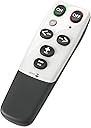
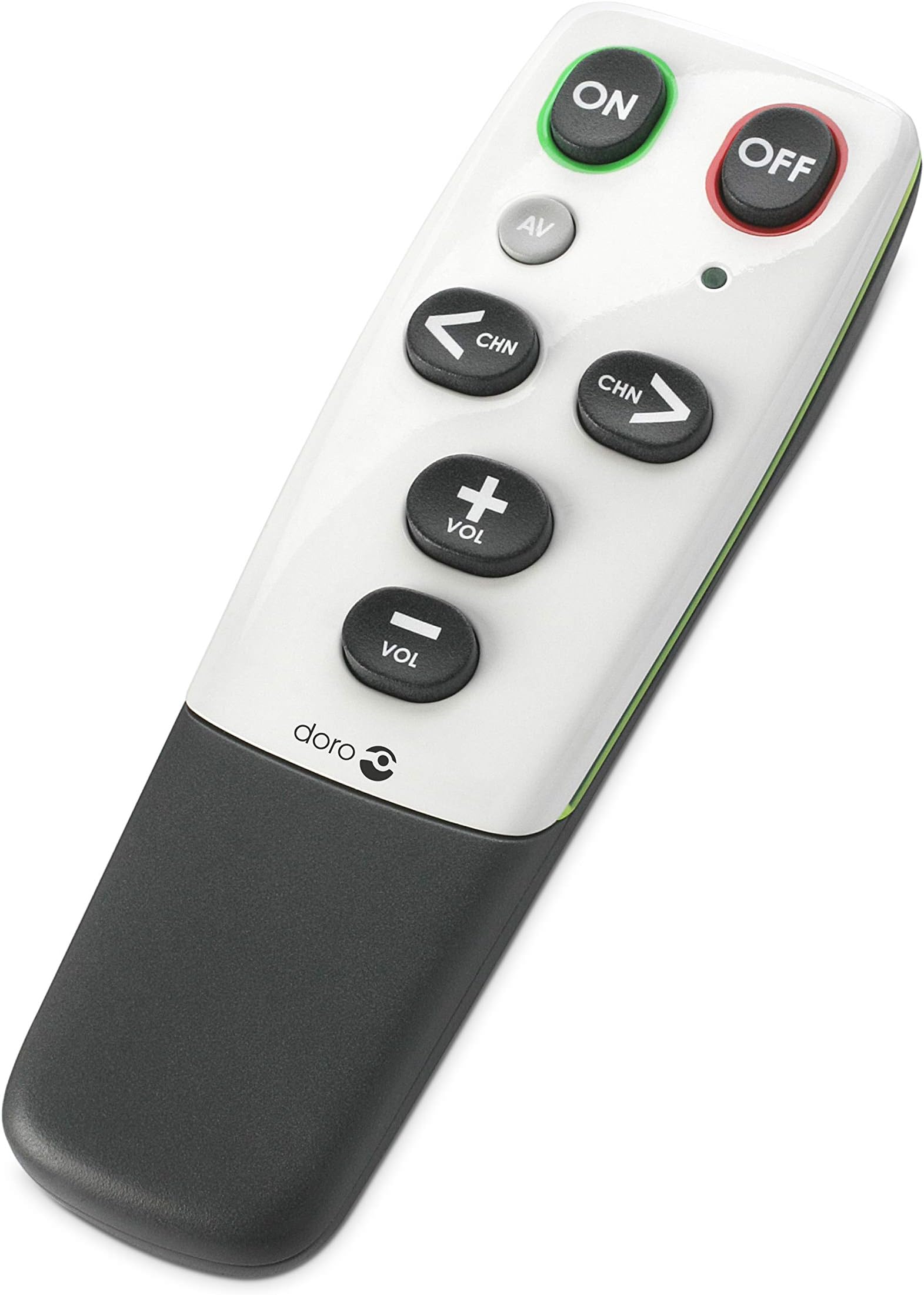
The Doro HandleEasy 321rc is a universal infrared remote control designed specifically for users with limited dexterity or cognitive challenges. Featuring 7 programmable keys, ergonomic grip, and compatibility with up to 3 AV devices, it offers a simplified, customizable experience. Its learning function allows easy pairing with original remotes, while the battery low indicator ensures uninterrupted use. Ideal for seniors or anyone seeking a no-nonsense, easy-to-use remote.


| ASIN | B0014F2CJC |
| Battery Types | Alkaline |
| Best Sellers Rank | 1,087 in Remote Controls (Electronics & Photo) |
| Box Contents | Contents: 1 item |
| Brand | Doro |
| Brand Name | Doro |
| Button Quantity | 7 |
| Colour | silver, black |
| Compatible Devices | Television, DVD/Blu-ray Player, Stereo System, Amplifier, Ceiling Fan, Set Top Box |
| Compatible devices | Television, DVD/Blu-ray Player, Stereo System, Amplifier, Ceiling Fan, Set Top Box |
| Connectivity technology | Infrared |
| Controller Type | Infrared |
| Country of Origin | China |
| Customer Reviews | 4.0 out of 5 stars 1,727 Reviews |
| EU Spare Part Availability Duration | 1 Years |
| Global Trade Identification Number | 07322460041557 |
| Item Dimensions L x W x H | 13.5L x 4W x 2.5H centimetres |
| Item Type Name | Doro HandleEasy Universal Remote Control Silver, Black |
| Item Weight | 100 Grams |
| Manufacturer | Doro |
| Manufacturer Part Number | 4353 |
| Max number of supported devices | 3 |
| Maximum Number of Supported Devices | 3 |
| Maximum Range | 10 Metres |
| Model Name | 4353 |
| Model Number | 4353 |
| Network Connectivity Technology | Infrared |
| Number of Batteries | 3 AAA batteries required. |
| Product Features | Universal |
| Product Warranty | 2 year |
| Smart Home Compatibility | Not Smart Home Compatible |
| Special feature | Universal |
| UPC | 888122289127 |
| Unit Count | 1.0 count |
S**N
Does exactly what it should do.
Yes after three minuets we had a happy 91 year old able to turn the volume up and down without loosing the picture. Like so many old people new tech is not good for them with small buttons and volume buttons next to source buttons etc. This remote is simple and easy to set up and has combined the TV remote and the Digital box so now only one remote control is needed and its no longer confusing for this old man when the picture disappears because he has fumbled with the wrong button. It does take a little time to get use to not being able to input channel numbers to find the right channel but after getting use to pushing the button five or six times to find the right one the old man got on with it. The best thing is separate On Off Buttons this is a real bonus for the old man. What he also soon got used to was having to repeatedly push the Volume button instead of pressing and holding the button. Some might not get used to this so be warned. The set up is simple, Put it into learn mode point it at the remote you want to pair it with. Push the button you want to program and the corresponding button on the other remote and Bobs your uncle. Do this for each button you want to program. Like I have already said you can pair one handset for the volume and another for channel hopping. EASY. BTW you need to also program the ON and the OFF button for them to work.
W**S
Helping to make "going digital" a doddle.
When my 91-yr-old mum (who has difficulties following a stroke three years ago) was forced to "go digital" I anticipated problems for her having to juggle a new digibox remote together with her original TVs' remotes, so we chose together two new TVs with freeview. I hadn't expected that she would have such enormous difficulty with the complicated remote controls supplied with the new TVs, mainly as a result of accidentally pressing the wrong buttons. She was in despair and getting terribly stressed. These doro remote controls have come to the rescue. I've set one up to work with her Panasonic Viera TV, and programming it to "learn" from the TV's own remote was very quick and very easy. I can just set up the TV the way she wants it (picture preferences etc.) using the TV's own remote - which can then be stored out of the way. All she now has to do, using the doro remote, is turn on/off, move volume up/down and change channel up/down. Hopefully a second doro remote will be just as easy to set up, to work with her other Samsung TV. It works!! The design is brilliantly simple*. Everything has been so cleverly thought-out. Amazon's price is very good, as well. I only wish I'd known about these before, because my father and my mother-in-law had exactly the same difficulties when they suffered similar cognitive impairment. On another point, I notice that other reviewers have had difficulty getting these to work with Tesco's Technika range of TVs. I'm not surprised, as I experienced lots of problems with the Technika that we chose for my mum. Even if it had worked properly - it didn't - the sound quality was atrocious, especially at the high volume a hard-of-hearing person requires. I'm a big fan of Tesco normally, but you should steer well clear of their Technika TVs (which I think at the moment are the same as their own-brand ones). *P.S. (Added six months later). It turns out that for some people there is just one problem with this remote: the absence of numbers with which to select channels. You can only up/down, which is effected by a right/left pair of buttons. For someone who's never used the up/down method before this became a big difficulty. The good news: it's encouraged her to try again to master each TV's own remote, which she's managed fairly successfully! C'est la vie. Still a great 5-star product, all the same.
M**G
Great unit but cumbersome programming.
I was unsure about buying this item after reading other reviews but I have to agree with some of the comments. Once programmed the unit is great. As a computer engineer I am not new to instructions but these could be better. The one thing that needs to be underlined six times is that once a function has been learned the doro needs to be left alone for ten seconds until all the lights go out before the function can be tested or the next learned, otherwise the process fails. I was also disappointed that the lettering on the buttons is small, most elderly people who need this are likely to have poor eyesight too. It was also confusing to my mother in law that the volume up/down are positioned up/down whereas the channel up/down are left/right. As another reviewer said the extra (av) button is useful to program as channel 1 so that if the user finds themself lost in space with a loud rap radio channel blaring out they can get back to the safety of the beeb with one press of the magic button. A Sharpie marker is very useful to rename the buttons.
I**M
Watch the Youtube video first!!!
I bought this remote for my 96yo Nan who had recently suffered a stroke that affected her ability to understand things. Her old TV remote was now impossible for her. Firstly, I read another review that mentioned a Youtube video to watch that shows you how to program the remote. Definitely watch this video!! I'm in my 20's and without watching it first I would have been very confused by the printed instructions that come with this remote. Watching the video made them make WAY more sense, and shows that it is actually very easy to program this remote. Just type "Doro HandleEasy 321rc" into Youtube and look for a video that is about 3 mins long (the thumbnail is of a TV). Secondly, this remote did make things much easier for my Nan. She could understand on/off, and vol up/down and could use them perfectly. She unfortunately struggled wih the channel buttons, as she thought CHN meant "chin" and not "channel". This is down to her stroke and not a fault in the product. Also, another reviewer mentioned the buttons being pressed slowly made it easy to skip channels. This is the case, but I'm not really sure what the product can do to get around this. Overall I do think this is a really good product and definitely worth giving a go if it can help make things easier for an elderly person. I do think that as more time passes since the stroke, my Nan will be able to understand to use the remote completely. Again, for the price I think it's worth giving it a go for the difference it could make.
M**N
SIMPLE AND EASY TO PROGRAM - BUT NOT PERFECT FOR EVERYONE
This was a lot easier to program than I thought it would be. Unfortunately my dad has so little feeling in his fingers that he didn't know when he was pressing the button. When he did manage to press the buttons, he would leave his finger on them meaning he was shooting up and down the channels without realising. I think this is a good handset that will work for a lot of people, but perhaps not brilliant for people with very poor dexterity and little or no feeling in their fingers. The plastic case is a bit slippery too, and would have benefitted from being rubberised, so it could be held more securely.
R**D
Do not buy. Failed after a few months' use.
My mother-in-law has Alzheimer's disease, so the most important feature is ease of use and for a while, this worked. It was fairly easy to programme. Unfortunately, the unit failed. The signal stuck in the "on" position when any button was depressed. This meant that the operation selected would continually move to the next position until it would go no further. So, for example, if the volume down button was selected, the volume would continue to fall after it was released until it disappeared. If a channel up or down button was selected, the channel would change continually. I bought two replacements in March, one of which has already failed. The light is on, but no operation takes place. I shall buy no more of these units.
M**.
Brilliant
Brilliant device - perfect for my Dad. Linked it with TV and sky box , however remember to turn off the standby mode timer on sky box, otherwise the remote will not synch when the sky box goes into eco mode. You can do this in sky box settings.
E**N
An Excellent Gadget That Is Easy To Use
Perfect for an elderly person losing control of their ability to handle a remote at a time when remotes have become very fiddly and include far more buttons that are really necessary. It is easy to program from your existing remote by simply holding the remotes with their infra-red sensors facing each other and programming the Doro off the main one. One thing I would add is that you should really read the instructions before you use it, which is something I didn't do! I put batteries in and thought it was faulty because it wouldn't 'do' anything - my bad! You need to learn how to program the unit before you can use it, but as you can probably tell from this review, I am really happy with this very useful bit of kit. It's well thought out and nice and big for the less dexterous and those whose elderly brains are starting to fuzz up a bit, like my father's.
P**9
This remote is Amazing
This remote is amazing. Solves most seniors' most frequent problems. All remotes should be this ergonomic and this simple. Thank You! Simply a lifesaver.
S**O
Ne pas hésiter !
Très facile à configurer (2 minutes) bonne prise en main ! Vraiment idéal pour les seniors ++
J**.
Einfach und Gut !
Wie immer bei Amazon sehr schnelle Lieferung. Und jetzt zur Fernbedienung. Es ist schon der zweite Kauf dieses Typs. Die erste hat die Schwiegermutter bekommen, die zweite deren Nachbarn.( alle weit über 70 Jahre alt und mit Problemen die völlig überladenen Fernbedienungen ihrer Fernseher und Sat-Receiver auf Dauer zu bedienen) Positiv- alle Tasten bei Bedarf doppelt zu belegen z. B. ein/aus - wenige, große Tasten - robust Negativ- bei der Programmierung muss man sehr darauf achten wie lange man die Tasten drückt und Befehle unter Umständen mehrfach eingeben bis sie richtig angenommen werden. Ich habe das TV-Gerät auf die grüne Taste gelegt und den Receiver auf rot, jeweils doppelt. ( ein/aus ) Die AV Taste nutze ich um direkt auf das erste Programm zuspringen. Fazit: Für jeden geeignet der nur die Grundfunktionen der Geräte braucht.
U**T
One Star
Not compatible with any model
F**O
Ottimo, semplicità per tutti e per tutte le età.
Il prodotto, nel mio caso, serviva ad una persona anziana con dei problemi di lucidità. Questo telecomando ha risolto i problemi tipici dei normali telecomandi per queste persone e le rende più autosufficienti davanti ad un televisore senza dover chiamare qualcuno per poter vedere la tv......non è cosa da poco! Cercavo un telecomando che risolvesse i problemi alle persone che non si intendono di elettronica e hanno bisogno di semplicità, ed ho constatato che questo prodotto risolve davvero molti problemi tipici dei nonni e anche di molti genitori. Facilissima la programmazione per funzionare con qualunque tv, pochi secondi e via. Il telecomando lo ho programmato io in pochi secondi e l'anziano lo ha usato subito con grande familiarità e non ha avuto nessun problema nell'utilizzo. Tasti molto grandi, ben separati e soprattutto che non permettono eliminazione di audio, ingresso in menu dai quali c'è difficoltà ad uscire e non permette programmazione della tv. I tasti fanno accendere, spegnere e cambiare canale e volume....stop!!.....non ci si fa altro, male che vada si può utilizzare ed imparare ad usarlo anche pigiando i tasti a caso, tanto non può succedere niente che mandi in confusione la persona che lo utilizza. La sola cosa che avrei aggiunto a questo prodotto è l'avere i tasti luminosi,visibili al buio come vedo in altri prodotti del genere, ma resta un telecomando incredibilmete utile.
Trustpilot
2 weeks ago
2 months ago