Desertcart purchases this item on your behalf and handles shipping, customs, and support to Tunisia.
🎨 Turn your ideas into wearable art—because ordinary tees are so last season!
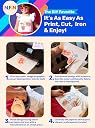
NuFun Activities Heat Transfer Paper offers 6 sheets of premium 8.5x11 inch iron-on transfer paper designed for light fabrics. Compatible with all major inkjet printers and household irons or heat presses, it uses patented technology to deliver vibrant, soft, and durable custom designs that resist cracking and peeling. Proudly made in the USA with non-toxic materials, this product is trusted by professionals and DIY enthusiasts alike for over 25 years.


| Best Sellers Rank | #23,281 in Arts, Crafts & Sewing ( See Top 100 in Arts, Crafts & Sewing ) #20 in Sewing Heat Transfer Paper |
| Customer Reviews | 4.3 out of 5 stars 5,322 Reviews |
D**Y
Very good product
This product was very good
A**B
Great customer service
Great customer service in the USA! You can call them from their website if you have any issues! Prints look vibrant
S**R
This is what I do, y’all!
Several years ago, when my daughter was captain of her volleyball team, they made it all the way to the state finals. I wanted to do something nice for the Moms, and I wanted us to stand out in the crowd. I decided to make personalized shirts for us. Those shirts led to me making more shirts for other Moms on other teams, and it just grew and grew from there. It’s now my full time job, so I know what I’m talking about here. This is the ONLY heat transfer paper that I will use. I have tried every single brand on Amazon, and nothing even comes close to the results I get from these. I can’t even begin to tell you how many shirts I destroyed using other brands! Other brands have backing that sticks and won’t peel off well or won’t hold up well in the wash. I’ve read the negative reviews posted, and I simply can’t understand how anyone could get bad results using these. Here are a few tips to help to ensure the best outcome: 1- Cut out your graphic; don’t iron the entire page. By cutting your graphic, there is less chance of seeing the clear part of the transfer paper. 2- Use new, unwashed shirts. 3- Don’t over iron. You only need a minute or two of applying heat. 4- Make sure your iron is hot enough…mine is on the “cotton” setting. 5- Most importantly, remove the backing while the graphic is still hot (like, “ouch I just burned my fingers” hot). Do not allow the paper to cool. Pull the backing off in one quick motion. 6- Use care, when washing the completed shirt. I wash mine inside out, cold water, delicate cycle. Lay flat to dry. Do NOT put in dryer.
M**5
Is not a good product for quality t-shirt transfer
first - please review the instructions and print out on a blank piece of paper first. Also look at your printer properties to see what sources you have. The instructions state for Cannon pritner to use media "inkjet paper" and on high quality. This didn't produce a good transfer to use. I found a setting for "other papers" on my printer and they had the option for "T-shirt Transfer". This produced a clean print, but it will automatically mirror for you - so, DON'T mirror your design first. Using a heat press with teflon sheet transferred the design cleanly, but even with triming the excess before applying, it still leaves a clear film on the garment outside of the design. I think this would be fine for homecrafts, but is not suitable for gifts or sell.
P**R
Great quality and price
It took me few times to get it right, but once I did my project turned out great! I laid the paper on and used a Teflon sheet over it. I used a heat press at 375 degrees for 25 seconds. Peeled paper off immediately while the shirt was still on the press and had no issues. I would highly suggest using a heat press! The print quality was good as long as your use a clear picture and the proper settings on your printer. I haven't washed them yet, but I am going to try that tonight. I had no issues once I played around with them for a bit.
C**Y
Absolute Trash!
I wish I could give zero or negative star rating! I should have heeded the warnings of all before me who said this was trash. But I thought, well maybe they just did it wrong. No. They were right, this stuff is garbage and a waste of money! I purchased these to create custom designs on some tote bags to be used for awards for my local rabbit club which was hosting a show. I created the design and printed them off. The ink printed just fine on the transfer paper and looked great, vivid and bright colors. Everything looked perfect. Until it was time to iron them on. The first try to iron them, the material melted onto the iron as well as the transfer. creating such a goopy nasty mess. Okay, so the tote was the wrong type of fabric. My fault. So I bought new totes and tried again. Next tote, different fabric, even labeled great for iron-on designs, only a part of the image showed up. Not only that but there was this piss yellow edge around the entire image from the rest of the transfer that was not printed on. Gross, definitely not something I wanted to give as an award. Turned the heat down on the iron and tried again. Nope, this time the transfer melted and turned into a sticky nasty goop that I had to pull off the iron hot, otherwise my iron would have been ruined. Okay, one more try. I pulled out some old tee shirts and tried those. None, that was a no go. I spent over $75 in totes and transfers, and ink to have to gout last minute the day before the show and try to find something to give exhibitors for awards. The club ended up taking a huge loss on this. Of course, I couldn't return because I bought them too far in advance.
N**A
Cheap but okay
I wanted to make a gag shirt so I bought the cheapest I could find. They color printed pretty well, but the image was a little blurry once ironed on. Super easy to print and iron though. For simple jobs, this is the way to go! If you want something nice, I'd buy a better iron on.
T**Y
Worked well for me!
I needed to make a couple shirts for a themed birthday party and this transfer paper did not disappoint! Any issues I had were completely user error. The shirts turned out great and I was even asked by several people to make shirts for them as well. Lol Some tips: 1- reverse image before printing; 2- cut as close to the image as possible. Even though it’s clear, it leaves a film on top of the fabric. 3- I used an iron specifically for decals, but still had to pay close attention when heating because the recommended heating time was different between the instructions for the transfer and the iron; 4- hot peel! After applying, wait only about five seconds before peeling; 5- peel off in one smooth movement. If you stop, the image gets a little crease. And make sure your image doesn’t have any sharp turns where you have to stop peeling or change direction, it will likely crease or rip the image; 6- machine wash cold, hang dry! I noticed this material is pretty sensitive to heat, so I wouldn’t dare put it in the dryer. Hope this helps and your projects turn out as successful, if not more, than mine.
L**.
They are cheap for a reason
I found these papers to be the cheapest of all the other brands and I read some great reviews here, so I thought I’ll give it a try. I used them on tote bags and used about 3-4 tote bags and all were a disaster. The pictures didn’t transfer completely and I did everything as instructed and nothing worked. I used it on a white tshirt, the result was a bit better but still not very professional. If you’re going to use it on tote bags I don’t recommend this at all. It’s a total waste of money.
Trustpilot
1 month ago
5 days ago