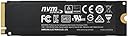
🚀 Power your productivity with Samsung 960 PRO – where speed meets reliability!
The Samsung 960 PRO M.2-2280 is a high-performance 512GB NVMe SSD featuring PCIe 3.0 x4 interface and sequential read speeds up to 3500 MB/s. Its compact M.2 form factor and Samsung’s trusted reliability make it an ideal upgrade for professionals seeking fast, dependable storage.
| ASIN | B01M21311Z |
| Best Sellers Rank | 190,936 in Computers & Accessories ( See Top 100 in Computers & Accessories ) 970 in Internal Solid State Drives |
| Box Contents | 1 x 960 Pro M.2 NVMe SSD |
| Brand | Samsung |
| Brand Name | Samsung |
| Cache Memory Installed Size | 512 |
| Color | Black |
| Compatible Devices | Laptop |
| Connectivity technology | PCIe |
| Customer Package Type | Standard Packaging |
| Customer Reviews | 4.4 out of 5 stars 300 Reviews |
| Digital Storage Capacity | 512 GB |
| Digital storage capacity | 512 GB |
| Form Factor | M2 |
| Global Trade Identification Number | 08806088540146 |
| Hard Disk Description | Solid State Drive |
| Hard Disk Form Factor | 3.5 Inches |
| Hard Disk Interface | NVMe |
| Hard Disk Rotational Speed | 5400 |
| Hard disk form factor | 3.5 Inches |
| Hard disk interface | NVMe |
| Hard-Drive Size | 512 GB |
| Hardware Connectivity | PCI Express x4 |
| Hardware Platform | PC |
| Installation Type | Internal Hard Drive |
| Item Dimensions L x W x Thickness | 8L x 2.2W x 0.2Th centimetres |
| Item Part Number | MZV6P512BW |
| Item Weight | 9 Grams |
| Manufacturer | Samsung |
| Manufacturer Part Number | MZ-V6P512BW |
| Media Speed | 2.100 MB/s |
| Model Name | MZ-V6P512BW |
| Model Number | MZ-V6P512BW |
| Network Connectivity Technology | PCIe |
| Number of Items | 1 |
| Product Features | Compact |
| Product Warranty | 3 year |
| Read Speed | 3500 Megabytes Per Second |
| Special feature | Compact |
| Specific Uses For Product | Personal |
A**N
Easily the fastest drive I have ever had
Easily the fastest drive I have ever had. M.2 Rocks! Identifies itself as follows: hdparm -I /dev/sda /dev/sda: ATA device, with non-removable media Model Number: SanDisk SDSSDHII960G Serial Number: 152618401415 Firmware Revision: X31200RL Media Serial Num: Media Manufacturer: Transport: Serial, ATA8-AST, SATA 1.0a, SATA II Extensions, SATA Rev 2.5, SATA Rev 2.6, SATA Rev 3.0 Standards: Used: unknown (minor revision code 0x0110) Supported: 9 8 7 6 5 Likely used: 9 Configuration: Logical max current cylinders 16383 16383 heads 16 16 sectors/track 63 63 -- CHS current addressable sectors: 16514064 LBA user addressable sectors: 268435455 LBA48 user addressable sectors: 1875385008 Logical Sector size: 512 bytes Physical Sector size: 512 bytes Logical Sector-0 offset: 0 bytes device size with M = 1024*1024: 915715 MBytes device size with M = 1000*1000: 960197 MBytes (960 GB) cache/buffer size = unknown Form Factor: 2.5 inch Nominal Media Rotation Rate: Solid State Device Capabilities: LBA, IORDY(can be disabled) Queue depth: 32 Standby timer values: spec'd by Standard, no device specific minimum R/W multiple sector transfer: Max = 1 Current = 1 Advanced power management level: 254 DMA: mdma0 mdma1 mdma2 udma0 udma1 udma2 udma3 udma4 udma5 *udma6 Cycle time: min=120ns recommended=120ns PIO: pio0 pio1 pio2 pio3 pio4 Cycle time: no flow control=120ns IORDY flow control=120ns Commands/features: Enabled Supported: * SMART feature set Security Mode feature set * Power Management feature set * Write cache * Look-ahead * Host Protected Area feature set * WRITE_BUFFER command * READ_BUFFER command * DOWNLOAD_MICROCODE * Advanced Power Management feature set SET_MAX security extension * 48-bit Address feature set * Device Configuration Overlay feature set * Mandatory FLUSH_CACHE * FLUSH_CACHE_EXT * SMART error logging * SMART self-test * General Purpose Logging feature set * WRITE_{DMA|MULTIPLE}_FUA_EXT * 64-bit World wide name * WRITE_UNCORRECTABLE_EXT command * {READ,WRITE}_DMA_EXT_GPL commands * Segmented DOWNLOAD_MICROCODE * Gen1 signaling speed (1.5Gb/s) * Gen2 signaling speed (3.0Gb/s) * Gen3 signaling speed (6.0Gb/s) * Native Command Queueing (NCQ) * Host-initiated interface power management * Phy event counters * READ_LOG_DMA_EXT equivalent to READ_LOG_EXT * DMA Setup Auto-Activate optimization Device-initiated interface power management * Software settings preservation Device Sleep (DEVSLP) * SANITIZE feature set * OVERWRITE_EXT command * BLOCK_ERASE_EXT command * Data Set Management TRIM supported (limit 16 blocks) * Deterministic read ZEROs after TRIM Security: Master password revision code = 65534 supported not enabled not locked not frozen not expired: security count supported: enhanced erase 2min for SECURITY ERASE UNIT. 40min for ENHANCED SECURITY ERASE UNIT. Logical Unit WWN Device Identifier: 5001b44e9458fa87 NAA : 5 IEEE OUI : 001b44 Unique ID : e9458fa87 Device Sleep: DEVSLP Exit Timeout (DETO): 30 ms (drive) Minimum DEVSLP Assertion Time (MDAT): 30 ms (drive) Checksum: correct And supports all the features you expect a modern SSD to do.
B**B
The performance of the SSD is awesome. Used in a MSI Pro Carbon Gaming mother ...
The performance of the SSD is awesome. Used in a MSI Pro Carbon Gaming mother board with AMD Ryzen 7 1800x processor. Passmark for PC as a whole increased from 2400 to 4500. Item itself performed in top 1% of HDD. This performance also makes a significant difference to the PC in day to day use. Windows 10 opens programs almost instantaneously. Expensive but recommended. It has a longer life than many other similar drives (e.g. Western Digital ) so worth the extra in my view.
A**R
Cannot recommend this drive highly enough
Could not get this drive recognised by my MSI Z270M motherboard but a Bios update solved this, transferred the contents of my current SSD drive using the Samsung software available on their website, restarted, changed the boot order to boot from m.2 rather than Sata and was really impressed with the results. Switch on to usable Windows in 16 seconds, websites appear instantly, restarting Windows after driver updates is now a minor inconvenience. Cannot recommend this drive highly enough!
T**Y
Perfect drive to run your operating system from.
What can I say works perfect and at blistering speed. Would be wasted on a non boot drive with the operating system on it, as there are far cheaper and bigger alternatives for data storage (pictures, music etc). But do remember make regular backups as when this type of drive fails you will be very fortunate to get any data back of it.
�**�
When a lot of money is spent on a product ...
When a lot of money is spent on a product, I expect screws (in this case one screw) to be provided. I will update this review once I have the necessary screw to install it. Thanks, Samsung. /s Edit: I got the necessary screw and it fits fine. Pretty sure my motherboard should have come with a crew and standoff, but I didn't have that so just screwed the SSD in with it at a slight angle to the motherboard After cloning the old small SSD to the new SSD with CloneZilla, I attempted to boot into the new drive but it booted into the old one (even though I copied the MBR to the new drive), hmm okay? I disconnected the old drive so it could only boot from the new drive and received a blue screen telling me it can't boot needs a repair blagh blagh... $*!£%" Okay, I tried loading the old drive and using Samsung's software to copy to the new drive. It didn't even recognise it as an option. Okay, okay I try again with CloneZilla, at this point having to reinstall it on my USB since I'd just tried repairing windows boot on the new drive with the USB acting as a recovery drive (it didn't work, even from the command line). I could see all the files in Windows and it looked the same as the drive I copied from, so I tried cloning the old drive with CloneZilla again to the new one. I then also cleared the secure boot keys or whatever they are in my BIOS and tried booting again, this time disconnecting the old drive before the initial boot and... it worked! Windows loaded up and I was logged in. Took a lot of time and messing about, but that wasn't really the drives fault. Booting into Windows is faster now, even though I replaced an old SanDisk SSD drive for the 960 Pro. Since it's big I can also store games and programs! I'm quite happy with my purchase, but I just wish I did a bit more research into the formfactor of NVMe drives beforehand!
U**T
Nice and fast.
Excellent, nice and fast. Been running a few months now and not any issues. In a Media Center PC where several TV programmes can be recorded at once and playback of others. Need to use Samsung's drivers to get the best and there may be a firmware update (which didn't trash content already on it for me).
B**K
Random failures within first 6-7 months of use.
Got it in Feb 2018 for new build system running Windows 10. Drive would randomly not show up in BIOS during boot-ups. Recently started giving more and more trouble. Had to RMA it now at last. Let's see what I get back in return..hoping to get a fresh unit. This is not the first Samsung product I have had quality issues with. Disappointed as I paid top bucks for this....wish the reliability lived up to the hype.
M**N
They're highly recommended, but I'm not sure they deserve all the buzz about them.
Windows 10 takes about 20 seconds to load using this as a boot drive, and 32 gig of RAM. I think the 32 gig is unnecessary, but coupled with a 7th gen i7 in a NUC this loads Adobe Lightroom in about the same time as a 4 year old i5 all in one with 16 gig of cheap RAM. Other programs that I use regularly do not load or operate as fast either, being about on par with my old i5. Windows loads almost instantly but other programs don't and while some say that's because the i7 is only dual core, some others say the entire system is overrated. I don't know, all I can say is apart from blazing fast boot up times for Windows I can't really see what the big deal is about these drives.
S**E
SSD 960 PRO
Venivo da un vecchio HDD tradizionale da 500 GB e poi passato una semplice SSD per migliorare la velocità del mio pc e trasferimento dati/file. Poi un giorno girando su Amazon ho visto che c'era anche questo SSD nuovo a detta di tutti molto più performante dei tradizionali SSD mi sono detto: perchè non provarlo? Ho acquistato poi quello da 500 giga, arrivato a casa con spedizione in prime nel giro di 2 gg in un piccolo pacchetto, lo apro lo installo seguendo una guida su Youtube (non avendo mai avuto a che fare con questo tipo di dispositivo in precedenza) Formatto il pc e all'avvio.. tempo3-4 secondi e sono subito sul desktop caricato e pronto al suo scopo.. WOW! Velocità pazzesca sia in avvio che in spegnimento ma anche in tutte le altri azioni che si possono compiere nel pc /avviare giochi, aprire cartelle, avviare applicazioni, trasferire file ecc..) Sono rimasto veramente tanto contento di questo prodotto! A saperlo prima lo avrei acquistato Moolto tempo fa! Prodotto per me da 5 stelle piene!
P**S
Drive moderno e de excelente performance.
Eu instalei este drive com inesperada facilidade, tomando apenas o cuidado de usar uma chave tipo philips de ponta imantada, o que permitiu manter preso o minúsculo parafuso usado para manter o drive seguro no soquete. A instalação foi feita em uma placa mãe ROG Crosshair VI, rodando um processador Ryzen 7 1800X e Windows 10 Pro 64 bits. A arquitetura desta placa permite que o drive da Samsung trabalhe no topo da performance, com mais de 3.5 Gbps de leitura, medidas logo após a inicialização feita. O firmware UEFI da Crosshair VI não precisou ser modificado em nenhum parâmetro. Eu li pessoas na Internet aconselhando desabilitar o módulo de compatibilidade (CSM) mas isto não foi necessário. Muito menos desabilitar ou desativar as chaves de segurança (Secure Boot) do Windows. O importante no caso é o usuário ter certeza de que o sistema operacional esteja rodando em modo UEFI e não Legacy. Uma vez rodando o Windows com o drive instalado é necessário inicializá-lo. O Windows tem um applet com o nome de Disk Manager (ou Gerenciador de Discos). Rodando este programa o usuário será avisado que o drive precisa ser inicializado, para ser reconhecido dentro do ambiente. Depois da inicialização, será dado uma letra ao drive (no meu caso, G:, por exemplo). A Samsung oferece programas para gerenciar o drive, que são recomendáveis para instalação antes de se fazer qualquer coisa com ele. Um deles, o Samsung Magician, permite que o drive seja inspecionado, e, se for o caso, fazer com que o firmware do mesmo seja atualizado. Em seguida, o aplicativo Data Migration permitirá clonar o sistema operacional para o drive M.2, caso isto seja de interesse de quem instalou. O programa só aceita migrar caso fonte e destino sejam drives SSD Samsung. Isto feito, o drive M.2 passa ser o drive C: e o drive antigo colocado offline. Voltando ao Disk Manager pode-se colocar o drive antigo de volta online, clicando com o botão da direita do mouse em cima do nome do drive. Com isso, o drive volta a ser visto no Windows Explorer, com uma letra automaticamente dada pelo sistema. Não há necessidade de instalar o driver NVMe da Samsung, mas se isso for feito o sistema ficará atualizado e não precisará mais da intervenção do usuário. Eu não notei nenhuma diferença de velocidade, antes e depois da instalação do driver da Samsung, mas isto é provavelmente devido ao barramento usado, que é o PCIe com 4 pistas direto à CPU. Como a instalação é recente, eu ainda observo o desempenho do 960 Pro e potenciais acertos, mas até agora tudo faz crer ter sido um excelente upgrade, aproveitando ao máximo os recursos de desempenho que um sistema deste tipo pode dar.
C**S
Gran disco duro con excelentes prestaciones Samsung 960 PRO
Por parte de Samsung el embalaje es adecuado al producto que lleva dentro. Ofrece un rendimiento espectacular, es una muy buea inversión. Bajo mi punto de vista, la versión 960 PRO la cogerÃa más para nivel de edición de vÃdeo o empresarial, ya que donde realmente se le saca un gran rendimiento es para utilizarlo cuando se trabaja con ficheros de más de 4Gb. Si lo que buscáis es rapideza para los juegos, con la versión 960 EVO es más que suficiente. A todo esto, es de fácil instalación y gran garantÃa como siempre nos porporciona Samsung con los SSD.
J**E
El mejor disco sólido del mercado
Es el mejor disco sólido sin duda, es el más rápido, se conecta por M2 o mediante un adaptador por PCIe, es pequeño, 512GB es un espacio enorme para instalar un S.O. y tener los HDD para almacenamiento, lo recomiendo encarecidamente, no os arrepentiréis. Es caro, quizá pero es que estás comprando lo mejor.
A**E
Un bon rapport qualité/prix
La serie 960 PRO n'est que je sache garantie que 5 ans contre 10 ans pour la 950 PRO ...l'evolution de Samsung sur ce point est déplaisante et sans motif valable puisqu'ils annoncent une longévité accrue pour les series ulterieures à la serie 950 ! Pas logique du tout et la baisse de prix ne compense pas ce point . Les perfs sont bonnes ( ie superieur a un SSD Samsung 850 PRO installe avec par force ) J'ai dû le retourner non pas parce que je le voulais mais tous simplement parce que le portable CLEVO W330SU2 n'accepte pas de booter sur les M2 alors que ( bien sûr ! ) le slot est bien present sur la carte mère et le disque bien reconnu par l' OS ( dans mon cas Linux Debian et Microsoft Windows ) mais pas par le BIOS . Le contact avec le SAV CLEVO fut indigent ( en gros debrouiller vous ! ) . Donc 0 pointée à la marque de portable qui incorpore des slot pour SSD M2 mais qui oublie d'y joindre un BIOS ad hoc ni de mettre de le mettre à jour ! . Malheureusement ce type de "disque" est trop cher pour les utiliser en stockage en plus d'un SSD pour pouvoir booté !!
Trustpilot
2 days ago
4 days ago