Desertcart purchases this item on your behalf and handles shipping, customs, and support to Tunisia.
🚀 Upgrade your home network to pro-level speed and coverage — don’t get left buffering!
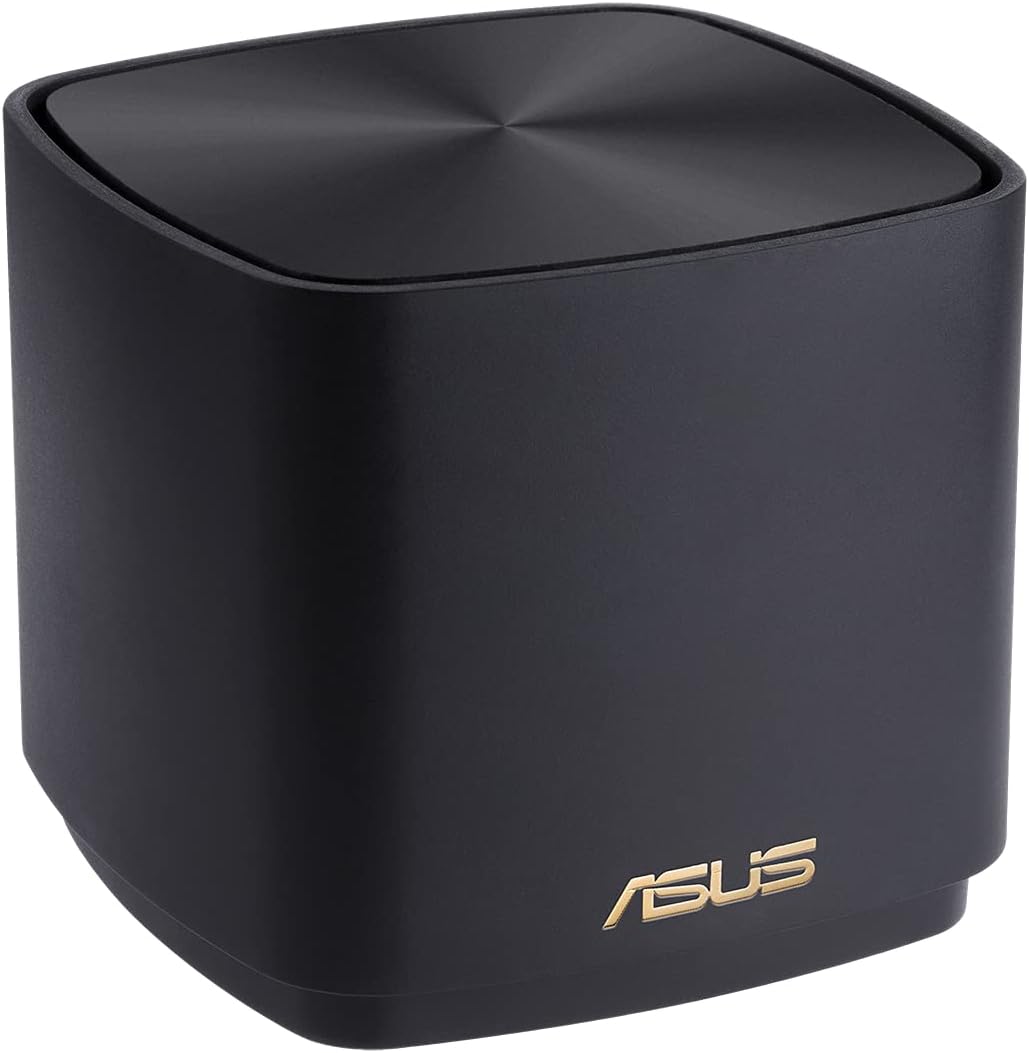
The ASUS ZenWiFi XD4 Plus AX1800 is a dual-band WiFi 6 mesh router system delivering up to 1800 Mbps speeds and 204 m² coverage. Designed for busy households, it supports multiple devices with stable, seamless connectivity across floors and thick walls. Featuring easy app-based setup, QoS, and AiProtection security, it combines high performance with sleek, minimalistic design for a hassle-free, ultra-reliable home network.


| ASIN | B0BSLDNQ22 |
| Antenna Location | Zuhause |
| Antenna Type | Fixed |
| Best Sellers Rank | 4,090 in Computers & Accessories ( See Top 100 in Computers & Accessories ) 16 in Whole Home & Mesh Wi-Fi Systems |
| Box Contents | Router, set-up guide |
| Brand | ASUS |
| Brand Name | ASUS |
| Colour | Black |
| Compatible Devices | Laptop, Personal Computer, Smart Television, Tablet |
| Compatible devices | Laptop, Personal Computer, Smart Television, Tablet |
| Connectivity Technology | Wi-Fi |
| Control Method | App |
| Controller Type | App Control |
| Country of Origin | China |
| Coverage | 204 m² / 2+ rooms |
| Customer Reviews | 4.1 out of 5 stars 1,627 Reviews |
| Data Transfer Rate | 1800 Megabits Per Second |
| Frequency | 5 GHz |
| Frequency Band Class | Dual-Band |
| Frequency band class | Dual-Band |
| Global Trade Identification Number | 04711081760214 |
| Has Internet Connectivity | Yes |
| Has Security Updates | Yes |
| Is Modem Compatible | No |
| Item Dimensions L x W x H | 50L x 50W x 28H centimetres |
| Item Weight | 1 Grams |
| LAN Port Bandwidth | 1800000000 bits_per_second |
| Manufacturer | ASUS |
| Maximum Upstream Data Transfer Rate | 1800 Megabits Per Second |
| Model Name | ZenWiFi XD4 Plus |
| Model Number | 90IG07M0-MO3C10 |
| Model name | ZenWiFi XD4 Plus |
| Number of Antennas | 1 |
| Number of Ports | 1 |
| Operating System | RouterOS |
| Other Special Features of the Product | QoS |
| Router Firewall Security Level | Tall |
| Router Network Type | mesh |
| Security Protocol | WPA2-PSK |
| Special feature | QoS |
| Unit Count | 1.0 Count |
| Voltage | 28 Volts |
| Wireless Compability | 802.11ax |
| Wireless communication standard | 802.11ax |
E**N
Flawless Mesh Setup—Speed, Stability, and Style
I’m using the ASUS ZenWiFi XD5 in a double-router setup with the AiMesh system, and wow—this thing performs like a dream! Setup was intuitive and quick, and once it locked into mesh mode with my other ASUS router, everything just clicked. The coverage is seamless across the house, and there’s zero drop in signal, even between floors and through thick walls. The speed is outstanding thanks to the 160MHz bandwidth and Wi-Fi 6 support. Streaming, gaming, and remote work are all running silky smooth—no buffering, no lag, just rock-solid performance. Plus, the AiProtection security adds that extra peace of mind for a busy household. Bonus points for the sleek white design—it blends right in without screaming "tech hub." Couldn't be happier with this unit as part of my mesh setup. Highly recommend if you want hassle-free, high-speed Wi-Fi that just works.
P**T
Easy setup and very reliable
I purchased this Asus mesh setup as a 3-pack about 18 months ago attracted by its reasonable cost and WiFi6 capability and been really pleased with it. I originally used it with a Virgin Media Hub 3 that I ran in modem mode (sorting the VM config was more difficult than setting up the Asus mesh) but we now have BT Openreach so the Asus is running in PPPoE mode and plugs directly into the Openreach ONT (the little white box on the wall) so you dont even need the BT Smarthub which means a really quick and neat installation. We have a 4 bed house with solid internal walls, BT delivers 500MBps and we get 230MBps performance pretty much everywhere in the house and in our relatively small garden. The speed loss is probably the result of not having a dedicated wifi backhaul channel - although the Asus can be setup with a wired backhaul if you can be bothered to run some cables. If i had a slower internet feed i suspect the % speed loss would be much lower. I like that the system is easy to setup and the Asus app is quite good and useful to be able to monitor (and if necessary reboot) the system remotely. The units themselves are incredibly neat and you can switch off the indicator lights too if you want to. It has proven ultra reliable. When running with VM we had a few VM outages after which on a couple of occasions I had to switch the Asus units off then on again to reboot the system. Running with BT it hasn't missed a beat. If I was buying again, given my experience, I might be tempted to pay a bit more for the Asus XT9 which has a dedicated backhaul but just how much better the performance would be I'm not sure. Certainly can't see any reason to upgrade from these tiny little cubes, their size belies their performance and capabilities.
T**E
Tricky to set up if you do it wrong initially but fine once its set
The BD4 comes nicely packaged complete with Ethernet cable and two plugs for connecting the mesh to the mains. The boxes themselves are nicely made and feel substantial. Initial connection went well and the devices updated. Unfortunately I made an error on my network name so needed to reset the boxes. I then had an issue connecting the second box but using an ethernet cable it worked in the end. The connection has been rock solid ever since. These are a fine buy for 4 reasons. Firstly, they are the cheapest wifi 7 mesh systems around albeit the lowest spec. Secondly, there are numerous settings in the app and also on the webgui or you can just leave it at default but for tweakers this is a great option to have. Third Netgear and TP link charge for internet protection whereas Asus do not. Fourth Asus warranty is 3 years out of the box, TP Link its 2 and Netgear its 2 unless you pay for their internet protection. The cons are that the boxes are slower than the others to update or reboot but as this is only like to be on rare occassions its not a great concern. Plug and Play works fine initially but does seem to faulter if you have to reset the devices for those reasons they loose a star. A great buy especially when they are cheaper than the competition when buying the two pack.
I**N
Easy to set up and good speed
took about 15 minutes to set up this dual node mesh router. Speeds close to the limit of my broadband package, and better than what I was getting with the old BT home Hub 5 I was using (with mesh extenders from BT) with fewer dead spots. ASUS Router app on phone also very easy to use. looking good so far.
J**N
The second node cuts in half the connection speed!
Edit NO 2. I want my money back this has let me down on a function that is fundamental to a router which is reliability! I have had to reboot this router twice in the first 6weeks that i've had it! I work abroad a lot and monitor my home remotely. I'm not able to restart it so easily. When I get back I'll have to sell this on eBay. I want to like it , it has all the features and I've got the latest updates, but sorry Asus, you've failed. I have a Asus XD6 mesh wifi. I found that when standing next to the router with the second node turned off i would get 660mbps, i have a 1gbps line. I turn the second node on and I get about 250mb. So i thought i'd directly connect the WAN cable in the 2nd node. I still get 250mb! Last week I returned a Linksys Atlas Pro 6 Velop Dual Band The reason because i experienced a few drops. I would walk from the bedroom to the office and i found my wifi connection disppear for a minute. But the speed test was running good , 600mbps when standing next to the router even with the 2nd node that was upstairs turned on. My view is the linksys was great for speed but not for changing advanced wifi settings. I had to phone support to find out how to change the channel bandwidth from 160Mhz to 80Mhz. Why did I want to do this, i didn't want a crazy fast background speed sucking up the battery of my wireless devices. Asus has a great app and web management and lots of advanced settings, but i'm getting strangely slow speeds with the 2nd node turned on even though i tried hardwiring it! So i guess the search is on still as both linksys and asus are not living up to expectations , which are not set that high really. I just want to achieve half my bandwidth speed. about 500mbps around the house. Edit - changed to 4 stars. I now have 850mbps when close to the router with the 2nd node switched on. If I go close to the 2nd node I get 400mbps. I guess this is because the data is forwarded back to the 1st node. I will later on run a cat6 cable from the office (2nd node) to the conservatory (1st node) which will solve this problem. I don’t really want to pay more for tri band which also would fix the speed issue on the 2nd node
G**N
Excellent speed and coverage; but expect niggles
Update May 2022: I’ve had this gear just over a year now and I’ve decided to lift it from four stars to five. Life is much more calm in the household since installing this, and my kids realise now that if the wifi goes down, it’s almost certainly our broadband connection that is to blame, not “the wifi”. That’s said outages are rare and for no more than a minute. Fully recommended. I got fed up of my family blaming me for poor wifi, and fed up of me being on 24 hour call out to fix wifi issues that are impossible to fix anyway, and just a few mins later everything goes back to normal in any case, and then I get blamed for messing around with it! So to improve my wellbeing I thought I’d buy a mesh wifi system. We live in a converted barn, big but not huge at around 3,500 sq feet across two floors. It’s long, if you imagine a barn, and the broadband enters at one end of the barn, so wifi is variable at best at the other end. I’ve tried all manner of repeaters but they’re temperamental and patchy. I installed this yesterday as so far it’s excellent. It has three units and is ever so slightly fiddly to set up I found. The app is amazing and my tip is to use that to optimise the location of the units in the first few hours and days. Wifi is now super fast everywhere and so far, zero dropouts, but I will keep you posted. I’ve connected to my broadband provider’s router and it’s fine. I’ve left the wifi on from the broadband provider’s router too so we have two networks until I’m brave enough to switch off the old one to save energy and minimise interference. One tiny issue I have is on look/ feel/ quality: I expected the units to be weighty like a SONOS speaker or small bag of sugar but they’re a bit lightweight so they don’t look or feel that premium. And the plugs are bulky and ugly. To save a few pence the manufacturer has integrated the transformer into the plug, not the unit, and then on top of that you also have to select a UK plug fitting adapter which you slide on the the already-ugly plugs making them feel quite wobbly and fragile. A bit cheeky with a product costing over £300. Update June 2021: I’m about three months in now, and it started being temperamental about six weeks ago to the point I almost returned it or smashed it up out of frustration. I did some reading and the advice was to switch on a setting which reboots it once a day. I’ve set this for 3am, and since then it’s been pretty infallible. The kids are amazed by the wifi they can get in the garden as well as in every nook and cranny of the house. Nonetheless I’ve marked it down a point as it still drops out occasionally and the issues I had can’t be excused on a £300 piece of kit from a major manufacturer.
H**Y
Warning - Good device but gray market import when buying from Amazon EU
I like this device and amount of control I am providing to managing my local network and attached devices, however buying from Amazon EU makes this a gray market import so it does not qualify for an ASUS warranty. Wifi coverage is not much better than what I currently have but the latency is noticeably better. Having different controls between the ASUS app and router home page is slightly confusing, but you get more control and visibility via the router interface. I bought this for the parental controls which seem but i was hoping for more, it seems to be down to which 3rd party DNS provider you select.
C**M
good mesh system
Been using these now for a few weeks. Signal has been sold during this time. No drop offs. Very easy to set up. Overall great value for money
Trustpilot
2 weeks ago
2 weeks ago