Buy anything from 5,000+ international stores. One checkout price. No surprise fees. Join 2M+ shoppers on Desertcart.
Desertcart purchases this item on your behalf and handles shipping, customs, and support to Tunisia.
๐ Type smart, work silent, stay unstoppable.
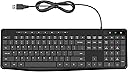
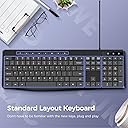
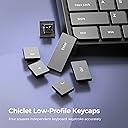
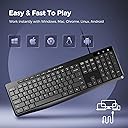
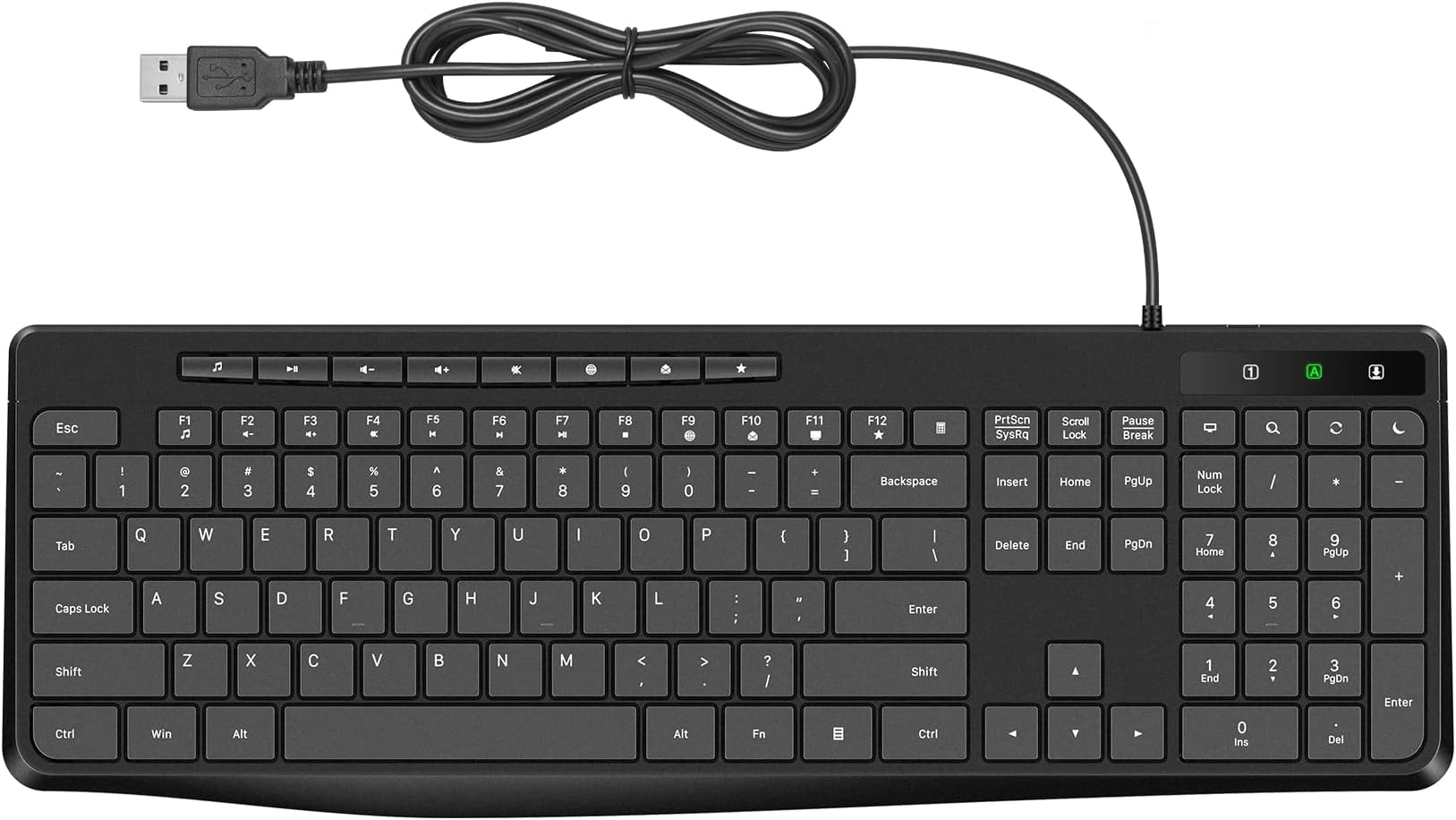
The Virfour Wired Keyboard is a full-size, spill-resistant USB keyboard featuring low-profile chiclet keys and a large number pad. Designed for professionals, it offers 50% noise reduction for silent typing, 13 shortcut and 12 multimedia keys for enhanced productivity, and ergonomic adjustable legs for comfort. Compatible with Windows, Mac, Linux, and Chrome OS, it requires no drivers and includes a waterproof sealed circuit to protect against spills.


| ASIN | B0BJDPT8V3 |
| Additional Features | Customized Multimedia, Ergonomic, Full Size Computer Keyboard, Quiet USB Keyboard, Spill Proof, Waterproof |
| Antenna Location | Business, Education, Everyday Use, Multimedia, Personal, Photo Editing, Programming, Student, Video Editing |
| Best Sellers Rank | #73 in Computer Keyboards |
| Brand | Virfour |
| Built-In Media | USB Cable |
| Button Quantity | 117 |
| Color | Black |
| Compatible Amazon Tablet Models | Amazon Fire 5th Generation, Amazon Fire 7 5th Generation, Amazon Fire HD 10 5th Generation, Amazon Fire HD 8 5th Generation, Amazon Kindle Fire 2nd Generation, Amazon Kindle Fire HD 2nd Generation |
| Compatible Devices | Windows 11/10/8/7/XP/VISTA, Mac OS, Chrome OS, Linux |
| Compatible Operating System Family | Windows |
| Compatible Tablet Computer Models | Amazon Fire 7 9th Generation, Amazon Fire HD 10 9th Generation |
| Connectivity Technology | USB, USB-A |
| Customer Reviews | 4.4 out of 5 stars 893 Reviews |
| Enclosure Material | Plastic |
| Hand Orientation | Ambidextrous |
| Keyboard Description | Stylish Quiet SpillProof Wired Multimedia Keyboard |
| Keyboard Layout | QWERTY |
| Manufacturer | Virfour |
| Mfr Part Number | VE-MOM9-3L81 |
| Minimum Required Operating System Version | Mac OS X 10.0 Cheetah, Windows 1 |
| Number of Keys | 117 |
| Number of Sections | 3 |
| Power Source | Corded Electric |
| Recommended Uses For Product | Business, Education, Everyday Use, Multimedia, Personal, Photo Editing, Programming, Student, Video Editing Recommended Uses For Product Business, Education, Everyday Use, Multimedia, Personal, Photo Editing, Programming, Student, Video Editing See more |
| Special Feature | Customized Multimedia, Ergonomic, Full Size Computer Keyboard, Quiet USB Keyboard, Spill Proof, Waterproof Special Feature Customized Multimedia, Ergonomic, Full Size Computer Keyboard, Quiet USB Keyboard, Spill Proof, Waterproof See more |
| Style Name | Contemporary |
| Switch Type | Membrane |
| UPC | 650971131670 |
| Unit Count | 1.0 Count |
| Water Resistance Level | Water Resistant |
J**Y
truely silent keyboard
This is probably the first keyboard I ever bought that is truly quiet, silent keyboard. super quiet, almost no noise at all. There are a couple problems, maybe just me. 1st, function keys are a little too close to the next row of number/special characters keys. Very easy to accidentally press a function key, especially above backspace is calculator key. It's so easy to constantly press on that calculator key. 2nd, it requires a bit of strength to press on a key, sort of like a bit sticky, not like very easy, very light touch. It does prevents accidental key press, but also may cause missing key press since it's a little sticky, I may not notice that I didn't actually press down the key, especially when I'm typing very fast. Overall, this is a very great keyboard. If you are looking for a silent keyboard, this is the one. After using it for a while, I found it has a little serious problem. All keycaps are flat and slippery, too smooth, actually easy to press two adjacent keys. Another annoying problem is Fn keys are too close to keys below, the calculator key is so easy to be pressed accidentally, very annoying, Usually Fn keys are divided into several groups, 4 keys a group, but this keyboard has all Fn keys in one row without any separation, difficult to find certain Fn key. Although it IS super quiet, but its drawbacks is bigger than benifits. I wouldn't recommend it til it is improved. Key caps should be a little concave and surface not very smooth/slippery, Fn keys should be divided into four groups like traditional keyboard, and be separated from keys below. I don't dislike the calculator key if it's far away from other keys. On top of numpad, there's a sleep key. I truelly don't understand why design this key. I've accidentally pressed on that key many times, making computer suddenly go out while working, it's so annoying. I think that key is more harmful than any usefulness. But to be honest, these similar quite keyboards all have a big problem. They never be close to Apple keyboard(2007). That is, typing on that keyboard is crispy and easy. While this and other silent keyboards require a bit of force to press down keys though not very much, giving me a feeling of walking in mud, lagging and fear that I missed a key press so I have to type slowly to make sure I didn't miss anything.
G**S
Good Buy
This is a nice quiet keyboard and has nice additional features. Fingers crossed the letters don't wear off like others I've had in the past. All I can say is so far so good.
G**S
Best Keyboard I have ever had & Silent
This Keyboard is Fantastic - never knew Keyboards like this existed. It is super quiet and easy to type on. In fact, for those of us use to having to hit the keys hard - when you first get this keyboard it takes some getting us to as it is so silent. The space below the space bar is nice for resting your thumbs. I like that the num pad LIGHT and the Cap lock LIGHT and the Scroll LIGHT are easy to see - many keyboards I have had in the past the lght is so tiny it is hard to see. MINOR item that I need to just get us to - there is an extra set of keys above the num pad. Since I was use to hitting the upper right most button for the " - " (minus) key - now I have to look before I hit the minus key. But overall this is just a training issue for me. This is by far the nicest keyboard I have ever had - and as a retired CPA that is saying something.
H**R
Great wired keyboard
This keyboard is a great value for the money. It works perfectly and is quiet. It's easy to hook up and use. The only reason I reduced it by one star is that 4 letters have faded from the keys (I use this keyboard all day every day). I purchased it in June 2025 and it's now 10 mos later and the letters: E, A, I and S are almost gone from the keyboard. Since I don't need the letters in order to type, it's not a big issue for me but in case that is an issue for someone else, I just wanted to mention it. I do recommend the keyboard overall, but maybe consider getting one of those keyboard covers to protect the letters on the keys.
K**O
Finally a "silent" keyboard
Finally a "quiet keyboard" that is actually QUIET! I do a lot of typing and am very particular about my keyboard. This one does not click ... so when I'm taking notes during an online meeting, no one can hear. Approve!
K**A
yes it's quiet
Such a joy to buy myself a cheap, clean new keyboard and it's really quiet! I don't mind the cord as I'm using it at work. The keys feel good - not clicky but you can feel them. Not raised or too flat - they are like on a good laptop. There's a calculator button that opens a simple little calculator function which I've ended up using daily. My biggest complaint is that the CAPS light is useless (I even was sure to remove the plastic film over that row of LEDs). I figured what's the harm at $16 but putting that gross, noisy, 20-year-old company issued keyboard in a drawer felt so empowering it was sad. Buy yourselves new keyboards, people. Get what you want.
C**K
Great product!
Quiet and comfortable. I recommend this one.
S**P
After 2 years of use: Still quiet but some annoyances ....
PRO -- it certainly is quieter than other keyboards. And is still quiet today 2 years later. It is nice that it has a full number pad as well as multi-media keys in a small foot print. CONS -- - If you need to see the letters to type, know that they will wear away over time. This did not matter for me since I touch-type, but my 7 yr old son was trying to learn typing and it was difficult that many of the keys were worn away. - As you can see in the photo, the little bumps on the home row that you use to orient yourself without looking are not very noticeable. So I had to augment with a few layers of padded tape. - The most frustrating over the last 2 years is that near the "-" key of the dedicated number pad is the SLEEP BUTTON. So if you are doing some data entry using the number pad, you may end up putting your computer to SLEEP right in the middle of entering numbers in a document or spreadsheet or web form. The button is so close, that you can accidentally hit it just by pressing the "-" key and having a bit of your finger overlap slightly high on the key and you are waiting for your computer to go to sleep, then come back from sleep mode. Overall - the cons are not enough for me to stop using the keyboard. So the "quietness" outweighs the annoyance of the cons.
Trustpilot
3 weeks ago
4 days ago