🚀 Elevate your laptop’s speed without the bulk — power meets portability!
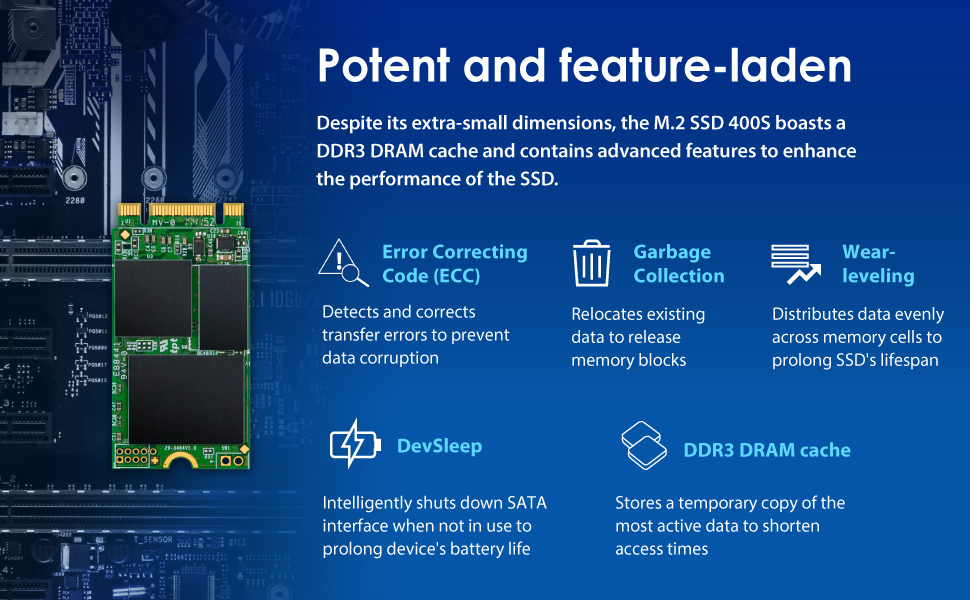
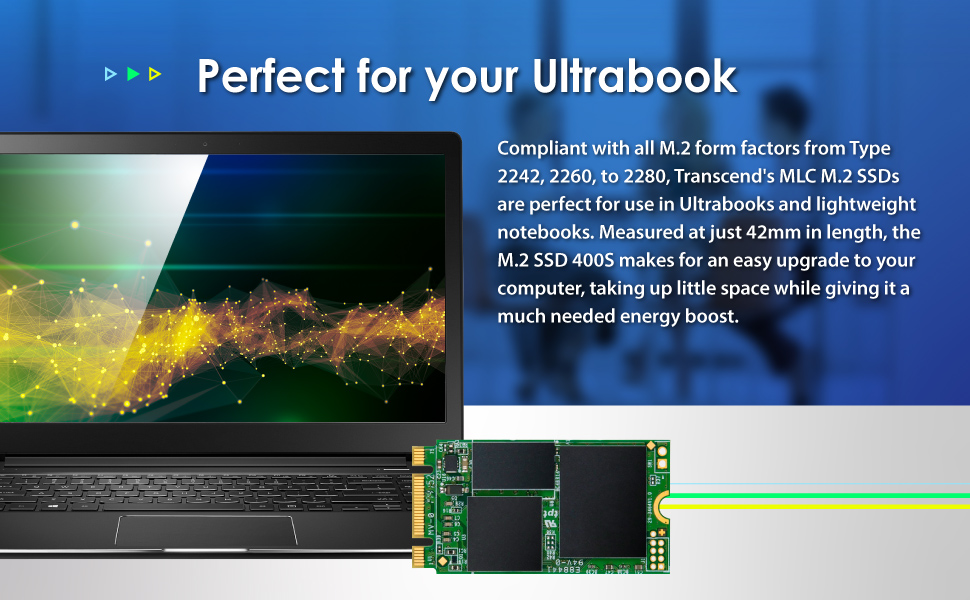
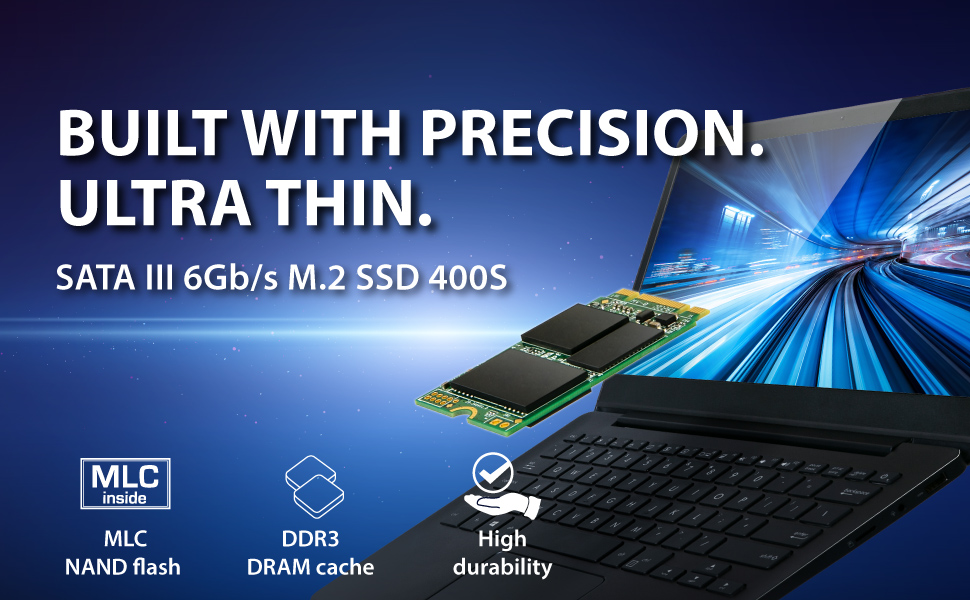
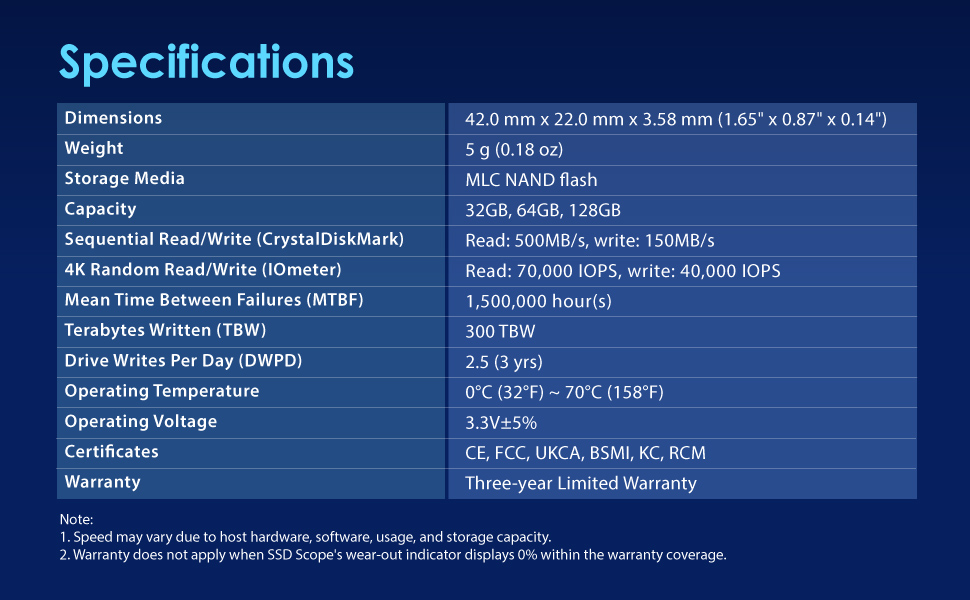
The Transcend 64GB MTS400S M.2 2242 SATA III SSD is a compact, high-performance internal solid state drive designed for ultrabooks and slim laptops. Featuring MLC NAND flash and DDR3 DRAM cache, it delivers up to 500MB/s read and 450MB/s write speeds while supporting ultra low power DevSleep mode. Compatible with Windows and Linux, it offers reliable, energy-efficient storage in a space-saving form factor.


| ASIN | B075P1HZXZ |
| Additional Features | Portable |
| Best Sellers Rank | #1,174 in Internal Solid State Drives |
| Brand | Transcend |
| Built-In Media | M.2 SSD, warranty card |
| Cache Memory Installed Size | 128 |
| Color | Green |
| Compatible Devices | Laptop |
| Connectivity Technology | SATA |
| Customer Reviews | 4.6 out of 5 stars 414 Reviews |
| Data Transfer Rate | 6 Gigabits Per Second |
| Digital Storage Capacity | 64 GB |
| Enclosure Material | NAND flash memory |
| Form Factor | small form factor |
| Global Trade Identification Number | 00760557839866 |
| Hard Disk Description | Solid State Hard Drive |
| Hard Disk Form Factor | 1.65 Inches |
| Hard Disk Interface | Serial ATA |
| Hard Disk Rotational Speed | 1 |
| Hard-Drive Size | 64 GB |
| Hardware Connectivity | SATA 6.0 Gb/s |
| Hardware Platform | laptop |
| Installation Type | Internal Hard Drive |
| Item Type Name | M.2 SSD |
| Item Weight | 4 Grams |
| Manufacturer | Transcend Information |
| Media Speed | 450.0 |
| Mfr Part Number | TS64GMTS400S |
| Model Name | MTS400 |
| Model Number | TS64GMTS400S |
| Read Speed | 560 Megabytes Per Second |
| Special Feature | Portable |
| Specific Uses For Product | personal, gaming, business |
| UPC | 760557839866 |
| Warranty Description | 3 year |
S**3
Works perfectly in my GPD Win 2
Was worried I would not find a high enough Capacity for my Win 2. Thankfully they still made these, so now my Device is has tons of Space to utilize. Not sure what was going on when I went to Restore Windows on it 1 time though. It got VERY hot. Immediately turn it Off, then after it had cooled down, I tried again. Ever since, works perfectly. Though when the Win 2 was being Developed, they were saying that it could take a "Transcend 1TB M.2 2242 SSD"........it only goes to 512GB. Wondering where they got the 1TB from. Wondering if Transcend ever had it though. Would be even better :D . Suggestion - To be on the safe side, Win 2 Users should get 2 of the same ones they plan to use. That way, if 1 goes out on you, you have a Backup Drive in a safe place. Plan to do this at a later time after saving up for it.
N**S
used for pagefile and after 9 months - still great - after 3 years still great!
I bought the MX400 64GB M.2 SSD Jan 2018 - specifically to use for the windows pagefile. Really I need more memory as I usually have all the 16GB physical used up with so many open applications - and run out as I ran without a pagefile as it just took windows for ever to open a swapped out application. With the M.2 SSD holding the pagefile, applications wake quickly enough for my impatience. Best part, after 4955 power on hours and ~700GB written, the SSD Scope reports 97% of the life remaining. At this rate, I have 18 years for life remaining. Wish I had two M.2 slots for a 2nd MTS400 - as I observed that windows staggers writes to the pagefile on multiple drives in small (4MB blocks) and likely would wake applications faster. --- Update Mar 2021 - its been over 3 years! Smart states its been in use for 24500 hrs and has written 132k LBA (32Megs) and has 79% life remaining. I calculate the total writable bytes to be ~20TB. Or "drive writes per day" (for 5 years) is 172! So much better than my 500GB main drive - with no page file activity - CT500MX500SSD1! 7725 hours, w/18TB written and only 27% life remaining. Not looking good!
M**E
Excellent for use as a boot drive
I read all kinds of posts on the internet about the fact that my Thinkpad T570 could have a two-drive setup as long as one of the drives is a 42mm SSD that goes into the WWAN slot. Upon researching possible drives of this size, I discovered that there aren't too many of them on the market, so I opted for this one. I cloned my previous drive onto this one and then installed it in the WWAN slot and used the old HDD as the second drive. Everything works like a charm! It's been fast and reliable thus far.
M**G
Best internal SSD for GPDWIN2
Initially, the SSD would get uncomfortably hot upon the first few startups. After the first 2 weeks of use, the temperatures have gone down significantly; to the point of being negligible. The SSD cover now feels only slightly warmer under load than the 128GB SSD the GPDWin2 came with. I guess the device just needed to get used to it. The price is a hard pill to swallow, but -unless you're planning to work with ridiculously large files- this SSD is well worth the money.(edit:this was over $300 when I bought this in 2018. Buy now) 5 stars it is. Edit: There is a listing here on amazon for an identical transcend 512GB 42mm SSD for under $90. I can't vouch for the quality or reliability of that other listing, but it's out there. Just a heads up Extra: For those that don't mind carrying an external drive, every GPD device pairs great with a Samsung T5 or T7, preferably the T7 1TB which is currently 1/3 the price this internal ssd was
C**R
New Transcend 64GB NGFF 2242 SSD working fjust fine.
Basically just install SSD into a USB caddy device. Go to Windows Disk Management and initialize. Partition, format, working perfectly. Seen in BIOS as TS64GMTS400S for this model. Installed OS then decided to compare CrystalDiskMark vs another identical unit with an SK Hynix mSATA 64GB. They both run the same speeds, neck in neck. So either is a good choice depending on the connector form factor available for it to plug in to. I used one mini PCI-e to mSATA adapter card on Hynix, another Sintech NGFF 2242 M.2 adapter card with Transcend in two identical Asus Eee PC S101 netbooks. They used to be original 16GB, OMG, so 64GB is very useful and large enough for a netbook.
M**B
Good value, not always an easy fit.
This is a good drive for the money and great for something like a Raspberry Pi4 with SSD boot where 250GB is overkill. My one gripe, unlike it’s 32GB variant, it had one more chip placed on the bottom side. This made it difficult to mount in the M.2 Argon One V2 case as the drive was too thick. Luckily I had a kit of M3 screws and found a slightly longer screw.
T**R
Upgrade for the impending loss of Chrome support from ASUS CN60 Chromebook
The only hard part was temporarily relocating the WiFi card so as to get to the previous SSD; Google [ site:instructables.com X0n1T3 "Upgrading the Asus Chromebox CN60 / M004U" ] for directions with photos (but alas only for the RAM upgrade); there was a liliputing site also that upgraded storage, but I couldn't contrive a search string that got me to that URL (Amazon forbids URLs in reviews), so Google [ site:liliputing.com "brad linder" "memory and storage" "Asus Chromebox" ] for very similar. The OEM 16GB of storage is fine for ChromeOS, but a very tight squeeze for replacement Linux when this goes out of support around September 2019 (what's currently indicated for Panther). Upgrading to 64GB merely meant: [1] Creating a ChromeOS Recovery USB. [2] Swapping the new SSD for the old. [3] Booting with the USB inserted and following the directions. [4] Re-logging in as you did before. Note that SSDs bigger than 64GB are certainly feasible; that was the sweet-spot for my wallet, and will be sufficient for any current distro I want to (so to speak) spin up. And finally, note that installing Linux won't be straightforward; I'm planning on upgrading the firmware, probably using MrChromebox<DOT>tech (you'll need to know that a CN60 is _Haswell_).
K**S
Been running in my FreeNAS for 4+ months now
So far these little drives have been rock solid. Much faster than the USB drives I was using before. I have them "mirrored" just like I did with the USB flash drives. I really have nothing bad to say about them yet. It's my understanding that the duty cycle of a FreeNAS boot drive is fairly low since the file system gets loaded into memory on boot. So the drives are only written to for logs and don't quote me on this, but I think that only happens once a day or a few times a day. Anyway, I'm not sure if these would be any good in a more classic scenario like booting into Windows or Linux with lots of reads and writes, but so far for my use they have been fast and reliable. Drives are installed on an "StarTech.com 2x M.2 SATA SSD" and working perfectly. https://www.amazon.com/gp/product/B017IM54GM Like Forrest Gump said, "They go together like peas and carrots, Jenny." :D
C**N
SSD M.2 transcend
En verdad este SSD M.2 no es tan veloz como los más actuales, pero es una muy buena opción, no tuve ningún problema al instalarlo y fue reconocido sin problemas, me gusta mucho su rendimiento, lo recomiendo ampliamente.
A**N
Perfect for upgrading Dell Chromebox
Wanted to increase storage space on Dell Chromebox since I installed Linux os. Installed easily and was able to load OS onto it without issues. Computer boots up quick and read/write suffers no lag, system responds quickly.
Y**S
Parfait, y compris le clonage système !
J'ai acheté ce SSD pour un mini PC qui dispose d'un slot M2 mais dont le "disque système" est limité à 64Go d'emmc, non extensible. Je n'ai pas grand-chose à dire sur le SSD lui-même, c'est un format M2 2242 (22mm de large, 42mm de long). Comme la question classique va être posée, j'y réponds tout de suite : LA VIS N'EST PAS FOURNIE ! Je l'ai TOUJOURS trouvée sur la carte mère réceptrice, généralement vissée sur le plot de blocage du SSD. Attention à bien positionner le SSD, un peu en angle et à fond (et il y a un détrompeur) : le méplat au sommet du plot doit se retrouver dans le trou en demi-lune du SSD. La vis est ainsi en butée sur le méplat et n'écrase pas le SSD. Le logiciel de clonage ( SSD-Scope) n'est pas fourni en boîte mais est téléchargeable sur le site Transcend. L'un des quatre boutons de l'application permet le clonage disque (photo). L'option "Extend Disk" permet d'étendre la dernière partition du disque à cloner jusqu'à occuper tout le SSD. Attention tout de même si la partition à cloner (voire le disque dur lui-même) est plus grand que le SSD. Ce n'était pas le cas pour moi et je n'ai donc pas pu tester avec ce logiciel. Pour info, et pour mes malheureux 64Go, le clonage n'a pas pris plus de 5 minutes ! Une autre option intéressante, dans le menu Réglages, est la fonction TRIM, qui n'est pas toujours activée sur les anciens systèmes, mais est quasiment indispensable pour une bonne durée de vie des SSD. (Merci Google : " ssd trim" ou encore " fsutil behavior query disabledeletenotify"). L'une des photos présente les performances mesurées avec cette même application. J'étais franchement étonné que tout se passe si vite et si bien !
L**S
SSD de formato pequeño.
Funciona perfectamente. SSD M.2 con factor de forma 2242. Lo utilicé en un portátil Lenovo E540, que tan sólo admite ese tamaño en su reducido espacio interior. He pasado el S.O. al SSD y el arranque es muchÃsimo más rápido que con el HD anterior, que conservo para datos. De momento ningún problema, asà que considero que ha sido una buena compra.
J**S
Dynamisme
Mon PC portable comporte deux emplacements :'un 2.5" actuellement pourvu d'un SSD Samsung EVO avec Manjaro Linux et un emplacement pour un SSD M2. J'ai donc acquis ce M2 pour y "cloner" un W10 et me servir de cette machine en dual boot Manjaro/W10, chacun dans son coin ! Aucune comparaison entre un W10 fonctionnant sur un HDD et un W10 cloné sur ce M2. W10 est maintenant - presque - aussi rapide que Linux. Le prix est attractif et ... le logiciel de clonage est parfait. Reste à voir la durée de vie, mais là ...
Trustpilot
2 weeks ago
1 day ago