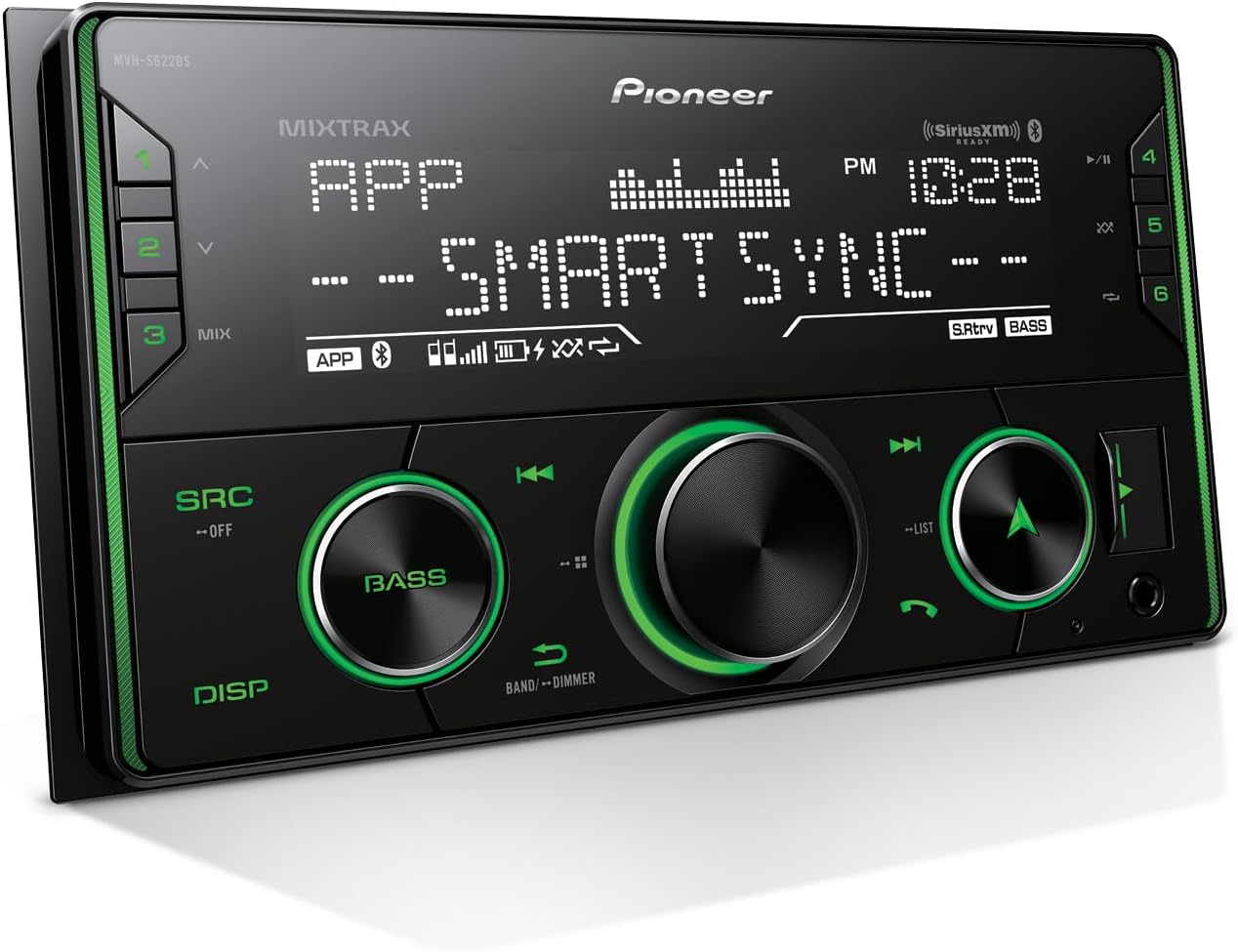
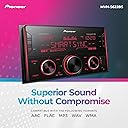
🚗 Elevate your drive with sound that moves you — Pioneer MVH-S622BS, where tech meets the road.
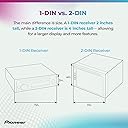
The Pioneer MVH-S622BS is a double-DIN in-dash car stereo delivering 50 watts of stereo power with Bluetooth connectivity for hands-free calling and wireless music streaming. It features USB and auxiliary inputs for versatile device compatibility, supports the Pioneer Smart Sync app for enhanced control, and includes Advanced Sound Retriever technology to restore audio clarity. SiriusXM-ready for access to premium satellite radio channels, this receiver transforms your car into a high-tech audio hub.


| ASIN | B07Y9T6CSR |
| Audio Encoding | Stereo |
| Audio Output Mode | Stereo |
| Audio Output Type | Bluetooth |
| Box Contents | 2 Removal tools, 8 various installation screws, Digital media receiver (10A fuse), Microphone w/ bracket (attached 10' cable terminated by a right-angle 2. |
| Brand | PIONEER |
| Brand Name | PIONEER |
| Colour | Black |
| Compatible Devices | Smartphone, Tablet |
| Compatible devices | Smartphone, Tablet |
| Connectivity technology | USB |
| Connector Type | 3.5 mm jack, USB type A, HDMI, RCA |
| Connector type | 3.5 mm jack, USB type A, HDMI, RCA |
| Control Method | App |
| Controller Type | Mechanical knob |
| Controller type | Mechanical knob |
| Customer Reviews | 4.6 out of 5 stars 786 Reviews |
| Format | WAV |
| Global Trade Identification Number | 30884938434547 |
| Item Dimensions D x W x H | 9.9D x 17.8W x 5.1H centimetres |
| Item Type Name | In-dash Receiver |
| Item Weight | 1.5 Pounds |
| Manufacturer | Pioneer Corporation |
| Manufacturer Part Number | MVH-S622BS |
| Model Number | MVH-S622BS |
| Network Connectivity Technology | USB |
| Number of Channels | 6 |
| Other Special Features of the Product | Built-In Bluetooth |
| Output Power | 50 Watts |
| Output Wattage | 50 Watts |
| Special feature | Built-In Bluetooth |
| Supported Internet Services | Amazon Alexa |
| Surround Sound Channel Configuration | 5.1 |
| UPC | 884938434546 |
| Unit Count | 1.0 count |
| Wattage | 50 watts |
| Wireless Technology Type | Bluetooth |
G**O
Buen estereo
Funciona muy bien, tiene un buen sonido solamente la app no me funciona para el uso de alexa. Se instaló sin problema en un chevrolet aveo con el uso del arnes
S**R
Great unit, looks good installed.
I like this radio! Looks great in the dash and sounds terrific. The seller is excellent too. Lots of menus on both your phone (some settings only available on your phone) but once everything is sert to you liking, you no longer need the app. Just one thing I've found that they need to fix = when playing audio from a USB drive, and you turn off the car, when restarted you'll get an ERROR on screen. Easily solved by removing and reinserted. It starts where you left off and all is well, But a little annoying if you use a USB drive. On your phone apps like pandora are seamless. If you're installing you'll need the installation kit.
K**H
Great Product
Great product, works well. Easy install and with the right adaptors it fits perfect.
W**H
👍🏻
وصل وصل ومن احسن ما يكون
D**.
Great radio, but make sure to delete the unnecessary app from your phone!
FYI: YOU DO NOT NEED TO KEEP THE SmartSync APP ON YOUR PHONE TO USE THIS RADIO’S BLUETOOTH! All I wanted was a Bluetooth radio for my car. I got it. But maddeningly, this radio seemed to require a separate app called “SmartSync” to have its Bluetooth function. I knew that made totally 0% sense, so here’s the steps I used to get rid of the BS. 1. Press the radio button called “SRC” (source). Click until the radio screen display says Bluetooth. 2. Connect to the radio on your phone’s Bluetooth. 3. The radio and your phone will prompt you to download an app. Download it. (Eughhh don’t let the app access any of your data or location) 4. When the app is running on your phone, the radio will work with Bluetooth. When you close your app, the radio will stop playing music. This is the BS I was referring to earlier 5. To stop the BS, LONG-PRESS on the “SRC” button while the app is open and your phone is connected to the radio. I had to play around with the radio a bit, disconnecting and re-connecting my Bluetooth to get it to work. Try this with the app open and closed. 6. Once you get it to play music with the app closed, delete the parasitic app from your phone. The app is frivolous and unnecessary, and frankly only there to harvest your info from your phone. Aside from that little bit of frustration, this radio is great. I purchased this radio for my old 2007 car which is so old it didn’t even have an Aux cord input! Installing it was a pain (needed to purchase a bracket to put in the dash) but the radio has gorgeous LED lights and works great.
Trustpilot
2 weeks ago
3 days ago