Buy anything from 5,000+ international stores. One checkout price. No surprise fees. Join 2M+ shoppers on Desertcart.
Desertcart purchases this item on your behalf and handles shipping, customs, and support to Tunisia.
💼 Elevate your iPad game with style, smarts, and seamless multitasking!
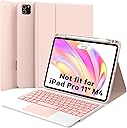
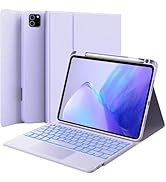
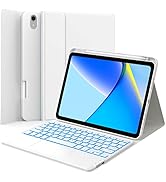
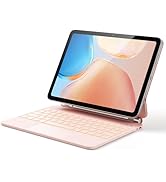
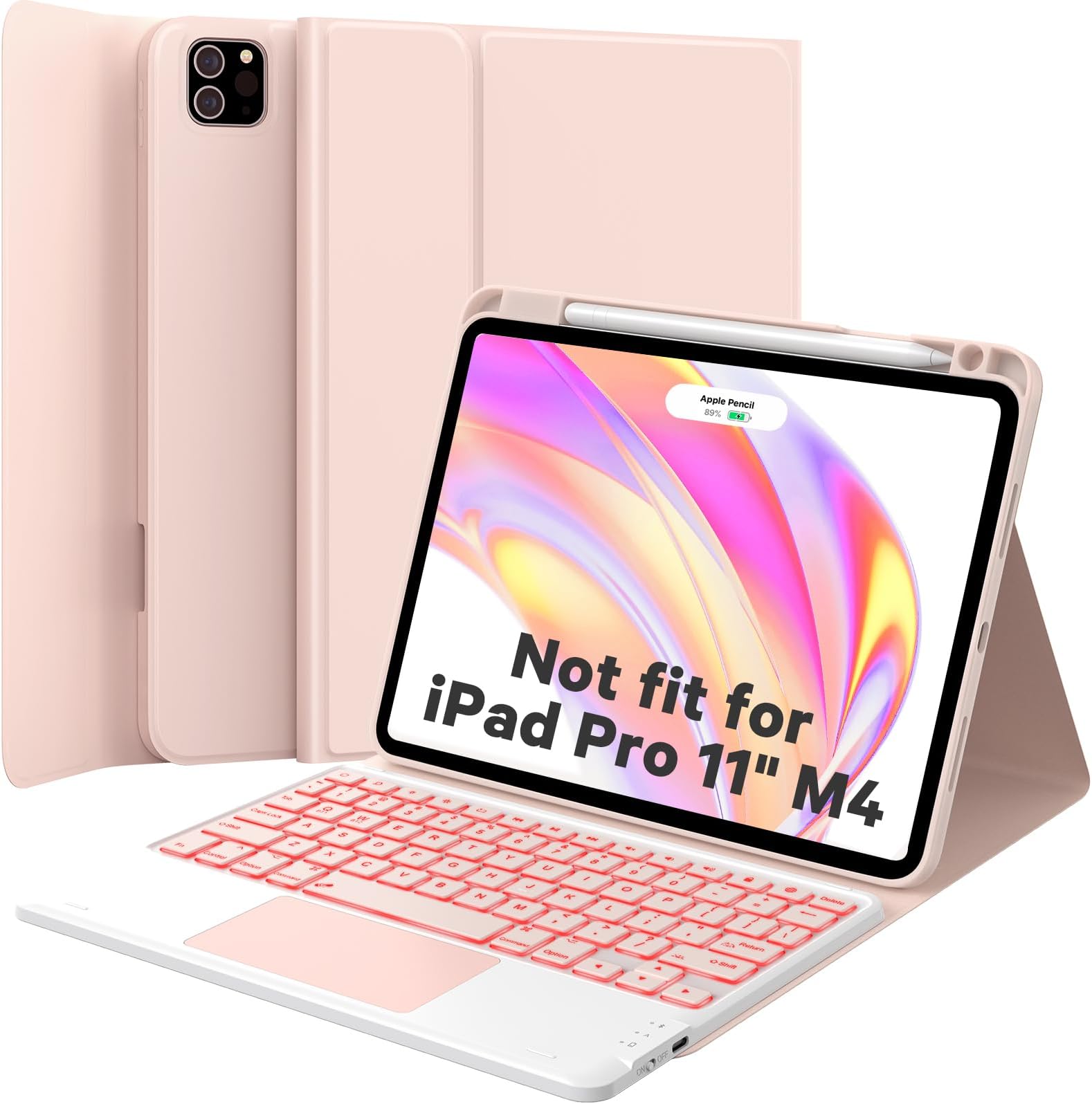
The GreenLaw Keyboard Case for iPad Air 11-inch and iPad Pro 11-inch (1st-4th Gen) combines a sleek blush pink stain-resistant cover with a detachable Bluetooth keyboard featuring a smart multi-gesture trackpad and customizable 7-color backlighting. Designed for professionals on the go, it supports dual-device connectivity, includes an integrated Apple Pencil charging slot, and offers robust protection without bulk—transforming your iPad into a versatile, laptop-like powerhouse.


| ASIN | B0BWJC412T |
| Additional Features | Backlit, Trackpad |
| Antenna Location | Personal |
| Best Sellers Rank | #435 in Tablet Keyboard Cases |
| Brand | GreenLaw |
| Built-In Media | USB Cable |
| Button Quantity | 78 |
| Color | Blush Pink |
| Compatible Devices | iPad Air 11 inch (M3/M2) 2025/2024, iPad Pro 11" 4th/3rd/2nd/1st Gen.(Not for Pro 11" M4 2024) |
| Compatible Operating System Family | iPadOS |
| Compatible Tablet Computer Models | Apple iPad Air (4th generation), Apple iPad Air (5th generation), Apple iPad Air 11-Inch (M3), Apple iPad Air 11-inch (M2), Apple iPad Pro 11-inch (1st generation), Apple iPad Pro 11-inch (2nd generation), Apple iPad Pro 11-inch (3rd generation), Apple iPad Pro 11-inch (4th generation) |
| Connectivity Technology | Bluetooth |
| Customer Reviews | 4.2 4.2 out of 5 stars (1,522) |
| Enclosure Material | Polyurethane Leather, Thermoplastic Polyurethane (TPU) |
| Generation | 4th Generation for iPad Pro, 5th Generation for iPad Air |
| Hand Orientation | Ambidextrous |
| Keyboard Backlighting Color Support | RGB |
| Keyboard Description | Wireless |
| Keyboard Layout | QWERTY |
| Manufacturer | GreenLaw |
| Minimum Required Operating System Version | iPadOS 16 |
| Number of Batteries Required | 1 |
| Number of Keys | 3 |
| Number of Sections | 1 |
| Power Source | Battery Powered |
| Series Number | 25 |
| Style Name | Contemporary |
| Theme | Pink |
| Unit Count | 1.0 Count |
| Warranty Description | 12 months |
F**X
Great product, great customer service!
This case with keyboard is great. The keyboard is detachable and has different color options. The case seems protective without being overly bulky. There is also a slot for the Apple Pencil, so that it can be charged while being in the case. The customer service is great! I thought I had an issue with my keyboard, but they were able to walk me through the settings I needed to change on my iPad and showed me the corrections.
C**R
Highly recommend!
Love this case/keyboard!! It is perfect - lightweight, easy to connect, very responsive, seems protective but I haven’t dropped it to test it truly. The magnet strength is strong enough to stay in place but light enough to be able to remove the keyboard easily if needed. Really handy overall and very sleek and pretty!
A**O
READ your paperwork!
I have been very delayed in writing this; however, I wanted to try it out for a while before I wrote a review for it. My first experience with this wasn’t exactly the greatest, but I believe it would have been better, had I payed attention to the papers that came with the case. READ the papers! I love that they seem to already be aware of certain things you may encounter and they provide clear instructions on how to resolve issues you may encounter. This keyboard is HALF of the cost of most competitive brands and much more functional. I really appreciate the backlighting color choices. You not only have the fun color combos (my favorite being blue, purple, red, orange, yellow, green) but you can also switch to solid colors. I love all of the different ways that you can rotate and poise your iPad. I found that the battery initially did not hold a charge for a very long time, but after letting the battery die all of the way down approximately two times, I’ve noticed that the battery seems to last a lot longer now. I really don’t understand how or why that is a thing, but it is how mine worked out. My friend also purchased this product when I sent it to her as a suggestion because she hadn’t been having any luck with others that she had purchased because they were designed poorly resulting in her iPad falling out of the case. After she got this one, she mentioned that not only did it save her money, it was far better. I do not regret my purchase in the slightest. :)
O**.
Not for the iPad Pro 5th or 6th generation
The keyboard is very beautiful and perfect for people with short fingers, the keys are a little different than what I’m used but it’s fine it takes time to adjust. The touchpad works well but the clicking noise it makes is lowkey annoying and loud. The installation is easy and you just have to hold down FN and Q and the light on the keyboard should flash. The case was so well made and it had a very good texture and I could tell it was stable. The magnet strength was also very well so it won’t open no matter what trust me.
A**R
Prompt seller customer service and very functional case.
The best iPad case that I’ve ever had, and prompt customer service from seller. The keyboard fits really well, and you also have the option to use the case without the keyboard. My iPad hasn’t dropped yet, but I’m also pretty confident that it’s hard enough to protect against eventual drop.
Y**A
Bluetooth stopped working in 5 months
Worked awesome with long battery but stopped connecting to my iPad after 5 months of using.
J**J
Perfect!
Just what I was looking for. I received an iPad as a gift and was shopping for a case and a keyboard, but did not want to spend a lot buying both. This case (that comes with a keyboard!) is the right color (light lavender), easy to use, and is an extremely competitive price. The keyboard is illuminated, easy to use and the iPad fits perfectly in the case. VERY pleased with this purchase!
M**K
Works well except for lighted keypad
I purchased this because of the reviews and it looked like what I needed and wanted to go with my iPad Pro 15. It set up and connected easily and worked well with my iPad. Color choices are limited. I wanted something other than black because I wanted a color more visible so that left soft pink (which I didn’t want) and baby blue. I got the blue. It works well with the iPad, but trying to see what’s written in the keypads is a joke I can basically see it a bit better when they’re not lit up, but all in all, it’s very difficult for me to see what all the keys are for without using a light/lamp next to me. The blue doesn’t stand out at all on the keys whereas something with more contrast such as white might. If I’d known, I’d probably either found a different make or gotten the black if that uses white backlight. I would be retuning this but didn’t have the time to use it until today when I discovered what is a problem to me, but when I looked for the box/packaging, it somehow disappeared during the holiday chaos so I’m stuck with this. I guess I may have to find something to either write or stick on the keys or a friend that could use it. It makes me sad that such a basic thing as easy visibility for use isn’t a component on this, no matter how bright you make the light, especially when I was so looking forward to using it.
M**L
I love this! Purchasing this is one of the best decision I made. Makes my work so much easier!
N**N
The GreenLaw Keyboard Case for iPad Air strikes an impressive balance between affordability and features. I've spent time analyzing this light purple beauty, and here's what you need to know before making the purchase. First impressions matter, and this case delivers. The stain-resistant cover isn't just practical—it's a statement piece. The light purple finish gives it a sophisticated look that stands out from the sea of black and gray accessories flooding the market. It's refreshing to see a manufacturer understand that protective doesn't have to mean boring. The 7-color backlit keyboard is more than just eye candy. The lighting enhances key visibility in low-light environments, making those late-night work sessions much more manageable. The keys themselves have decent travel, though there's a slight learning curve. The spacing is a bit different from standard keyboards, so expect to spend a few days adjusting your typing rhythm. The built-in touchpad is a game-changer for productivity. It's responsive and supports multi-touch gestures, though occasionally the cursor might show some temperamental behaviour. Still, having cursor control without reaching for the screen is invaluable for document editing and browsing. Versatility is where this case truly shines. The combination of long battery life, easy pairing, and sturdy design makes it suitable for everything from coffee shop work sessions to classroom note-taking. The magnetic attachment is strong enough to feel secure but doesn't make it a wrestling match when you want to detach the iPad. For the price point, you're getting remarkable value. While it may not match the premium feel of Apple's Magic Keyboard (which costs nearly three times as much), it delivers where it counts: protection, functionality, and style. The inclusion of features like backlit keys and a touchpad at this price point is particularly impressive. Is it perfect? No. The key feel could be more refined, and the touchpad occasionally needs a gentle reminder of its duties. But these are minor quibbles in what's otherwise a solid keyboard case that punches well above its weight class. Bottom line: If you're looking for a feature-rich iPad Air keyboard case that won't break the bank, the GreenLaw offers a compelling mix of style, protection, and functionality. It's a practical choice that doesn't sacrifice aesthetics for affordability.
R**L
Firstly, the color of this "GreenLaw Keyboard Case for iPad Air 11-inch (M2)" matches my blue iPad very well. This was easy to connect to my iPad and easy to use. The typing experience is nice. The buttons are clicky (in a good way) and satisfying to type on. I like that there is a space for my pencil to tuck in nicely without falling out. It does add a fair amount of weight to the iPad overall, but the keyboard can be removed when not needed if you wish. As a case (without the keyboard attached) it is not as slim or light as a strict folio case, but having the ability to have the keyboard is going to be worth it for some. Especially those that type on the iPad a lot. If I had a concern about it, it is this. When sliding the keyboard forward a little to accommodate the viewing angle of the iPad, the magnet area could be better. But, at the price point vs. a branded keyboard this is a small thing that can be adapted to. It is a fraction of the price of an Apple keyboard. The backlights are fun, and the trackpad is, to me, essential. I have tried other keyboards without the trackpad, and, coming from being a laptop user, I would find myself reaching for a trackpad that wasn't there. So, I prefer this style as the iPad fits snugly in the case, the keyboard is adjustable in position, the Apple pencil is secure, and the color is a nice match for the blue iPad Air 11. Overall, this is a pretty good keyboard, and the only real criticism would be the positioning of the keyboard (better magnet) and the added weight. A lot of this extra weight seems to come from the case itself, as the keyboard is not too heavy. If the weight (without keyboard) could be adjusted it would make the case overall a bit lighter. ⭐⭐⭐⭐⭐ = Wow. I love it. ⭐⭐⭐⭐ = Hey, this is pretty great. ⭐⭐⭐ = Meh. It's okay but I don't love it. Someone might like it. ⭐⭐ = Not great. Best to avoid. ⭐ = Nope. This is bad. **All opinions are my own and authentic, and written by me.**
B**E
This keyboard case is great for typing but does have a few annoyances. Your iPad fits into a rubberized shell which is attached to the case flaps. The fit is perfect with proper cutouts for the speakers, buttons, and charging port. The case is thicker on top due to having storage space for the pencil, so its volume buttons are extended a bit but still function just fine. The case flaps fold around the iPad shell and secure in place with a magnetic flap. When closed, the case is quite thick with the addition of the keyboard. The keyboard is attached to the case flap magnetically and can be removed. This will reduce the thickness but also creates some excess flap material which fits loosely around the case. It is a little awkward to unfold the case and use it normally in handheld mode. When you fold the flap around the back, the keyboard is facing outwards and what you are gripping onto. It tends to slip/move a bit as well. It is fairly bulky, and you also have the folds of the case hanging which makes it feel a little sloppy to hold onto. It is definitely better to just remove the keyboard and set it aside, which is a bit of a pain to do every time if this is your primary case. There is also no fold in the flap near the camera like some other cases have. You have to fold the entire flap open and hold it to the side to use the camera which is kind of awkward. The case doesn’t provide a very good handheld experience. The case does not have the “auto off” feature which activates the iPad sleep sensor and automatically turns the screen off when you close it. You have to make sure to manually turn off your iPad when closing. Also, the magnetic strength of the keyboard attaching to the case flaps is not always strong enough to prevent the keyboard from falling off when you go to open the case, so to be safe, I would suggest opening the case upside down with the keyboard at the bottom. When you want to use the keyboard, you have to unfold the case, remove the keyboard, adjust the iPad to the angle you want by placing its edge in one of the 3 notches on the base, and then place the keyboard back down in front of it where it will adhere to the remaining flap that extends forward. It isn’t ready to go where you just unfold it like a book and start typing like some other keyboard cases. It requires a touch of extra setup, but it’s not a big deal really. As for the keyboard itself, it is thin, lightweight, and works very well. It is all plastic with a metal backplate that the magnets adhere to. It connects to the iPad via Bluetooth, and I had no issues with its use. It has 7 different backlighting colors (white, aqua, violet, blue, yellow, green, and red) and 3 brightness levels. It also has a row of iPad-specific shortcut keys which all work well…lock, volume, brightness, search, screenshot, etc. The keystrokes feel nice with a subtle amount of feedback and are fairly quiet. The touchpad also works well. To “tap” and select an item you have to press down along the bottom edge of the pad where you can feel a little button click engaging. It doesn’t work as well anywhere else on the pad. It does support multitouch for other features, however, like using 2 fingers to scroll, pinch to zoom, etc., depending on the app. The instructions mention several touch shortcuts for the trackpad and they all seemed to work well (just remember that when they say “tap” it means clicking down on the bottom edge of the trackpad). The keyboard charges via a USB-C port on its side, and a 32” charging cable is included. When using this as a stand or in “laptop mode” with the keyboard set up, it is great. It provides a convenient and compact typing experience, and the backlit keys are handy for darker environments. If this is to be your everyday storage case, however, the other aspects involving the case can be a little cumbersome to deal with all the time when using it handheld. The great thing about this having a detachable Bluetooth keyboard is that it doesn’t have to be used exclusively with this case. Your iPad can be in a different case or stand, and you can still use the keyboard with it just the same, which adds some nice versatility.
C**S
This case and keyboard fits my iPad Pro well, and the keyboard and touchpad both work very well with the iPad. The keyboard is rechargeable with USB-C, the same port on my iPad, so it's easy to recharge without having to deal with different cables. The backlighting is optional and configurable with different colours and brightness levels. Overall, as a keyboard and touchpad for the iPad, this works well. However, it does say it can connect to two devices at once. I wanted to also use the keyboard and touchpad (not the case) with an Android tablet (Samsung Galaxy A9+), but when I connected it to the Samsung, the touchpad up and down directions were inverted, so I'm not sure if I was doing something wrong or if this device doesn't support what I was trying. I recommend the product details mention whether this is compatible with Android or not, especially since it is featuring "connect two devices at once" and shows a tablet and a phone.
Trustpilot
1 month ago
1 month ago