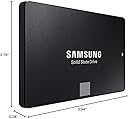
Desertcart purchases this item on your behalf and handles shipping, customs, and support to Tunisia.
🚀 Upgrade your speed, secure your data, and join the elite SSD club!
The Samsung 860 EVO 500GB SATA III Internal SSD combines cutting-edge V-NAND technology with blazing fast read/write speeds up to 550/520MB/s, AES 256-bit hardware encryption, and exceptional reliability rated at 1.5 million hours MTBF. Designed for professionals and power users, it offers seamless compatibility across major OS platforms and a 5-year warranty, making it the ultimate upgrade for faster, safer, and more durable storage.


| ASIN | B0781Z7Y3S |
| Additional Features | 5-Year Limited Manufacturer's Warranty |
| Best Sellers Rank | #153 in Internal Solid State Drives |
| Brand | Samsung |
| Built-In Media | 2.5" (7mm) SATA III (6Gb/s) SSD & User Manual (All Other Cables, Screws, Brackets Not Included). |
| Cache Memory Installed Size | 500 |
| Color | Black |
| Compatible Devices | mac, windows |
| Connectivity Technology | compatible with SATA 3 Gb/s & SATA 1.5 Gb/s interface |
| Customer Package Type | Standard Packaging |
| Customer Reviews | 4.8 out of 5 stars 76,820 Reviews |
| Data Transfer Rate | 6 Gigabits Per Second |
| Digital Storage Capacity | 500 GB |
| Enclosure Material | Opal |
| Form Factor | 2.5-inch |
| Global Trade Identification Number | 00887276232300 |
| Hard Disk Description | Solid State Hard Drive |
| Hard Disk Form Factor | 2.5 Inches |
| Hard Disk Interface | Serial ATA |
| Hard-Drive Size | 500 GB |
| Hardware Connectivity | SATA 6.0 Gb/s |
| Hardware Platform | PC, Mac |
| Installation Type | Internal Hard Drive |
| Item Dimensions L x W x Thickness | 3.94"L x 2.76"W x 0.28"Th |
| Item Type Name | Samsung 860 EVO 500GB 2.5 Inch SATA III Internal SSD (MZ-76E500B/AM) |
| Item Weight | 50 Grams |
| Manufacturer | Samsung Electronics DAV |
| Media Speed | 520 megabits_per_second |
| Mfr Part Number | MZ-76E500B/AM |
| Model Name | 860 EVO |
| Model Number | MZ-76E500B/AM |
| Number of Items | 1 |
| Read Speed | 550 Megabytes Per Second |
| Special Feature | 5-Year Limited Manufacturer's Warranty |
| Specific Uses For Product | personal, gaming, business |
| UPC | 887276232300 |
| Warranty Description | 5 Year |
J**I
Easy to clone and install
I have an older ASUS laptop that was given to me by someone who purchased a new HP. This unit had only 4GB RAM and a 500GB spinning-hard-drive. So I upgraded RAM to 8GB and bought this Samsung 860 EVO 500GB SSD to replace the old spinning-drive. This SSD arrived and I needed to buy a $7 USB-to-SATA III cable here on Amazon so I could clone the old hard drive to it. There is a lot of chatter on here about people wondering about the best ways to clone existing drives onto these SSD devices. In my case, I decided the simplest thing to do was to use something I could boot from a USB, so it wouldn't matter what operating system was on the old drive I could clone anything. So I downloaded Tuxboot and Clonezilla and ran it to install onto a USB. Super-simple process and I was ready to roll. I then hooked up the SATA end of the cable to the SSD and the other to an open USB port on the laptop, stuck the bootable USB I had just made into another and turned on power. Booted right up to Clonezilla, hit enter through every default, ensured it was using the 500GB spinning-drive for its source and the new 500GB SSD for the target, and within about a minute it was off and running. You are presented with a lot of options. I chose the simplest, device-to-device rather than doing the source-to-image, then image-to-target. Process took around 2.5 hours and then I shut down, removed the old drive from its caddy and replaced it with the SSD, hit the power switch and the system immediately booted right up to where I had left off before I cloned it! There are a lot of ways you can clone existing drives to these SSD's. You might even want to just fresh-install your system onto one of these SSD's and that's fine. I didn't want to take the time to do that. But for me, using that $7 cable I bought here on Amazon, with the Samsung EVO 860 SSD I bought here on Amazon, and free Clonezilla install-to-USB I was able to effortlessly clone the old drive to the SSD and boot right up with it without any issues whatsoever. I had zero issues. A few benefits from having gone through this: 1. I now know how to clone a laptop drive to an external drive 2. No more motor to spin a drive, so no more extra draw on the laptop's battery to keep one running 3. No more heat from a drive motor that's constantly running 4. Excellent performance and speed with this Samsung To benchmark it for you, the laptop originally took just over two minutes to boot up. After upgrading its memory from 4GB to 8GB boot time dropped a bit, to 1.5 minutes. But after replacing the hard-drive with this SSD boot time is now 30-32 seconds, from hitting the power-switch to login. And everything else on the system is much, much faster without the extra seek times and slowness of that old spinning drive. Time will tell but so far this Samsung is functioning great, was easy to clone to, Clonezilla recognized it right away (as did Tuxboot), and it booted in my system the first time after the cloning was done. And this thing is just super-fast. Plus it's a Samsung EVO. From all I've heard and read, these are pretty reliable devices with a reliability of something like 1.5 MILLION hours. That's 62,500 days or about 171 years! Try getting that kind of reliability from a spinning hard-drive! Bottom line is these are known to be great devices. There are duds out there but by-and-large it's hard to beat a Samsung EVO device for its price-point, reliability, and performance. That's why I spent the extra $$ rather than going to a cheaper, edge-brand type SSD. I have both old and new equipment and my older stuff recognized and worked with it just fine and so far it's a screamer. I highly recommend.
T**H
Outstanding Performance and Storage Capacity: Samsung SSD 860 EVO 4TB Review
I recently upgraded my computer's storage with the Samsung SSD 860 EVO 4TB 2.5 Inch SATA III Internal SSD (MZ-76E4T0B/AM), and I couldn't be happier with the performance and reliability it offers. As someone who deals with large files daily, this SSD has been a game-changer for my workflow. **Blazing Fast Speed** The read and write speeds on this SSD are remarkable. I noticed an immediate improvement in my system's boot time and the speed at which applications load. Large file transfers, which used to take minutes, now complete in a matter of seconds. This SSD truly lives up to Samsung's reputation for speed and efficiency. **Generous Storage Capacity** With 4TB of storage, I no longer worry about running out of space. This is perfect for anyone with a vast collection of photos, videos, and other large files. The capacity allows me to store everything I need with room to spare for future needs. It's a great solution for both personal and professional use. **Easy Installation** Installing the Samsung 860 EVO was straightforward. It fits perfectly into the 2.5-inch drive bay in my desktop, and the included software made cloning my old drive a breeze. Even if you're not particularly tech-savvy, you'll find the process simple and quick. **Reliability and Endurance** One of the standout features of this SSD is its reliability. Samsung has a strong track record in the SSD market, and this model is no exception. With advanced data protection and impressive endurance ratings, I feel confident that my data is safe and the drive will last for years to come. **Value for Money** While the price might seem steep at first glance, the performance and storage capacity justify the investment. Compared to other SSDs in the market, the Samsung 860 EVO offers excellent value for the features it provides. **Final Thoughts** Overall, the Samsung SSD 860 EVO 4TB is an exceptional product that delivers on all fronts. Whether you're looking to speed up your system, need ample storage space, or want a reliable drive for your data, this SSD is a fantastic choice. I highly recommend it to anyone in need of a high-performance, high-capacity internal SSD.
M**H
Samsung quality and performance are great
Perform as well as new and very fast performance for an ssd. Samsung quality is nearly unmatched for qualty and performance. Using five 1 TB drives in a raid 5. Two nvme drives for programs and backups.
P**N
Good Samsung Quality
I bought this SSD (512 GB Samsung 860 EVO) to replace an older Samsung SSD that is over 10 years old. The old SSD was the Windows boot drive, so is the new one This review details the cloning and installation process. Essentially, you are going to clone / migrate the data (create an exact copy) of the old drive and apply it to the new drive. You may want to invest in an external SSD enclosure to help in the cloning process, I bought and used UGREEN External Hard Drive Enclosure Adapter USB 3.0 to SATA Hard Disk Case Housing for 2.5 Inch 9.5mm, from Amazon as well. It's about $10 but it will make your life easier AND once you're done, you can use it to house and use the old SSD (or any similar new or old SSD, as an external drive. So it's really useful! You may have read/ heard about problems some were having using the data migration that Samsung provides (Data Migration software available from Samsung website). I haven't tested or used this software so I will not comment on it. But I did download it and installed it (installation was problematic and got hung many times....upon googling, I discovered one must disable Windows Anti Ransomware protection (under Windows Security....) strange, but I disabled it and the installation worked. Don't forget to re e-enable the Ransomware protection when done!! So, assuming you have the SSD data enclosure, place the SSD inside it, connect to the PC using the included USB cable and you're ready to clone / migrate the data. Cloning Process: I used Macrium Reflect. You should really use the latest version, and it's not free anymore, but they offer a 30 day trial which will do the job. PS: The older versions seemed to have an issue with a fully updated Windows 10. Once Macrium Reflect is up and running, the FIRST THING you should do is create a Recovery Disk (find it under Other Tasks in the menu, and it's called Create Rescue Media). It's easy, just follow the prompts. Keep it aside just in a safe place, in case (this is useful as a Windows Recovery disk, which every one should have). There are videos on Youtube that show you what to do exactly when using Macrium Reflect, do watch them, they are easy and useful. But especially if your old drive / SSD and the new SSD are not the same size! Look for: How to Clone Windows from a Hard Disk to an M.2 SSD by a guy called ACCESS RANDOM. If the (old and new) drives are of different sizes you MUST watch: How to clone a disk drive using Macrium Reflect and resize the partition by a guy called Alex Kang. It has one step in that is essential to handling the different sizes issue. Both videos are excellent and walk you through each step. Once the cloning is done, remove your old SSD and install the new SSD in your PC (or laptop) using the same cables. Reboot the PC and test the drive for a few days. If you're completely happy and the system is stable, feel free to either place the old SSD in the external enclosure and use it any way you want or use the old SSD in your PC / laptop as extra storage (after erasing the old data). Speed: Any SSD is much faster than the fastest regular (spinning) hard drive. This SSD is fast but not the fastest on the market but it's perfect for booting Windows aka, as a boot drive, (Windows boots up in 10-20 seconds, depending on your PC). With this SSD I am surfing the web in less than 20 seconds from powering up. There are faster SSDs but gaining 2-3 seconds in Windows boot time is not really important to me. In closing, one final reminder: Do watch those videos!!
B**M
Fairly easy to install. Really sped up my old laptop
I just replaced my old hard drive on a MacBook Pro 15 inch late 2011 laptop with this Samsung 860 EVO SSD. My startup speed increased as follows. - Power on to lock screen: Old HD was 1 minute 45 seconds. New SSD is 51 seconds - Lock screen to full load of desktop: Old HD was 50 seconds. New SSD drive is 13 seconds - Loading a document in Microsoft Word: Old HD was 1 minute 15 seconds. I ditched my 2011 Microsoft Word and now using Pages. Load time of document is now 9 seconds. All other programs are loading and operating must faster too. I m very pleased with the speed increase. It should be noted that greater speeds might be achieved on a newer computer with full SATA III capabilities. Some things that you should know. Samsung Magician and the Samsung Migration tool do not support MAC OS. I'm guessing that Samsung and Apple do not play nice together but hardware is hardware and the Samsung 860 EVO is by all accounts a quality product. I used a free download of Carbon Copy Cloner to clone the old Mac HD to the new SSD. You will need an SATA adapter cable to connect your new SSD to your laptop for the cloning process. CNET has some videos on how to replace the hard drive and turn on TRIM. Here is a little surprise that I got after the install. My Microsoft Office 2011 would not operate on the new drive unless I re-entered the product key. Unfortunately I was unable to find my original key and even though the key is saved in a file on the hard drive it is encrypted. After some research I determined that the key is not recoverable. To make a long story short, I ditched the Microsoft Office and I'm now using Pages. Seems to work fine but I tell this story so that you will know what to expect. I love the new SSD but the above information and the lack of Mac support would have been nice to know up front. I just got a few more years life for my laptop.
D**D
Good SSD
I've had this in my computer since I built it in the beginning of 2020. It has been good to me all these years. Not the fastest, not slow, not the most storage, but did the job I asked of it for many years and is still functional as storage or for use as a 2nd boot drive for Linux. Reliable SSD to say the least.
M**Y
Upgrade Your Computer's Performance
As a tech enthusiast, I'm always on the lookout for ways to improve my computer's performance. And I have to say, the Samsung SSD 860 EVO 1TB Internal SSD did not disappoint. First off, the installation process was a breeze. The drive is a standard 2.5-inch form factor, making it compatible with most laptops and desktops. And the included software made it easy to clone my existing hard drive and transfer all of my data onto the new SSD. But what really sets this drive apart is its lightning-fast speed. The 860 EVO uses Samsung's V-NAND technology, which delivers read and write speeds of up to 550MB/s and 520MB/s, respectively. And the 1TB capacity means that I now have plenty of space to store all of my important files and programs. I've noticed a significant improvement in my computer's overall performance since upgrading to this SSD. My computer boots up faster, programs open instantly, and file transfers are lightning-fast. And the best part is that the drive is incredibly reliable, with a 5-year limited warranty and a 600TBW endurance rating. Overall, I would highly recommend the Samsung SSD 860 EVO 1TB Internal SSD to anyone looking to improve their computer's performance. It's a reliable, lightning-fast drive that will drastically reduce load times and improve overall speed. So if you're tired of waiting around for your computer to catch up, don't hesitate to make the switch to the Samsung SSD 860 EVO!
A**R
The hardware is great. Upgrade support for older devices, not so much.
I've had the Samsung EVO 860 1TB SSD 2.5 inch SATA III drive installed and running for ~2 months. Since it replaced a 1TB hard drive on a 6 year old laptop with a BIOS motherboard that only supports SATA I and Windows 10 (version 1803 rs4; Spring 2018 Creators Update). I can't speak much for performance, other than it does perform at the maximum speed allowed by the SATA I controller. I can say that the SSD is very reliable so far, with no downtime or performance issues to date. The physical installation, including opening the laptop, removing the old hard drive, installing the new SSD, and closing it up, took me about 30 minutes total, with no problems at all for that part of the upgrade. The only problem I had was not due to the drive itself, or it's physical installation, but rather the technical support I received from Samsung and Microsoft. Most drives purchased today are setup to run with a GPT partition for a UEFI motherboard. Unfortunately, since my old Samsung laptop has a BIOS motherboard, which needs the drive to be partitioned for MBR. When I went to install the latest version of Windows 10, it initially failed stating that it couldn't detect a partition, with no other detail provided in the error message. Since this is a Samsung SSD replacing the hard drive in a Samsung laptop, I called Samsung technical support, who offered no other support or advice other than to call Microsoft. A call to Microsoft technical support didn't referred me back to Samsung. Bah! After doing a some research, I eventually figured it out on my own, and from the command prompt in the recovery advanced troubleshooting section, using diskpart, I was able to change the partition to MBR, and then successfully completed the Windows 10 installation, with no further problems. In the end, I was disappointed in Samsung and Microsoft for not providing a little more help and insight into the issue, especially since it's not unusual to replace a failed hard drive with an SSD drive, even if the PC is a little dated. It would've also been nice if the Windows 10 installation gave a little more information as to what the problem is and where to find the solution to fix it. Pros: Fast. Reliable. Backward compatible to SATA I. Supports both BIOS and UEFI motherboards (MBR and GPT partitioned respectively). Good value for the performance and warranty, especially if you have a SATA III controller. Cons: You are pretty much on your own for upgrade support for older laptops/PCs. However, there are a number of articles and YouTube videos that can help you out. If you have a BIOS motherboard, and aren't technical, seek out some help. Rating: Hardware - 5 stars Support - 1 star
R**.
Has brought new lease of life to old PCs
Have installed 5 of these now in different computers & laptops to replace magnetic drives. All working well and have made a huge improvement to Windows startup times. Programs load 5-6 times faster than before. Overall a great product!
J**S
Excelente: bueno, bonito, barato, extensa garantía y durabilidad
Me gusto totalmente este producto, es excelente. Utilice esta unidad SSD para sustituir al disco duro mecánico principal de mi laptop y lo que decidio la compra frente a otros es que en el momento en que lo adquiri estaba en una inmejorable promocion y precio. Lo bueno: - Cumple sobradamente lo que promete en la descripción y no tiene que envidiarle nada otro tipo de tecnologias que anuncian otros SSD de la competencia. - La garantia es de las mas amplias en el mercado ... te ofrecen muchos años con garantia y esto es inigualable por la competencia. - la vida útil en la escritura de archivos es superior, por lo que no tendras que preocuparte que a los pocos años deje de escribir datos. En este apartado encontraras SSDs en el mercado muy baratos pero lo que no te dicen es que su bajo costo esta dado porque te durara pocos años escribiendo datos (hay quienes dicen que 5 o hasta 6 años). Recordemos que en este tipo de tecnologias es importante cuantas veces se podra escribir y leer datos en la unidad de almacenamiento. En los SSDs es un aspecto crítico este apartado asi como su costo independientemente de la marca. - Con su intalación, la inversion que hagas se ve reflejada inmediatamente en tu computadora y es perceptible totalmente tanto que pensaras el porque no hiciste este cambio desde hace tiempo. Sentiras que estas ante una nueva computadora, por la velocidad de apertura de las aplicaciones o programas, encendido y apagado, aun con un procesador de poca monta. -Tiene un peso imperceptible. Lo malo: - En la instalación el software propietario decia que no podia hacerlo funcionar con la computadora; sin embargo como hice una instalacion desde cero del Sistema Operativo, éste se encargo totalmente de la configuración y puesta en marcha. - Tecnologia que es costosa y que año con año va reduciendo los precios, pero esto sucede con todos las unidades de disco duro. - Si tu desconoces como se hace su intalacion lo preferible es que lo lleves con el personal capacitado que realice este paso. Nota: ideal para instalar como dispositivo de persistencia principal o tambien en un caddy. Si o si, una vez instalado deberas de buscar en internet la forma en como debes de configurar tu computadora para que realice un uso mas eficiente de la unidad SSD instalada, asi como para prolongar su vida útil. Son consejos, configuraciones del sistema operativo que se deben de cambiar, y especificaciones tecnicas, nada del otro mundo pero necesarias para su uso adecuado.
A**R
SSD EVO Samsung
Produto muito bom, rápido e confiável. Embora um pouco mais caro que os modelos QVO mais recente, vale a pena pois dobra o número de operações de leitura/escrita, ampliando a vida útil do dispositivo além da garantia de 5 anos. Se comparado aos discos mecânicos (HDD, com motor) a velocidade de acesso é notoriamente maior. Em suma é uma boa opção para melhorar desempenho a um custo razoável. Outra dica interessante é ampliar a quantidade de memória RAM. Dependendo do perfil de uso recomendo 16GB, a combinação RAM/SSD é fundamental para um computador rápido, naturalmente depende do processador e canais de comunicação da placa-mãe (e qualidade).
E**L
Immer noch brauchbar
Das ist das zweite Gerät davon. Hatte seinerzeits gute Erfahrungen damit gemacht. Bin aber jetzt auf anderes, schnelleres Speichersystem umgestiegen .
C**S
All around excellent SSD! Great in so many ways.
Excellent all-around SSD for your average consumer. It has a very large endurance rating in terms of terabytes written. The 1TB version is rated for 600 terabytes written over it's lifetime. If you write 50 gigabytes per day you would take 32 years to reach the 600 terabyte write rating. An average consumer will not be writing 50 gb per day. Normal operating system activities will use at least half a gigabyte per day, sometimes as much as 5 gb per day. Your OS is constantly writing stuff to the disc as you're doing stuff. If you're someone who downloads a lot of movies/tv shows or programs then you might see up to 20 to 30 gb per day of writes. The point though is even if you're downloading/installing tonnes of programs or videos constantly you'd really struggle to reach 600 terabytes written before a conventional hard drive would be expected to fail due to a failure in it's moving parts. So unless you plan on using this for a server application where you can expect to be writing more than 0.5 to 1 terabyte e per day this drive will be more than enough. The drive itself pretty much saturates the SATA III connection, which has a maximum bandwidth of 600 megabytes per second. Sequential read speeds are over 500 megabytes per second for pretty much all file sizes/queue depth's. Sequential write speeds for small files will be over 500 megabytes per second typically. This SSD has a 'turbowrite cache', which is a higher speed SLC flash memory. I couldn't pin down how large the cache is on the 860 EVO 1TB; but I believe it's about 60gb. For the first 60 gigabytes of writing the drive will use the SLC cache and write speeds will be higher than they would otherwise be. When that cache runs out the drive switches to using it's normal TLC flash memory, which is a slower but cheaper type of memory (it's what makes up the drives storage capacity). Here's where things get complicated though. For larger drives like the 1TB model the larger number of flash modules in the drive means that the drive can write to more modules at once, and hence it's write speeds are faster. As a result you don't see a performance reduction when you switch from the SLC cache to the main TLC memory in terms of write speed when we're talking about the 1TB versions or larger. For the 500 gigabyte version or the 250 gigabyte version however we do see a significant write speed reduction when the turbowrite SLC cache runs out. In practice this means that the 1TB model can sustain about 450 megabytes per second of write speed no matter how big the file you're writing is. The 500gb model however starts at 450 megabytes per second but after it's written about 60 gigabytes (size of the SLC cache) the write speeds go down significantly. They drop to about 270 megabytes per second. To be fair most people won't need to write more than 60 gigabytes at once, but it's still a drawback of the smaller sizes. I should also mention that the 860 EVO for the 1TB model has 1 gigabyte of DDR4 RAM which the controller uses to decrease access times by keeping a map of where the data is being stored. This is part of the wear leveling algorithms to ensure that no flash cells degrade faster than the others.
Trustpilot
5 days ago
1 month ago