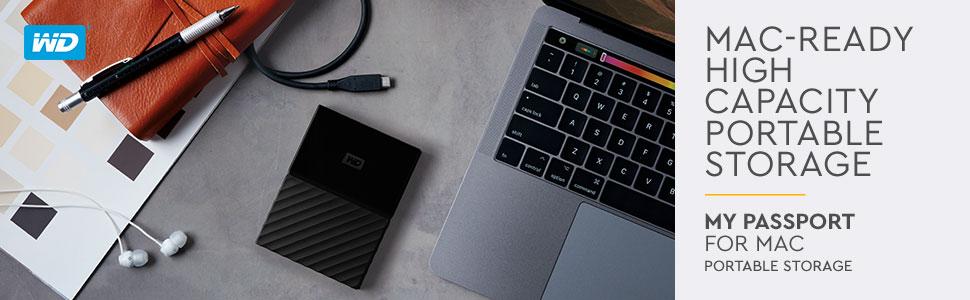
๐ผ Backup like a bossโsecure, sleek, and always ready for your Mac hustle.
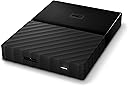
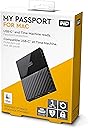
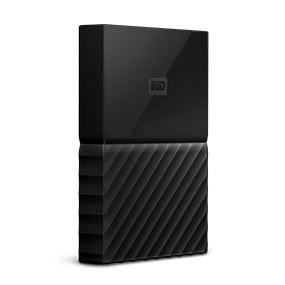
The WD 1TB My Passport for Mac is a portable external hard drive designed specifically for Mac users, featuring 1TB of storage, hardware encryption with password protection, and USB 3.0 connectivity for fast data transfers. Itโs Time Machine ready, compact enough to fit in your hand, and backed by Western Digitalโs trusted reliability and a 3-year warranty.


| ASIN | B01LQQHIEC |
| Additional Features | Auto backup, Password protection, Hardware encryption, Portable |
| Best Sellers Rank | #292 in External Hard Drives |
| Brand | WD |
| Built-In Media | Portable hard drive^USB 3.0 cable^Quick Install Guide |
| Cache Memory Installed Size | 1 |
| Color | BLUE |
| Compatible Devices | PC |
| Connectivity Technology | USB |
| Customer Package Type | Standard Packaging |
| Customer Reviews | 4.6 out of 5 stars 1,018 Reviews |
| Data Transfer Rate | 1 Megabytes Per Second |
| Digital Storage Capacity | 1 TB |
| Enclosure Material | plastic |
| Form Factor | Portable |
| Global Trade Identification Number | 00718037849805 |
| Hard Disk Description | Portable |
| Hard Disk Form Factor | 2.5 Inches |
| Hard Disk Interface | USB 3.0 |
| Hard-Drive Size | 1 TB |
| Hardware Connectivity | USB 3.0 |
| Hardware Platform | PC |
| Installation Type | External Hard Drive |
| Item Part Number | WDBYNN0010BBL-WESN, WDBYNN0010BBLWESN |
| Item Type Name | WD My Passport Portable Hard Drive and auto backup software ,Blue ,1 TB (WDBYNN0010BBL-WESN) |
| Item Weight | 0.17 Kilograms |
| Manufacturer | Western Digital |
| Media Speed | 530 MB per second |
| Mfr Part Number | WDBYNN0010BBL-WESN |
| Model Name | My Passport |
| Model Number | WDBYNN0010BBL-WESN |
| Number of Items | 1 |
| Special Feature | Auto backup, Password protection , Hardware encryption , Portable |
| Specific Uses For Product | personal, gaming, business |
| UPC | 718037849805 |
| Unit Count | 1.0 Count |
| Warranty Description | 2-year limited warranty |
J**S
Made it through a move in one piece, works great besides.
Got the blue version of this for $10 cheaper than the other colors. It was a little under $50 when I bought it whereas others were more like $59 or slightly under. I already know why it's cheaper in blue - I don't know if anyone remembers this, but waaaay back this little HDD was painted blue and marketed as a PS4 back up drive for a whopping $99 or some similar outrageous price. Due to that price they sat on the shelves and eventually I stopped seeing them on said shelves. That still leaves tons of stock though, which is great for bargain hunters that still want quality like me. For $40-$50 (depending on what sale may or not be happening) with included back up software and password protection, not a bad deal at all. I originally ordered this thinking to use it on my gaming laptop but ended up not needing the extra storage there, but on my measly 500 gb (200 gigs of which were taken up with unknown stuff??) Xbox One console, which with my subscription of Game Pass and use of Bethesda console mods, as well as my using it as my main entertainment center, was quickly running out. I expected it to be much larger for some reason but the small size is certainly a nice bonus. That all said, I unwrapped it (recommend keeping the packaging, makes a nice makeshift holder for this HDD should you need to move it later) and plugged it into the back of my Xbox One. It asked me what to store on it (Games & Apps duh!) and prompted me to format it which took less than 5 minutes. After that it showed up like built in storage which was also pretty nifty. Transferring games (mostly Bethesda games post Creation Club which are upwards of 60 gigs with DLC ffs) took about 10 minutes, only really slowing down on the very last transfer but not enough to be annoying. I will say this much, though I'm not sure if this is the Xbox's fault or WD's fault, do NOT try to use any video streaming apps from this hard drive. It will make the video janky and unwatchable. This may be due to the drive not being a solid state or it may be it not agreeing with the Xbox OS so to speak. Either way when I tried it I ended up having to store said apps back on the default drive, which was annoying as it took a bit of finagling in the Settings. The only thing I have left to add is that I recently moved and stuck this thing back in the packaging to protect it and stuck it in the car with me. It made it through fine and still works great. All in all yeah I'd recommend this drive. In fact I'm planning on getting a second one for my laptop in the near future. :) Ah and I bought it new. Would never recommend buying a mechanical hard drive used FYI.
J**B
Reliable, Efficient, and VERY CONVENIENT!
I have purchased 5 Passport portable hard drives over the past 5 years and love them! I keep filling them up and then getting another! They do not require an external power supply, and just plug in to your laptop or computer with a provided USB cord. I use them to keep my laptop and our phones cleaned off for optimal performance. They small enough and so convenient to just plug in and use. One warning I would give is, if you use a multi port USB hub with this, use one with a power supply. One of my passports crashed from using a cheap little 4 - port hub (with 2 other passports attached) with no power supply and one of the passports routinely switched from being connected to disconnected to the computer, and that evenutally ruined the device. I was able to get a forensics expert to recover my files, but not everyone has someone they know who does that! Since then, I have purchased a fully powered 7 port hub for home use (Crux 3.0 hub) and can efficiently organize my photos from one passport to another, having 3-4 passports connected with no problems. Another thing, I prefer not getting one over 1 TB. I have purchased a 2-TB, and after it gets about 1/2 full, the speed of transfer is slowed tremendously. I will just spend a little extra and have each of them be 1 TB or less, for efficiency.
X**A
Needs Formatting Instructions for Mac
Pros: It's cute! Lol I love the color and size (definitely portable), and overall design - clean and neat. It's easy to format and use (thanks, Google) and can be password protected if desired. Cons: It didn't come with formatting instructions. I guess if you're on Windows it's pretty straightforward. I'm using it with a Mac however, so I had to format it before I could use it, and thus had to rely on good ol' Google to tell me how. It's also a bit annoying to transfer files. You can't just drag and drop like with a flash drive. This is my first experience with an external hard drive, so forgive me if that's standard, but I found it a bit inconvenient. Overall, I like it a lot. Well made and functions well so far.
J**Y
Quality Product! Does work for Mac Users
I needed this from my computer (2015 MacBook Pro). I had over 15,000 photos, countless amounts of edits, documents from school, and hundreds of videos. Iโm a YouTuber my 2 channels are called Presence of the unknown and HSFL PARANORMAL. And a lot of my videos are ultra HD 1080 P and higher. Which tends to take a lot of space in the editing process. Plus all of the raw footage is all in 4K or 1080 P. So I needed a place to put them. The thing is with the passport for Mac is you need to rewrite it. Otherwise it wonโt work. Super easy to do tons of videos on YouTube showing how to do it. You have to change it in the time machine settings for Mac. Now saying that what I recommend this product to anybody who has a Mac or even windows. Yes! Absolutely I would. Itโs a great product works fantastic does what it needs to do and what it was designed to do. The storage is amazing. I look forward to using this product more and more.
I**0
Can't Put Anything New On.
UPDATE 2020: This hard drive is working on newest Mac OS (Oct 2020). I donโt use for time machine, just dragging photos on, but that feature works as advertised. I just bought this device recently so I could have a backup external drive for my macbook pro (High Sierra 10.13.2). I have been using some old seagate model for years now and don't want to risk having all my data on one hard drive. Every time I plug in my old drive there are no issues and everything backs up. Not this drive, the WD has new issues every time I plug it in. When my computer decides to recognize it I just get Error code -43 trying, I have 820GB free storage but can't put anything on this hard drive after the first time I used. How is it that something so new struggles when my 6 year old hard drive works every time? I heard such great things about this product...must have been on older computers/OS. AVOID IF YOU HAVE A NEW MAC OR RUNNING HIGH SIERRA!
T**L
Good value and like that it comes in a variety of colors.
I bought two of these (blue and yellow). One remains connected for daily use and the other disconnected after backing up files. If the first is compromised by virus/malware, the second is uncontaminated. Rating its durability at this point in time is really a hope about which I have no evidence, but the product appears to be well made. Also asking me to rate if it is giftable strikes me a odd. It is a portable hard drive. I bought it for function and capacity for my own use, but of course it could be given as a gift.
L**Y
Works instantly on my Windows 10 and Windows 7 machines
I love these because they provide instant, huge capacity backup for video projects. I just digitized a friend's entire home movie collection -- way to much for a thumb drive -- and put it on one of these for delivery to him. These Western Digital drives come in many colors, and I color code each for their purpose. These are one of the great computer accessories out there.
J**H
great for the price.
I bought this for my new M1 iMac so I can do the time machine feature and save all my personal data. I don't think I will run out of room but it doesn't hurt to have a bit of insurance. I went with this model because it went with the blue theme of my new iMac. WD makes good storage I have used my fair share of drives and have had no issues as of late.
Trustpilot
2 weeks ago
2 weeks ago