Desertcart purchases this item on your behalf and handles shipping, customs, and support to Tunisia.
🎥 Elevate your on-camera game with the prompter that’s as sharp as your content.
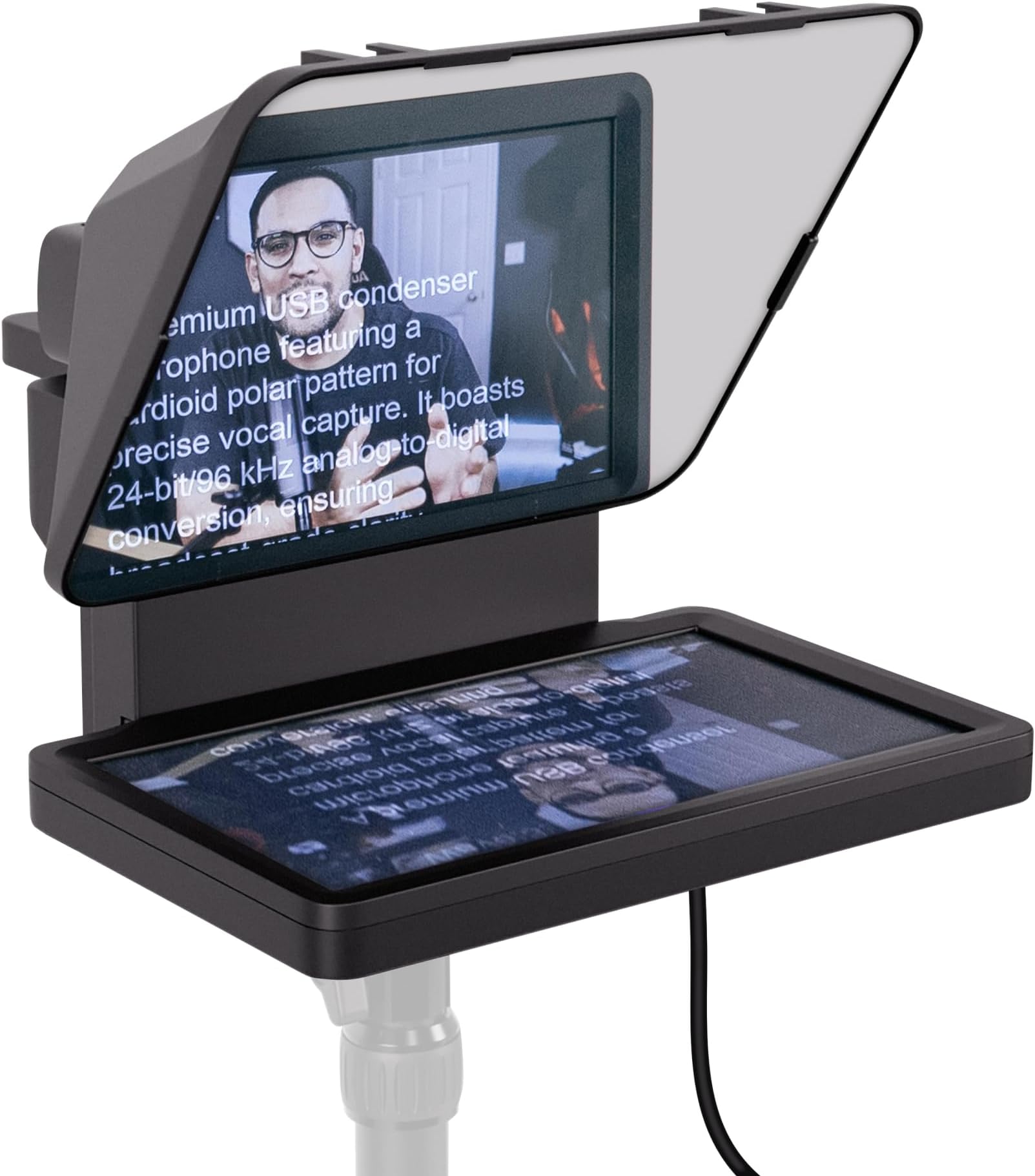
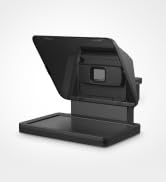
The Elgato Prompter is a professional-grade teleprompter featuring a crisp 9-inch built-in HD display, USB-C connectivity, and drag-and-drop functionality that turns it into a second monitor. Compatible with most cameras including ultra-wide lenses, it offers customizable text and chat display via the Camera Hub app. Designed for effortless setup and desktop control, it enhances livestreams, presentations, and video productions by enabling natural eye contact and smooth script reading.


| ASIN | B0CH3P9K1X |
| Antenna Location | Professional use, Streaming, Video conferencing, Teleprompting |
| Best Sellers Rank | #1 in Teleprompters |
| Brand | Elgato |
| Built-In Media | Elgato Prompter |
| Camcorder Type | Webcam |
| Color | Black |
| Compatible Devices | DSLR Cameras, Webcams, Smartphones, Personal Computers, Laptops |
| Connectivity Technology | USB |
| Customer Reviews | 4.3 out of 5 stars 1,341 Reviews |
| Display Resolution Maximum | FHD |
| EU Spare Part Availability Duration | 7 years |
| Effective Video Resolution | 1080 pixels |
| Exposure Control Type | Automatic |
| File Format | MP4 |
| Flash Memory Bus Interface Type | NO/NA |
| Flash Memory Speed Class | V30 |
| Flash Memory Type | Internal flash memory |
| Flash Memory Video Speed Class | V30 |
| Focus Type | Manual Focus |
| Form Factor | Compact |
| Global Trade Identification Number | 00840006669937 |
| Image Aspect Ratio | 16:9 |
| Image stabilization | fake |
| Item Dimensions D x W x H | 11.1"D x 8.82"W x 8.62"H |
| Item Weight | 0.69 kg |
| Lens Type | Wide Angle |
| Manufacturer | Corsair |
| Model Name | Elgato Prompter |
| Model Number | 20WAD9901 |
| Number of Speakers | 1 |
| Operating System | Proprietary Firmware |
| Photo Sensor Size | 1 pulgada |
| Photo Sensor Technology | CMOS |
| Screen Size | 9 inches |
| Sensor Type | CMOS |
| Shooting Modes | Automatic |
| Special Feature | Drag & Drop Monitor Display |
| Style Name | Prompter |
| Supported Audio Format | AAC, MP3 |
| Supported Image Format | MP4 |
| UPC | 840006669937 |
| Unit Count | 1 Count |
| Video Capture Format | MP4 |
| Video Capture Resolution | 1080p , 720p |
| Video Resolution | 1080p, 720p |
| Warranty Description | 2 Year Manufacturer |
| Water Resistance Level | Not Water Resistant |
| White Balance Settings | Auto |
| Zoom | Digital |
G**I
A Great Tool for YouTubers
I purchased the Elgato Prompter to replace my Padcaster Parrot teleprompter (which runs from your phone or tablet). The Elgato is much larger, the font is much more crisp, and it's easier to see. I'm glad I had the Padcaster Parrot first because (1) the Padcaster is easier to set up and use; and (2) I knew which settings I'd need to look for on the Elgato based on my experience with the Padcaster. The software you download to run the Prompter is free to download AND you don't have to create an account with Elgato to download and use that software. The Prompter's software appears to work with any computer and any level of operating system. I have an older Mac which is perfect for running the Prompter. (Since it's an older Mac, the highest level of OS for it is Ventura 13.7.8, which works fine with the Elgato Prompter software.) Fortunately, I had the same set of Lens Mounting Rings from the Padcaster as were sent with the Elgato Prompter. They look identical. But when I attached the Elgato's mounting ring for my 50mm lens to the camera and slipped on the Prompter, the entire ring would come off the lens. Weird! So I attached the Padcaster's mounting ring back onto the 50mm lens (again!), that ring stays in place, and the Elgato fits on it (as it should). There must be something wrong with the same size ring I received from Elgato. To the naked eye, both rings look identical. But one stays on the camera (the one from Padcaster) and the other falls off (the one from Elgato). That said, I removed one star because a few days ago when I set up to film, everything was fine. In fact, it was my second filming in an hour. Halfway through filming, the pace of the teleprompter was suddenly super slow. I hadn't changed the settings. So how did the pace change? I have no idea. After I set everything up after purchasing it, I thought all of my settings were "set". I don't expect those settings to change on their own. But at least one setting did. And I hadn't written down what my preferred settings were, so I had to guess and scramble through the settings, hoping I didn't start sweating profusely and mess up my entire filming episode. I don't like negative surprises. The Prompter is easy to use without the foot pedal (the Elgato Stream Deck Pedal). Nevertheless, I purchased the foot pedal and put off setting it up (too busy!). When I finally did start working with the foot pedal, I found out the hard way that (1) downloading the foot pedal's software requires you to create an account with Elgato; and (2) running the foot pedal's software on a Mac requires a later version of the Mac's OS than Ventura. Surprise! Even after back-&-forth emails with Elgato Support, I cannot use the foot pedal at all.
M**O
Must have for content creators
If you’re a creator who wants to deliver confident, engaging on-camera performances — whether for livestreams, teaching, sermons, interviews, or scripted videos — the Elgato Prompter with Built-in Screen is a game changer. This isn’t just a teleprompter; it’s a precision tool that elevates your presentation and workflow in every way. Design & Build Quality Right out of the box, the Elgato Prompter feels premium. The materials are solid, the glass is clean and clear, and the build is compact yet sturdy. It mounts easily on DSLR, mirrorless, or cinema cameras and doesn’t add unnecessary bulk to your rig. Built-in Screen = Effortless Confidence What sets this apart from traditional teleprompters is the integrated screen — crisp, bright, and easily readable in a wide range of lighting conditions. You don’t have to rely on a separate monitor or awkward reflector setups. It’s all right there, integrated and optimized. Smooth, Professional Scrolling In practice, the scrolling is smooth and responsive, whether you’re using the Elgato Control Center app or a connected device. You can adjust speed, font size, line spacing, and text color with ease. This flexibility makes it perfect for anything from fast-paced livestream banter to slow, reflective teaching. Ideal for Solo Creators & Teams Alike • Solo creators — No more off-camera cue cards or memory lapses; deliver natural, confident reads every time. • Teams & productions — Makes rehearsals faster and keeps talent focused. • Livestream hosts — Stay on message without looking off-screen. • Church media teams — Read scripture, announcements, or sermons with eye contact and grace. Performance & Reliability Across multiple sessions, the Elgato Prompter performed flawlessly. There were no lag issues, no ghosting, and the read was always smooth — a huge boost to overall production quality. Final Verdict The Elgato Prompter – Teleprompter with Built-in Screen is one of those tools you didn’t know you needed until you use it — and then you never want to go without it again. It’s intuitive, robust, and designed with creators in mind. Whether you’re making YouTube videos, conducting livestreams, or leading in-camera presentations, this prompter will elevate your confidence and polish your delivery. Highly recommended for every serious on-camera creator. 🎤📹✨
M**Z
Elgato Prompter & Stream Deck Plus: The Perfect Video Production Duo
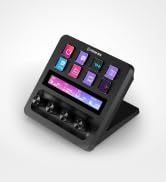
As someone who regularly produces technical demonstration videos, I’ve tested a lot of gear to streamline my workflow. The Elgato Prompter, combined with the Elgato Stream Deck Plus, is by far one of the best setups for at-home video production. This dynamic duo makes it incredibly easy to stay on topic, control your recordings, and maintain a professional on-camera presence—whether you’re filming tutorials, live streaming, or even participating in Zoom calls. Elgato Prompter: A Game-Changer for Video Production The Elgato Prompter delivers everything you’d want in a teleprompter, but with added functionality that makes it stand out. The ability to adjust dialogue speed, reverse and forward text, and seamlessly switch between prompter and display mode makes reading scripts effortless. It’s also compact yet highly effective as a secondary monitor, giving you additional flexibility during video production. One of the most underrated benefits of this prompter is its pseudo eye-contact feature for video calls. If you’re frequently in Zoom meetings, having a script or notes displayed directly in front of the camera makes your presentations feel more natural and engaging. This small detail dramatically improves audience connection, whether you’re streaming, presenting, or teaching remotely. Stream Deck Plus: The Ultimate Control Center Pairing the Elgato Stream Deck Plus with the prompter takes production to another level. The customizable buttons allow you to start and stop recordings, switch modes, and control dialogue playback without touching your keyboard or mouse. Having dedicated physical controls for these actions eliminates unnecessary distractions and makes workflow smoother. For those using OBS, the native integrations are flawless, allowing for easy scene switching and transitions while keeping everything running seamlessly. And for Mac users, the compatibility is rock solid—no glitches, no lag, just instant responsiveness. Final Verdict: A Five-Star Setup The Elgato Prompter and Stream Deck Plus combo is hands-down one of the best investments for anyone serious about video production. Whether you’re a content creator, educator, or someone producing mid-level AV content, this setup makes staying on topic effortless, enhances production quality, and improves audience engagement. The combination of script control, seamless device integration, and multi-functional display features makes this a must-have for at-home creators. ⭐ Rating: 5/5 – Highly Recommended! ⭐
T**D
Top quality
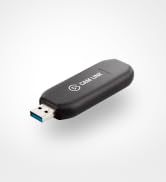
You will be very pleased with this tele prompter. I wondered if El gato was just a brand but they do make the highest quality product. With this product you can use the screen as an extra small screen when not used as a teleprompter too. I also use their camlink hardware. Very pleased.
F**T
It does not work very well at all.
This is the worst failure at executing an otherwise great concept I have ever seen in my life and I have seen a few. The problem does not lie in the hardware. It's super well designed, versatile. It just works. The problem is the elgato Camerahub garbage piece of pathetic software from hell. (There are no better polite words to describe how broken it is) It started by not being able to see the prompter at all on my macbook pro. After hours of troubleshooting, the offered solution by elgato: 'oh we know, it's a bug, just downgrade to the previous version.' Then the voicesync feature randomly stopped working in the middle of takes. Offered solution by elgato: 'Just upgrade to the latest version'. For. Real. Make you selection at any time: 1/ press one to not be able to use the product for what you bought it for. 2/ press two to not be able to use the product for what you bought it for. Your choice. At this point there is nothing I can do to get this work properly. It will show up in the app if I plug everything in in the exact right order and mercury is not in retrograde. And it will, maybe, follow a voice reading the script for a couple paragraph before it will get stuck and require a restart. (I tried several mics and systems and several humans talking into it) It WILL work in contant scroll mode if it get seen by the computer that day. So there is that. Also don't plan using this as a second screen when shooting through it because the brightness required creates a halo on the picture. It's fine for prompting and could work for direct 'I'm really looking at you' video conferencing if you don't mind the halo and you're ok looking at a super contrasty weird picture of the person you are talking to. I think these are more limitations of the laws of physics than Elgato's fault. Summary: great hardware. dreadful software that feels like an unfinished buggy beta afterthought that will cause tears and grief until someone on the elgato software team decides to pay attention to it. Dusting off my old ipad + mirror system and giving this thing to someone I don't like. Cheers Fab
G**T
This changed the way I do video
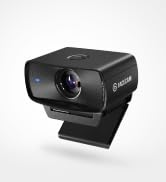
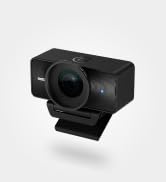
I've been doing video and podcast work for a while, and I've used traditional teleprompters before. I bought the Elgato Prompter because I wanted something that would integrate cleanly with my computer and camera setup instead of adding another complicated piece of equipment. And once I got everything working, I have to say, this thing is really good. The built-in screen is the big difference. I'm not trying to balance a phone or tablet somewhere behind the glass, and I'm not trying to read a script off another monitor. The script is right where I need it to be, directly in front of the camera. I'm using it with an Elgato Facecam 4K, and the combination is excellent. The camera sits right where it needs to be, and the Prompter lets me actually look into the camera while reading. For interviews, that is going to be especially useful because I can keep my eyes toward the guest/camera instead of constantly looking off to the side at notes. The integration with Elgato's software is another big plus. Once you have everything connected and configured, it feels like part of the production setup rather than some accessory you've bolted onto it. I also added a Stream Deck Neo to the setup, which gives me control over the teleprompter without having to reach over to the computer. Being able to pause and start the script from the desk sounds like a small thing until you're actually recording. Then you realize how useful it is. Now, I do want to be honest about something. My experience with the hardware wasn't perfect. My first Prompter developed a problem where the screen would come on with the Elgato logo and then go black. The Mac wasn't seeing it as a display, and I went through the usual troubleshooting; different ports, cables, software, etc. I eventually had to deal with a replacement. The replacement experience wasn't exactly pretty either. It arrived with some packaging issues and missing/damaged pieces. Amazon and I had a conversation about that one. 😂 Fortunately, I was eventually able to get everything sorted out. But here's the important part: once I had a properly working unit, the Prompter itself has been excellent. And that's why I'm still giving it five stars. I'm not going to pretend my experience was flawless just because I'm reviewing a product I like. It wasn't. But the actual product has become an important part of my video setup, and I would buy it again. If you're creating videos, recording podcasts, doing interviews, or simply want to stop staring at notes off to the side while you're talking to a camera, this is one of those pieces of equipment that can make a surprisingly big difference. It's not cheap at full price, so I'd definitely watch for a sale. But if you can get it at a good price, I think it's worth it. For me, the real test is pretty simple: I have a working Prompter sitting on my desk now, and I use it. That's about as good an endorsement as I can give it.
J**.
Great teleprompter for some people, but not for my setup.
I compared this to other teleprompters, such as the Small Rig offering and a brand called Moman here on Amazon. My requirements were: 1. Something that was sturdy enough to hold my mirrorless camera (Lumix S5ii) 2. Something fast to setup in each recording session and 3. To easily interface with my Mac. Bonus: I could use it for client shoots away from my desk. Though I can tell the Prompter is a good fit for people who aren’t too technical and aren’t working with a pro mirrorless camera, it was not a good fit for me. I would not trust the plastic shelf to hold my camera and the lens attachment seemed both a bit too cumbersome to setup each time, as well as a little nerve-racking to have hanging off my lens. Finally, the built-in screen was a good idea but the way it connects to the Mac makes it difficult for my setup. It needs to interface via USB, but not through a USB hub, which means I have to physically connect it each time to my laptop (something I avoid with all peripherals) and it requires special drivers/software. This is to provide extra functionality via baked in teleprompter software, but for my purposes, I would have preferred a vanilla monitor that interfaced via HDMI on which I could run separate software. If we’re going to have to install separate software any way, the only benefit to Prompter’s setup is you don’t have to move that software to the its screen each session (vs. if it were connected via HDMI as an extra monitor). That’s not much of a benefit to me. I’d prefer the flexibility of setup. I settled on the Moman because it is incredibly sturdy, can support my 12.9” iPad, which already works as an extra monitor natively with Mac, and can even be used on client shoots. With the Falcam quick release attachment, I can place my camera on it lickity split. All for less than half the cost. I did need a bit of extra black fabric to cover some light leakage but that was a small price to pay to hit all 3 requirements plus the bonus requirement. Still giving 4 stars because I can tell it is a good fit for some people and, as a Stream Deck user, I can imagine it would still meet Elgato’s customer experience for them.
J**Z
Excellent Teleprompter — Just Verify Voice Tracking Compatibility
I was a little disappointed to learn that the voice-tracking movement feature only works with certain Mac systems. That limitation wasn’t immediately clear to me. That said, as a teleprompter, it performs really well. It’s super lightweight, the glass is clear, and setup is straightforward. It also doubles nicely as an extra monitor, which adds a lot of flexibility to my workflow. Overall, aside from the compatibility limitation, it does exactly what it’s designed to do.
V**A
Absolute game changer!
The Elgato Prompter has been an absolute game changer for me! As someone who films a lot of scripted content, I always struggled with memorising lines while maintaining eye contact with the camera. With the Elgato Prompter, I can smoothly scroll through my lines, keeping my focus on my audience. Being able to adjust the font size and scroll speed is a really nice feature and allows me to go at my own pace. When I'm not filming content, it's super easy to use the Prompter as another screen, or to display my chat when I'm streaming. The initial setup did take me a bit of time as the prompter was a bit larger than I anticipated, but once I got the positioning worked out, it was seamless to connect it to my camera and set it up through the Elgato Camera Hub software. If you're a content creator or streamer looking to level up your setup, definitely check out the Elgato Prompter. I honestly didn't realise how helpful it would be, and now I can't imagine making content without it.
@**T
Teleprompter profesional que mejora claramente la fluidez al grabar
🔧 Construcción / estabilidad El Elgato Prompter transmite buena calidad desde el primer momento. Los materiales se sienten sólidos y bien acabados, pensados para un uso frecuente en estudio. Una vez montado, queda estable tanto grabando sentado como de pie, sin holguras ni sensación de fragilidad. ⚙️ Instalación / configuración La puesta en marcha es sencilla. No requiere ajustes complejos para empezar a usarlo y en poco tiempo ya está operativo. En PC funciona sin problemas, aunque el software de Elgato tiene margen de mejora en cuanto a lectura de guiones. 📏 Ajuste / tamaño / ergonomía El formato está bien pensado para colocarlo frente a la cámara sin interferir en la grabación. La pantalla integrada cumple su función, aunque la resolución podría ser algo más alta para una experiencia todavía más cómoda en sesiones largas. ✅ Uso real Lo he usado varias veces por semana durante aproximadamente un mes y medio para grabar vídeos a cámara, leer guiones y mantener contacto visual en grabaciones y sesiones tipo Zoom. El resultado es una mejora clara en la fluidez al hablar y en el aspecto profesional del contenido. Permite leer scripts, guiones o incluso chats sin apartar la mirada de la cámara, lo que se nota mucho en el resultado final. 📝 Conclusión Es un producto claramente orientado a quienes graban contenido de forma habitual y quieren dar un salto de calidad. No es un accesorio imprescindible para usos esporádicos, pero sí una herramienta muy útil cuando se integra en el flujo de trabajo diario. 👍 Pros • Muy fácil de usar desde el primer día • Buenos materiales y sensación de producto profesional • Mejora notablemente la fluidez y el contacto visual al grabar 👎 Contras • La resolución de la pantalla integrada podría ser mejor • El software de Elgato para leer guiones es mejorable
G**N
Really elevated my YouTube channel
I have struggled to keep on track with my videos narrative for a while, and after checking out some other reviews on the Elgato Prompter I decided it was time to take the plunge. Setup was easy, I am using it with a Sony ZV-E10 it unfortunately needs a different lens to clip the prompter directly to utilise the included accessories, but the shroud does a great job of keeping out external light. The quality is very good as you would expect from Elgato, and it works seamlessly, the unit connects via USB C to USB A on the PC end, this provides power to the unit. The Elgato prompter is good value when compared to units requiring a seperate display, initial impressions are good, but the software does take some getting used to, the Stream Deck integration is awesome and made it simpler to scroll through whilst filming, the AI narrative function I couldn’t get working consistently. Overall, very good initial impressions.
P**N
Super produit
Super produit. Connecté à un Streaming Deck c’est parfait. Je l’utilise également comme 3 e écran lors de mes streaming. Seul bémol, le formatage du texte est limité, mais il suffit d’importer un paragraphe tout prêt de Word par exemple. En résumé Elgato est une marque sérieuse. On peu déjà le constater lors du déballage. L’installation se fait en quelques secondes et à l’utilisation le prompteur avec la caméra installée dans son emplacement répond totalement aux attentes que l’on peut avoir d’un bon prompteur.
L**G
Money well spend.
Youtuber and Content Creator on Tiktok Platform, please consider this is to safe your time.
Trustpilot
1 day ago
2 weeks ago