Desertcart purchases this item on your behalf and handles shipping, customs, and support to Tunisia.
🎬 Elevate your on-camera presence with Elgato Facecam MK.2 — because your image deserves the spotlight.
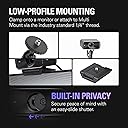
The Elgato Facecam MK.2 is a premium Full HD webcam delivering uncompressed 1080p60 video with HDR support for superior image quality in all lighting conditions. Featuring advanced Camera Hub software for DSLR-like customization and a built-in privacy shutter, it’s designed for professionals seeking flawless video performance and control during streaming, meetings, and content creation.


| ASIN | B0CW1S7XP5 |
| Antenna Location | Gaming |
| Best Sellers Rank | #28 in Webcams |
| Brand | Elgato |
| Built-In Media | Elgato Facecam MK.2 |
| Camcorder Type | Webcam |
| Color | Black |
| Compatible Devices | Personal Computer, Laptop |
| Connectivity Technology | USB |
| Customer Reviews | 4.2 out of 5 stars 1,567 Reviews |
| Display Resolution Maximum | FHD |
| Effective Still Resolution | 2.1 mp |
| Effective Video Resolution | 1080 pixels |
| Exposure Control Type | Automatic |
| File Format | MP4 |
| Flash Memory Speed Class | C60 |
| Flash Memory Type | SDXC |
| Flash Memory UHS Speed Class | 6 |
| Flash Memory Video Speed Class | V60 |
| Focus Type | autofocus, manual |
| Form Factor | Compact |
| Global Trade Identification Number | 00840006669227 |
| Image Aspect Ratio | 1.5:1 |
| Image stabilization | false |
| Item Dimensions D x W x H | 0.63"D x 0.36"W x 0.39"H |
| Item Weight | 0.09 kg |
| Lens Type | Zoom |
| Manufacturer | Corsair |
| Maximum Aperture | 2.8 f_stop |
| Minimum Aperture | 1.5 f_stop |
| Model Name | Elgato Facecam MK.2 |
| Model Number | 20WAC9901 |
| Photo Sensor Technology | CMOS |
| Sensor Type | CMOS |
| Shooting Modes | Automatic |
| Special Feature | Face Detection |
| Style Name | Facecam |
| Supported Audio Format | AAC |
| Supported Image Format | JPEG |
| UPC | 840006669227 |
| Unit Count | 1 Count |
| Video Capture Format | MP4 |
| Video Capture Resolution | 1080p |
| Video Resolution | 1080p |
| Warranty Description | 2 year manufacturer. |
| Water Resistance Level | Not Water Resistant |
| Zoom | Digital |
P**O
Very nice mid-level cam
I've been using a Logitech Streamcam since its release and have mostly liked it. It works great in good conditions, but shifted to a more enclosed area with very little natural lighting. And ever since doing that, I've had trouble with it washing out the picture if there's artificial light, or being too dark if there's not. I have a mostly Elgato lighting set up (2 key lights and a light strip) as well as a stream deck. The Logitech has never had good software, but that wasn't a big deal until recently. Given the streamcam was good enough. I am teach undergraduate and graduate students almost entirely online, so I wasn't needing a professional setup, just for meetings, zoom, and recording videos (using xsplit with a small video of me in the corner of a presentation). Recently, the lighting frustration bothered me more and more and I saw this Mk.2 release. I decided to try it out and see if it was an improvement. Yes, yes it was very much. While the lighting isn't perfect, the overall quality is so much better I have no regrets at all about shifting to a similar range alternative. The low light works great, the overall image and recording is better, and the software is far and away more user friendly. I can control many functions through my stream deck, making for more dynamic adjustments on the fly in presentations, online live sessions, etc. Comes with a pretty thick 3.0 USB cable, but if you have a USB C slot in your computer you're wanting to use you'll need to buy your own. Which I did. But having only the 3.0 makes this useable for even older setups.
J**R
Buyer Beware
nstalled this webcam for work meetings and immediately discovered two things: The camera quality is incredible I apparently look tired from every conceivable angle in true 1080p Setup was ridiculously easy, picture quality is sharp, low-light performance is great, and it doesn’t make me look like I’m broadcasting from a 2007 gas station security camera. Now my coworkers can clearly see me pretending to pay attention during meetings in cinematic detail. Fantastic product.
Y**A
Highly recommend!
Great webcam! The video is clear, the autofocus works well, and it was very easy to set up. Perfect for video calls. Highly recommend!
N**S
Good enough but bad quality control
Pros: Good software, "camera hub" has plenty camera settings from shutter speed to white balance. Good enough video quality for the price, though you have to adjust the camera settings for the best results. Cons: Bad quality control, the webcam that I got has a dead pixel in the middle (it's more like a stuck blue pixel), especially noticeable when your doing digital zoom.
H**A
Excellent
This is a wonderful webcam. I'm coming from the Razer Kiyo Pro and the Facecam mk2 is so much nicer to use. The image quality seems to be comparable but the elagato has less motion blur and far superior software. I've had constant issues using razer's streaming products that don't seem to exist in the elgato ecosystem. I'm very happy that I was finally able to switch everything over. The camera is very easy to use and set up. It's integration with obs is flawless and there is additional camera control software from elgato that you can use if you'd like. It is optional software and not required for use. This is probably the best bang for the buck webcam you can get right now. It's my favorite so far at least.
S**.
MK. 2 Feels Basically Unusable
This is the most amount of money I've ever spent on a facecam, and I used a cheapo one before this in the $30-ish range. I use a lot of other elgato products, so I thought this would be a good fit. It's been.... virtually unusable. Maybe I got defective product? It's wild to me how happy these reviews seem in comparison to my experience. The cam was instantly darker and blurrier and weirdly colored compared to my cheap webcam. Everyone online said: well, get better lighting and mess with the settings in the elgato camera hub. So I tried. With blaring lights in my face (yes, I looked up the methods of lighting and did all the things like having a main light and a side light and putting them in a "Y" away from your face and having back lighting) it was still dark. And blurry. And the camera hub program was buggy as heck. I would change one thing and try to go back and suddenly the look would be too dark again, even if I put them back to the EXACT. SAME. NUMBERS. If I set things light enough, the colors would be muted and the graininess would be intense. If I lowered the graininess, it would look blurry and surreal. Taking off camera hub in general and just messing with filters slightly in OBS made it BETTER, but nowhere near NORMAL looking, when I thought the whole point of this camera quality was to make things look more natural in the first place. Because camera hub made things worse, I couldn't even use the cool interactions I was promised through the stream deck buttons. Literally, my $30 cam looked better and clearer to people viewing my streams. On top of everything, shifting the cord in the back even a LITTLE made it turn off. After months of trying to get this to work (and only using it successfully about 10-15 times) the wiggle cord problem has become so bad that it will barely turn on. I'm just... so tired of messing with it. Maybe I got a defective one, I dunno, I have no baseline to work off of here. But an expensive webcam shouldn't ask this much of you to actually look good out of the box and work well.
B**T
10/10
I just use this for discord with friends, but the quality is so amazing the video looks so good would definitely buy again
J**H
Easy and beautiful picture
Price to performance is perfect. Can automatically change with light settings. When zooming can move it around to catch what’s needed
M**I
Finalmente una webcam fatta per chi fa live – nitida, veloce, senza sorprese
Uso la Elgato Facecam solo per le mie live su Twitch e YouTube, e posso dire che è la prima webcam che mi ha davvero convinto. L’immagine è super nitida, fluida, con colori naturali, e soprattutto non ha lag. Si vede subito che è pensata per chi fa contenuti seri, non è la classica webcam da videoconferenze. Uno dei punti forti è che non ha messa a fuoco automatica ballerina: resta fissa, quindi niente sfocature improvvise durante la live se ti muovi un po’. E se usi luci come la Elgato Key Light, la qualità dell’immagine fa davvero un salto – sembra quasi una mirrorless. L’app Camera Hub ti dà un controllo totale: puoi regolare esposizione, ISO, contrasto, nitidezza… e tutto resta salvato direttamente nella cam, anche se la scolleghi. Una chicca che non ti fa perdere tempo ogni volta che accendi il PC. ⸻ ✅ Cosa mi è piaciuto: • Qualità video eccellente per essere una webcam • Immagine fluida e stabile, senza autofocus fastidioso • Software semplice ma completo • Funziona benissimo anche con OBS e Streamlabs • Costruzione solida e look professionale ❌ Cose da sapere: • Non ha microfono integrato (ma se streammi, tanto usi già un mic serio) • Serve una buona luce per rendere al massimo (tipo una Key Light) ⸻ 🎥 In sintesi La Facecam di Elgato è fatta apposta per chi vuole una webcam di livello alto per streaming. Nessun impazzimento con le impostazioni, immagine chiara e stabile, qualità superiore alla media. Se vuoi un aspetto più professionale in live, questa è la scelta giusta.
E**Ü
Düşük Kalitede Mükemmel Görüntü
Düşük ışıkta gayet güzel görüntü vermekte. Elgato Camera Hub ile daha ince görüntü ayarları yapabilirsiniz. Şu anki fiyatına göre üst düzey kalite.
A**X
Mehr als nur ein Refresh
Mit der Facecam Mk.2 hat Elgato sich selbst übertroffen. Die allgemeine Bildqualität ist absolut überragend und schlägt, meiner Meinung, jede andere Webcam auf dem Markt. Was erwartet euch also bei der Facecam Mk.2 in Kurzform? - 1080p bei 60 FPS - HDR - Uncrompressed Video - Bis zu 120 FPS bei 720p - Unvergleichlich natürliche Hauttöne - Integrierter Privacy Shutter - USB 2.0 kompatibel - Selber Preis von 150€ UVP wie beim Vorgänger Wer Details möchte, kann nun mein Ausführliches Review durchlesen: Jedes Produkt hat auch ein zwei kleine Mankos. Dazu später mehr, erstmal das positive: - Bildqualität Wie bei der originalen Facecam erhalten wir 1080p bei 60 FPS. Somit der mindestbenötigte Standard einer Webcam heutzutage abgedeckt. Besonders für den Creator Bereich. Für ein wenig slowmo Spielerei könnt ihr die Cam auch auf auf 720p und 120 FPS stellen. WICHTIG für alle Creator Kollegen: Wenn ihr die Cam in OBS konfiguriert, achtet darauf, dass ihr in den Eigenschaften von "Gerätestandard" auf Manuell umstellt! Also stellt hier manuell die Auflösung auf 1080p 60 FPS. Sonst erhaltet ihr nicht die volle Bildqualität. Womit die Facecam Mk.2 am meisten überzeugt, ist die unfassbar gute Darstellung von Hauttönen und Farben. Diese sehen extrem natürlich und originalgetreu aus. Hier könnt ihr euch ein direktes Bild machen mit dem angehängten Vergleichsvideo zur Facecam Mk.1. Auch die Lowlight Performance ist im Vergleich zum Vorgänger extrem. Statt zu tiefe und zu dunkle, kontrastreiche schwarztöne haben wir bei der Facecam Mk.2 immer ein schönes helles Bild. Einher mit der guten Lowlight-performance kommt jedoch ein relativ kontrastschwaches Bild. Das kann man aber sehr leicht in der Software (Camera Hub) im hoch drehen. Somit erreicht man trotzdem einen guten Kontrast. - HDR Die Facecam Mk.2 bringt HDR mit. Was für den Preis absolut Wahnsinn ist. Mit HDR bekommt man selbst bei direkter Sonneneinstrahlung immer noch ein gutes und nicht überbelichtetes Bild. In Camera Hub kann man zwischen SDR (bzw. Standard) und HDR jederzeit wechseln. Die Vorteile von HDR sind klar. Ich denke auch, dass jeder HDR kennen sollte, dennoch ein kleines Beispiel: Hat man z.B. Fenster hinter sich, welche im Kamerabild zu sehen sind, sind diese in nahezu jeder Webcam am Tag vollkommen weiß und überbelichtet. Schaltet man nun HDR ein, ist sogar ein Fenster und was man dadurch sieht, klar erkennbar. Sitzt man in sehr hellen Räumen mit viel Lichteinstrahlung ist HDR auch ein riesen Vorteil. Während sonst besonders Gesichter oder weiße Wände bei Sonneneinstrahlung gerne überbelichten, kann man dies mit HDR und einem niedrigen ISO Wert sehr leicht kompensieren. Womit HDR jedoch nicht klar kommt, sind bunte Lampen. Das Beispielbild z.B. wurde in SDR aufgenommen, da die lila Lampe im Hintergrund bei HDR nicht korrekt dargestellt werden kann. - USB 2.0 Was ein riesiger Vorteil der Facecam Mk.2 ist, dass sie auch beim Einsatz eines USB 2.0 Kabels ohne Probleme funktioniert. Durch den MJPEG Standard schafft es Elgato trotz einer langsamen USB-Verbindung ein 1080p Bild bei 60 FPS auszugeben. Sogar mit HDR möglich. Und was mich absolut beeindruckt hat: sogar 720p bei 120 FPS funktioniert per USB 2.0. Klingt alles belanglos, da ja das korrekte Kabel beiliegt, es gibt einem jedoch nochmal deutlich mehr Flexibilität. Kommen wir zu den zwei (ein halb) Mankos der Facecam Mk.2. Diese sind jedoch absolut keine Dealbreaker. Privacy Shutter Hierzu braucht man nicht viel sagen. Die Facecam Mk.2 hat einen eingebauten Privacy Shutter. Einfach die Linse verdecken, falls man sich beobachtet fühlt. Der Vorgänger hatte sowas auch. Aber dies lag lose bei der Webcam bei und konnte so leicht verloren gehen. (Ich glaube ich habe meinen nach dem Auspacken nie wieder gesehen) Manko 1: Darstellung von Lampen Überbelichtung mancher Lichter: Trotz, dass ich eben so toll über HDR gesprochen habe, hat die Facecam Mk.2 Probleme gewisse Farben von Licht darzustellen. Wodurch es, trotz der HDR-Möglichkeit, zu Überbelichtung kommen kann. Wenn man sich das Vergleichsvideo ansieht, erkennt man, dass die lila Lampe im Hintergrund bei der Facecam Mk.1 deutlich besser belichtet ist. Kein Überbelichten und kein scharfer Rand zur Tapete. Bei der Facecam Mk2. Ist die Farbe jedoch ausgebrannt und überbelichtet. Zwar ist die Farbtreue bei der Mk.2 grundlegend besser. Aber "echter" durch sieht es bei der Mk.1 dennoch aus, da es hier nicht überbelichtet. Leider kann man dies (bei genau dieser Farbe) auch nicht mit HDR beheben, da dann das Bild nur schlimmer wird. Allgemein hat die Facecam Mk.2 es ein wenig schwerer Lampen an ihrer Helligkeit gut darzustellen. Ich denke dies liegt jedoch an dem allgemein etwas helleren Bild, welches aber auch die gute Lowlight Perfomance liefert. Manko 2: Rauschen Aus dem selben Grund wie vorher, dem grundlegend hellen Bild der Cam, bringt dieses gleichzeitig ein vergleichsweise starkes Rauschen mit sich. Elgato ist sich diesem zu 100% bewusst, denn Camera Hub bringt die Möglichkeit einer wirklich SEHR guten Rauschunterdrückung mit. Diese kann man zwischen leicht, mittel und stark einstellen. Währen "leicht" nahezu nichts verändert erkennt man bei "Mittel" den besten Effekt. Das Rauschen verschwindet nahezu komplett, sodass man dies bewusst suchen muss. Natürlich wird durch eine Rauschenunterdrückung das Bild allgemein ein wenig weicher und in den Details leicht unscharf. Dies ist aber der natürliche Effekt einer Rauschunterdrückung und muss mit gerechnet werden. Manko 2.5: Das Kabel Das beigelegte Kabel ist mit einer Länge von 2 Metern VIEL zu kurz. In einer Zeit in welcher Kabelmanagement bei Creatorn immer mehr in den Vordergrund tritt und PC's teilweise sehr weit weg von eigentlich Setup stehen, ist ein 2m Kabel deutlich zu wenig. 3m währen hier meiner Meinung nach das absolute Minimum. Das ist jedoch nur ein "0.5" Manko, da das Kabel nicht fest montiert ist. Man kann sich also jederzeit ein längeres Kabel zulegen. Dennoch wäre ein längeres Kabel angemessen. - Fazit: Die Facecam Mk.2 bringt einem, zum Zeitpunkt dieses Reviews (26.04.2024) das natürlichste Bild von einer Webcam auf dem gesamten Markt. Selbst die Elgato Facecam Pro kommt nicht auf eine derartige Farbtreue. Durch HDR sollte jeder zu jedem Zeitpunkt ein Bild hinbekommen, welches fantastisch aussieht und nicht überbelichtet. Der integrierte Privacy Shutter ist perfekt für jeden, der sich einfach ein wenig Sicherer fühlen möchte. Mit der USB 2.0 Kompatibilität ist man maximal Flexibel und kann die Cam auch unterwegs mal mitnehmen, ohne zwangsweise das richtige Kabel zu haben. Denn es sollte fast jedes ohne Probleme funktionieren. Alles in allem finde ich, dass trotz der kleinen Mankos das Bild der Facecam Mk.2 derzeit das BESTE und natürlichste Bild auf dem Webcam Markt bietet. Bei 150€ UVP haben wir nicht die günstige aller Webcams, dennoch ist sie ihren Preis mehr als nur wert und sollte jeden Käufer zufrieden stellen. Da die Mankos marginal sind, direkt einen Fix in der Software haben und das Bild einfach absolut Überragend ist, gebe ich dennoch 5/5 Sternen.
C**8
Pricey but worth it
Its a good webcam. Sure a bit pricey but worth it in the long run. Use it for my stream on twitch and overall quality is good. But you need a nvidia card to use some of the background stuff, but you can still use a greenscreen with a amd card so its fine really not missing much. Overall a good purchase to upgrade your stream with
S**Y
The best Webcame you,ll ever have .
An absolute beautiful, amazing Camera, the 1080 FHD 60Fps looks like 4k 120 fps holy i love it .
Trustpilot
2 weeks ago
3 days ago