🎧 Elevate every meeting—hear and be heard like never before!
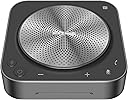
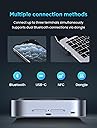
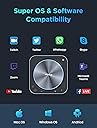
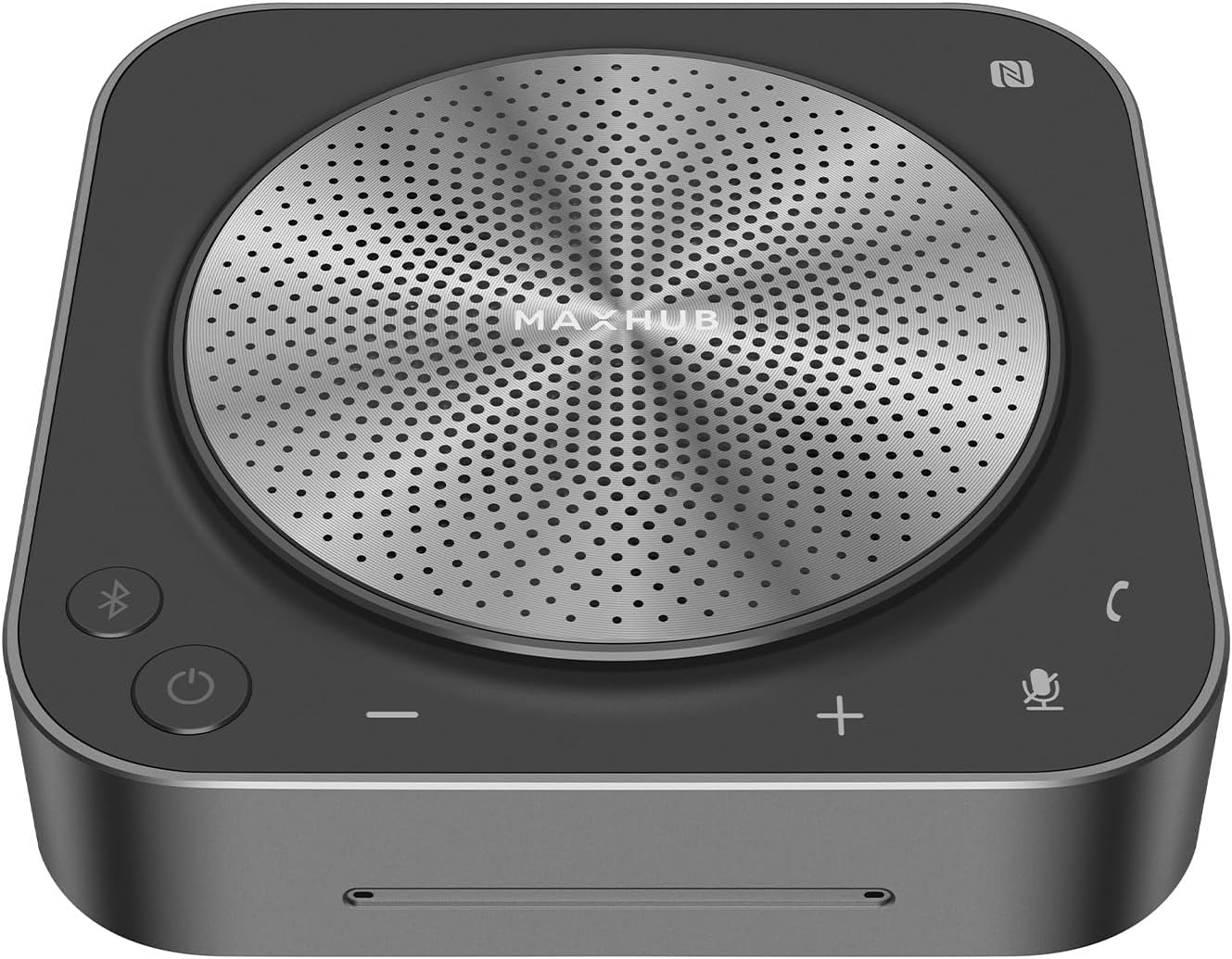
The Enther&MAXHUB BM35 is a professional-grade conference speakerphone featuring an 8-microphone array for 360° voice pickup up to 20 feet, AI-driven noise reduction, and DSP-enhanced sound clarity. Designed for small to mid-sized meetings, it supports multiple connection modes including USB-C, Bluetooth, NFC, and dongle, and is certified for Zoom and compatible with major conferencing platforms. Its wireless daisy-chaining capability allows scalable coverage for up to 20 participants, making it a versatile and reliable choice for hybrid workspaces.


| ASIN | B0CNTGNP8S |
| Best Sellers Rank | #63,388 in Computers ( See Top 100 in Computers ) #350 in Computer Microphones |
| Colour | grey,black |
| Compatible devices | Laptop, Smartphone |
| Control method | Voice |
| Included components | 1*BM35 speakerphone, 1*USB Type-C cable, 1*USB Dongle |
| Is waterproof | FALSE |
| Item model number | BM35 |
| Item weight | 0.73 Kilograms |
| Manufacturer | Enther |
| Material | Plastic Metal |
| Maximum range | 20 Feet |
| Model name | BM35 |
| Number of Items | 1 |
| Power source | Battery Powered |
| Product Dimensions | 12.7 x 12.7 x 3.56 cm; 730 g |
| Recommended uses for product | Video Conference |
| Speaker size | 19.81 Centimeters |
| Speaker type | Multimedia |
| Special features | 8 Mic, 360° Enhanced Voice Pick up |
| Surround sound channel configuration | 2.2 |
| Warranty type | Extended |
| Wireless communication technologies | Bluetooth |
M**.
No Bluetooth dongle coming inside the box
A**M
This is clearly a high quality speaker/microphone. The MaxHub weighs just under 14 ounces and is substantial, attractive and functional. For me, the initial need was for Zoom. The camera on my Dell laptop is located in the lower left, which does not lend to an attractive image on the zoom call. It's closest to my left nostril and I appear to be looking up and to the right. This might be OK for friends, but for business Zooms, not so much. So I decided to purchase a web camera and a microphone for my desktop. You can spend as little as $20 for a USB connected microphone, but you get what you pay for. A multi-directional and auto volume adjusting unit like this MaxHub would be a much better long-term choice. This model has 6 microphones, so it will also act like a conference table unit in a board room. Plus it has noise cancellation. I have tested the MaxHub on a desktop computer Zoom plus as a speakerphone attached to my Android phone. Both connections via Bluetooth. Both worked well, with excellent sound quality. The persons on the other end of the call reported that I sounded no different from normal and the speaker quality was excellent. I also played some music and the speaker sounded fantastic. First of all, when you open the box, there are several pieces of printed material. Skip right to the black single-fold piece that says "Speakerphone" on one side and "MaxHub" on the other. It has simple, concise directions for set up and operation. It also explains the meaning and function of the various lights on the device. Set up was pretty simple: plug the power cable into a standard USB-A power adapter and the other USB-C end into the device. Long press the power button to energize it and the Bluetooth button will begin flashing. On your Windows computer, open Settings, then Devices, then Bluetooth, click "Add a Bluetooth or other Device" and click "Bluetooth." The Max Hub BM21 showed up and when clicked on, it immediately paired and connected. For your Android phone, open Settings, Connections, Bluetooth and pair. Your computer and phone will remember the pairing, so when the Bluetooth light flashes when you next turn it on, simply find the MaxHub in your paired device and connect. The MaxHub doesn't auto connect each time it's powered on, which makes sense, since you may want to connect it to something else next time you turn it on. I have other Bluetooth devices that "won't let go" of the prior connection and it's pretty annoying. Bottom line: a nice, high quality speakerphone well worth the money.
H**E
This streamlined and cutting-edge gadget has seamless connections, great voice pickup, and improved noise reduction, making it an indispensable instrument for productive and clear conference calls in both home and workplace environments. The exceptional potential to take up sound from all 360 degrees is this conference speakerphone's defining characteristic. The apparatus is fitted with six microphones that have been positioned in such a way as to record voices coming from all directions. The speakerphone guarantees that my voice is captured in an undistorted and accurate manner regardless of where I am located in relation to the device, whether I am immediately in front of it or across the room. This has resulted in a major improvement to the overall audio quality during conference calls, which has made it possible to communicate with coworkers and customers in an easier and more efficient manner. The remarkable noise reduction technology that has been included in the speakerphone is sure to blow your mind. It does an excellent job of filtering out background noise, such as tapping on a keyboard, the sound of rustling papers, or other ambient noises, which enables audio transmission that is completely clear. The use of this feature makes conference calls more professional and increases their level of productivity by removing potential distractions and ensuring that every participant's voice is heard without any interruption.
R**R
This speaker & mic combo is fantastic! The sound quality is amazing, and even from six participants away, the microphone picks up the person talking with ease. It works well, and was a simple plug-n-play! Great value for the cost!
R**C
I use this for video conferences about 3-8 hours per day. The device fits comfortably on a smaller desk at home. The sound quality is good and people report I sound good. I like the easy access to volume controls vs. trying to find which control in the app or the OS to mess with. It connects reliably through USB. It is connected via my monitor KVM switch and both computers have no problem reconnecting the device as the default audio device when I switch between the computers. One issue I run into periodically is what may be a grounding problem. At times when I adjust volume, the speaker starts buzzing loudly and stops working. I have to press and hold the power button a while to get it to shut off and then turn it back on. That can be disruptive to calls. I may look for a way to add a chassis grounding mechanism since it sits on a glass table top that increases static electricity potential.
Trustpilot
1 week ago
1 month ago