Desertcart purchases this item on your behalf and handles shipping, customs, and support to Tunisia.
🔥 Elevate your game with the ultimate 4K OLED powerhouse!
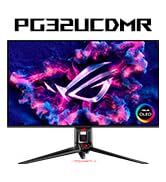
The ASUS ROG PG32UCDM is a 32-inch 4K QD-OLED gaming monitor featuring a blazing 240Hz refresh rate and an ultra-fast 0.03ms response time. It delivers stunning HDR visuals with 99% DCI-P3 color gamut and VESA DisplayHDR 400 True Black certification. Advanced heat management technology minimizes burn-in risk, while G-SYNC compatibility ensures tear-free gameplay. With versatile USB-C connectivity and a 3-year warranty including burn-in coverage, this premium monitor also includes a free 3-month Adobe Creative Cloud subscription, making it a top-tier choice for gamers and creative professionals alike.


| ASIN | B0CV26XVMD |
| Adaptive Sync | G-Sync Compatible |
| Additional Features | Adaptive Sync, DYNAMIC SHADOW BOOST, Flicker-Free, GAMEVISUAL, High Dynamic Range: Dolby Vision, QD-OLED, 240Hz, 0.03ms, Spill resistant |
| Aspect Ratio | 16:9 |
| Best Sellers Rank | #1,796 in Electronics ( See Top 100 in Electronics ) #66 in Computer Monitors |
| Brand | ASUS |
| Brightness | 1000 candela_per_square_meter |
| Color | BLACK |
| Color Gamut | 100 |
| Compatible Devices | Desktop, Gaming Console, Laptop, Speaker |
| Connectivity Technology | DisplayPort, HDMI, USB Type A, USB Type C |
| Contrast Ratio | 1500000:1 |
| Customer Reviews | 4.6 out of 5 stars 595 Reviews |
| Display Resolution Maximum | 3840 x 2160 pixels |
| Display Technology | QD-OLED |
| Display Type | OLED |
| Hardware Connectivity | HDMI |
| Image Contrast Ratio | 1500000:1 |
| Included Components | DisplayPort cable, HDMI Ultra High Speed Cable, PG32UCDM, Power adapter, Power cord |
| Item Dimensions D x W x H | 21"D x 38"W x 49"H |
| Item Weight | 19.4 pounds |
| Manufacturer | ASUS |
| Model Name | PG32UCDM |
| Model Number | PG32UCDM |
| Mounting Type | Wall Mount |
| Native Resolution | 3840x2160 |
| Number of Component Outputs | 2 |
| Number of Height Positions | 3 |
| Picture Quality Enhancement Technology | HDR (High Dynamic Range) Support : Dolby Vision, TÜV Flicker-free TÜV Low Blue Light, VESA DisplayHDR 400 True Black |
| Pixel Pitch | 0.18 |
| Power Consumption | 42 watts |
| Processor Count | 1 |
| Refresh Rate | 240 hertz |
| Resolution | 4K UHD 2160p |
| Response Time | 0.03 milliseconds |
| Screen Finish | Matte |
| Screen Size | 32 inches |
| Screen Surface Description | Matte |
| Shape | rectangular prism |
| Specific Uses For Product | Entertainment, Gaming, Photo Video Editing |
| Total Number of HDMI Ports | 2 |
| Total Usb Ports | 3 |
| UPC | 197105413726 |
| Unit Count | 1 Count |
| Viewing Angle | 178 degrees |
| Voltage | 240 volts |
| Warranty Description | 3 years warranty with ARR and burn-in coverage |
| Warranty Type | 3 years warranty with ARR and burn-in coverage |
D**D
Excellent 4K OLED Gaming Monitor
The ASUS PG32UCDM is easily one of the best monitors I’ve owned. The 4K picture is extremely sharp, the colors look incredible, and the OLED black levels make games and movies look much better than a regular LED monitor. The 240Hz refresh rate also feels extremely smooth, especially in fast-paced games. The 32-inch size is perfect for 4K, and the monitor feels very well-built. The only major downside is the high price, but if you have a powerful gaming PC and want a premium 4K OLED experience, it’s absolutely worth it. I would definitely recommend it.
R**A
Glossy vs Matte, what I learned
Using a glossy screen makes computing enjoyable again. The vibrant colors and sharp details of the user interface truly pop, making everything from daily tasks to gaming feel more immersive. Gaming on this monitor is an exceptional experience—it's as if you're stepping inside the game world. The level of clarity and vividness it offers is truly a game-changer. In my attached video review, I discuss how matte screens diffuse light across the surface, which I believe causes more eye fatigue compared to the crisp clarity of a glossy screen. While matte screens create a hazy effect, glossy screens may reflect light sources, but the reflections are only noticeable when directly aligned with the light. Most of the time, the reflections fade into the background when you're focused on the screen. The glossy finish provides such exceptional clarity that it easily outweighs any minor inconvenience from reflections. Of course, this is just my personal experience—I'm not an eye doctor or expert—but I think the benefits are undeniable. This monitor is an excellent choice, though it’s worth noting that exciting new technologies are on the horizon. Innovations like Nvidia Pulsar and tandem OLED displays (as seen on the iPad Pro) are expected in the next few years. Alternatively, Mini-LED monitors with a glossy finish will be arriving sooner, offering similar clarity with less risk of burn-in compared to OLED. Correction from my video: I mentioned that it's best to cap your frame rate to a factor of the monitor's refresh rate (e.g., 60, 80, or 120). However, this isn't necessary with FreeSync Premium Pro, which this monitor supports! Unlike regular V-Sync, which can cause input lag and stuttering when frame rates drop below the monitor's refresh rate, FreeSync Premium Pro is an advanced type of adaptive sync that dynamically adjusts the monitor's refresh rate to match the GPU's frame rate in real time, with added support for HDR content. In other words, just let your GPU run without a cap, and the monitor handles the smooth playback automatically. Lastly, in my video review, I mentioned that the little ROG logo on the lower bezel couldn't be turned off. I later discovered that this can be disabled via the 'POWER INDICATOR' setting—problem solved! Overall, the 32UCDM is a fantastic monitor that’s hard to beat for both work and play. I know the price tag is high but believe me, it will not matter when you experience this monitor. The money spent won't matter to you. Highly recommended! Good luck, and enjoy the immersive experience. ___ Update____ This monitor continues to impress me—it’s the best I’ve ever owned! Since my initial review, I’ve discovered even more reasons to love it. Thanks to its higher pixel density (140 PPI), I’ve realized that I don’t need to game at 4K native resolution. Playing games at 1440p on this QD 4K panel offers a comparable experience to gaming on a non-QD 4K display, freeing up significant GPU power. This extra performance headroom allows me to crank up in-game settings and focus on enhancing the overall visual quality without needing to push for a higher resolution. With my 7900 GRE, I am now able to game at 1440p with 60 FPS on the most graphically demanding titles with Ray Tracing various settings Enabled! Additionally, playing at 1440p instead of 4k also lets me use higher texture settings, as the reduced resolution demand saves processing power. This results in stunning visual fidelity without requiring the brute force of running games at native 4K resolution. This monitor is saving me from the expense of buying a top-tier GPU. Instead, I’m planning to invest in a GPU optimized for the best 1440p settings and Ray Tracing capable hardware rather than overpaying for one that pushes 4K at near-maximum settings. I’m absolutely in love with this monitor, and it has reshaped the way I think about gaming and display technology. Highly recommended!
A**N
Best Monitor for Gaming! Features That Give You an Edge – ASUS PG32UCDM Review
If you’re looking for the ultimate gaming experience, the ASUS PG32UCDM delivers in every way. I’ve tested this monitor extensively, especially paired with my Xbox Series X, and it’s hands down one of the best displays you can get right now for serious gaming. First off, the 32-inch 4K OLED panel is absolutely stunning. The image clarity is razor-sharp, colors are vibrant, and the blacks are deep and inky thanks to true OLED contrast. This is a huge advantage in dark, atmospheric games where detail and immersion matter. The 240Hz refresh rate and 0.03ms response time are game-changers, especially if you’re into fast-paced shooters or competitive titles. Even on Xbox Series X, where most games top out at 120Hz, the motion clarity is buttery smooth, and there’s virtually no ghosting or input lag. It feels incredibly responsive, which gives you that extra edge in tight, high-stakes matches. Another killer feature is FreeSync Premium Pro support, which eliminates screen tearing and stuttering, keeping gameplay fluid and clean no matter what’s happening on screen. Combined with HDR10 and Dolby Vision, this monitor brings out incredible depth and realism in Xbox Series X games like Cyberpunk 2077, Forza Horizon 5, and Halo Infinite. I also appreciate the thoughtful design—plenty of connectivity options (including HDMI 2.1 for full next-gen console support), customizable RGB lighting, and intuitive OSD settings that make it easy to tweak the experience for different genres or setups. In short, the ASUS PG32UCDM is a beast. Whether you’re gaming on PC or console, it offers elite-tier performance, gorgeous visuals, and all the right features to give you a competitive advantage. It’s not just a monitor—it’s a serious upgrade to your entire gaming experience.
C**N
Truly great monitor, though it has flaws.
The monitor, like all the QD-OLED monitors, has a truly awe-inspiring picture, from inky blacks to extremely bright whites, and truly rich colors - so rich I had to turn the saturation down. Unlike its main competitor, Alienware (Dell), it has a built-in KVM switch and the usual passel of gamer-centric features. (Though most of those are only really useful for first person shooter and Battle Royale games). It provides a full set of cables in their own pouch: A Displayport cable, an HDMI cable, and two USB cables. It has built in safety measures to prevent the evergreen OLED problem, burn-in. It also comes with software that can replicate most of its hardware menu items, but easier and quicker. It even has Picture-in-Picture, so those using this behemoth for work can monitor work and home computers simultaneously. It's a gorgeous piece of hardware and unlike some previous reviewers mine came and worked perfectly, so maybe ASUS got their stuff together. But there are downsides. Some are big ones: -- The KVM switch is awkward to use to say the least. You have to press a button, select using the tiny monitor joystick, and then it switches. And it used to be worse - you had to switch keyboard, mouse, and video source *separately.* That's been fixed with firmware, thank goodness. -- HDR (High Dynamic Range) can be very problematic with the monitor, as using it as an HDR monitor removes almost all ability to control the picture. There are far better HDR monitors out there. -- Some overly adolescent features (such as a bottom-facing projector; they even provide a set of lenses for it, including blanks and of course the ROG logo). -- Only one Displayport input. The others are two HDMI ports, a USB-B port, three USB-A ports and a Thunderbolt/USB-C port, either for using the monitor as a hub or for KVM. -- Documentation, including the official manual, is *abysmal.* That's not just an ASUS problem, that's an industry problem. But expect zero help in, for example, setting up the downward projector - it isn't mentioned in the manual at all. Nor are explanations for a lot of the built in menu options. I had to use Reddit to get most of my info. -- Giant power brick. It's 600W and almost as big as my computer's power supply! -- Availability is also abysmal. This is an *extremely* popular monitor and expect the price to keep going up (July 2024), because it is in such hot demand. Shades of the Great Graphics Card Shortage of 2020-2023. In summary: A great monitor that falls short of being the ultimate.
¥**¥
Impressive colors and contrast!
(Pros/Cons at bottom) My computer is running an RTX 4090 so I am utilizing VRR/G-sync and the response time feels perfect without any tearing, there is without a doubt a competitive advantage in gaming over my previous monitors. Night and day. Really impressed with the ASUS ROG Swift so far. I'm color deficient (aka colorblind), and I kid you not, the vibrancy of this bad boi helps assist some of the colors that I previously had trouble identifying on my previous monitor. The blacks are so deep that a black desktop background literally makes open windows look like they're floating in a void on my desk. And this is all with HDR off, I typically don't use HDR as I am still on Windows 10 which has never played nice with HDR in general (possibly a me problem). That being said the HDR isn't washed out at all, and the Dolby Vision seems to work well too, maybe I will play with these options more and update this review. "Shadow Boost" Level 3 setting looks real nice and plays a part in the black "void" mentioned above and below, BUT I did notice some flickering in dark areas during my playthrough of the new game S.T.A.L.K.E.R. 2. I feel like I read about this flickering on other reviews, and I was a bit afraid of it being extreme, but it's really minor and I was specifically looking for it. It's worth mentioning that you can easily turn down or off the "Shadow Boost", which solves the flickering and compromises a bit of the darkness, if you find it too unbearable. It's not consistent though, this was specifically only with the game mentioned, while I have not noticed any flickering from other games. There are lots of settings via the monitor button, as well as software you can download for it with all of the same functions. When switching through the options, there is a slight black out before the input comes back, which is one of my only gripes because it can be hard to differentiate between settings if you can't compare during the black outs. The Picture-in-Picture works great. I was able to work while having a separate input in the corner of the screen for light-gaming. My previous monitor had issues with different sources not playing well with each other, so far this hasn't been an issue with this monitor. It's a little tricky getting the inputs in if you don't have easy access behind the monitor/your table, and I have accidently smudged the monitor with my fingers a few times now trying to blindly plug things in, but this is more of a me problem. This is my first OLED and I plan to take good care of it, it's nice there's a feature to remind you to pixel clean after a certain amount of screen time - 2, 4, or 8 hours. During that process it takes around 5 minutes of blank screen, which is a short enough time to stand up or take a bio break... which you should probably be doing anyway from time to time ;) - Pros: Colors are insanely vibrant. Contrast with and without HDR are a nice deep void. VRR/G-Sync and high framerate look and work great. Response time especially in FPS video games has me at the top of the scoreboard, no joke. No issues with PiP. Cons: Couple seconds of black out while switching between settings. Minor flickering with "Shadow Boost" on, which can be turned off btw. A bit annoying to access the inputs on the back. Smudges somewhat easily (try not to touch the screen obviously). - I'm giving this a 5/5 stars because it surpassed my expectations and the Pros definitely outweigh the Cons (so far). Will update along the way, as this is my first OLED, I am hoping the pixel cleaning function makes this beauty last a long time!
V**K
Absolutely outstanding OLED gaming monitor, purchased from Amazon
For quite some time, I was looking for a reasonably sized 4K (3840x2160) OLED monitor to be used for both gaming and productivity. When ASUS announced the 32” ROG PG32UCDM Gaming Monitor, I immediately signed up to be notified when it became available in stock. Unfortunately, as soon as I got an e-mail notification and went to their site, it was already out of stock again. I decided to visit my favorite online retailer, Amazon.com, to see if they were available. They were, but with a caveat. Initially, and for the longest time, the monitors were only available from third parties. I've had lots of good luck with third-party purchases through Amazon, but apparently the first reviewers of the PG32UCDM did not fare as well. Virtually all low-star reviews were due to DOAs or other quality issues, perhaps caused by early or returned inventory. I decided to hold tight and wait for a monitor sold and shipped by Amazon. That day arrived last week and I'm now typing this review using the brand new, gorgeous OLED monitor. I can confidently state without hyperbole that this is the best monitor I've ever used in my lifetime. The blacks are zero-nit infinite blacks, the highlights are brilliant and crisp, the connectivity and feature set are absolutely top notch, and the heft and build quality are really second to none. Used for both FPS and MMORPG, as well as business applications (e-mail, web-based work, MS Office apps, etc.), I've never used a monitor with text and graphics that were easier to read with zero eyestrain. I was a bit concerned about the gloss finish of the monitor, having a window right behind me, but even with a black screen I can barely see any reflections from light behind me. It's witchcraft, I swear! I could gush on for a while, but I'll wrap up with a pleasant HDR Windows 11 surprise. Anyone who has enabled HDR on a Windows 10/11 PC has immediately noticed all contrast and colors become muted and dull. Firing up an UHD HDR video on YouTube in full screen looked fantastic, but "regular" Windows was bleached out and mostly unusable. Well, ASUS has a solution for that called "DisplayHDR 400 True Black". When enabled for HDR, almost all the contrast lost by enabling HDR in Windows is restored. Plus, you still get that jaw-dropping stunning "infinite depth" from 4k HDR videos. It's truly the best of both worlds. The ASUS PG32UCDM 32” 4K OLED Gaming Monitor gets my highest recommendations! Buy one now!
A**R
Premium Quality, Worth Every Penny
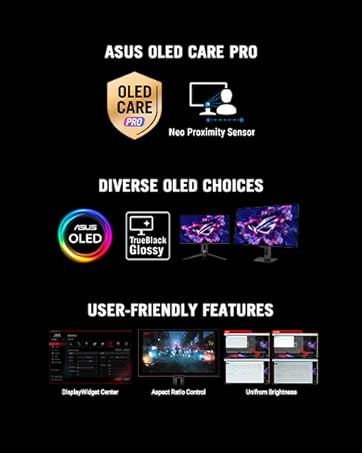
I’ve been using the ASUS ROG Swift PG32UCDM for a bit now, and honestly, you really do get what you pay for. This monitor feels premium in every way, from the build quality to the insane feature set. The 4K QD-OLED panel with 240Hz is absolutely stunning, with rich, vibrant colors and super smooth performance. Everything just looks amazing. One thing I really appreciate is the confidence ASUS shows by including a 3-year warranty along with the OLED Care features to help protect and extend the life of the panel. That alone gave me a lot of peace of mind when buying an OLED monitor, and it feels like a solid move by ASUS. Setup was easy, all the accessories were included, and the overall quality is top-notch. Colors are rich, contrast is incredible, and gaming feels on another level. I’m super happy with this purchase and honestly couldn’t have chosen a better monitor. Highly recommended if you want a no-compromise, high-end display.
A**Y
PG32UCDM
It's pricey! I got a PS5 and wanted something better than my cheap 4k TV because my TV is capped at 60hz. I was either going to get an LG C4 which yes that's a tv. I ended up wanting a monitor and the PG32UCDM is ultimately the choice I made. I wish it had a remote, truthfully in 2025 remote controls to turn your screens off should really be a standard feature which this monitor does not have. The display is beautiful and really was the upgrade I was looking for. 32 inch is a sweet spot for gaming, not being too big that you have to move your head to see the corners of the screen. It's plenty bright for my needs. Before I pulled the trigger on this I wish I had known how much of a pain it would be to do a firmware update to the current version (mcm108) without having a PC which I do not have. I ended up borrowing a laptop from a friend of mine just to do the firmware update so keep that in mind if you're purchasing this to use solely on console. Out of the box will have firmware version (MCM105) I strongly recommend if you purchase this to update the firmware version as they've made some fixes. So to end this I've had this monitor since March 22nd and already have 50 hours on it. I love it! Other than not being able to connect to the internet for firmware updates and not being able to shut off the screen via remote control are my only real complaint. If you are on the fence about OLED because of your fears of burn in, I really wouldn't worry about it too much. There's built in software to help prevent burn in and not to mention the 3 year factory warranty. Functions nicely paired to my PS5! I bit the bullet because I really wanted to experience OLED gaming for myself. If you're thinking about it but aren't sure, take it from me. JUST DO IT! ALSO one thing I did not mention, this monitor has 2 different variants, one featuring the QD-OLED by Samsung (which is the model I got and the model that I am writing this review on). The Samsung version (pg32ucdm) has a glossy screen. Pg32ucdp (LG version) has a matte screen. Gaming in a bright room would be more ideal on the LG version because of the reduced glare. If you keep your game room dark the glossy screen really makes the colors pop! Glare is not a concern my curtains are blackout curtains so glare is a non issue. If glare will be a problem for you, pg32ucdp is the model you want. I would have given 5 stars but I hate having to get up and shut my screen off. Please Asus in the future all your monitors should come standard with remote control! Maybe that will be reality by the time I'm ready to upgrade again. I will probably upgrade when 6th gen OLEDs come out. In 2025 4th gen OLEDs are coming. And in case you were wondering. The screens in these 2 models both have 3rd gen oled's.
J**H
BEST MONITOR EVER!!!
Anyone who isn't sure about doing this BUY IT ASAP! don't even over think it, i had a 27 ASUS oled also and a Alien 34 oled monitor both gaming monitors. Both are amazing but i haven't use them since i bough theses. i SOLD THEM after a week with this 32" monitor is perfect i have a 9700xt with a 7 9800x3d and i run 4k gaming no problem! was a little worried from everything I've seen saying you need 5080 nah. maybe for future games but for right now I'm having no problem. Playing Death Standing on PC on ultra everything max having 160 fps.
J**A
Todo al 100
Excelente monitor nadas como asus
G**G
Best gaming monitor i have used
I have spent a small fortune over the years looking a great looking, performing monitor. This one coninvinced me and now i have 2 side bi side
D**F
Probándolo aún
Llevo un par de días la calidad es brutal, solo hay que esperar la durabilidad
E**A
No eh visto algo de mayor calidad
El monitor se ve brutal es espectacular los detalles que llegas a percibir y la calidad del color que tiene recomiendo que si compran este monitor tengan un equipo que realmente lo pueda aprovechar.
Trustpilot
2 weeks ago
3 days ago