Desertcart purchases this item on your behalf and handles shipping, customs, and support to Tunisia.
⚡ Power your smart lifestyle with ease and control!
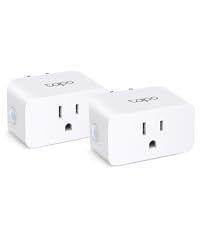
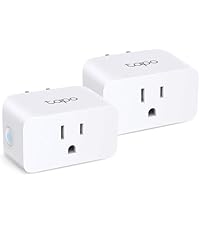
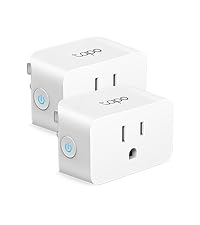
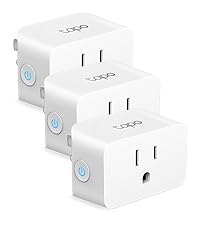
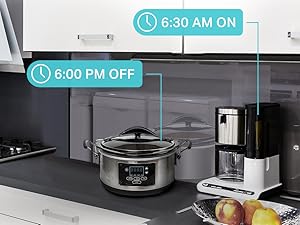
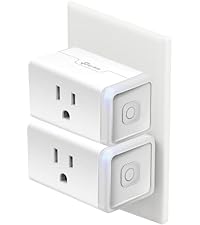
The Kasa Smart Plug HS103P2 is a UL-certified, 15 Amp Wi-Fi outlet that enables seamless voice and app control of your home electronics. Compatible with Alexa, Google Assistant, and IFTTT, it requires no hub and offers easy setup, smart scheduling, and reliable performance trusted by over 4 million users.


| ASIN | B07B8W2KHZ |
| Best Sellers Rank | #870 in Tools & Home Improvement ( See Top 100 in Tools & Home Improvement ) #3 in Electric Plugs |
| Brand | Kasa Smart |
| Brand Name | Kasa Smart |
| Color | White |
| Connectivity Protocol | Wi-Fi |
| Connector Type | Plug In |
| Contact Material | Metal |
| Contact Type | Normally Open |
| Control Method | Voice |
| Controller Type | Amazon Alexa, Google Assistant, IFTTT |
| Current Rating | 15 Amps |
| Customer Reviews | 4.6 out of 5 stars 150,423 Reviews |
| Global Trade Identification Number | 00845973084387 |
| Included Components | 2xSmart Wi-Fi Plug Mini HS103; Quick Start Guide |
| International Protection Rating | IP00 |
| Item Dimensions | 1.5 x 1.57 x 2.62 inches |
| Item Type Name | 12 Amp & Reliable Wifi Connection, Compact Design, No Hub Required, Works With Alexa Echo & Google Assistant |
| Lower Temperature Rating | 32 Degrees Fahrenheit |
| Manufacturer | TP-LINK |
| Material Type | Plastic |
| Model | HS103P2 |
| Mounting Type | Plug-In Mount |
| Number of Items | 2 |
| Operating Voltage | 120 Volts |
| Operation Mode | ON-OFF |
| Part Number | HS103 |
| Smart Home Compatibility | Smart Home Compatible |
| Terminal | Type B Socket |
| UPC | 845973084387 840460604925 |
| Unit Count | 2.0 Count |
| Upper Temperature Rating | 104 Degrees Fahrenheit |
| Warranty Description | 2 Years |
V**Y
The Smart Plug That's Actually Smart About Setup
I've used a lot of smart home gadgets, and often the "easy setup" promised on the box turns into a frustrating session of troubleshooting. The Kasa Smart Plug HS103P4, however, is the rare exception. It lives up to its name by being incredibly easy to get up and running, especially with the ecosystems that matter most to me: SmartThings and Alexa. The initial setup with the Kasa app itself was a breeze. I had all four plugs connected to my Wi-Fi in a matter of minutes. The app guides you through the process step-by-step, and it just worked flawlessly, with no unexpected connection drops or firmware issues. But the real magic happened when I linked it to my smart home hubs. For Alexa, it was as simple as enabling the Kasa skill and letting it discover the new devices. Within seconds, I was using voice commands to turn my lights and appliances on and off. The response time is instantaneous, and the reliability has been perfect—Alexa has never failed to control a Kasa plug. Integrating with SmartThings was equally painless. The connection process was straightforward, and the plugs appeared in my SmartThings app with all the functionality I needed. This has allowed me to incorporate them into more complex automations, like having a lamp turn on automatically when I open the door. In a market full of smart plugs that can be a headache to install, the Kasa HS103P4 stands out as a dependable, user-friendly choice. If you're looking for a plug that plays well with Alexa or SmartThings and won't leave you frustrated, this is the one to get.
C**N
These work great, are easy to setup, easy to program and perform perfectly all the time.
If you need a timer for whatever reason, these are the best. I have so many of these and I use them all over our home for turning lights on and off. Well of course that's what they're for, right? Ever set up a Christmas tree, get it plugged in and then when it was bedtime you struggled to reach the outlet to unplug those lights? I know I have. Sure, you can buy one of those step on switches that you plug your light strings into. But these make it so much easier to control and setup. There's a small learning curve to get it loaded onto your home internet, but once you've done one the rest are a breeze. Yup, your internet. No it's not going to slow it down and no it's not going to create issues with other wifi connected devices. In my home, I use not only these outlets, but I also use the wall switches, both single and three way switches. Also use the outlets that are meant for being outside in the weather from this same company. And they all work perfectly. Just to give you an idea I have at one time, mainly during the Holidays, I have at least 15 of these outlets around inside my home. Add into that 4 wall switches and another 4 outdoor weather resistant plugs. Take all those along with laptops, phones, speakers, tv's, tablets and I forget what else and I have zero issues with my 500GB internet speed. As for the plugs, they connect to your internet quickly, easily, install the app on your phone, laptop, tablet whatever to set them up and your good to go. Program them anyway you need, on at dusk, off at dawn, on or off at any time of day or night any number of days you want, and they work flawlessly. The outlets I have outside work no matter the weather, they're just as durable as you need. We have one that's located 60-70 feet outside, from our home and we can easily control it from inside our house. Did you leave the house and leave something plugged into a timer you didn't really want to have come on when you're not home? Just go into the app and turn it off, from wherever you are. Honestly I can't say enough good things about these plugs. The only scary part is when you have several of them scheduled to turn on at one certain time, like say dusk and all of sudden you're walking around and click, click, click, lights are coming on everywhere. Oh, and if your internet goes down, you won't have control of them through the app. But you can walk up to any plug, push the button on the side and it'll turn on or push the toggle on the light switch it'll still turn on. And they don't lose their programing, if the internet's not available, they will still turn on and off just as though they were connected to the internet. Then when your internet connection returns, they automatically reconnect, just like any other device you might have.
R**E
Easy to connect; handy to power things remotely
We have had multiple brands of WiFi plugs and Kasa is the brand I prefer (vs Amazon, TP-link). I prefer Kasa bc their app is so user friendly. I can connect easily (hardest part is just figuring out which one is yours and that’s as easy as going to your order). It’s easy to set up a schedule, set a timer, turn your schedule on and off, etc. we use these plugs to control devices at our vacation rental. When no one is there, I don’t have the driveway lights on to help conserve them. Our keyless entry lock was dying rapidly recently when connected to WiFi but I needed the ability to change codes. So I hooked the hub up to this, turn it on when I need it, and turn it off after I’m done to conserve battery in our lock. I plug our Christmas tree into it for when guests forget to turn it off after they’ve left. I’ve even used it to set a schedule for our counter top ice maker at home. And of course it still allows you to control it with Alexa. It is the best device for people who own vacation rentals but so handy in your own home. I’ve used them for over 6 years now and still prefer it. Would definitely buy again.
B**.
Plug seems to work ok
I've only had the plugs for a couple days. I currently have 4 Wyze plugs in the home but wanted to add other lamps, fans, etc to the smart family lol. I've heard about these plugs so wanted to give them a shot as they saved me nearly 10 dollars on four plugs vs Wyze, plus the "mini" size sounded like a better fit. Upon opening, not really "mini" but are a little smaller than my current plugs so guess I'll give them a pass. The setup got to be a little frustrating at first. They would not see the plug so had to exit setup and unplug it, then plug back in and restart. It seen it 2 nd time around and I started the setup. It stated it was changing my wifi temporarily to connect directly to the plug. I didn't see my wifi settings change but 🤷. Then the next screen asked me to change my wifi back to my home, which it was already on. So you have to click already connected before it would finish the setup.once connected it asked you to choose the location and name it. (As all do). All in all took about 5 mins to connect 1 plug counting the firmware update. (20 mins in total). They were able to connect to both Google home and Alexa aomewhat smoothly. They seem to be working well as of now. Conclusion is they seem to work as a smart plug should. Setup has some connection issues. App seems straight forward but haven't really done much other than set a schedule for the lights. Comparing them to Wyze, I probably should have stuck with them. Wyze was simple to setup only a couple mins per plug with 0 issues. Connected to Google home and Alexa quick and have great range. So if you have to link already or changing over all your plugs not a bad choice with these. Just know the setup can be a little bit more than some.
B**R
Setup worked on the first attempt! Easy Alexa add too
Setup was (compared to other smart plugs I've used) pretty straight forward. There were several steps, but I only had to attempt the setup once per device (I ordered 2) and it worked the first time, so that was a win! Even though the units were brand new, I did have to do a firmware update on each of them, which added a minute or so per device to the setup time. Once I had created an account with the required app, signed in via the app I had to download (kasa app) and entered my wifi password into this app (choose your security risk adventure yourself) everything worked well. I used this to put a pair of lights on one plug and on the other I connected it to a woodburning stove fan. Added both in a room, and customized the name for each item. Adding them to Alexa was easy, after one item was added to alexa, (enabled in the Kasa app) after I initially added the second device to the kasa app, that named device was automatically added to Alexa. transcript of my video review follows (note I was a good distance away from Alexa device so when I have alexa turn things on and off, I had to turn my head to speak more clearly, which has nothing to do with these plugs and their app) This is a 2 pack Smart Plugs they work with the Kasa app and they tell you to download that. In here they've got an on off button. I actually write that on the plug because months, years later if I move around or even if I move to a different house or something like that, it helps me to remember which plug goes with which app. And so on. But about to get these set up. I'm actually replacing some others that from a different source that didn't make it possible to upload the Wi Fi when changed Wi Fi devices. Hopefully these will have some better options for updates. Got it all set up. App wasn't too difficult to connect to. And had to do an update, firmware update. And then after that I was, I was able to connect it to the Alexa app. Alexa, turn off the front lights. Okay. Alexa, turn off the front lights. Okay. Alexa, turn on the front lights. Okay. I then set up the second one. It was easier than the first because the app already had my Wi Fi password. And that's a warning. You will need to input your Wi Fi password eventually. Plus allow for a location setting. And maybe some scheduling type stuff, so consider that whether or not you want to do that. After all that, I was able to connect this to Alexa as well. The second one went faster than the first. Alexa, turn on the stove fan. Alexa, turn on the stove fan. And just getting ready to start a fire, so I got stuff in the wood burning stove, but I wanted to get the fan on the thing. Pretty cool that it works.
R**T
The plugs work great!
Very knowledgeable and professional - patience of a saint walked me through all my plugs and was amazing. I am visually impaired so he was patient as a saint- thank you!
J**R
Reliable Smart Plug That Just Works
This is one of those smart home devices that you set up once and forget about, in a good way. Setup through the Kasa app was quick and straightforward, and it connected to Wi-Fi without any issues. It integrated easily with Alexa, and voice control worked right away. Scheduling and timers are simple to set up and have been consistent. The plug itself is compact enough that it doesn’t completely block the second outlet, which is a nice design detail. It’s been reliable so far with no random disconnects or resets. The app is clean and easy to navigate, even if you’re new to smart home stuff. Honestly, there aren’t many downsides here. It does exactly what it’s supposed to do and does it well. Overall, if you’re looking for a dependable smart plug with solid app support and easy setup, this is a great choice.
J**D
Simple, Reliable, and a Total Game-Changer!
I couldn't be happier with this Kasa Smart Plug 4-pack. The setup was incredibly fast—the app walks you through everything in minutes. I love the compact size because I can still use the other outlet on my wall. They work flawlessly with my Alexa voice commands, and the scheduling feature has made my morning routine so much easier. If you want a reliable smart plug that works, this is it!
D**N
Buen enchufe inteligente, sin hub y con app intuitiva
Compré el Kasa Smart WiFi Plug Lite de TP-Link principalmente para usar la función de horarios, con el objetivo de encender y apagar luces de forma automática, y ha funcionado exactamente como esperaba. Para configurarlo y gestionarlo es necesario instalar la aplicación Kasa en el teléfono, disponible tanto para Android como para iOS. La app es intuitiva y el proceso de conexión es rápido, incluso para personas sin mucha experiencia con dispositivos inteligentes. TP-Link es una marca bien reconocida en el mercado y transmite confianza. Ya tengo otros productos de la marca y todos comparten las mismas cualidades: facilidad de uso, configuración sencilla y conexión estable. Además, no requiere hub, lo cual simplifica aún más la instalación, y la compatibilidad con Alexa y Google funciona correctamente. En general, es un producto práctico, confiable y de buena calidad. Lo volvería a comprar sin dudarlo.
G**O
Bueno, bonito y barato
No son los primeros conectores WiFi que compro, anteriormente ya tenia unos chinos redondos y otros de la misma marca Tp-Link pero mucho mas voluminosos. Este último también también Tp-Link modelo HS100, ya no permite conectar nada mas en el contacto porque abarca el espacio de los dos conectores. Sin embargo, este modelo es más compacto, puedes colocar dos incluso en la misma toma de pared. Su configuración fue rápida y sencilla. Lo único es que no los pude hacer funcionar de manera directa con Alexa, tienes que usar su aplicación Kasa, la cual es muy fácil de usar y 100% compatible con Alexa. Lo único que intentaba era tener una aplicación menos en mi celular. La ventaja de esta aplicación es que solo la usas para la configuración y posteriormente todo lo controlas con Alexa. La aplicación tiene otra ventaja que puedes crear rutinas o timers de manera muy sencilla, como por ejemplo, yo lo uso para cargar mi celular y genere una rutina que se apaga de manera automática después de 3 horas, así que no me preocupo de dejar toda la noche conectado mi celular a la corriente. Referente compre el kit con 3 conectores en oferta y me salieron mas baratos que los chinos redondos
L**.
Buenos enchufes
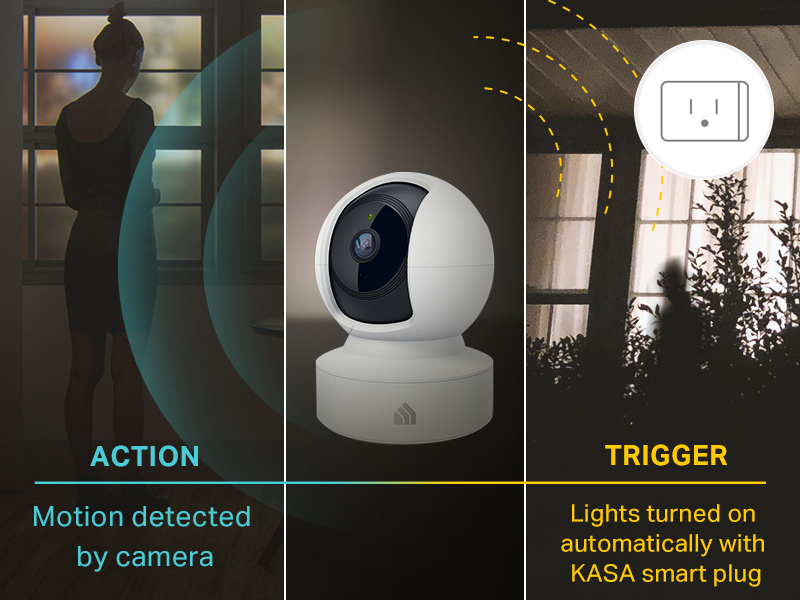
Compre estos enchufes para utilizarlos para encender algunos reflectores y lampara que están en el patio. Tengo 5 meses con ellos y funcionan de maravilla, no he tenido problema alguno con ellos siendo que están a la interperie debajo de una marquesina por lo cual no les da el sol directamente ni la lluvia pero el polvo y otros factores si. en cuestión de conectividad tienen buen alcance tengo uno que esta en el primer piso y mi router esta en el segundo piso de extremo a extremo de la casa y nunca he tenido problema con la conectividad de red. El otro punto es que se sincronizan bastante bien con Alexa se encienden con rutina o por comando de voz, también tenemos la App Oficial la cual nos permite encenderlos o apagarlos estando fuera de la Red interna osea fuera de casa. lo que no he podido lograr es que interactuen con otros dispositivos como las cámaras (ni con las cámaras de TPLink) para cuando detecten un movimiento enciendan las luces. El empaque la verdad es muy simple una cajita de cartón natural que aparenta como si el producto fuera reconstruido pero no, los enchufes son totalmente nuevos. El precio pues esta al precio de Enchufe de amazon solo que aqui son 2 enchufes.
R**.
Easy, convenient, versatile
Kasa Smart Plugs are handy little gadgets that let you control electronic devices from a distance using an app. They are handy, inexpensive, and fun. We use them for lights. The nice thing about having it connected to an app is that both my husband and I could turn the lights on and off whenever we wanted and we could do it from anywhere in our home – great for those times when you go to bed and then remember that you accidentally left the lights on downstairs. The other really nice thing about the app is that you can group different plugs together so that you can turn multiple items on or off at the same time. We created a group for the kitchen lights and the living room lamp. Now when we are ready to turn in for the night, we just turn them all off at once with the push of a button and head upstairs. It’s really easy to set up the plugs and the app and reprogram them if you decide to use them for something else. Come Christmastime, we will use one for the tree but it’s nice to know that we can use them for other things during the rest of the year. Plus they are fun to use because you can pretend you’re magic. So there’s that.
J**H
Easy Setup, Smart Control, and Everyday Convenience
I recently purchased the TP-Link Kasa Smart Plug Mini (HS103P4), and after spending some time using it in my home, I can confidently say it’s one of the easiest and most convenient smart home devices I’ve added to my setup. Right out of the box, the setup process was impressively straightforward. I simply plugged the device into a wall outlet, downloaded the Kasa Smart app on my phone, and followed the step-by-step instructions. Within minutes, the plug was connected to my Wi-Fi network and ready to use. The entire process is designed to be beginner-friendly, and you don’t need any kind of hub—just a standard 2.4 GHz Wi-Fi connection and your smartphone. () One of the first things I appreciated was how seamless it is to connect everything through your phone. The app walks you through connecting to the plug, selecting your home network, and getting everything online without confusion. Even if you’re not particularly tech-savvy, it feels intuitive and hassle-free. Physically, the plug has a clean and compact design, so it doesn’t block adjacent outlets. There’s also a small indicator light on the side that clearly shows when the plug is powered on, which is a simple but very useful touch. It makes it easy to tell at a glance whether your device is active or not. In addition, there’s a manual button on the side that lets you override the smart controls and turn the plug on or off instantly—great for those moments when you just want quick control without opening the app. Speaking of the app, the Kasa Smart app is one of the highlights of this product. It’s clean, user-friendly, and easy to navigate. Everything is laid out logically, so you can quickly find what you need without digging through menus. From the app, you can control your devices from anywhere, which is perfect if you forget to turn something off before leaving the house. () The scheduling features are especially useful. You can set specific on and off times, create routines, or even automate devices based on your daily habits. For example, I’ve set mine to turn a lamp on in the evening and off at night automatically, which adds both convenience and a bit of energy efficiency. The plug also supports grouping and automation features, making it easy to control multiple devices together. () Overall, my experience with the Kasa Smart Plug Mini (HS103P4) has been very positive. It’s reliable, easy to set up, and packed with practical features that genuinely improve everyday convenience. Between the simple Wi-Fi connection, the helpful indicator light and manual button, and the well-designed app with scheduling capabilities, it’s a great entry point into smart home technology—or a solid addition if you already have a smart setup. If you’re looking for an affordable, no-fuss smart plug that just works, this is definitely a product worth considering.
Trustpilot
1 month ago
1 week ago