

Desertcart purchases this item on your behalf and handles shipping, customs, and support to Tunisia.
🎮 Dominate your digital realm with ASUS ROG XG32WCS — where speed meets stunning visuals!
The ASUS ROG XG32WCS is a 32-inch curved gaming monitor featuring a sharp 2560x1440 QHD resolution, an ultra-fast 180Hz refresh rate, and a 1ms response time enhanced by ELMB SYNC technology. Designed for professional gamers and creators, it offers superior color accuracy with 90% DCI-P3 coverage, versatile USB Type-C connectivity, and comes bundled with a 3-month Adobe Creative Cloud subscription. Backed by a 3-year warranty, it delivers immersive, tear-free gameplay and vibrant visuals that keep you ahead in both work and play.


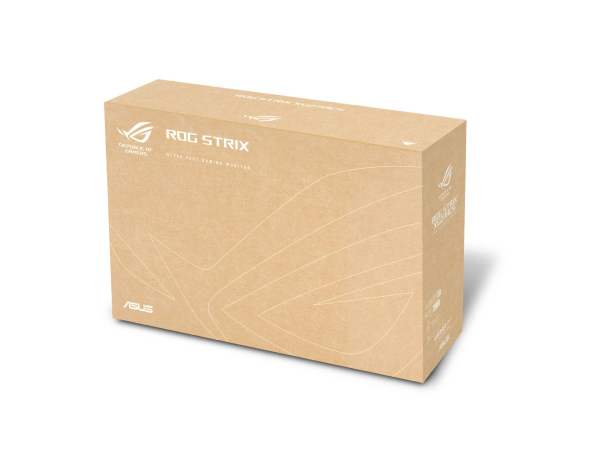


| ASIN | B0CZWLV1SD |
| Adaptive Sync | FreeSync |
| Additional Features | 180 Hz, 1440p QHD 1ms response time, AI-Powered Advantage, Blue Light Filter, Eye Care, Flicker and Tear Free |
| Aspect Ratio | 16:9 |
| Best Sellers Rank | #13,808 in Electronics ( See Top 100 in Electronics ) #445 in Computer Monitors |
| Brand | ASUS |
| Color | BLACK |
| Color Gamut | 125 |
| Compatible Devices | Desktop |
| Connectivity Technology | DisplayPort 1.4, HDMI, USB Type C |
| Contrast Ratio | 1000:1 |
| Customer Reviews | 4.4 out of 5 stars 109 Reviews |
| Display Resolution Maximum | 2560 x 1440 pixels |
| Display Technology | LED |
| Display Type | LED |
| EU Spare Part Availability Duration | 3 years |
| Hardware Connectivity | USB Type C |
| Image Contrast Ratio | 1000:1 |
| Included Components | DisplayPort cable, Power cord, Quick start guide, ROG pouch, XG32WCS Gaming Monitor |
| Item Dimensions D x W x H | 9.7"D x 27.9"W x 22.6"H |
| Item Weight | 20.7 pounds |
| Manufacturer | ASUS |
| Model Name | MONITOR |
| Model Number | XG32WCS |
| Mounting Type | Desk Mount |
| Native Resolution | 2560x1440 |
| Number of Component Outputs | 3 |
| Picture Quality Enhancement Technology | ELMB SYNC |
| Pixel Pitch | 0.28 |
| Refresh Rate | 180 hertz |
| Resolution | QHD Wide 1440p |
| Response Time | 1 milliseconds |
| Screen Finish | Matte |
| Screen Size | 31.5 inches |
| Screen Surface Description | Matte |
| Shape | Flat |
| Specific Uses For Product | Business, Gaming, Photo Video Editing |
| Total Number of HDMI Ports | 1 |
| Total Usb Ports | 2 |
| UPC | 197105497146 |
| Warranty Description | 3 years warranty with ARR |
| Warranty Type | 3 Year Warranty with ARR |
P**Y
Amazing value
Excellent Value under $300 for a top of the line IPS monitor. It is not a OLeD but it has great colors and decent contrast considering. The stand is built soo well it tilts and moves up and down with sense and stays in place you don’t need to tighten any screws it just moves freely and stays where u leave it. Also it has a center crosshair mode where you can change style and color. A gaming mode and a on screen overlay for frame rate. Lots of gaming features gotta be one of the best IPS out there. If you can’t afford or don’t care for OLEd this is the ticket
A**G
Great quality, with some minor annoyances
The monitor has good picture quality and build. I do not think anything lesser than an OLED monitor would surpass. A few things I would like to see improved: * If it does not find the signal, it shuts off in like one second. Damned, need to leave some time for the user to figure what is going on. I get it energy saving is important, but should stay on for at least some ten seconds?! This is really annoying, all the more so because HDMI seems to have issues with waking up when the laptop is put to sleep. * Between day time and night time, monitor brightness needs adjusting. There should have been some easier means to do this, ideally even automated with an ambient light sensor. However, various monitors do not seem to support this. This monitor does allow having two setting profiles and you can customize the button to switching between these with just two clicks (I have set up upward click on its button to open setting 1 with larger brightness and downward click to open setting 2 with lower brightness. * For some reason, monitors do not allow lowering the brightness below a certain level, which itself I find too high for night environments. I wish they allow letting the brightness scale do all the way to zero.
T**T
It's a good monitor for gaming
Good quality, decent HDR, high refresh rate & 2k 1440p resolution, 300$ isn't half bad for all these features so good value for the money, it's ideal if you like playing games and works well with my RTX 4080 Super albeit lower fps then my older 1920x1080 monitor, but that's due to the increased resolution, however not a noticable drop. No flickering.
J**N
Great monitor for movies and gaming!
Works perfectly for games, despite playing FPS I'm not sensitive to ghosting in games so can't comment on it but with text it clearly washes off the text a little if scrolling but goes back to normal instantly as soon as you stop scrolling which is normal with VA panels. Colors are vibrant, very bright and gets dark enough for darks. My old MSI Optix monitor had a darker black but had inconsistent backlight which made it look weird, this one doesn't turn as black as the MSI but does have much less backlight and its more consistent so doesn't affect the experience negatively. No dead pixels. Install to arm was straight forward. Nice stand too. 4 stars because on videos there's a color/vibrance shift when scrolling but again goes back to normal as soon as you stop this does not happen at all while watching videos/movies unless you scroll and also does not happen in games in any way. My old monitor did it too but did noticed it slightly more on this one. The text ghosting doesn't bother me since i use IPS monitors for reading to the side. The video vibrance shift also doesn't bother me since its minor, and does not affect the video quality. But just things to keep in mind when buying this monitor quality is definitely great videos, movies and games all look amazing and for curve lovers and dark room gamers or movie enjoyers the VA panel with high contrast and brightness makes it great for enjoying it at night or with lights on! Gsync enabled and it works perfectly which my MSI could not do without flickering every second or going black. The only flicker iv had is when at a menu and instead of a flicker it feels like someone changed brightness settings from 100 down to 98 for a 1/5 of a second. 180hz on DP1.4 at 1440p no issues in the week and a half I've had it as primary monitor. Definitely recommend at the price.
G**D
Understandable top seller
Great value for a reasonable price. Sharp, bright and responsive graphics while playing an fps game. Fine resolution provides plenty of screen for business use. Up-to-date connectivity with three inputs. I am using two and it is easy to switch between my laptop and server. Sturdy yet positionally flexible stand. Paired with an adequate graphics card this is a satisfying monitor.
F**K
Works great with Acer laptop via USB to DP
Bought this Asus monitor several months back and love it. Im honestly not an Asus fan but it had good reviews and with my lack of PC knowledge felt better getting a monitor that was gsync capable even though I'm pretty sure monitoring today don't get screen tearing. I have this hooked up to my Acer Predator via USB-c to display port and it works great. Needed to do some quick menu selections and fiddle with screen to get my games centered but im pretty sure that's a skill issue, not a hardware issue. Took five minded to solve. So far works great. Love the quick menu to add dot on my screen for fps games. Color is great. Overall, I'm very pleased. This is what I would expect from Asus.
U**0
From great to horrible
Update 7/21/25 It's been acting up. I'm constantly getting 2-3 second long black screen events. Others have apparently run into this issue as well. I did everything from swapping out different cables, to swapping out the GPU and clean driver installs, even adjusted the monitor settings. I also pulled out a few older displays I had laying around, they all worked fine. The Asus monitor however persisted with the bad behavior. To make matters worse, the monitor eventually stopped recognizing the DP entirely. Switching to HDMI still works, but the black outs continue. Be warned. Pros: Great motion clarity for a VA panel. Top marks for color and brightness. No dead or stuck pixels. Feels high quality. Cons: Loses a bit of contrast towards the bottom due to either the back lighting or VA fringing. Can be distracting in dark scenes. False Advertising on vertical rotation. The monitor pictured here apparently cannot do it, which is one of the reasons I picked this up (side display). I would still recommend this for the sub $300 price range, but not higher. Makes a good monitor for office and gaming.
P**L
Es VA, pero se ve cómo un IPS
Tenía dudas sobre cuál era mejor, si un VA o IPS, este me sacó de de dudas
A**H
Got for 25k and worth it
Trustpilot
2 weeks ago
2 weeks ago