Buy anything from 5,000+ international stores. One checkout price. No surprise fees. Join 2M+ shoppers on Desertcart.
Desertcart purchases this item on your behalf and handles shipping, customs, and support to Tunisia.
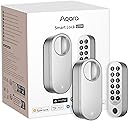
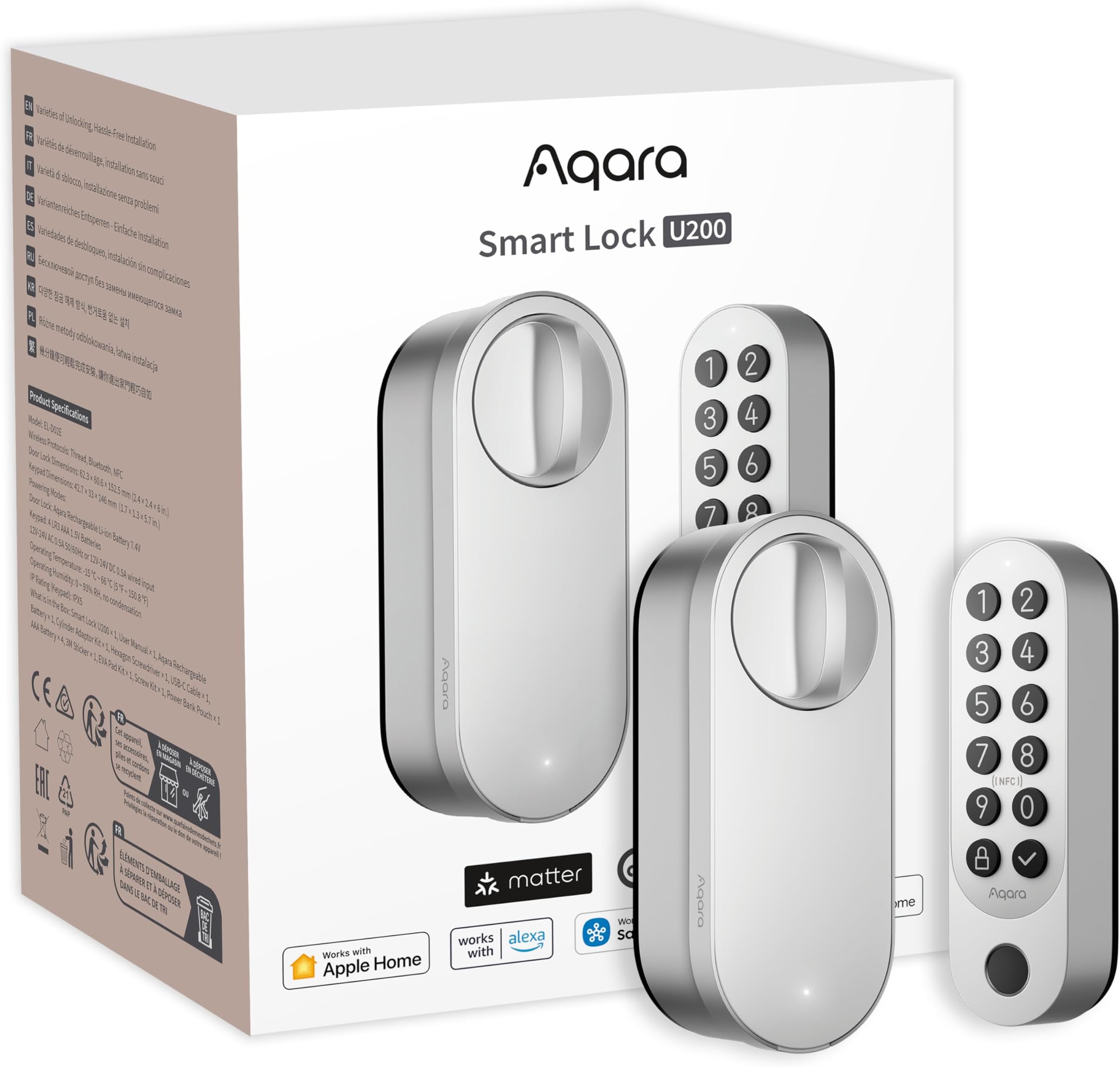
🔐 Unlock smarter living with Aqara U200 — where security meets seamless tech.
The Aqara Smart Lock U200 is a cutting-edge keyless entry system featuring native Matter over Thread support for ultra-responsive smart home integration. It offers multiple unlocking methods including fingerprint, Apple Home Key, NFC, and passwords, all powered by a rechargeable battery lasting up to 6 months. Designed for easy retrofit installation on single-cylinder deadbolts, it enhances home security with tamper alerts, AES encryption, and auto-lock functionality, making it a versatile and future-proof upgrade for connected homes.


| ASIN | B0D1BZPJP1 |
| Additional Features | Fingerprint |
| Best Sellers Rank | #137,292 in Tools & Home Improvement ( See Top 100 in Tools & Home Improvement ) #470 in Deadbolts |
| Brand | Aqara |
| Brand Name | Aqara |
| Color | Silver |
| Connectivity Protocol | Matter Over Thread, Bluetooth |
| Control Method | App, Touch |
| Controller Type | Apple HomeKit |
| Customer Reviews | 2.6 out of 5 stars 1,965 Reviews |
| Finish Types | Polished |
| Included Components | Smart Door Lock |
| Item Dimensions | 2.44 x 2.36 x 5.98 inches |
| Item Type Name | Smart Lock |
| Item Weight | 1.16 Kilograms |
| Item dimensions L x W x H | 2.44 x 2.36 x 5.98 inches |
| Lock Type | Biometric |
| Manufacturer | Lumi United Technology Co., Ltd |
| Material | Polycarbonate |
| Material Type | Polycarbonate |
| Model Name | Smart Lock U200 |
| Model Number | EL-D02E |
| Number of Pieces | 1 |
| Recommended Uses For Product | Home Security |
| Shape | Rectangular |
| Smart Home Compatibility | Smart Home Compatible |
| Special Feature | Fingerprint |
| Style Name | Smart Lock |
| UPC | 192784001608 |
A**.
Basically dead in less than a year
9 Apr 2026 Edit: ok so I’ve had this since August of 2025 and today’s date is noted above. This device has been intermittently problematic and uncooperative. Sometimes it locks and sometimes it just says it’s locked. I’ve come home more times than I should have to find the door unlocked, but also with a text message telling me that the door had locked when I left. Yeah, the one thing that a door lock cannot be is unreliable. At this point I don’t trust the lock unless I have manually checked it. In fact I find myself using the key most of the time because of the next thing I’ll talk about The device now makes sounds as if it is *trying* to lock or unlock, but. It actually doing either of those actions. About half of the time the device will eventually successfully lock or unlock. The other half of the time the device will eventually give up and just send me a text that it is jammed. No, it’s not actually jammed. It does this when the door is open and there is no way it’s jammed. Also, sometimes if I just press the lock button again it will actually work this time. But really, it’s just more convenient to just use the key. This is unfortunate, since I bought the lock and the doorbell cam together as a pair. And this unit not functioning as intended has basically negated the utility of the doorbell cam as well. $400~ish that I feel like is wasted at this point. And for the record, I have removed the battery and verified that it is fully charged, so no, the problem is not a battery that needs charged. I have not tested the battery to see if it has dead cells or something unlikely like that, so I guess that is possible. But again, not very likely due to how batteries like this are constructed. I hate leaving this review and update to the review. I have a lot of other Aqara devices that work great and have been working great for years. This one device, along with the doorbell cam that was intended to compliment it, have been a pair of expensive disappointments. Original August 2025 review: ok i wont get too deep into the weeds here. let me say that the install was fairly straightforward with the exception of needing to remove and invert a little plastic fitting on the baseplate of the interior frame of the lock. once i figured that part out, installation went very quickly and easily! I also already have other Aqara devices in my house, so adding it to my existing account was fast and straightforward as well. frankly, i have devices from many manufacturers that i bring into home assistant for interoperability, and Aqara (Xiaomi in case you dont know) is one of the most polished and easy to use apps! The lock feels decently made, even though it is mostly plastic, that part is inside and not exposed to the elements, so not really a big deal. The keypad however is placed outdoors. so i suppose that we will eventually see how durable it is. i live in southern california, and the sun can be brutal. i placed the keypad in a protected location to mitigate sun exposure, but again, time will tell. i have used the numerical keypad, the fingerprint reader and nfc on my watch and phone, and all seem to work quickly and reliably. And it integrated easily into apple home and bridged into home assistant just as easily using matter over thread. HOWEVER, this device is advertised as having an internal gyroscope so that it knows when its closed. yeah, it doesnt know when its closed. all it knows is that its not moving. so when the door is open, itll lock itself and tell me that its closed and locked. thats not okay. that creates a situation which would be easy to mistakenly leave the door open thinking its closed and locked. worse yet is that i bought and installed the newest doorbell camera / hub alongside this device, which is advertised to work in concert with each other. and i suppose at the most basic level, they do. but nowhere near the level that i expected from this brand. i have other devices which have actual facial recognition, and can respond accordingly. even though i couldnt find explicit wording saying that this was a feature, i was confident that since it had been such a basic feature in much lower priced devices, that it would do so. if this isnt the reason, i dont understand why it has the ability to register my picture to the device? all of the drawbacks i found with this device can be fixed with software updates. and im hopeful that they will be. and despite the shortcomings, i would recommend the device. just know what it is that youre buying. i admit that i have higher expectations than just about anyone else will. but in todays smart home environment, i feel justified in having high standards.
C**N
The best smart lock out there with a twist.
The best, most comprehensive and most compatible (both with different lock systems and different smart home ecosystems) smart lock out there. Bought 3 and have been using them for over a year now. the only problem is with the grease oil inside, it is of really poor quality. If you install the device where there is a lot of dust or pre-install it before a renovation, the grease gets thicker and the lock stops working. You have to dismantle it, clean the poor-grade grease and re-grease it with a quality grease. Then it works like a monster.
C**7
Disappointing and should be avoided.
I really liked the idea of this. The install was very easy. It was annoying that there was no my a video for hardware install, and it shows every possible installation option. That could confuse people. Pairing was moderately easy with HomeKit and the Aqara app. Where I ran into issues was the calibration. It failed every single time. Auto or manual. The locked turned smoothly manually, but during calibration all I got was a bunch of noise and no movement. Home app and Aqara both thought it was unlocking and locking, but nothing happened. Not even noise. Firmware updates and multiple reinstalls were of no help. I simply can’t recommend this and urge you to avoid it. I’m returning this and looking for other solutions. Disappointing because Aqara is a good company with solid products usually.
P**M
Physical problems mar a solid software and integration experience
Update December 2025: After about 16 months the U200 lock just stopped working. It would no longer reliably lock even when the door was open. It became hard to turn the lock manually too - both with the key and with the knob on the inside. There were times that it would lock, but it would often take 4-6 tries and it seemed like it was grinding as it was trying to lock the door. I was under the impression that some of the gears had broken and lost their teeth. Fortunately, this didn't result in any lockouts, but it did force us to start carrying keys again, which defeated the purpose of the lock. Figuring that the lock was dead, and having contacted Aqara earlier in the year and not wanting to continue to deal with their customer service process, I took the lock apart and found what it seems thousands of other people have experienced and sometimes found - the inside of the motor housing was all gummed up. The grease used for a lubricant had gotten gummy in a number of locations. I carefully removed each of the gears and noted that they were all in good physical condition - even the plastic one. Although the presence of a plastic gear is generally a bad sign. I removed the solidified grease from all the parts and then applied some new synthetic grease to the gears and reassembled the lock. It's now quiet once again and closes my door with no problem. So, if you're fine with voiding your warranty and spending 30 minutes once a year to take apart and great your lock, this seems fine. But, if you're Aqara, this seems as though it's a design issue that affected my lock. Possibly because of infiltration of dust into the motor mechanism or because of the use of a poor grease. Original Review: I got this lock because it supports Matter and Thread. For smart home stuff Matter is the way to ensure you have a slightly future proof smart home. I wanted a thread door lock because I don't like giving all the devices access to my home network. I've had good luck with this combination and have a handful of Matter over Thread switches and outlets around the house. After some tweaking, it works well in that respect. First, out of the box the device did not work with Matter over Thread with my HomePod Mini thread border router. Even when I moved the HomePod Mini to within a few feet of the lock, all attempts at pairing would time out. I have a robust thread network in my house thanks to a number of thread outlets and switches, but this wasn't work either with QR code or the numeric code. Thankfully, a firmware update fixed this and made it so it was easily added to my HomeKit network. Next, there is a design flaw of sorts in the keypad. The tab that needs to be flipped to remove the keypad from the mount to change the batteries is on the bottom and it's quite tight against the door. This means that if you're mounting the keypad on your front door, you need to mount it quite a bit higher than your existing keyhole for the deadbolt to ensure that you can replace the batteries. Likewise, I'd have the same problem if I mounted it on my storm door or door frame because of challenges with the storm door handle or doorbell. Finally, there's a small nit about the quality of the screws included to mount the device to the metal base that is screwed into my deadbolt. Namely, they're not very good screws and start to strip easily. If you need to remove the device there's a good chance you'll start to strip the screws. You may think you'll never need to remove it, and I hope you don't, but I had to so I could better secure the door lock and do some fine adjustments. I replaced those screws with M3x14mm 316 stainless steel hex drive machine screws and I feel a lot more confidence that I'll be able to remove the door lock if I need it. After all of this and some careful tweaking, the lock is fairly reliable, but I wouldn't call it 100% as I've seen it jam a couple of times even after tweaking it. It's good enough to reasonably trust that the door will unlock automatically when I get home, but not so good that I'm going to get rid of the emergency key hidden around my house.
C**A
Impressive Matter/Thread Retrofit Lock
This lock so far has been quite an impressive piece of tech. Based in the US, I have a standard US deadbolt on the door I installed this lock on. Installation was relatively simple. Keeping the front of my deadbolt, where the key is in insterted, I was able to easily remove the back latch, screw in the mount for the Aqara lock using the existing bolts from the original lock, and then I used one of the adapters matching to my deadbolt for the turny-bit. Then I popped on and secured the Aqara lock unit itself. Once physical setup of the hardware was compete, I added my new lock to three seperate ecosystems of choice. First, I checked for firmware updates in the Aqara app. At time of writing this review, 65 is the most up to date firmware available. Then, because I was already playing with the nuanced settings within the Aqara app, I adjusted the volume of the keypad/voice/beeps/etc. I also auto-calibrated the lock within the Aqara app. Then I set up the lock for Homekit/Apple Home because HomeKey is a super cool feature to utilize. I personally had zero issues with setting up this lock in Apple Home, though I am aware some people did encounted issues. Finally I set up the lock to Home Assistant. Both Apple Home and Home Assistant were set up using Matter/Thread with my existing Thread Network. It's important to keep in mind that you're not required at all to use the Aqara app to setup/calibrate, I could have just jumped straight into using Apple Home or HA. Though it's nice to have the option to set up/change different lock settings that are not part of the Matter standard at this time, so the Aqara app works around the current limitations of Matter by being able to adjust specific settings through their app. For actual use, the lock has been fantastic for the time I've used it so far. Fingerprint reader is ~snappy~, and pretty much instantaneous to unlock the lock. The Homekey works as it should and in my observation is as instantaneous as the fingerprint. Inputting a numeric code, has a very slight delay. Though not more than a few milliseconds. When controlling via my integration with Apple Home and Home Assistant, which are using Matter/Thread, it is incredibly quick to respond as well. I was very pleased and impressed with this. And of course, I'm able to use my established key as a back up. My only current gripe with the lock is that in order to update/change settings of the lock and keypad within the Aqara app is that one must establish a phsycial Bluetooth connection to the lock AND then press a button on the keypad to confirm the connection and wake the keypad. I understand potential reasons why this may be required as the keypad likely is put in a sleep state to conserve battery while it is not in active use, however for convenience sake, I wish I could just remotely access and change settings without having to wake the keypad, especially if one already has their lock connected to an M3 hub within the Aqara ecosystem which is meant to be able to provide said remoted access. Battery life of the lock and the keypad will be seen over the course of time as I continue to use this lock in everyday use scenarios. I am not too worried about being locked out, as I am particular to keeping tabs on battery levels as I've used several smart locks over the course of many years. Overall, I'm really enjoying this Aqara U200 Smart Lock. I highly recommend it so far and look forward to further development in the firmware to make it even easier to use and implement than it already is. As the Matter standard matures over time, and if Aqara continues to support this lock during this, the U200 will easily maintain a solid success.
S**L
Setup was okay...
I am very technical person. I watched dozens of YouTube videos. I found installation more difficult than other smart locks I've installed. Not the lock installation but the software setup. They definitely need a lot of work on the APP. Not that the APP doesn't work it's is just convoluted IMHO. SPECIAL NOTE: I had to flip the mounting plate in order for the lock to align properly. Not a big deal, 4 small screws. I installed the mount, then selected the tail piece. Before installing the lock I manually turned the tail piece. It was difficult. I tried adjusting the mounting plate. I found rotating the mount 180* did the trick. After installing the lock setting up the app was pretty straightforward. Bluetooth is the default connection method if not using their hub, which I am not. I was able to connect it to Alexa ecosystem without issue. Asking Alexa to lock the "Front Door" worked without issue. I cannot find how to enable unlock. Web search hints that this is only available with the hub. Some YouTube videos suggested that the keypad was optional. It is not. The keypad is used throughout the setup and any time you want to make configuration changes. I think.... Aqara did this as a physical security measure. In order to make changes you have to press a button on the keypad. This would (could) hinder someone hacking the system from making changes without standing at your door. This is my first impression, having just installed the lock. I'll follow up as needed.
J**R
Not Worth the Effort or Door Modifications
I really wanted the Aqara Smart Lock U200 to solve my smart lock problem while letting me keep my existing key, but it ended up being a huge disappointment. I had to heavily modify my door just to get it installed, including cutting part of the door frame. After all that effort, it still didn’t work. Either the unit I received was defective, or the motor simply isn’t strong enough to turn my lock. Setup was far more complicated than expected. You need to have a Matter hub ready and everything fully aligned and connected before even attempting to connect it to the network. The app experience didn’t help either. It forces auto-calibration, which failed every time for me, and doesn’t offer a manual calibration option that could have resolved the issue. Overall, a frustrating experience that required a lot of effort with no payoff.
D**Y
Potentially difficult to calibrate, periodic password doesn't work as intended
I live in the U.S., my lock is installed on my front door, it is running firmware 3.0.0_0065, my thread network is setup by my Apple TV. Let me start with the good: *It was easy to install the lock itself *It could have been easy to install the keypad, my trouble cannot be blamed on Aqara (more on this later) *Works great with Apple Home after a good calibration *The fingerprint reader is snappy *Apple HomeKey, particularly with my apple watch, is snappy -- Keypad installation -- I have brick all around my front door and because I would like to eventually hardwire the keypad to power like my doorbell, I did not want to mount it to the doorframe or to the door itself. The smallest masonry anchor screws I could find at Lowe's were too large for the keypad's mounting plate, so I made a wooden adapter mounting plate which I secured to the bricks, then mounted the keypad mounting plate to that. I do not fault Aqara for this, I only want others to be aware of it. -- Periodic Passwords -- The idea of the periodic password is great, I really wanted to set one up... But if you restrict the days the password can be used on, the password doesn't work. I tried this on a Friday, with the latest firmware. I set the periodic password to be valid on Tuesdays and Fridays, any time of day, any number of times on those days, forever... Like I said, I tried this on Friday, the password should have been valid on Fridays, but the password did not work. If you set up a periodic password without any restriction on which days it can be used, it does work. I did not try any of the other restrictions to see if any of them work. -- Calibration -- Aqara, your calibration and/or logic for determining locked / unlocked state need work... I should not have to "play" with the calibration procedure until I get it to work, and the lock should not (un-intentionally) get into a state where the motor is engaged and I have to force the thumb-turn to get it to disengage. Thankfully this did not happen to me while I was outside with my only way in being my key, I am not sure I would not have broken the key trying to unlock the door. -- Automatic Calibration -- This did not work for me. The lock would never register that it was actually in the locked state. I could still use the keypad or Apple Home app to operate the lock (though because Apple Home always thought the state was unlocked, I had to flip it to lock then flip it to unlock to get it to actually unlock). But using the lock this way really isn't worth it. If you are having problems with automatic calibration like I did, you will have to install the Aqara app and attempt manual calibration. -- Manual Calibration -- I managed to get this to work for me finally.... If I followed the directions and turned the thumbturn completely for the locked position and completely for the unlocked position I was having the same problems as auto calibration though not 100% of the time. I finally got this to work by "backing off" a bit from both the locked and unlocked states before continuing the manual calibration process. I still have trouble sometimes when using the thumbturn to lock the door with the lock not actually thinking the door is locked, but not the issues I had before. The keypad and using apple home to lock/unlock the door have been 100% reliable.
A**O
Pratico, semplice da installare e ben integrato con HomeKit
L’estetica non si discosta da quella di altri marchi (vedasi il Linus Smart Lock di Yale), e lo spessore del dispositivo può precluderne l’utilizzo su alcune porte, ma la funzionalità, una volta installata, non ha da invidiare alle controparti di altri brand. Il montaggio è semplice, grazie sia alle istruzioni chiare che a una buona ingegnerizzazione del prodotto, e la configurazione iniziale è rapida e quasi del tutto automatica. Il tastierino compreso nel pacchetto rappresenta un’aggiunta di valore, specie in considerazione dell’integrazione che aggiunge nei confronti del sistema domotico Apple. Il dispositivo infatti è perfettamente funzionante con Apple HomeKit, e supporta anche la chiave di casa digitale utilizzabile tramite Apple Wallet sia da iPhone che da Apple Watch, con tutte le (positive) implicazioni del caso. Ciò naturalmente non sovrascrive ma si aggiunge alla possibilità di sblocco tramite impronte digitali (multiple, configurabili per ciascun utente impostato) e di combinazioni numeriche. La reattività della serratura all’input del tastierino è immediata. La rapidità nel blocco e nello sblocco è molto buona e la rumorosità più che accettabile, per quanto probabilmente risulti un po’ meno silenziosa della controparte Yale. Aqara continua a ritagliarsi uno spazio sempre maggiore negli ecosistemi di domotica, specie in quello Apple che troppo spesso resta orfano di supporto da parte molti brand.
G**A
HUB Requires minimum Aqara M2 type
Firstly HUB Requires!!!!! Only Bluetooth usage just so annoying. Connecting to Bluetooth method press the keypad any bottom what is located outside the door panel. Auto lock settings. Press the keypad, connecting Bluetooth and then setting available. Fitted the keypad and smart lock takes 5 minutes work for UK doors ( note!) lifting door handle required by human for operation the lock. Adding users finger print on the Aqara app easy and straightforward, works accurately and fast. Setting up the lock for smart home takes 2 days for me. QR code should work easy but it’s not! I thought it’s connected to the system but it’s not. So much additional settings must be done before the lock would be online. I’m using the lock with Aqara hub M2 connect the hub with wire to eero6 router making sure the connection is existing all the time to the lock. Ecosystems what I’m using with are Apple home, this was the easiest one I would say although the matter was trick me few times and needed to reset the lock several times. Alexa+ now this is the real challenge for setup but possible. Lock now works remotely, smart home integration not easy but ones is set up works shamelessly. Driving home, parking on the driveway saying to Siri I’m home, Siri opening the door while I’m get out from the car. Morning time going to work just saying Alexa open tue door lock, Alexa asking the access code ( can be avoided the access code with Alexa) and open the door. Driving to work asking Siri through CarPlay what is the front door lock status? Siri respond door lock. So yes once the lock set up properly will work shamelessly. Strong and good lock. Bit bulky inside the door but can be used to.
L**O
Con defecto de fábrica y Sin posibilidad de hacer la devolución.
Me llegó defectuosa, ya pedí el reembolso, pero no la he podido regresar por qué la etiqueta que me enviaron es para uso en EEUU y supuestamente me van a enviar una etiqueta nueva para el envío. ¿Será? Se acerca la fecha límite para hacer la devolución y nada.
P**R
Totally unreliable, don't waste your money
Just an FYI: This is not my first smart device. I have years of experience installing and using Z Wave, zigbee, ip based and matter devices. My network has a dedicated IOT wifi with excellent strength. Below is my experience which conflicts with the youtube reviews of various popular fanboys. Problems with the Aqara U200: 1. it comes with NO instructions, refers you to online help, which is useless. 2. the lock is entirely setup with the Aqara app, basic on/off only on your platform. In order to change any settings you have to go to the door, open it, and press the outside keypad - otherwise the app does nothing. Which is a big waste of time and hassle. 3. the lock adjustment has two methods: manual & auto. I made a huge number of attempts to fix the locking problems using both methods, and the lock continued to work only when so inclined. 4. the key requirement of a smart lock is easy and reliable locking & unlocking. This lock works if it feels like it. Leaving me locked out on several occasions, or not locking on many others. The various lock after delay settings did not work at at all. 5. I wasted a lot of time installing and trying to get it to work reliably and after returning it was left with damaged paintwork at the front door, from unsticking the keypad.
I**V
Declared Apple HomeKit integration does not work.
The product is fine on its own and has good quality. The software component, however, is the main source of worry. I have spent four hours on the internet and in forums trying to get this to work with Apple HomeKit, but it doesn't. Instead, you must install the Aqara app, get all the features, and then hope that it works at all. I purchased this to replace my Nuki smart lock, but in the end, I installed Nuki again.
Trustpilot
1 month ago
3 weeks ago