🔧 Clip it, protect it, love it! Your cables deserve the best.
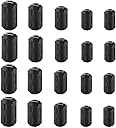
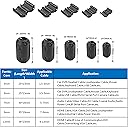
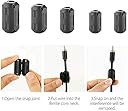
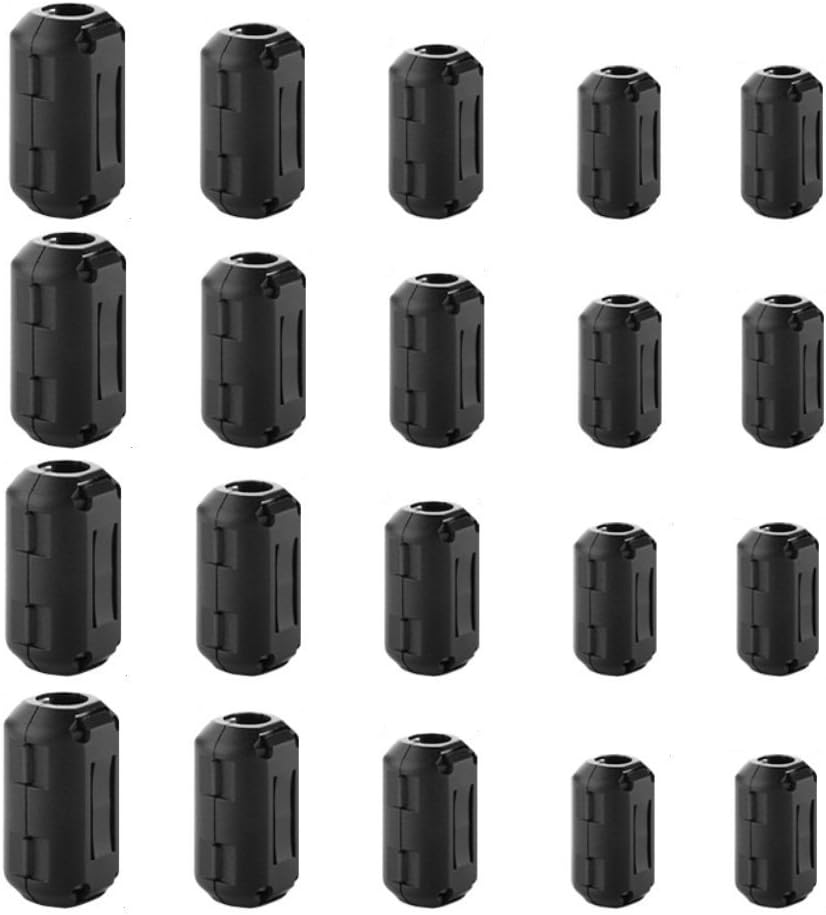
The Ceedmon 20 Pieces Clip-on Ferrite Ring Core RFI EMI Noise Suppressor Cable Clips come in five different sizes (3mm, 5mm, 7mm, 9mm, and 13mm) to accommodate various cable diameters. Made from durable plastic housing and nickel-zinc ferrite core, these clips are designed for easy installation and long-lasting performance, effectively reducing noise interference in your electronic devices.
J**.
Using these for RF suppression on USB cables. Worked well!
I am using these for ham radio transmitter applications. I use digital modes a lot, i.e. FT8. Occasionally I will have an issue where I key up the transmitter and the program goes nuts. Loses its connection to the radio and D to A / A to D converter (Signalink). I suspected the USB connection to the computer was being scrambled.I had bought the Signalink cables for between their TNC and the radio, which contain built-in toroids for RF suppression. But used a plain old USB2 cable I had lying around to save a few bucks. Well, apparently cheaping out burned me. I installed the RF chokes listed here, one on each end of the USB cable (choose an appropriate diameter), and the problems have stopped.I am impressed with the quantity and number of diameters that are include, and that the snaps to close the toroid are openable - so you can reuse these on other devices. Decent quality.
S**N
Solved issues with a noisy Wii Video cable and famicom radio interference!
A while back I bought an S-video cable for my old Nintendo Wii, which I have hooked up to a CRT television. I began to notice some noise and after eliminating the TV, the Console, and the Video switcher as suspects, I began to suspect the cable itself was at fault. I had seen that someone else had used ferrites on theirs and ordered this package and after putting 5 or 6 along the cable the noise is completely gone. The selection of thicknesses was perfect for me, as the Wii cable is thicker coming from the console, but splits into thinner cables. Every part of the cable was snugly accounted for.After experimenting with the Wii, I turned my attention to my Japanese Famicom. Japanese TV signals actually use the same range of FM radio frequencies that American radios do, and I sometimes could hear the local station whenever I turned off my system, and sometimes atmospheric conditions woudl generally just make the signal a mess. I put 4 of these along the cord of the RF adapter that goes from the system itself to the gray box (I use a North American RF adapter from the NES to hook mine up) and not only did the Radio interference go away, but the picture was a little cleaner (though RF will never be purely clean, that's just how that format is).All in all, this is an excellent package and a great value! I plan on buying more.
R**X
I needed them due to a rare office location!
My office is located next to a Dermatology office and I share a wall with them. We had moved in recently and I noticed that during certain times of the day my computer monitors and speakers would go crazy - feedback, weird patterns on one monitor, one monitor shutting off intermittently, speakers making loud hum with a repetitive pattern. At first, I thought my desktop was dying.Then I noticed it would only happen for about 45 minutes and everything would go back to normal.Then my coworker in another office - his wireless mouse would die with my computer would go on the fritz.I figured it had to me interference from a machine or equipment and did some research online regarding radiofrequency interference - causes, symptoms, and ways to cure.One day as my computer shut off a monitor and my speakers were making loud humming and clicking noises, I walked next door and asked if they had just started any particular equipment.Sure enough, they are running some skin treatment that uses lasers and radiofrequencies. They confirmed most sessions last about 30 to 45 minutes.Came here to Amazon, researched ferrite clipons - many different prices, sizes, suppliers, etc. This was the best mix of clips and price I found.Box arrived and I put on my speaker wires, monitors, just about everything. Now - NO HUMMING!No monitor shutting itself off.I do get slight patterns in my non- HDMI (just DVI) monitor hook up (I have 2 - one hdmi - one DVI) and that is how I know they are running the equipment.Then my coworker asked if I figured it out because his mouse stopped working and I put a clip on the wire to the IR sensor for his mouse and keyboard and it started working again.These clips definitely work and help. Not completely eliminated but now I can actually work and have speakers plugged in while the run the equipment.My situation is probably more unique but if you are having issues with radio interference these work. And I would say I probably have a high concentration of local frequency compared to most scenarios. (which is concerning for my own health...but I guess they don't make ferrite helmets!)The clips take a bit of massaging to get them to actually click and lock on. A slightly better design would resolved this but I did manage to get them all to stay on.This pack comes with various sizes to fit various wire sizes.
J**O
They worked for interference in microphone cable from nearby cell tower
There is a cell tower very close by that was causing a low-level, but still audible interference (when amplified to line level) in my microphone cable. This is despite using a top of the line $50 balanced XLR cable and high quality audio interface / preamp.It took a whopping SEVEN of the cores clipped onto the cable, but I finally got it eliminated by about 99% to the point where it's not a problem. You can see the before and after screenshot. Do note that even after one, it made a significant difference, it's just that each additional one is diminishing returns.Another thing I'll add, is even though this worked, it also required me to use very high quality equipment for the whole rest of the chain. I have cheaper unbalanced audio cables, and a cheaper audio interface (Zoom H6), and with those, the interference is way worse and probably couldn't be eliminated completely even with the ferrite. So if your devices support balanced audio cables, definitely try that too.Tip: Try different placements of the ferrite cores. I found that when placed on the end closes to the microphone or at the middle of the cable, it made almost no difference. But they DID make a big difference when attached as close to the pre-amp as possible.
Trustpilot
2 weeks ago
2 weeks ago
1 month ago
2 weeks ago