Desertcart purchases this item on your behalf and handles shipping, customs, and support to Tunisia.
๐ Elevate your reading game with color, comfort, and freedom.
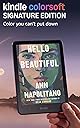
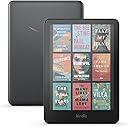
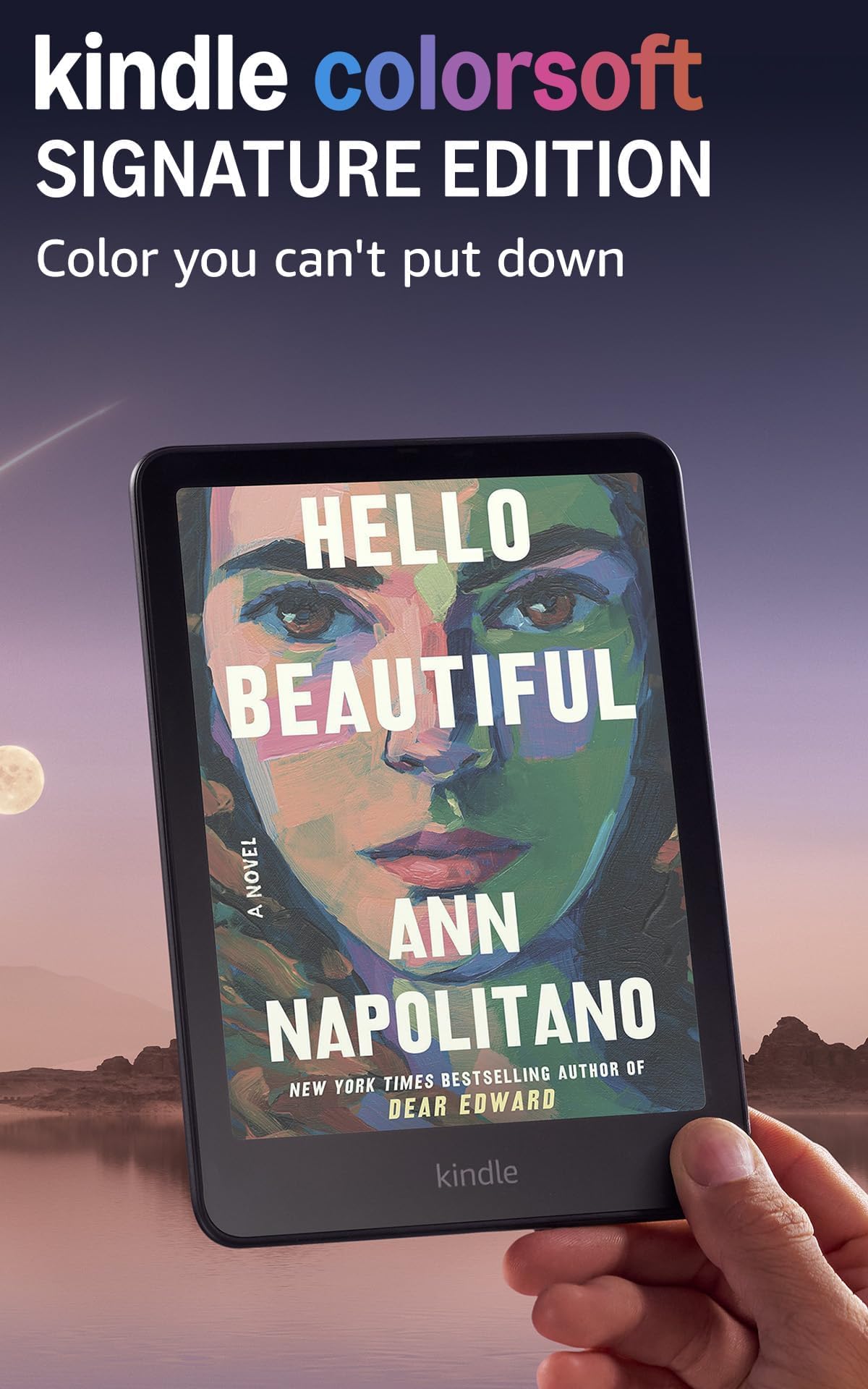
The Amazon Kindle Colorsoft Signature Edition features a groundbreaking 7" Colorsoft display with 300 ppi B&W and 150 ppi color resolution, delivering vibrant, easy-on-the-eyes reading. With 32GB storage, it holds thousands of books and offers up to 8 weeks of battery life per charge. Waterproof with IPX8 rating and equipped with wireless charging capability, this sleek metallic black e-reader adapts to any environment with an auto-adjusting front light and supports Dark Mode for low-light comfort.
| Display | Amazonโs 7โ Colorsoft display technology with built-in light, 300 ppi B&W, 150 ppi color, optimized font technology, 16-level gray scale. Due to the addition of a color filter layer that creates the easy on the eyes color reading experience, you may notice that the texture or brightness of the Kindle Colorsoft display looks different than the Kindle Paperwhite display. |
| Size | 5 x 7 x 0.3โ (127.6 x 176.7 x 7.8 mm) |
| Weight | 7.7oz (219g). Actual size and weight may vary by configuration and manufacturing process. |
| System Requirements | None; fully wireless and doesn't require a computer to download content. |
| On-Device Storage | 32 GB; holds thousands of books. |
| Cloud Storage | Free cloud storage for all Amazon content. |
| Battery Life | A single charge lasts up to eight (8) weeks, based on a half hour of reading per day with wireless off and the light setting at 13. Battery life may vary depending on use. Audible audiobook streaming over Bluetooth will reduce battery life. |
| Charge Time | Fully charges in less than 2.5 hours with a 9W USB power adapter. |
| Wi-Fi Connectivity | Supports 2.4 GHz and 5.0 GHz networks with support for WEP, WPA, WPA2, WPA3 and OWE security using password authentication or Wi-Fi Protected Setup (WPS). Does not support connecting to ad-hoc (or peer-to-peer) wifi networks. |
| Accessibility Features | VoiceView screen reader, available over Bluetooth audio, provides spoken feedback allowing you to navigate your device and read books with text-to-speech (available in English only). Learn more about Accessibility for Kindle. |
| Content Formats Supported | Kindle Format 8 (AZW3), Kindle (AZW), TXT, PDF, unprotected MOBI, PRC natively; PDF, DOCX, DOC, HTML, EPUB, TXT, RTF, JPEG, GIF, PNG, BMP through conversion; Audible audio format (AAX). Learn more about supported file types for personal documents. |
| Documentation | Learn more about Kindle devices with our Quick Start Guide and Kindle User Guide. |
| Warranty and Service | 1-year limited warranty and service included. Optional 1-year, 2-year or 3-year Extended Warranty available for U.S customers sold separately. Use of Kindle is subject to the terms found here. |
| Included in the Box | Kindle Colorsoft Signature Edition, USB-C charging cable and Quick Start Guide. |
| Waterproofing | Waterproof (IPX8), tested to withstand immersion in 2 meters of fresh water for 60 minutes. Learn more about the waterpoof Kindle Colorsoft. |
| Available Colors | Metallic Black |
| Generation | Kindle Colorsoft Signature Edition (1st Generation) โ 2024 release |
| Software Security Updates | Learn more about these software security updates. If you already own a Kindle, visit Manage Your Content and Devices for information specific to your device. |
K**A
*UPDATED: 2024-11-07* Love it so far, very pleased!
A perfect upgrade/2nd device to my 2018 (32gb) Kindle PW, especially considering itโs the 1st Gen of its kind. I was initially scared itโd feel a lot bigger than my current 6โ reader (which I love size-wise because it fits in even the smallest of bags/pockets), but it honestly isnโt too noticeable & still light/easy to carry with me on-the-go. One of the first things I noticed was its speed & how much faster it was than my PW model. The 32gb of storage space was also something I didnโt want to compromise on because, imo, itโs such great value for the money and I really hate how they limit the other models to only 16gb (the Oasis and Scribe models just arenโt for me/too large & expensive). Regarding issues others have pointed out in reviews (and hence why I am updating my own review, after now having my CS for about a week)โ I have yet to experience any *major* problems with the screen color or brightness/warmness (my device does have a very faint yellow tint at the bottom, but itโs barely noticeable so I really justโฆ. donโt care lol, it doesnโt impact my reading at all). My favorite part is how you can switch the Color mode from โStandardโ (for a more subtle, muted look) to โVividโ (higher contrast than the latter setting, but still easy on the eyes & not too jarring). Lastly, I also love that Dark Mode + other misc things (like adding custom fonts) are still available. It IS worth noting that Dark Mode only works for [most] books & does NOT currently extend out to the Main Menu headers/Homepageโ I say โmostโ because I have some downloaded files on my Kindles and, even though theyโre the right file format (.epub), they donโt always allow for certain features to work for whatever reason. I genuinely didnโt realize that Dark Mode didnโt work across the board, so that was a little disappointing to discover later, but hopefully itโs something that can be fixed via software updates or in later Generations! For some added context: I have really bad eyes & need to wear glasses daily but, even so, I still do *not* view this as a dealbreaker on whether or not the CS device is worth it, because I still believe it is. Rather, I just use my PW at night & at home (so that I can utilize Dark Mode to the fullest), and keep/bring my CS now when Iโm out or at work. Overall, my recommendation is just to do your own research on each model before buying! If some of the features (or lack thereof/limitations) are a dealbreaker for you, Iโd consider holding off or buying a different model. However, if youโre just looking for a simple & new or supplemental e-reader that has plenty of space AND also just happens to be in color, Iโd say this one fits the bill just fine!
N**K
Color Makes a Difference
Let's get one thing out of the way from the beginning: if the question is "which Kindle should somebody get," the answer most of the time is probably the Kindle Paperwhite. If, however, your pre-existing Kindle is almost a decade old or you're somebody who loves the latest and greatest thing, the Kindle Colorsoft might be for you. If that's you, my experience is that you won't regret diving into a more colorful world. I've been using the Kindle Oasis since 2017. In that time, the gradual degradation of hardware becomes noticeable: the ghostly appearance of text from pages past, the leisurely page turn speed, slow navigation, etc. None of these personal details matter to you, the person reading this review, but I share them because it should help provide some context so you can take my comments about the Colorsoft with a grain of salt if you would like to do so. With that said, I am genuinely impressed with what I've experienced so far. The text is crisp, and page turns are lightning quick. The star of the show, of course, is the introduction of color. I was initially skeptical of how much the color would add to the Kindle experience, especially given the existence of smaller tablets with LCD screens. After about a week with the Colorsoft, I must say I am surprised by how impactful the inclusion of color has been. Seeing the color versions of the book covers in my library is delightful, though I'm not sure why it resonates so much with me. Of course, the colors will be more vivid on an iPad but that misses the point. I enjoy reading on Kindles because they strain my eyes so much less than tablets do. The colors on the Colorsoft may be more muted (though you may be able to goose them a bit if you fiddle in settings), but they still look good, and the trade-off is worth it if you're prioritizing your eyes or if you tend to do a lot of reading in bed. I've seen some comment in reviews that the page turn speed is a bit slower when you go from a color page to a color page, but it hasn't been terribly noticeable for me. If you've gotten this far, you might be wondering about the yellow discoloration that some have noticed at the bottom of the Colorsoft's screen. While I understand that many people had this issue with their devices, I haven't noticed it with mine. Maybe it would show up if I took a photograph of my screen, but if I can't detect the issue with my naked eye, I'm not going to worry about it. With that said, I completely understand if the discoloration would be a dealbreaker. At $279.99, the Colorsoft is priced as a premium device. A premium device should deliver premium performance. Thankfully, it appears Amazon has already taken steps to address this problem for those affected by the discoloration issue. In my experience, though, the screen has been excellent. To sum it all up: the Kindle Colorsoft is really enjoyable to use, and you might be surprised by how much color adds to the experience. However, the price point does make the Colorsoft a bit of a tough sell if you're using a more recent Kindle or don't have issues using a tablet for reading.
B**T
Colorsoft color experience is what I wanted
I purchased the Amazon Kindle Colorsoft so I could have color images and graphics on many textbooks in my collection, as well as the ability to highlight in different colors, a feature I used a lot on my Android Kindle app but couldn't with my 2021 Paperwhite. The book covers are nice in color, too, bringing a level of dimension to my library that I enjoy a lot. I am giving this five stars as it satisfies my main objectives: The color is good, color highlighting excellent, and the speed of page turns and library browsing is excellent (noticeably faster than my 2021 Paperwhite). The only thing missing is a satisfying "dark mode," as it only affects the book pages and not the whole interface as with the Paperwhite. Perhaps this will change in a future update, but it isn't a big issue for me and the white text on a black background is still excellent for night reading, especially with the amber glow turned to the max. Color highlighting in this mode is also excellent. I do have some caveats, however: The battery drains a lot quicker than the Paperwhite, and the 32GB storage fills up a lot quicker. Also, the "Vivid" color setting seems to switch back to "Standard" sporadically, even if it still says "Vivid" is selected (this might be happening after I select a Restart). These are not serious issues as I just need to charge more frequently and will refrain from downloading my whole library as space fills up, and a reset to "Vivid" handles the color issue until a software fix is available (assuming this isn't just my imagination). In addition, the price is very high for what it offers, so unless color is very important to someone (to view comics, highlighting in color, etc.), the new 2024 Paperwhite might be the better option. UPDATE: An unfortunate issue a lot of reviews have mentioned is a yellow band at the bottom of the screen. At first, I didn't think my Colorsoft had this issue, but now I see a very faint band at the bottom of the screen when reading with black text on a white background. To be fair, I might not have noticed this without the issue being pointed out, and it is a lot less noticeable than some photos I've seen (I have the warmth setting set to 10 normally, which might camouflage the band a little). It looks to me like an issue of the calibration of the LEDs as it doesn't appear when the backlight is off. It is also undetectable with images and using the white test on a black background. Still, it is there, and I am requesting a replacement for when the issue is resolved. I'm keeping my review 5-stars because Amazon has been very responsive regarding this yellow banding issue. Contacting customer service via a chat was a simple process and a replacement request was quickly queued up (replacements, alas, aren't available yet while the underlying issue is being investigated and resolved), and I can keep using my current Colorsoft in the meantime (while noticeable, the yellow band isn't distracting while I read). One of the reasons I keep coming to Amazon is their fantastic customer service, and this is a good example of them doing what they can for an unfortunate situation. UPDATE #2: I received my replacement Kindle Colorsoft and the yellow banding issue is resolved. Again, I feel the customer service response to this issue was excellent and it is a primary reason I continue to use Amazon. UPDATE #3: The firmware update adding system-wide Dark Mode is a game-changer and very welcome addition to the Colorsoft. I prefer reading in Dark Mode and prior to the system-wide version, going outside a book was blinding at night. That issue has been resolved and the Colorsoft system-wide Dark Mode looks beautiful.
R**M
Not bad for a 1st generation dedicated color ereader
I've been reading ebooks for years on a variety of platforms. But the Kindle has been my go-to one for many years because of the battery life, as well as Amazon's variety of reading material. But I've always wanted them to have a color screen model. When they announced the Colorsoft, I ordered one immediately. Once I received it set up was easy. It was nice seeing the covers in color, and viewing books with color photos much nicer that seeing them in B&W on a Signature device. I played with display settings trying to optimize the color displays and have to admit I was not impressed with them. They did not match the Amazon site displays, they were much more subdued, almost like pastel colors. I've used my iPad mini to read them on, and while I didn't expect that quality of display, it was still somewhat of a disappointment. Battery life is slightly less than the Signature that I had but given it takes more power to display color than monochrome, I expected that. I also ordered the fabric cover which fits well, a necessary accessory in my opinion. The reason I'm writing this today is I've been reading some reviews and was surprised about the yellow artifact on the lower part of the screen. I had not noticed it before. So I looked at mine today, and surprisingly there is a very subdued yellow artifact. It seems to be about the size of the menu at the bottom of the screen when it's on the library screen (that menu has a yellowish tinge to it as well). It's not a major distraction but from what I'm reading it seems to be a manufacturing or software that Amazon is aware of and is working to correct it. I can return mine up till Nov. 2025 so I'm thinking I might do that since my was one of the first ones shipped. It's a great reading device, well worth the price. Given that it's Amazon's first dedicated color reader, it's worth it. FOLLOW-UP: Since my Colorsoft warranty can be exchanged through Nov. 1, 2025, I tried to contact them and arrange for an exchange due to the yellow band. There is no way that I am able to do that, when I follow the return process is only offers suggestions for self troubleshooting, nothing else. A little dissappointed since this seems to be a current problem.
B**T
My Colorsoft Conundrum!?
Updated 12/7: Not only did Amazon refund my Colorsoft purchase price, but Amazon also credited my account with the value of my old Kindle trade-in AND the $30 gift card awarded with that original trade-in. Definitely unexpected customer service!! Will stay with Kindle brand and look forward to an improved Color Kindle in the future as I will buy it:) Updated 12/1: Amazon Customer Support called me today to ask about my recent Colorsoft purchase and review. I was pleasantly surprised! He told me that Amazon would replace my device when they are available, which would be great but I'd already decided to return it for a Signature Paperwhite 12th generation. The text clarity is much better on the Paperwhite, which is the biggest reason for my decision. I'll revisit a color kindle, though, in a few years once the bugs are worked out! Original review: Iโm posting a review of my Kindle Colorsoft for a few reasons: sharing my love of the device, sharing my experience with Amazonโs customer support, knowing my options going forward, and frustration with Amazon for not addressing an issue and offering a solution for a well-known issue that many others are facing. First, the device is beautiful! Having the color makes the e-reading experience a step closer to the print experience. Just setting the color covers of the books makes me happy:) The page turning is faster, the highlighting options (which I use extensively) are useful, and the battery life is acceptable. I have not used the wireless charging yet, but itโs there if I decide to in the future. I strongly recommend this device BUT DO NOT ORDER UNTIL THE DEFECT HAS BEEN FIXED BY AMAZON! My problem summarized: I traded in an older Paperwhite, used that $86 credit toward the Colorsoft, realized the Colorsoft is defective, Amazon site will NOT let me replace the device only return the device, but if I return the device I lose that $86 credit as itโs nontransferrable (itโs just gone?), and if I return the device Iโm without an e-reader. Customer Care is unaware of the Colorsoft conundrum and offers no equitable/fair solution. The problem: I traded in my 2021 Kindle Paperwhite while pre-ordering a Kindle Colorsoft. That trade-in resulted in a $30 Amazon gift card and 20% off ($56 off the Colorsoft pre-rder) any new Amazon device. My Colorsoft was delivered November 1 and I returned my Paperwhite the following week. Then I saw my Colorsoft has the dreaded yellow hue on the bottom of the screen display; itโs not obviously noticeable, but once itโs seen it cannot be unseen. Not wanting to have a defective device after spending hard earned money on it, I reached out to Amazonโs Customer Support for the first time on November 8. This contact was Amazonโs AI Chat, and its response to my request for a replacement was to keep my device and Amazon would send a replacement once a replacement was available. Once I received the new device, I would get an email with the return shipping information/label for the defective device. The Chat then told me it would send a confirmation email of our conversation. I took pictures of the chat conversation for my records. I did receive a confirmation email, but it only thanked me for contacting Amazonโs Customer Support. There were no attachments of the replacement promised nor did my Amazon account have any record of a replacement being initiated. After a few weeks and still no update on my Amazon account and with my December 1 return deadline approaching, I reached out again to Amazonโs Customer Support on November 22 and initiated a phone conversation with a representative. This individual was trying to be helpful by initiating a return for my Colorsoft. However, the return email he sent had a return deadline of December 2 (only one day more than the original trade-in deadline), so I tried to explain to him how that would not fit the release date of the new Colorsoft devices without the defect. My complaint with this process was that even if I returned the Colorsoft I have, I would lose the $56 trade-in credit AND the $30 gift card. It would be as if I gave Amazon my older device; Iโve read on Amazonโs site that such credits/gift cards are non-transferable to another device. So, I told him I was not returning my Colorsoft because I didnโt want to give away those credits AND give Amazon a device to refurbish and resell for profit at my own expense/loss. The customer care representative wanted to โmake me happyโ so he offered a partial refund of $23.74, which was credited to my original form of payment (credit card). By accepting this partial refund, though, my Colorsoft is not eligible for a future return or replacement. So, with the deadline for trade-in looming, I accepted that offer. (Now, though, Iโm thinking I should not have.) His final suggestion was to use the deviceโs Limited One-Year Warranty to pursue getting my Colorsoft fixed or replaced once the new Colorsofts are available for shipping. Why is Amazon not dealing with this problem? Why am I having to reach out to Customer Support and neither the AI or the person knows of the problem with the Colorsoft? Why is the 20% and $30 credit not transferable given that Amazon is at fault for the defect in my device? ~Avid Reader
A**L
A must for Kindle Afficionados
Alright grab a cup of coffee or a cocktail and settle back as I spin my yarn. So, I'm a big fan of kindles. Since 2010 when we had this technology explosion, smartphones and tablets came on the scene and e-paper became an alternative to reading on LCD and OLED, I have been a "Kindle Aficionado.". I have gotten many, many kindles and sometimes paid more for them than I would have preferred, like 350-400 bucks. I usually can recoup about 100 bucks of that by selling them on later after I'm done as I take care of my devices. I got the first generation Paperwhite with the ever-so-slight visible backlight "issue" that people overeacted to. I remember when that got improved and the processor speed went up making it more usable. I remember when we got warm mode for the first time. I remember the first kindle with Auto Brightness. I remember "whispersync" when we could actually download things off wifi for free via 3G networks. I remember Kindle Voyage's glass screen and coffin-shaped back. I remember the original Oasis with the detachable and expensive "leatherette" cover. I remember the waterproof second generation Oasis. All of them were wonderful and all had pretty much steady improvements. All still usable, Still have a Voyage to this day because of it's glass screen quality, despite it not having enough space. Unlike phones, kindle devices last a long time, well past their internal technology sell by date. The kindle I replaced was relatively new for Kindles, but ancient in tech terms (2019, 6 years ago. Technology uses dog years so about 50 years old, lol). Still works flawlessly. Couple issues, one is no color and the other is no USB C (or wireless charging). So it's time, I traded one of my 2nd gen Oases in for this device and Although it's not a premium build as Kindles go, it's a color paperwhite - And probably the first of many color e-ink displays - it's features were an ABSOLUTE MUST for me. Color, wireless charging and USB C so I can start getting rid of all micro USB keyed cables in my house. These are all big deals. I skipped the scribe, it's cool but I'll wait for the eventual color version, color is that big of a deal. Now you're probably reading some of the pearl clutching reviews people have posted complaining about those things like yellow bottom border, lower resolution and less white "paper" - it's now more of a greyish color and it's a slight step back I will admit. But the fact I can see all my books in color - pretty decent color mind you - that alone is worth the cost of admission. I read comics and "graphic novels". and I'm reading the X-men series from the 80s on up atm and am loving it. Been doing it on an ipad pro, brand new and extremely expensive and fragile device also not worth what is charged for it (1100 bucks). I basically use it to browse the web occasionally and read comics. Now I can read them on my kindle colorsoft signature edition along with my books instead of not being able to. Also, books with 2 color printing like the Illustrated Silmarillion now have their colored titles show up which is refreshing and something I love about the print editions. These also have their color illustrations in color instead of a greyscale mess where before you'd try to work out what it was. It's a game changer. SImply put. For those who read books with "plates" (as long as the kindle edition supports it I assume) you now get them in color. Comics are almost like reading old yellowed comic books. It has a charm that makes it worthwhile. Now, is it as vibrant as an Ipad, no, it's not and there might be some use cases for still using your ipad first for art heavy books, but being able to see them in color with only an e-ink device is still huge, as before you wouldn't even be able to appreciate or make sense of them. You'd never open them, it was print only and no color in the print ever breaking up the monotony. The fact this is a thing of the past now ? That's fantastic and worth the tradeoffs. The trade offs - let's talk about them. They're only issues if you had bad expectations, wanted a tablet, or are OCD. That's my feelilng anyway. You get a greyer, "dirtier" background and a lower resolution of 150 DPI when images are on the screen. Sure, this is kind of noticable but not deal breakers by any means unless you're "pixel peeping" and letting your OCD get the best of you. If you are using warm mode the bottom of the screen can geta bit yellowish (I mean it's warm mode, the whole screen is getting more yellow) but it can be slightly un-uniform and I guess this freaks some folks out that want something perfect. I'm not one of them, but that's probably the reason for the returns and 3 stars I guess. It is what it is... those people will miss out on color e-ink. Also I'm sure they'll improve these very minor limitations over time. Similar thing happened with the OG paperwhite and itnever stopped me reading on it, I eventually replaced it and got a better display and more speed. Let's face it. Your average kindle you could expect to keep for 2 or 3 years until a new model comes out and then sell it for a few bob on ebay, provided you didn't lose it or damage it in that time. Or you could keep it for 10 years until it was totally obsolete and nobody wanted it and have to toss it as it fails as all electronics do these days as nobody repairs em anymore. I know what I've been doing with mine, flipping them back and getting the latest and greatest. Technology will always improve and I look forward to future kindles with improvements, but know this much... I'm not going back to black and white only. Even if it's a little cleaner and whiter. Also I have some older kindles still so If I want that experience I can have it. Some people may not be able to make this trade off and that's fine - you can keep to your paperwhite. The speed of this device is also quite good, yes it has to do page refresh more often on color but old kindles had that issue too and had worse "dirt" that accumulated, I think people today are a bit spoiled. One area I would like to see is 64 GB, with color file sizes are more, and 32 GB is not a lot. 64 GB and 128 GB ought to be the norm, come on, it's 2025, and NAND flash is cheaper than ever and getting cheaper constantly. I remember when kindles had 2 GB on them. 2 GB ! lol. All in all, I'm all in. And i'm excited where the future of color e-ink is going.
B**E
Loving it so far!
The colorsoft seems to be getting a lot of hate, and although I hate writing reviews, I wanted to share my thoughts. I have read the unfortunate reports of issues from other reviewers and I hate they are dealing with issues! However, I've been super happy with mine so far. Sure, there is a faint yellowish tinge at the bottom of the screen if the warmth is on, but it wasn't noticeable until I saw reports and went to check my screen. I'd kept my expectations low when it came to how saturated the colors would be based on other e-ink color screens, but the Colorsoft exceeded my hopes. The colors are lovely, even with the light off. I know many color e-inks are compared to reading a newspaper in color, but I find the Colorsoft to be more pigmented and the graphics are smoother (not grainy). I'm a visual learner and I remember information better if it is color coded or the graphics are in color, so having color for my non-fiction books makes a massive difference for me. And I can finally enjoy cookbooks and how-to art books on my Kindle! I'm sure I'll run into some hiccups since the Colorsoft is a new device, but they will be worth it just for the color quality alone! Also, I was very frustrated with the lag in my Paperwhite Signature. I'm a speed reader and waiting for it to respond to page turns and highlighting would take me out of my relaxed reading "state". The Colorsoft is lightning fast by comparison and that alone was worth the upgrade... At least for me! E-ink devices aren't tablets or ipads. They are often a little clunky and lack the sharpness or rich hues we are accustomed to on those screens. But they serve their purpose well, allowing us to step away from the notifications of our other devices, reduce eye strain/headaches (at least for me), and we can read outside in the sun. The colorsoft may not be for everyone, and there are things Amazon will need to address as with any new device, but I certainly don't regret my purchase! It serves the purpose I hoped it would. My neurodivergent brain is so pleased with the pops of color on my screen and it's so much easier finding books in my library thanks to the ability to view the covers in color. I'm so happy Amazon listened to all the requests for color... Now if we could just get a Scribe in color! *hint hint Amazon team!* I've attached pictures, but please note that if the words in the screen are blurry it's due to my camera, not the device. They are sharper than my PW signature in person. The mouse on the stack of books and the floral/succulent screensavers are both with the device powered off (so no light).
C**N
Exactly what it should be.
I'm not sure if I got a unicorn Colorsoft or whatever, but I've not had ANY of the negative issues other reviewers noted. That said, I DID order this two months after the release. I kept my expectations realistic for e-ink and it's limitations goin in. This Colorsoft replaced my wife's 2014 Kindle Voyage (which still works BTW, if with a bit of an aging battery), so my expectations and experience are also based on a 10 year gap in e-reader upgrades. First, I had zero, ZERO yellow ghosting or tint at the bottom of the screen. No matter how I set the brightness and warmth sliders, a pure white background shows no tinting at all. Anywhere. Insofar as color temperature, with the warmth turned all the way down, this screen is wicked white, especially with the brightness cranked. Whiter than the old Voyage. Brightness-wise, it seems right on par with the Voyage, but MUCH more uniform. The new Paperwhite gets just a bit brighter. For clarity, from what I can see, black text and whatnot look just as clear as they do on the Voyage, but that IS a 10 year old reader that uses the original e-ink Carta technology. A great 10 year old reader, but still old. For me, it wasn't a downgrade at all. It's 300 ppi and it look like it. For color images and text, there's a SLIGHT hit on resolution, but unless your face is pretty much within eight inches of the screen, it's not noticeable. Color images will NOT look as good as and LCD or OLED screen. Period. It's not going to be an e-ink iPad replacement. Colors are a bit muted, but honestly look MUCH more saturated than on other color e-ink readers I've used, including those with the same Kaleido 3 screens. It's all in the software, and Amazon has the device auto-tune things to either standard or vivid settings. I go with vivid, myself. Why not? Color resolution drops to 150 ppi, but that's plenty from a normal reading distance. Between the matte glass, muted colors, and color resolution, think really, REALLY good newsprint quality or good (but not great) magazine quality. It's good, and like I said, the black and white sharpness doesn't seem to suffer at all. And that's what I expected. The screen gets bright, REALLY bright. And it's uniformly bright. In a well-lit room indoors, it's normally set to around 10 or 12 out of 24. In an insanely well lit room, I've had to crank it to as high as about 20. Even in that insanely well lit room, 24 was too bright. And outdoors, particularly in sunlight, the brightness can be turned off. It's e-ink. Reflected light is this thing's strength. As far as other features go, this is pretty much a carbon copy of the newest Paperwhite Signature Edition. Same 32GB of storage, same Mediatek MT8113 2Ghz CPU, same 2GB of RAM, same Qi wireless charging, the same 2300 MAH battery, and the same IPX8 rating. The screen is the same size, but has color. The device also weighs about .2 ounces or 6-7 grams more than the Paperwhite. Think the weight of about 6-7 small, metal paperclips. Compared to the non-Signature Paperwhite, there's the addition of double the storage, no special offers by default, wireless charging, and auto dimming (all of which which the Paperwhite Signature also has). For color reading (magazines, comics, etc.), this trumps the Paperwhites in every regard. If all you'll EVER do is black text reading, this may not be your best option. The Paperwhite Signature Edition's e-ink Carta 1300 screen is made for that. It's slightly shaper, slightly brighter (since the front light doesn't need to reflect through an additional color layer of the screen, in BOTH directions), and refreshes slightly faster, since there's only one layer refreshing (that being said, the Colorsoft actually refreshes faster and cleaner than my Voyage ever did). And, the Paperwhite will offer about 50% more battery life, since the simpler B&W screen is doing a LOT less work. That said, I've had my wife's Colorsoft off the charger for over eight days, with her reading at LEAST a half-hour each day, and it's just now down to 80%. Or a drain of about 2.5% a day or so. No complaints. Speed-wise and interface-wise, they're identical... great and snappy. Me personally, I can see a slight difference in the screens for B&W reading, but just barely, and only up close. Being as my wife likes the book cover art and will be reading magazines and the like on this, the color upgrade was definitely worth it. If I knew for CERTAIN that she would never read or view anything in color, the Paperwhite Signature would have been the better purchase, as it offers EVERY feature of this, except the color screen, has a SLIGHT increase in clarity, and is $80 cheaper. But for color, this is it. Compared to other color e-readers I've used, this one has BY FAR the best text and image quality, refresh rate, refresh cleanliness (ghosting), color saturation, and background clarity. No contest, all around. Compared to a great tablet, this still has tons of advantages, like no refreshing of the screen (e-ink produces a static image) and SUBSTANTIALLY more battery life. AND this is a dedicated e-reader. It does nothing else. Something to be said for that. So far, I'm impressed and very happy with the purchase.
Trustpilot
2 months ago
1 week ago