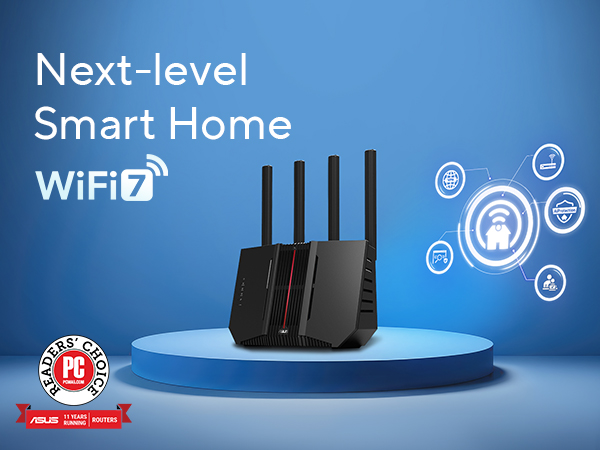
Desertcart purchases this item on your behalf and handles shipping, customs, and support to Tunisia.
🚀 Future-Proof Your Network with ASUS RT-BE92U – Speed, Stability, Security!
The ASUS RT-BE92U is a tri-band WiFi 7 router delivering ultra-fast 9.7 Gbps speeds via new 320MHz 6 GHz channels and advanced 4096-QAM. It supports multi-link operation across three bands for stable connections, dual WAN with AI failover, and USB 4G/5G tethering. Designed for smart homes, it offers easy IoT device management, instant VPN, and commercial-grade AiProtection Pro security without subscriptions. With mesh networking and Alexa compatibility, it covers up to 2750 sq ft, making it ideal for professionals demanding future-ready, secure, and seamless connectivity.


| ASIN | B0DHWCQ3FP |
| Antenna Location | Business, Gaming, Home |
| Antenna Type | Fixed |
| Best Sellers Rank | #147 in Computers & Accessories ( See Top 100 in Computers & Accessories ) #14 in Computer Routers |
| Brand | ASUS |
| Built-In Media | Power Adapter, Quick Start Guide, RJ-45 cable, RT-BE92U WiFi 7 Tri-band Router, wall mount kit |
| Color | BLACK |
| Compatible Devices | Personal Computer |
| Connectivity Protocol | Bluetooth, Wi-Fi |
| Connectivity Range | 2750 square_feet |
| Connectivity Technology | Bluetooth, Wi-Fi |
| Control Method | App, Push Button, Voice |
| Controller Type | Wi-Fi, Bluetooth, Voice Control |
| Coverage | 2750 square foot |
| Customer Reviews | 3.9 out of 5 stars 611 Reviews |
| Data Transfer Rate | 5764 megabits_per_second |
| Frequency | 320 MHz |
| Frequency Band Class | Tri-Band |
| Item Dimensions L x W x H | 11.3"L x 4"W x 9.73"H |
| Item Weight | 1.7 pounds |
| LAN Port Bandwidth | 9700 Mbps |
| Manufacturer | ASUS |
| Maximum Upstream Data Transfer Rate | 5764 megabits_per_second |
| Mfr Part Number | RT-BE92U |
| Model Name | RT-BE92U |
| Model Number | RT-BE92U |
| Number of Antennas | 4 |
| Number of Ports | 5 |
| Operating System | ASUSWRT |
| Other Special Features of the Product | 320MHz channels in the 6 GHz, Alexa Compatible, Internet Security, VPN, AiProtection, WiFi 7 (802.11be), Wirelss router, AiMesh Node, Access point, Media Bridge, Repeater Mode |
| RAM Memory Installed | 1 GB |
| Router Firewall Security Level | High |
| Router Network Type | Tri-Band |
| Security Protocol | VPN, AiProtection, WPS, WPA/WPA2/WPA3 Enterprise |
| Special Feature | 320MHz channels in the 6 GHz, Alexa Compatible, Internet Security, VPN, AiProtection, WiFi 7 (802.11be), Wirelss router, AiMesh Node, Access point, Media Bridge, Repeater Mode Special Feature 320MHz channels in the 6 GHz, Alexa Compatible, Internet Security, VPN, AiProtection, WiFi 7 (802.11be), Wirelss router, AiMesh Node, Access point, Media Bridge, Repeater Mode See more |
| UPC | 197105580633 |
| Unit Count | 1 Count |
| Warranty Description | 3 year |
| Wi-Fi Generation | WiFi 7 |
| Wireless Communication Standard | 802.11.be, 802.11ac, 802.11ax, 802.11n |
| Wireless Compability | 802.11.be, 802.11ac, 802.11ax, 802.11n |
A**0
Be92U+AX86u AIMESH works with Xfinity XB8 in bridge mode
I bought this unit because I already have an Asus AIMESH setup using Arris modem, it was working great for Comcast 1g plan; however, I recently upgraded to their 1.3g and the Arris modem can only support up to 1g, I can configure Lan aggregation with both model and router, but it barely gets over 1g because the overhead associated with this set up. With Xfinity's recent promotion of their gateway and unlimited data bundle, I took the plunge and signed up for that, I basically get their XB8 gateway for free. So, my setup is to use Xfinity XB8 in bridge mode (disable their router), and use Asus BE92u+AX86u as a mesh combo unit. This combination works fine for me, I am getting the line speed at the router of 1.3-1.5g, and stability seems to be good for the week or so I have the new set up, the other important benefit is my network is 2.5g from router to switch to all the wired device, it is fast enough to cover all the basics. There is a bit of challenge when set up Xfinity XB8 as a bridge, it initially did not pass the DHCP IP address to the router, therefore you get no Internet from the router side, to solve this issue, I asked Grok AI, and it provided detailed solution (set clone MAC address from a working laptop connected to the XB8) which solved the problem. All in all, the unit BE92U is stable, I am using Merlin latest firmware, I am happy if my purchase.
M**S
For me. Quality, stable, fast.
It works beautifully. Sadly at the 6 week mark it started acting up. Absolutely nothing was changed or updated just acted up. Hard reset nothing, merlin side, any firmware, nothing. Today! New firmware April 1st 2026 from Asus. Does not correct it. Yes even hard reset after the latest firmware. :/ 5 and 6 ghz works but not at its full potential anymore. 2.4 just doest exist, won't broadcast. But for sure a very respectable strong router. Was very stable with almost 30 home devices. Yes the pic results are tested thru wifi not wired.
K**.
I should have listened!!! STAY FAR AWAY FROM THIS
GOSH, I wish I could cuss on Amazon reviews! I hate myself for doubting the reviews. Everywhere you look, it’s 80% bad, 20% saying "user error." I should’ve listened. I wanted to future-proof with WiFi 7, but forget it. DON’T BUY. Yes, ASUS makes great products and a lot of people love them, but their customer support is absolutely horrendous. The support folks kept asking me if the router was near a microwave. I was like, GEEZ, I’m not talking about weak signal!!!! It keeps rebooting randomly!!! I work in IT. First thing you check? Logs. ASUS said submit them, so I did, three times over a month. No response. When I called back, the new rep had no idea what I was talking about. I had to pitch a fit just to escalate. The escalation rep was “nicer,” but while I waited (and missed the Amazon return window), ASUS kept dragging this out..... and still never reviewed my logs. Unreal. It’s clear now: companies don’t want to pay real tech support for a $250 product. Easier to offer a refurb and move on. But I’m not accepting a refurbished unit when I bought it brand new and it’s been broken since day one. ASUS does make excellent routers, some of them. But this model is just bad. It should be pulled from the market. The reviews are right, and I’m mad at myself for not listening. This router was dropping my video calls during meetings. I eventually had to buy a second router out of pocket just to keep working. I finally turned to Asurion for help, and even that was hard, they needed a denial or service letter, but ASUS wouldn’t provide one. Because the manufacturer’s warranty came first, Asurion technically couldn’t step in unless ASUS "finished" their support, which meant taking their garbage refurb. I told them: So what? I’m stuck with two routers now? This makes no sense. Thankfully, Asurion made an exception. Never used them before and didn’t know if buying their protection plan was worth it BUT it absolutely is. ASUS makes solid products when they work, but if anything goes wrong, you’re on your own.
R**S
Great product Wifi 7 router
This is my 4th Asus wifi router and I just like that you can still use your old router as a AImesh to make your wifi signal stronger. 07/27/2026 I purchased this router and I am very pleased with it. The set up is easy and the app even allows you to set it up the same way as old router was, which I really love because I don't have to reconnect each device all over again. This is the best Asus router I have ever had and I had : Asus RT-N12, Asus RT-AC1900 and Asus RT-AX58U. If there is a downside it would for me is that I only can get wifi 2.4G,5G and 6G at this time and not wifi 7G. Great product so far and price. Quad band
K**R
Great router for experienced users on a budget
Easy to setup, other than one issue where the online manual didn't have the updated menu item name. Small footprint, and a lot of features for the price. I saw that a fair number of people were reporting dropped connection issues. A possible cause for this is a known issue with Samsung and Apple mobile devices not working well with MLO (after a while they freak out and start dropping connections and otherwise make internet connections unrealiable). If you don't absolutely need MLO, try disabling it if you have it enabled. Update: A week later. During initial setup and for a few days later I did experience occasional router reboots. But, after a few days the system has stabilized and no further reboots....yet. Not sure what is causing the reboot, nothing definite showing up in the logs. Otherwise, I'm loving this router. It was so easy to setup different virtual networks, especially the one for VPN. Not sure if I could recommend this router for the inexperienced user, but if you have any experience setting up routers etc. I can give this a big thumbs up!
D**.
Asus RT-BE92U 2pak
I don't understand all the bad reviews. Install was fairly quick and easy to get it up and running. 10 minutes and that was with the firmware update. I bypassed my Starlink router which is only at wifi 5 and installed this Asus BE92U wifi 7 since our cell phones are wifi 7 and our tablets are 6e and TV are wifi 6. No more bottle necks in our wifi now and getting a constant 250 to 300 mbps even 80 feet away to the other end of the house. Monday when my Asus ROG STRIK GS-BE18000 gets here I'll make these 2 BE92Us my AiMesh nodes. I only have the one BE92U going now just so I can have wifi 6 and 7 till I get the GS-BE18000 installed as the main router tomorrowor the next day. These 2 BE92Us will serve as Aimesh nodes going to the 2 story barn/upstairs game room. Without these nodes in the system and only using the 1 RT-BE92U as a temporary main router by itself I'm still getting 90 maps out there. The RT-BE92U work exceptionally well. Starlink only supplies around 300 mbps speeds so now I'm getting it. With Starlink wifi router I was only able to get a range of 50 to 150 mbps speeds and it bottle necked all the time. No bottle necking now. Don't believe all these bad reviews like I've read. UPDATE: Got my Asus ROG STRIX GS-BE18000 router and placed the 2 Asus RT-BE92Us into the AiMesh node role as planned. The entire wifi 7 setup is working flawless! I'm using the nodes wireless and still getting full speed everywhere. Getting 90 plus mbps at my burn pit that's 540 feet from my main router! From my router to my burn pit there are only a few trees so that could be the reason, but still exceptional range. I still don't understand the negative reviews and can only think its do to improper setup and/or incomparable devices. I highly recommend this setup!!! UPDATE: 11-20-2025 The new Asus system is working flawlessly as designed. Even though I updated the firmware at time of initial install I received a notification that a software update was available for my main Router the Asus ROG STRIX GS-BE18000 which I did. Yesterday got a notification of a firmware update for both my AiMesh nodes the Asus RT-BE92Us and I updated them also. The coverage of my system has been amazing, stretching way past 500 feet covering my entire 5 acre front yard. Impressive, lso at handling all my various devices without delay. The entire network system has been working flawlessly streaming 4k on 4 smart TVs at once and gaming play on the Playstation 5 all at once. Nothing I could have ever attempted on the 2nd gen Starlink router. I have seen speeds of 400 mbps and 45 upload are common now when before with the Starlink Gen 2 router was doing good to see 100 mbps. I feel like we have moved into the 22nd century now!
G**K
BE92U Operation Stabilized after latest update and hard reset of all nodes.
After reading the bad reviews and seeing the high unit return rate, I decided to take the risk. I installed an ASUS BE92U/BE 9700 to replace an old ASUS RT AC86U. My goal was to provide a stronger signal and the newer and faster 6G in the home "Mesh". I have four ASUS routers connected by wire (1G Ethernet) to cover the 4000 SQ ft area of a ranch house including an outdoor pool area. The size/shape and type of construction (brick/cement) required more routers than normally needed. I have had very good experience with these ASUS routers, the older model units has been in service in this attic for 10 years , surviving heat in the summer and cold in the winter. So with that kind of record, I felt the ASUS product deserved a try. After installation in the Attic for 5 days it survived a couple of 90 degree (F) days, and worked well. Suddenly, on a subsequent cooler day with 80 degree temperature high - the unit went offline, and the Gateway (an RT-AXE7800) stopped broadcasting any WIFI signal. A power cycle reboot did not recover operation of the gateway. So all units were factory reset, and I added each node back, one by one. Coincidently, an update for the BE92U came out (July 4?) while was restoring operation, so I installed the new update. The mesh had been operating for 7 days with ASUS BE92U as node in the mesh.
L**D
Don't buy. Have firmware/hardware issues
Avoid this router if you plan to use MLO or AiMesh. The latest firmware (August 2026) still appears to have unresolved issues when MLO is enabled (kernel crash, 100% cpu usage). Even with MLO disabled, stationary Wi-Fi 7 laptops frequently disconnect and reconnect as AiMesh makes bad roaming decisions between 5ghz and 6ghz bands. For a Wi-Fi 7 router marketed around MLO and mesh capabilities, this level of instability is disappointing. I would wait for further firmware improvements before considering this router.
W**A
Muy recomendado
Excelente producto Cumple su función
M**D
exellent wifi 7 device
very nice the vpn from sharksurf is compatable and good
S**Y
Perfect smart Home router.
Here’s my review. I purchased one open box to replace my Bell modem as I switched to EBOX Internet. The Nokia Becon 3.1 is terrible. You have to be right beside it to get full speed. The moment you move to a different room or floor you lose 50-70 percent speed. It does not penetrate through floors or walls well. Even though it shows full signal. After doing research I came across this router open box deal. I purchased 1 to start. Placed it in the same spot as the Nokia router. Did my speed test again and the speeds only dropped 20 percent going to the 2nd floor. Speed penetrates through walls and floors much stronger than the Nokia router. However. I want to utilize the full speed on 6ghz on all floors which is where the other 2 routers come in open box and added 1 to each floor. I now how full 6ghz speed throughout the entire house. Once you have the entire mesh system setup and begin adding devices. If you have a smart home with 40+ switches, camera, HomePods, it’s important to name them as you connect to the internet in the ASUS app. Because to fully utilize the system it’s important to bind each device to the router you want to lock it to prevent roaming to a weaker signal. Another thing I noticed. Each open box had someone else’s wifi setup to a single network. It combines all 3 bands into 1 network. I don’t recommend this because you won’t utilize full speed at times it will connect to 2.4 ghz instead of 5 or 6 which makes it very slow. For the price. You can’t go wrong with this mesh setup. Another thing to add. If you are with EBOX. Completely disconnect unplug and put back in the box the crappy Nokia beacon. You can’t even disable the wifi it’s annoying. Connect main fibre modem directly into the ASUS router and setup PPPOE information in the ASUS web gui. I currently have 58 devices connected and my ram utilization is 69-71% these are future proof ai nodes. In the future when it’s time to upgrade the main unit to a 4x4 mimo. It will still utilize full wifi 7 speeds as ai nodes. This router is 2x2 mimo on 5ghz and 6ghz 3x3 for 2.4ghz ideal for smart home devices. Best bang for your buck right now With my internet speed capped at 1gbps it doesn’t make sense to purchase a high end router yet.
Y**W
Connectivity is not stable at all.
I have to return the router as its connectivity is extremely unstable in my case. My situation: I live in a stacked townhouse (two floors) with Bell 3 Gbps service; I have 5-6 devices, non of which can support Wifi 7 (best can do Wifi 6E). I use the router as AP to enhance wifi coverage and get my place ready for any future wifi 7 device. The router's signal is strong enough to cover my entire home (when it works) but my phone and computer would frequently lose connection without any reason, particularly when I resume my phone/pc, change location from the first floor (where the router is) to the second, or start a heavy load downloading/uploading. I have to reconnect wifi multiple times a day; the speed is better when newly connected but gets worse as I use. I tried troubleshooting and did some research. With this router, many have complained about similar problems and warned that tri-band/wifi 7 is very new and still requires constant improvement. I've also tried different setup, e.g., turn off wifi 7 mode, turn off roaming assistant... to improve stability, but the problem persisted. So be ware of the challenges embracing new technologies.
G**O
Una basura
Una basura, muy descepcionado de ASUS con este router, falla a cada rato, se desconfigura, no fucniona como ai-mesh
Trustpilot
1 month ago
2 months ago