Desertcart purchases this item on your behalf and handles shipping, customs, and support to Tunisia.
๐ Elevate your home network to WiFi 7 speed and security supremacy!
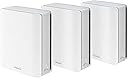
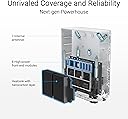
The ASUS ZenWiFi BT8 is a tri-band WiFi 7 mesh router system delivering ultra-fast speeds up to 14 Gbps and expansive coverage up to 8,850 sq.ft. Powered by AI-driven Smart AiMesh technology, it ensures seamless whole-home connectivity with robust security features including AiProtection Pro and VPN support. Designed for professionals seeking high-performance, secure, and easily manageable home networks, this 3-pack router set supports the latest WiFi standards and smart home device integration.


| ASIN | B0DHW9P5YL |
| Antenna Location | Business, Gaming, Home |
| Antenna Type | Internal |
| Best Sellers Rank | #1,212 in Computers & Accessories ( See Top 100 in Computers & Accessories ) #41 in Whole Home & Mesh Wi-Fi Systems |
| Brand | ASUS |
| Built-In Media | Power adapter, Quick start guide, RJ45 cable, Warranty card, ZenWiFi BT8 x 3 pack |
| Color | WHITE |
| Compatible Devices | Personal Computer, Smart Television, Smartphone, Tablet |
| Connectivity Protocol | Wi-Fi, Bluetooth |
| Connectivity Range | 2950 Square Feet |
| Connectivity Technology | Bluetooth, Wi-Fi |
| Control Method | App, Touch |
| Controller Type | App Control |
| Coverage | 8850 sq.ft. |
| Customer Reviews | 3.6 out of 5 stars 48 Reviews |
| Data Transfer Rate | 8643 Megabits Per Second |
| Frequency | 6 GHz |
| Frequency Band Class | Tri-Band |
| Has Internet Connectivity | Yes |
| Has Security Updates | Yes |
| Is Modem Compatible | No |
| Item Dimensions L x W x H | 6.3"L x 2.8"W x 7.3"H |
| Item Weight | 1.9 Pounds |
| LAN Port Bandwidth | 2500 Mbps |
| Manufacturer | ASUS |
| Maximum Upstream Data Transfer Rate | 8643 Megabits Per Second |
| Mfr Part Number | BT8 (W-3-PK) |
| Model Name | BT8 (W-3-PK) |
| Model Number | BT8 (W-3-PK) |
| Number of Antennas | 7 |
| Number of Ports | 5 |
| Operating System | ASUSWRT |
| Other Special Features of the Product | AI-Boosted Smart AiMesh, Alexa Compatible, Data Range: WiFi 7 (802.11be) - (2.4GHz): up to 688 Mbps/ (5GHz): up to 4323 Mbps/ (6GHz): up to 8643 Mbps, Network Standard: WiFi 4 (802.11n) WiFi 5 (802.11ac) WiFi 6 (802.11ax) WiFi 6E (802.11ax) WiFi 7 (802.11be), Operating Mode: Wireless router, AiMesh Node, Access Point |
| RAM Memory Installed | 128 MB |
| Router Firewall Security Level | High |
| Router Network Type | Tri-Band |
| Security Protocol | AiProtection, VPN, Firewall, WPS, Let's Encrypt ,DNS-over-TLS, Security Scan, WPA/WPA2/WPA3-Personal, WPA/WPA2-Enterprise |
| Smart Home Compatibility | Not Smart Home Compatible |
| Special Feature | AI-Boosted Smart AiMesh, Alexa Compatible, Data Range: WiFi 7 (802.11be) - (2.4GHz): up to 688 Mbps/ (5GHz): up to 4323 Mbps/ (6GHz): up to 8643 Mbps, Network Standard: WiFi 4 (802.11n) WiFi 5 (802.11ac) WiFi 6 (802.11ax) WiFi 6E (802.11ax) WiFi 7 (802.11be), Operating Mode: Wireless router, AiMesh Node, Access Point Special Feature AI-Boosted Smart AiMesh, Alexa Compatible, Data Range: WiFi 7 (802.11be) - (2.4GHz): up to 688 Mbps/ (5GHz): up to 4323 Mbps/ (6GHz): up to 8643 Mbps, Network Standard: WiFi 4 (802.11n) WiFi 5 (802.11ac) WiFi 6 (802.11ax) WiFi 6E (802.11ax) WiFi 7 (802.11be), Operating Mode: Wireless router, AiMesh Node, Access Point See more |
| UPC | 197105532090 |
| Unit Count | 3.0 Count |
| Warranty Description | 3 year |
| Wi-Fi Generation | WiFi 7 |
| Wireless Communication Standard | 802.11.be, 802.11ac, 802.11ax, 802.11n |
| Wireless Compability | 802.11.be, 802.11ac, 802.11ax, 802.11n |
C**Y
Real regret over this purchase
I upgraded from a TP-link 6e wife system to this about two months ago. I shouldn't have because I got much better coverage with the TP-Link 6e. I did get slightly faster speed, but it was an irrelevant 15% boost, but I lost internet coverage in my basement. and parts of my house. I put the TP-Link back up and my coverage is restored. This is the worst value for money I've bumped into for ages. I really regret my purchase and wish I was still within the return window.
J**J
Terrible Mesh System
I purchased this system to replace my 3 node Eero system. When its working, the WiFi is much faster than my previous Eero system. However, it drops connection frequently and videos playing on remote devices buffer frequently when they didn't before. I contacted support via their app and got no response. Then I contacted support thru their chat and was suggested to make some adjustments. Some of the adjustments weren't even options I had with my system. And as part of the adjustments, I was going to lose the connection with the representative. They said that was correct, and to just contact them back if needed; no way to restart my conversation with the same representative. No information was requested about the number of nodes or locations, it seems very scripted, as if they have this issue frequently. I haven't contacted Asus back yet, as I expect I'll get some boiler plate script rather than specific advice. Not sure yet if I will return the product or keep looking for assistance. I also had to set up a new subnet, it wouldn't work with my existing router's IP's as the previous system did. So, I had to manually reconnect several devices... still doing that. When plugging one of my IP cameras into one of the nodes with a wireless connection, it didn't work like it did with the previous setup. I had to adjust settings in the router and the camera to finally get it to work. Bottom line, I would not buy this system. The Eero system was much easier for setup. I just plugged it in and it worked. The reason I replaced was for additional speed and Asus's additional control for my children's devices, which doesn't require a subscription thru Asus like their competitors do. That is the only reason I havenโt returned it yet.. Iโm really hoping I can get it dialed in.
T**O
Asus gets it right.
Used to run asus routers, loved them then jumped to another brand for mesh as asus's offerings weren't strong yet. That router went end of life so back to alot of researching. My gripe with how the router market has developed is that they have either dumbed down all the admin features so you don't have many choices (or only make available in their business models for another $1,000), or make you pay subscription for basic firewall capability, or are made by a Chinese company where you may get some features you don't want (backdoors). Well, after researching Asus's offerings for mesh have matured a lot, and their philosophy to let you admin stuff the way you want hasn't (good thing) while not charging you for firewall and security protection built in. Yeah, it may be a more expensive product than others but do the match on that subscription or having to buy a firewall to put in front of it and its a deal. Anyhow, setup was super smooth. Performance is delightful. Speed is super fast and very stable. Note, I have two levels, basement, storage, and 2 foot thick brick walls that my last mesh router hlcould barely give me a signal through (getting 200 maps in my "bad spots now). The freedom only admin controls also means I can create segments, manually prioritize, create white lists, and not only have an iot network but choose which satellite and band they connect to (others force this and created so many headaches and security issues). I stretched my budget on this but given i rely on this and generally keep my routers until end of life, this wifi 7 router is pretty cheap after I do the math per year compared to competing models with a cheaper up front cost but more expensive size in long run that limit function. Anyhow, super happy. Happy to be back at Asus.
B**R
Fine performance but parental controls/blocking simply don't work
I've been running this network for a week or two, it's fine, everything seems to work and speeds are fine. The issue is that the management tools, especially ones that are used to block traffic or enforce parental controls simply don't work. My 2 kids have had unfettered access to the internet thanks to this. I attempted to contact support, couldn't even get someone. It's going back.
K**S
Solid Mesh Router
I've had these routers for about two weeks and they're now running fine. I noticed some poor reviews and feel those customers suggered from the sale of earlier models that didn't have the bugs worked out. As others mention, initial setup takes some time but worked out fine. Just be careful to follow the included written guide exactly. I think Asus has tried to address the initial complaints and has released several updates to the product firmware. I've seen two updated firmwares downloaded aince purchase. All in all wifi is strong and fast throughout my home. No random disconnects or draggy speed. The Asus app is required for initial setup but otherwise limited in functionality. A computer and web interface is needed to delve into the more complex aspects of router configuration.
J**T
Replaced an old google mesh system. Outstanding speed and coverage increase. Easy set up
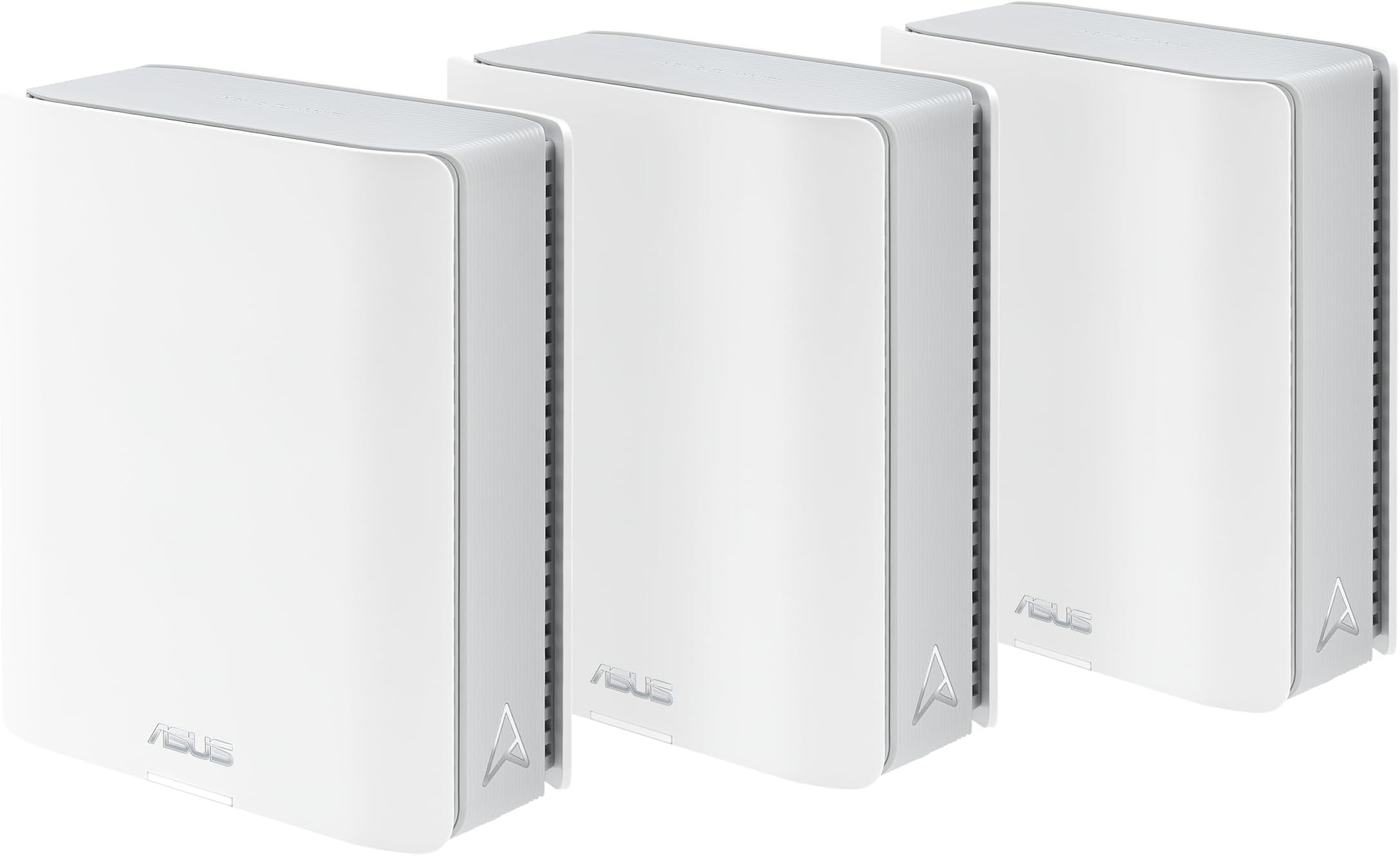
My old google mesh has served me well for many years but it has gradually been recycling and low speed. Replaced with the Asus and the pictures tell the tape. Both speed test were taken at third node away from the main router. The coverage with three nodes is amazing. Download speed at third node went from 94 to 694 mbs. Upload from 94 to 493 mbs. The app is user friendly and makes set up a breeze.
H**.
Best system out there.
Iโve been doing networking for 30 years both home and business, this is the best mesh system out there today. For wireless range, software options, and what can be done with this system it canโt be beat. The Linksys & Netgear systems fail miserably compared to this system, they arenโt even in the same class. If youโre looking for a mesh system this is the one.
K**R
Terrible, antennas awful, mesh nodes disconnect, devices don't auto connect to best signal.
Replacing an Archer AX50 that wasn't terrible, hoping to fill in a dead spot in my 2nd floor. My first try was a GT-BE98, a huge spider like monstrosity with humongous antennas. Unfortunately, despite the huge antennas, the reception on it was barely better than my old Archer, so that monstrosity went back. Was hoping the mesh system of the BT8 would be better. Unfortunately it was quite a bit worse. 1) Antenna reception was awful resulting in many issues such as first floor coverage was very bad. I room away with a half bathroom in between I was getting -70dbm where my old Archer would be at -60-65dbm. So now I would have to consider more mesh nodes for my first floor. 2) Again because the antenna reception was poor I had a hard time finding a place to put the mesh nodes. I put them centrally, one in the basement and one on the 2nd floor, but they constantly disconnected from the main unit. The Asus router website said one mesh was at -52dbm with a "great" signal, meanwhile my handheld gauge showed it at -65dbm, and it would constantly disconnect. Running wires for a wired backhaul is one option, although due to the next issue this was not a solution. 3) Devices would not switch mesh nodes, even when signal was awful, they would persist with a unit that had poor coverage and result in things such as slow speeds, wifi calls dropping, etc. 4) Asus website is awful, you can't sign in because it won't accept your password. When you force a password reset it won't accept your password even though you are following their protocol. Seems like a known issue doing a search. Couldn't even get online for tech support or registration. Overall not a good choice, I'm better off keeping my Archer AX50 and getting an access point, although the reason I didn't do that was I wanted seamless roaming. Back to the drawing board.
T**.
Fast, stable, reliable.
Excellent system. I have been running this system for about 2 weeks and haven't experienced any software/firmware issues that apparently plagued asus bt series routers when they were first released a year and a half ago or so. This system has eliminated all dead spots in the house and the speeds are incredibly fast using wireless backhaul. I highly recommend.
A**E
A really poor mesh network that you shouldn't consider
Poor connection between units. Signal drops between units all the time. Devices on wifi randomly slow to a crawl. No joke, I have better more reliable coverage with my Orbi RBK20 setup from 2018! I need a mesh system with 2.5g ports minimum and USB C for a media server so I was super excited for this but it is either not ready software wise or the hardware has faults that they can't program around. You can see people with the same struggles on forums so it's not a case of me just getting a lemon. Asus used to be one of the best in the business but over the past five or so years their quality has taken a noticeable turn for the worse. I've build custom PCs for two decades now and Asus was my go to motherboard and router brand but now it looks like I have to find a brand to replace them with. TL;DR bad hardware and software - don't buy. Also, way too expensive for what you get - 1 gigabit ports shouldn't exist at this price point.
C**G
Zero issues. Rock solid
1 month review. Set up was pretty straight forward. Once connected, I hard wired the backhaul. First day had 2 outages, which might have been updates. Since then rock solid. Replaced a Google 5g mesh network. String signals throughout. Guest and IOT networks were easy to set up. Have not enabled the trend micro monitoring. Setup is gateway to first node, then to a switch for the other 2. Allos a few devices to be hard wired, like the xbox. Thus far, zero issues.
A**R
Outstanding performance for the price at prime day.
I upgrade my home Wifi from XT9 WIFI 6. BT8 performance is outstanding. Speed is 2.5 times of XT9. XT9 is between 500 to 600 mbps, BT8 is 1.1 to 1.5 Gpbs. My home internet speed is 2 Gpbs. My BT8 main unit is connected to the 2.5 wan port of the home internet router in the basement through the wall to form a wireless backhaul mesh wifi system. The only odd will be the connection between the main and nodes is not as strong as XT9, though the nodes speed are very stable.
A**I
Best Mesh for Ever
If you have a large home with multiple bedrooms and want to truly enjoy fast, stable internet, I highly recommend this mesh system. It performs great in every aspect โ even for gamers. If you know how to set it up and use it properly, it becomes incredibly powerful and useful. Having multiple wireless units with different configurations makes a huge difference. Honestly, itโs amazing โ you wonโt regret buying it.
Trustpilot
2 weeks ago
1 week ago