Desertcart purchases this item on your behalf and handles shipping, customs, and support to Tunisia.
❄️ Stay cool, game longer, and flex smarter with Razer’s smartest cooling pad yet!
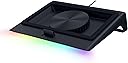
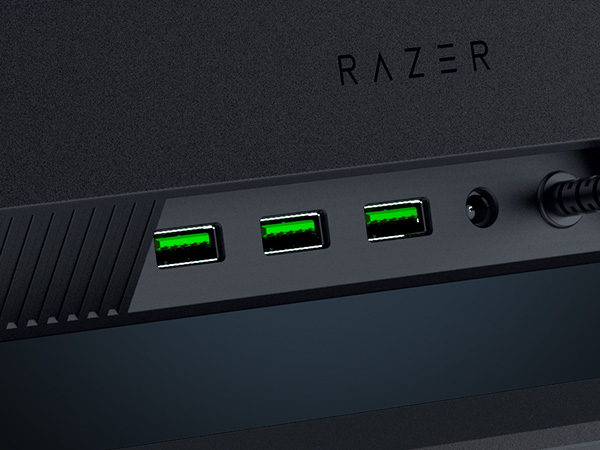
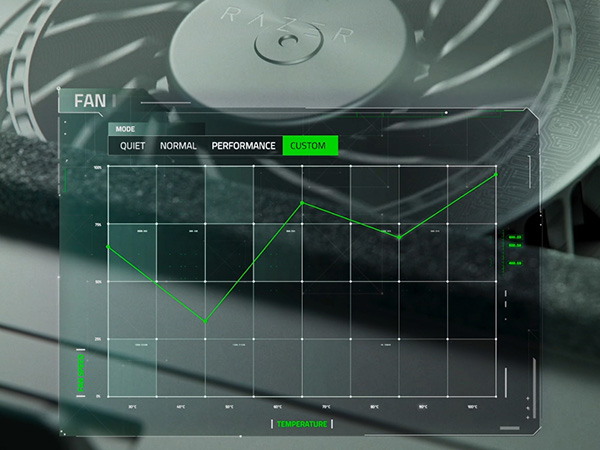
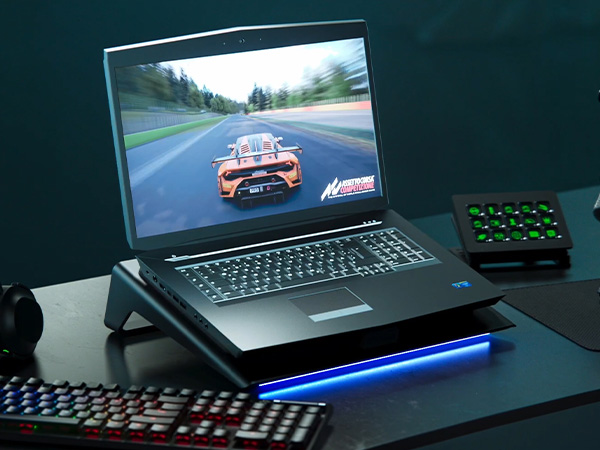
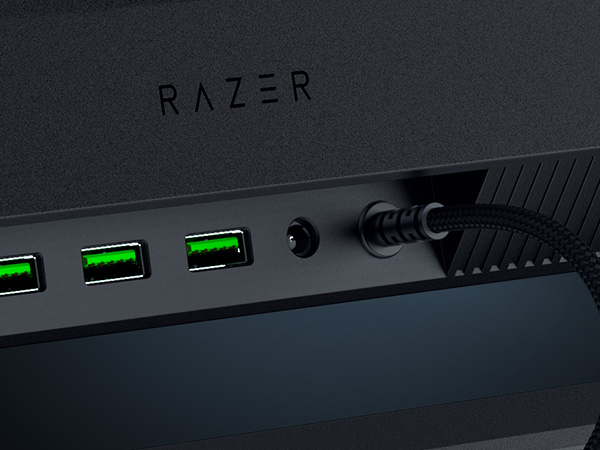
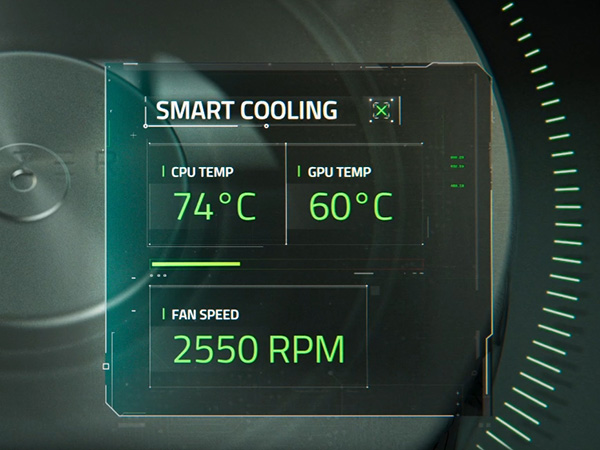
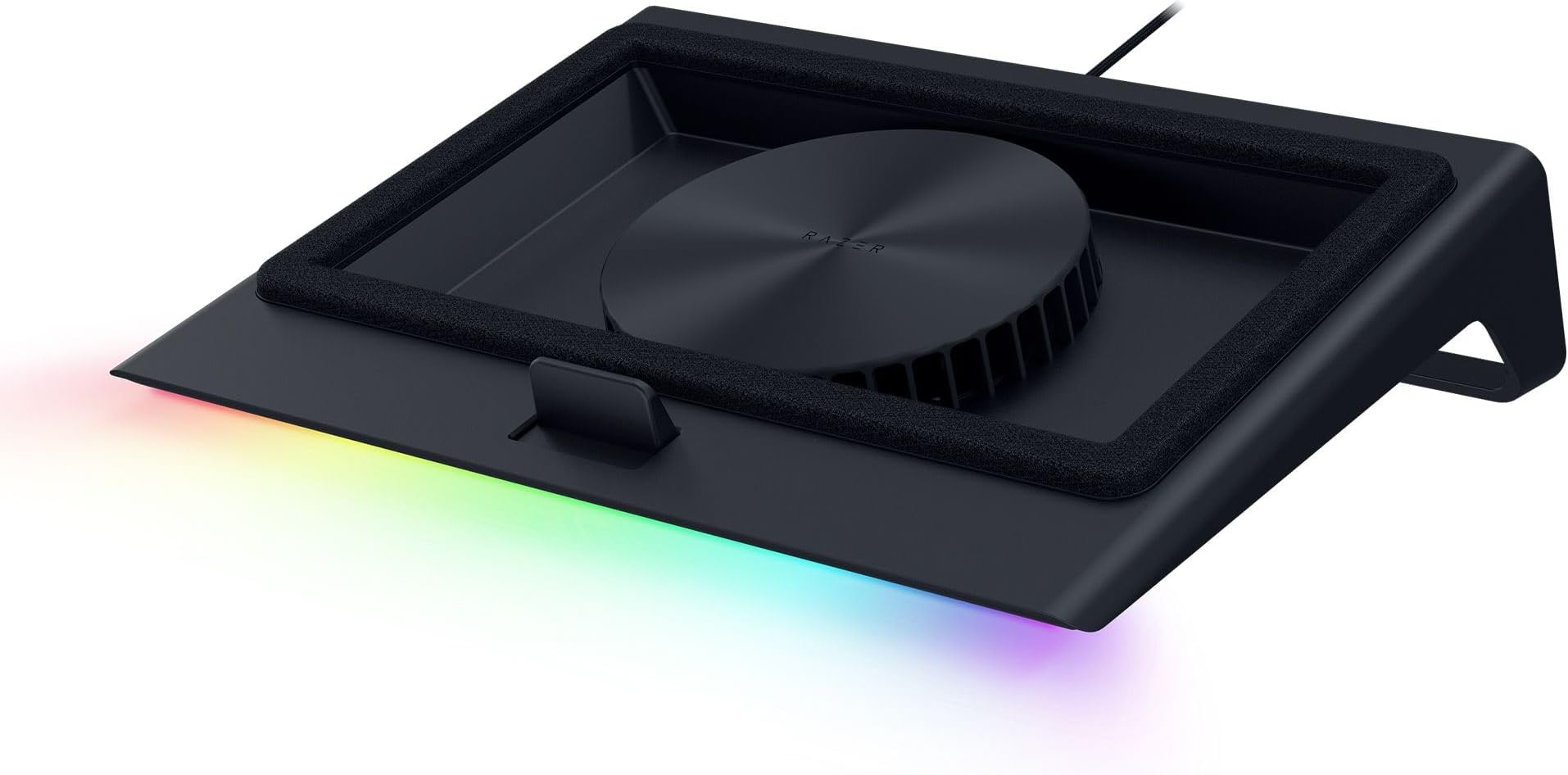
The Razer Laptop Cooling Pad features a high-speed 140mm brushless fan spinning up to 3000 RPM within an airtight pressure chamber to maximize cooling efficiency. It supports laptops from 14" to 18" with three magnetic frames for optimal fit and airflow. Customizable fan curves and remappable multi-function buttons via Razer Synapse allow precise control over cooling performance and noise. Additionally, it includes a 3-port USB Type-A hub for enhanced connectivity and Razer Chroma RGB lighting for personalized aesthetics. Backed by a 2-year warranty, it’s designed to keep your laptop running cooler and performing at its peak.


| ASIN | B0DJDWWHTV |
| Best Sellers Rank | #401 in Computers & Accessories ( See Top 100 in Computers & Accessories ) #10 in Laptop Cooling Pads |
| Brand | Razer |
| Built-In Media | User manual |
| Color | Black |
| Cooling Method | Air |
| Customer Reviews | 4.3 out of 5 stars 638 Reviews |
| EU Spare Part Availability Duration | 2 years |
| Enclosure Material | Plastic |
| Item Dimensions L x W x H | 15.6"L x 11.5"W x 4.49"H |
| Item Highlight | Airtight Pressure Chamber, Fits Most Laptops & Macbooks 14" to 18", Preset & Custom Fan Curves, 3 Port USB Type A, Chroma RGB |
| Item Weight | 5.7 pounds |
| Manufacturer | Razer |
| Material | Plastic |
| Mfr Part Number | RC21-02300100-R3UC |
| Model Number | RC21-02300100-R3UC |
| Number of Fans | 1 |
| Number of Items | 1 |
| Product Dimensions | 15.6"L x 11.5"W x 4.49"H |
| UPC | 840272914793 |
| Unit Count | 1 Count |
| Warranty Description | 2 Year Manufacturer |
G**A
The Best That I've Tried (& There's Been a Lot)!
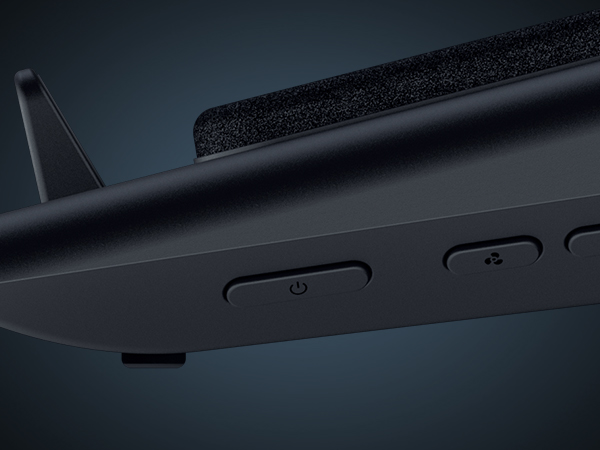
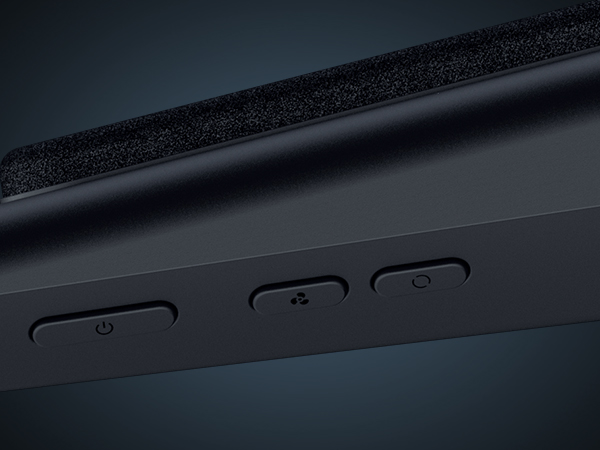
I have an interesting set up, and needed something powerful, but also on the smaller side so it wouldn't stick out an awful lot. I tried probably 10 other laptop coolers before finally arriving to this Razer model, and it's the ONE. Obviously, it has a sleek design with none of the weird, unsightly little wheels or knobs a lot of models have. The buttons for this are tucked cleanly on the right side (there are three). It also doesn't stick out a lot, so my laptop/desktop set up is a lot cleaner looking. There's only the one set level of height, but it's not a problem for me since my laptop is hooked to my monitor. I think it's at a height that's comfortable for most people though. I used this pad as a hub of sorts to keep cables tidy before I swapped a Thunderbolt dock, and it worked great. Since the ports are in the back, cables are kept cleanly out of sight. I don't have a Razer laptop (I'd love one though!), but the additional magnetic tip in screens made it possible for this to fit perfectly for my Asus Tuf f15. While my laptop does have an awesome internal fan system, I'll still hit framerate drops and bad lagging about 40 minutes into heavy gaming (like for Oblivion Remastered or Crimson Desert) just due to the extreme heat well into the 200s. This pad though, keeps everything cooler by FAR, sometimes cutting my temps in near half. The screenshot shown is right after a heavy, multi hour gaming session. It might not seem like much to some, but after me worrying I'd toast my GPU (not to mention being super salty about such short gaming times) this is insane. Yes, it's loud, but honestly, I've never had a fan system that wasn't loud when it actually works. It's well worth being able to play games on my older laptop! You can download the app and use it even if you don't have a Razer laptop, you just won't have all of the features. You'll be able to modify the fan speeds/arcs and also the lighting, which for being just a small strip, has some pretty cool modes. I personally LOVE this Razer cooling pad. It makes me want more Razer products, since this is so thoughtfully made. This has made what used to be a depressing time gaming into hours of fun.
J**W
High-performance Laptop Cooler at a High Price
I bought the Razer Laptop Cooling Pad to replace an aged-and-dying Enermax cooler (single 8-inch fan) that could no longer effectively cool my Origin PC EON16-X laptop (16", Intel i9 14900HX, NVIDIA RTX 4090). Setup was very simple for me. The laptop fits well on the pre-installed frame. I already use Razer Chroma and Razer Synapse for my Basilisk mouse, and I didn't have to do anything to get the softwares to detect and manage the laptop cooler. I leave the fan set on the lowest speed, allowing the software the adjust the fan speed based on system temps. Pros: - First, it's a great cooler. System temps are around 10ºC lower under load than using my older cooler. - Simple set-up process, especially if you already use Razer peripherals and their associated software. - 3 included frames to accommodate laptops of different sizes and vent placements. Frames are very easy to change since they use magnets: simply pull one off and stick on another to fit your laptop. - 3 powered USB-A ports on the back. - Cleanable air filter helps keep your laptop innards from getting quite as dirty. - As with all new peripherals these days, there are lights. You can press a button to cycle through some preset options, or use Razer Chroma to set your preferred color(s) and effect. Cons: - The fan can be absurdly loud. For those of us who game without headphones, it's a major distraction to have the fan on higher speed settings. Medium speed is annoying but tolerable, and High speed is around the noise level of a loud vacuum cleaner in the next room. - The cooler has a plastic frame. At this price, it probably could be aluminum. Still, the plastic is strong and sturdy and I have no doubts it will hold up in function and form. - The price is significantly more than other high-performance coolers, but they don't have the Razer name included. - The power cord is about 5 feet long, and the brick (wallwart) is rather large. My desk's power strip couldn't fit it, so I had to run it to the wall, which is a stretch. Playing high-resource games would generally have my system getting very hot, into the dangerous nearly-100ºC range. Below are temps measured by GPU-Z and Core Temp, with the cooler running variable fan speed managed by Synapse. GPU: RTX 4090 - Idle temp ~38ºC - Load temp ~69-70ºC at 98% load, 76ºC Hot Spot, 88ºC Memory Temp CPU: i9 14900HX - Idle temps vary from 35-44ºC depending on core - Load temps 70-83ºC, spiking at 75-97ºC depending on core
F**K
Works exactly as it should
I got this Razer laptop cooling pad for my 18" Acer Predator Helios. I will say it isn't a perfect fit. However, it does work and keep my laptop cooler. Setup was quick and easy, and that included a firmware update. Just follow the on-screen instructions and reboot. 6 month update: this cooler has worked great. I cleaned the filter and its been keeping my laptop cooler clean. Software works great and controls are too. Overall happy. Only con is I think its overpriced but my main reason was keep all my peripherals Razer since all of them have been flawless. Leds are only on the front. It would have been cool to see more Leds around the side, but that doesn't negativity affect anything. I did need to update my Synapse 3 to Synapse 4. I believe the main reason is they separated Chroma from Synapse. My auto fan works great, and the profiles for low/med/high are adjustable. I made two small tweaks to the low and medium profiles just to make it dead silent when no load is on gpu/cpu. You can control the fans and lights via the buttons on the side of the cooler, or within the software. The software also gives you a basic look or an advance look for fan profiles. It's pretty cool. I play DayZ and with my Nvidia monitor I went from roughly 80*C @ 100% load to about 68-72*C and around 60-80% load. Based on that pretty sure I was getting thermally throttled. FPS is better also. I use a Razer Tartarus V2 because the height of the laptop keyboard is higher and for me is less comfortable while gaming. The Tartarus pairs up nice. There is an intake fan dust cover, so hopefully that does a good job as my house with multiple kids and animals gets pretty dusty. Currently very happy. It works just as advertised. And I'm happy with it not fitting 100% so it may work better for you and get even better results with temperature. Again, I'm using an Acer laptop, not a Razer so it's my own fault but it does work with non-Razer laptops. The cooler does have its own AC power adaptor which powers the cooler. There are also 3 usb ports on the rear, and they're setup for my Tartarus V2, JBL Quantum One headset and my charging cable for my Balilisk V3 Pro mouse. The pass thru works great, and I have no performance or audio issues.
D**Z
It could be perfect, but it isn't.
Tested on an Asus G14 2022, Ryzen 9 6900HS, RX6700S. This laptop runs incredibly hot; it really improved the temperature. On my usual setup, the temperature dropped from a stable 80°C to 55°C. This, with the base fan speed at 50%. It really does improve the temperature. It's strange not being able to adjust the height; it's a rigid base that only has one position of use. It's made of plastic, but it feels good. Even though they say it's noisy, it is, but you get used to it. Improve the ability to adjust the height in some way. The foam might need some modification, as my laptop has feet that raise the bottom of the screen. This causes air to escape, preventing me from fully utilizing the foam. Otherwise, it's quite functional. Honestly, I wasn't expecting such a big improvement.
S**.
Works! Keeping it cool.
Got this after I fried a 2Tb SSD in my Asus zen duo laptop. This, along with replacing the SSD with a better quality drive, seems to have solved the issue nicely. The fan cools adequately, although it is kind of noisy especially on the highest level. The lights are cool, but honestly I don't bother much with that feature.
L**N
Its the best I have found. It keeps my really hot Alienware Laptop really cool.
Love it, except for one thing... it produces a lot of air thru my machine and keeps it really cool, which is amazing for an Older Alienware computer, they run really hot. The thing that I would like as an add on... is a place where you can slide in a large air filter underneath so the air is filtered... and doesnt clog up the fans and ports on my machine so fast. I consistently have to blow out the air and lint in the ports, and fans, coolers etc. And with the extra air flow, this is even more likely to happen more often. So a large air filter would make this the best thing on the market as far as I am concerned. I am a designer and engineer, and machinist. And so I know my equipment really well. If you get on this Razer People... it will be top's. Nothing else can compair with your product.
J**N
Damaged Laptop Due to S4/S5 / Power Options
This product caused damaged to my Laptop and Razor doesn't understand the issue. The product plugs into the computer Via USB the issue with the product is that when plugged into a laptop and the laptop goes into sleep but continues using processing power or CPU is still processing but pc is in sleep the USB turns off when S4 / S5 / Power Options are enabled or power settings, given the fact that the chamber is Air Tight, and there is no warning on the Box itself what happened is the PC heated up and turned on to try to vent the heat, but because the Razor cooler would not kick in, or give me an option to leave the cooler on if it was plugged into the PC this caused damage the Fans have to be replaced which the manufacture doesn't have currently, and possibly the heat pipe and thermal compound was all dried up. To fix this razor needs to fix it so we have the option for the cooler not to turn off as it is powered by an AC Adapater there is no reason for it to turn off when the PC detects no power. This is easily avoidable by the company adding an option by default to leave the cooler on until manually turned off while plugged in via usb but theres no option for this as a resut the computer was damaged, but the worst part is contacting razor they didn't seem to understand.
A**S
Cooling Beast
Before I purchased this cooling pad I had a cheap Chinese pad with four fans and zero software. I ran the Chinese pad on max all the time but it barely made a difference. There was nothing in the way of dust filtration in the Chinese pad. Razer has outdone themselves concerning the design of this cooling pad. The plastic is very sturdy and the stand is at a perfect angle. This cooling pad also doubles as a USB-A hub, with appropriate space for cables underneath the pad. The foam serves to insulate the underside of a laptop from dust, and there is dust filtration on the fan as well. While gaming this cooling pad offers significant performance gains. The fan will easily go up to full speed and generate a substantial amount of noise. I can hear this noise occasionally through headphones but it doesn't bother me too much. The game soundtrack should cover up the fan noise as well. The software allows you to see temps, manually set the fan speed, set the fan to adaptive mode, and control the LED bar on the bottom of the pad. I use the fan on adaptive mode since it usually runs slowly enough that I cannot hear it or I have tuned it out. I have the LED set to Razer green, but you can easily turn it off. You can also use a plethora of LED modes like "breathe" or "rainbow". Overall the cooling pad is worth the cost. Razer may have added a little "brand tax" but this cooling pad is reliably performant. There are cheaper cooling pads from China that serve the same purpose, but they do not usually offer the gains this pad delivers. The build quality is also lacking in many of the cheaper options.
J**N
Nice Cooling Pad
its effectively cooling my G14 laptop.... good to have this cooling pad..
A**R
Razer laptop cooler pad
Very happy with this product, works very well with my Asus Scar 18 2024 RTX 4080. Really like the fact it has the smart intelligent cooling via usb cable and external power supply. Though on the balanced mode in Synapse 4 I found I had to adjust the curve otherwise it seemed to hunt up and down. To the other reviewer that said it bricked itself after the firmware update which caused it to not read the cpu/gpu temperatures well this happened to me too, the firmware was successfully installed but I had uninstall Synapse 4 and reinstall, reboot and working good as new. Almost bought the Llano V12 and while it gets good reviews the quality looks questionable, the IETS GT600 looks better quality than Llano V12 but the GT600 is close in price to the Razer pad. Again Razer brings great quality and advanced smart cooling to table which as being in the electrical engineering field for many years was a huge plus for me. Noise in quite mode is quite as the name suggests, balance gets louder and performance is louder when temps increase. My Asus Scar 18 2024 fits very well on biggest pad and gets about 95% of the bottom intake. RGB light is good too, lots of adjustments in Synapse 4, probably about 20 different options, wave, rainbow, strolling, etc. While at the price point you pay for what you get, the advanced features compared to the competition makes it worth it for me especially when I spent $3500cdn on a higher end gaming laptop. The Razer product is fairly new and sold out during Christmas 2024 both on Razer and Amazon, glad I got mine. Don’t mind the fixed angle as typing on my keypad feels natural. As for the temperatures can watch it drop fairly quickly which is obviously important. Definitely A+ rating.
L**L
Recommended for 18 inch laptop
Terbaikk !!!
C**L
As expdcted
Didn’t get Australian plug with this.
J**M
El mejor
El mayor inconveniente que tiene es el precio, aunque después de validar sus características se observa que está basado en la funcionalidad que ofrece, todo es configurable a través de su software razer synapse, se pueden crear curvas personalizadas (por temperatura o RPM) y asignárselas a juegos según se requiera el nivel de enfriamiento. Se puede modificar el RGB, incluso se le puede agregar otra funcionalidad diferente a los botones de RGB y RPM de la base, respecto al apagado se sincroniza con la laptop y cuando esta se apaga el ventilador entra en reposo, lo mismo en el encendido, el ventilador toma la última configuración de RPM para funcionar. La construcción es de muy buena calidad e incluye 3 marcos magnéticos para usar según las dimensiones de la laptop, el cable de alimentación para consumo de 36w (muy buen consumo de energía) Respecto al funcionamiento, el ventilador tiene un mínimo de 500 RPM y puede llegar hasta los 3200 RPM, lo cual ofrece un buen nivel de enfriamiento, aunque también a mayores revoluciones incrementa el ruido generado (haciendo pruebas el nivel aceptable de ruido es con 1700 RMP, en adelante se recomienda usar audífonos). A nivel personal observo que favorece más al lado derecho de la laptop manteniendo una temperatura no mayor a los 70 grados en la gráfica usándola al 100% en juegos de alto rendimiento y al procesador en ocasiones no le ha llegado a impactar. Otro de los factores que se debe considerar es el uso de los marcos herméticos para poder concentrar el mayor posible aire fresco, con el marco liso el aire se escapa y la laptop no recupera el aire suficiente para enfriar. finalmente, el hub de 3 puerto UBS es muy bueno y mínimo cubre el puerto USB de la laptop que se estaría ocupando. Si bien puede tener algunos detalles a mi consideración y al momento es la mejor base que se puede llegar a adquirir, las configuraciones que se pueden realizar, la potencia y el mantener mi laptop en las condiciones adecuadas de funcionamiento es lo que le otorgar valor a la base.
Trustpilot
2 months ago
5 days ago